Applying filter on Multi Choices / Multi-Select OptionSet – Power Apps / Dataverse


Say for e.g. we have 2 multi-select choice columns in our leads table, one is local (My Local Multi Choice Field) and the other field ((My Local Global Multi Choice Field) refers to the global option set field

In our Canvas App, to filter on ‘My Local Multi Choice Field’ by value Local Choice 2 and Local Choice 3, we can apply the below formula.

Similarly, for the Global option set to apply a filter on the Global Choice 2 value, we can compare the field in the lead with the values in the Global Option set.

As we are using “in” operator, we’d get the delegation warning. And for it to work in the case of combo box we would have to set “Allow Searching” to “Off

Hope it helps..

Advertisements

Solved – Presence not loading in Omnichannel for Customer Service / Customer Service workspace


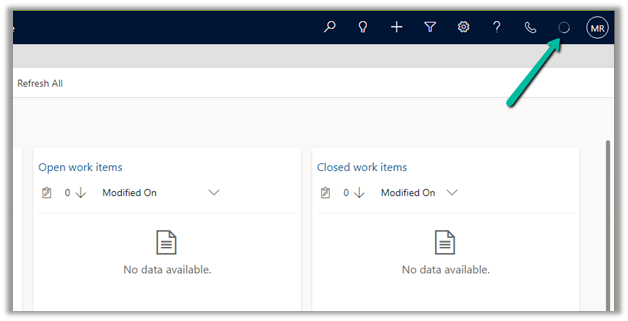
Recently in one of the environments, the presence was not loading for the agents.

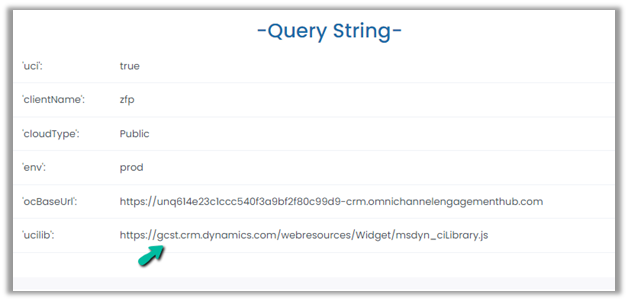
To fix it, we had to update the Channel URL to point to the correct organization name.

Before –

https://oc-cdn-ocprod.azureedge.net/convcontrol/ChatControl.htm?uci=true&clientName=zfp&cloudType=Public&env=prod&ocBaseUrl=https://unq614e23c1ccc540f3a9bf2f80c99d9-crm.omnichannelengagementhub.com&ucilib=https://orged4e3d70.crm.dynamics.com/webresources/Widget/msdyn_ciLibrary.js

After –

https://oc-cdn-ocprod.azureedge.net/convcontrol/ChatControl.htm?uci=true&clientName=zfp&cloudType=Public&env=prod&ocBaseUrl=https://unq614e23c1ccc540f3a9bf2f80c99d9-crm.omnichannelengagementhub.com&ucilib=https://gcst.crm.dynamics.com/webresources/Widget/msdyn_ciLibrary.js

Verify the Unique Name used in ocBaseUrl and Orgname from Settings >> Customizations >> Developer Resources

On correcting the URL in the Omnichannel record (Channel Integration framework 2.0 Providers)– we can see the presence loading.

The cause for the issue was we had recently updated the environment’s URL from the Power Platform Admin Center.

Check for more details –

https://tinyurl.com/3488m6p2

The presence not loading.

Hope it helps..

Advertisements

Moving Marketing Email, Journey, Events, etc. between environments – Dynamics 365 Marketing


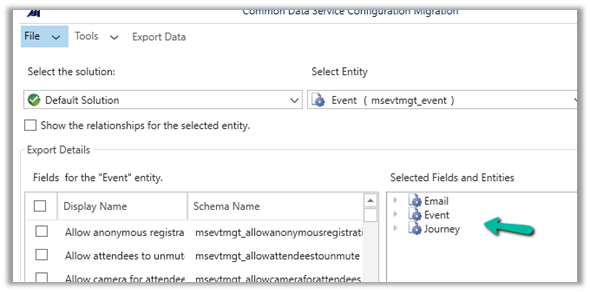
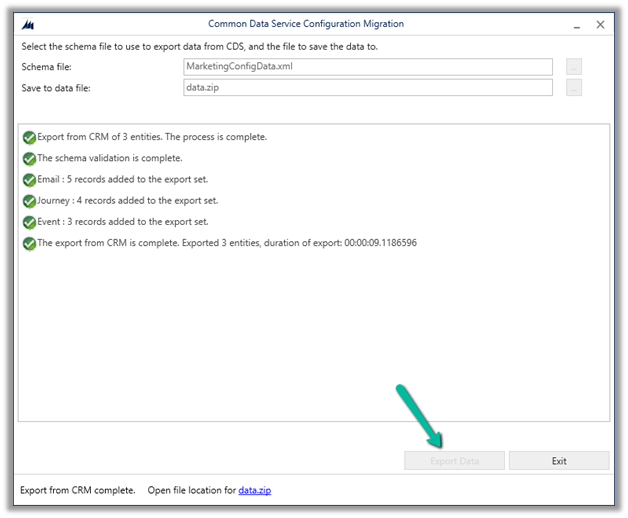
To move Marketing configurations/data from one environment to another we can make use of the Configuration Migration Tool.

Open the tool, and create the schema file. Connect to the source environment.

Select and add the real-time marketing email table – msdynmkt_email Soure email.

Next, we are going to select the real-time marketing Journey table – msdynmkt_journey

Source Journey.

Lastly events – msevtmgt_event

Source events.

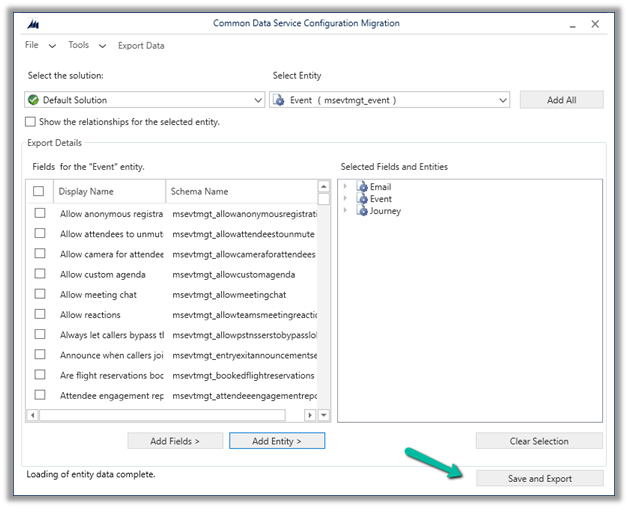
Click on Save and Export

Save the schema file and click on yes.

Click on Export data to generate the data to be exported.

Next with the schema and data exported, select Import Data to start the import and select destination organization.

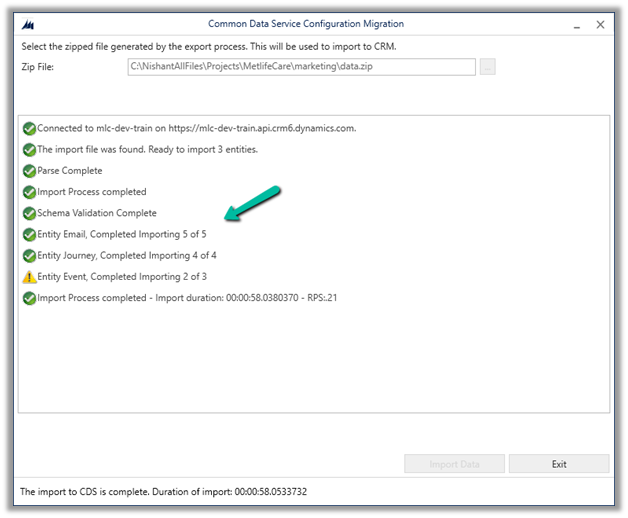
Select the data file exported earlier and start the import process.

The import process gets completed with a warning for the table Event for one of the records.

Let us now check the destination environment.

We can see 4 Email records created and 1 updated, all in Draft Status.

We can see all 4 journey records created.

And 2 event records were created.

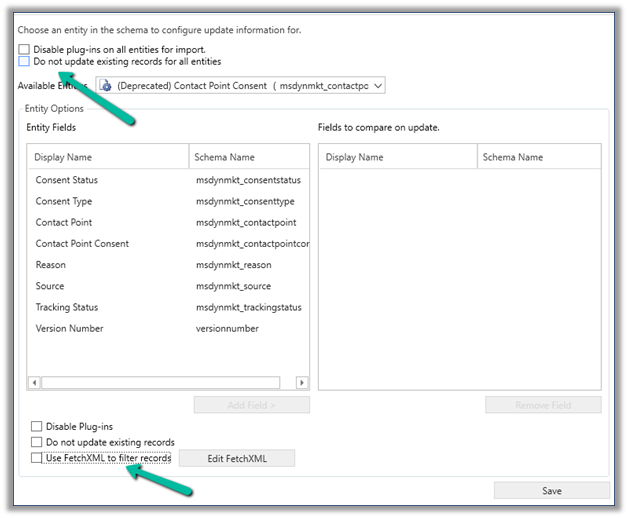
In case we want to filter the records or want to make sure records are not updated in the destination, we can select Tools >> Configure Import Settings

And use Do not update existing records for all entities and specify Fetch XML for it for filtering.

Also, checkPrerequisites for the export/import process

Hope it helps..

Advertisements

Fixed – Omnichannel authentication failed. Contact your administrator in Omnichannel Ongoing Conversations Dashboard


Recently we were getting the below error on the Omnichannel Ongoing Conversations Dashboard.

As the user was having an Omnichannel Administrator role, we expected it to work for the user. We raised a support ticket for the same and got to know that we need to assign the Omnichannel supervisor role for it to work for the user.

After assigning the Omnichannel supervisor role, the report started working for the user. Try it in incognito mode or clear the cache after assigning the role.

Get more details –  Omnichannel Ongoing Conversations dashboard

Hope it helps..


Advertisements

Fixed – Custom Page not opening or Page doesn’t exist in this app error in the model-driven app (PowerApps)


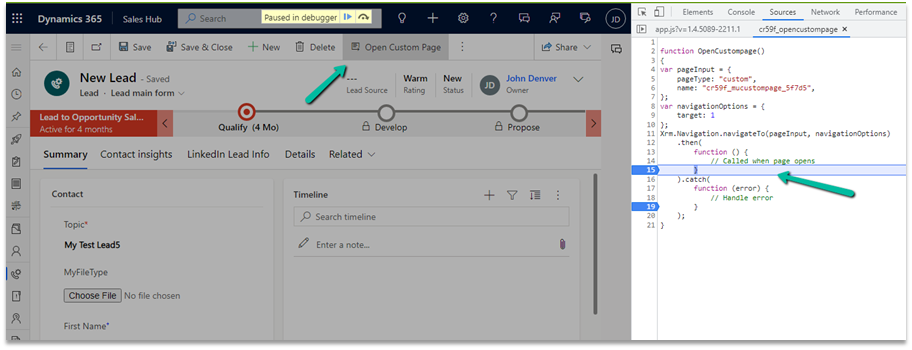
Recently we created a custom page to be opened from the Ribbon / Command bar, however, the page was not opening for us, even though the function was running properly.

https://learn.microsoft.com/en-us/power-apps/developer/model-driven-apps/clientapi/navigate-to-custom-page-examples

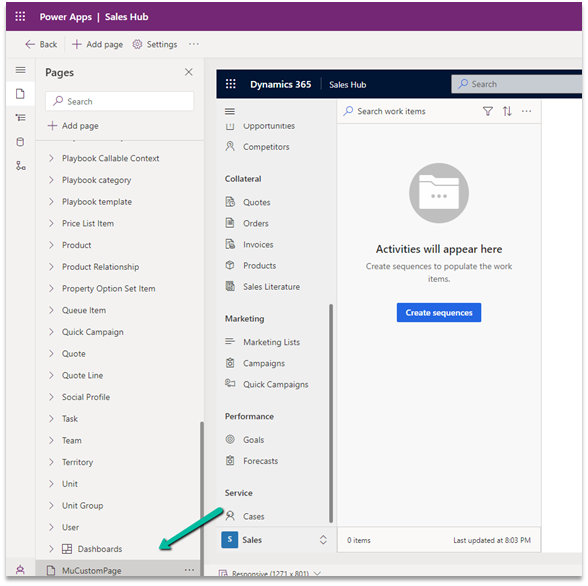
Here we had created the custom page from within the solution area, so we need to add this custom page to our model-driven app. (The other option is to create the page from the Modern App Designer.)

https://learn.microsoft.com/en-us/power-apps/maker/model-driven-apps/add-page-to-model-app#create-or-edit-a-custom-page

Open the app in the Modern App Designer and click on Add Page

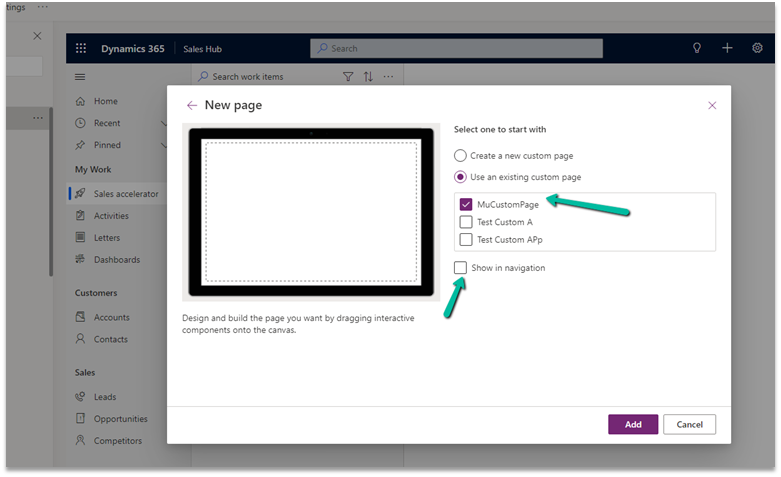
Select Use an exiting custom page, select the page and uncheck the Show in navigation option as we are opening this page from the form.

Publish the app.

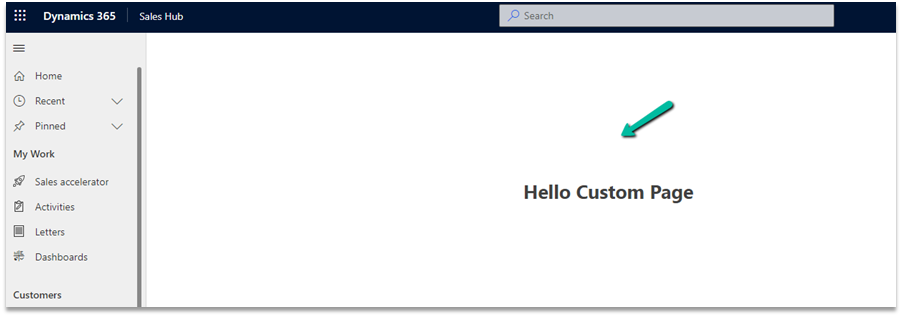
This time clicking on Open Custom page command/button on the form successfully opened the custom page for us.

Thanks to Andrew (https://butenko.pro/) for the solution.

Hope it helps..


Advertisements

Import from Excel / Import Wizard updates Record Created On (overriddencreatedon) – Dynamics 365


When we are creating new records and need the created on field to take the value provided instead of system generated, we can map it to the Record Created On field during Import from Excel option.

In fact in the Import Data Wizard also, although it doesn’t show the Record Created On field for mapping, we can map to Created On field and the behavior will be same. (and in the case of the Import from Excel in the Grid, we do not get the Created On field for mapping)

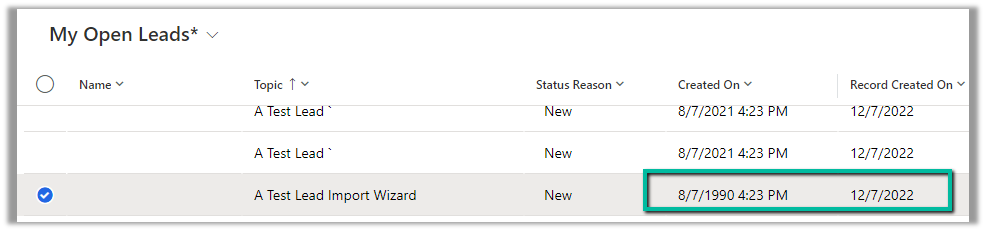
Below is the record we have created through Import Data Wizard, and we can see the values of Created on and Record Created On for it.

Read more –

https://debajmecrm.com/override-createdon-modifiedon-createdby-modifiedby-in-dynamics-365-crm-crm-tips-from-the-vault/

https://nishantrana.me/2018/10/16/using-overriddencreatedon-or-record-created-on-field-to-update-created-on-field-in-dynamics-365/

Hope it helps..


Advertisements