How to – use HTTP Action to call DataVerse / Dynamics 365 Web API in Power Automate


Let us take a simple example, to see the steps involved.

Here we will be manually triggering a flow, getting the token, and calling the WhoAmI request in Microsoft Dataverse / Dynamics 365.

This is how our final Flow looks like.

Inside the first HTTP action, we are calling OAuth 2.0 token endpoint v1. We have MyCrmApp registered in Azure AD and have generated the client secret for it.

Also we have created an Application User using the above application details and have given the appropriate security role.

Below is how our HTTP request looks like.


Method

POST

URI

https://login.microsoftonline.com/489f9a0f-1326-42ae-a00c-0dd3cd16e6e9/oauth2/token

Headers


Content-Type

application/x-www-form-urlencoded

Body

grant_type=client_credentials&

client_id=ad7a1cc4-123f-4270-9c11-29eb1686e203&

client_secret=m7.xyzsdfsdfe.jZ0odh-C-85qg70QPfnsI&

resource=https://[orgname].crm.dynamics.com/

Next, we have added the Compose action to get the token from the output of the HTTP request.


Inputs (Expression) = outputs(‘HTTP’).body.access_token

Next, we have added the HTTP action again to calls the WhoAmI request using the above token.

Method

GET

URI

https://trialcrm.api.crm.dynamics.com/api/data/v9.2/WhoAmI

Headers


Content-Type

application/json

Authorization

Bearer [Output of the previous step]

On triggering our Flow succeeds as shown below.

The output of the first HTTP request.

Compose step has the access token

And the final step has the result of the HTTP Get request to WhoAmI

The helpful post –

https://carinaclaesson.com/2019/11/24/using-power-automate-to-trigger-on-create-or-update-in-the-cds-and-make-http-requests-with-oauth-2-0-authentication/

https://sharepointmadeeasy.blogspot.com/2018/02/microsoft-flow-http-rest-api-invalid.html

Hope it helps..

Check other posts on Power Automate

Advertisements
Can we update ‘SYSTEM’ user in Dynamics 365 / Dataverse?


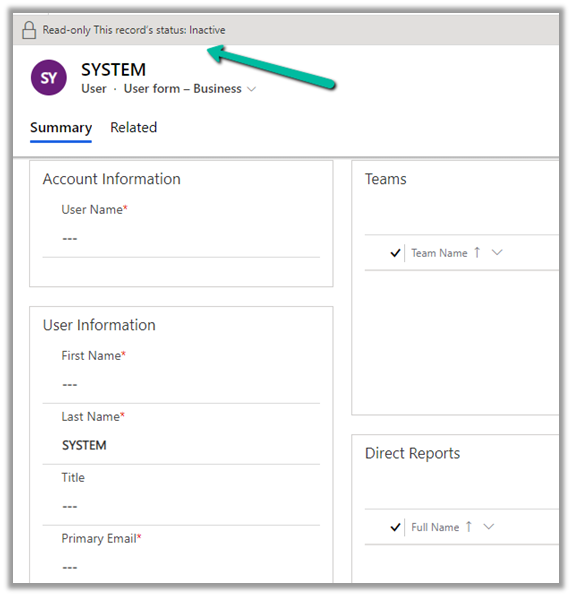
We recently were asked to check the possibility of updating the SYSTEM user specifically the primary email field of it.

https://docs.microsoft.com/en-us/power-platform/admin/system-application-users

Usually, we use SYSTEM user to specify the plugin’s execution context for business requirements that needs elevation of privileges.

And also we can neither update it from the user interface nor it is recommended to update the SYSTEM user.

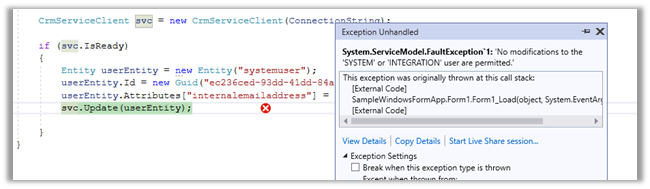
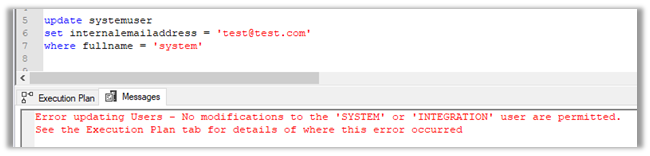
If we try to update the user through code, we’d get the below error message

Error updating Users – No modifications to the ‘SYSTEM’ or ‘INTEGRATION’ user are permitted. [See the Execution Plan tab for details of where this error occurred]


Hope it helps..


Advertisements
Update Personal Options / Personalization Settings using UpdateUserSettingsSystemUser Request – Dynamics 365


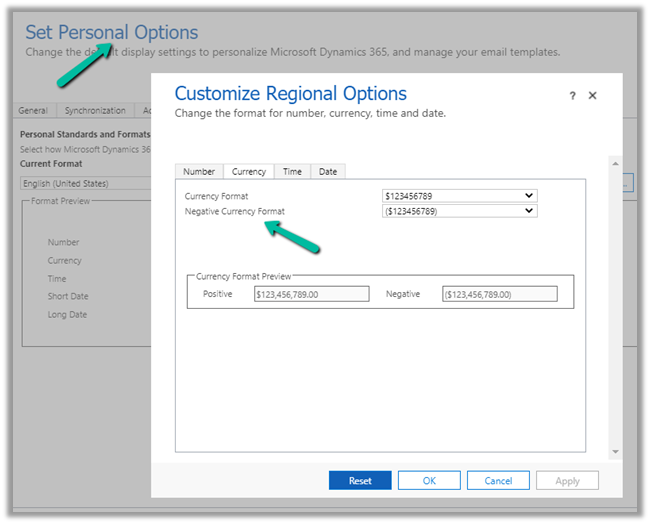
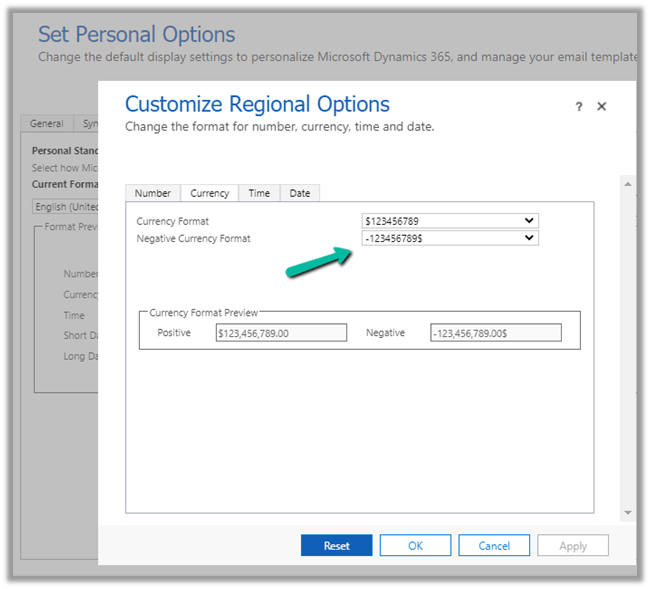
Recently we had a requirement to update the “Negative Currency Format” – Regional Options for all the users.

We could not find this option in our favorite plugin – User Settings Utility.

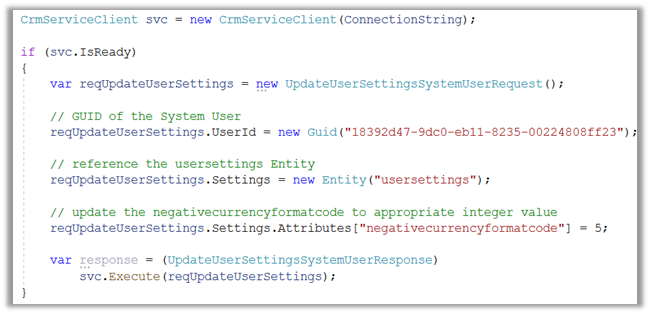
So to programmatically update it we use the below code.

Or using our most favorite plugin – SQL 4 CDS

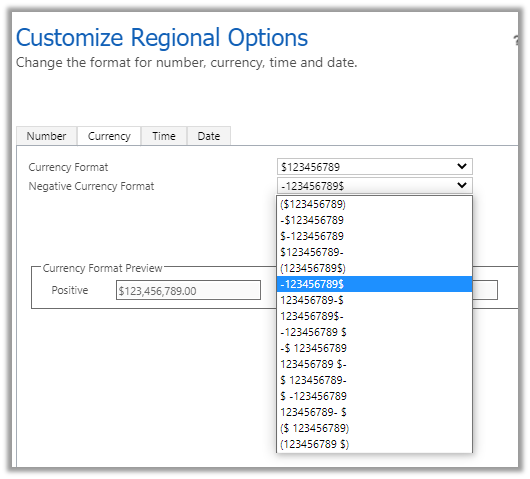
Updating it to the required format – 5

The Result –

Get more details here-

https://docs.microsoft.com/en-us/dynamics365/customer-engagement/web-api/usersettings?view=dynamics-ce-odata-9

Hope it helps..

C# Code –

  CrmServiceClient svc = new CrmServiceClient(ConnectionString);
            
            if (svc.IsReady)
            {
                var reqUpdateUserSettings = new UpdateUserSettingsSystemUserRequest();

                // GUID of the System User
                reqUpdateUserSettings.UserId = new Guid("18392d47-9dc0-eb11-8235-00224808ff23");

                // reference the usersettings Entity
                reqUpdateUserSettings.Settings = new Entity("usersettings");

                // update the negativecurrencyformatcode to appropriate integer value
                reqUpdateUserSettings.Settings.Attributes["negativecurrencyformatcode"] = 5;

                var response = (UpdateUserSettingsSystemUserResponse)
                    svc.Execute(reqUpdateUserSettings);
            }

SQL –

update usersettings 
set negativecurrencyformatcode = 5
where systemuserid = '18392d47-9dc0-eb11-8235-00224808ff23'
Advertisements
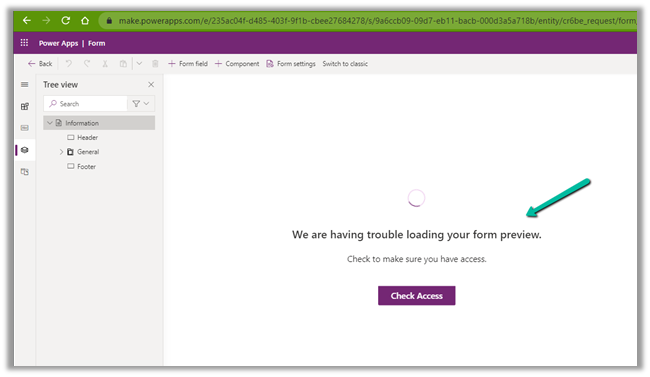
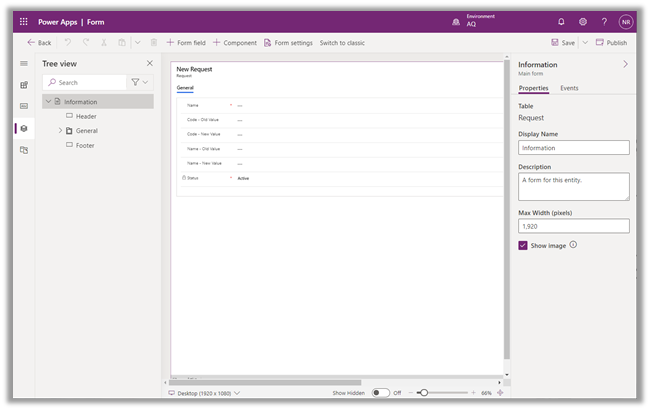
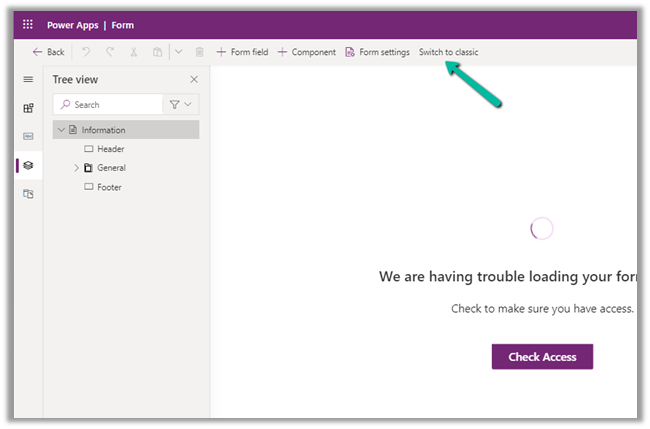
Fixed – We are having trouble loading your form preview. Check to make sure you have access error in Power Apps


While trying to open a form for customization for a custom entity we were getting below error within the maker portal.

The user was an admin user.

The same was the case in both Chrome and Edge browsers.

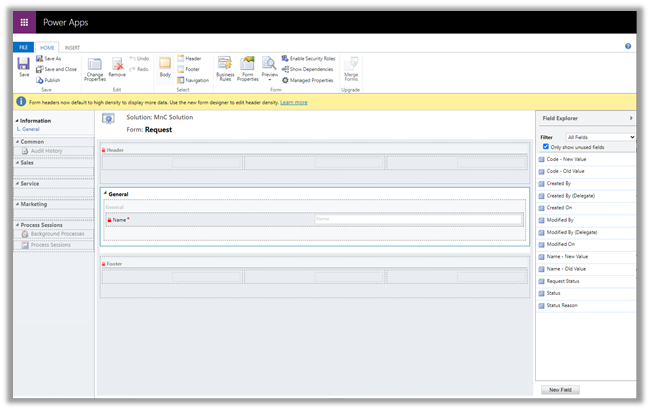
The only way we could proceed was by switching to classic experience.

Switching to Classic worked

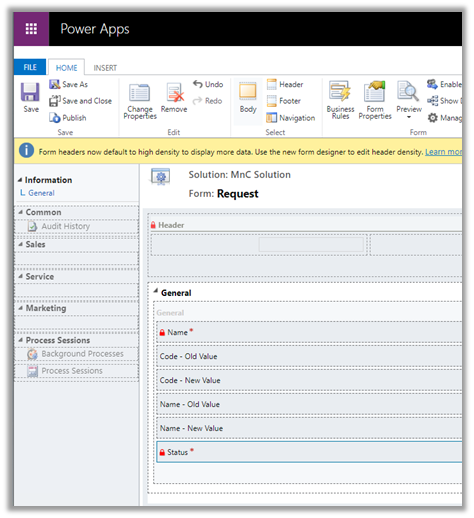
After updating the form in classic and publishing the changes, the form started working properly in the maker portal also.

We were able to customize the form in both Chrome and Edge.

Hope it helps..

How to setup – Azure Synapse Link – Microsoft Dataverse


Azure Synapse Link (earlier known as Export to Data Lake Service) provides seamless integration of DataVerse with Azure Synapse Analytics, thus making it easy for users to do ad-hoc analysis using the familiar T-SQL with Synapse Studio, build Power BI Reports using Azure Synapse Analytics Connector or use Azure Spark in Azure Synapse for analytics.

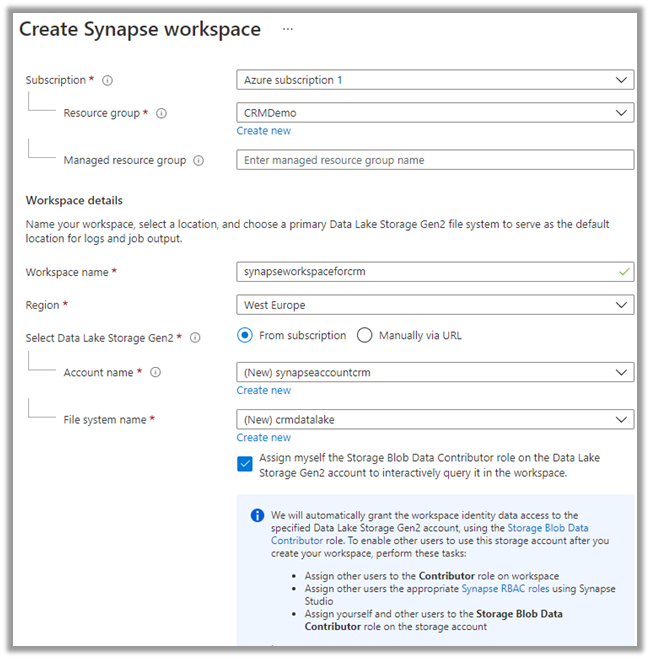
As a first step, we need to create the Azure Synapse Workspace.

Login to Azure Portal (https://portal.azure.com/ ) with appropriate roles and create a Synapse workspace.

https://docs.microsoft.com/en-us/azure/synapse-analytics/get-started-create-workspace

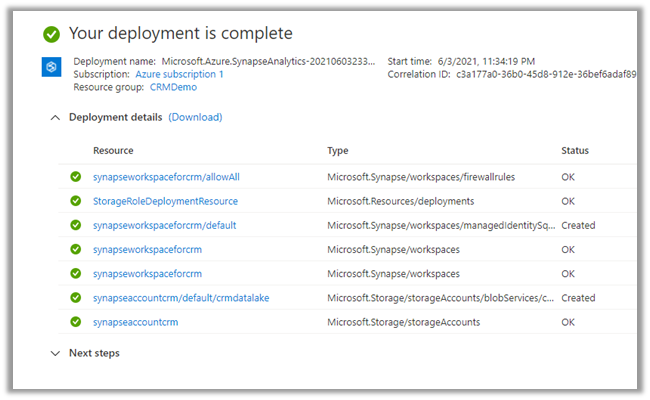
Wait for the deployment to be complete. Below are the resources created as part of the deployment.

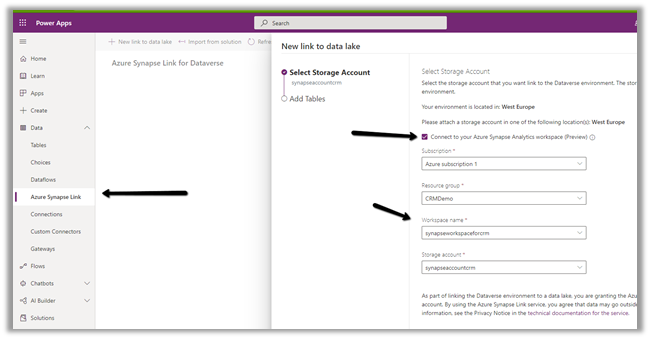
Login to the maker portal (https://make.powerapps.com/ ) and select the appropriate environment

Click on Azure Synapse Link and check the Connect to your Azure Synapse Analytics workspace (preview) and specify the storage account created in the previous step

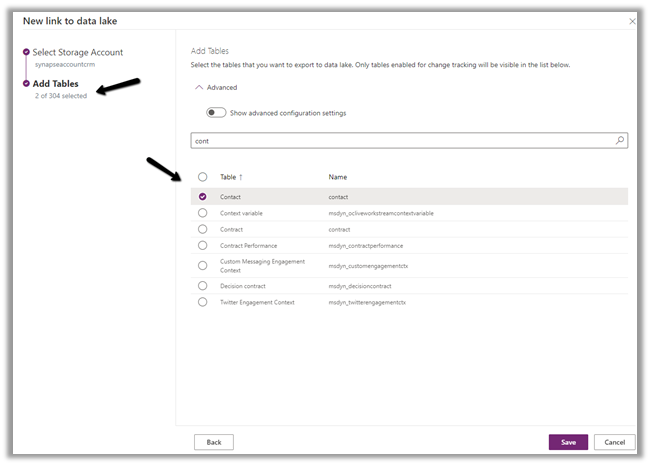
Here we have selected the Contact and System User table for export.

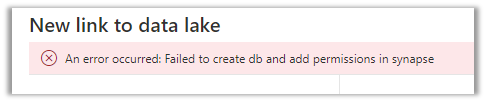
On clicking Save, we got this error couple of times, even though the account being used was Owner across the Azure resources. Trying save 3-4 times more, allowed the link to be created.

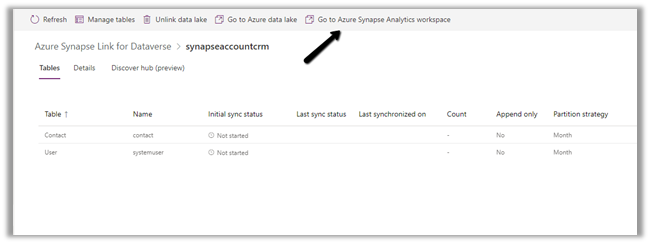
Click on Go to Azure Synapse Analytics workspace, opens the Azure Synapse Studio

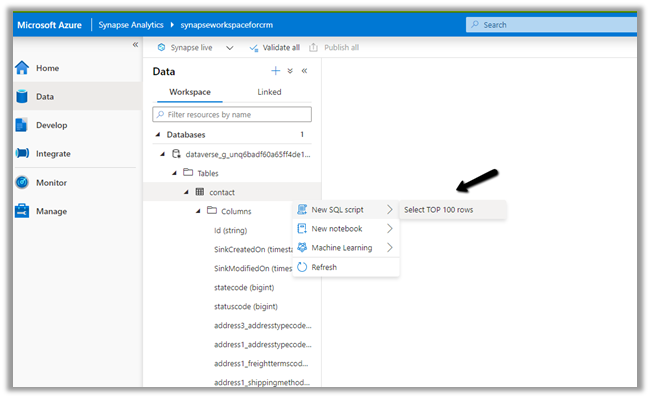
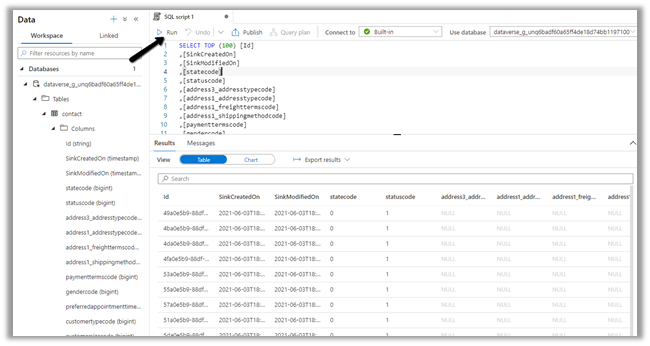
Within Synapse Studio we can see our Dataverse Database and run query.

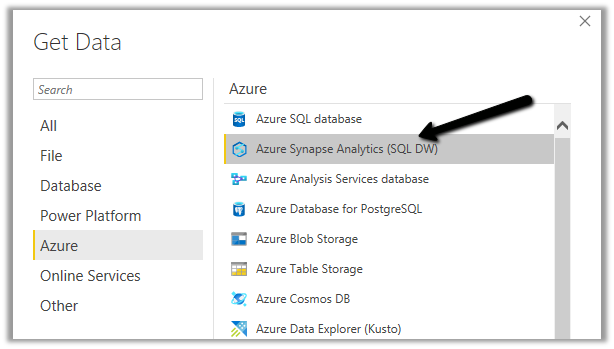
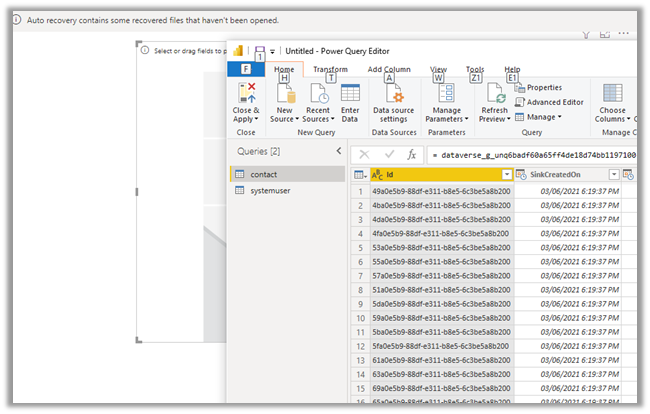
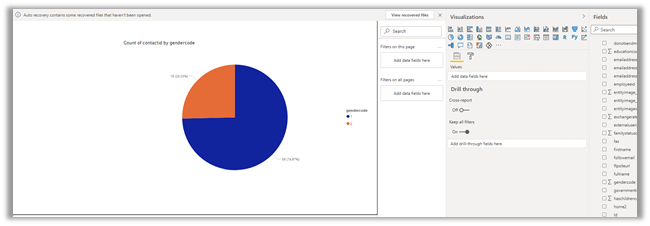
Similarly, we create a Power BI report with Azure Synapse Analytics (SQL DW) connector.

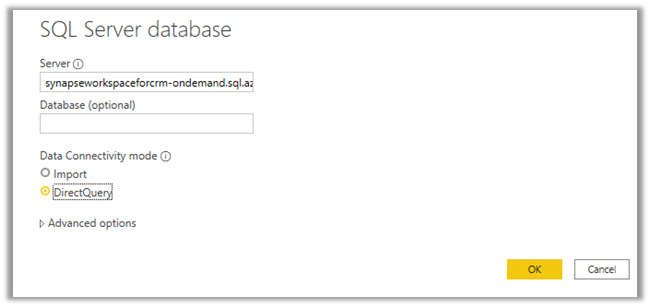
Copy the Serverless SQL endpoint of the Synapse workspace.

Select the Direct Query option.

https://azure.microsoft.com/en-gb/blog/power-your-business-applications-data-with-analytical-and-predictive-insights/

Hope it helps..

Advertisements

How to – improve data migration performance – SSIS & Azure Data Factory (Dataverse / Dynamics 365)


In one of our projects, we were executing SSIS Packages (KingswaySoft’s Dynamics 365 SSIS Integration Toolkit) under Azure-SSIS Integration Runtime in Azure Data Factory.

Check out –

Deploy and run SSIS Package in Azure Data Factory

Deploy and run SSIS Packages that use KingswaySoft’s SSIS Integration Toolkit on Azure Data Factory.

After trying out different combinations, we eventually settled with batch size as 10 and thread as 15.

https://nishantrana.me/2021/06/08/data-migration-optimum-batch-size-and-threads-for-maximum-throughput-microsoft-dataverse-dynamics-365/

Also, we used multiplexing – running the CRM Destination Component under different application users.

To be precise, 4 in our case and we can increase it get further  improvement in the throughput.

And also based on the recommendation of our Microsoft’s Fast Track Architect we raised a Microsoft ticket to increase the number of web servers allocated from 2 to 3.

Below were our findings,

the earlier run was using batch size as 100 and thread as 20 with the number of servers as 2.

On updating the batch size to 10 and thread as 15 and with the number of servers allocated increased to 3, there was a huge performance gain.

Check the table below – 

The above table is sample run in the sandbox environment, during the final run in production we got the number of servers allocated, increased to 6, gaining further improvement.

Also, check out the below blog post to understand about the affinity cookie and its affect on performance, in case if we doing migration using custom code –
https://markcarrington.dev/2021/05/26/improving-bulk-dataverse-performance-with-enableaffinitycookie/

Hope it helps..

Advertisements