In the previous post, we created a simple custom API https://nishantrana.me/2021/01/13/use-custom-api-to-create-custom-messages-in-dynamics-365/
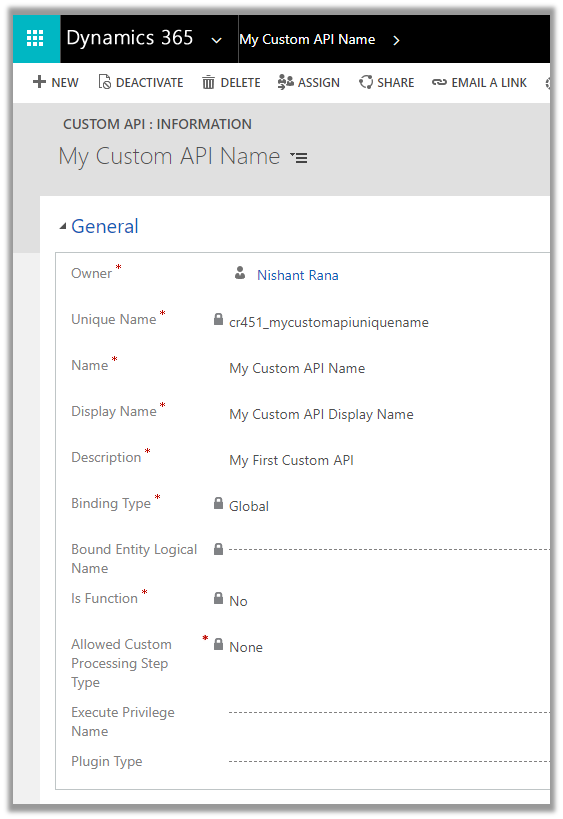
Let us look at its different properties starting with ExecutePrivilegeName
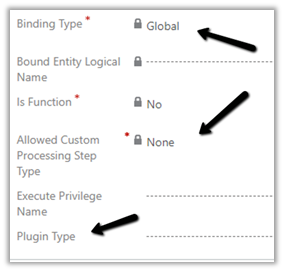
Execute Privilege Name attribute of custom API allows us to specify the name of the privilege that allows execution of the custom API.
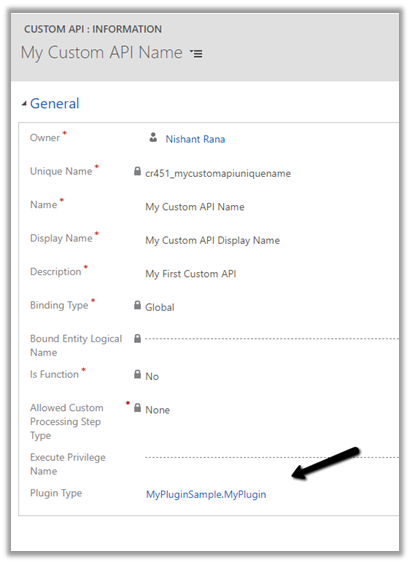
Let us update the custom API and specify the privilege name.
For simplification, we have used prvCreateIncident here i.e. Create Case / Incident Privilege.
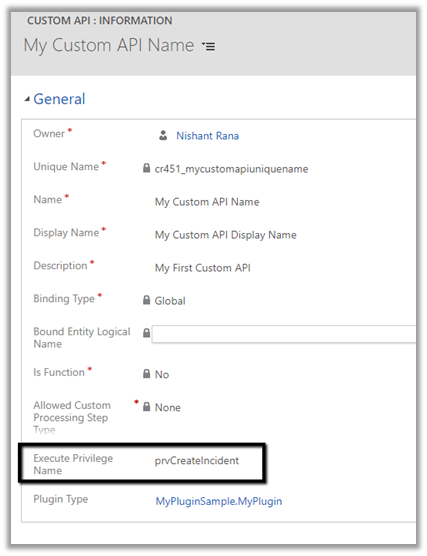
To get the Privilege name
https://%5Borgname%5D.api.crm.dynamics.com/api/data/v9.1/privileges?$select=name

To test, we updated the security of the Application User to Sales Manager role which doesn’t have the create incident privilege.
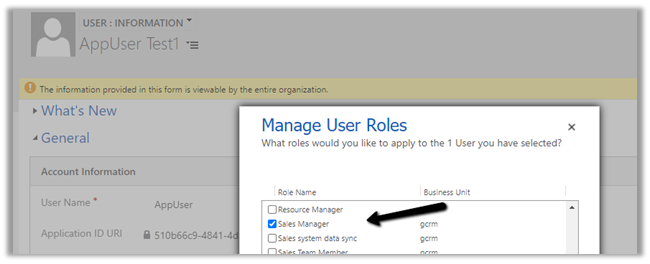
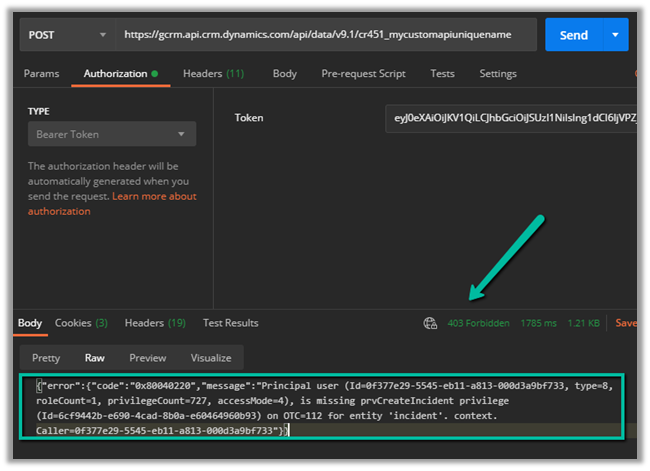
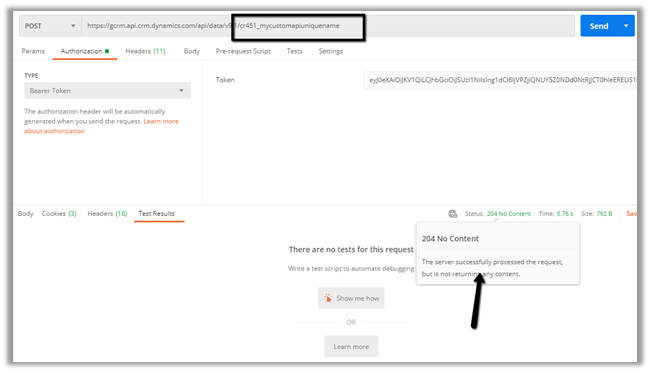
Calling the custom API this time as expected gave us the below error
{“error”:{“code”:”0x80040220″,”message”:”Principal user (Id=0f377e29-5545-eb11-a813-000d3a9bf733, type=8, roleCount=1, privilegeCount=727, accessMode=4), is missing prvCreateIncident privilege (Id=6cf9442b-e690-4cad-8b0a-e60464960b93) on OTC=112 for entity ‘incident’. context.Caller=0f377e29-5545-eb11-a813-000d3a9bf733″}}
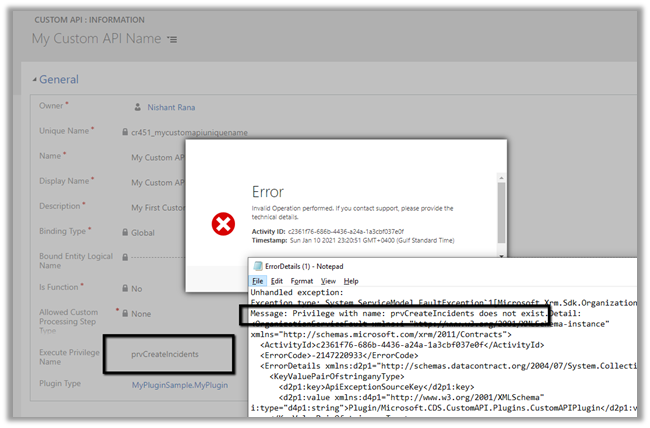
If we specify an incorrect privilege name we would get the below error and will not be able to save the record.
Hope it helps..
- Drawer Lookup Control in Dynamics 365 (A better lookup experience on mobile)
 I recently came across a small but useful addition to the Dynamics 365 / Power Apps lookup experience: the Drawer Lookup Control. With the standard lookup, selecting a value typically opens the familiar lookup experience. With Drawer Lookup, the records are displayed in a bottom-sheet style drawer, making … Continue reading “Drawer Lookup Control in Dynamics 365 (A better lookup experience on mobile)”
 - Export Bookable Resource Working Hours using ExpandCalendar (Dynamics 365 Field Service)
 Recently we had a requirement to export the working hours of Bookable Resources from Dynamics 365 for a specified date range and make that information available to a third-party system. Rather than reading the underlying calendar rules and building our own logic to calculate the working hours, we … Continue reading “Export Bookable Resource Working Hours using ExpandCalendar (Dynamics 365 Field Service)”
 - Making a Field Read-Only in Business Process Flow (BPF) – Dataverse / Dynamics 365
 A common requirement with Business Process Flows is this: the user must capture all the required details on the form before they are allowed to move to the next stage of the BPF. The BPF can make individual fields required, but it has no idea about all the … Continue reading “Making a Field Read-Only in Business Process Flow (BPF) – Dataverse / Dynamics 365”
 - How to Enable Microsoft 365 Copilot in Model-Driven Apps
 Microsoft 365 Copilot brings conversational AI directly into Model-Driven Apps, allowing users to ask natural language questions about Dataverse data, quickly locate records, and improve productivity without leaving the application. In this post, we walk through the steps we follow to enable Microsoft 365 Copilot in a Model-Driven … Continue reading “How to Enable Microsoft 365 Copilot in Model-Driven Apps”
 - AB-100 Last-Minute Revision Cheat Sheet (Microsoft Agentic AI Business Solutions Architect)
 Recently, I cleared the Microsoft Certified: Architecting Agentic AI Business Solutions (AB-100) exam. While preparing, I ended up creating this one-page Architect’s Compass for my last-minute revision. Instead of memorizing every Microsoft service, I grouped similar services so I could quickly decide which one fits a business scenario. … Continue reading “AB-100 Last-Minute Revision Cheat Sheet (Microsoft Agentic AI Business Solutions Architect)”
 - Column Visualizations for Grids / Views (Preview) –Dataverse / Dynamics 365
 Power Apps now lets us render a column’s data as a small graphic in the grid – a gauge, a sparkline, a colored bar, or stars – instead of plain text. We tried it out on a couple of our own columns, and here’s a quick step-by-step on … Continue reading “Column Visualizations for Grids / Views (Preview) –Dataverse / Dynamics 365”
 - Business Process Flow Error: “Participating entity record of stage: X is not valid” (0x80040216) (Dynamics 365 / Dataverse)
 Scenario Working on a custom multi-entity Business Process Flow (Opportunity → Quote) recently, we ran into this error while trying to reactivate the process: The BPF (custom_salesprocess) had already traversed several stages — Generate Opportunity → Qualify → Generate Quote → Initiate Deposit/Bank Guarantee → Sales Completion — … Continue reading “Business Process Flow Error: “Participating entity record of stage: X is not valid” (0x80040216) (Dynamics 365 / Dataverse)”
 - Comparing Web Resources (JavaScript) Across Multiple Dataverse Environments Using a Console App
 We recently refactored a large JavaScript solution — replacing a number of deprecated methods with their supported equivalents, along with some performance improvements — the kind of change that touches a lot of files without changing what any of them are actually supposed to do. That solution needed … Continue reading “Comparing Web Resources (JavaScript) Across Multiple Dataverse Environments Using a Console App”
 - Power Platform Environment Not Showing Up in Maker Portal & Power Platform Admin Center (Dataverse / Dynamics 365)
 Recently, we ran into an interesting issue while working with a Dynamics 365 / Dataverse environment. Even though the user was assigned the System Administrator security role, the environment did not appear in either the Power Platform Admin Center or the Maker Portal. The surprising part was that … Continue reading “Power Platform Environment Not Showing Up in Maker Portal & Power Platform Admin Center (Dataverse / Dynamics 365)”
 - SQL4CDS UTC Mode: Converting Advanced Find Date Filters to UTC Boundaries– A Quick Reference (Dataverse / Dynamics 365)
 While validating record counts for a Work Orders view in Dynamics 365 Field Service, we ran into the same underlying issue covered in an earlier post – Why SQL4CDS Record Counts May Not Match Advanced Find for Date Filters. This time, instead of just explaining the root cause … Continue reading “SQL4CDS UTC Mode: Converting Advanced Find Date Filters to UTC Boundaries– A Quick Reference (Dataverse / Dynamics 365)”





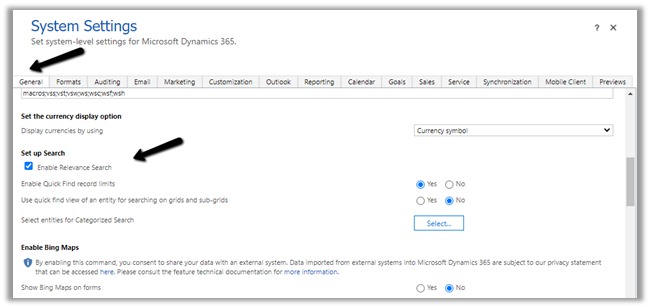
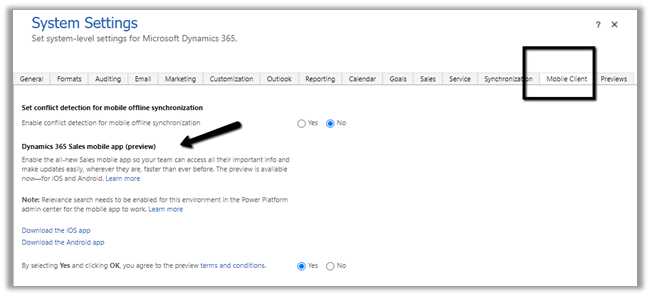 We also need to enable Relevance search on the environment for the mobile app’s search to work.