Contact’s Originating Lead – originatingleadid is not valid for update – Dynamics 365 / Dataverse


Recently we were writing a plugin that on the creation of a lead updates the originating lead of a contact record. The value was neither getting updated nor we were getting any errors.It was after we spent a good amount of time debugging, realized that this field cannot be updated.So basically, we can specify a value for it during create of contact but cannot update it.

Hope it helps..
Advertisements

How to – Identify Dynamics 365 Marketing Application App and its corresponding environment


We can easily identify the Marketing App and the environment in which it has been provisioned.

Login to Power Platform Admin Center >> Resources >> Dynamics 365 Apps

https://admin.powerplatform.microsoft.com/

We can find the unique name of the environment/organization suffixed with the name of the app i.e. Dynamics 365 Marketing Application for the configured app.

Navigate to the environment’s Advanced Settings >> Customizations >> Developer Resources 

We can find the Unique Name of our organization there


Hope it helps..


Advertisements

How to – Generate Long-Lived Page Access Token – Facebook


Login to Meta for Developers and note down the App ID and App Secret of the app.

Access Tokens – https://developers.facebook.com/docs/pages/access-tokens/

https://developers.facebook.com/apps/

To get the long-lived page access token, first, we need to generate a short-lived Access Token.

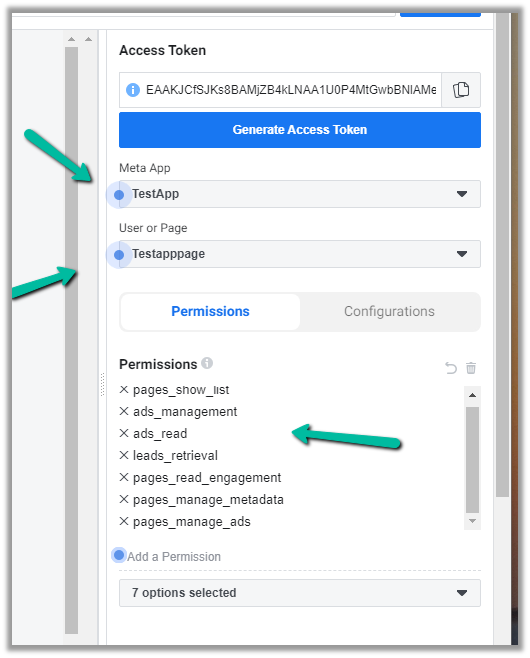
In Graph API Explorer – https://developers.facebook.com/tools/explorer, select the App and the page (provide appropriate permissions) and click on Generate Access Token to generate the token.

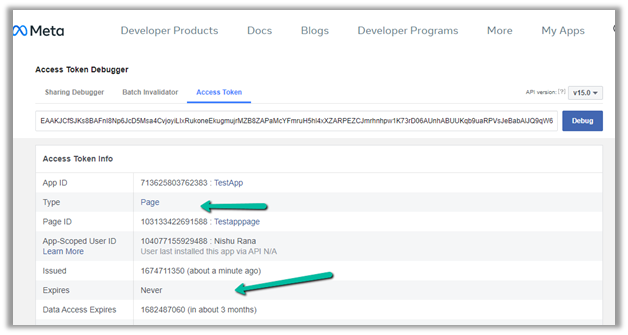
Navigate to Access Token Debuggerhttps://developers.facebook.com/tools/debug/accesstoken/, paste the token and click on Debug.

We can see the token expiry in 1 hour.

To generate a Permanent or Long-lived token we can make use of the below application.

https://bnjis.github.io/Facebook-permanent-token-generator/

Specify App ID, App Secret, and User Access Token and click on Submit.

We will get the permanent token generated for us.

On pasting this token in the Access Token Debugger, we can see the expiry set to Never.

The other option is to use the Extend Access Token option when we generate a short lived token

EFBT

GT

Check the below link for more details –

https://developers.facebook.com/docs/marketing-apis/overview/authentication/

https://developers.facebook.com/docs/facebook-login/guides/access-tokens/get-long-lived/

https://medium.com/@blienart/get-a-permanent-facebook-page-access-token-a96470dc03ca

https://developers.facebook.com/docs/facebook-login/access-tokens/expiration-and-extension

Hope it helps..

Advertisements

Fixed – sdkmessageprocessingstep With Id = {GUID} Does Not Exist – Plug-in Profiler – Dynamics 365 / Dataverse


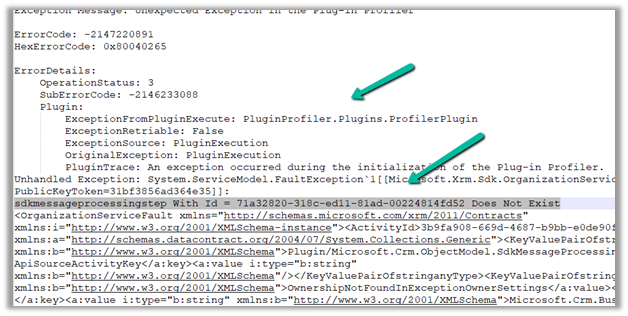
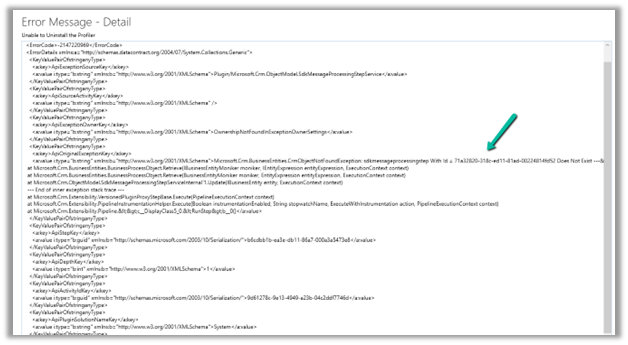
Recently we got the below issue while saving the contact record. It was throwing this for one of our plugin steps registered on the update, for which we had already removed the profiling.

The profiling was already removed from the step.

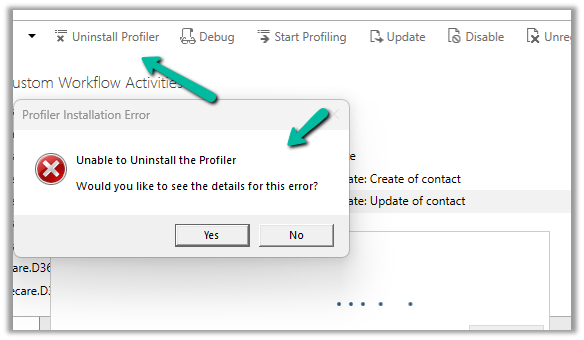
It was the same error while trying to uninstall the profiler.

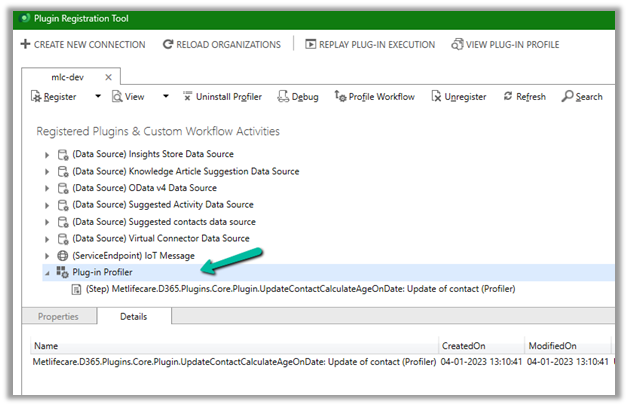
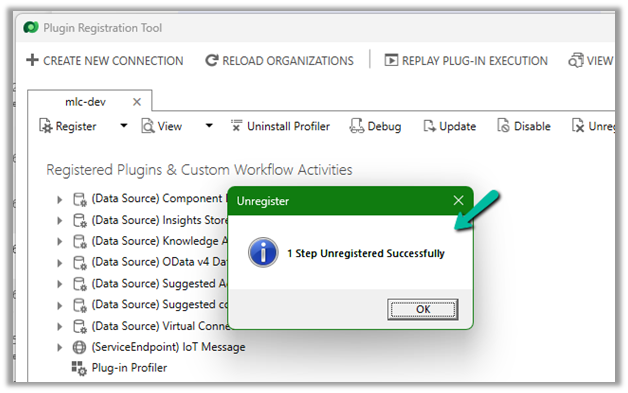
As mentioned in the error message we checked the Plug-in Profiler assembly in the Plugin Registration tool and could find the reference to the step there.

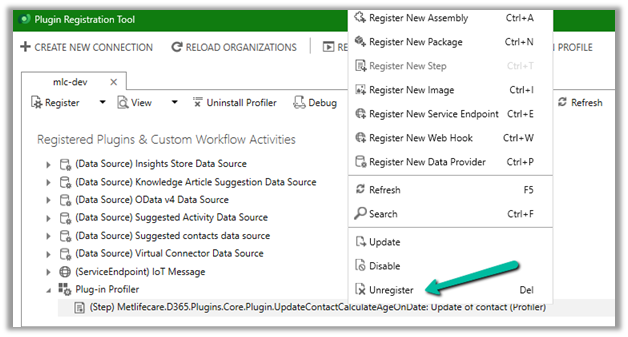
We unregistered the step there

This fixed the issue for us.

Hope it helps..


Advertisements

Retrieve primary entities along with related entities with one QueryExpression


Retrieve related records for a parent record

It’s possible to get related records of  a relationship when we retrieve a parent record using RelatedEntitiesQuery property in the RetrieveRequest. That means you have to construct the RetrieveRequest not using the Retrieve method from the OrganizationServiceProxy class.

https://dyncrmexp.com/2017/10/24/retrieve-primary-entities-along-with-related-entities-with-one-queryexpression/comment-page-1/

by Khoa Nguyen
Advertisements

Fixed – Value must be a data entity record error in Power Apps


We got the below error while trying to use the Relate function – “Value must be a data entity record”


As the error message clearly states and also if we see the syntax, the Relate function expects a record

Below was our formula for OnSelect, which was throwing the error

Here instead of passing the record, we were passing the table in the Relationship which was the reason for the error.

We changed it to store the ThisItem

And also updated the OnSelect

This fixed the issue for us.

Hope this helps..
Advertisements