If no dates are selected the Date Picker control will display a default date.

This comes from the InputTextPlaceholder property

We can update the formula to set the field as blank.
If(IsBlank(Self.SelectedDate), Text(Blank()))

Hope it helps..
If no dates are selected the Date Picker control will display a default date.

This comes from the InputTextPlaceholder property

We can update the formula to set the field as blank.
If(IsBlank(Self.SelectedDate), Text(Blank()))

Hope it helps..
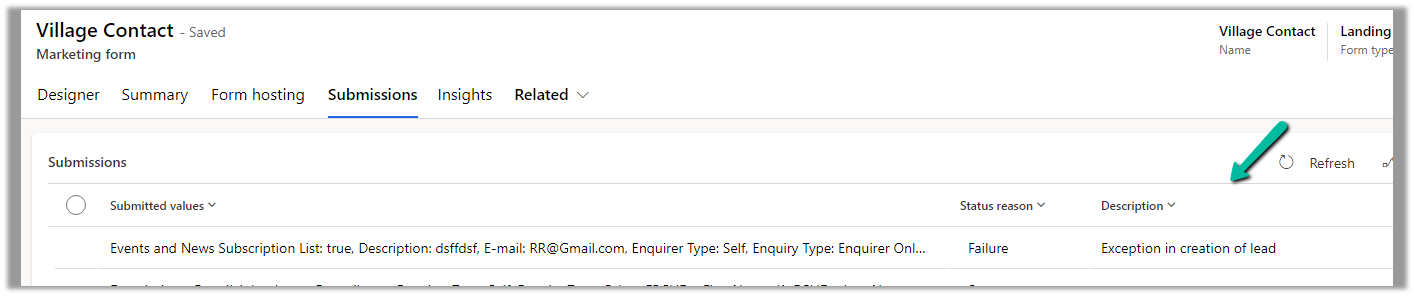
Recently we were getting the below error in one of our marketing forms for form submission record.
Exception in Creation of lead – Activity id: 40ff82fc-bb10-4d30-8671-12683392ccdf, Request id: AsChkx2zn5IKrjHVC4cTb6j-ZkB23D0PqgCdxwi8kEE_0, Exception: An item with the same key has already been added.


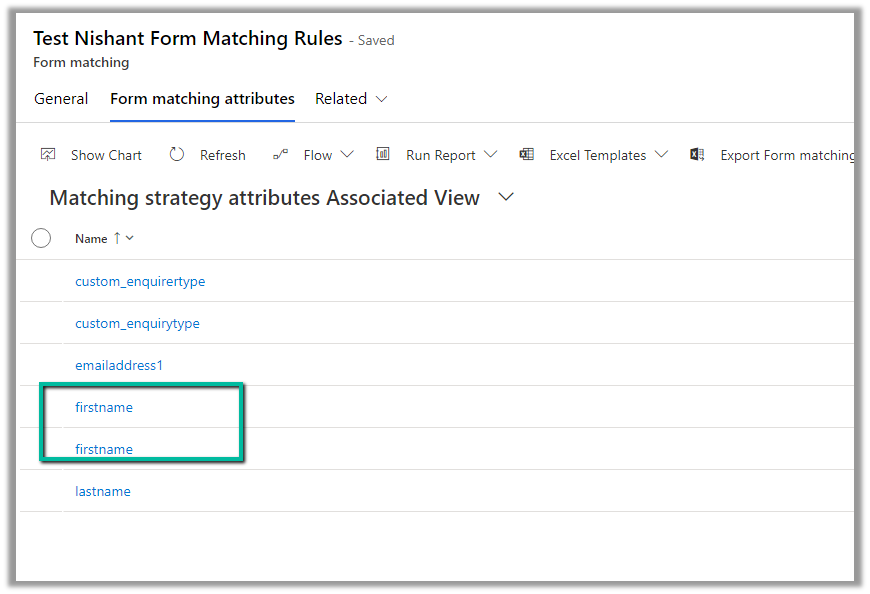
This was because we had mistakenly added first name fields twice as the form-matching attribute in the form-matching rule used for that form.

Deleting that extra field resolved the issue for us.
Hope it helps..
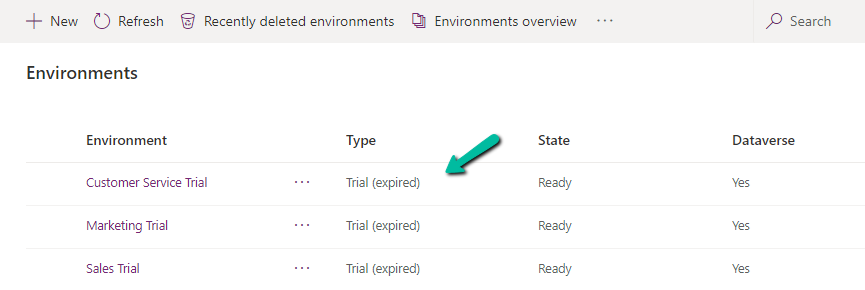
On logging into Power Platform Admin Center, we would see our trial environment as expired

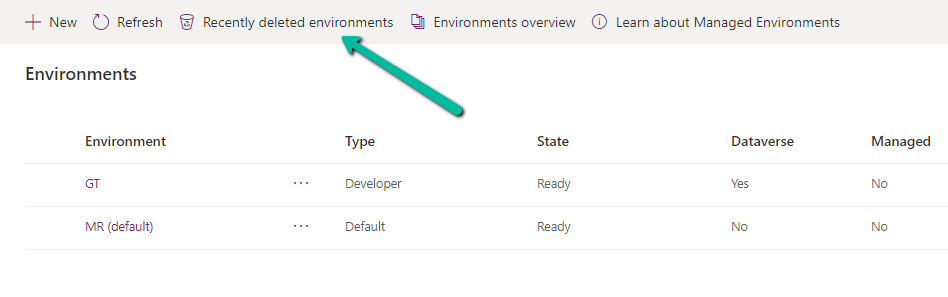
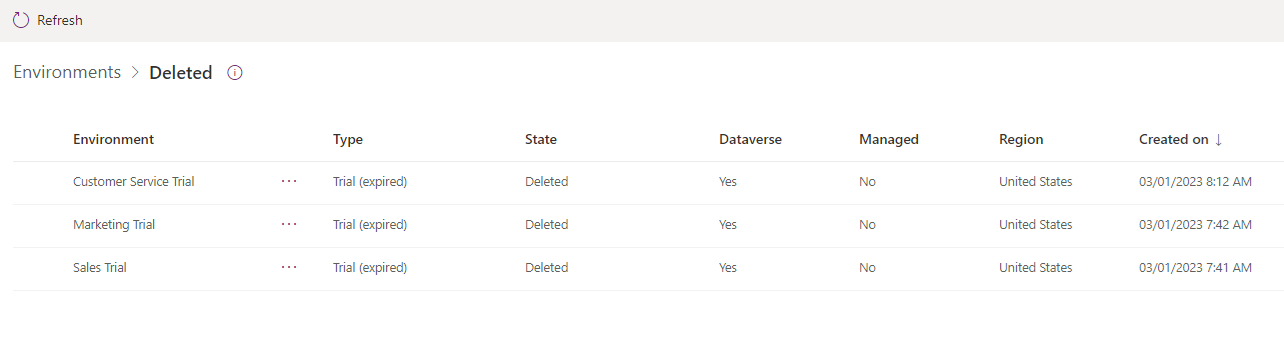
And then within one day or so, we would see them deleted inside Recently deleted environments

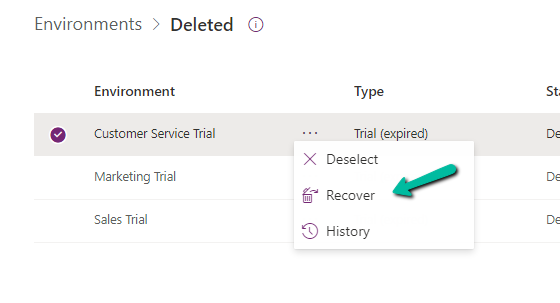
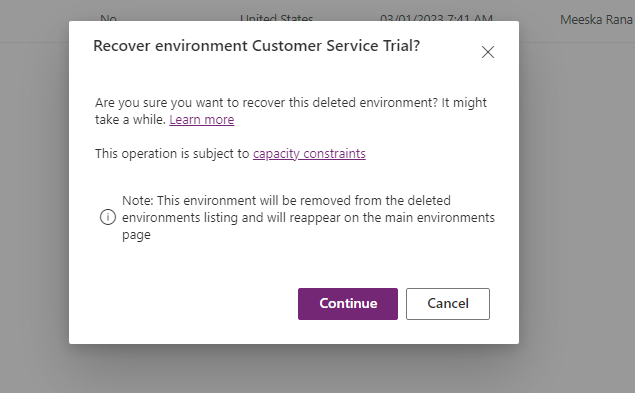
Select the deleted environment and Select Recover


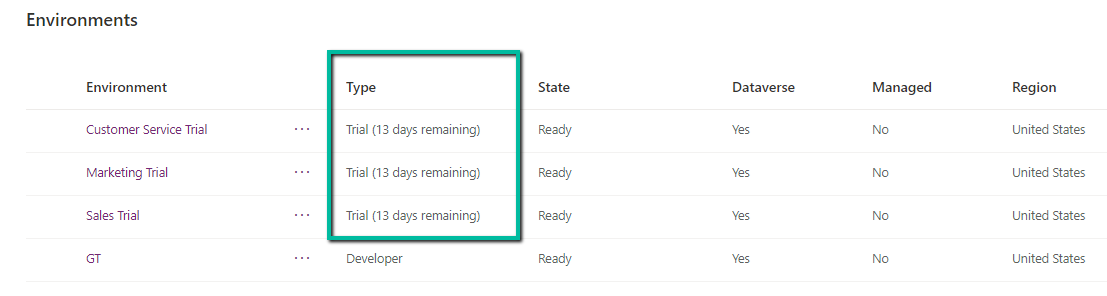
Within 10 -15 minutes we can see the environment recovered with the trial extended for 13 more days.
Hope it helps..
Below is the sample flow we can use to retrieve the Required (requiredattendees) field’s value from the Meeting table (on the update of the record).

Here we are triggering the flow, if there is an update in the subject field of the meeting record.

Then using the List rows action we are fetching the Activity Parties record associated using the Appointment’s unique identifier and participation mask as 5.

More on participation type mask –

And in the last step, we are checking for all the associated Activity Party GUIDs for a specific GUID and then update the record or cancel the record.


Hope it helps..
Recently in one of our projects, we were using the Microsoft Bookings App for the users to book an appointment(outlook) and then were syncing this appointment back to Dynamics 365 through the category “Tracked to Dynamics 365” (Server Side Synchronization)
Get more details on it here – https://nishantrana.me/2022/03/22/how-to-synchronize-appointments-between-dynamics-365-and-outlook-using-server-side-synchronization/
Here if the users were canceling the tracked appointment in Outlook, it will update the subject of the appointment record with the prefix – Canceled but will not cancel the record i.e. update the status of the record.

This would happen if the user canceling the appointment is not the organizer.

So here we were implementing a flow to check for updates in the Subject column with the word canceled and then updating the status of the appointment as canceled.
Here we can specify our select columns and filter conditions as follows – contains

Or startswith


Hope it helps..
In case of a new command that is added through Command Designer, we can specify an existing Icon using the Use Icon option.

We can also search and specify an existing Web Resource

Similarly, we can use Icon Gallery (XrmToolBox Plugin) to search for the existing web resource image and icons.

We can then use Copy Name option to get the full path of the web resource
msdyncrm_/KnowledgeManagement/_imgs/KnowledgeSearchProvider.svg

use it to specify Modern Image for our buttons

Hope it helps..