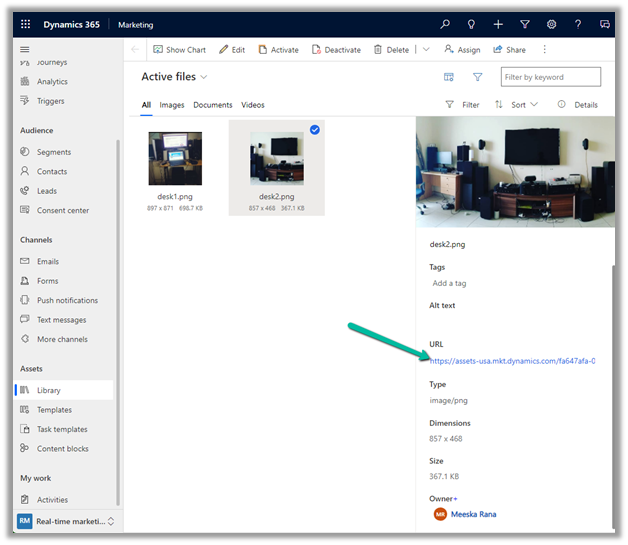
Fixed – This assets-oce.mkt.dynamics.com page can’t be found in Dynamics 365 Marketing


Recently we got the below error while trying to open the files in our Real-time marketing Assets Library.

We raised the Microsoft Support ticket for this and got the issue fixed.

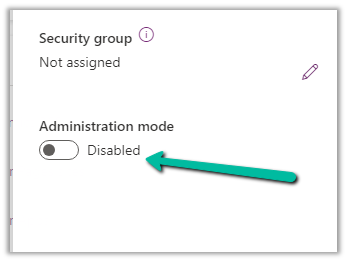
This was because our environment was in Admin mode. (as we were going live so had kept it in admin mode, till we verify it), and there are specific tasks related to processing marketing content, such as resizing image / optimizing image / etc. that requires some Async Service to run in the background which needs the environment to be in the non-admin mode.

Disabling the Admin mode for the environment fixed it.

Hope it helps..

Advertisements

Fixed – 0x90000010 Can not retrieve view’s metadata (Dynamics 365)


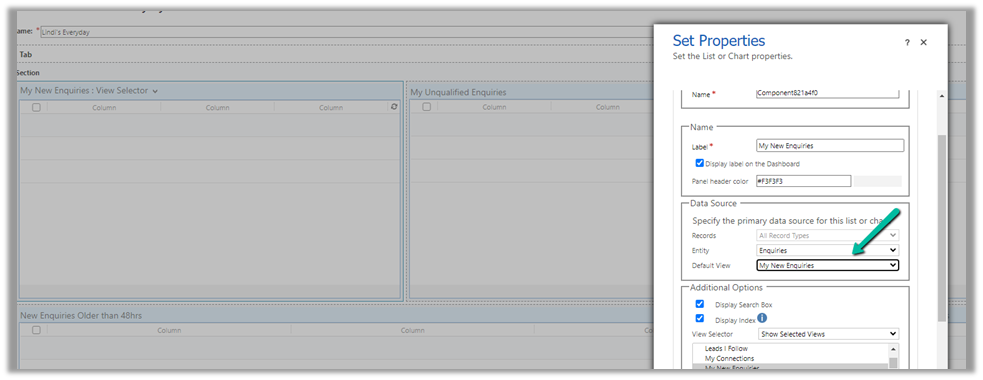
We were recently getting the below error in one of the views in the Dashboard.

0x90000010 Can not retrieve view’s metadata

The issue occurred because we had converted that Dashboard from a personal to System / Public Dashboard using the below wonderful XrmToolbox Plugin, https://www.xrmtoolbox.com/plugins/Carfup.XTBPlugins.PersonalViewsMigration/, which converted it to System Dashboard successfully, however, this was one of the personal views inside that dashboard.

So we converted that personal view to the system view (using the same tool) and then updated the Dashboard to refer to the converted system view, which fixed the issue.

Hope it helps..

Advertisements

Attachment Control – Dynamics 365


The new attachment control allows users to upload , download, delete, and view attachments that are added to a table through notes or emails or directly (for Case Table).

Below we have 2 attachments added to the case record.
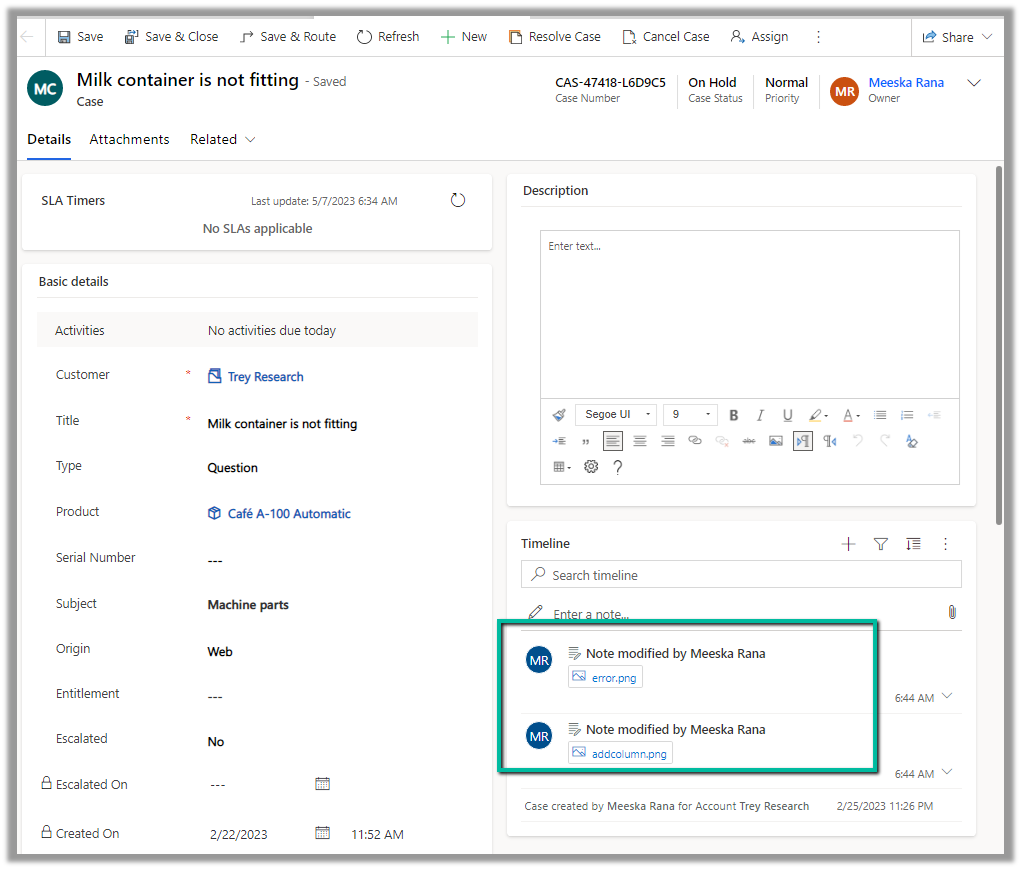
We can see both the attachments there in the Attachments control along with an additional attachment directly added (Direct Upload) .
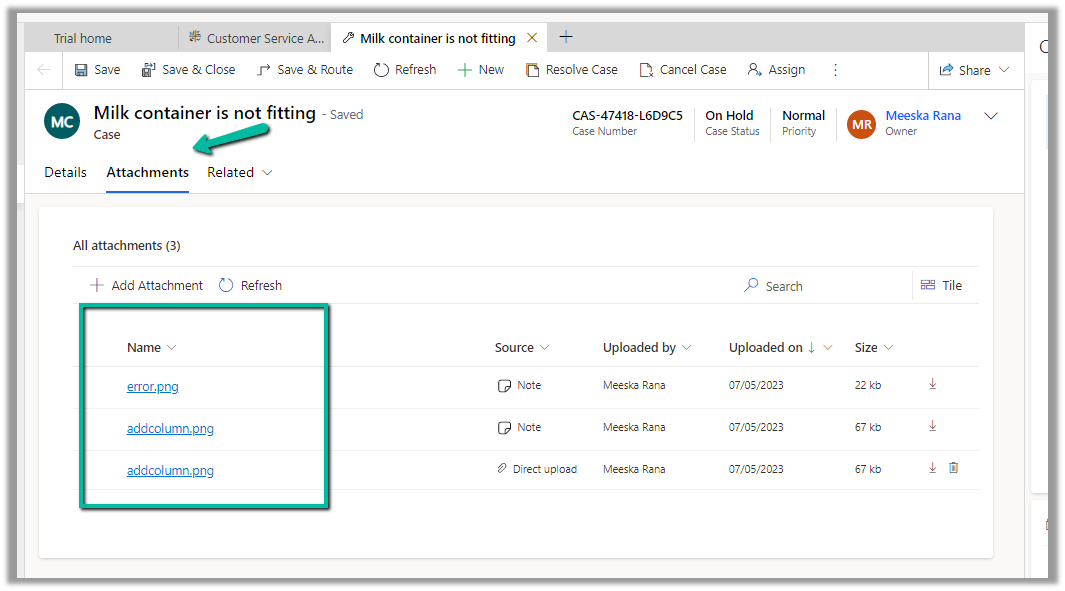
We can perform a search as well as change the view.

The Tile view –
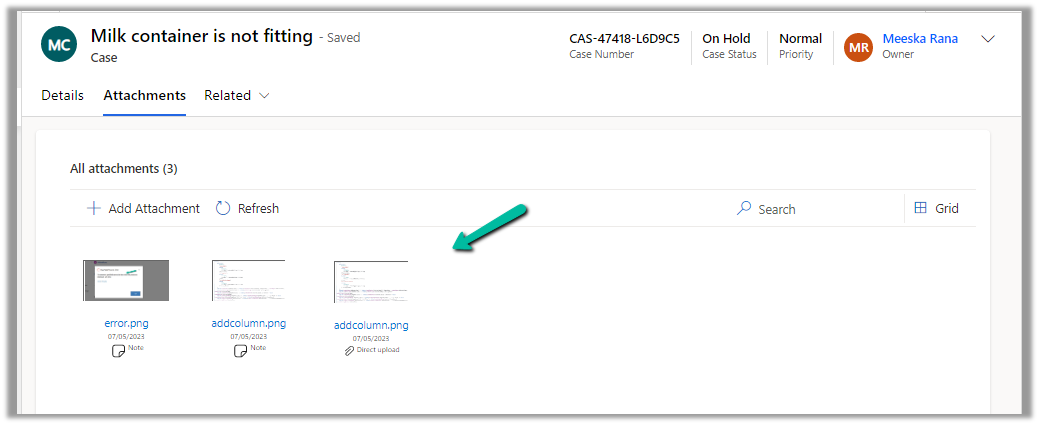
The Delete option is only available in the case of files directly uploaded not the ones showing up from notes / emails.

For the Case table, the table column property is mapped to the Pre Create Entity Attachments Id field, which allows uploading attachments even before saving or creating the case record. (This is only available for the Case table)

Below we have uploaded attachments to a new case record.

We can add the Attachment Control to other tables as well.

Below we are adding it to the Contact form.
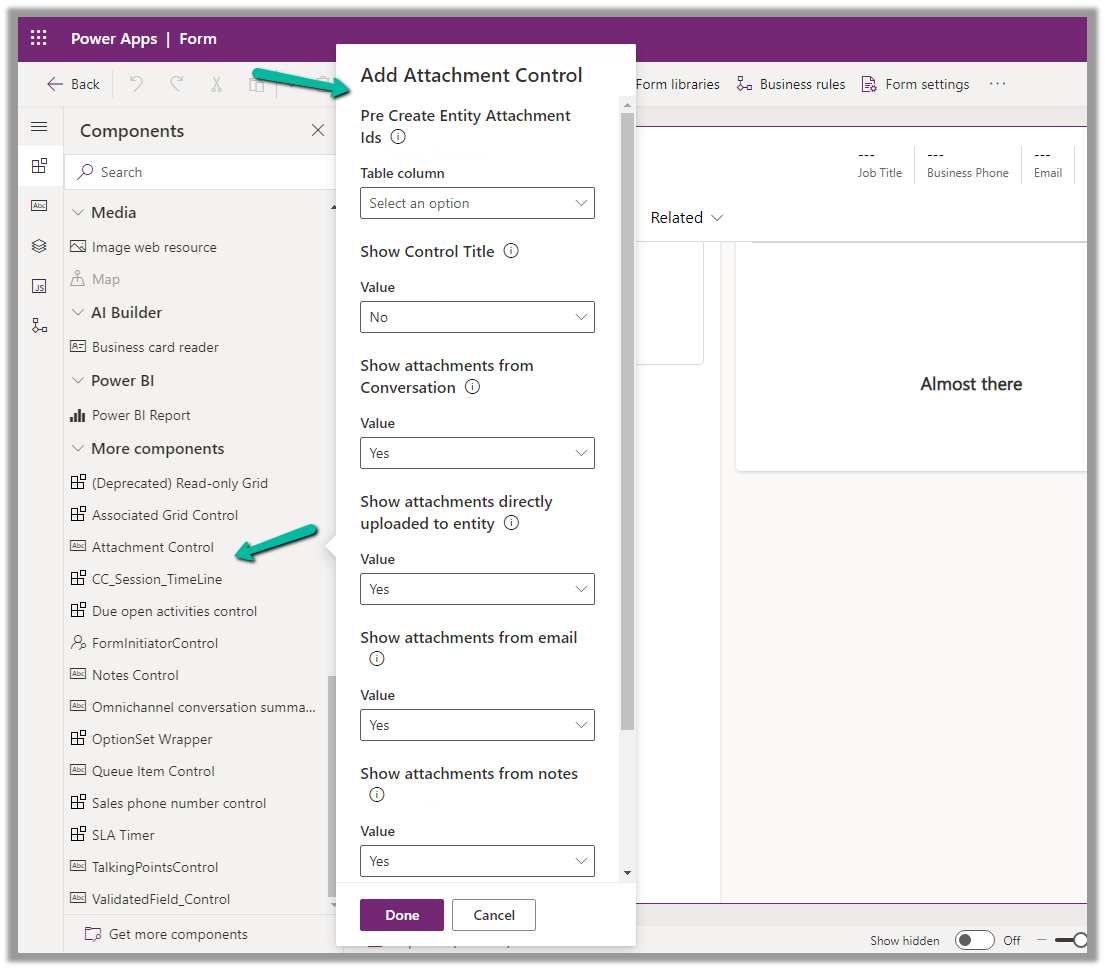
For tables other than Case, it can only be used to View the Attachments, we do not get the option to upload there.

Get all the details here

Due Open Activities Control – https://nishantrana.me/2023/05/09/due-open-activities-control-dynamics-365/

Notes Control – https://nishantrana.me/2023/05/10/notes-control-dynamics-365/

Hope it helps..

Advertisements

Fixed – Exception in creation of lead (Dynamics 365 Marketing)


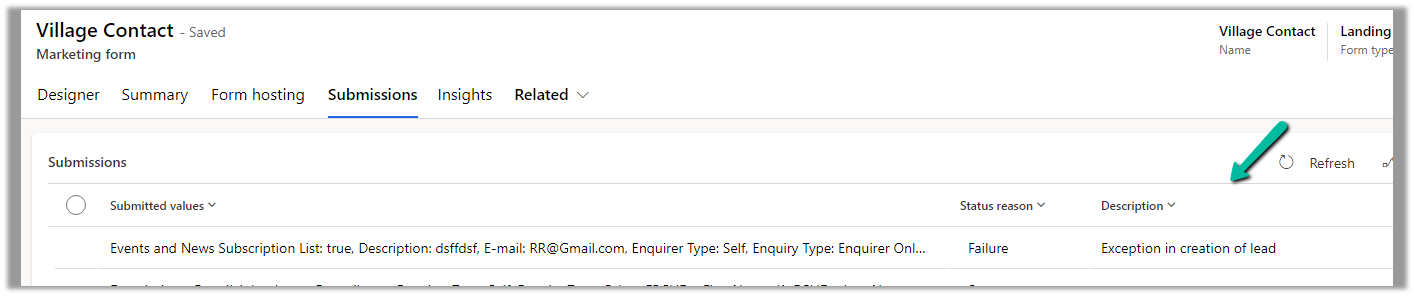
Recently we were getting the below error in one of our marketing forms for form submission record.

Exception in Creation of lead – Activity id: 40ff82fc-bb10-4d30-8671-12683392ccdf, Request id: AsChkx2zn5IKrjHVC4cTb6j-ZkB23D0PqgCdxwi8kEE_0, Exception: An item with the same key has already been added.

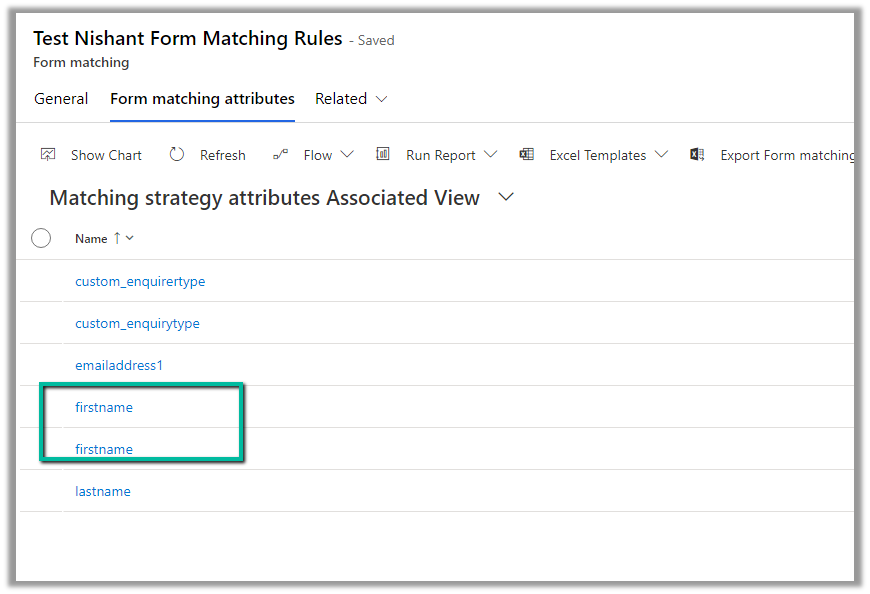
This was because we had mistakenly added first name fields twice as the form-matching attribute in the form-matching rule used for that form.

Deleting that extra field resolved the issue for us.

Hope it helps..
Advertisements

Manage Security Roles using the new modern UI (preview) – Power Platform Admin Center


Security roles can be now managed using the new modern UI (preview).

Select Security Roles (See all) for an environment, within Power Platform Admin Center.

Select Edit for a security role.

We can see here Display only parent security roles option is On by default.

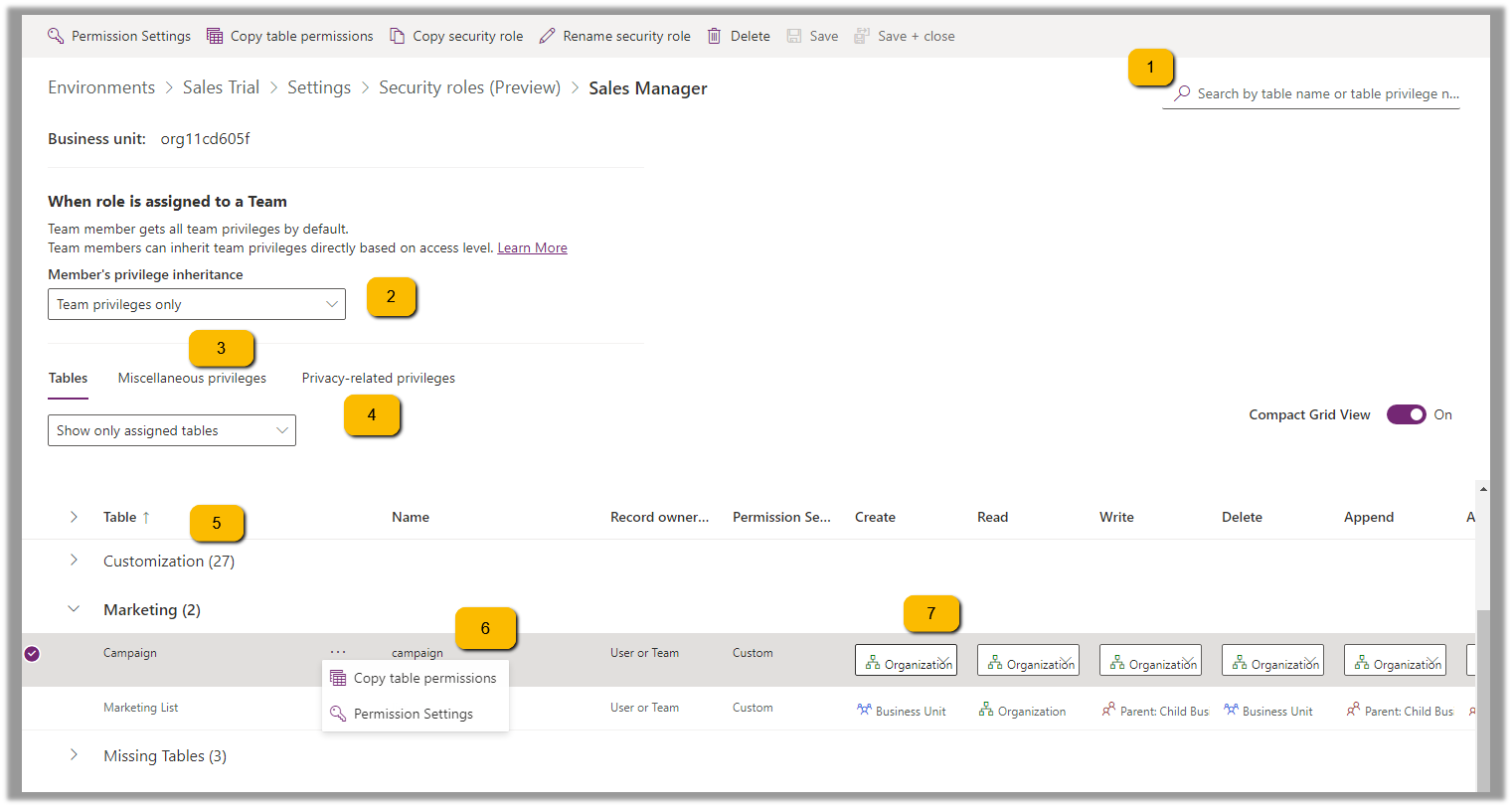
We can see the different options.

  1. Filter based on table or privileges

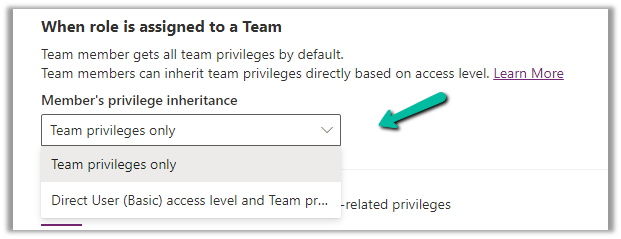
2. Specify Member’s privilege inheritance option

https://learn.microsoft.com/en-us/power-platform/admin/security-roles-privileges#define-the-privileges-and-properties-of-a-security-role

Nicely explained here –

https://debajmecrm.com/team-members-privilege-inheritance-what-is-this-doing-in-security-role-screen-of-dynamics-365/

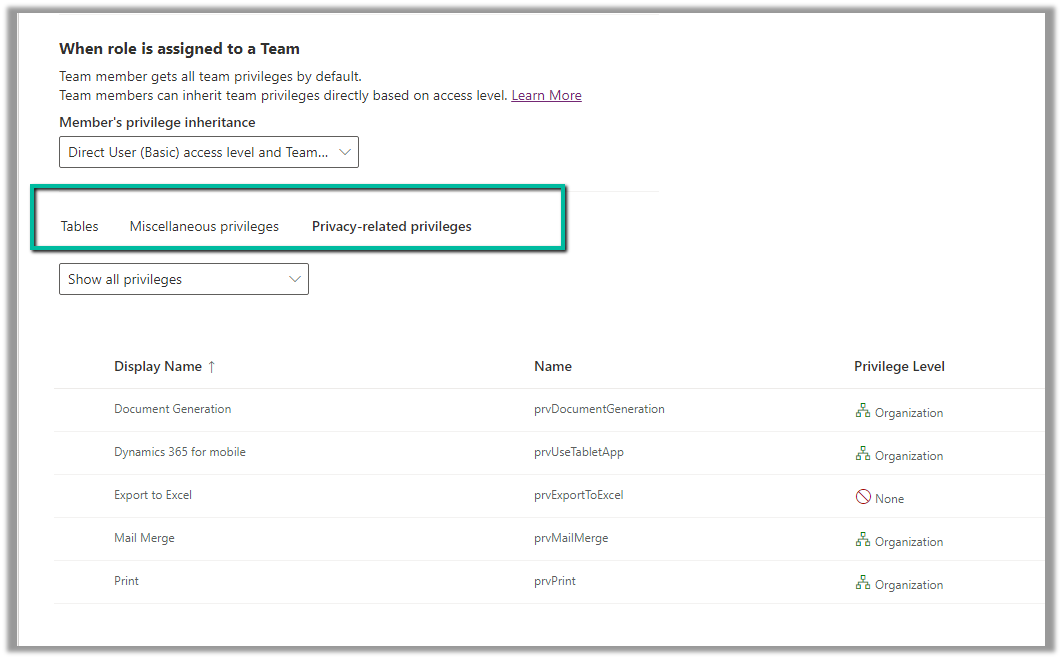
3. Tabs for Table specific, Miscellaneous, and Privacy-related privileges

4. Filter privileges further by all, assigned or unassigned.

5. Collapsible

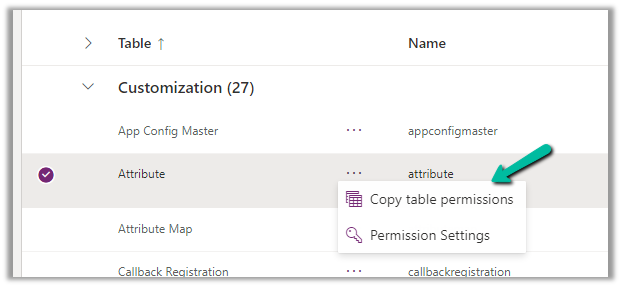
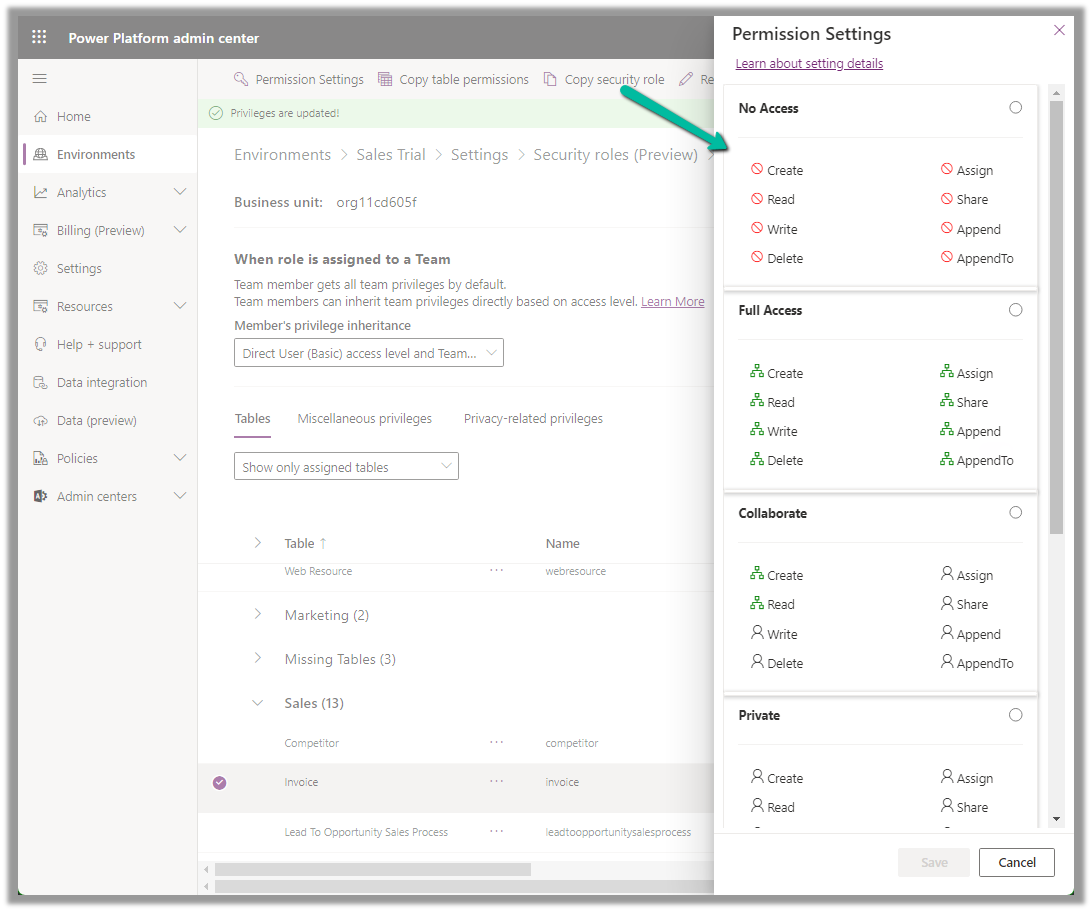
6. Option to Copy Table Permission to another table(s) and apply predefined Permission Settings i.e. Access Levels.

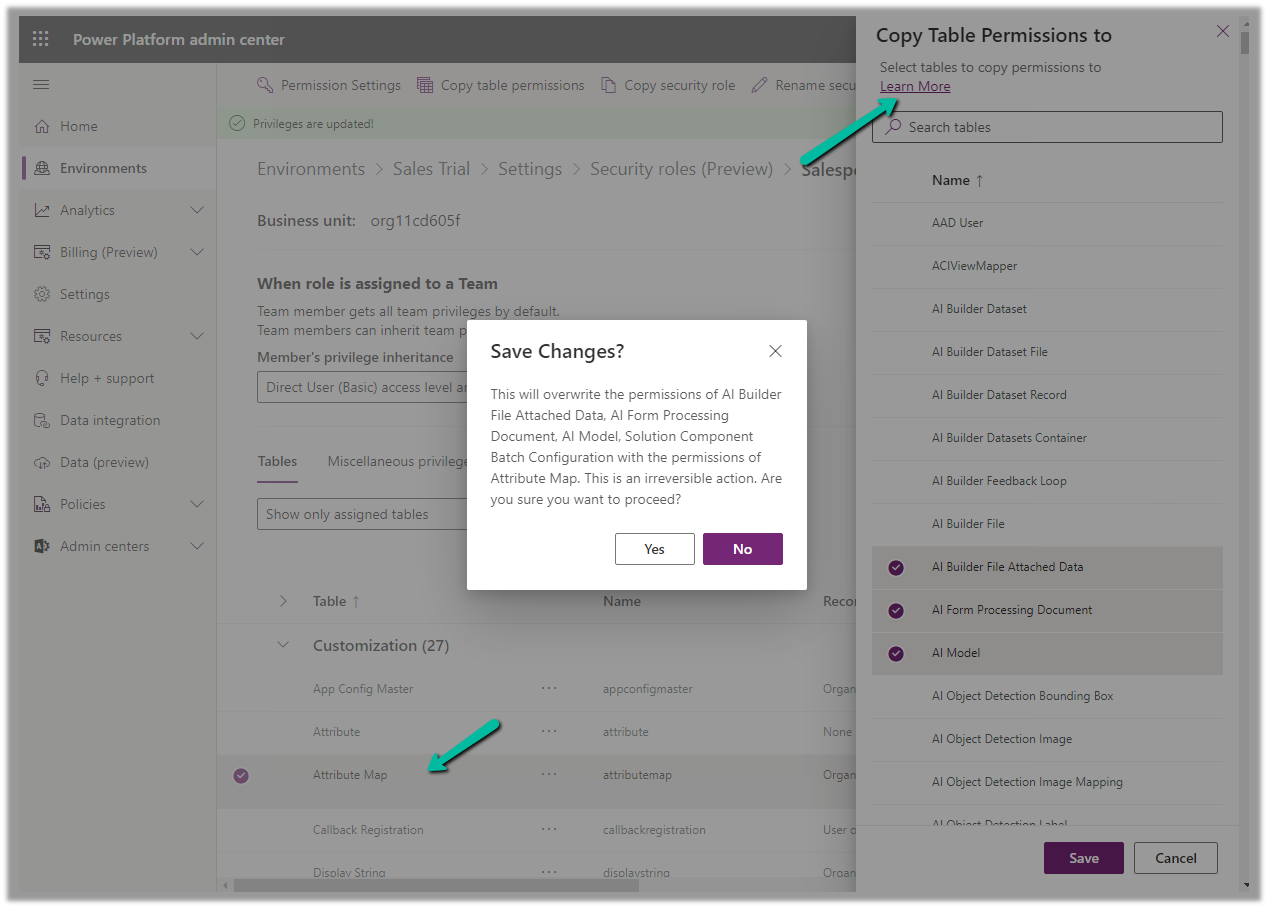
Copy table permissions to multiple tables

Permission Settings (Access Levels)

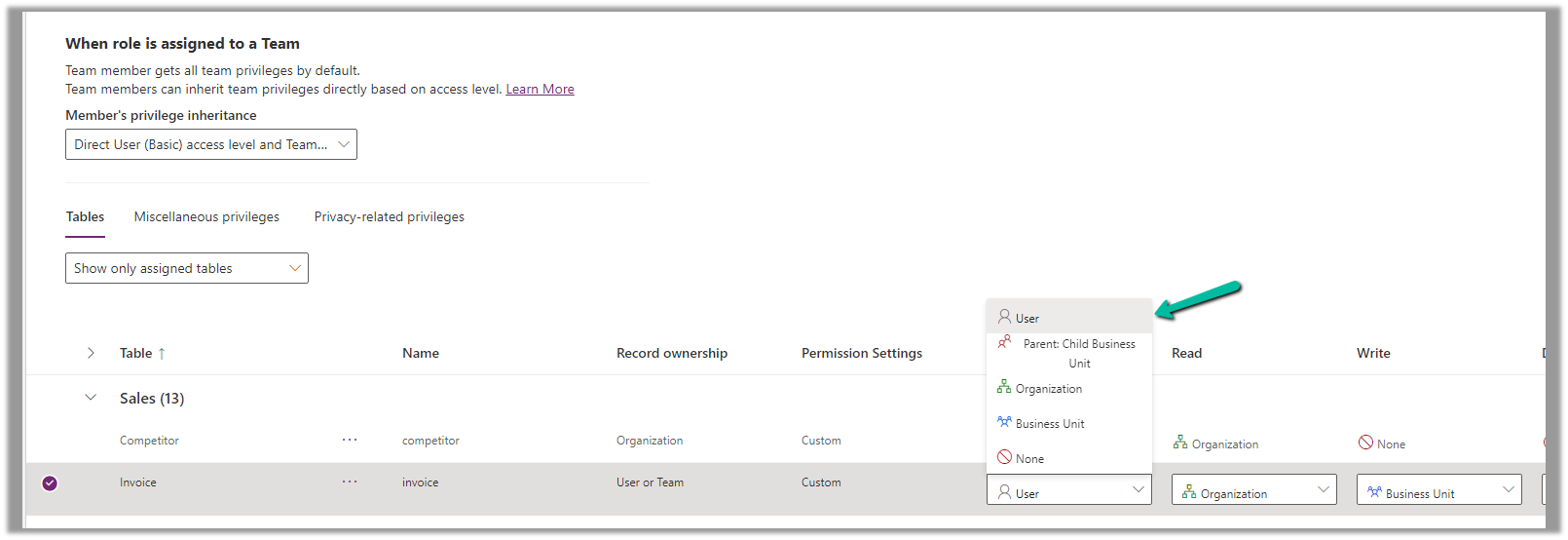
7. Specify Access Level for Privileges

Get all the details here – Security Roles and new modern UI

Hope it helps..
Advertisements

Applying filter on Multi Choices / Multi-Select OptionSet – Power Apps / Dataverse


Say for e.g. we have 2 multi-select choice columns in our leads table, one is local (My Local Multi Choice Field) and the other field ((My Local Global Multi Choice Field) refers to the global option set field

In our Canvas App, to filter on ‘My Local Multi Choice Field’ by value Local Choice 2 and Local Choice 3, we can apply the below formula.

Similarly, for the Global option set to apply a filter on the Global Choice 2 value, we can compare the field in the lead with the values in the Global Option set.

As we are using “in” operator, we’d get the delegation warning. And for it to work in the case of combo box we would have to set “Allow Searching” to “Off

Hope it helps..

Advertisements