List is Locked. Cannot perform this action error while trying to remove marketing list member using RemoveMemberListRequest in Dynamics 365 (CRM)


Recently we got the below error while trying to remove the marketing list member from a marketing list.

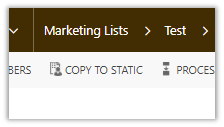
This occurs if the marketing list is locked. The marketing list gets locked if it is Dynamic Marketing List. However, we are getting this issue on our Static marketing lists. Later we realized that those static marketing lists were created using Copy To Static ribbon button. When a Dynamic Marketing List is created the locked field value is false. However it gets set as true when we convert it to Static using Copy To Static functionality.

Changing the Locked field value as No fixed the issue.

Hope this helps..

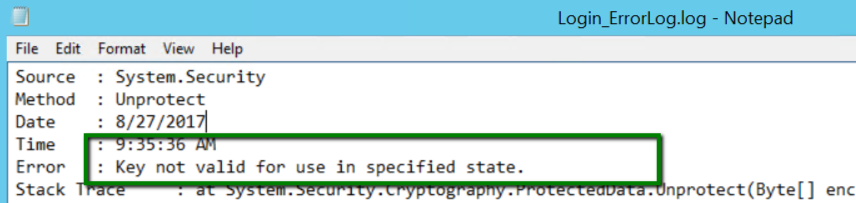
Key not valid for use in specified state while using Configuration Manager in Dynamics 365


While trying to login in Configuration Migration (DataMigrationUtility.exe), we were getting the below error in the log file.

CM

The tool was working fine from one machine but giving an error in other. As suggested in some forum, deleting the LiveDeviceId.xml also didn’t fix the issue.

The way we got it working was to download the latest version of SDK and running the tool from there.

Missing RemoveListMembersListRequest in CRM.


In one of our recent implementations, we were working with Marketing List which could be in millions.

So we had the recent request wherein we split the marketing list into groups.

For adding members to a marketing list we have the following request

AddListMembersListRequest 

https://msdn.microsoft.com/en-us/library/microsoft.crm.sdk.messages.addlistmemberslistrequest.aspx

which is quite efficient as we can add multiple members in a single request.

However, when it comes to removing a member from marketing, we do not have a corresponding Remove request like RemoveListMembersListRequest.

https://msdn.microsoft.com/en-us/library/microsoft.crm.sdk.messages.removememberlistrequest.aspx

We only have RemoveMemberListRequest, which only removes 1 member at a time, which is highly inefficient when we are taking in consideration large number of records.

Kindly vote up for this idea !!

https://ideas.dynamics.com/ideas/dynamics-crm/ID0002529

More details

https://social.microsoft.com/Forums/en-US/5d700a43-0c57-4a47-9c8e-192c70d30a2d/removememberlistrequest-causes-sql-timeout-error?forum=crmdevelopment

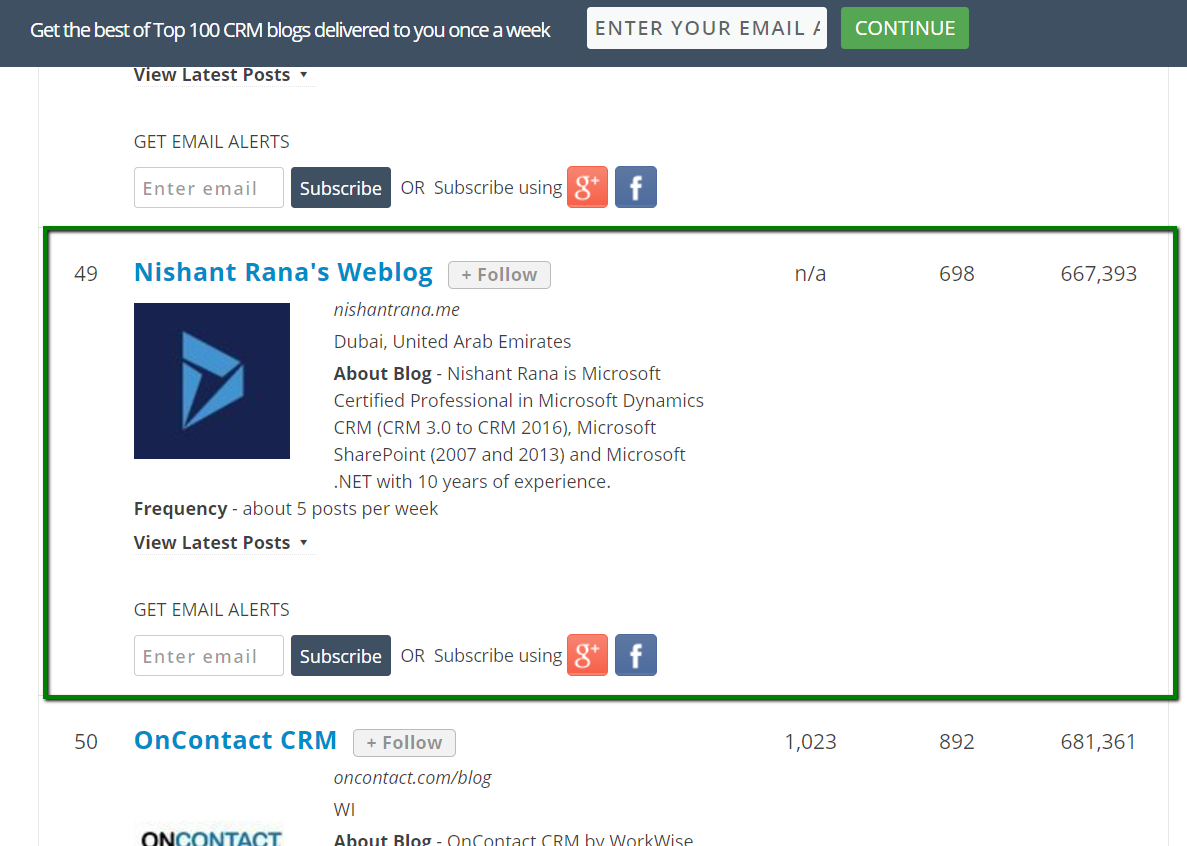
Top 100 CRM Blogs and Websites for Small and Large Businesses


Happy to see my blog listed there 🙂

http://blog.feedspot.com/crm_blogs/

myBlog


Using Azure Functions for writing Scheduled Jobs for Dynamics CRM


Update -26 – Sep- 2018

https://nishantrana.me/2018/09/26/changing-the-target-runtime-version-of-azure-functions/

https://nishantrana.me/2018/09/25/the-type-or-namespace-name-xrm-could-not-be-found-are-you-missing-a-using-directive-or-an-assembly-reference-error-while-using-azure-functions-2-x/


In our previous post we saw how we can invoke CRM from within the Azure Function.

https://nishantrana.me/2017/04/28/call-dynamics-crm-from-azure-functions/

Using that knowledge, let us now write an Azure Function that will run periodically.

Here we will take a simple example of creating a lead record every 2 minutes. Obviously real world scenario would involve much complex scenario like checking the status of all the open records and update them daily something of that sort.

Another way of writing a scheduled job is using Web Job I have written about it over here.

https://nishantrana.me/2017/03/21/dynamics-crm-web-job-and-azure-scheduler/

Login to Azure Portal and create a new Function App

Create a new function with Timer and CSharp template.

function.json bindings defines the schedule for the timer, it take a CRON expression for value schedule.

CRON Expression format: –

If we want it to run every 2 minute

Back to our code let us click on Run and test it.

Now let us quickly plumb the code to create Lead in CRM.

Go to App Service Editor for the Function App and add new a file named project.json which refers to the CRM Nuget Package.

Sample code that creates the lead record in CRM.


using System.Net;
using Microsoft.Xrm.Sdk;
using Microsoft.Xrm.Sdk.Client;

public static void Run(TimerInfo myTimer, TraceWriter log)
{
IServiceManagement orgServiceManagement = ServiceConfigurationFactory.CreateManagement(new Uri("https://nishutrial.crm.dynamics.com/XRMServices/2011/Organization.svc"));

AuthenticationCredentials authCredentials = new AuthenticationCredentials();
authCredentials.ClientCredentials.UserName.UserName = "test@test.onmicrosoft.com";
authCredentials.ClientCredentials.UserName.Password = "*******";
AuthenticationCredentials tokenCredentials = orgServiceManagement.Authenticate(authCredentials);

OrganizationServiceProxy organizationProxy = new OrganizationServiceProxy(orgServiceManagement, tokenCredentials.SecurityTokenResponse);
Entity lead = new Entity("lead");
lead.Attributes["subject"] = "Lead Created at" + DateTime.Now ;
organizationProxy.Create(lead);

log.Info($"C# Timer trigger function executed at: {DateTime.Now}");
}

Inside CRM

To monitor our Azure Function please select Monitor

Click on live event stream to monitor it real-time.

To stop or disable the function, select Manage and click on function state Disabled.

Hope it helps..

How to – Call Dynamics CRM from Azure Functions


Update -26 – Sep- 2018

https://nishantrana.me/2018/09/26/changing-the-target-runtime-version-of-azure-functions/

https://nishantrana.me/2018/09/25/the-type-or-namespace-name-xrm-could-not-be-found-are-you-missing-a-using-directive-or-an-assembly-reference-error-while-using-azure-functions-2-x/


Let us take a look at a simple Azure Function that refers our CRM assemblies and creates contact record in CRM.

Log in to Azure Portal, search for Function App and create a Function App.

Here we have specified WebHook + API and CSharp Template. Click on Create this function.

Select the function app, go to Platform features tab and click on App Service Editor.

Right click the function and add a new file named project.json. It is within this file we will refer our Nuget Packages that we need in our function.

https://docs.microsoft.com/en-us/azure/azure-functions/functions-reference-csharp

Here we will reference the following Nuget Package for CRM

https://www.nuget.org/packages/Microsoft.CrmSdk.CoreAssemblies/

</p>
<p>{<br />
"frameworks": {<br />
"net46":{<br />
"dependencies": {<br />
"Microsoft.CrmSdk.CoreAssemblies": "8.2.0.2"<br />
}<br />
}<br />
}<br />
}</p>
<p>

Back in our Function when we click on Save or Run, we can see the required assemblies being installed in our Log.

The sample code for the Azure Function (just for simplicity the values are all hardcoded)

</p>
<p>using System.Net;<br />
using Microsoft.Xrm.Sdk;<br />
using Microsoft.Xrm.Sdk.Client;</p>
<p>public static async Task Run(HttpRequestMessage req, TraceWriter log)<br />
{<br />
log.Info("C# HTTP trigger function processed a request.");</p>
<p>// parse query parameter<br />
string firstname = req.GetQueryNameValuePairs()<br />
.FirstOrDefault(q =&gt; string.Compare(q.Key, "firstname", true) == 0)<br />
.Value;</p>
<p>string lastname = req.GetQueryNameValuePairs()<br />
.FirstOrDefault(q =&gt; string.Compare(q.Key, "lastname", true) == 0)<br />
.Value;</p>
<p>IServiceManagement orgServiceManagement = ServiceConfigurationFactory.CreateManagement(new Uri("https://nishutrial.crm.dynamics.com/XRMServices/2011/Organization.svc"));</p>
<p>AuthenticationCredentials authCredentials = new AuthenticationCredentials();<br />
authCredentials.ClientCredentials.UserName.UserName = "abc@abc.onmicrosoft.com";<br />
authCredentials.ClientCredentials.UserName.Password = "*****";<br />
AuthenticationCredentials tokenCredentials = orgServiceManagement.Authenticate(authCredentials);</p>
<p>OrganizationServiceProxy organizationProxy = new OrganizationServiceProxy(orgServiceManagement, tokenCredentials.SecurityTokenResponse);<br />
Entity contact = new Entity("contact");<br />
contact.Attributes["firstname"] = firstname;<br />
contact.Attributes["lastname"] = lastname;<br />
var contactId = organizationProxy.Create(contact);<br />
// Get request body<br />
dynamic data = await req.Content.ReadAsAsync();</p>
<p>string fullname = "";<br />
return fullname == null<br />
? req.CreateResponse(HttpStatusCode.BadRequest, "Please pass a name on the query string or in the request body")<br />
: req.CreateResponse(HttpStatusCode.OK, "Contact created in CRM " + contactId.ToString());<br />
}</p>
<p>

Let us now test our function.

The function expects 2 query string parameter firstname and lastname and creates the contact record in CRM.

In our CRM, we can see the contact record created.

Hope it helps..


Advertisements