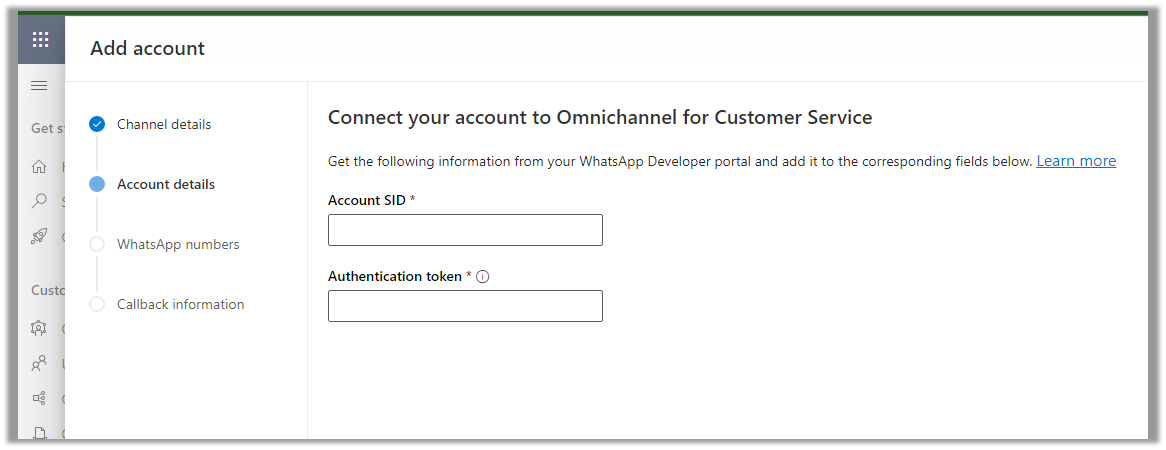
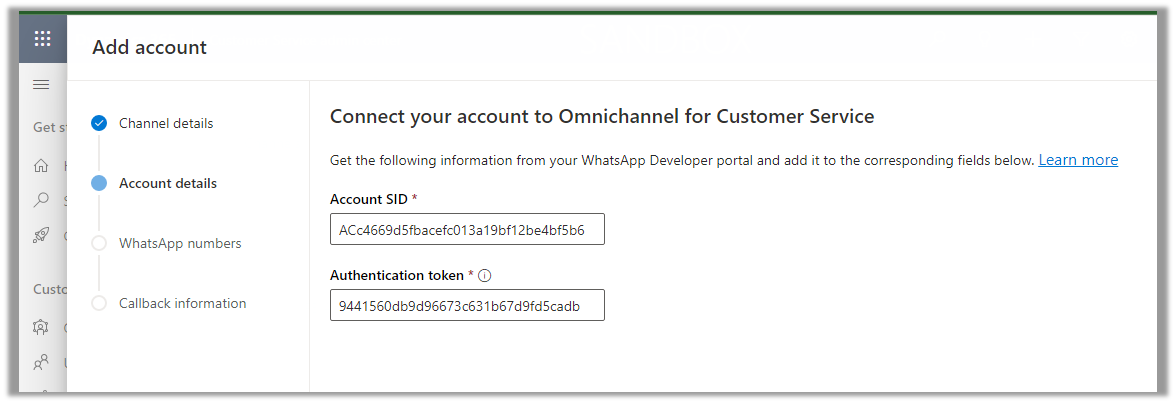
Enter Account SID and Authentication token click on Next
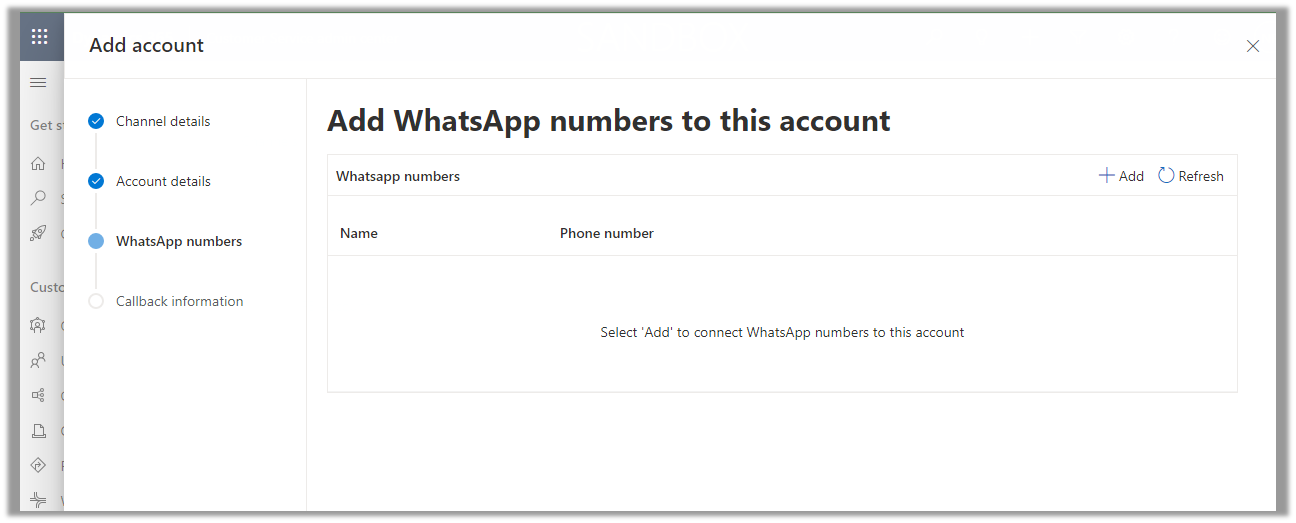
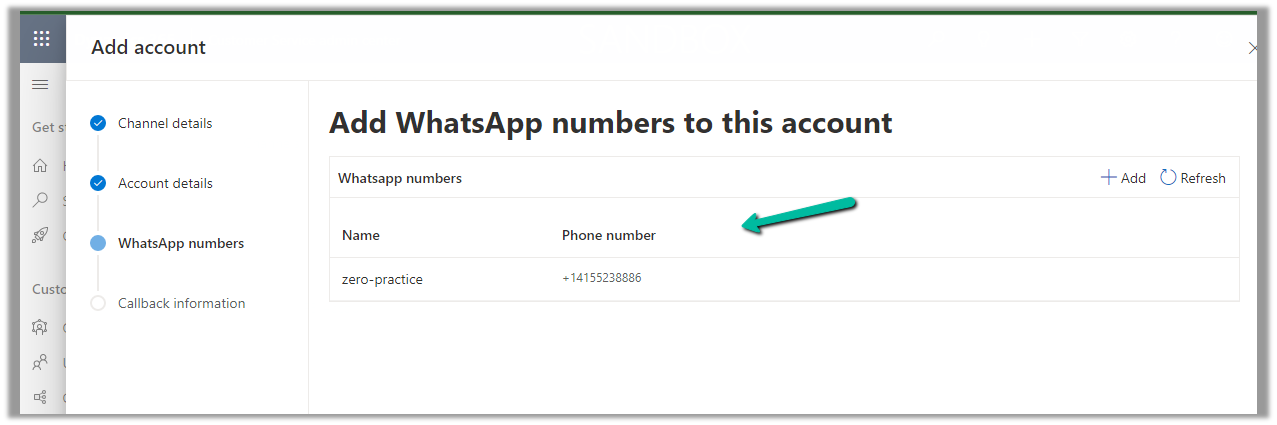
Next, we need to add the WhatsApp Name and Phone number
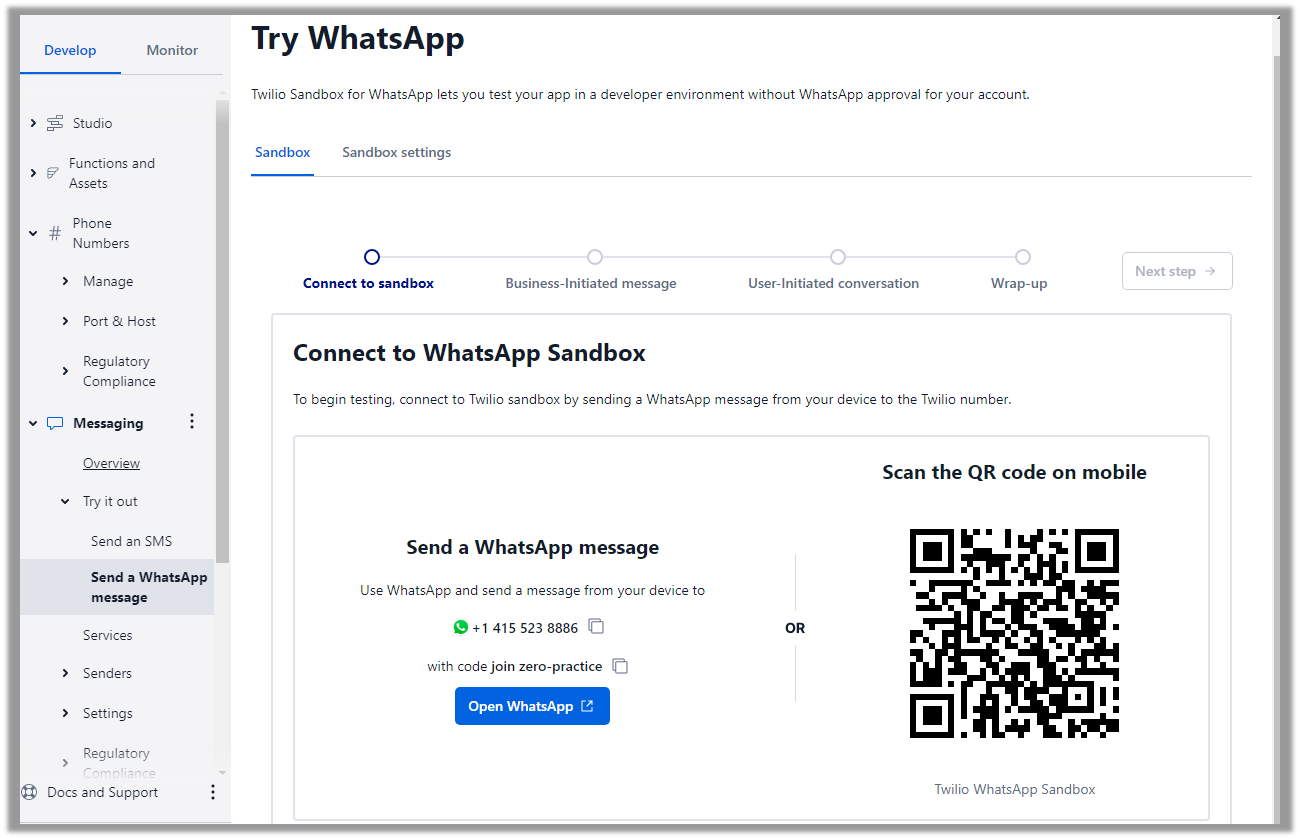
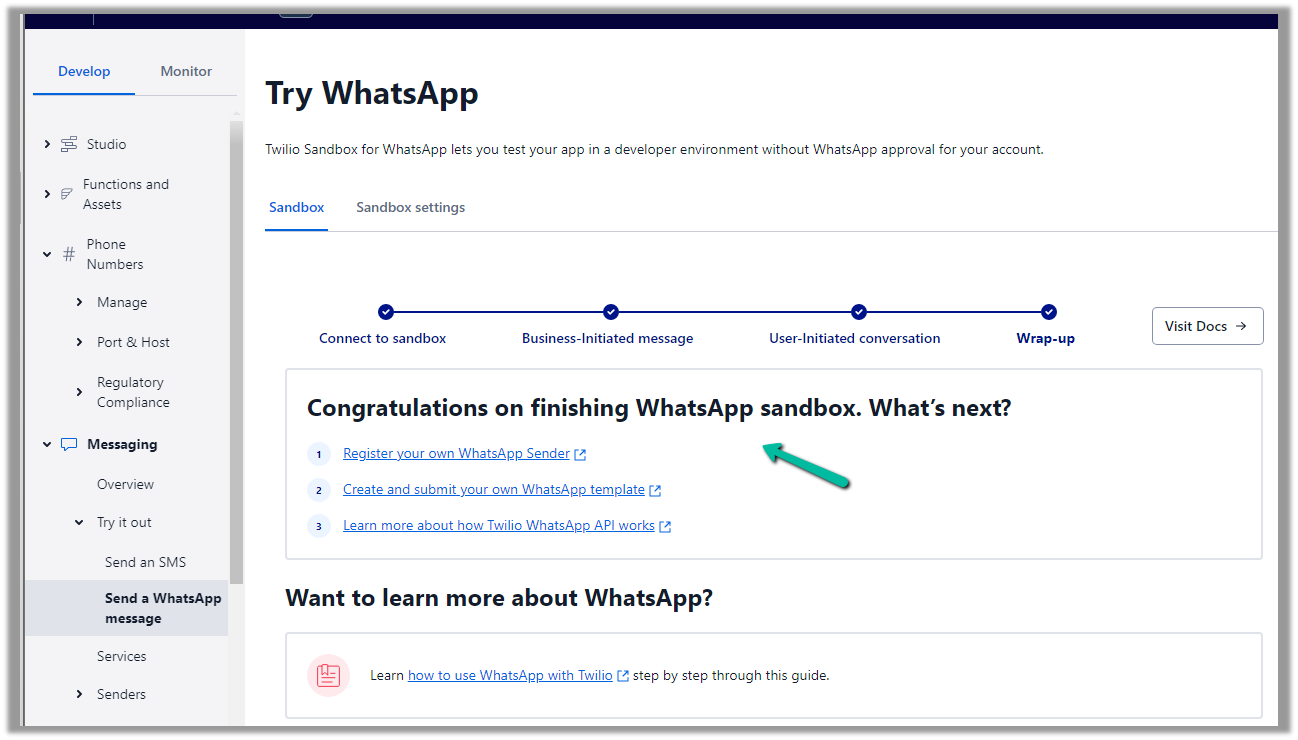
Navigate to Messaging >> Try it out >> Send a WhatsApp message to activate the WhatsApp Sandbox.
Follow the steps there to configure the Sandbox account. (scan the QR code send the Message, and test the Business and User-Initiated message/conversation).
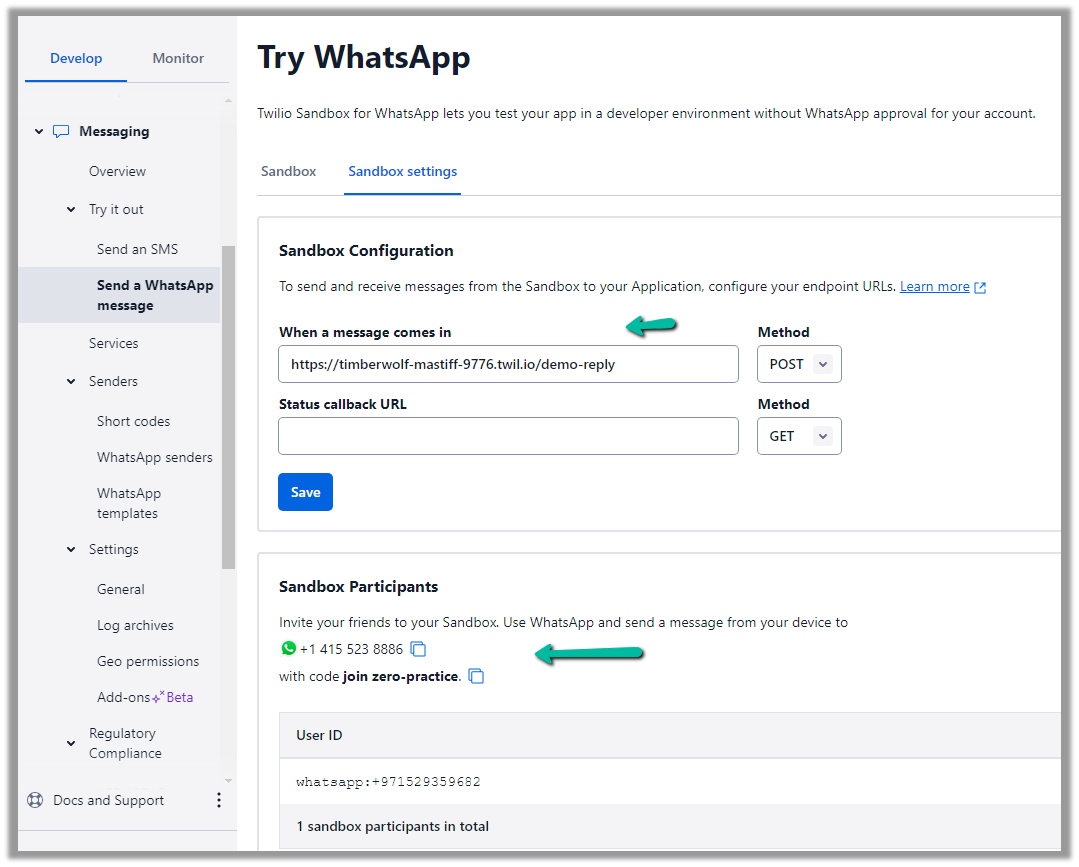
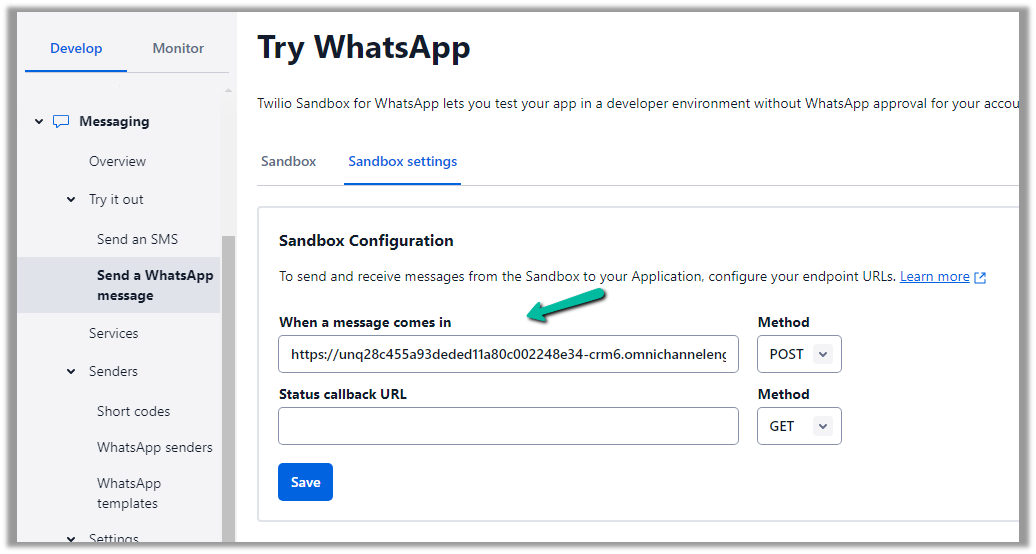
Click on Sandbox setting tab to get more information
Copy the number.
Add the number and click on Next
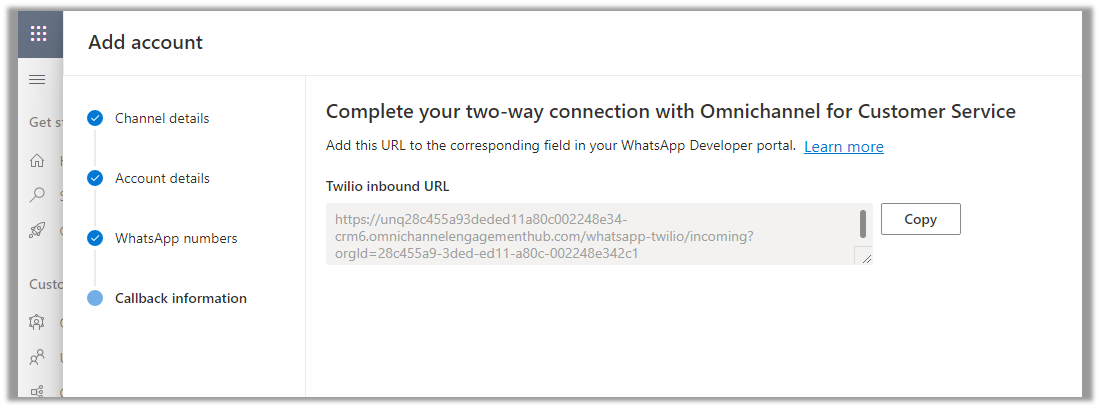
Copy the URL
Paste that URL in the When a message comes in and save.
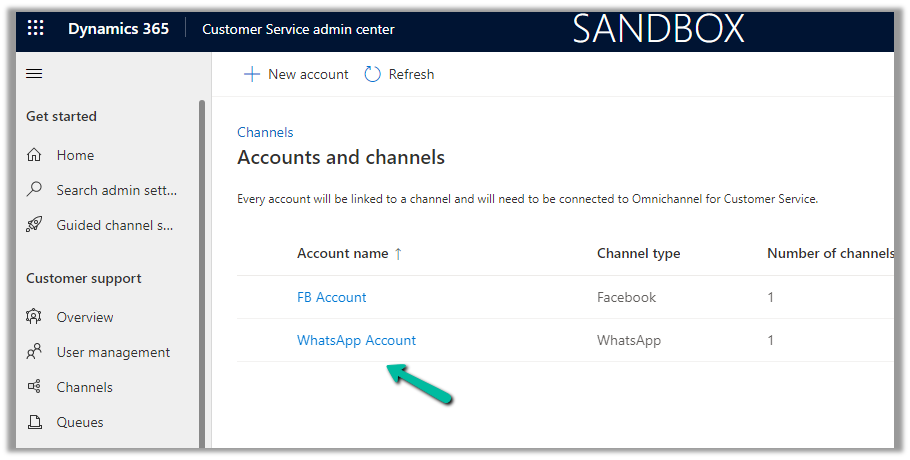
We can see our WhatsApp account created, open the record.
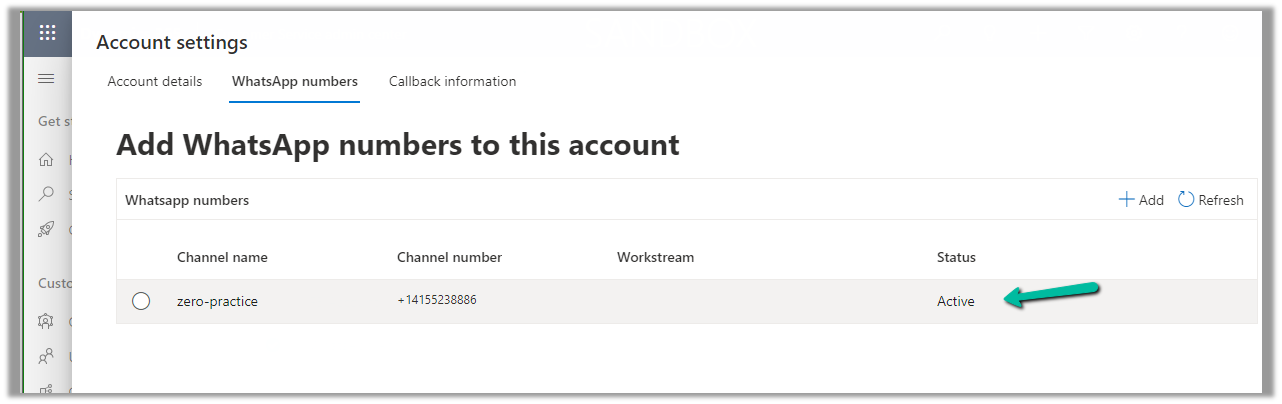
We can see our number being shown as Active
With the account active time to now it is time to set up the channel/workstream / queue.
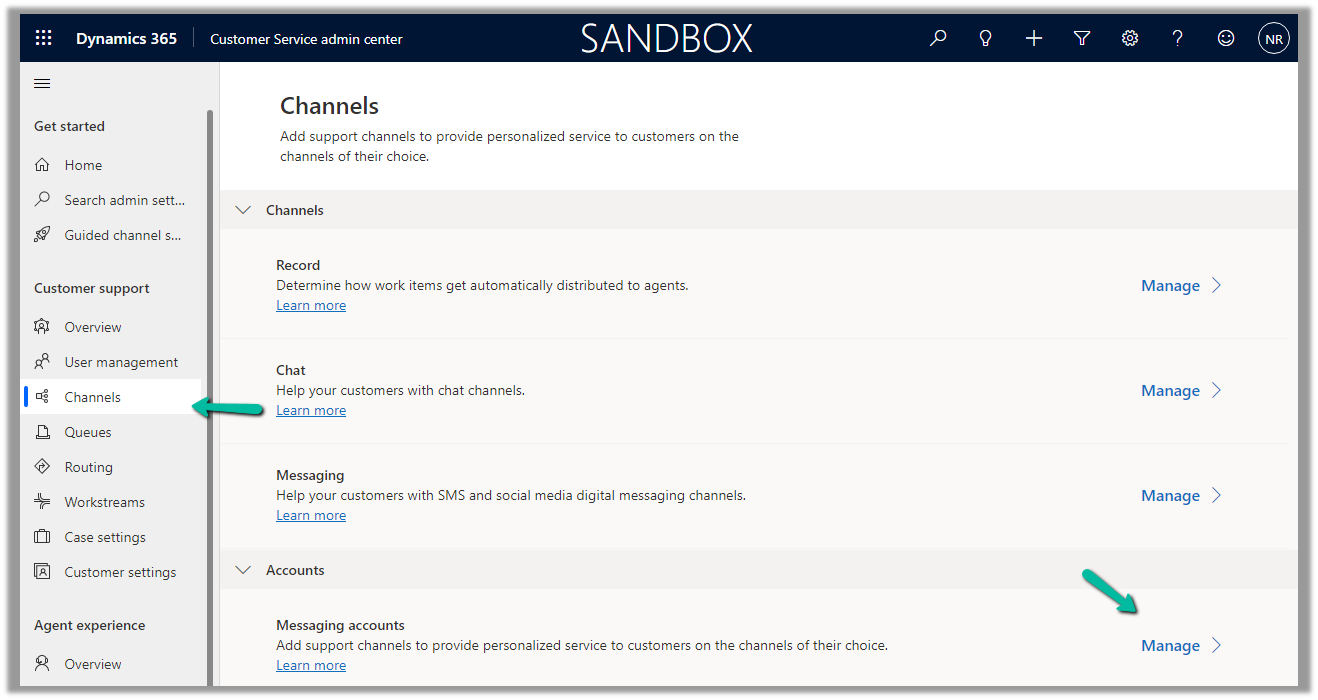
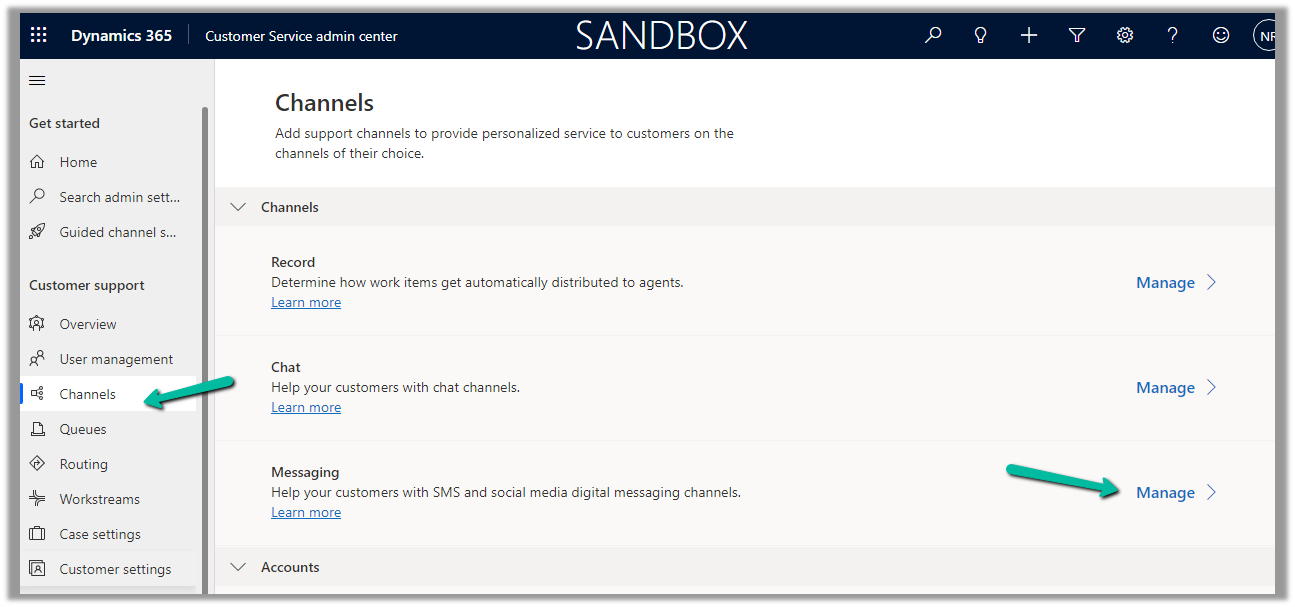
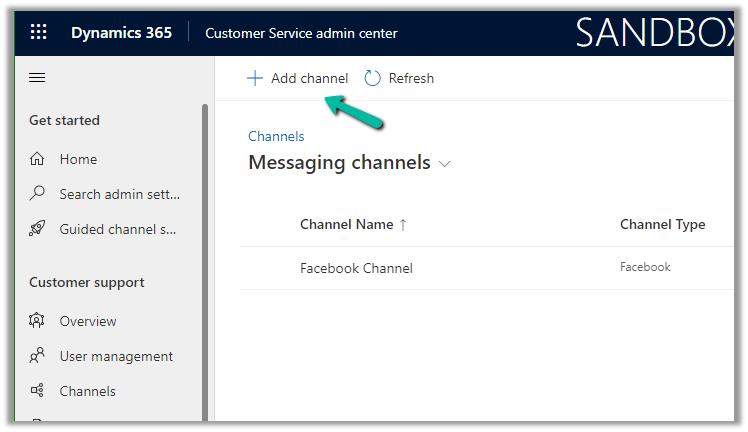
Navigate to Customer Support >> Channels >> Messaging (Manage)
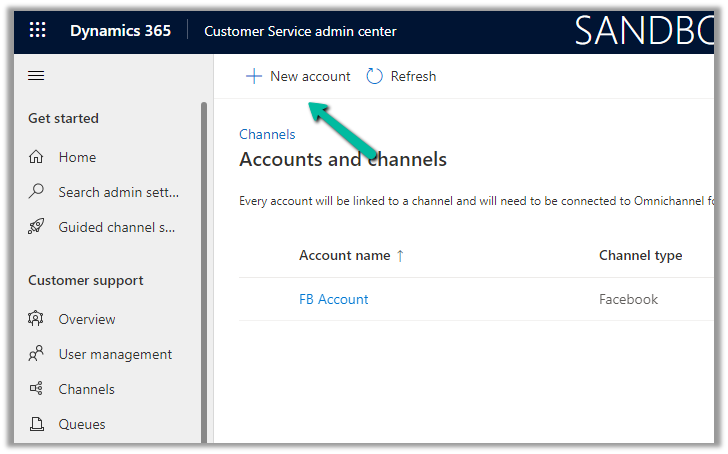
Click on Add Channel and add the details
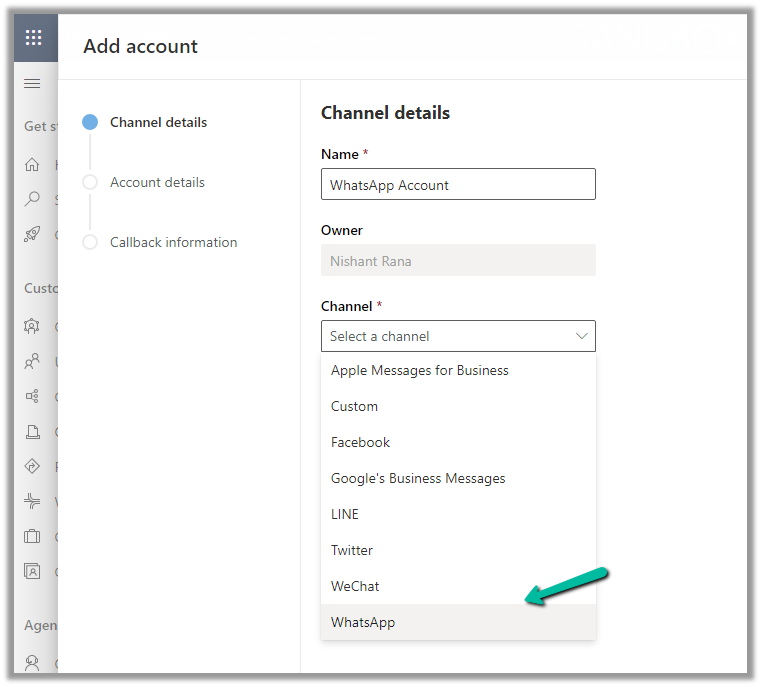
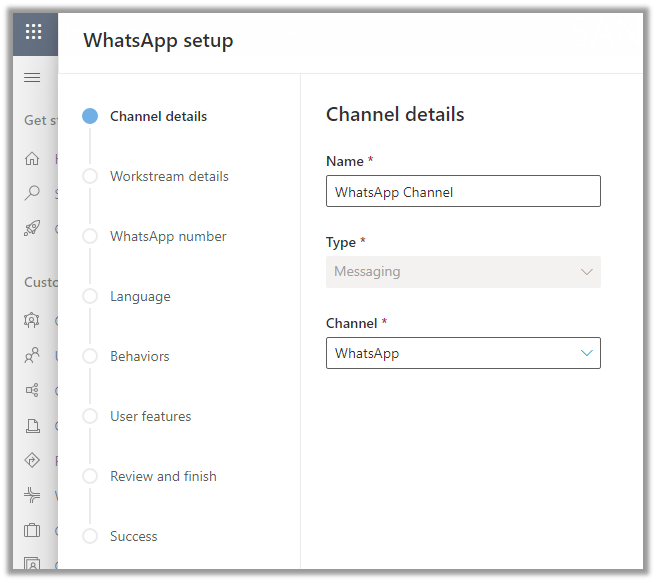
Enter channel details
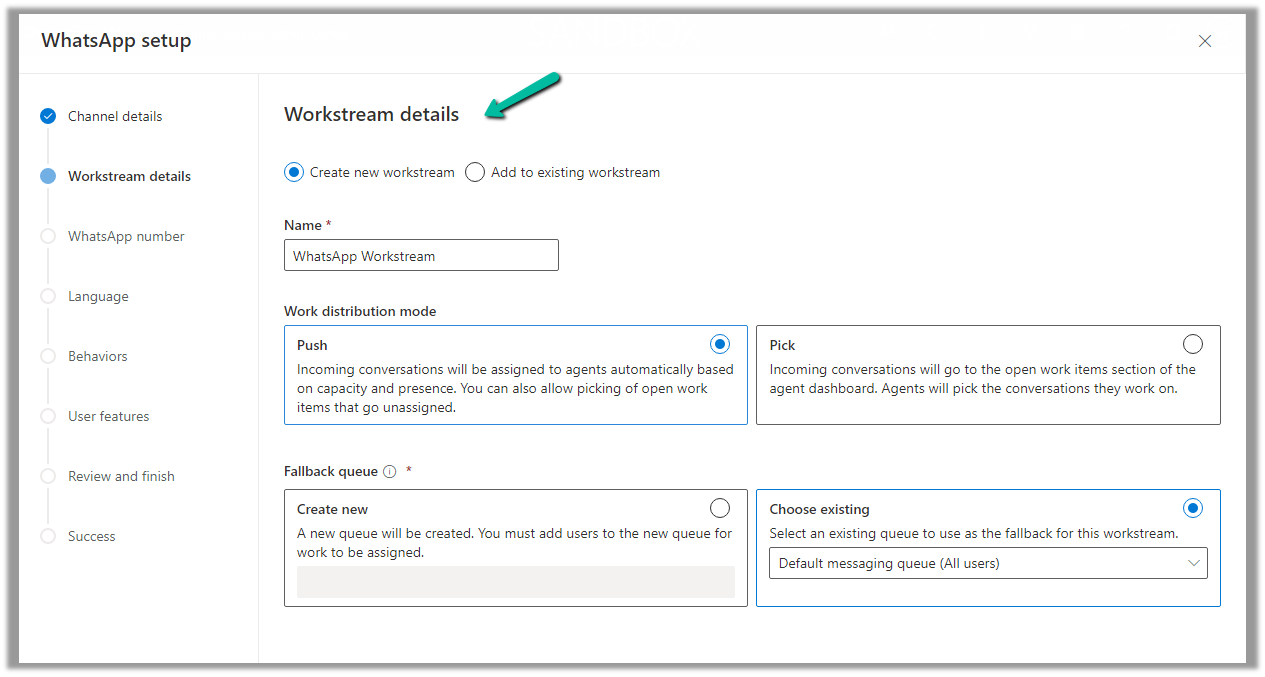
We are creating a new workstream
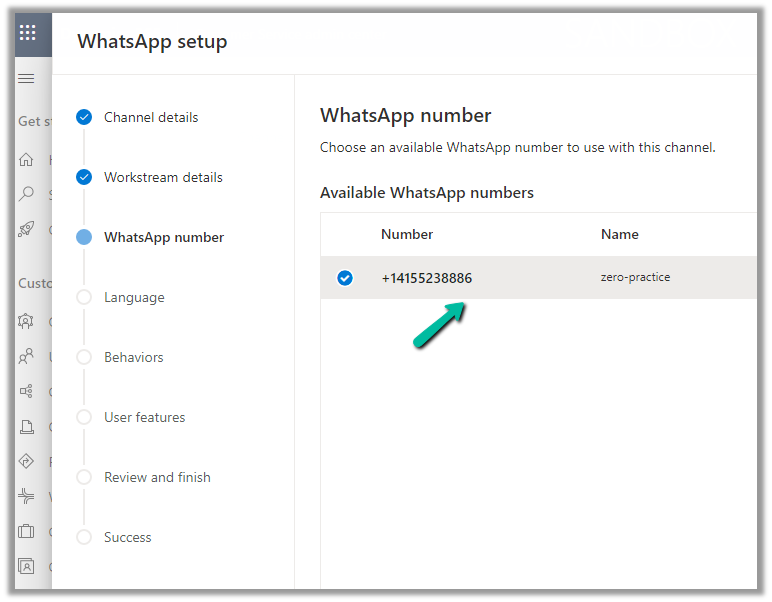
Add the WhatsApp number added
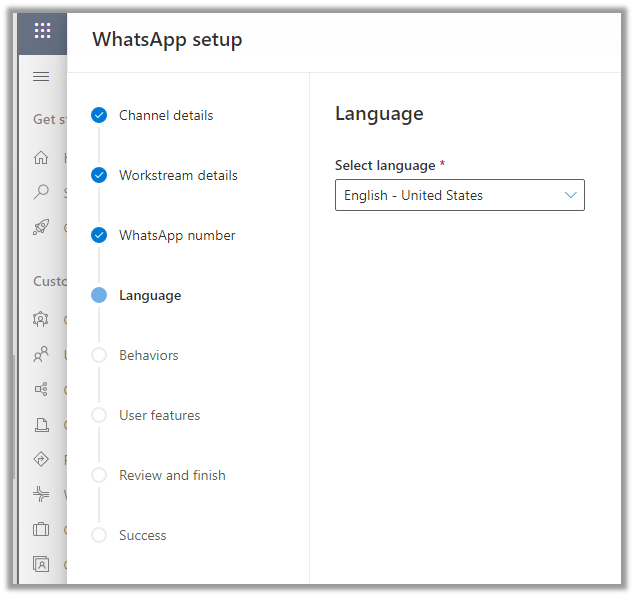
Select the language
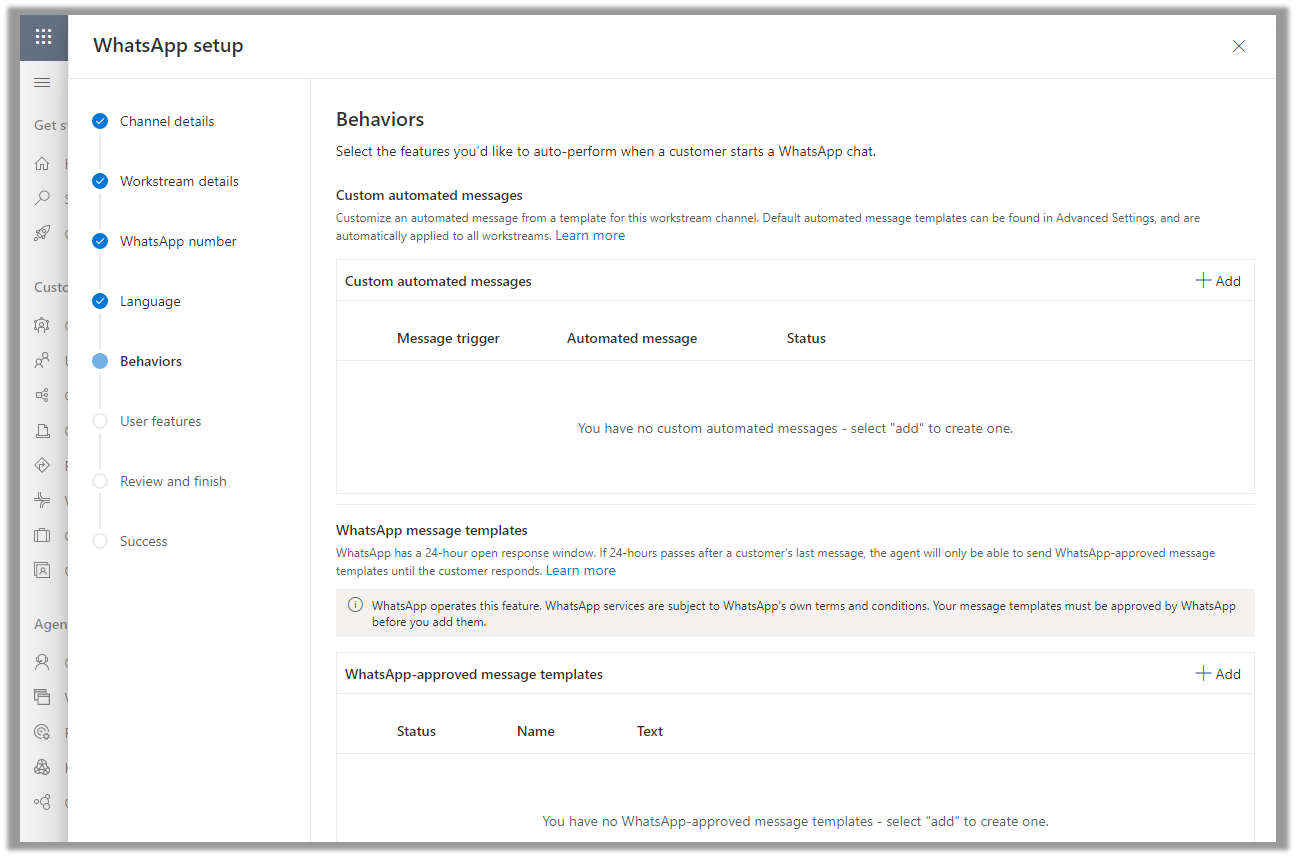
Specify the Behaviour (automated messages and approved templates)
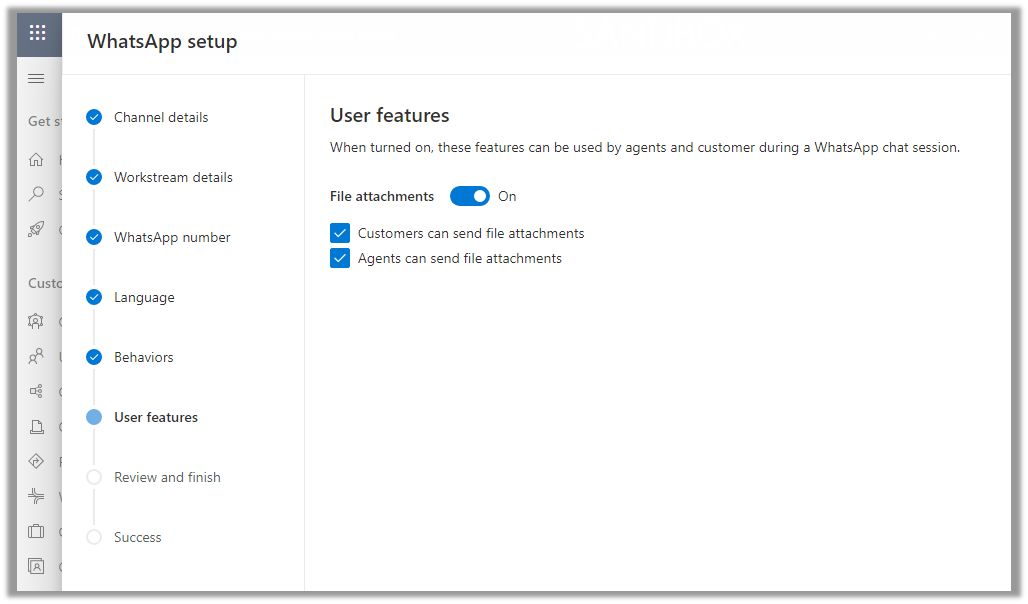
Specify the user features (attachments)
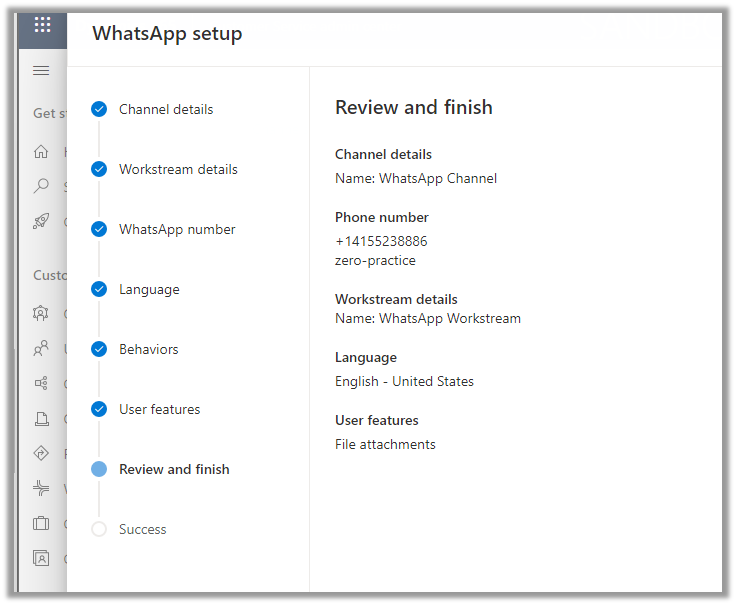
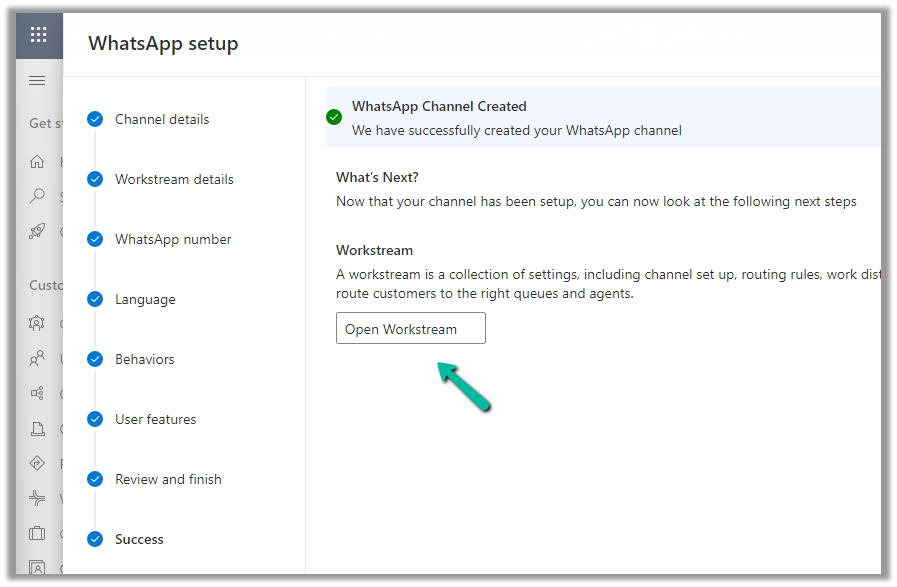
Review and Finish and Create the channel.
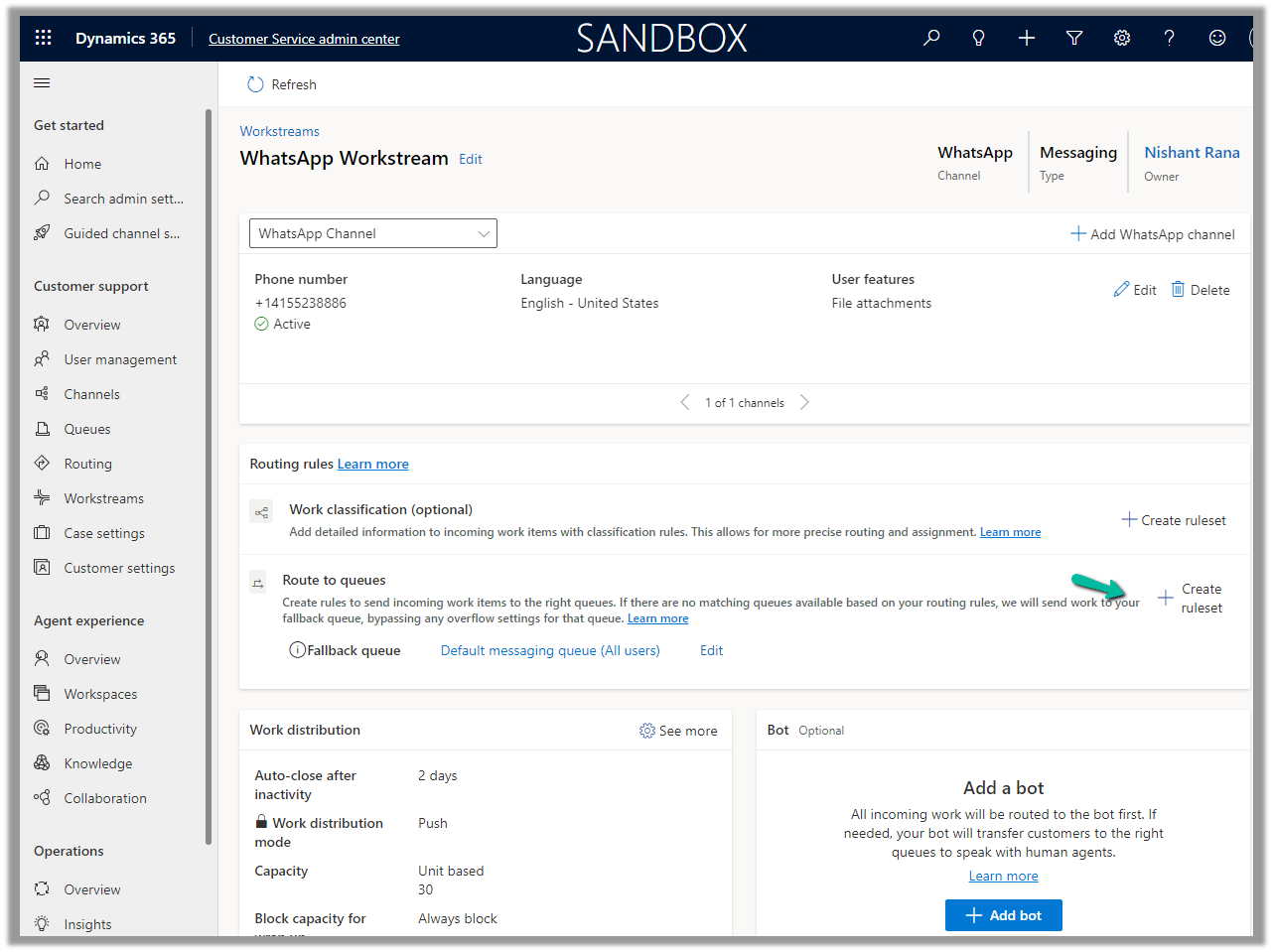
Open the workstream and specify routing rule/fallback queue/work distribution/associate bots etc details
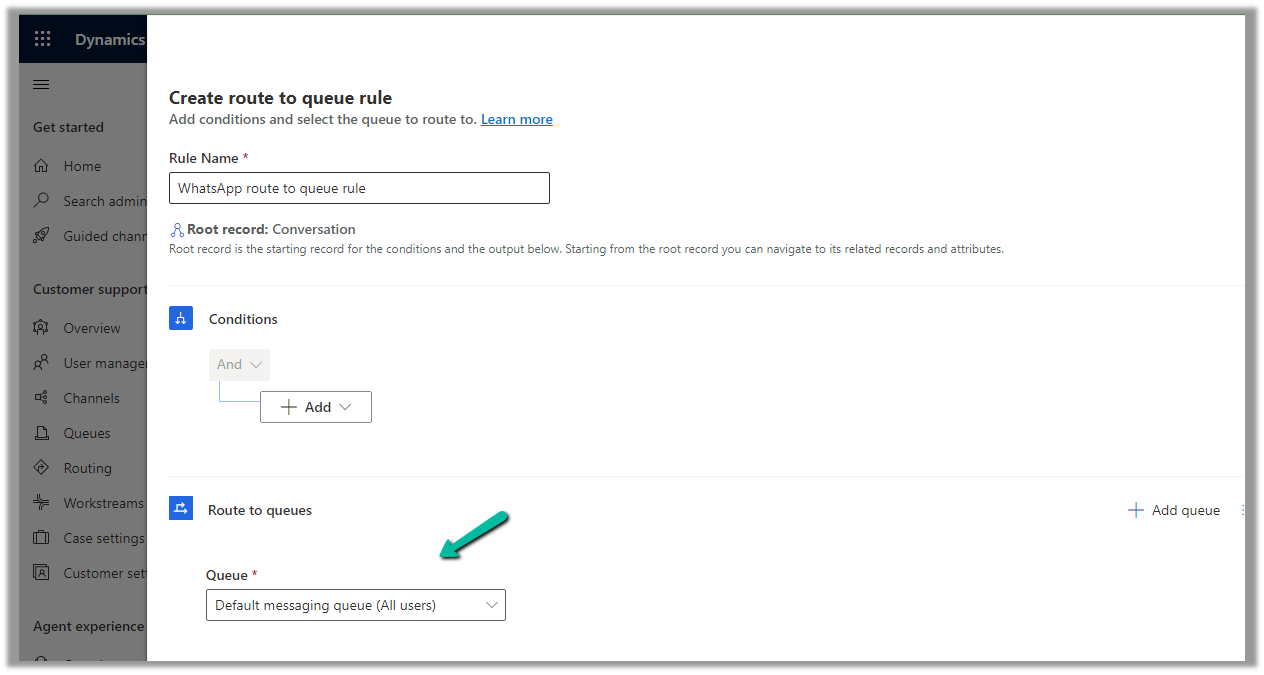
We will create a ruleset to route the message to the queue
We have the below route-to-queue rule created to route to the default queue which has all the omnichannel agents added to it. (In an actual scenario, we would add the conditions and create a specific Advanced Queue).
We are leaving the rest of the settings/configuration as default.
Now is the time to test.
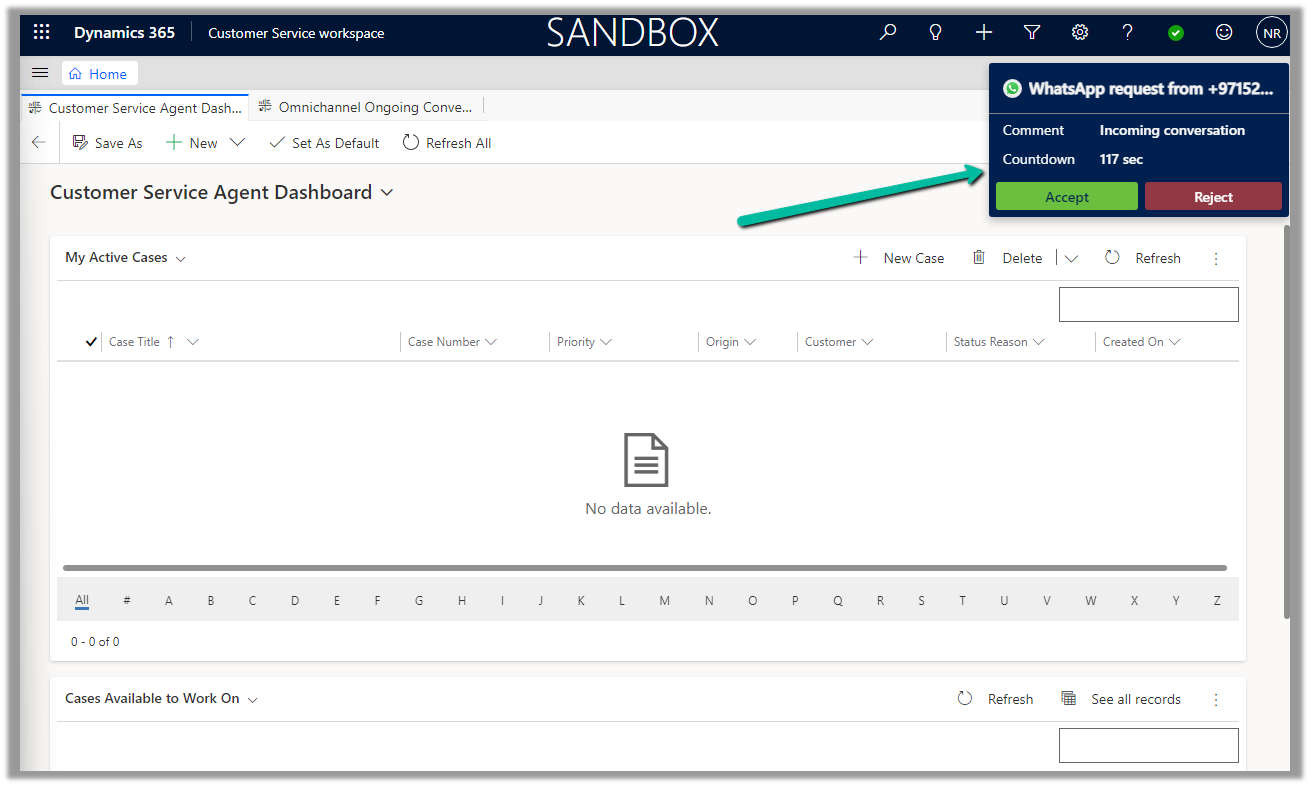
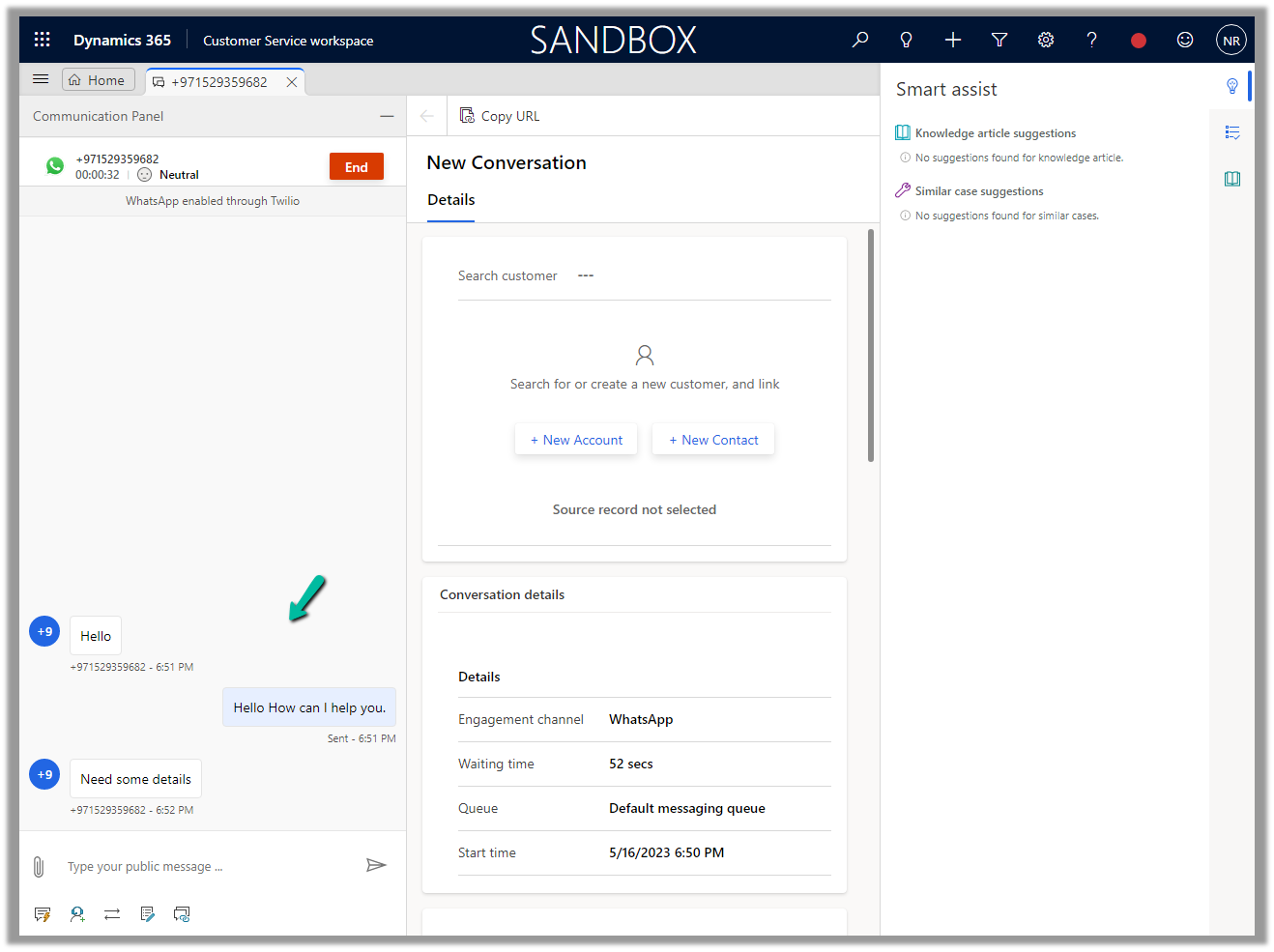
Let us log in to the Customer Service Workspace as an agent and from the registered sandbox participant number added send a message.
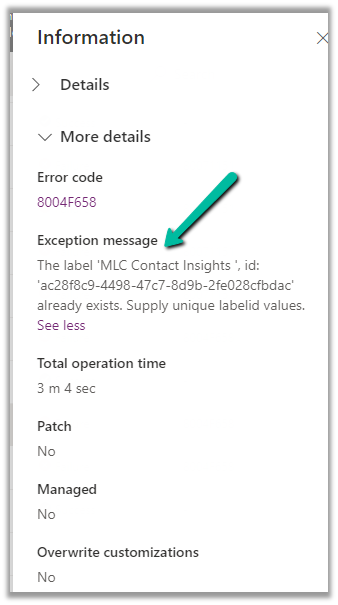
Recently while importing the solution in our UAT we got the below error –
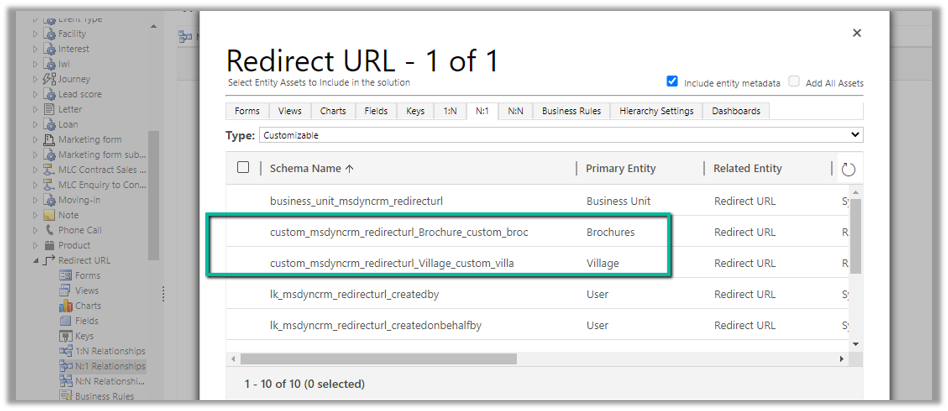
It was showing the above entity relationships missing in the solution. We could not find them inside the Power Apps Maker Portal, to add them in the source solution.
Interestingly enough we were able to find them from the classic solution explorer.
Adding them to the source solution and trying the import fixed the issue for us.
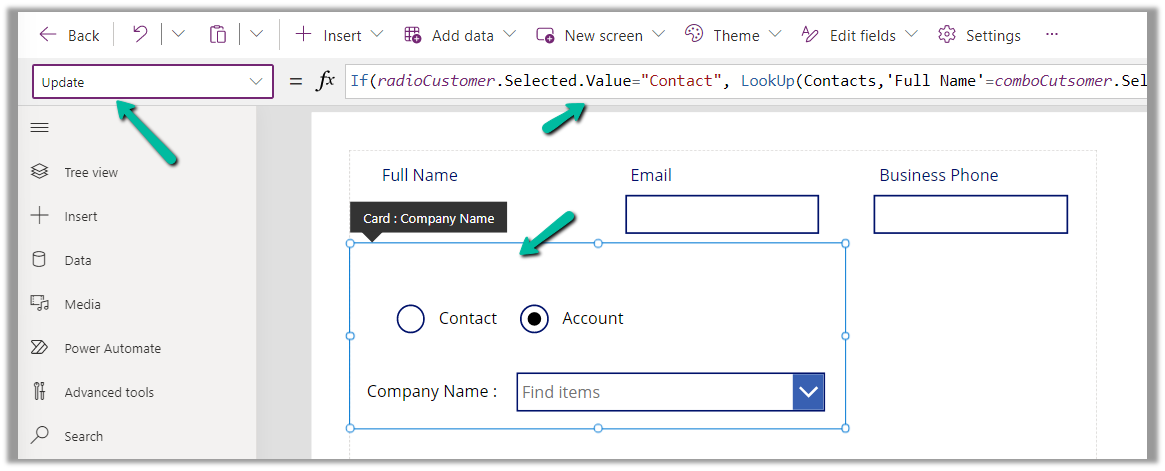
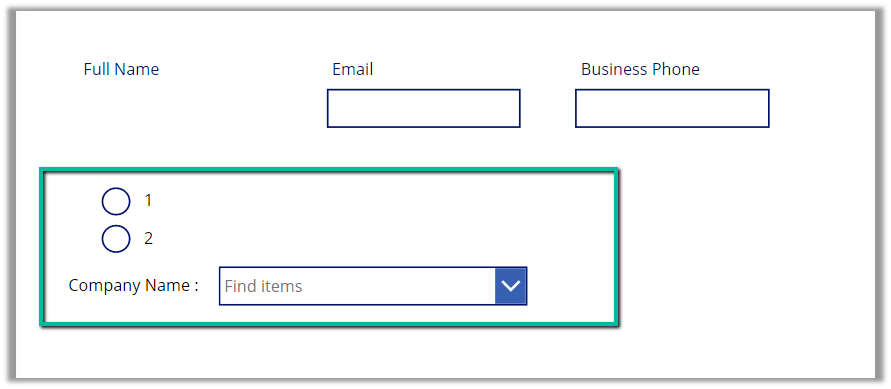
For this example, we are taking the Company Name customer lookup column of the contact table.
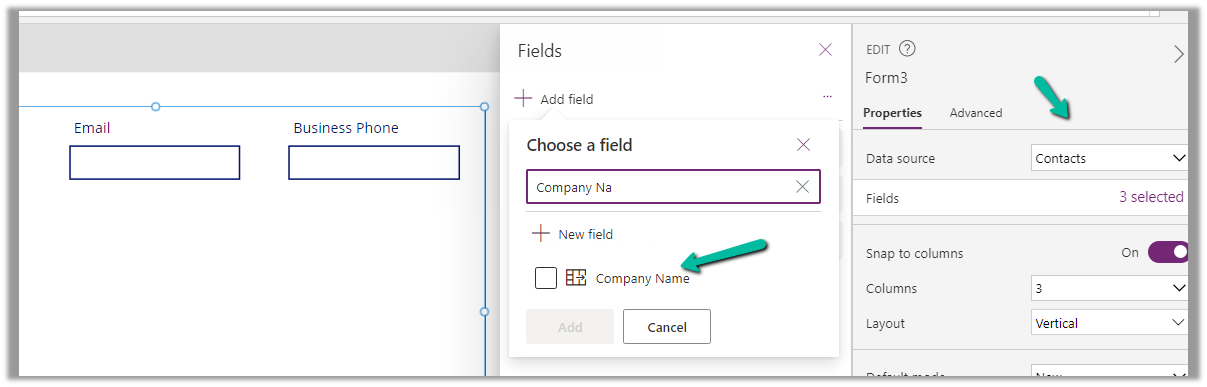
We start by adding the Customer Name field to the form.
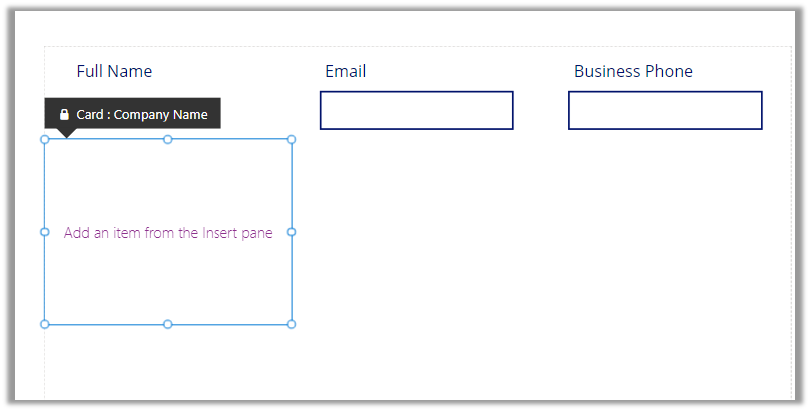
That adds a card to the form, let us add the required controls to get it working
Radio Button, Combo box, and Text Label for the combo box.
Change the Items property of the radio button to show the contact and account option.
Also, change the Layout to Horizontal and Default as Contact.
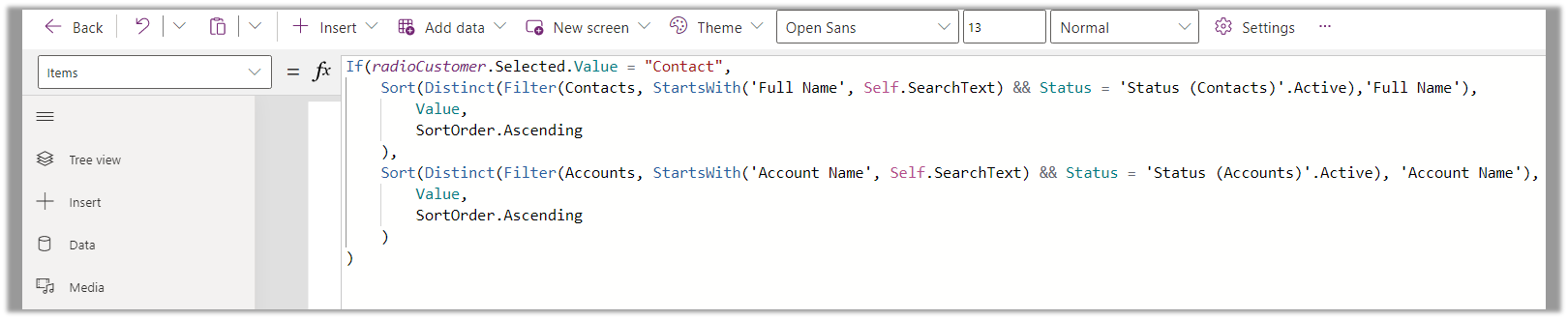
And set the Items property of the Combo box as below –
Based on the value selected in the radio button, we are setting the Data Source and also applying the Sort and Distinct function to it, along with StartsWith for delegation.
We have also set Allow searching as On for the combo box.
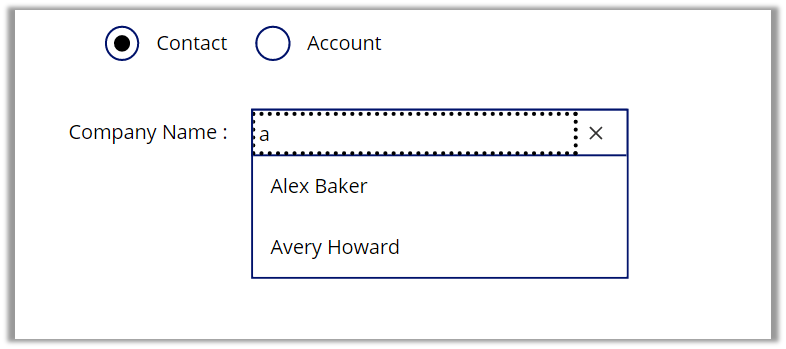
For the Contact option selected –
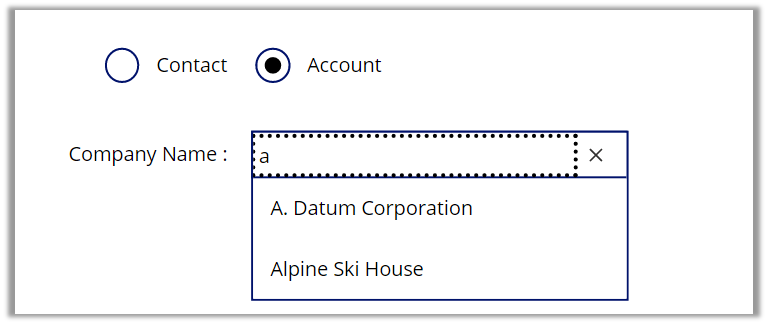
For the Account option selected –
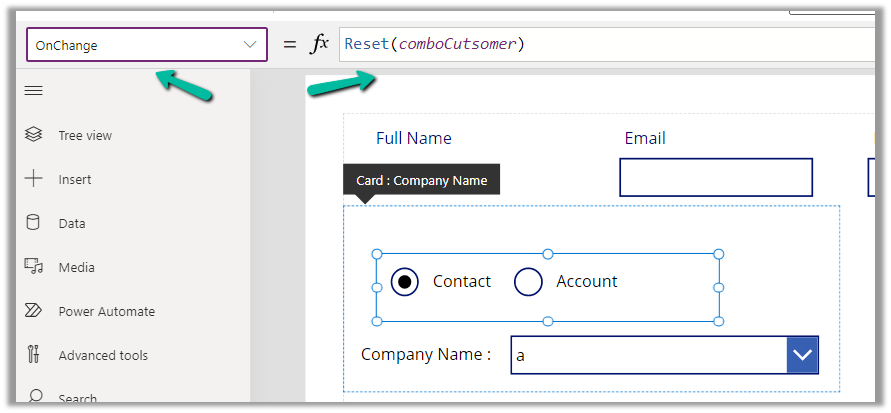
Also, we can set the OnChange property of the radio button to Reset(comboControl) to clear the selection when the user switches between Contact and Account options.
Now to have this value saved back we can specify the Update property of the custom data card in which we have placed these controls.
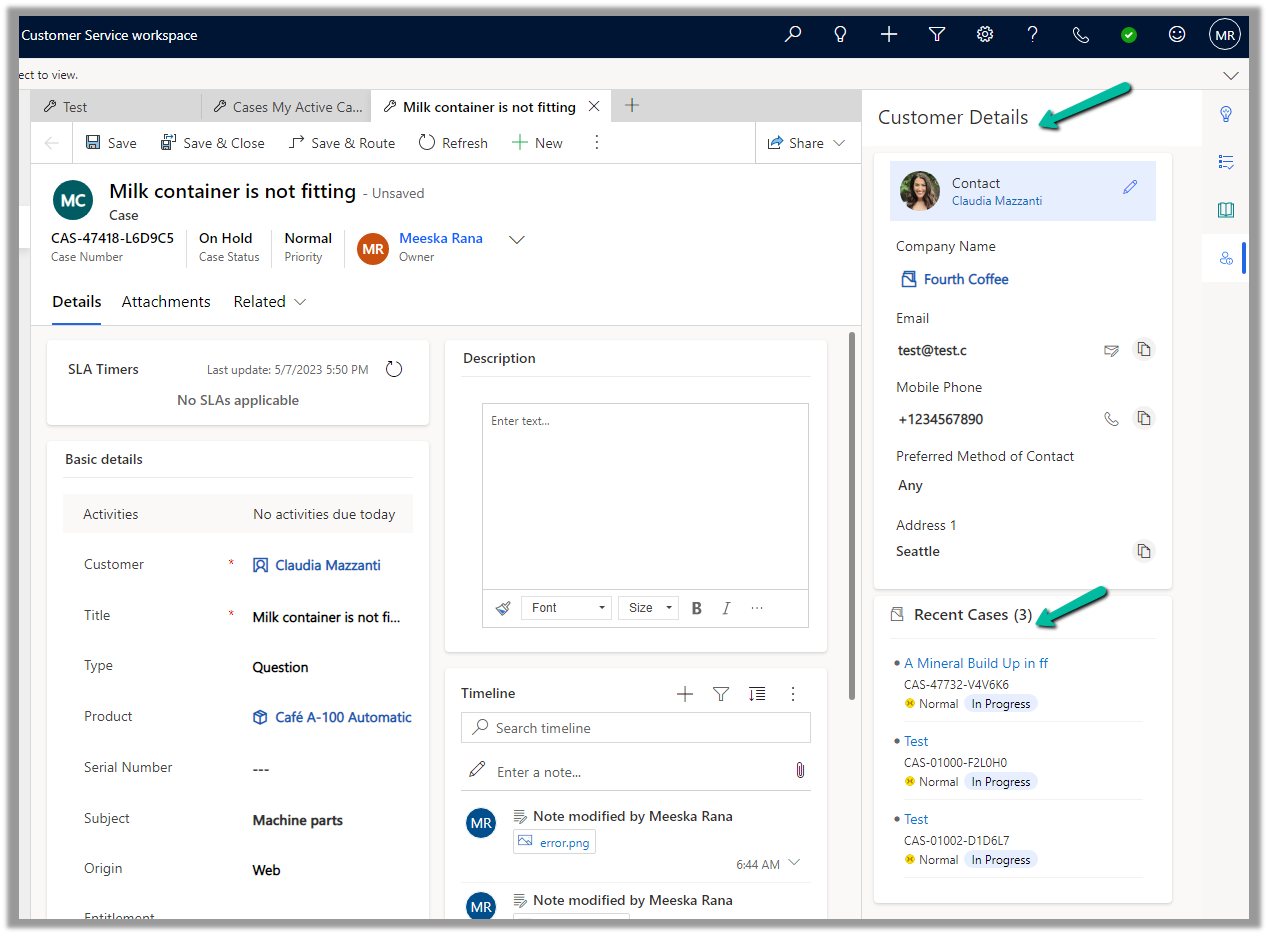
Enhance Case Experience is currently available only for the Customer Service Workspace app which targets to increase the productivity of the agent.
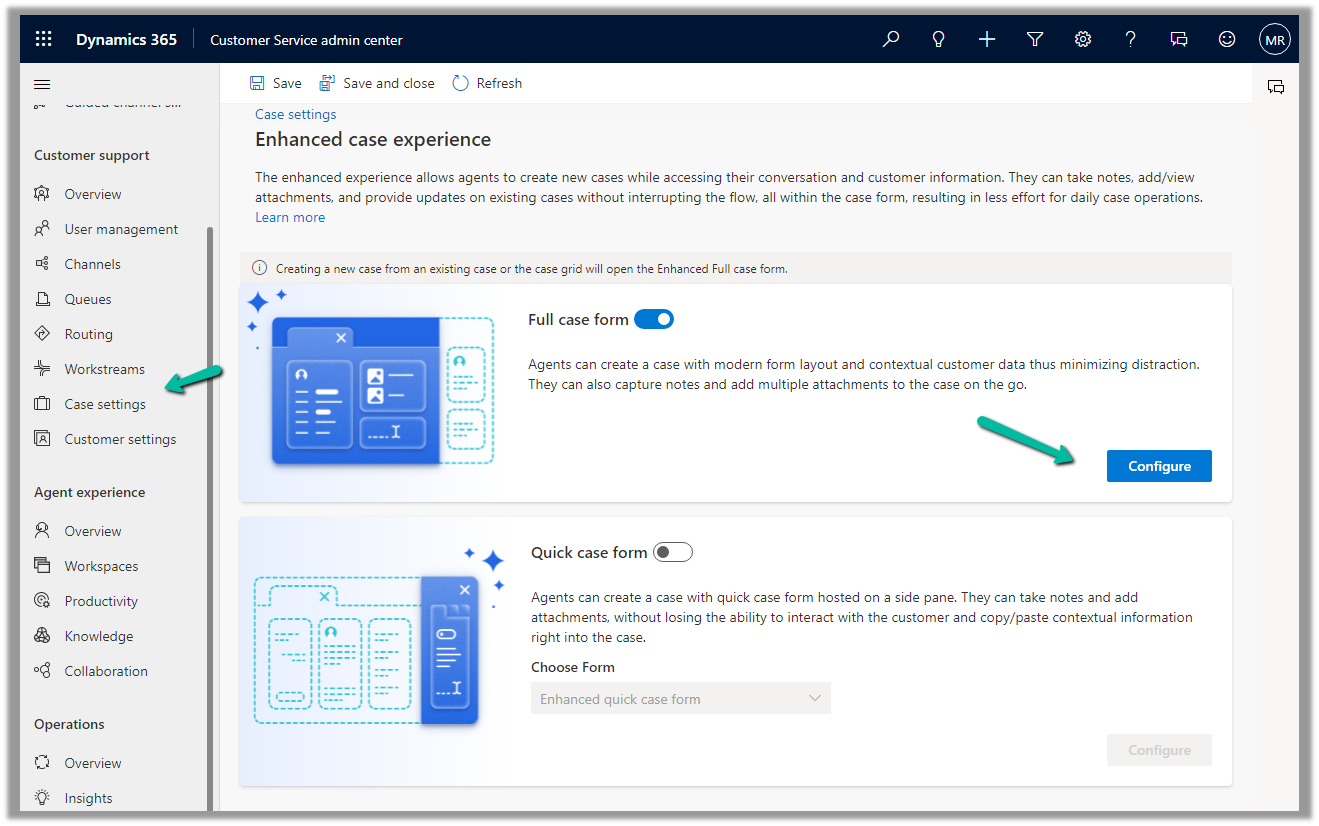
To enable it, navigate to Customer Service Admin Center >> Customer Support >> Case Settings >> Enhanced case experience (Manage)
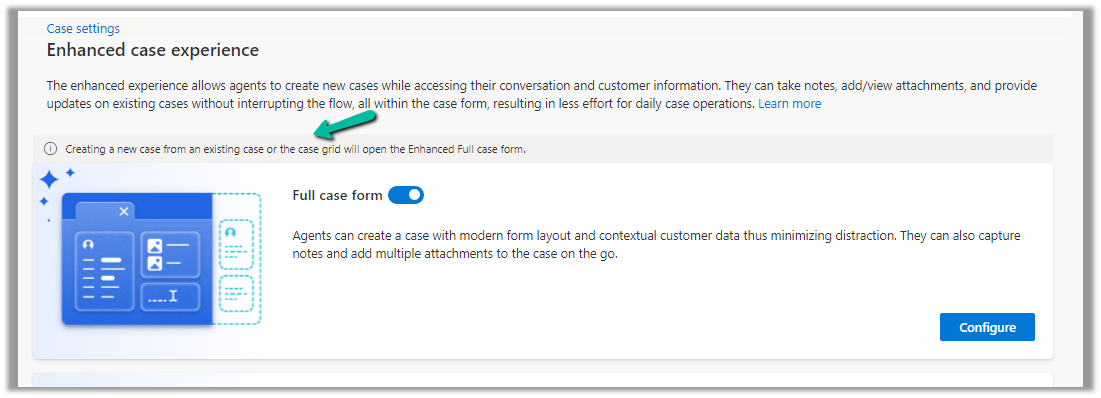
Enable the options – Here we have enabled the Full case form experience.
The new case form will show up while creating a new record from an existing case or the case grid.
Clicking on Configure opens the form in the Maker Portal.
The new Full Case form has the following new components added to it –
Grid Control – Case Associations (showing associated knowledge articles, similar cases, merged cases, and child cases)
Attachment Control – For the Case table, the new attachment control gives the option to directly upload the attachment as well as shows all the attachments either uploaded directly or associated with the notes or emails of the case record.










 And set the Items property of the Combo box as below –