Fixed – Omnichannel authentication failed. Contact your administrator in Omnichannel Ongoing Conversations Dashboard


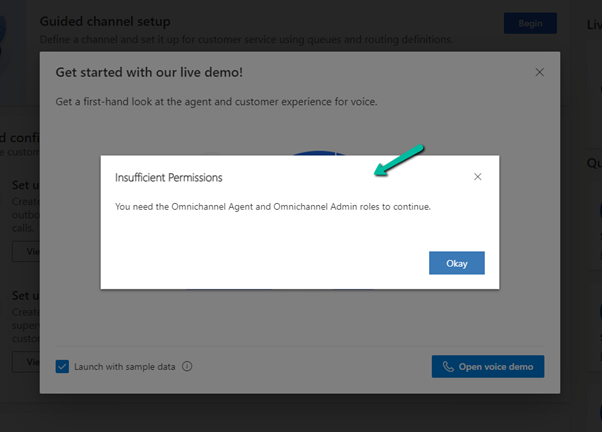
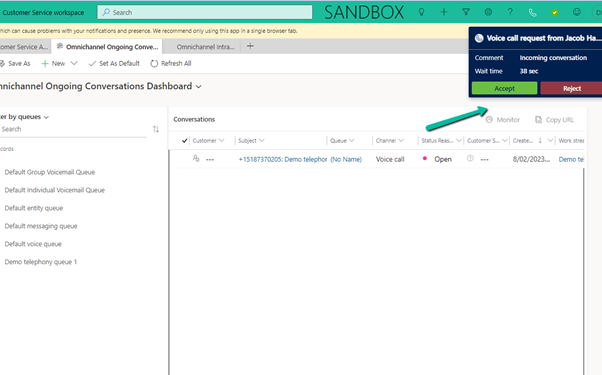
Recently we were getting the below error on the Omnichannel Ongoing Conversations Dashboard.

As the user was having an Omnichannel Administrator role, we expected it to work for the user. We raised a support ticket for the same and got to know that we need to assign the Omnichannel supervisor role for it to work for the user.

After assigning the Omnichannel supervisor role, the report started working for the user. Try it in incognito mode or clear the cache after assigning the role.

Get more details –  Omnichannel Ongoing Conversations dashboard

Hope it helps..


Advertisements

Fixed – The product cannot be added because it is not active while creating Quote Product – Dynamics 365 / Dataverse


We got the below error while trying to create a quote product programmatically.

As the error message specifies, this is because we are trying to add/associate a DRAFT product to the Quote Product.

We will get a similar error from the application as well if we try adding a draft product as an existing product to either a quote product or an opportunity product.

Below is the product in the Draft status.

Publish the product to make it Active.

Hope it helps..
 

Advertisements

Fixed – sdkmessageprocessingstep With Id = {GUID} Does Not Exist – Plug-in Profiler – Dynamics 365 / Dataverse


Recently we got the below issue while saving the contact record. It was throwing this for one of our plugin steps registered on the update, for which we had already removed the profiling.

The profiling was already removed from the step.

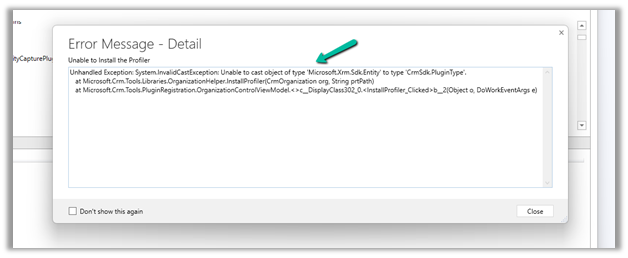
It was the same error while trying to uninstall the profiler.

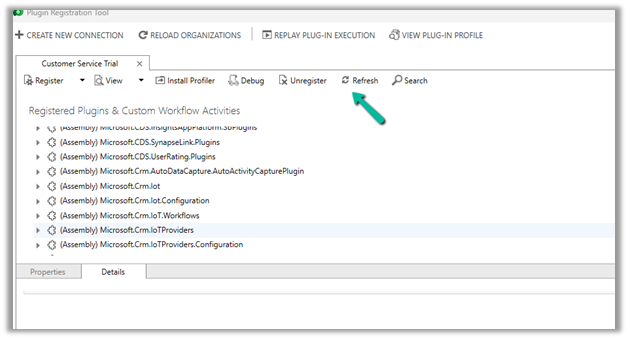
As mentioned in the error message we checked the Plug-in Profiler assembly in the Plugin Registration tool and could find the reference to the step there.

We unregistered the step there

This fixed the issue for us.

Hope it helps..


Advertisements

Sample Code – Capture / Record lead qualification date – Dynamics 365 / Dataverse


Recently we had a requirement to capture the date when a lead is qualified. Here we can create a new date time attribute to capture the lead qualification date and update this field either through workflow, flow, or plugin on lead qualification.

Status Code = 3 (Qualified)

We implemented a plugin on PreOperationUpdate of lead, with filtering attributes as the state code.

Below is the sample code for the plugin  –

 public void Execute(IServiceProvider serviceProvider)
        {
            ITracingService tracingService = (ITracingService)serviceProvider.GetService(typeof(ITracingService));
            IPluginExecutionContext context = (IPluginExecutionContext)serviceProvider.GetService(typeof(IPluginExecutionContext));
         
            try
            {
                tracingService.Trace("start plugin execution: {0}", this.GetType().FullName);
                // plugin is in pre update stage of lead
                if (context.InputParameters.Contains("Target") && context.InputParameters["Target"] is Entity &&
                    context.MessageName.Equals("update", StringComparison.OrdinalIgnoreCase) &&
                   context.Stage == 20)   
                {
                    var leadEntity = (Entity)context.InputParameters["Target"];
                    if(leadEntity.LogicalName == "lead")
                    {
                        if(leadEntity.Attributes.Contains("statuscode") && 
                            ((OptionSetValue)leadEntity.Attributes["statuscode"]).Value == 3
                            )
                        {
                            tracingService.Trace("Lead with Id {0} is getting qualified at {1}", 
                                leadEntity.Id.ToString(), DateTime.UtcNow);
								
							// the custom date time field to capture the qualification date 
                            leadEntity["custom_qualificationdate"] = DateTime.UtcNow;                         
                        }
                    }                 

                }

                tracingService.Trace("end plugin execution: {0}", this.GetType().FullName);
            }
            catch (System.ServiceModel.FaultException<OrganizationServiceFault> ex)
            {
                tracingService.Trace(ex.Detail.Message);
                throw;
            }
            catch (Exception ex)
            {
                tracingService.Trace(ex.ToString());
                throw;
            }
        }

Hope it helps..
Advertisements

How to – Filter using related table(lookup)’s Multi Choices or MultiSelect Option Set column– PowerApps / Dataverse / Dynamics 365


Continuing our previous example, here we have added a new choice field in Table B.

Here Table A has a lookup of Table B which has the new multichoice column added to it. (Also Table B has a lookup of Table C in it)

Based on the values selected in the multiple-choice field’s combo box we will filter the gallery.

The syntax to bind the multichoice column to the combo box.

Choices(Table[@choicecolumn])

First, for the Items property of the Main Gallery, we have added the new column ColorChoices to Table A using the AddColumns and the Lookup function.

Then filtered based on selected items of the combo color choices, using the new ColorChoices column added.

ChoiceColumn[@Value] in comboBox.SelectedItems

We have also used the newly added ColorChoices column to bind it to the gallery inside the main gallery as it would have multiple values.

The result –

Thanks to –

Hope it helps..

Advertisements

InvalidPluginExecutionException error dialog not showing up – Dynamis 365 / Dataverse


One of the reasons why throwing the InvalidPluginExecutionException doesn’t show up error dialog could be that you would have Profiled that step with profile storage as Persist to Entity.


Stop Profiling and it should work as expected.

error

Check for more details on InvalidPluginExecutionException

https://learn.microsoft.com/en-us/power-apps/developer/data-platform/handle-exceptions#cancelling-the-current-operation

https://learn.microsoft.com/en-us/power-apps/developer/data-platform/best-practices/business-logic/use-invalidpluginexecutionexception-plugin-workflow-activities

Hope it helps..

Advertisements