Fixed – Omnichannel authentication failed. Contact your administrator in Omnichannel Ongoing Conversations Dashboard


Recently we were getting the below error on the Omnichannel Ongoing Conversations Dashboard.

As the user was having an Omnichannel Administrator role, we expected it to work for the user. We raised a support ticket for the same and got to know that we need to assign the Omnichannel supervisor role for it to work for the user.

After assigning the Omnichannel supervisor role, the report started working for the user. Try it in incognito mode or clear the cache after assigning the role.

Get more details –  Omnichannel Ongoing Conversations dashboard

Hope it helps..


Advertisements

Dynamics 365 AI code with ChatGPT


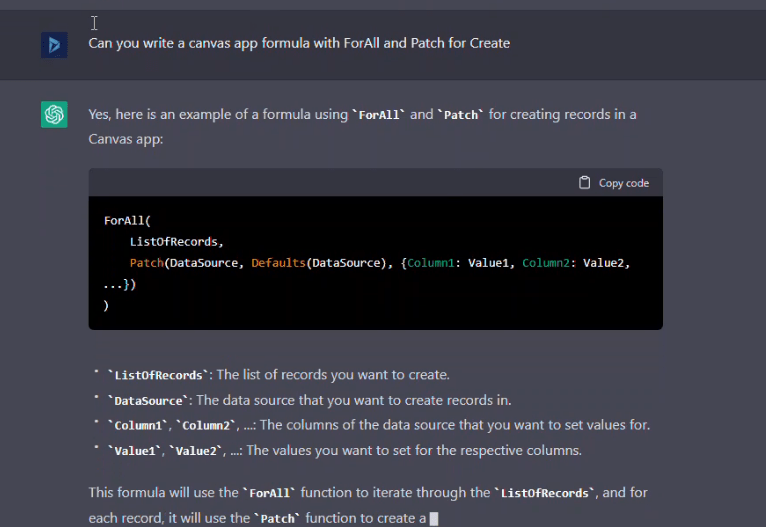
Example – “Can you write a canvas app formula with ForAll and Patch for Create” – https://www.screencast.com/t/x5TPWw89tFw

https://nishantrana.me/wp-content/uploads/2023/01/chatgp.png?w=766

Thomas Sandsør's avatarCRM Keeper

By now I am sure most of you have heard about ChatGPT. The AI product is pouring out surprisingly intelligent responses to all sorts of questions that people all around the world have given it lately.

There have been examples of the tool writing papers for school, creating blog posts for people, and helping formulate fairly complex text for webpages and marketers. One thing that someone tipped me off about was the ability to write code, and I was a bit curious as to what that would mean.

So one of the many gaps in my knowledge is specifically regarding Plugins. A plugin is a piece of backend code that runs in real time when triggers occur in Dataverse. I tried doing a little plugin with some help a few years ago and wrote about it on the Company Blog – Plugin in 1 hour.

I was curious…

View original post 373 more words

Fixed – The product cannot be added because it is not active while creating Quote Product – Dynamics 365 / Dataverse


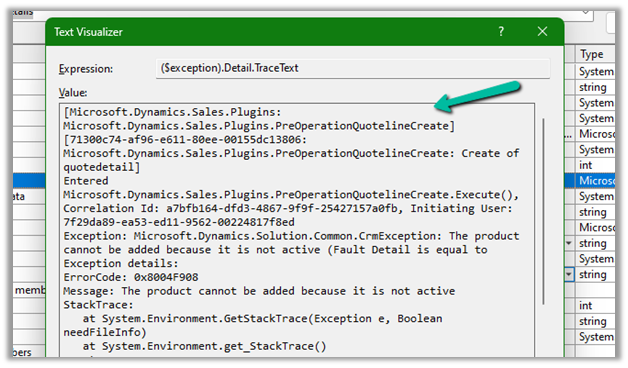
We got the below error while trying to create a quote product programmatically.

As the error message specifies, this is because we are trying to add/associate a DRAFT product to the Quote Product.

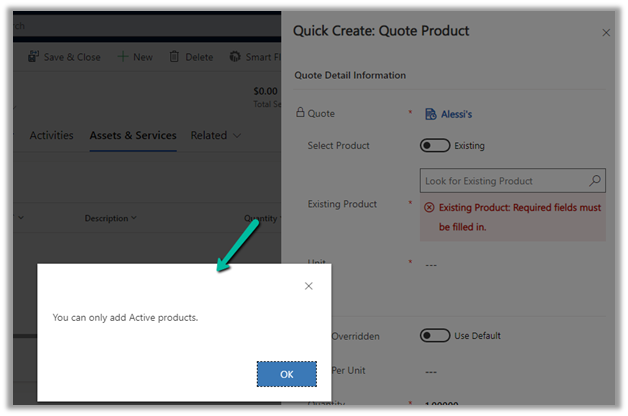
We will get a similar error from the application as well if we try adding a draft product as an existing product to either a quote product or an opportunity product.

Below is the product in the Draft status.

Publish the product to make it Active.

Hope it helps..


Advertisements

How to – Filter data source to get the active records Dataverse / PowerApps


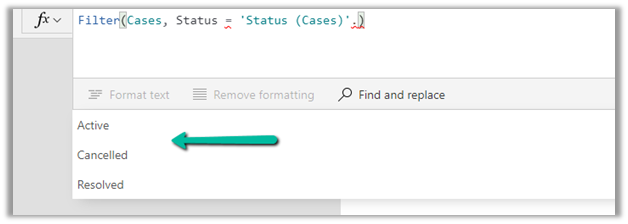
Just sharing the syntax, that we can use to filter the data source based on the status field.

Below is our gallery bound to Cases (Data Source) and showing only the Active cases.

Items

Filter(Cases, Status = ‘Status (Cases)’.Active) 

Filter(Datasource, Status = ‘Status (Datasource)’.[value])

Hope it helps..


Advertisements

Tap into the interaction data generated by Dynamics 365 Marketing


Jesper Osgaard's avatarMicrosoft Lystavlen

One of the many strong points of Dynamics 365 Marketing is the separation of the Dynamics 365 environment and the Marketing services (see “Elements in a Marketing environment“)

This separation has a lot of advantages – including performance. However, the data in the Marketing services aren’t directly accessible to users

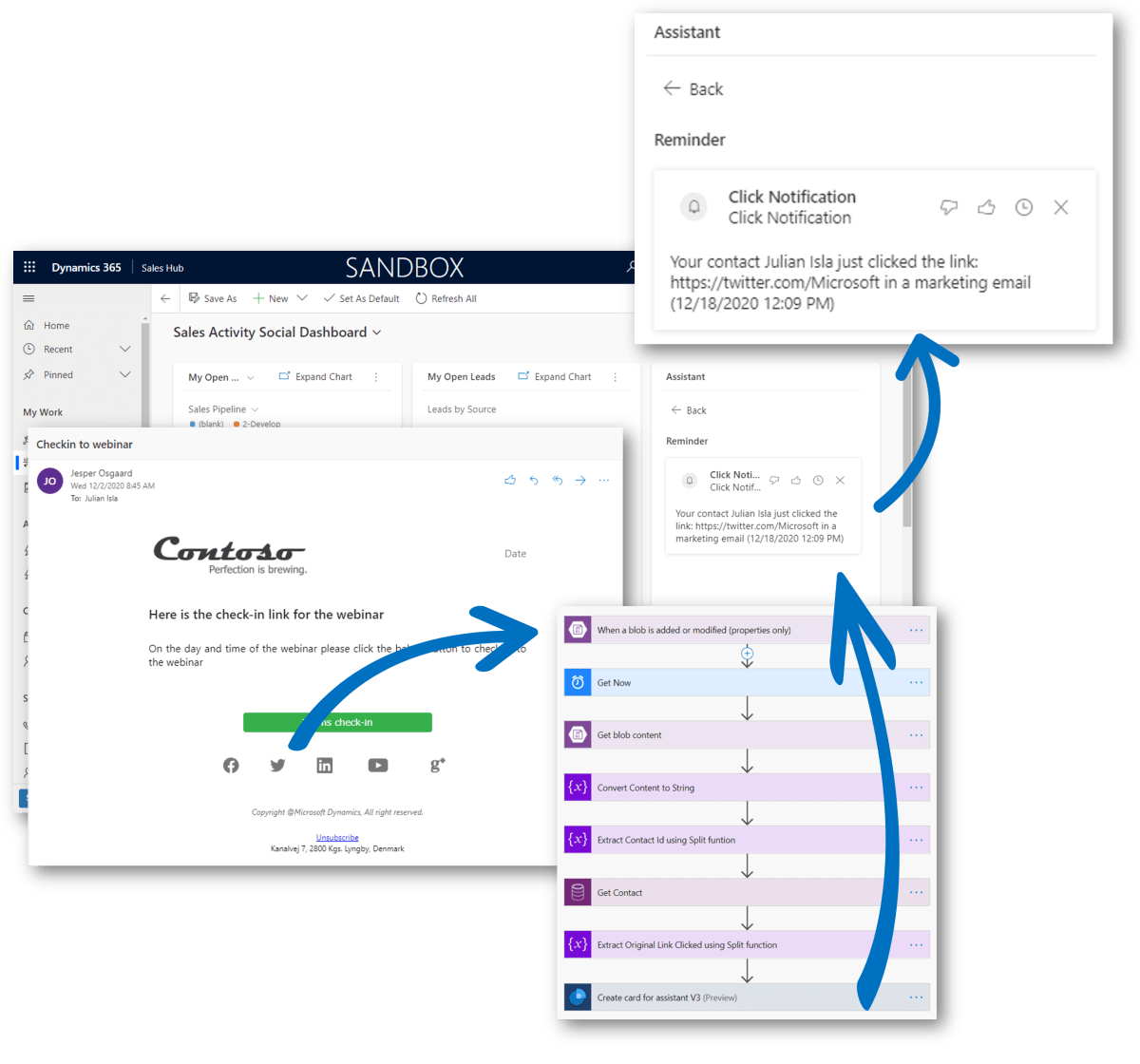
So what if you will want to tap into those interaction data? What if you are looking for a way to fire up an action card (or an email) to sellers if one of the contacts they own does something interesting, e.g. clicks a “learn more” link in a marketing email, or something similar?

Sure you can handle this in a customer journey, but what if you need logic for all emails in all customer journeys? Then you’ll need to tap into the interaction data in the Marketing Service.

Scenario

Julian receives an email via a Customer…

View original post 594 more words

Fixed – sdkmessageprocessingstep With Id = {GUID} Does Not Exist – Plug-in Profiler – Dynamics 365 / Dataverse


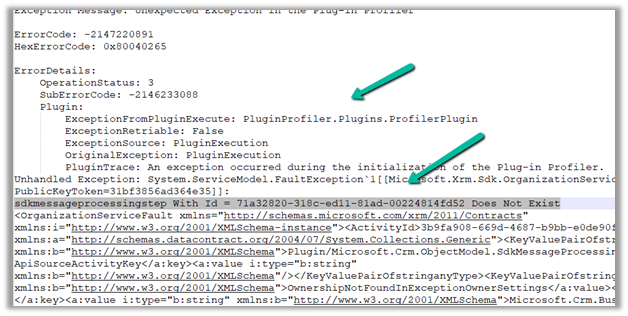
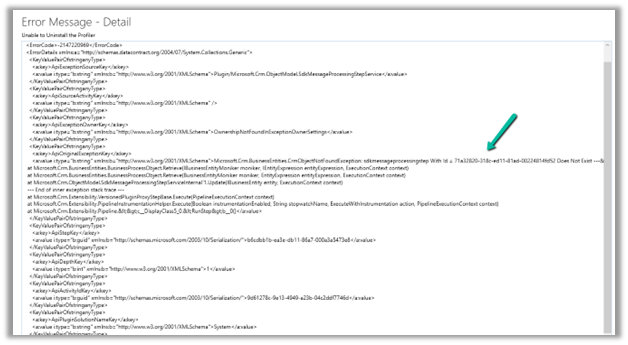
Recently we got the below issue while saving the contact record. It was throwing this for one of our plugin steps registered on the update, for which we had already removed the profiling.

The profiling was already removed from the step.

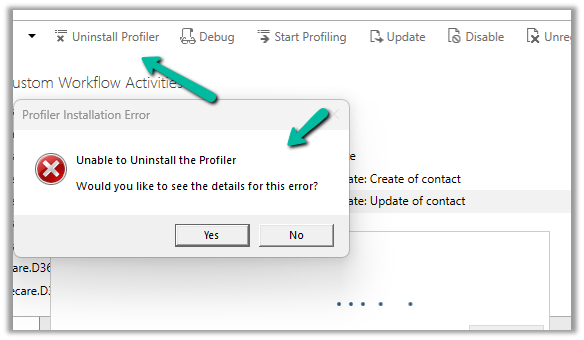
It was the same error while trying to uninstall the profiler.

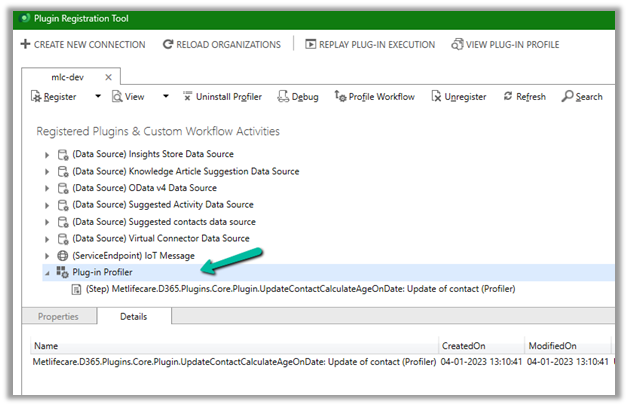
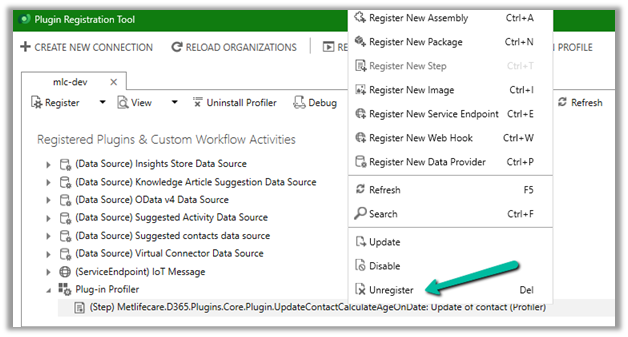
As mentioned in the error message we checked the Plug-in Profiler assembly in the Plugin Registration tool and could find the reference to the step there.

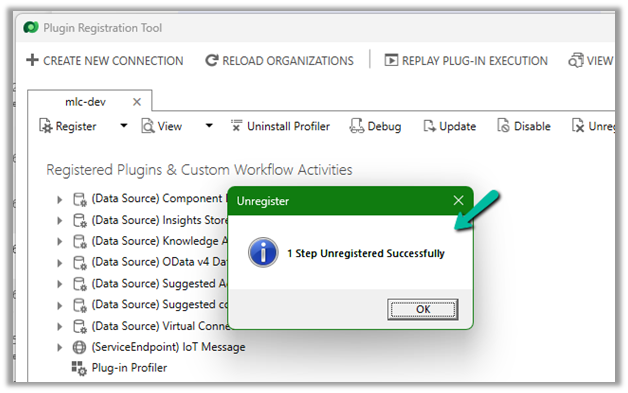
We unregistered the step there

This fixed the issue for us.

Hope it helps..


Advertisements

Nishant Rana's Weblog

Everything related to Microsoft .NET Technology

Skip to content ↓