Recently for setting up a new environment, we created a new sandbox environment and copied the production environment to it. Next, we had to reduce the storage space occupied by this new environment.
We followed the below steps
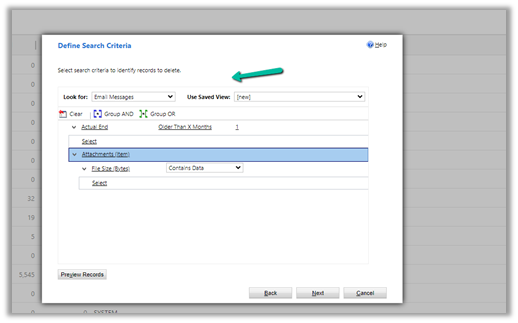
Bulk Deletion Job – Delete Email Messages having Attachments older than 1 month.
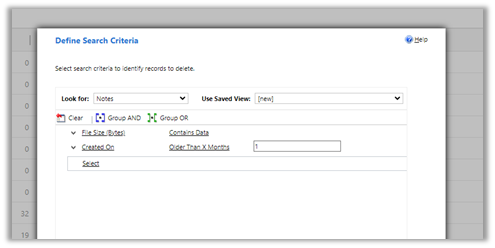
Bulk Deletion Job – Delete Notes having attachments older than 1 month.
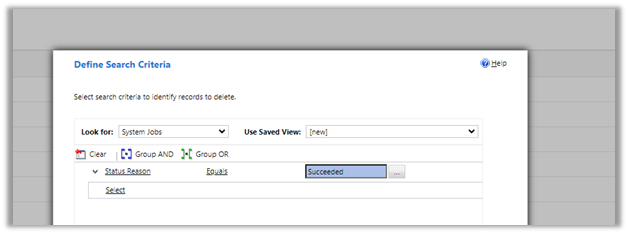
Delete System Job with Status as Succeeded.
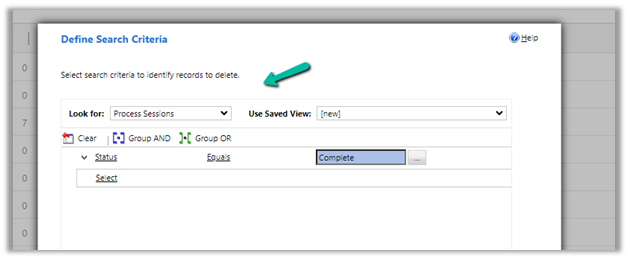
Delete Process Session with Status as Complete
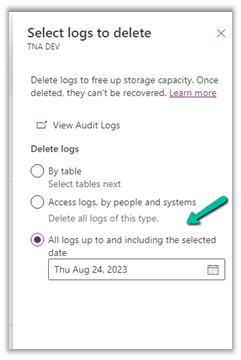
For Logs, we deleted Audit Logs
Similarly, we can also delete Plugin Trace Logs records.
These steps allowed us to decrease the Database Usage from 110 GB to 65 GB.
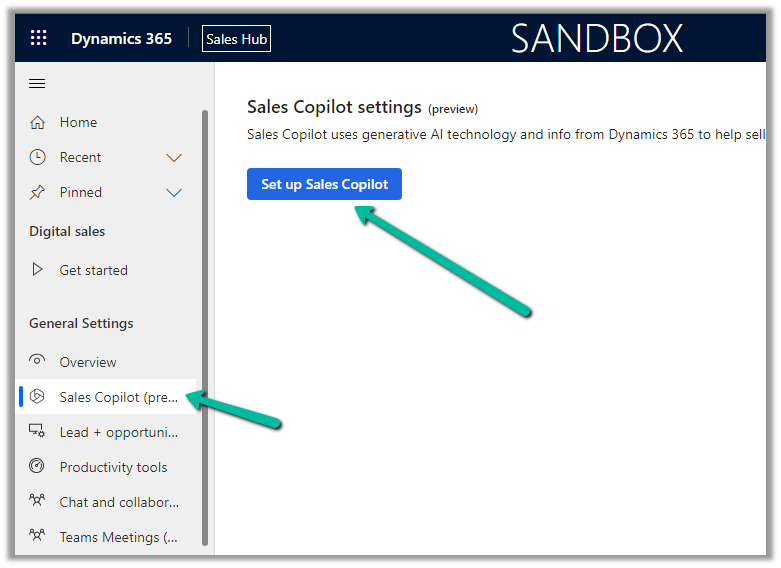
Sales Hub >> App Settings >> Sales Copilot (preview) >> Set up Sales Copilot
Or if we have already enabled it, we can manage the features provided along with the different apps we want to apply the Sales Copilot using the Manage apps option.
Here we can specify to which apps we want to enable the Compose and Chat feature.
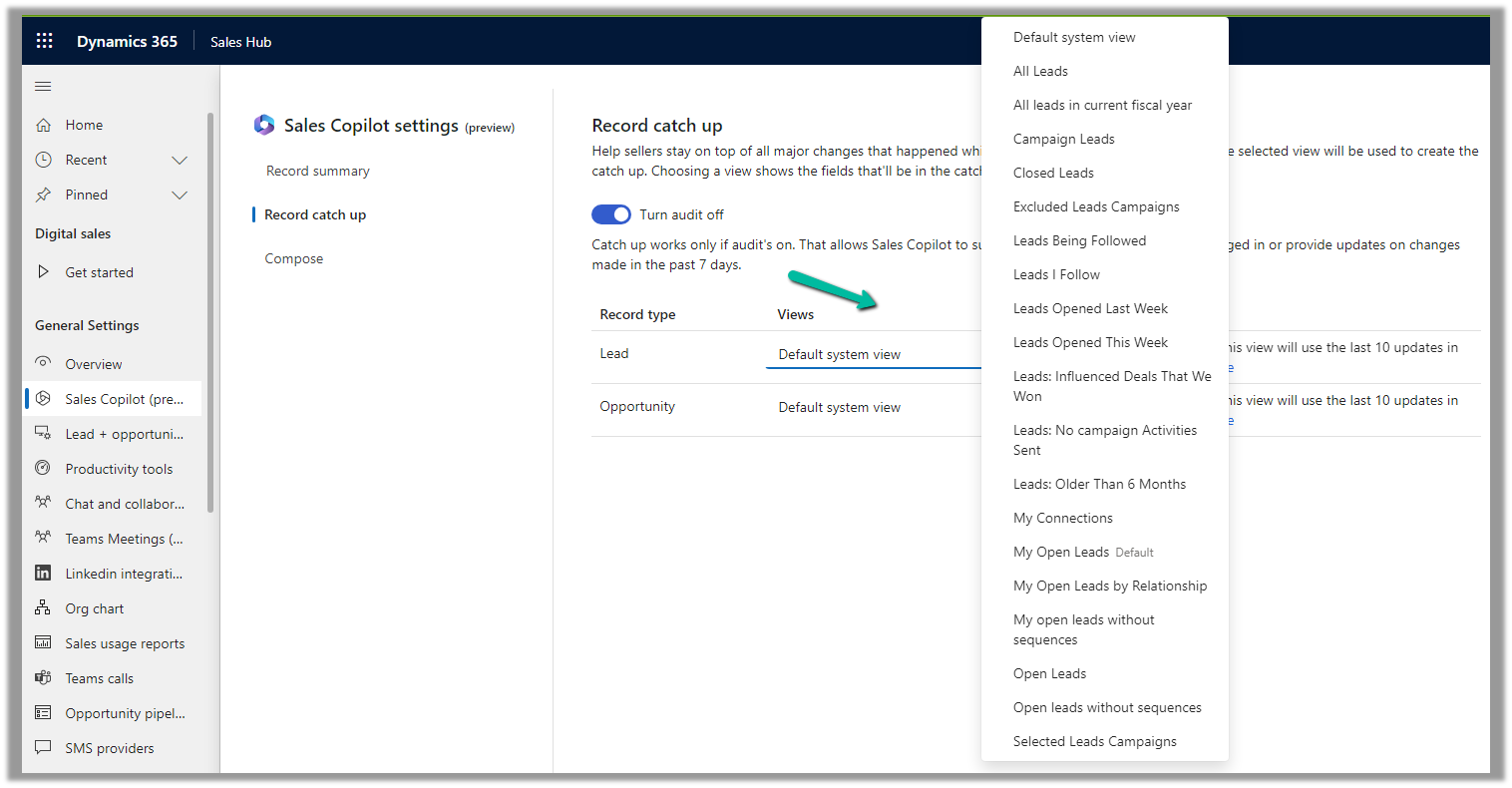
For the Record catch-up feature, the first 10 fields of the view are considered. We can see “Default System View” selected by default.
However, we have the option to select a different view, and then the fields of the selected view will be used for generating the catchup content.
Below if we select the Open Opportunities view, we can see its corresponding fields that will be considered for the catchup.
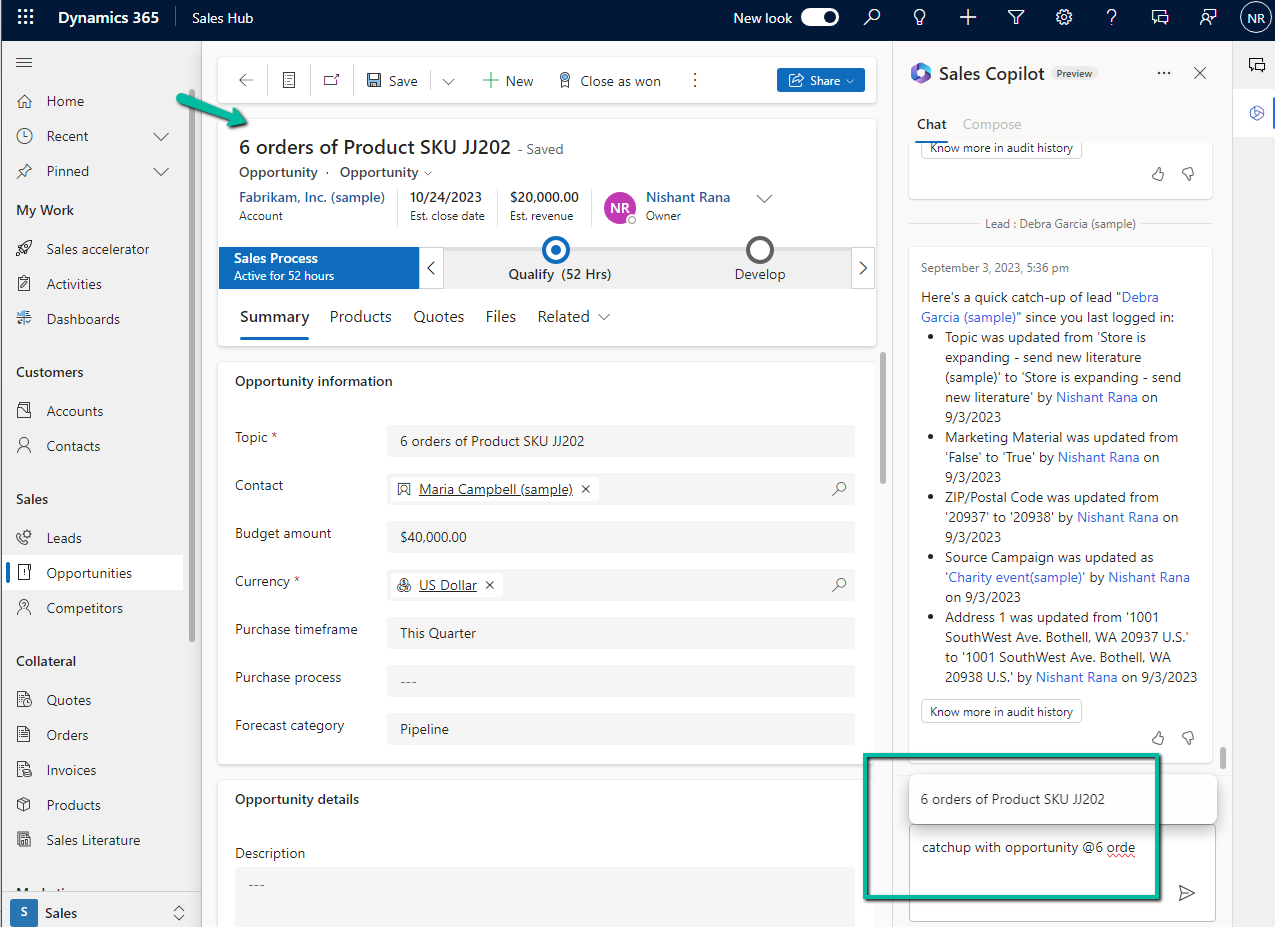
We can open an existing lead or opportunity record or from the Chat tab of Sales Copilot can use catchup with opportunity prompt as shown below to get the updates.
We can see the catch-up details generated.
Also, we see another prompt – “Catch up since my last login (16 hours ago)”, along with “catchup with lead or opportunity” prompt
If there are no updates to a record in the last 16 hours, we get the below message.
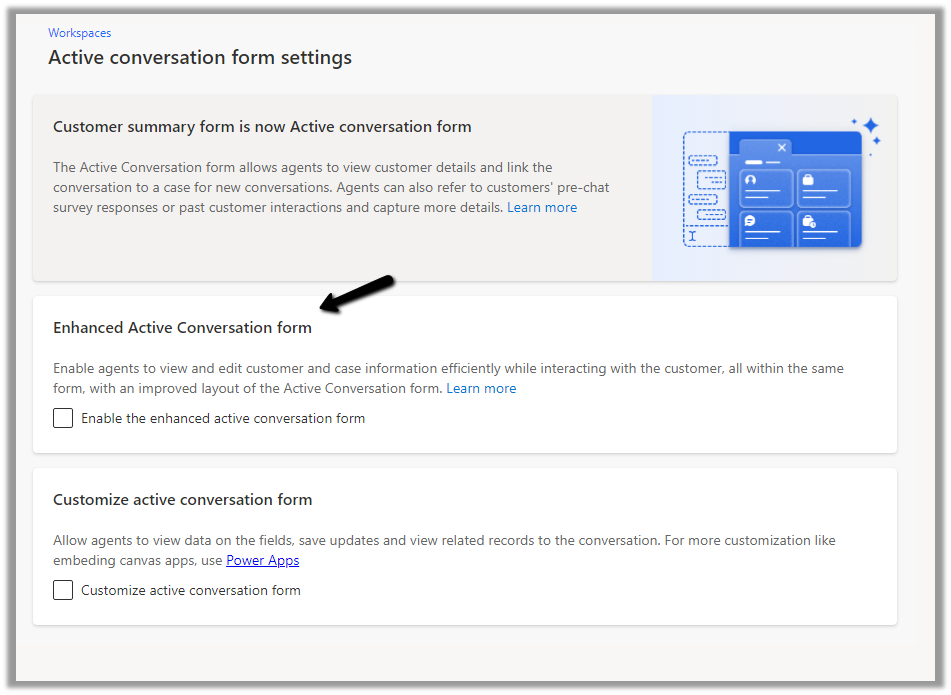
The conversation form in Omnichannel is now updated to allow agents to view and edit customer and case information more efficiently.
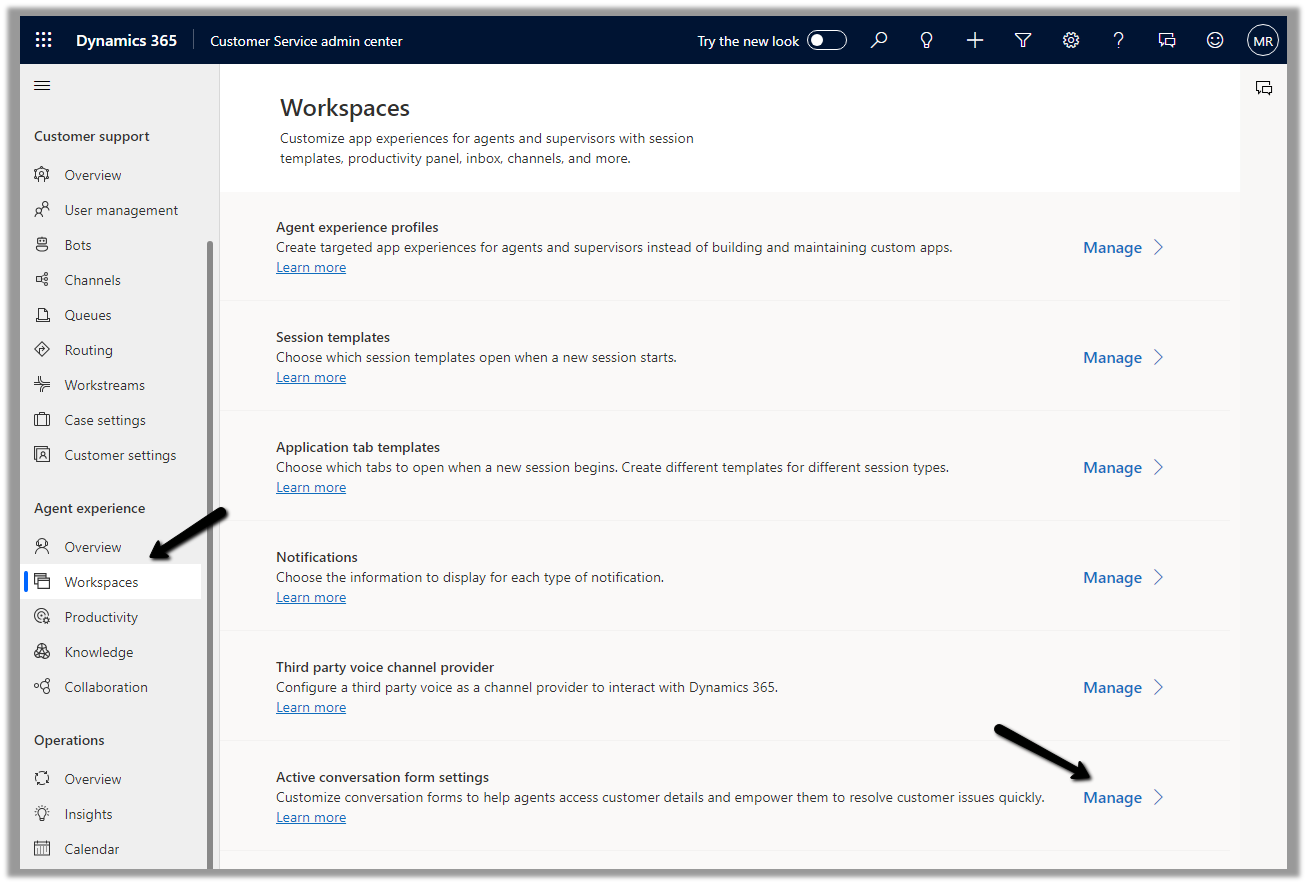
To enable it, Inside Customer Service Admin Center app – navigate to Workspaces >> Active Conversation form settings (Manage)
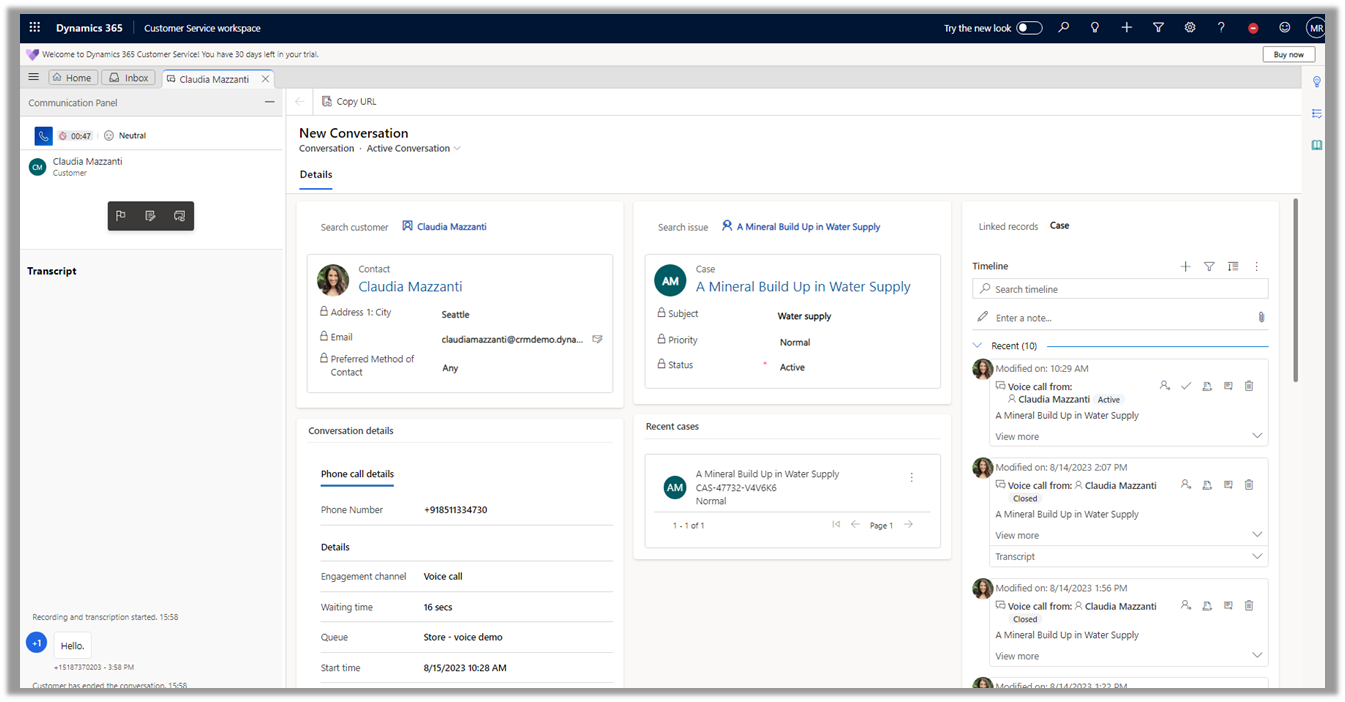
Before we enable it let us have a look at the exiting conversation form.
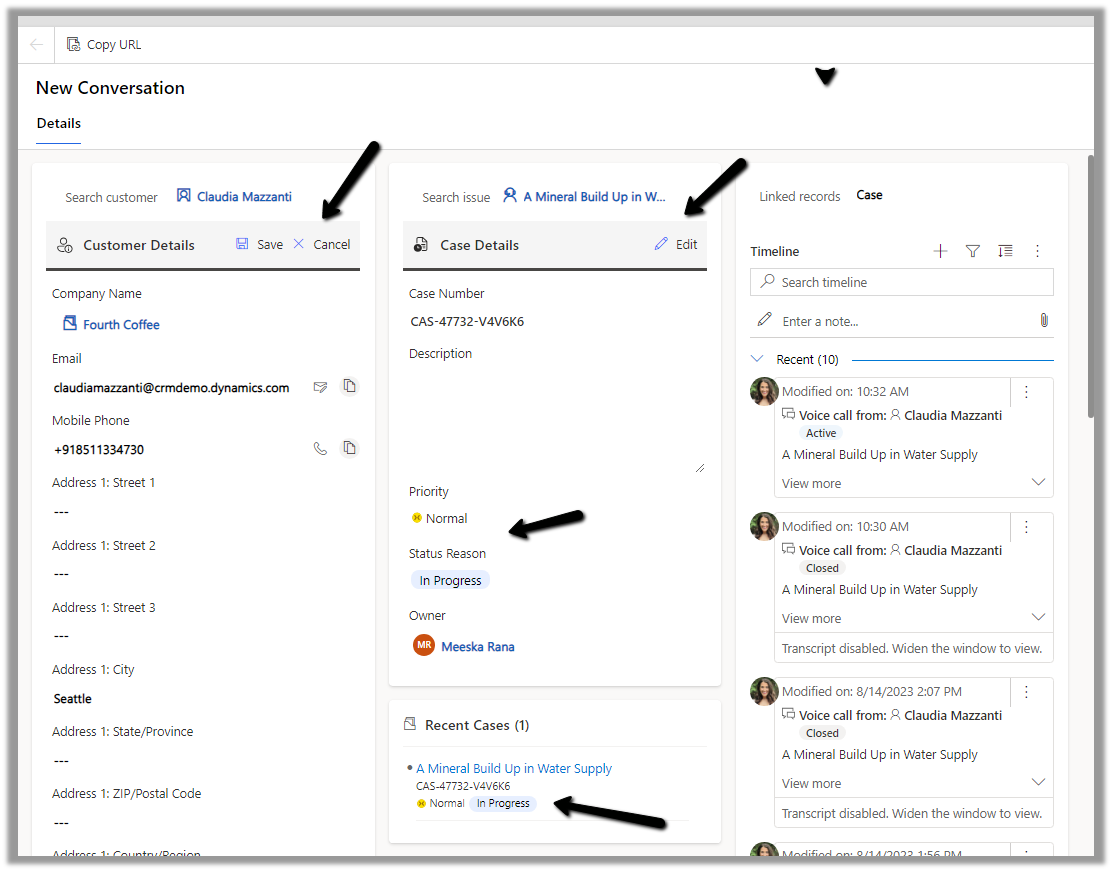
Now let us enable and compare it with the enhanced one.
We can see the form displaying a Customer 360 Card for Customer (Contact or Account), which also allows for inline editing of details from within the Conversation form, and a similar card showing case details and allowing for inline editing. The fields that are displayed are configurable.
Another change is the color-coded priority and case status field for easy discoverability for the agents.