SSRS Fetch XML based CRM Online Report performance in Dynamics 365


Hi,

Recently we were analyzing the performance of a fetch xml based online report.

The report was running against opportunity, and had 4 data set in it. Custom entity A and custom entity B were n – 1 related to opportunity.

Data Set Opportunity 13000 records
Data Set for Custom Entity A used for Lookup 100 records
Data Set for Custom Entity B used for Lookup 8000
Data Set for Tasks Activity used for Lookup 130000 records

More on Lookup Function in SSRS

Running without filter 107 seconds
Filter Last 6 months 94 seconds

We then updated the report’s design, to include only one Dataset by using link entities in the main dataset’s fetch xml. We got the below result

Running without filter 280 seconds
Filter Last 6 months 10 seconds

Another variation we tried was having two Dataset, one for opportunity and another one for tasks to be used for lookup.

Running without filter 50 seconds
Filter Last 6 months 50 seconds

The last variation we tried was using only one Dataset for Opportunity in the main report and the drill down report for Tasks

Running without filter 34 seconds
Filter Last 6 months 7 seconds

It clearly shows that the most efficient way of implementing is through the usage of drill down report, only glitch here is user needs to click on the main report to get the details.

Using single dataset is efficient for subset of records, however it can take long time if it runs on huge number of records in which case lookup performs better.

Basically,

g

Hope it helps..
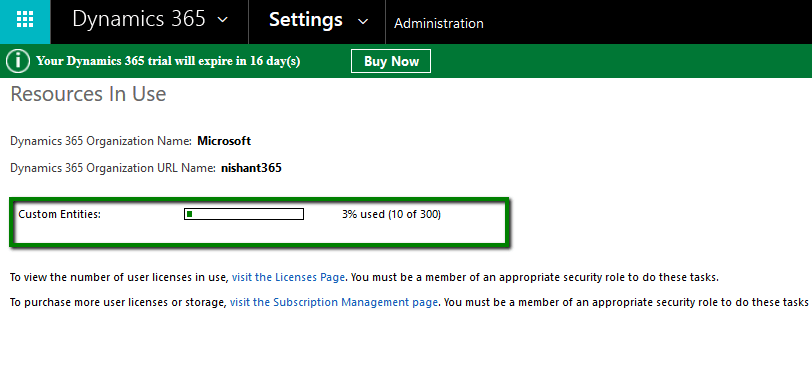
Resources in Use -300 Custom Entities Limit in Dynamics 365 (online)


Hi,

Till CRM 2015 update 1, we had upper limit of 200 Workflows, 300 Dialogues and 300 Custom Entities. From CRM 2015 Update 1 onwards, the limit of workfows, dialogues and custom entities have been removed.

In Dynamics 365 Online we can still see information related to custom entities which shows upper limit as 300. However this is more of indicative and there is no upper limit now. Please refer the below link for more details

https://technet.microsoft.com/en-us/library/88b18946-474c-4c94-8e4c-27532f930757?f=255&mspperror=-2147217396#Anchor_4

Go to Settings –> Administration –> Resources in Use

riu

Hope it helps..
Quick Walkthrough – Editable Grid in Dynamics 365.


Let us try exploring Editable Grid in Dynamics 365

We’d enable it on Contact Entity ( editable grid works for custom entities as well)

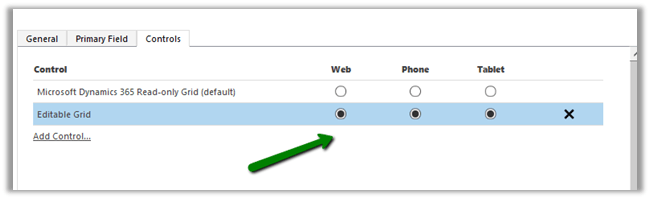
  • Go to Contact entity, control tab and click on Add Control

  • Add Editable Grid

  • Enable Editable Grid as default for Web, Phone and Tablet

  • Save and Publish the change.
  • Go to Contact Home Grid. (fields now can be edited, Status, Composite fields etc are not editable)

  • We can do Group By on the grid

  • Similarly, in Associated View of Contact we have the same behavior

  • To switch back to Read Only Grid, select SHOW AS command

  • Back to our old Read Only Grid (no grouping)

  • We can add JScript for fields inside grid.
  • Let us try Adding function on OnChange of Address 1: City field inside Editable Grid

  • On changing the City field in the grid

For Subgrid,

subgrid.png

sg1.png

Hope it helps..

Sample Code to use UpsertRequest in CRM 2015\2016


UpsertRequest was a new request introduced in CRM 2015 Online Update 1.

The request based on the alternate key specified, looks for the record, if the record is existing it updates it else it creates a new record.

https://nishantrana.wordpress.com/2016/10/25/alternate-keys-in-crm-2015crm-2016/

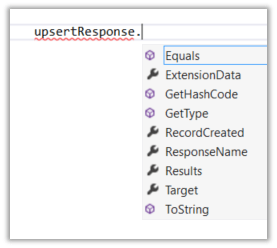
UpsertResponse has a property named RecordCreated which is false if the record is found and updated else it is true if record is created. The Target property holds the reference of the record created or updated.

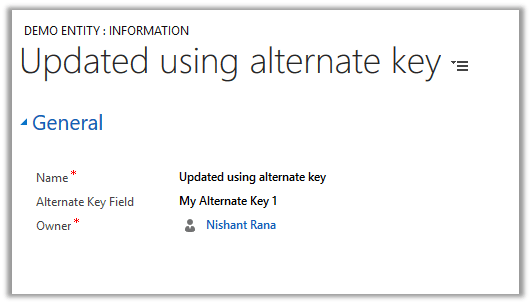
Suppose we have following record created. It has Alternate key defined on “Alternate Key Field”

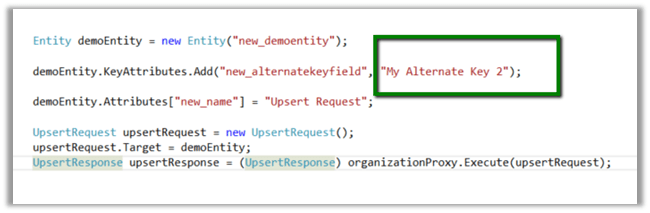
Sample Code

As we have demo entity record with alternate key field having value as “My Alternate Key 1” it will update the record.

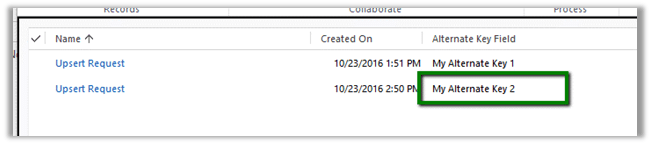
Running it again this time changing the value for the alternate key field.

It creates a new record.

Hope it helps..
Creating Patches – Solution Management in CRM 2016


Hi,

Just sharing a simple scenario to understanding the working of Patches with Managed solution,

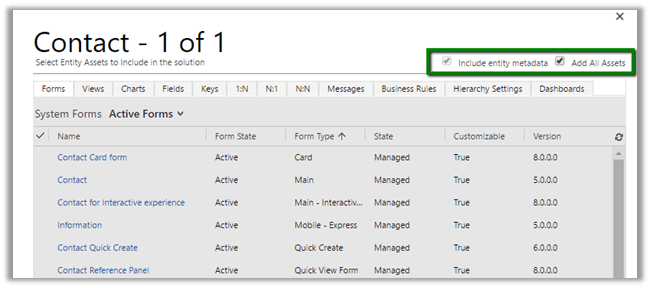
Create a solution named Test Solution with Contact entity in it. (with Add All Assets option)

  • Imported it in another Target Org as Managed.
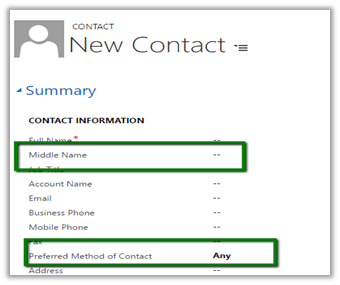
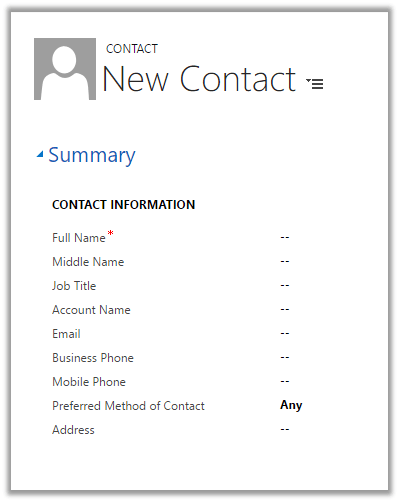
  • Now I want to change the width of the section so that label is clearly visible for Preferred Method of Contact field.
  • And we also add a new custom field named Middle Name in the form.

  • Instead of deploying the complete solution again, we can create a Patch which includes these changes.
  • In our Dev let us do the changes

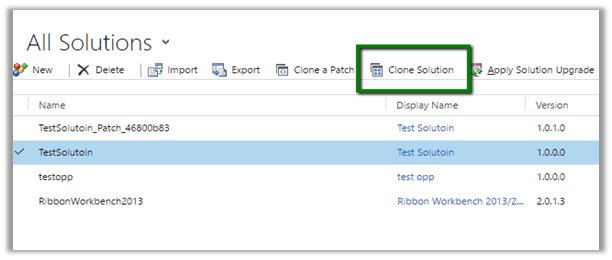
  • Now click Clone a Patch button for the Test Solution.

  • In the solution add only the 2 components Main Form and the newly created Middle Name field in the patch solution.

  • Export this Patch Solution as Managed and import it in the target org.

  • In target Org after import of Patch we can see our changes.

  • Now suppose we make few other changes like removing the Fax field from the form (below mobile phone field) and want to deploy the entire solution and don’t need the patch anymore.
  • For this select Clone Solution button

  • This will make all the patches rolled up to the newer version of the solution.

  • This will auto-remove the patch solution created.

  • Now let us import this to our Target org. Target org. will auto detect the upgrade to the solution.

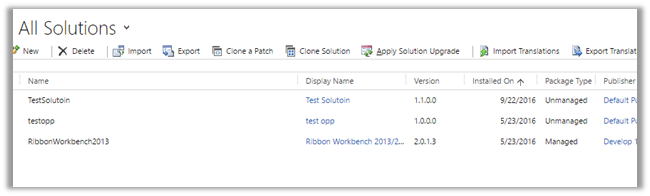
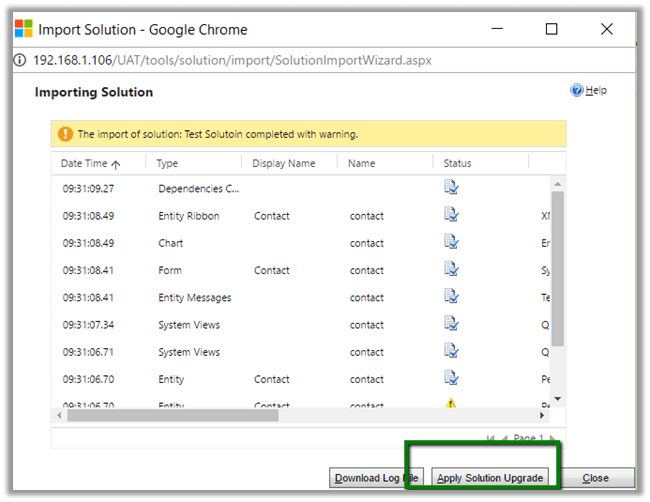
  • After import, select Apply Solution Upgrade

  • This will auto remove the TestSolution_Upgrade and TestSolution_Patch and merge all the changes into one newer version of TestSoluiton.

  • And as expected Fax field removed.

Hope it helps.

Administration Mode Enabled. Only system administrators and system customizers can sign in at this time in CRM 2015 Online.


Hi,

After we copied our Dev instance to another Sandbox instance we got this message on opening CRM.

To disable it.

Go to Office 365 Administration Section

Select your sandbox instance.

Select Admin

Uncheck Enable Administration Mode

Hope it helps.