For creating multi-table lookup we already have an XrmToolBox plugin Polymorphic Lookup Creator which we should be using ideally, but in case somebody wants to try it out, the below shared sample code can be referred.
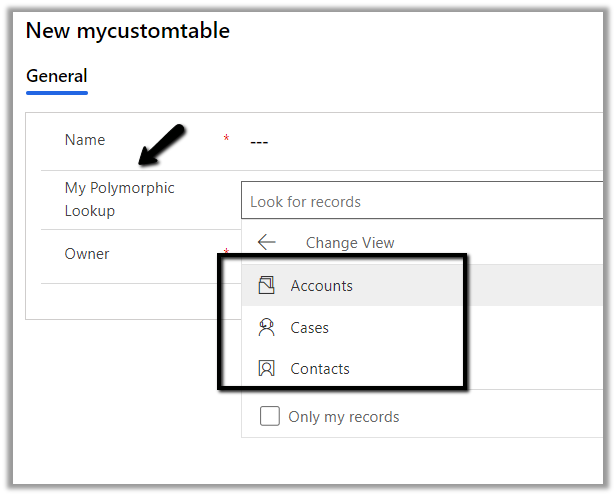
Below is our custom table named mycustomtable to which we’d add a multi-table lookup which references case, contact and account entity.
Below is the sample code to create the polymorphic lookup.
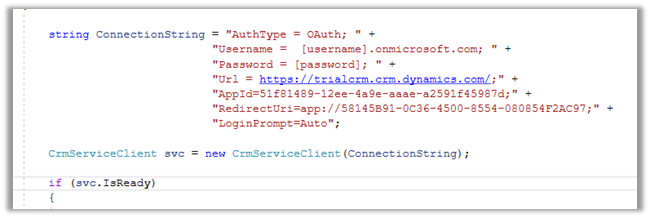
string ConnectionString = "AuthType = OAuth; " +
                  "AppId=51f81489-12ee-4a9e-aaae-a2591f45987d; " +
                  "Username=user@domain.onmicrosoft.com; " +
                  "Password=pwd; " +
                  "RedirectUri=app://58145B91-0C36-4500-8554-080854F2AC97;" +
                  "Url = https://orgname.crm4.dynamics.com/;";


 CrmServiceClient svc = new CrmServiceClient(ConnectionString);

            if (svc.IsReady)
            {
                // Create PolymorphicLookupAttribute
                // with mycustomtable custom entity / table
                // referencing case, contact and account entity
                var varOrgRequest = new OrganizationRequest();

                // specify the request name
                varOrgRequest.RequestName = "CreatePolymorphicLookupAttribute";

                // specify lookup attribute details
                varOrgRequest.Parameters["Lookup"] = new LookupAttributeMetadata()
                {
                    SchemaName = "crf82_mypolymorphiclookup",
                    DisplayName = new Label("My Polymorphic Lookup", 1033)
                };

                // referencing entity is our custom entity named my custom table
                // referenced entity is incident
                var oneToManyRelation1 = new OneToManyRelationshipMetadata();
                oneToManyRelation1.ReferencingEntity = "crf82_mycustomtable";
                oneToManyRelation1.ReferencedEntity = "incident";
                oneToManyRelation1.SchemaName = "crf82_mycustomtable_crf82_incident";

                // referencing entity is our custom entity named my custom table
                // referenced entity is contact
                var oneToManyRelation2 = new OneToManyRelationshipMetadata();
                oneToManyRelation2.ReferencingEntity = "crf82_mycustomtable";
                oneToManyRelation2.ReferencedEntity = "contact";
                oneToManyRelation2.SchemaName = "crf82_mycustomtable_crf82_contact";


                // referencing entity is our custom entity named my custom table
                // referenced entity is account
                var oneToManyRelation3 = new OneToManyRelationshipMetadata();
                oneToManyRelation3.ReferencingEntity = "crf82_mycustomtable";
                oneToManyRelation3.ReferencedEntity = "account";
                oneToManyRelation3.SchemaName = "crf82_mycustomtable_crf82_account";

                // populate OneToManyRelationships parameter of CreatePolymorphicLookupAttribute request
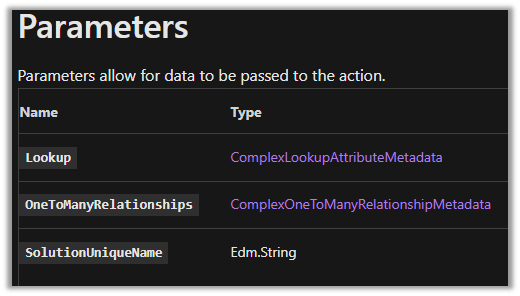
                varOrgRequest.Parameters["OneToManyRelationships"] = new OneToManyRelationshipMetadata[]
                {
                    oneToManyRelation1, oneToManyRelation2, oneToManyRelation3
                };

                // specify the existing solution name
                varOrgRequest.Parameters["SolutionUniqueName"] = "MySolution";

                var response = svc.Execute(varOrgRequest);
            }
The lookup à
Sample code to add a new relationship to an existing lookup.
                var createOneToManyRelationshipRequest = new CreateOneToManyRequest();

                // referencing entity is our custom entity named mycustomtable
                // referenced entity is contact - add the entity to be added
                var oneToManyRelationAdd = new OneToManyRelationshipMetadata();
                oneToManyRelationAdd.ReferencingEntity = "crf82_mycustomtable";
                oneToManyRelationAdd.ReferencedEntity = "contact";
                oneToManyRelationAdd.SchemaName = "crf82_mycustomtable_crf82_contact";

                createOneToManyRelationshipRequest.OneToManyRelationship = oneToManyRelationAdd;


                // specify lookup attribute details to which new relationship is to be added
                createOneToManyRelationshipRequest.Parameters["Lookup"] = new LookupAttributeMetadata()
                {
                    SchemaName = "crf82_mypolymorphiclookup",
                    DisplayName = new Label("My Polymorphic Lookup", 1033)
                };


                var createOneToManyRelationshipResponse = svc.Execute(createOneToManyRelationshipRequest);
Sample code to remove relationship from an existing lookup.
 var deleteRelationShip = new DeleteRelationshipRequest();
                // specify schema name of the relationship
                deleteRelationShip.Name = "crf82_mycustomtable_crf82_contact1";
                svc.Execute(deleteRelationShip);
Sample code to delete the lookup
  // User delete attribute request
                DeleteAttributeRequest varDelRequest = new DeleteAttributeRequest();

                // specify the entity name
                varDelRequest.EntityLogicalName = "crf82_mycustomtable";

                // specify the schema name of the entity
                varDelRequest.LogicalName = "crf82_mymultitablelookup";
                svc.Execute(varDelRequest);
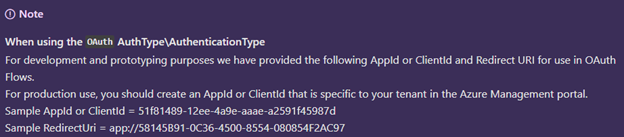
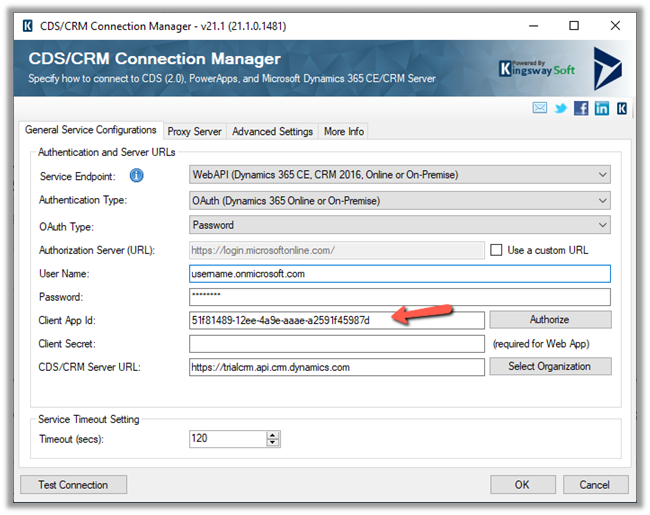
At times we want to quickly try out few things (PoC) by writing a console application or running an SSIS package etc., there we can use the sample ClientId and RedirectUri provided by Microsoft, instead of registering the application in Azure AD / creating Application User
Sample AppId or ClientId = 51f81489-12ee-4a9e-aaae-a2591f45987d
Let us take a simple example, to see the steps involved.
Here we will be manually triggering a flow, getting the token, and calling the WhoAmI request in Microsoft Dataverse / Dynamics 365.
This is how our final Flow looks like.
Inside the first HTTP action, we are calling OAuth 2.0 token endpoint v1. We have MyCrmApp registered in Azure AD and have generated the client secret for it.
Also we have created an Application User using the above application details and have given the appropriate security role.
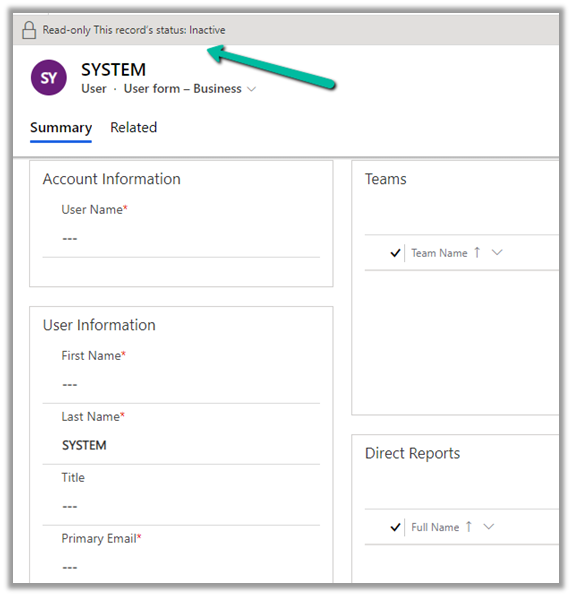
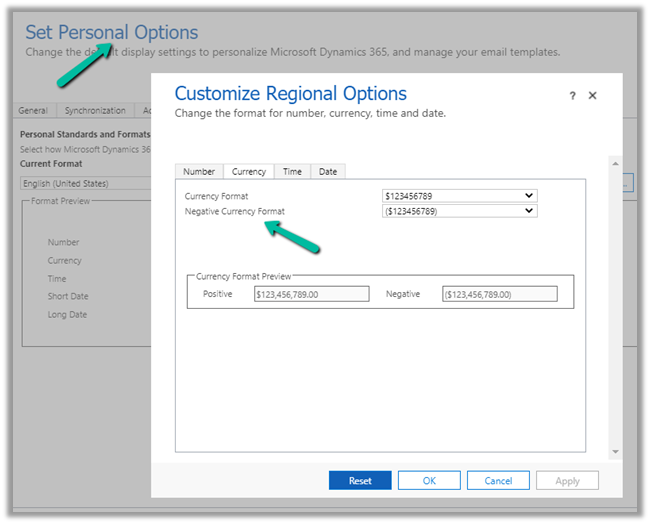
Usually, we use SYSTEM user to specify the plugin’s execution context for business requirements that needs elevation of privileges.
And also we can neither update it from the user interface nor it is recommended to update the SYSTEM user.
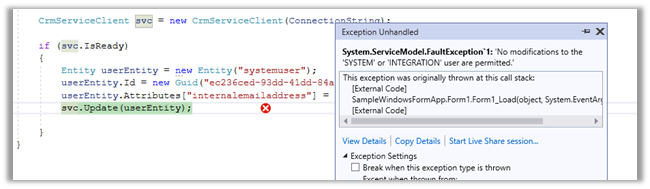
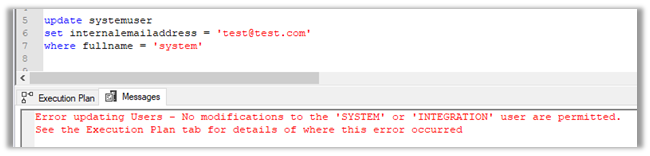
If we try to update the user through code, we’d get the below error message
Error updating Users – No modifications to the ‘SYSTEM’ or ‘INTEGRATION’ user are permitted. [See the Execution Plan tab for details of where this error occurred]
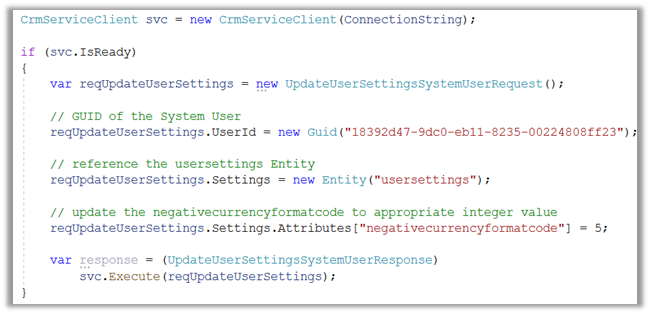
  CrmServiceClient svc = new CrmServiceClient(ConnectionString);

            if (svc.IsReady)
            {
                var reqUpdateUserSettings = new UpdateUserSettingsSystemUserRequest();

                // GUID of the System User
                reqUpdateUserSettings.UserId = new Guid("18392d47-9dc0-eb11-8235-00224808ff23");

                // reference the usersettings Entity
                reqUpdateUserSettings.Settings = new Entity("usersettings");

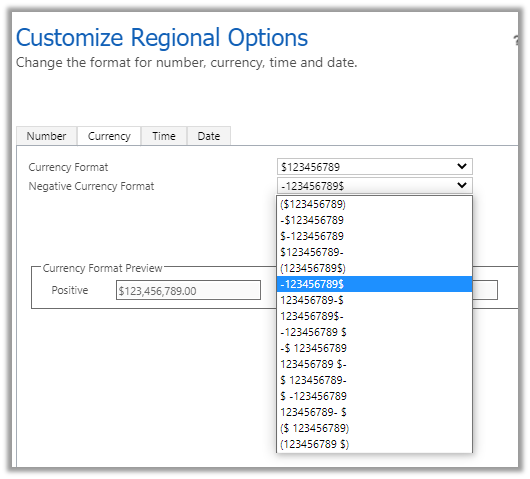
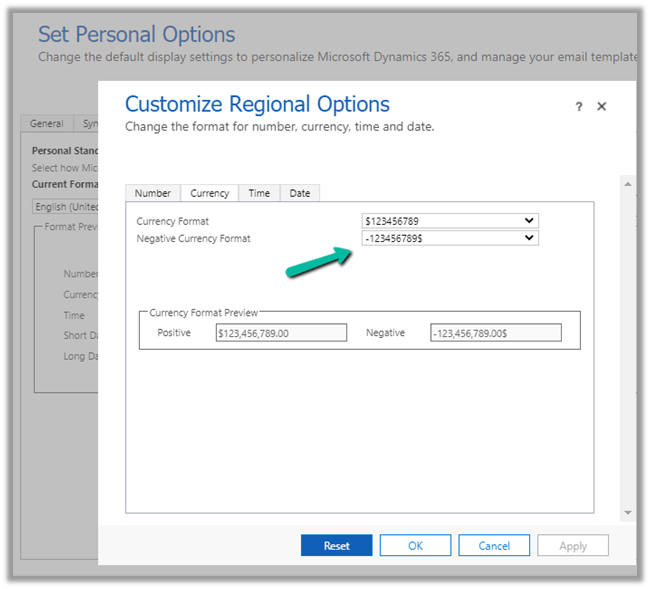
                // update the negativecurrencyformatcode to appropriate integer value
                reqUpdateUserSettings.Settings.Attributes["negativecurrencyformatcode"] = 5;

                var response = (UpdateUserSettingsSystemUserResponse)
                    svc.Execute(reqUpdateUserSettings);
            }
SQL –
update usersettings
set negativecurrencyformatcode = 5
where systemuserid = '18392d47-9dc0-eb11-8235-00224808ff23'