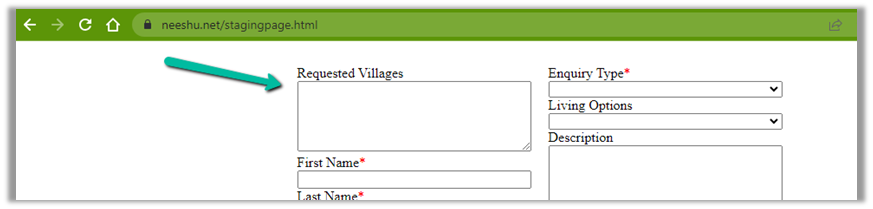
If no dates are selected the Date Picker control will display a default date.

This comes from the InputTextPlaceholder property

We can update the formula to set the field as blank.
If(IsBlank(Self.SelectedDate), Text(Blank()))

Hope it helps..
If no dates are selected the Date Picker control will display a default date.

This comes from the InputTextPlaceholder property

We can update the formula to set the field as blank.
If(IsBlank(Self.SelectedDate), Text(Blank()))

Hope it helps..
To enable the new email address validation feature (preview), log in to Power Platform Admin Center >> Settings >> Features >> Data Validation

Switch On – Data Validation. (Interestingly in one of the environments enabling this setting was enough to get the smart email validation working however in another environment had to enable the below settings as well to get that working)
Next open the Model Driven App in Maker Portal – App Designer and switch on Enable Smart Email Address Validation Control

Below we can see it validating the email address while we enter its value

We get the below messages


And this works for the email field in a custom entity as well.

Refer – https://learn.microsoft.com/en-us/power-apps/maker/data-platform/data-validation-email-column
Also, check the similar feature we have for Sales Hub App
Hope it helps..
Recently we were getting the below error in one of our marketing forms for form submission record.
Exception in Creation of lead – Activity id: 40ff82fc-bb10-4d30-8671-12683392ccdf, Request id: AsChkx2zn5IKrjHVC4cTb6j-ZkB23D0PqgCdxwi8kEE_0, Exception: An item with the same key has already been added.


This was because we had mistakenly added first name fields twice as the form-matching attribute in the form-matching rule used for that form.

Deleting that extra field resolved the issue for us.
Hope it helps..
On logging into Power Platform Admin Center, we would see our trial environment as expired

And then within one day or so, we would see them deleted inside Recently deleted environments


Select the deleted environment and Select Recover


Within 10 -15 minutes we can see the environment recovered with the trial extended for 13 more days.

Hope it helps..
Security roles can be now managed using the new modern UI (preview).
Select Security Roles (See all) for an environment, within Power Platform Admin Center.

Select Edit for a security role.
We can see here Display only parent security roles option is On by default.

We can see the different options.


2. Specify Member’s privilege inheritance option

Nicely explained here –
3. Tabs for Table specific, Miscellaneous, and Privacy-related privileges

4. Filter privileges further by all, assigned or unassigned.

5. Collapsible

6. Option to Copy Table Permission to another table(s) and apply predefined Permission Settings i.e. Access Levels.

Copy table permissions to multiple tables
Permission Settings (Access Levels)

7. Specify Access Level for Privileges

Get all the details here – Security Roles and new modern UI
Hope it helps..
Below is the sample flow we can use to retrieve the Required (requiredattendees) field’s value from the Meeting table (on the update of the record).

Here we are triggering the flow, if there is an update in the subject field of the meeting record.

Then using the List rows action we are fetching the Activity Parties record associated using the Appointment’s unique identifier and participation mask as 5.

More on participation type mask –

And in the last step, we are checking for all the associated Activity Party GUIDs for a specific GUID and then update the record or cancel the record.


Hope it helps..