Fixed: Action not appearing in Plugin Registration tool (Dynamics 365 / CE)


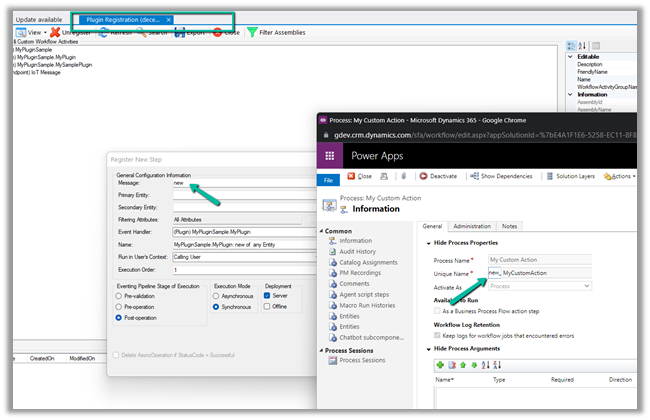
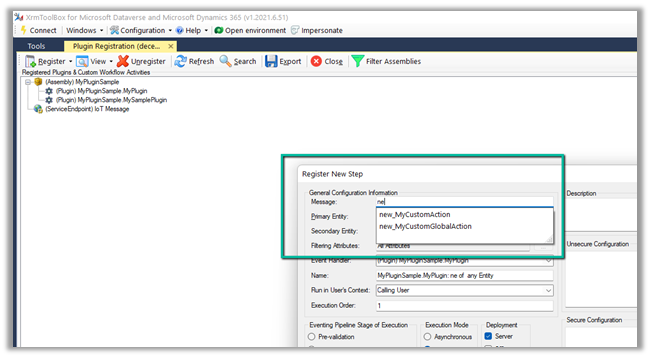
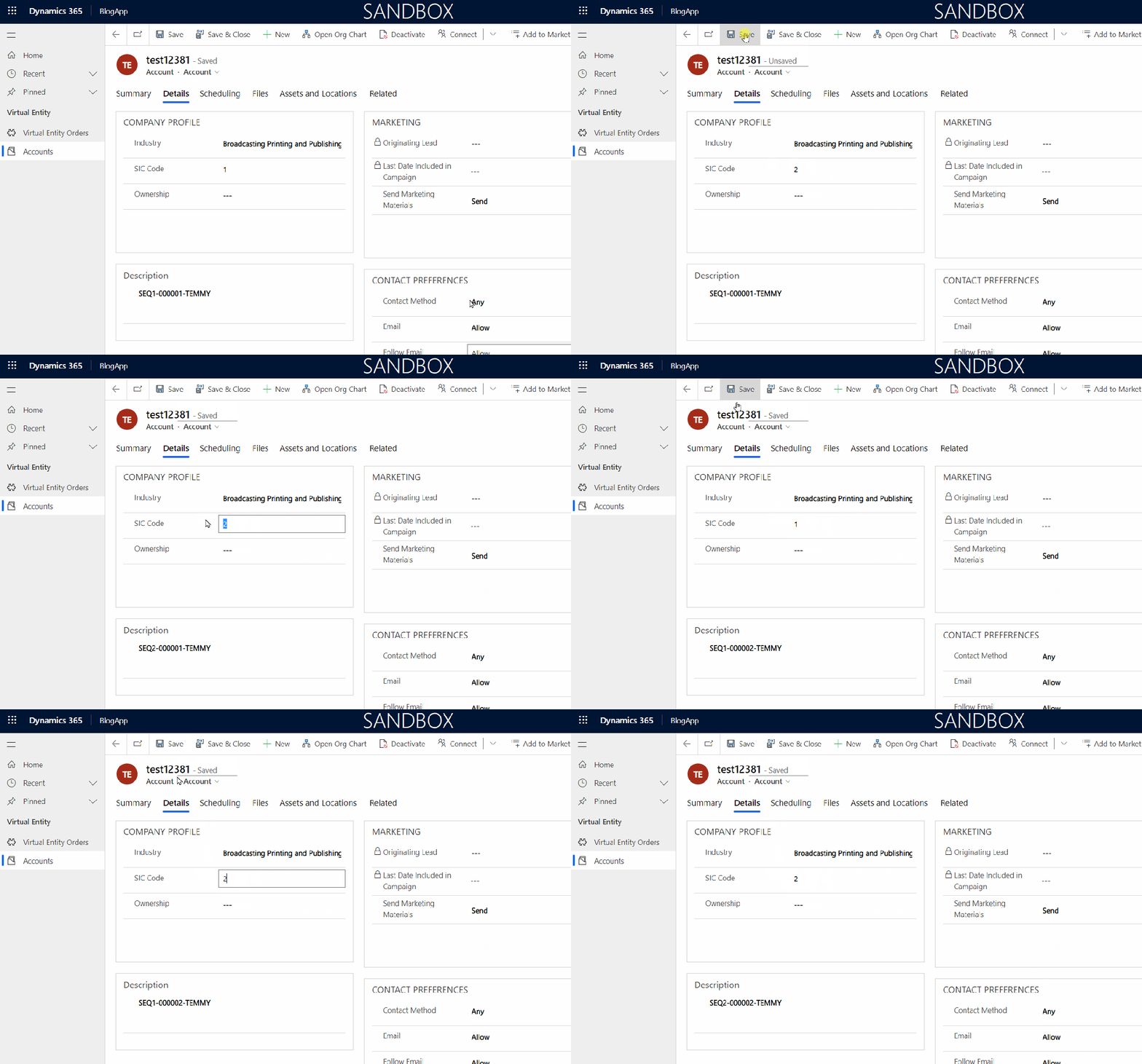
We had couple of actions created, but they were not appearing in the Plugin Registration Tool Plugin of XrmToolBox as shown below.

Refreshing the plugin, re-connecting to the organization, republishing the action, etc. didn’t work.

Eventually, we restarted the XrmToolBox and our messages started appearing.

Could be something related to Metadata cache.

Hope it helps..

Advertisements

Fixed – Unified routing was unable to provision error while trying to configure Unified routing


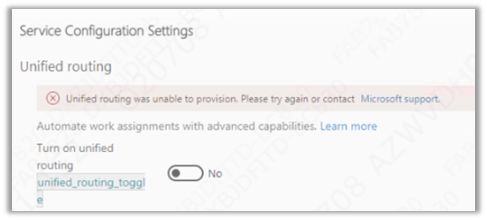
Recently while trying to set up Unified Routing, we got the below error.

“Unified routing was unable to provision. Please try again or contact Microsoft Support”

The user had the system administrator role and we already had the global administrator’s consent, which should be good enough to set up unified routing.

We tried with different system administrator users but that doesn’t resolve that error.

Eventually, we tried the setup with the same user but in a different VDI (Virtual Desktop Infrastructure), and the setup worked properly without any error. One probable reason could be, that the appropriate URLs being accessed during setup were already whitelisted in the other VDI, which wasn’t the case in the first VDI where we were trying.

Hope it helps..

Advertisements

Fixed – We couldn’t load your user roles from the selected Dynamics 365 Organization error while trying to set up Microsoft Dynamics 365 Marketing


Recently while trying to set up Microsoft Dynamics 365 Marketing on an existing Dataverse environment, we got the below error.

“We couldn’t load you user roles from the selected Dynamics 365 Organization. Please try again”

The user had the system administrator role, which is good enough to set up marketing.

We tried replicating the same in other trial environments but were not able to replicate the above error.

Eventually, we tried the setup with the same user but in a different VDI (Virtual Desktop Infrastructure), and the setup worked properly without any error. One probable reason could be, that the appropriate URLs being accessed during setup were already whitelisted in the other VDI, which wasn’t the case in the first VDI where we were trying earlier.

Hope it helps..

Advertisements

Transform your Model-driven app to a multi-session app using settings solution component


Another awesome “settings” trick from the author..thanks Mehdi

Mehdi El Amri's avatarXRM Tricks (Power Platform & Dynamics CRM )

This blog will discuss new component added to Power Apps. It is about the “Settings” component. Indeed, this component allows adding a configuration layer for a model-driven application. This allows to easily activate or deactivate a feature for a model-driven app.

For more information on this component, I invite you to read this excellent blog from Power Apps team


Scenario:

Enable app makers to transform a classic model-driven app into a multi-session one using the settings components. You can check out the demo at the end of the blog before continuing reading.

Step 1: Create the Setting Definition

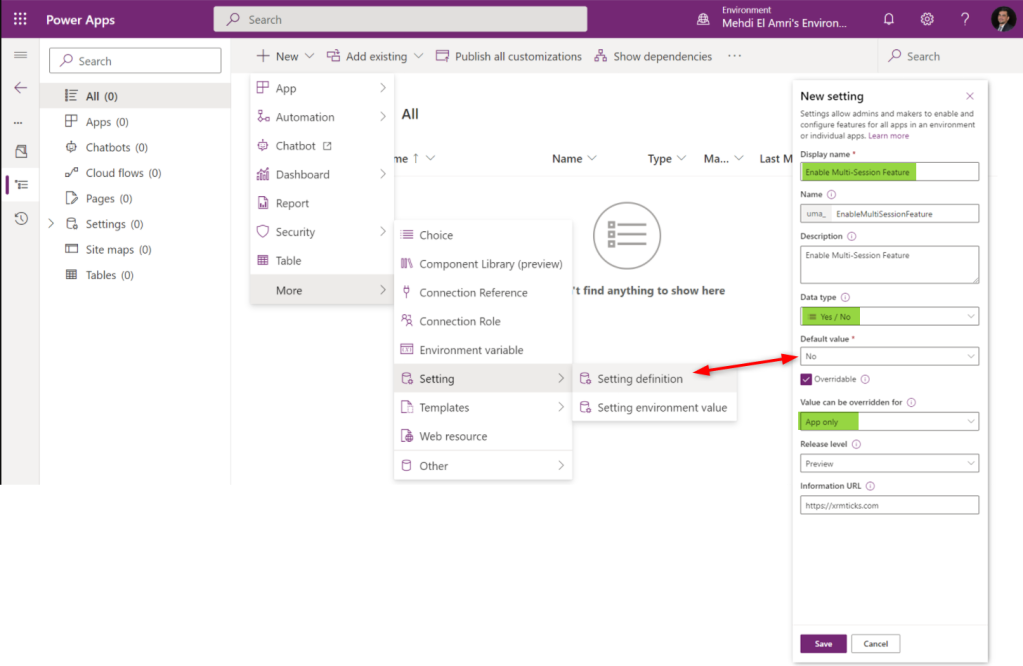
First, create a solution through make.preview.powerapps.com. Yes, we will implement everything on the preview version of PowerApps. Then, create a new setting definition. In my case I named it “Enable Multi-Session Feature” and applied the following values:


Step 2: Implement the logic
Let’s go back to the initial needs. The goal is…

View original post 271 more words

Dynamics CRM: Create Custom Autonumber Plugin Using Azure SQL Sequence


temmyraharjo's avatarTemmy Wahyu Raharjo

In this blog post, I reviewed the Auto Number attribute that already can handle the common scenario. There is a way to give a simple conditional Auto Number from Nishant Rana that you can read here. But what if we want to implement a more complex scenario to generate the Auto Number part for instance we want to generate Auto Number based on Type? For example, if Order Type A, generate A001. If Order Type B needs to generate B001? The possible solution is to create our own code. So today we will try to create auto number code using Azure SQL Sequence (Sequence can ensure every call will get unique value).

Create Azure SQL Database

You can go to your portal.azure.com >SQL databases> hit+ Createbutton > fill theSubscription,Resource Group, fill theDatabase name, createServer.

For…

View original post 876 more words

How to – Use the new command designer to customize the command bar – Dynamics 365 / Power Apps


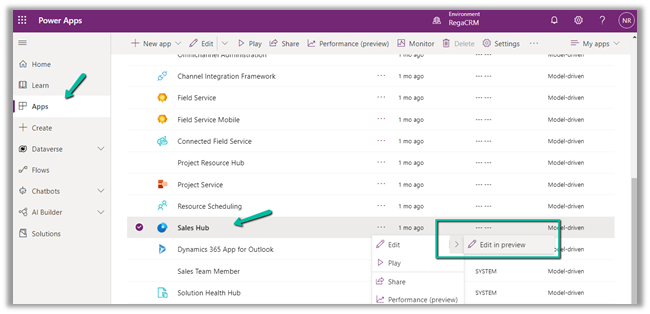
Using the modern app designer either open an existing model-driven app or create a new model-driven app in https://make.powerapps.com/

Select Edit >> Edit in preview

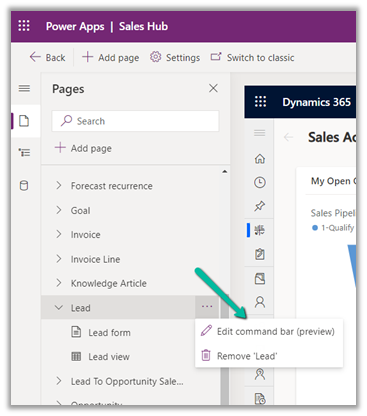
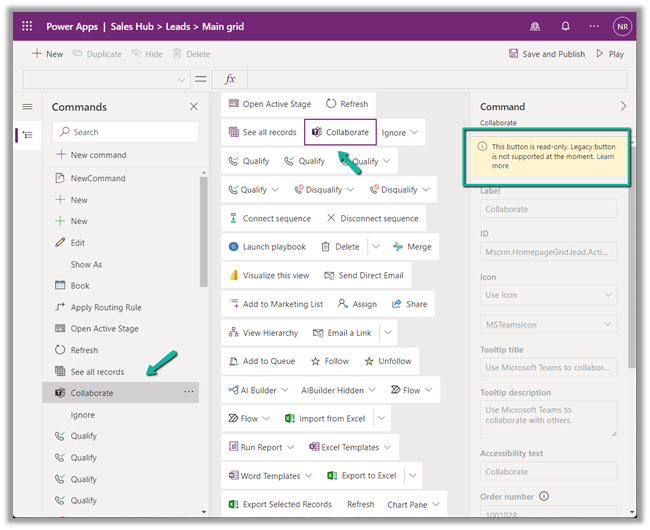
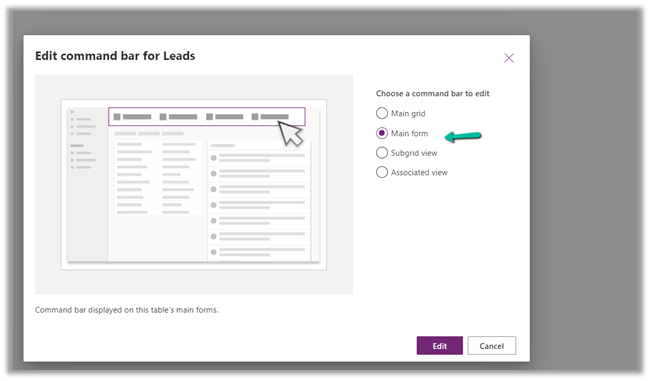
Select any entity/table and select the Edit command bar (preview)

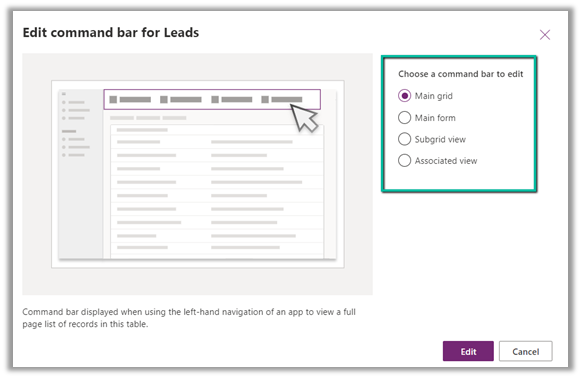
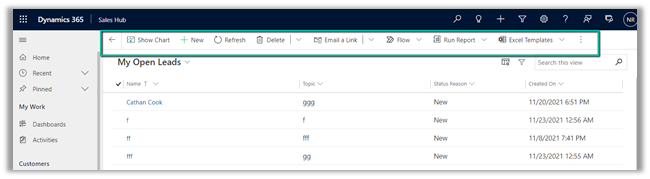
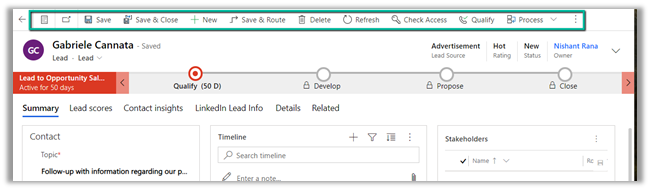
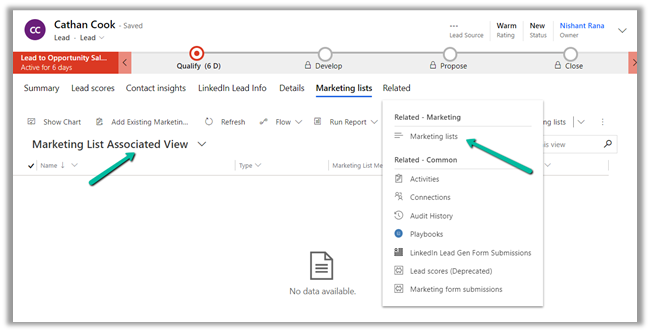
The different command bars that can be edited are the Main grid, main form, subgrid view, and the associated view.

  • Main Grid view

  • Main Form view –

  • Subgrid view–

  • Associated view –

The legacy / classic button is not supported currently.

Check out all the known limitations

https://docs.microsoft.com/en-gb/powerapps/maker/model-driven-apps/command-designer-limitations

limi

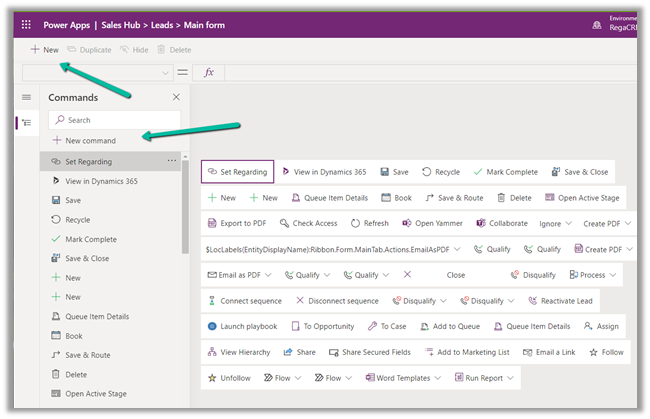
Let us try adding a new command/button in the Main Form, and see what options do we get there.

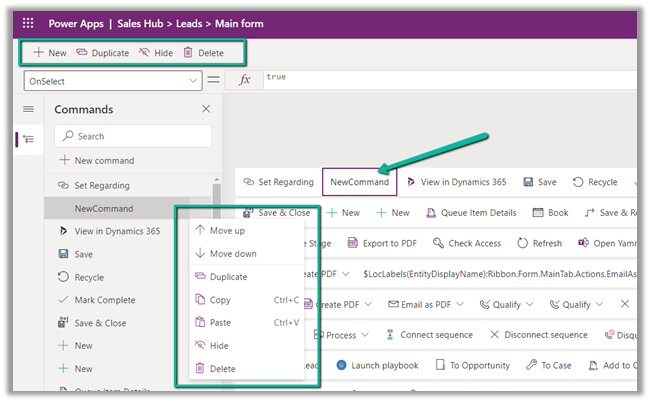
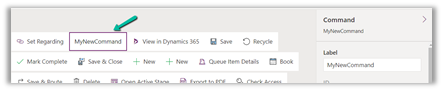
Select + New command or the + New option

It adds a new button with the label NewCommand with options to duplicate, hide, move up and down, etc.

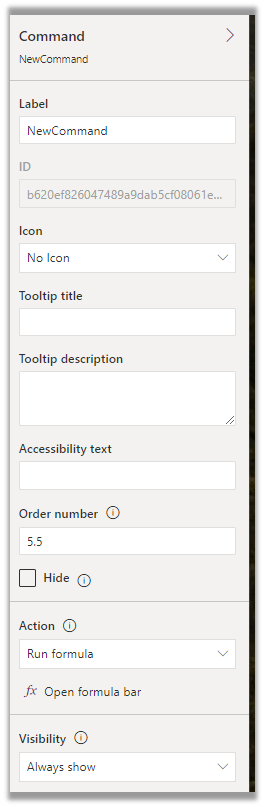
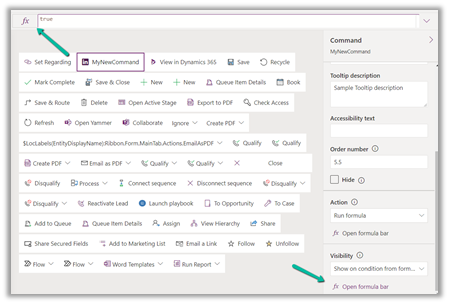
The different properties that can be configured for the new command –

Property

Description


Label

To set the label

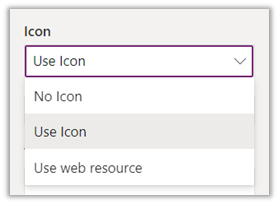
Icon

To set the icon either using icon or web resource

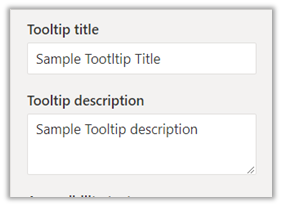
Tooltip

Set tooltip title and its description.

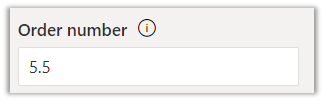
Order Number

Customize the Order of the command

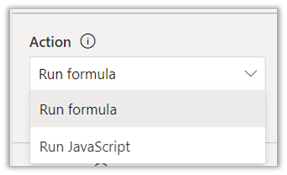
Action

Either run formula or run javascript


Open Formula Bar


Library for Run JavaScript

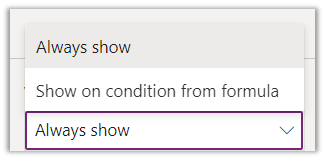
Visibility


Open Formula Bar for Show on Condition

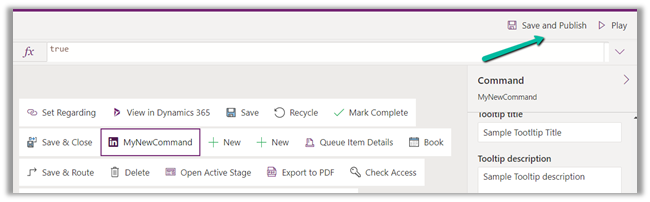
Let us Save and Publish

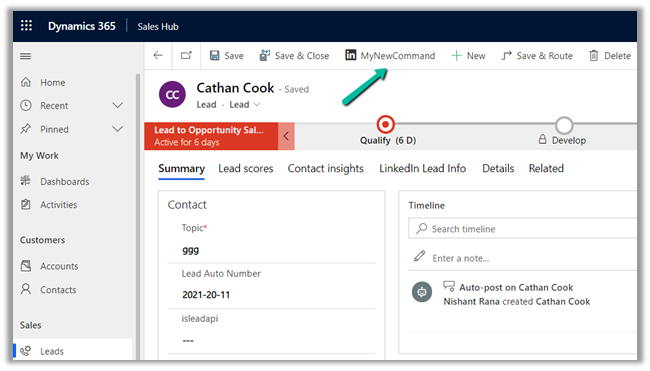
Click on Play and open a lead form.

We can see the new command added.

Get all the details here –

https://docs.microsoft.com/en-gb/powerapps/maker/model-driven-apps/command-designer-overview

Hope it helps..

Advertisements

Nishant Rana's Weblog

Everything related to Microsoft .NET Technology

Skip to content ↓