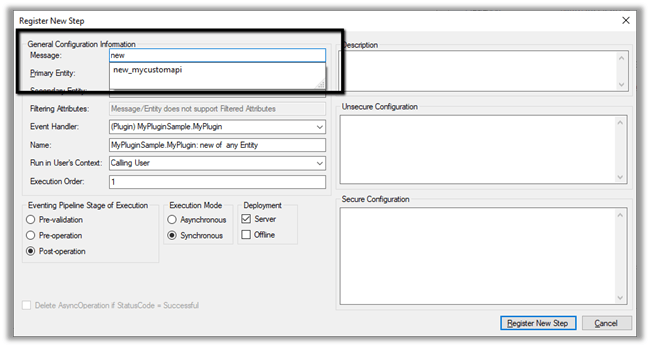
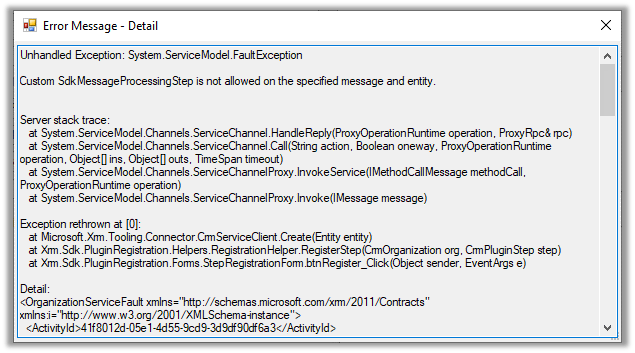
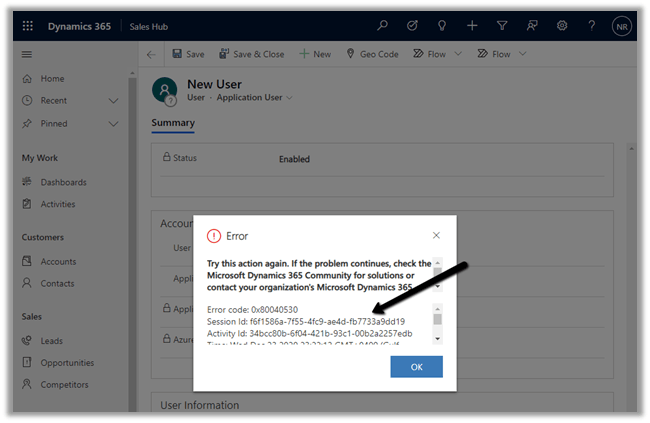
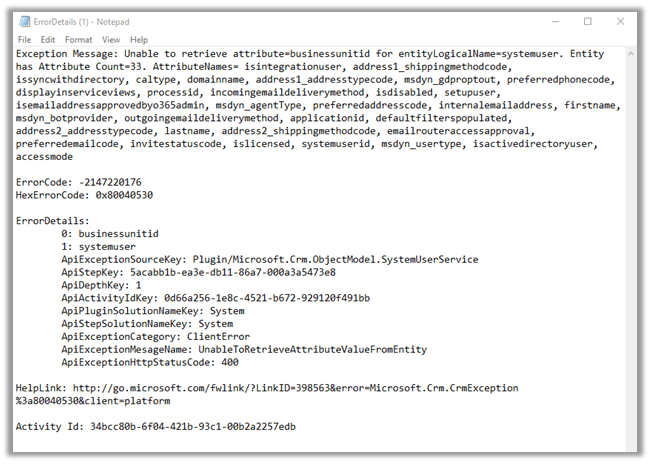
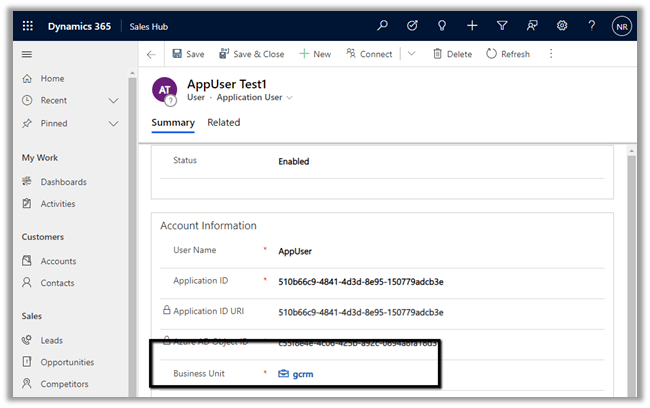
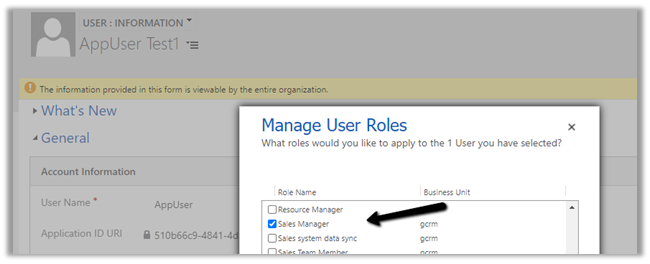
To test, we updated the security of the Application User to Sales Manager role which doesn’t have the create incident privilege.
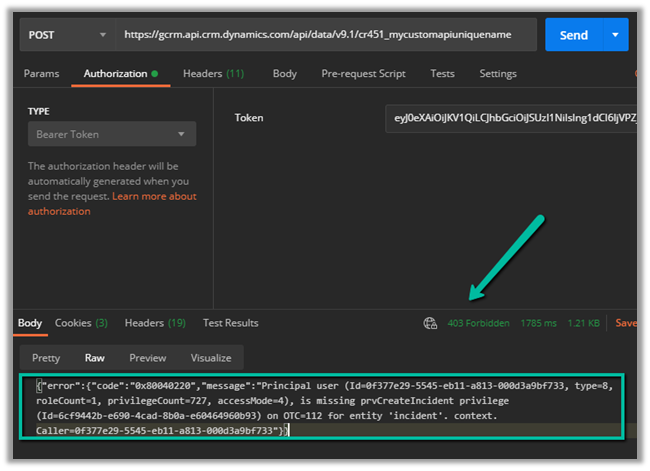
Calling the custom API this time as expected gave us the below error
{“error”:{“code”:”0x80040220″,”message”:”Principal user (Id=0f377e29-5545-eb11-a813-000d3a9bf733, type=8, roleCount=1, privilegeCount=727, accessMode=4), is missing prvCreateIncident privilege (Id=6cf9442b-e690-4cad-8b0a-e60464960b93) on OTC=112 for entity ‘incident’. context.Caller=0f377e29-5545-eb11-a813-000d3a9bf733″}}
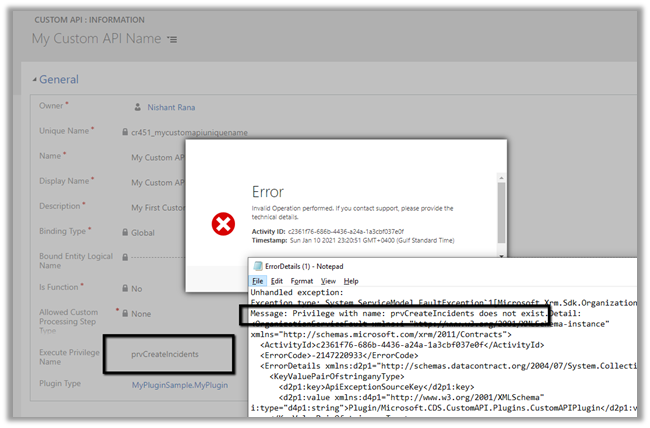
If we specify an incorrect privilege name we would get the below error and will not be able to save the record.
While optimising the performance of a Dataverse plugin, we noticed a QueryExpression using ColumnSet(true). The business logic only required a few attributes, so replacing ColumnSet(true) with a minimal ColumnSet looked like an easy performance improvement. The query also used Distinct = true, which we left unchanged because it … Continue reading “When Entity.Id Is Guid.Empty with QueryExpression.Distinct = True (Dataverse)”
Recently, we needed to remove the legacy Resco MobileCRM (Woodford) managed solution from a Dynamics 365 Field Service environment. Although the uninstall initially appeared straightforward, when we attempted to uninstall the Woodford solution, Dynamics 365 displayed a list of dependencies that needed to be addressed before. The dependencies … Continue reading “How We Successfully Removed the Resco Woodford Managed Solution from Dynamics 365 Field Service”
Custom API (preview) allows us to define our custom messages that can be called from web services, similar to Custom Actions. Usually, we would be creating custom workflow actions just to create a new message, to which we can hook our plugin, without defining any logic in the workflow. For this scenario or pattern now we can use Custom API instead.
There are different ways of creating a custom API.
Through the Maker Portal.
Using Web API or Organization Service.
Editing the solution files.
The 3 key entities involved here are
CustomAPI
CustomAPIRequestParameter
CustomAPIResponseProperty
Let us try creating a CustomAPI through the maker portal.
Create a new solution, and click on New and select Custom API
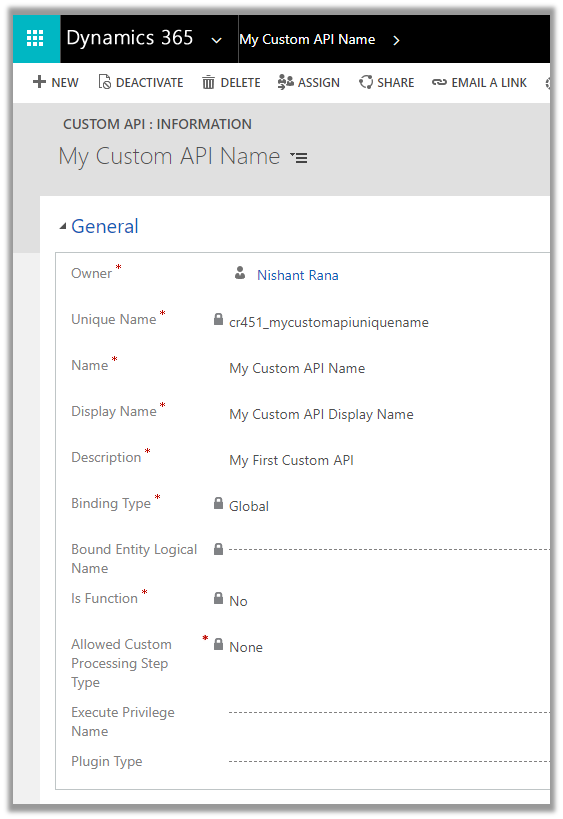
Let us start with a very basic custom action.
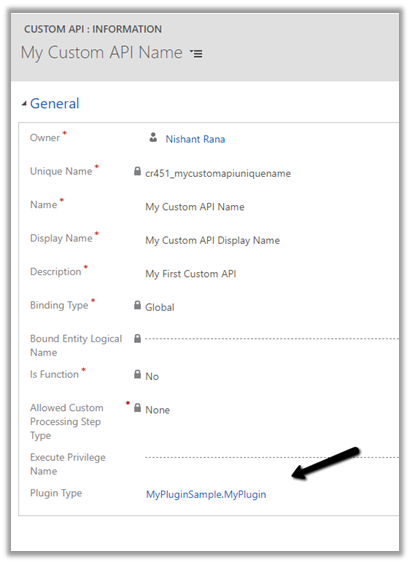
Unique Name
This will be the name of the message. Should have the prefix same as solution’s publisher.
Name
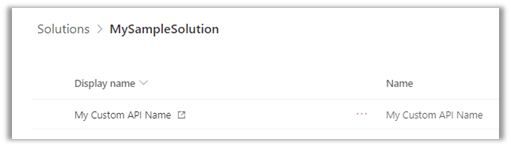
The name of the Custom API will show up inside the solution
Display Name
Localized display name of the Custom API
Description
Localized description of the Custom API
Binding Type
Value: 0 Label: Global
Value: 1 Label: Entity
Value: 2 Label: EntityCollection
Bound Entity Logical Name
Logical name of the entity in case of binding type – Entity and EntityCollection.
Is Function
Value: 0 Label: No
Value: 1 Label: Yes
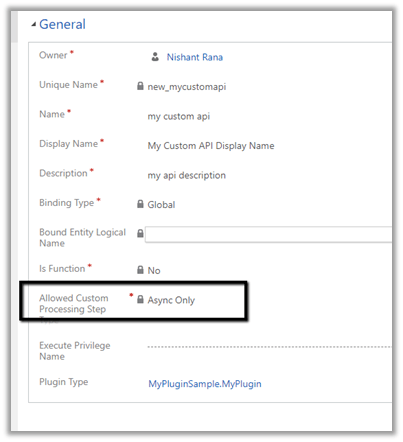
Allowed Custom Processing Step Type
Value: 0 Label: None Meaning: No custom processing steps allowed.
Value: 1 Label: Async Only Meaning: Only asynchronous custom processing steps allowed
Value: 2 Label: Sync and Async Meaning: No restriction. 3rd party plug-ins can add synchronous logic to change the behavior of the message
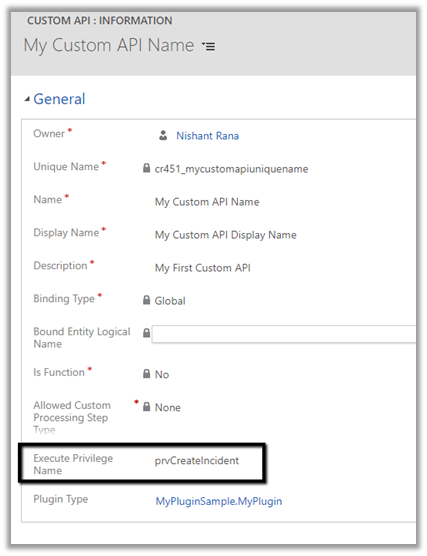
Execute Privilege Name
Name of the Privilege that is required for the execution of the Custom API.
Plugin Type
Reference of the plugin registered for the Custom API
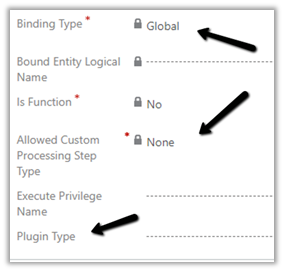
So right now we have a very basic custom API registered of Global type, which doesn’t allow any steps to be registered and doesn’t need any privileges to execute
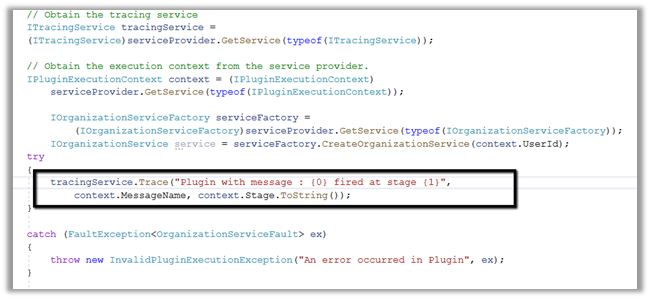
Let us write a sample plugin and associate with this new message.
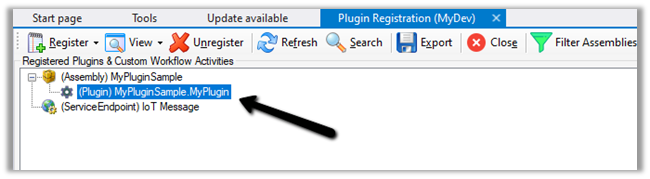
Let us register the assembly
Now let us go back to our Custom API record and associate the Plugin registered.
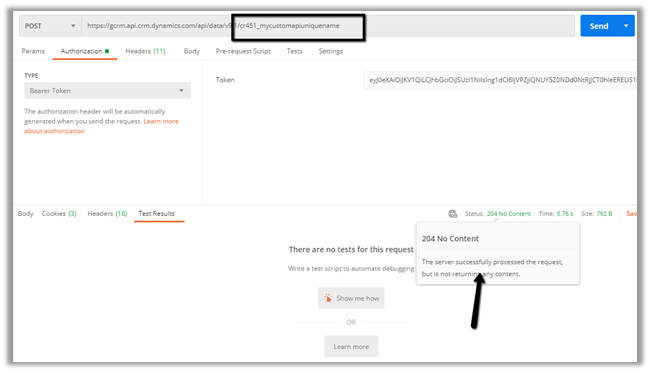
Let us trigger the plugin by calling the Custom API through the Postman.
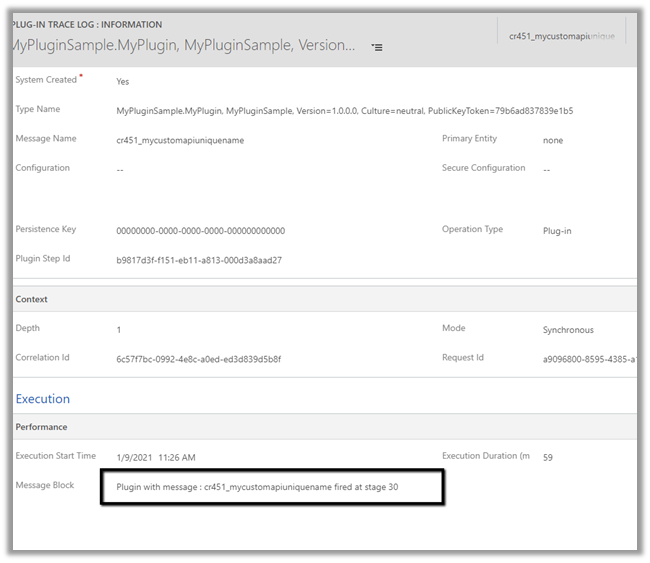
Let us check the plugin trace log inside Dynamics 365 App.
While optimising the performance of a Dataverse plugin, we noticed a QueryExpression using ColumnSet(true). The business logic only required a few attributes, so replacing ColumnSet(true) with a minimal ColumnSet looked like an easy performance…
Check the previous posts for more details – In one of our recent projects, we implemented Cloudflare Turnstile (Invisible) for a Dynamics 365 Customer Insights – Journeys Real-Time Marketing form. In this post, we’ll…
While implementing custom form submission validation (server side validation) for Dynamics 365 Customer Insights – Journeys Real-Time Marketing forms, we came across the following error, “Required params cannot be null or empty -ms_captcha_solutionms_captcha_typems_captcha_flow_id” after…
In our previous post, we implemented a simple Honeypot for Dynamics 365 Customer Insights – Journeys Real-Time Marketing forms using JavaScript. Although that prevents most automated submissions, the validation only runs in the browser.…
While working with Dynamics 365 Customer Insights – Journeys Real-time Marketing Forms, we wanted to explore a simple way of reducing bot submissions. A common technique used on websites is a honeypot. The idea…
While working on a Dynamics 365 Field Service cleanup, we needed to delete a large number of Work Order records. Before doing so, we wanted to understand exactly what would happen to the related…
While validating some Dynamics 365 Field Service data recently, we came across an interesting scenario where SQL4CDS and Advanced Find returned different record counts even though the date filters appeared to be identical. At…
Recently, we needed to remove the legacy Resco MobileCRM (Woodford) managed solution from a Dynamics 365 Field Service environment. Although the uninstall initially appeared straightforward, when we attempted to uninstall the Woodford solution, Dynamics…
While attempting to delete a historical Dynamics 365 Field Service Work Order, we encountered the following error: Exception Message: The time to promised must be later than the time from promised. ErrorCode: -2147220891 HexErrorCode:…
While reviewing Power Automate flows recently, we ran into an issue where we could not open a flow in edit mode When opening the flow, Power Automate displayed the “This flow will connect to”…
Navigate to Settings -> Features and turn on the Relevance Search
This places the search bar in the header, making it easy to access while navigating across different pages.
With Relevance search turned off à
On clicking the search icon à we are navigated to the categorized search page.
The search result for the term “alex” with Relevance Search on–
Even before we can enter our query in the search box, the search box displays the recent terms (seems like max 3) used for search along with recent records (seems like max 6) accessed.
Provides increment search or real-time suggestions while we are tying the search term
In my previous blog I explained the issues that I faced while POA entity migration. Here I will explain the whole process that I followed to migrate the personal views with sharing information. I used kingsway soft adapter for my migration process.
We have 2 steps to migrate the data
Source CRM –> Intermediate database.
I enabled “Data Export Services” on the source instance to push the data into intermediate database.
Since “userquery” entity is not available in “Data Export Services”, I Designed a simple SSIS Package with source (Dynamics CRM) and destination (OLE DB) components.
We have to impersonate the owner of the personal view in the Dynamics CRM Source component to read this information.
So we have to run this package multiple times based on the user count.
Intermediate database –> Target CRM
Designed 2 more SSIS Packages to push “userquery” and “principalobjectaccess” (share) information to Target CRM…
When creating records using the Dataverse Web API, the default behavior is to return a successful response without including the record data in the response body. A…
“Edit – 25 – June – 2026 – This only applies to sandbox environments not production. Can see Microsoft updating the details. Details ” Microsoft recently introduced…
Please refer to the post below, which provides a clear explanation of how RetrieveDependenciesForDeleteRequest works and how it can be used to identify dependencies.
Recently, while cleaning up some old customizations in Dynamics 365, we came across an interesting dependency issue that was not immediately obvious from the user interface. What…
When running marketing campaigns, UTM parameters help us understand where our leads are coming from. They help us track whether a lead came from Google Ads, Facebook…
While working on a Lead Disqualification scenario in Dynamics 365, we ran into a strange issue. When trying to Disqualify a Lead, Dynamics 365 was showing the…
We were working on a data migration requirement where we needed to preserve system fields like created on and modified on. For Created On, things are straightforward.…
We recently worked on a requirement where we customized an out-of-the-box ribbon button in Dynamics 365 — specifically, the Reactivate Lead button. We had renamed it to…
Last week, we came across a strange issue while working with Dataverse metadata. We had created a new attribute as part of our solution changes. Everything looked…
We recently worked on a requirement where we had to sync Business Process Flow (BPF) data between two different Dataverse environments for the Case (Incident) table. At…
We recently ran into an interesting and slightly frustrating issue while trying to mark an activity (Appointment/Phone Call/ Task) as Completed in Dynamics 365. Whenever we tried…
If we’re logging into the Plugin Registration Tool using an account protected with Multi-Factor Authentication (MFA), there’s one small setting that can cause login failures — Show…
The new Dynamics 365 Sales mobile app (preview), has been introduced specifically for the field sellers who need quick access and intuitive management of the customer information on the go while travelling / meeting the customers.
To enable the App, navigate to Advanced Settings from the Sales Hub and then to Administration > System Settings > Mobile Client tab We also need to enable Relevance search on the environment for the mobile app’s search to work.