Limitation of Solution Patch in Dynamics 365


Recently while working with a Solution Patch we came to realize one of its limitation (or feature) which we weren’t aware of.

If we are trying to update a component through the patch, and that particular component has been customized in the target environment ( through default solution in case of managed), the update won’t work on that component.

Let us take a simple example to understand this.

Below we have created a solution with one workflow in it named Test Process.

Now let us export the solution as managed and import it in Test.

Now back in our DEV let us rename the Process and create a patch for it and import it in Test.

https://nishantrana.me/2016/09/22/creating-patches-solution-management-in-crm-2016/

We can see the update in the name after applying\importing the patch.

Now let us go back in our DEV and make some update in the name of the process and import it again in the Test.

We have selected the option of overwriting customizations here.

We can see the update in the TEST after importing the patch.

Now comes the interesting part, in the TEST environment, go to Settings – Customizations and rename the Process. Here we have appended “Updated” in its name.

Now let us import the same Patch Solution back in our TEST with Overwrite selected.

Unexpectedly, we do not see any change, the process is unchanged in the TEST even after importing the patch with Overwrite option. We expected it to be renamed to Test Process Patch Version 1 as it was in the patch solution, instead, it has the suffix Updated to it i.e. the changes that we made directly in the TEST through default solution.

The way we can now update it from DEV is to clone our solution there.

Import it to TEST and apply Solution Upgrade.

Below we can see the new version imported into the TEST and as expected the Process renamed to what it was in DEV.

Hope it helps..

The record could not be deleted because of an association exception in Dynamics 365


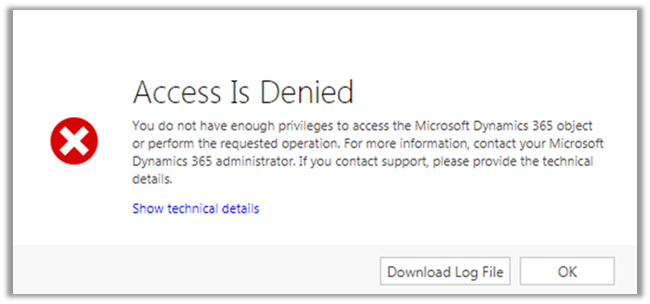
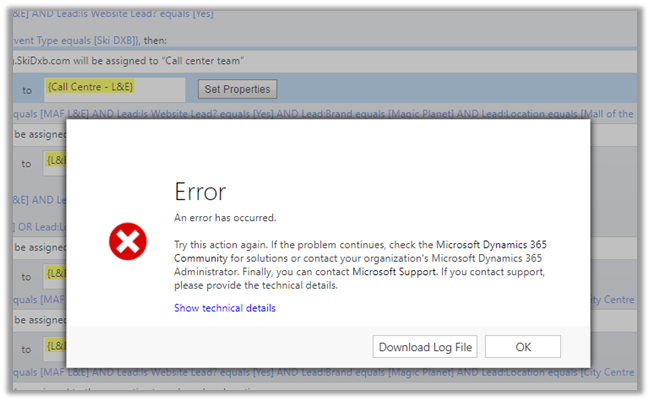
Recenlty while trying to delete product records, we got the below error.

The quick way to figure out which associated entity’s record could have restricted the deletion of the record, open the 1:N relationship for the entity.

Search for any Parental, Referential Restrict Delete or any System relationship that has Restrict set for Delete action.

In our case it was the System relationship of Product with Opportunity Product

With Restrict Behavior set for Delete action.

Deleting all the opportunity product record allowed us to delete the Product records.

Hope it helps..
Common Data Service for Apps -> Manage Entities, Fields, Relationships and Data Import – Part 1


Sachin Bansal's avatarBansal Blogs - Dynamics 365, PowerApps, Microsoft Flows, Power BI

CDS (Common Data Service) for Apps implements Common Data Model which provides set of standard entities (Account, Contact, Lead, Opportunity etc.) and capability to create your own custom entities. Applications built on top of CDS can leverage this common data model to securely store their data and enhance their business processes. To know more about CDM, refer link

We will cover following topics as part of this blog:

  • Explore standard entities
  • Create custom entities, fields
  • Define relationships among entities
  • Import data from excel

Explore standard entities:

CDM provides set of almost all standard business entities that represent most commonly used entities across business and applications such as Account, Appointment, Contact, Business Unit, Email, Product etc.

  • Login to powerapps.com. Select Data from left navigation and clinic on Entities. You will be shown with list of standard entities available

CDS1

  • By default, you will see few entities. Change filter on top from…

View original post 545 more words

Headless Authentication with Dynamics CRM online and External Web App which requires Client Secret


Debajit's avatarDebajit's Dynamic CRM Blog

As promised, I am back to my second post on this topic. In my previous post, I showed you on how to generate Authorization token of D365 online from Native Console App using the Client_ID.

https://debajmecrm.com/2018/04/29/headless-authentication-with-dynamics-crm-online-web-api-without-user-login-screen-without-using-adal-part-i/

We did that using simple HttpWebRequest and Response and did not use the ADAL (Active directory authentication library) as well.

Well, let’s dive deep here. Nothing big in my previous topic as the same thing can be done using ADAL and in a clean way as well. Then why use that construct?

We are talking of headless authentication here which means authentication without user intervention. Using ADAL, it was fine to generate the token from a Native console APP using the Client ID. However situations become complex when we try to do the same from an external Web Application which required the Client_Secret as well for generating the token.

So I created a ASP.NET…

View original post 300 more words

Headless Authentication with Dynamics CRM online Web API – Without using ADAL {Part-I}


Debajit's avatarDebajit's Dynamic CRM Blog

Well this topic has been discussed again over multiple times. And I myself has written a blog on how to do a headless authentication (without user intervention) between Dynamics CRM Online Web API and Native APP (console APP) – https://debajmecrm.com/2016/06/21/dynamics-crm-web-api-login-authentication-screen/

If you go through the above post, I have used ADAL (active directory authentication library) to query the authorization token and then use the authorization token to query the Dynamics CRM Web API. However there is a catch to this.

This headless authentication was only possible with Native APPs (console APPs) since they just required Client ID’s and does not require the Client Secret to actually generate the token. And hence I was not able to use this method to get the token from a Web Application which would require the Client_Secret.

And while I was doing a training session on this recently, I was asked the question. Is there…

View original post 340 more words

Limitations of Multi Select Option Sets in Dynamics 365 CE


[Edit – (3 May 2018) – Multi Select Option Sets cannot be used inside Portal]

Few months back I wrote the following post about Multi Select Option Sets.

https://nishantrana.me/2017/10/15/multiselect-option-set-in-dynamics-365/

Here, let us look at the limitations associated with them,

Suppose I have the following multi select option set field created for contact entity.

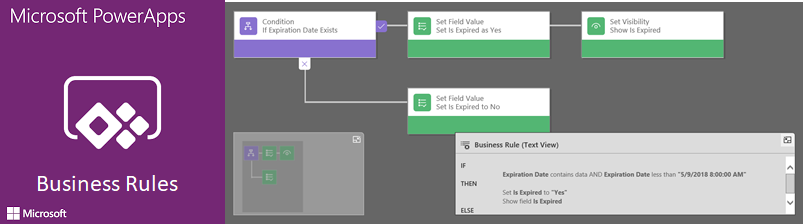
  • The field is not available for Business Rule.

  • The field is not available inside BPF

  • The field is not available inside in Workflow – e.g. check condition and create step as shown below.

  • The field is not available as filtering attribute in Plugin (however the values are available as OptionSetValueCollection)

  • Inside Report Wizard it can be used as filter condition

But cannot be used as View Column

So basically, we need to be cautious before we make use of the multi select option sets in our solution.

Hope it helps..

Advertisements