Azure API Management is an Azure service to create consistent API gateways for secure, scalable access for back-end applications and services.
Azure API Management consists of 3 main components
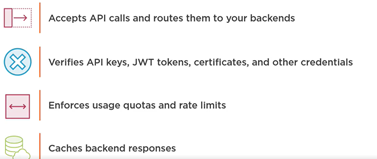
- Azure Portal for administration
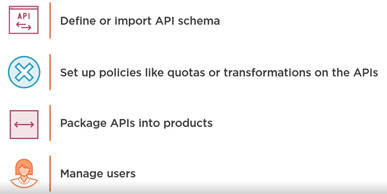
- Developer Portal for API documentation

Each API inside Azure API Management contains a reference to the back-end service that implements the API and its operations.
Let us start by creating the Azure API Management resource –
Login to Azure Portal
https://portal.azure.com/
Search for API Management
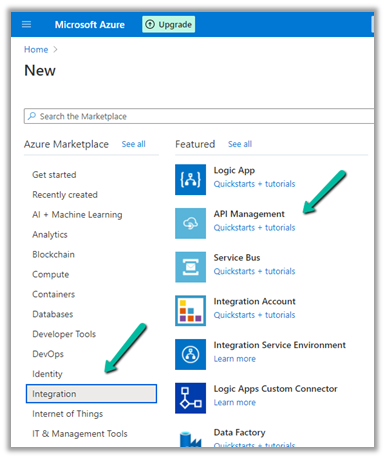
Provide the appropriate details. (Here we have selected the – Developer tier)
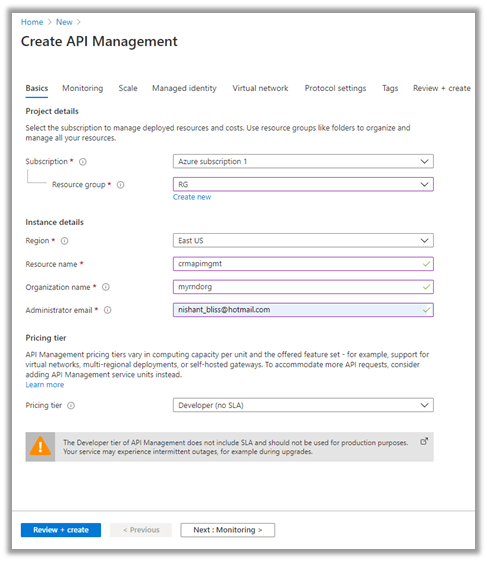
After validation is passed, review and click on Create.
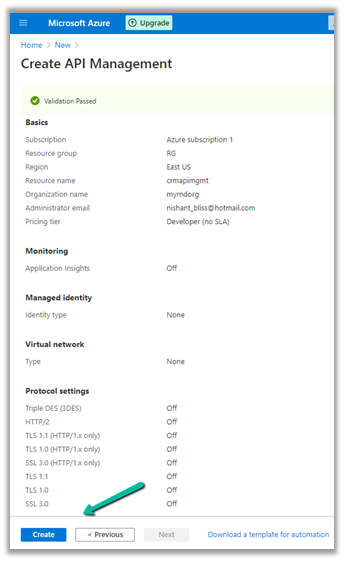
It will take around 30 minutes for the deployment to be finished
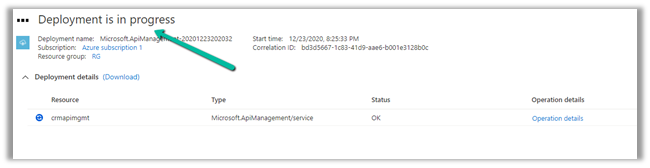
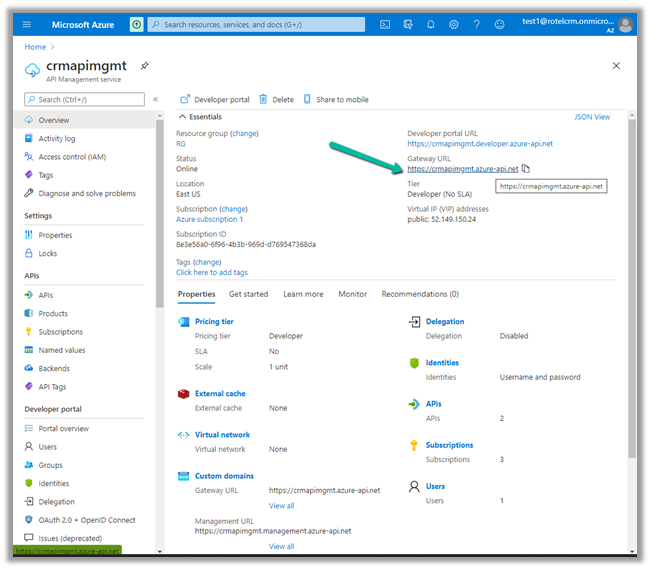
After the deployment is successful, we can navigate to it and can find the Gateway URL and Developer portal URL as shown below.
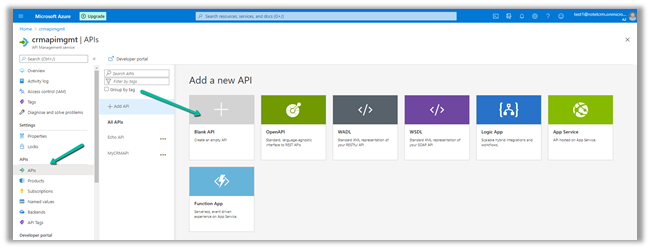
Here we will start with a Blank API.
Specify the display name, name and for Web service URL the URL of Dynamics 365 Web API

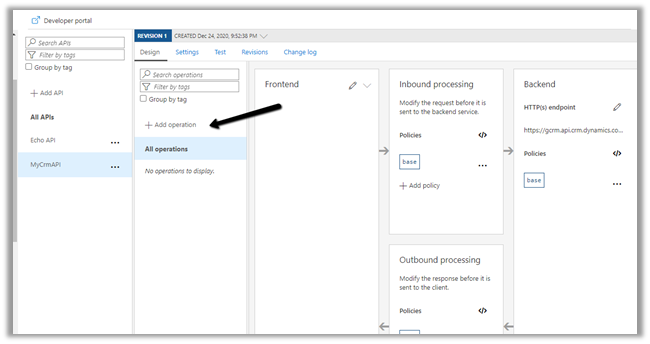
Click on +Add operation to add a new operation to the API.
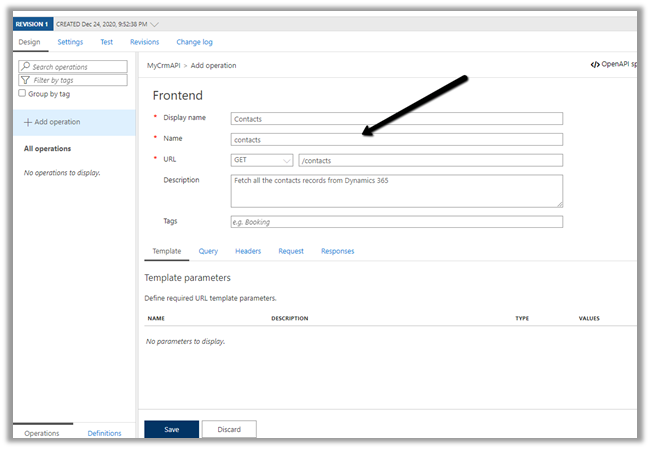
Specify the URL as shown below to fetch all the contacts from Dynamics 365.
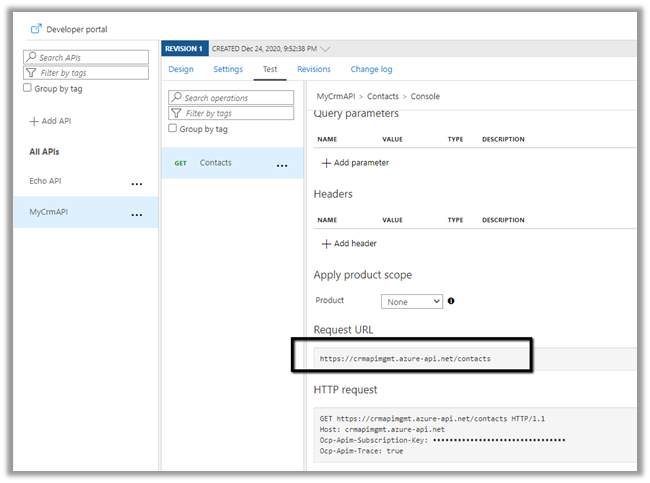
The URL of the operation
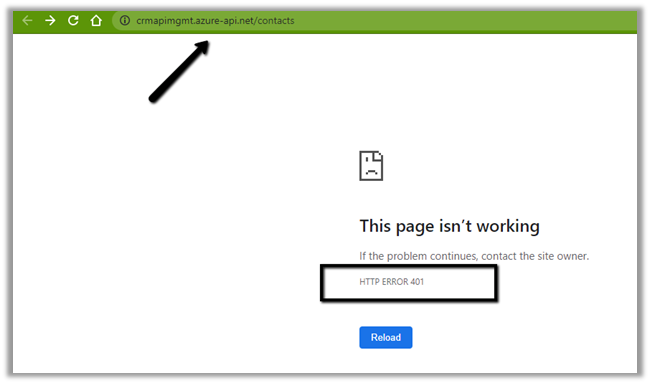
 Right now we will get the 401 error as expected as we have not passed the token expected by the Web API.
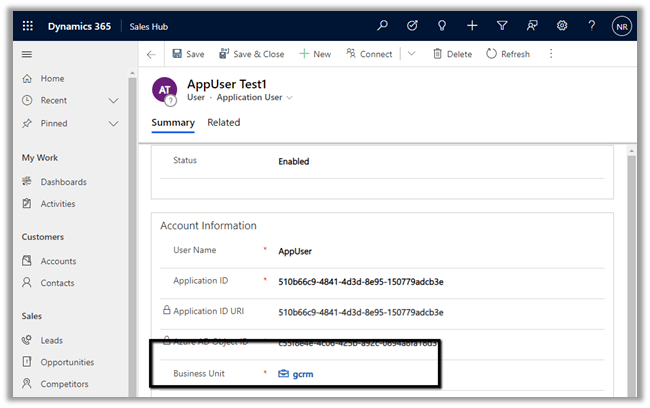
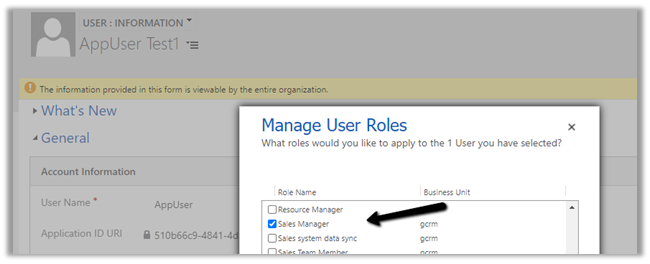
Now for the token part for calling the Dynamics 365 API, register the Application in Azure AD, create a new Application User, and assign appropriate security roles to it.
https://docs.microsoft.com/en-us/powerapps/developer/data-platform/authenticate-oauth#connect-as-an-app
Here we would be defining send-request policy, to generate the Token and pass it in the Authorization header to the Dynamis 365 Web API request.
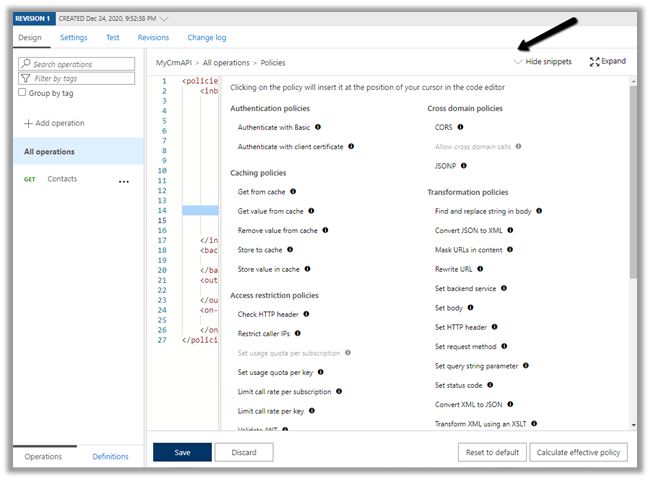
Select the GET operation, navigate to the Design tab and open the policy code editor for inbound processing
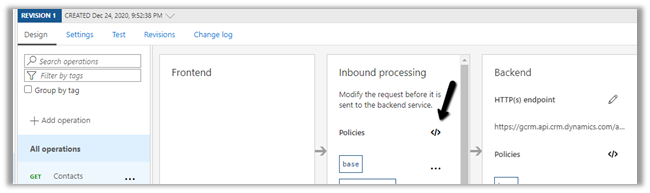
Add the send-request and set-header policy to generate and set the bearerToken
Specify the endpoint URL of OAuth token, client id, client secret of the application registered.
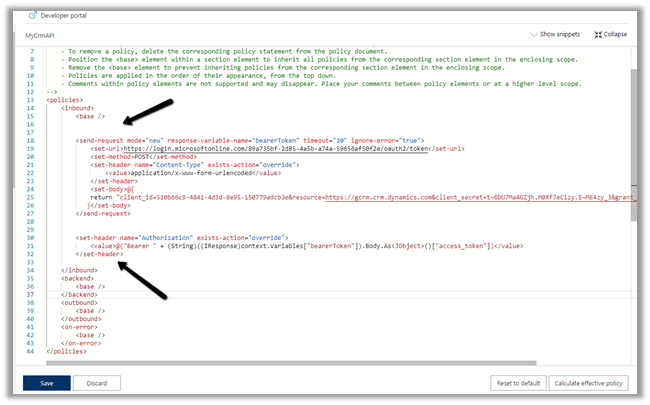
"copy code from the end of the post"
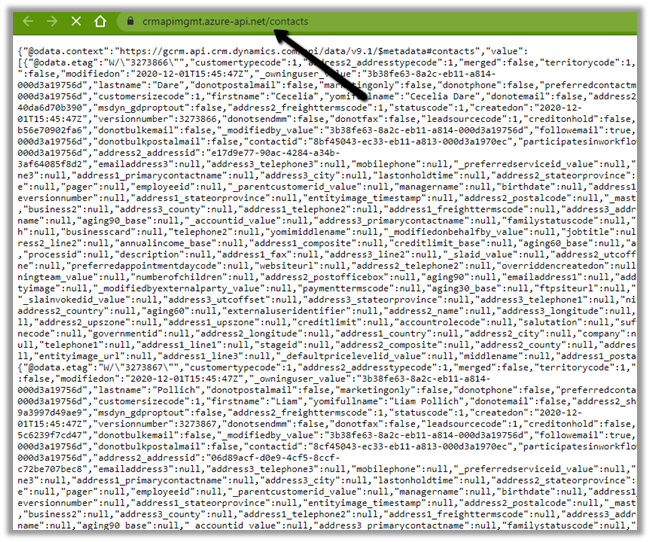
Save the change and let us test the API.
We can see the results as expected.
The other things that can be done are to associate the API with Products, specify Subscription, Security, enable Application Insights, Azure Monitor etc.
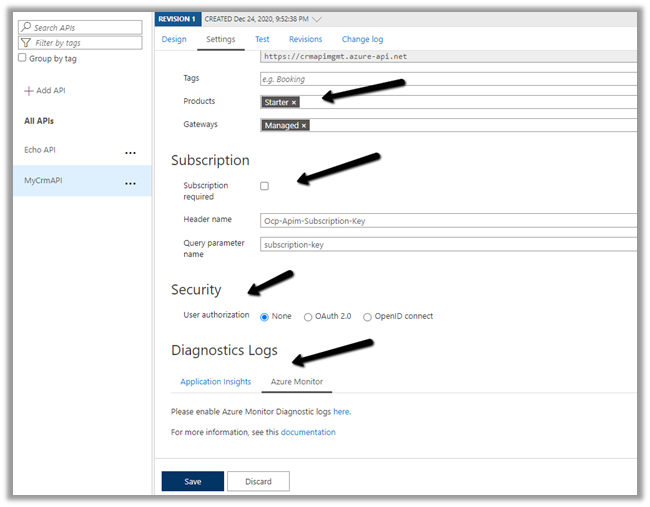
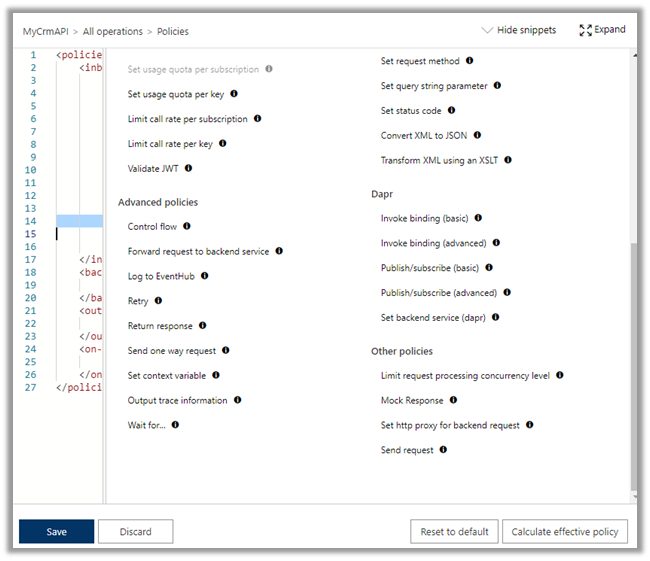
Specify policies –
https://docs.microsoft.com/en-us/azure/api-management/api-management-policies
References –
https://transform365.blog/2020/03/29/azure-api-management-and-dynamics-365-web-api/
https://app.pluralsight.com/library/courses/microsoft-azure-developer-implement-api-management/table-of-contents
Hope it helps..
<policies>
  <inbound>
    <base />
    <send-request mode="new" response-variable-name="bearerToken" timeout="20" ignore-error="true">
      <set-url>https://login.microsoftonline.com/89a735bf-2d85-4a5b-a74a-59656af50f2e/oauth2/token</set-url>
      <set-method>POST</set-method>
      <set-header name="Content-Type" exists-action="override">
        <value>application/x-www-form-urlencoded</value>
      </set-header>
      <set-body>@{ return "client_id=510b66c9-4841-4d3d-8e95-150779adcb3e&resource=https://gcrm.crm.dynamics.com&client_secret=t~6DU7Ma4GZjh.M0Xf7eCizy.E~ME4zy_3&grant_type=client_credentials"; }</set-body>
    </send-request>
    <set-header name="Authorization" exists-action="override">
      <value>
        @("Bearer " + (String)((IResponse)context.Variables["bearerToken"]).Body.As<JObject>()["access_token"])</value>
    </set-header>
  </inbound>
  <backend>
    <base />
  </backend>
  <outbound>
    <base />
  </outbound>
  <on-error>
    <base />
  </on-error>
</policies>



 Let us call our custom API