“getRequiredLevel is not a function” error while creating a new contact record in Dynamics 365.


We were getting the strange getRequiredLevel is not a function error while creating a new record (in New Form Rendering)

After debugging, we figured out that it was failing for the following field “mapcontrollink”.

We commented out the entire section and imported it back (unsupported). This fixed the issue.

Strangely enough we couldn’t find that field in the Vanilla version, in our case it is the upgraded environment so that could be reason of having that extra field.

Hope it helps..

Simple Bing Map HTML Web Resource to show Country location in Dynamics 365


Just sharing a HTML Web resource code to show Country location inside the map using name of the country.

Source Code: –


<!DOCTYPE HTML PUBLIC "-//W3C//DTD XHTML 1.0 Transitional//EN" "http://www.w3.org/TR/xhtml1/DTD/xhtml1-transitional.dtd">
<html>
<head>
<title>My Bing Map</title>
<script charset="UTF-8" type="text/javascript" src="https://ecn.dev.virtualearth.net/mapcontrol/mapcontrol.ashx?v=7.0&s=1"></script>
<script type="text/javascript">
var map = null;

// get the bing map key https://msdn.microsoft.com/en-us/library/ff428642.aspx
var credentials = "AvYH87t36Tv3ybyYagU9HUZKjsrWO2Hcup3nu1fmNhpenHKO_xxxxx";

function GetMap() {

// countryName - name of the country from the CRM's form
var countryName = parent.Xrm.Page.getAttribute("new_name").getValue();

// calling virtual earth api
var geocodeRequest = "https://dev.virtualearth.net/REST/v1/Locations?countryRegion=" + countryName + "&key=" + credentials + "&jsonp=GeocodeCallback";

CallRestService(geocodeRequest);
}

function GeocodeCallback(result) {

if (result && result.resourceSets && result.resourceSets.length > 0 && result.resourceSets[0].resources && result.resourceSets[0].resources.length > 0) {

var coordinates = result.resourceSets[0].resources[0].point.coordinates;
var centerPoint = new Microsoft.Maps.Location(coordinates[0], coordinates[1]);

map = new Microsoft.Maps.Map(document.getElementById("mapDiv"),
{
credentials: credentials,
center: centerPoint,
mapTypeId: Microsoft.Maps.MapTypeId.road,
zoom: 5
});

var pushpin = new Microsoft.Maps.Pushpin(map.getCenter());
map.entities.push(pushpin);
}
}

function CallRestService(request) {
var script = document.createElement("script");
script.setAttribute("type", "text/javascript");
script.setAttribute("src", request);
document.body.appendChild(script);
}
</script>
</head>
<body onload="GetMap();">
<div id='mapDiv' style="position: relative; width: 600px; height: 300px;"></div>
</body>
</html>

Check this helpful post as well

https://blogs.bing.com/maps/2015/03/05/accessing-the-bing-maps-rest-services-from-various-javascript-frameworks/

Hope it helps..
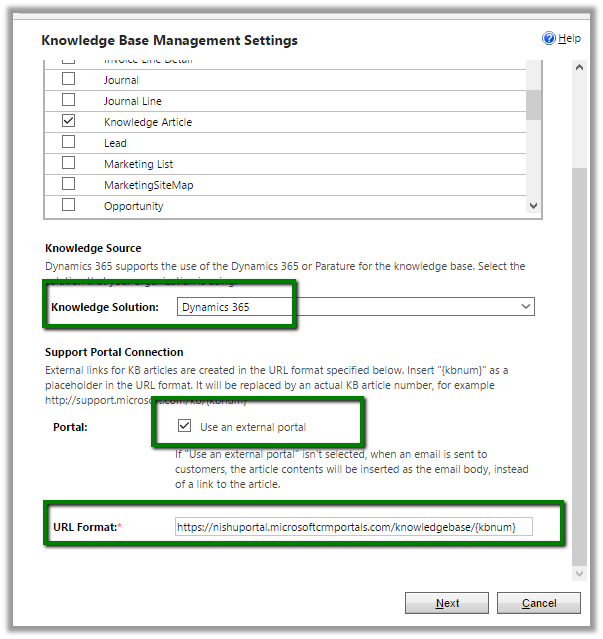
Deployment Manager – To create a new organization, the wizard must remove the current organization in Dynamics 365 message.


While creating a new organization using Deployment Manager we got the below message

It was because we had entered the Workgroup Product key which restricts it to only organization.

https://technet.microsoft.com/en-us/library/hh699677.aspx

Changing the product key to the server one, allowed creating the new organizations.

Hope it helps..

Not able to register Image for Plugin in Microsoft Dynamics 365 Developer Toolkit (Public Beta 1)


Hi,

While using Developer Toolkit for Dynamics 365 we got strange issue today, the Images were not getting registered for Plugins.

In fact, in the Create New Plugin dialog box we couldn’t see the option of adding images like previous version.

Previous version –

To get more details on the new toolkit refer the below article

http://butenko.pro/2016/11/developer-toolkit-dynamics-365-public-beta-1-whats-new/

Hope it helps..
Using World Map \ Bing Map in SSRS Report in Dynamics 365 (and earlier)


Hi,

Recently I was working on a SSRS Report that will show the countries in the world map (Country was a custom entity in our CRM)

To create such a report, drag the Map report item to the report designer.

OOB we do not have world map in the Map Gallery.

Download it from the following location

https://mapgallery.codeplex.com/releases

Copy the download RDL to the following location (in my case – SQL Server Data Tools for VS 2012)

Select the world map

Add a Bing Map layer

Select Basic map

Click Next and select appropriate value

Click on Finish.

Next inside report designer, right click Layer Data

And specify mapping between the spatial and analytical dataset (our custom dataset here which has 2 column in it, name of the country and A2.

Suppose we have following countries in our CRM

The final report with countries highlighted in colors.

Hope it helps..

Bug in New Form Rendering CRM 2016 Update 1 – Add New button not working for Opportunity Product Sub Grid in Opportunity Form.


Today we got one more product bug in case of New Form Rendering

The Add New Button for OOB Inline Edit Sub grid works properly, however for a new custom sub grid it doesn’t work.

The same works properly in case of Legacy Form Rendering.

Clicking on + button opens the new form for Opportunity Product entity

Below are the other issues that we have faced recently in case of New Form Rendering

https://nishantrana.wordpress.com/2016/11/28/onchange-event-getting-fired-on-setvalue-in-crm-2016-update-1-new-form-rendering/

https://nishantrana.wordpress.com/2016/11/25/recommended-field-showing-up-as-required-field-issue-in-dynamics-365/

Hope it helps..