Plugin registration profile record not getting created – Dataverse / Dynamics 365


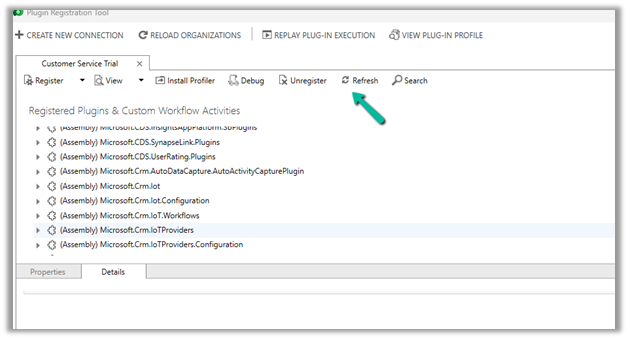
Recently while trying to debug a plugin with Persist to Entity mode on the update step, we didn’t find any profile record getting created.

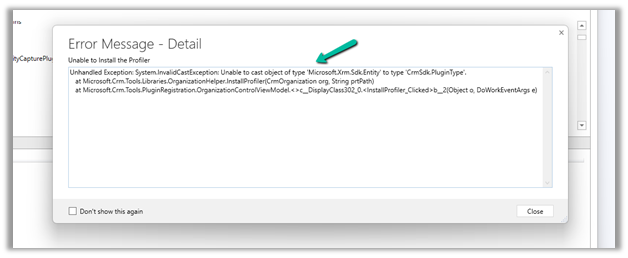
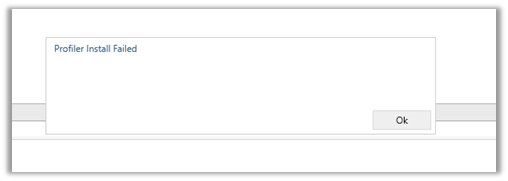
One option is to try to reinstall the profiler. This could happen when we are using a different version of the plugin registration tool and it has the Profiler already installed/configured from the other version of the tool.

If that doesn’t help, then opt for Exception mode, that has always worked.

Hope it helps..

Advertisements

Contact’s Originating Lead – originatingleadid is not valid for update – Dynamics 365 / Dataverse


Recently we were writing a plugin that on the creation of a lead updates the originating lead of a contact record. The value was neither getting updated nor we were getting any errors.It was after we spent a good amount of time debugging, realized that this field cannot be updated.So basically, we can specify a value for it during create of contact but cannot update it.

Hope it helps..

Advertisements

Format property missing in Date Picker in custom page – Dataverse / PowerApps


Recently while designing the custom page, we realized that the format property is missing for the Date Picker control. This is because Date Picker control is based on Fluent UI Library.

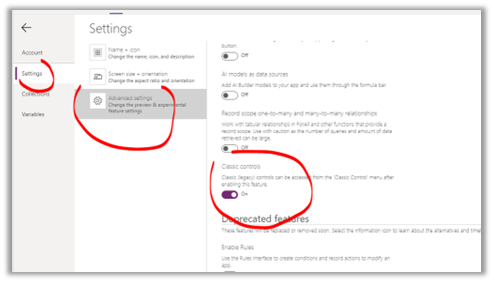
One option earlier was to enable the Classic Controls from Settings

And replace the existing control with the classic control

Also, check – https://debajmecrm.com/get-todays-date-format-dates-in-power-apps-canvas-app/

https://powerusers.microsoft.com/t5/Building-Power-Apps/Date-picker-missing-format-property/td-p/903794

https://powerusers.microsoft.com/t5/Building-Power-Apps/Custom-Page-Date-Picket-Format-Date/td-p/1349351

Hope it helps..

Advertisements

Sample formula for Associating N:N records and Creating 1:N records in Canvas App (PowerApps / Dataverse)


Just sharing the sample formula, we used for associating selected products from the gallery to lead on OnSelect of a button.

Here collectionCheckedProducts contains the checked products from the gallery bound to the product data source –

varEnquiryIdWithoutCurlyBraces contains the GUID of the Lead record. Here Enquiry is Lead renamed.

Enquires(leadproduct_association) is the name of the relationship between lead and product.

Relate function is used to associate multiple selected products in collectionCheckedProducts to a lead record.

And below is the sample formula we used for creating Quote Product for selected products from the gallery.

varEnquiryIdWithoutCurlyBraces contains the GUID of the Quote record. Proposal Data Source is the Quote renamed.

Hope it helps..


Advertisements

Fixed – The product cannot be added because it is not active while creating Quote Product – Dynamics 365 / Dataverse


We got the below error while trying to create a quote product programmatically.

As the error message specifies, this is because we are trying to add/associate a DRAFT product to the Quote Product.

We will get a similar error from the application as well if we try adding a draft product as an existing product to either a quote product or an opportunity product.

Below is the product in the Draft status.

Publish the product to make it Active.

Hope it helps..


Advertisements

How to – Filter data source to get the active records Dataverse / PowerApps


Just sharing the syntax, that we can use to filter the data source based on the status field.

Below is our gallery bound to Cases (Data Source) and showing only the Active cases.

Items

Filter(Cases, Status = ‘Status (Cases)’.Active) 

Filter(Datasource, Status = ‘Status (Datasource)’.[value])

Hope it helps..
 

Advertisements