Hi,
Today i cleared MB2-712 certification exam. It had 48 Questions in it with passing score 0f 700.
I referred to the following guide for my preparation by CRM MVP Neil Parkhurskt
Hope it helps..

Hi,
Today i cleared MB2-712 certification exam. It had 48 Questions in it with passing score 0f 700.
I referred to the following guide for my preparation by CRM MVP Neil Parkhurskt
Hope it helps..

Awesome chrome extension

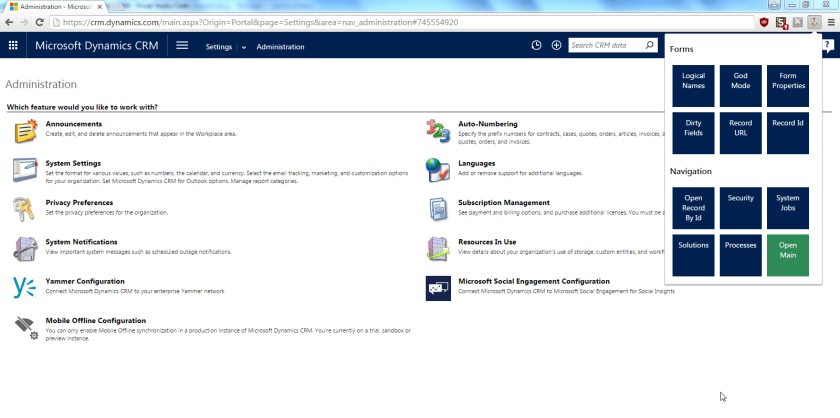
Today, I released a new Chrome extension that assists CRM power users. In this initial release there are 12 quick functionalities:
Form helpers
Navigation helpers
How do you install it
Download the extension from Chrome store -> Level up for Dynamics CRM
How does it look
Once you install this extension you will see a new rocket icon in the toolbar. If you click the icon, you will get a popup menu.
 How to use it
You can have a look at this animation below to get an idea about the functionalities.
View original post 97 more words

using System;
using System.Net.Http;
using System.Net.Http.Headers;
using System.Threading.Tasks;
using Microsoft.IdentityModel.Clients.ActiveDirectory;
using Newtonsoft.Json;
using Newtonsoft.Json.Linq;

namespace Dynamics365ConsoleApp
{
internal class Program
{
// username and password
private const string UserName = "sapnarana@nishant365.onmicrosoft.com";
private const string Password = "mypassword";
// Crm Url
private const string Resource = "https://nishant365.crm8.dynamics.com";
// Application's Client Id
private const string ClientId = "d08b641c-2dc8-4f33-8a57-b1573da88a22";
// Redirct Uri specified during registration of application
private const string RedirectUri = "http://localhost";
// Authroiztion Endpoint
private const string Authority = "https://login.windows.net/nishant365.onmicrosoft.com";

private static AuthenticationResult _authResult;

private static void Main(string[] args)
{
// without prompt
var authContext = new AuthenticationContext(Authority, false);
var credentials = new UserCredential(UserName, Password);
_authResult = authContext.AcquireToken(Resource, ClientId, credentials);

// with prompt
AuthenticationContext authContext = new AuthenticationContext(authority);
authResult = authContext.AcquireToken(resource, clientId, new Uri(redirectUri));

Task.WaitAll(Task.Run(async () => await GetFullNameSystemUsers()));
}

private static async Task GetFullNameSystemUsers()
{
var httpClient = new HttpClient
{
BaseAddress = new Uri(Resource),
Timeout = new TimeSpan(0, 2, 0)
};
httpClient.DefaultRequestHeaders.Add("OData-MaxVersion", "4.0");
httpClient.DefaultRequestHeaders.Add("OData-Version", "4.0");
httpClient.DefaultRequestHeaders.Accept.Add(new MediaTypeWithQualityHeaderValue("application/json"));
httpClient.DefaultRequestHeaders.Authorization = new AuthenticationHeaderValue("Bearer",
_authResult.AccessToken);

var retrieveResponse =
await httpClient.GetAsync("api/data/v8.1/systemusers?$select=fullname");
if (retrieveResponse.IsSuccessStatusCode)
{
var jRetrieveResponse =
JObject.Parse(retrieveResponse.Content.ReadAsStringAsync().Result);

dynamic systemUserObject = JsonConvert.DeserializeObject(jRetrieveResponse.ToString());

foreach (var data in systemUserObject.value)
Console.Write(data.fullname.Value);
}
}
}
}
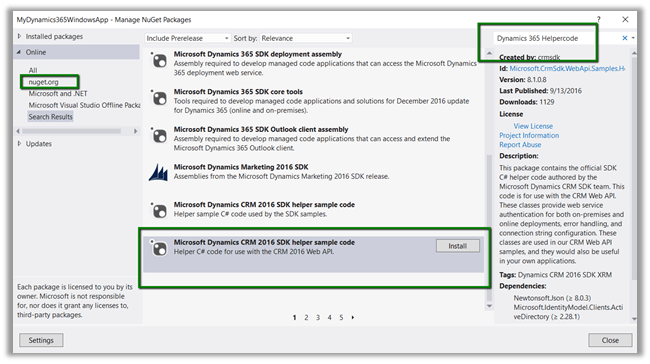
For in depth understanding please refer the following post
Hope it helps..

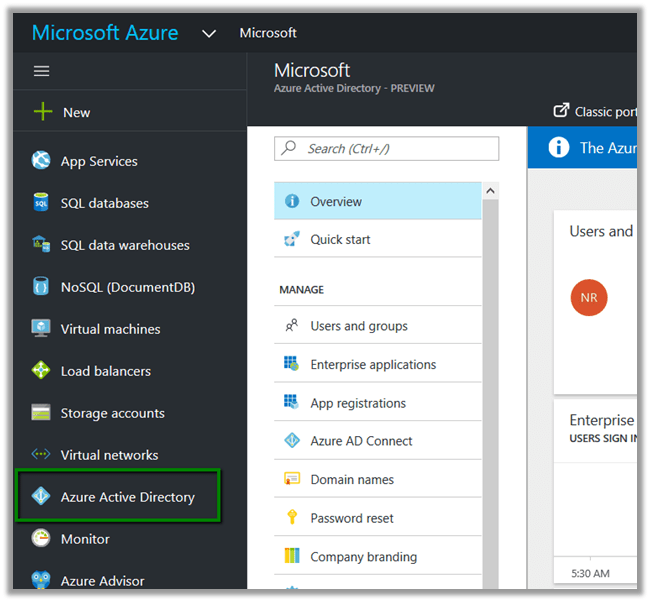
https://manage.windowsazure.com/
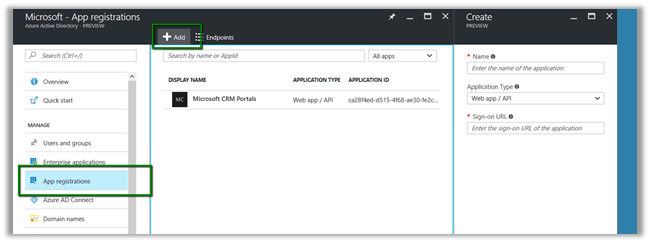
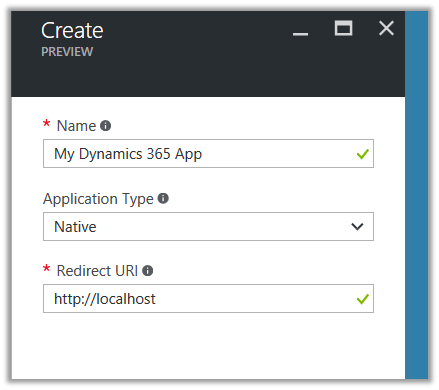


We’d get the notifications.


Hope it helps..

CRM Azure Integration in CRM 2016 Update 1
With the advent of Microsoft Dynamics CRM 2016 online many new features have been incorporated. One such feature that all have been waiting for long is seamless integration of MS CRM with Microsoft Cloud or popularly known as Microsoft Azure.
You can connect Microsoft Dynamics CRM Online 2016 Update and Microsoft Dynamics CRM 2016 (on-premises) with the Microsoft Azure platform by coupling the CRM event execution pipeline to the Microsoft Azure Service Bus. Once configured, this connection allows data that’s been processed as part of the current CRM operation to be posted onto the service bus. Microsoft Azure Service Bus solutions that are “CRM-aware” can listen for and read the Microsoft Dynamics CRM data from the service bus.
This connection between Microsoft Dynamics CRM and the Microsoft Azure platform provides a secure and reliable channel for communicating CRM…
View original post 1,515 more words

Hi,
While using “Apply Solution Upgrade” or Import in our Test Instance having managed solution, we got the below error.
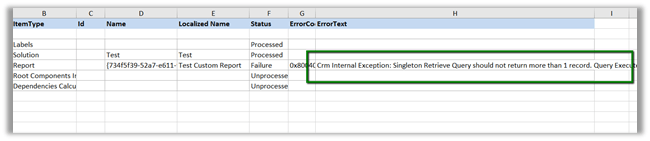
The Managed solution had the report set as Viewable By = Organization (we cannot have Individual report in Solution) when it was deployed first. And later the user had set the report to be as Individual manually.

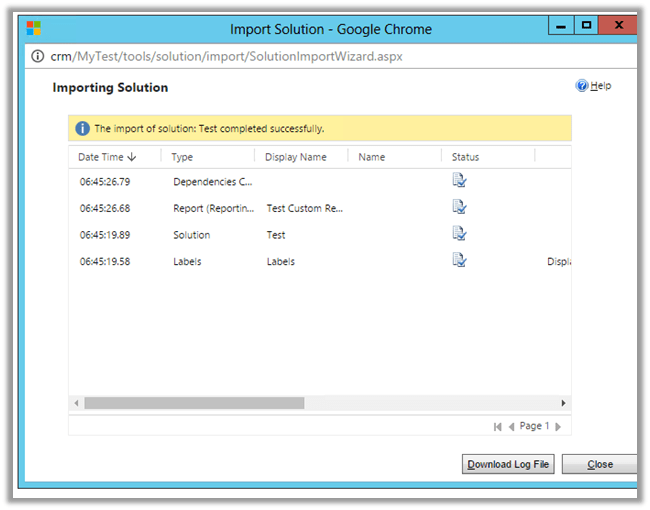
Changing the report back to Organization in TEST and importing the solution again fixed the issue.
Hope it helps..


