How to – use HTTP Action to call DataVerse / Dynamics 365 Web API in Power Automate


Let us take a simple example, to see the steps involved.

Here we will be manually triggering a flow, getting the token, and calling the WhoAmI request in Microsoft Dataverse / Dynamics 365.

This is how our final Flow looks like.

Inside the first HTTP action, we are calling OAuth 2.0 token endpoint v1. We have MyCrmApp registered in Azure AD and have generated the client secret for it.

Also we have created an Application User using the above application details and have given the appropriate security role.

Below is how our HTTP request looks like.


Method

POST

URI

https://login.microsoftonline.com/489f9a0f-1326-42ae-a00c-0dd3cd16e6e9/oauth2/token

Headers


Content-Type

application/x-www-form-urlencoded

Body

grant_type=client_credentials&

client_id=ad7a1cc4-123f-4270-9c11-29eb1686e203&

client_secret=m7.xyzsdfsdfe.jZ0odh-C-85qg70QPfnsI&

resource=https://[orgname].crm.dynamics.com/

Next, we have added the Compose action to get the token from the output of the HTTP request.


Inputs (Expression) = outputs(‘HTTP’).body.access_token

Next, we have added the HTTP action again to calls the WhoAmI request using the above token.

Method

GET

URI

https://trialcrm.api.crm.dynamics.com/api/data/v9.2/WhoAmI

Headers


Content-Type

application/json

Authorization

Bearer [Output of the previous step]

On triggering our Flow succeeds as shown below.

The output of the first HTTP request.

Compose step has the access token

And the final step has the result of the HTTP Get request to WhoAmI

The helpful post –

https://carinaclaesson.com/2019/11/24/using-power-automate-to-trigger-on-create-or-update-in-the-cds-and-make-http-requests-with-oauth-2-0-authentication/

https://sharepointmadeeasy.blogspot.com/2018/02/microsoft-flow-http-rest-api-invalid.html

Hope it helps..

Check other posts on Power Automate

Advertisements

Fixed – ClientErrorAborted while creating flow in Power Automate


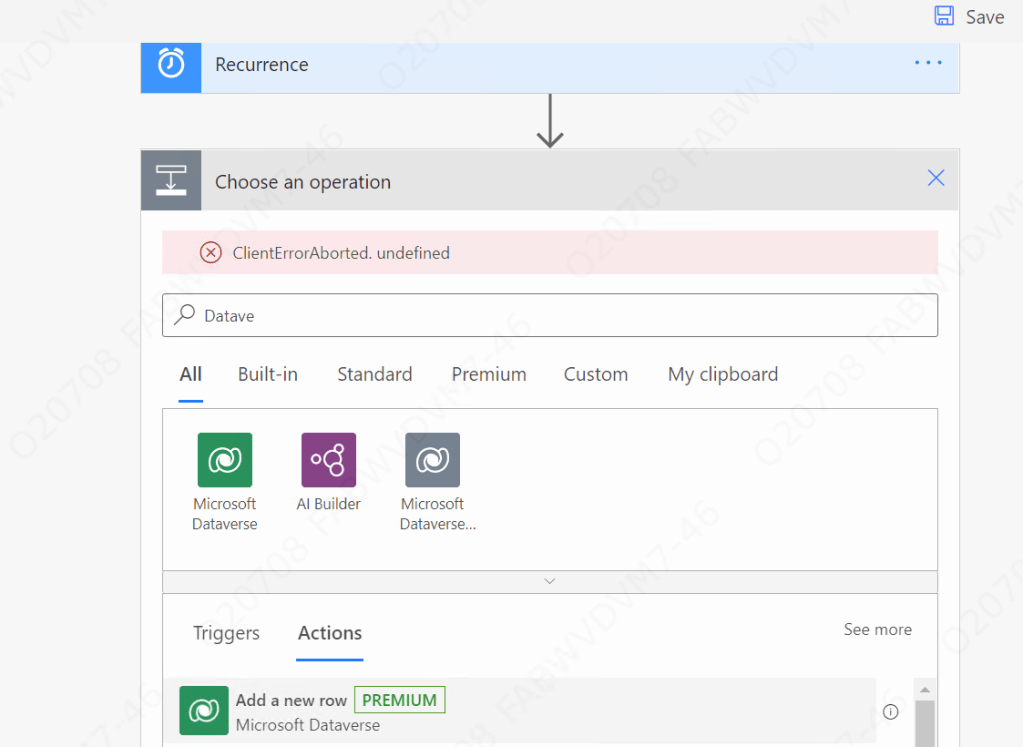
Recently while creating a flow in Power Automate we got the ClientErrorAborted error.

clientaborted

Users were having all the required licenses / roles.

And only a few users were getting the error, who were accessing the Power Platform from their VDI.

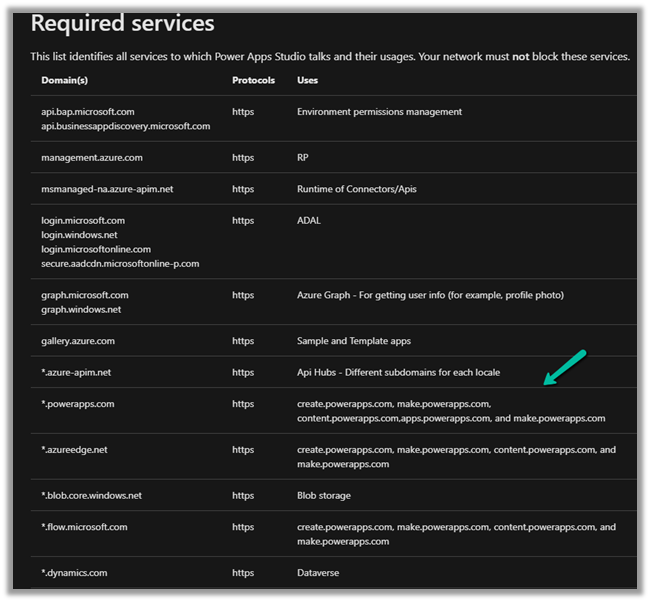
Eventually, after some analysis, we realized that it was because some of the required services were blocked.

We raised the Microsoft Support Ticket who suggested verifying and if required whitelist the below services.

https://docs.microsoft.com/en-us/powerapps/maker/canvas-apps/limits-and-config#required-services

Whitelisting them fixed the issue for us.

Hope it helps..

Advertisements

Case update after resolution settings in Dynamics 365 Customer Service Hub


With the 2021 Release Wave 1 Update, now we can update resolved and canceled cases through API / Power Automate .

https://nishantrana.me/2021/04/20/update-resolved-and-cancelled-cases-incident-without-reopening-reactivating-2021-release-wave-1-dynamics-365/

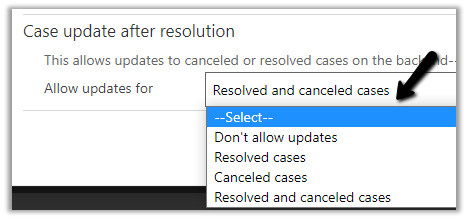
To set it, we can navigate to

Customer Service Hub > Service Management > Service Terms > Service Configuration Settings > Case Update after resolution


The different options available are

  • Don’t allow updates
  • Resolved cases
  • Canceled cases
  • Resolved and canceled cases


Blog posts on 2021 Release Wave 1 – Dynamics 365

Hope it helps..


Advertisements

Power Platform for Admins connector (preview) in Power Automate


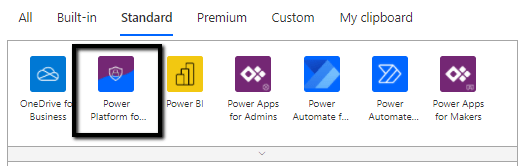
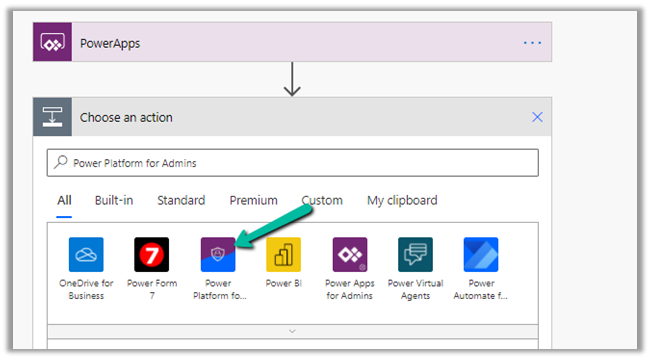
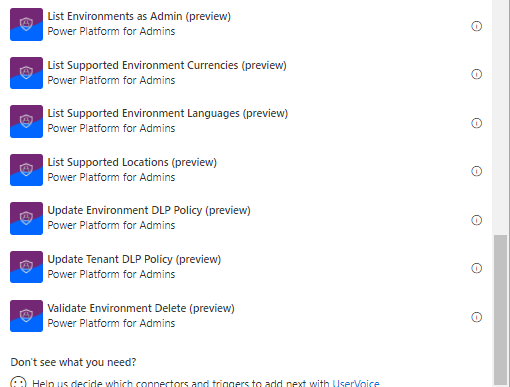
The Power Platform for Admins connector (preview)

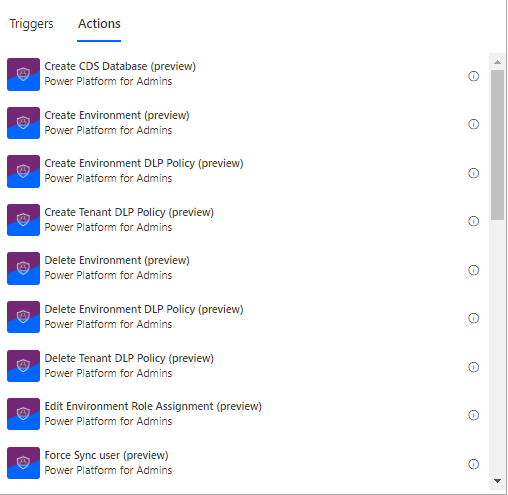
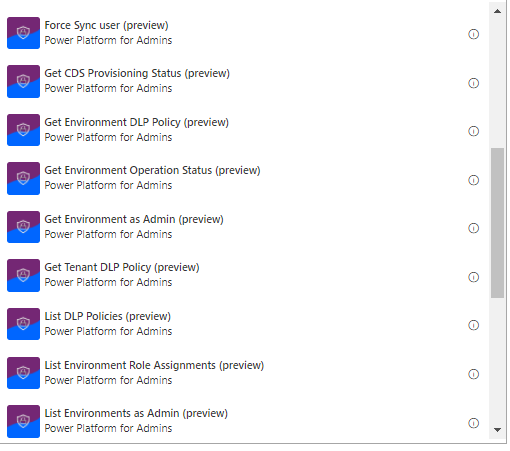
let’s us perform following Actions


The connector allows us to access the Business Applications Platform (BAP) API.

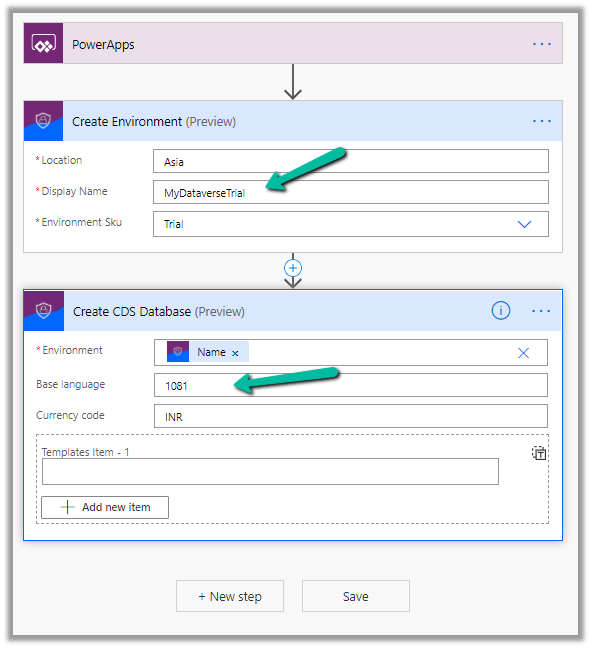
Below is the example of the Create Environment action, followed by Create CDS Database.

Here we are creating a trial environment in Asia region followed by a CDS database in it with base language – Hindi and currency code as INR

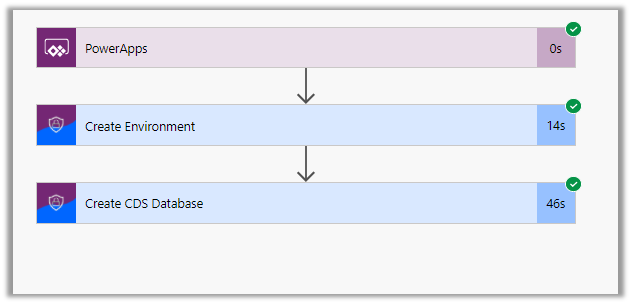
Let us run the flow and see the results

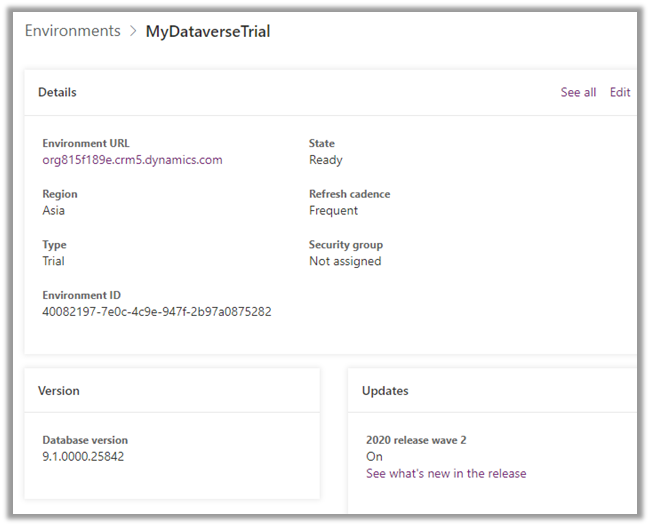
In Power Platform admin center can see the environment created along with the database specified.

All the key URL(s) for Power Platform Admin

Get all the details below –

Power Platform for Admins (Preview)

Power Apps and Power Automate Administration and Governance – Tools and Labs

Hope it helps..

5000 records limit of Fetch XML Query – List records action of Common Data Service (current environment) connector in Power Automate


Recently in one of our requirements, while trying to fetch contact records using Fetch XML Query

https://docs.microsoft.com/en-us/connectors/commondataserviceforapps/#list-records

we realized that we can only retrieve / fetch 5000 records.

Enabling pagination will also not help here (the Next link also come as null).

The alternate solution is to convert the Fetch XML query to OData and use the same inside List records action

https://fetchxmlbuilder.com/features/#render-flow

Get more details here

https://evolved365.com/2020/10/06/working-with-large-cds-datasets-in-power-automate-flows-and-logic-apps/

Hope it helps..

Advertisements

Power Automate vs Azure Logic Apps


Power Automate

Azure Logic Apps

Power Automate is built on top of Azure Logic Apps
It is a SaaS service for workflow automation across several different apps and SaaS services. It is a PaaS service for workflow automation across several different apps, SaaS services, and IaaS services for enterprise integration.
For more of self-service and simple integration scenarios. For complex/advanced integration scenarios
Targeted for Business User, Citizen Developers, Developers, IT Pros. Targeted for Developers and IT Pros.
Brower based designer and mobile app UI only


In-browser as well as Visual Studio
Office 365 Service / License / Subscription Azure Service / License / Subscription
Flow specific Connectors

Power Automate Premium Connectors

Logic App-specific Connectors – SAP, IBM MQ, IoT, Liquid.

Logic Apps Connectors

Power Automate are specific to an environment There is no environment concept, each logic app is an independent entity.
Pay by run Pay by action run and by connector run.
Button flow

Create a button flow

Modern Approvals

https://nishantrana.me/2020/08/31/approvals-power-automate-dynamics-365/

Flow can be extended as Logic Apps

Export flow and deploy to Logic Apps

Power Automate is supposed to be designed and tested in a non-production environment and then promoted to the production environment. The solution makes it possible with connectors requiring reconfiguration. Connection references can be considered here https://flow.microsoft.com/en-us/blog/move-flows-across-environments-without-resetting-connections/
Logic Apps has ALM possibilities.

Automate deployment of Azure Logic Apps

Admin Experience through Power Platform Admin Center. Admin experience through Azure Portal.