In the previous post, we created a simple report and published it to the web and used IFrame to display them in Dynamics 365 CE.
https://nishantrana.me/2018/08/20/power-bi-with-dynamics-365-ce-publishing-power-bi-report-to-the-web/
Now let us create a Power BI
Dashboard using that report, which we will then display inside Dynamics 365 CE as a proper native Dynamics 365 CE’s Power BI Dashboard.
Let us take the fastest route to create them, back in Power BI Service, hover over the chart in the report and select the option “Pin Visual”
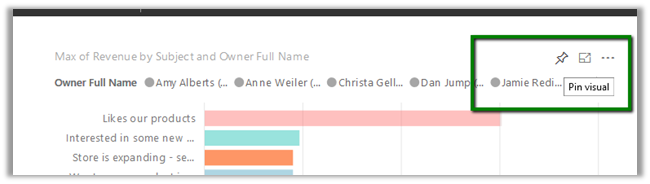
We will be presented with the option of creating a new dashboard or add to an existing one.
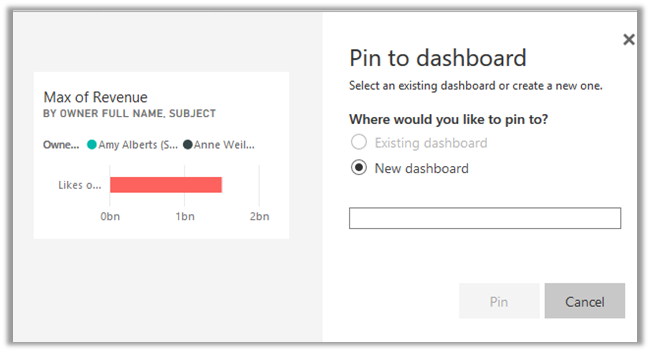
Here we have created a dashboard named “My Dynamics 365 Dashboard”
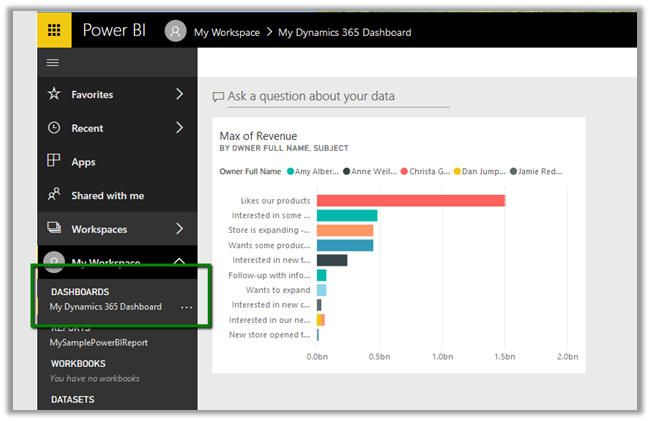
Similarly, we can pin or add the other chart in our Report to this Dashboard.
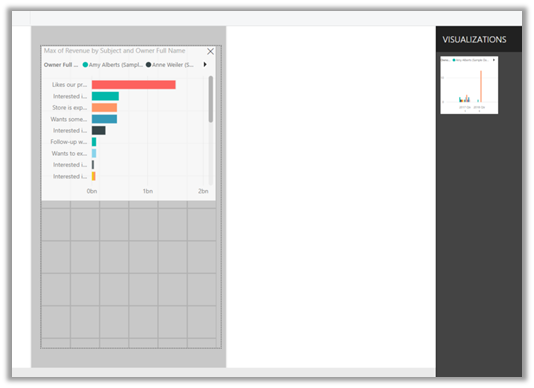
Apart from pinning the chart from the report into the Dashboard we also have the option to configure the Phone View for the Dashboard by clicking on Create phone view.
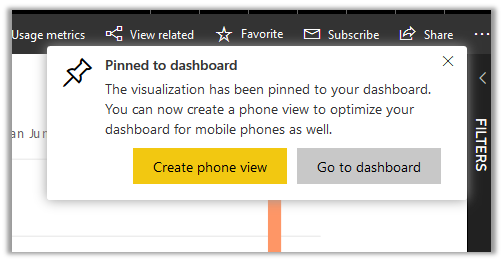
Phone view lets us specify how the report should look within the mobile device by dragging the reports in the designer surface.
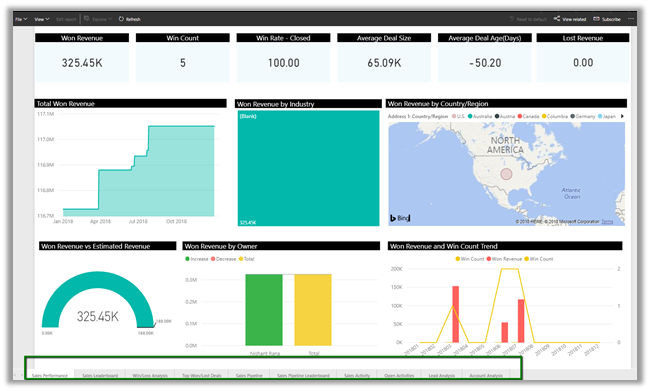
This is how our Dashboard looks now inside Power BI service.
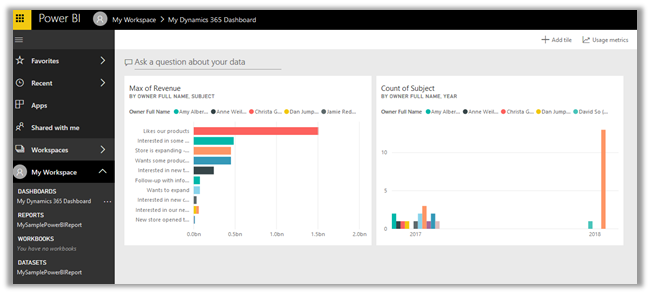
Now suppose we want to share this Dashboard with other users and also want to display this Dashboard inside Dynamics 365 CE, for this, we need to Share them.
However, as soon as we click on Share button we would get the below message.
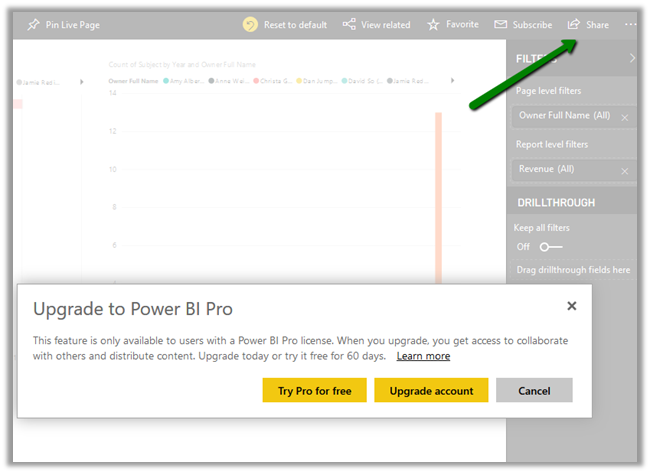
To share and collaborate we need to have Power BI Pro license.
With Power BI Pro license, we can share it the with other users in the organization having the Power BI Pro License and also use the Reports \ Dashboard within Dynamics 365 CE.
Click on Try Pro for free and Start Trial which assigns the user 60-day free trial
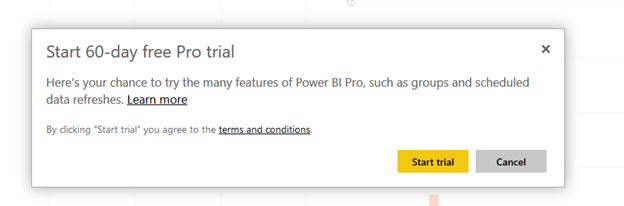
After successfully assigning the license click on Share and select the user to grant access to.
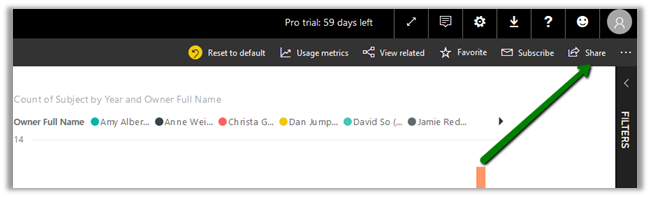
Here we have selected user2 here.
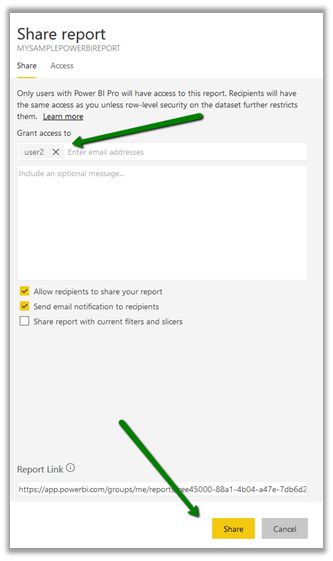
If you remember from the previous posts, the Dashboards and Reports reside inside My Workspace.
Alternatively, we create a workspace and add the members (user 2 in our case) to it with edit access.
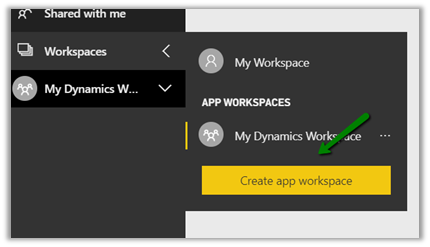
Note: We can publish the report that we created earlier from Power BI Desktop to this new app workspace.
While creating the new workspace we can also define the Access to it for the other users.
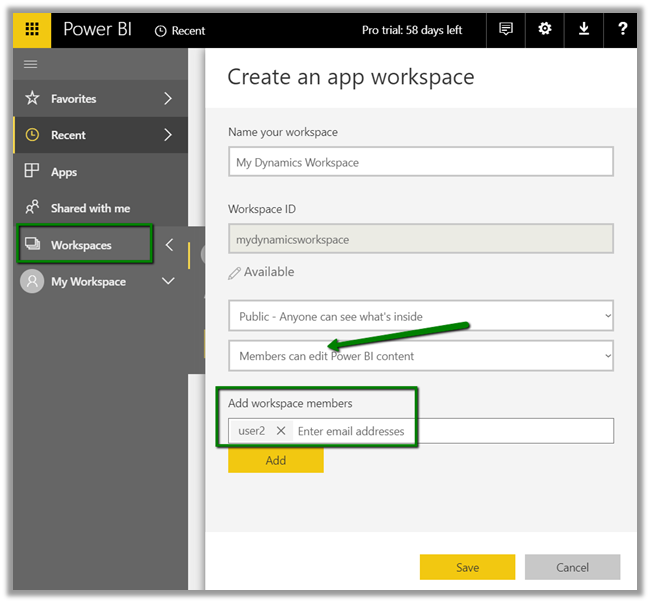
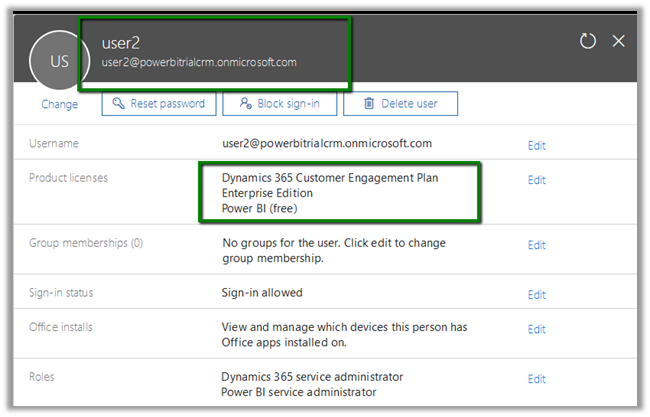
Here we have already assigned Dynamics 365 CE Enterprise Edition Plan and Power BI free license to User 2.
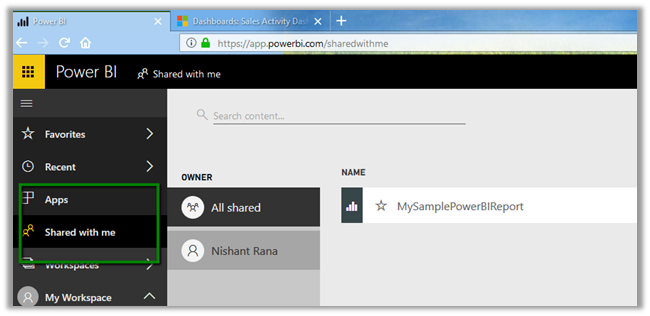
User 2 can see the report in Shared with me section inside Power BI service.
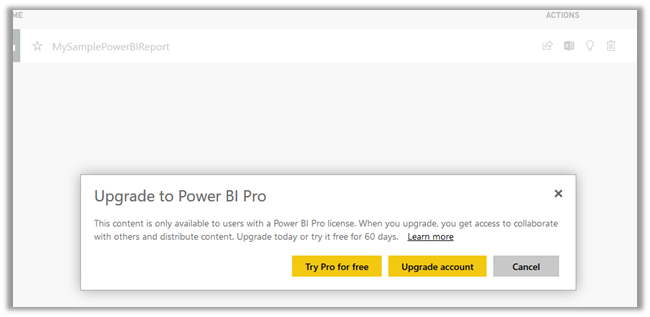
As we had mentioned earlier, when the user2 tries to open the report he is prompted with the message that Power BI Pro license is required to see the reports shared,
Click on Try Pro for free to start the trial for the User 2.
After successful activation user will be able to see the report inside Power BI Service. Here we are done with Sharing and assigning license part, now let us display it within our Dynamics 365.
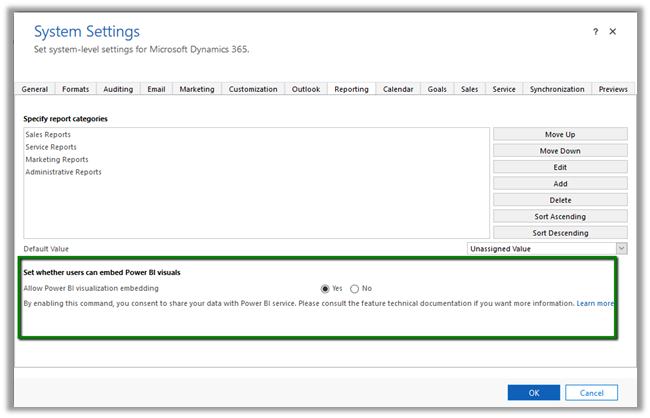
Before we can do so we need to enable Power BI Visualization Embedding inside Dynamics 365 CE.
Navigate to Settings à Administration à System Settings and enable Power BI integration.
Open CRM, and select New to create a new Personal Dashboard and select Power BI Dashboard

It will load the all the Workspaces and the corresponding Dashboard inside it to which the user has access to.
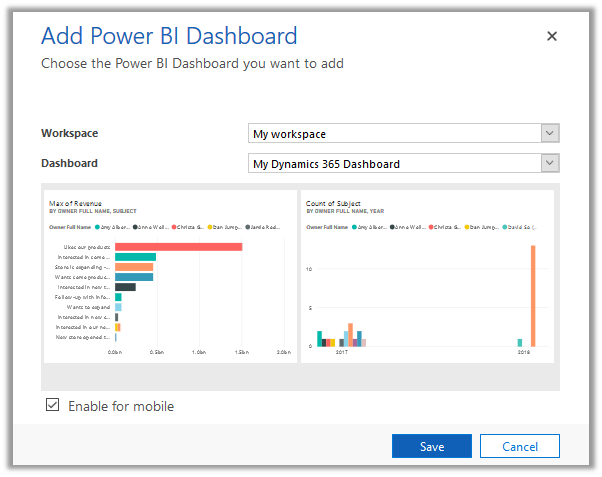
Enable for mobile will make the dashboard available on Dynamics 365 for Tablets and Phones.
Select the Dashboard and click Save.
The Dashboard inside Dynamics 365 à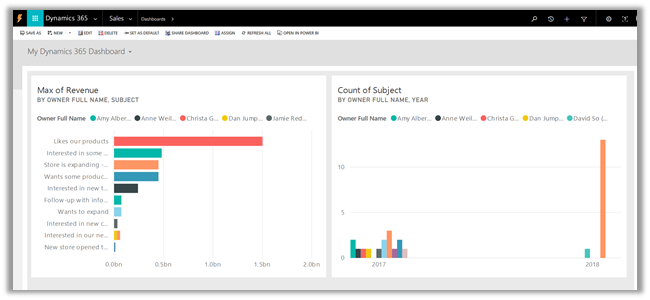
Similarly, User 2 can create a personal Power BI Dashboard inside Dynamics 365 CE and select the dashboard that is shared.
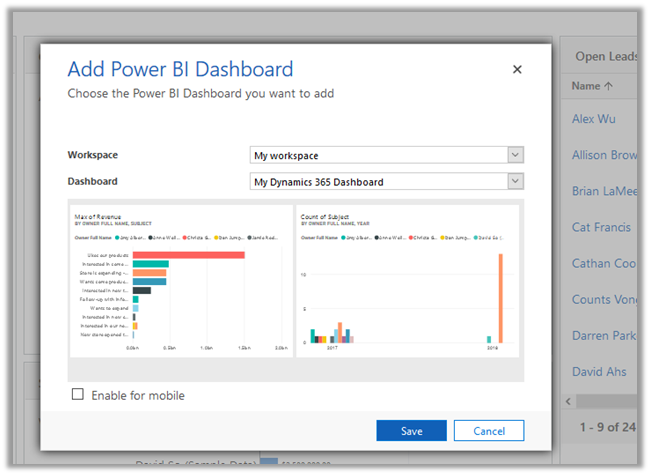
Apart from adding the Dashboard, we can also add the Power BI Tile to the Dashboard.
Create a new Dynamics 365 Dashboard, click on add a Power BI tile option to add the tile as shown below.
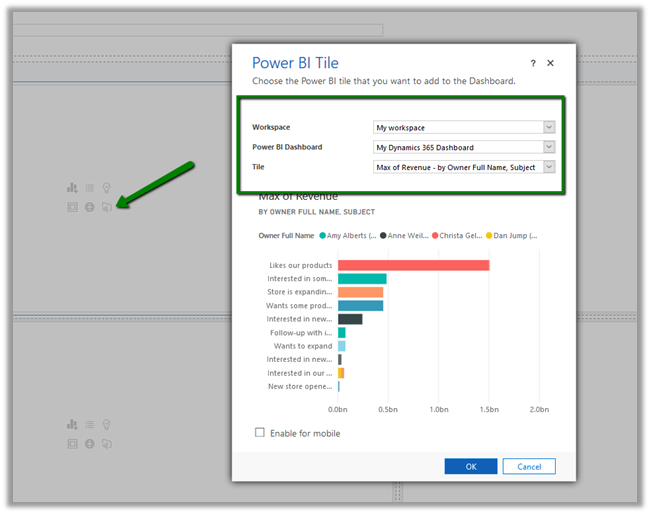
The CRM Dashboard showing Power BI tile à
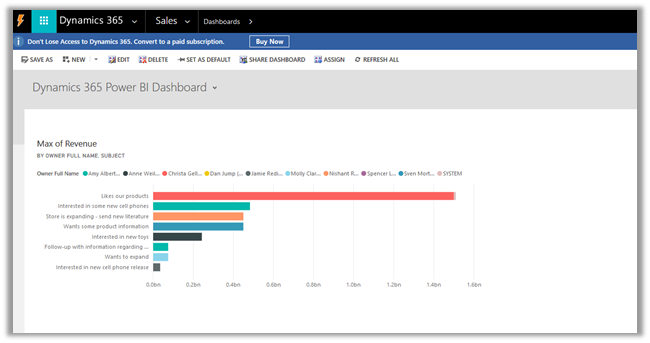
This completes the sharing and displaying the power bi dashboard and reports part inside Dynamics 365 CE, next we will cover how the data can be refreshed so that users are looking at the most up to date data possible.
Hope it helps..