How to – Send an email using AddressUsed attribute of ActivityParty entity in Dynamics 365


When it comes to sending an email in Dynamics 365 / CE / CRM, we specify the entity’s record (with email enabled) in to, cc and bcc field of the email activity entity, and then the email address attribute of that particular record is used.

We can enable email for a custom entity also.
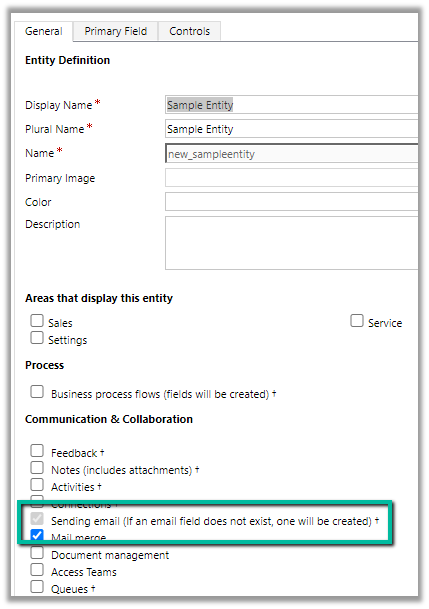
What if we have multiple email address fields specified for a custom entity?

The field which was created first will be used.

Check the below blog post –

https://debajmecrm.com/making-an-entity-enabled-to-send-emails-in-dynamics-365-and-its-existing-email-fields-gotchas/

What about entity like contact and account which have email, email address 2 and email address 3 fields?

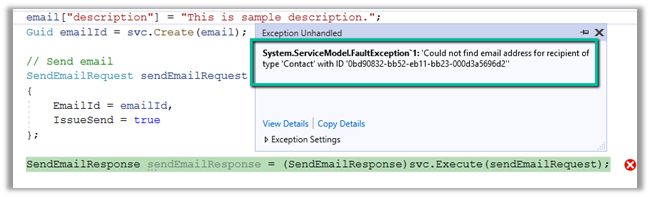
If we trying sending an email to the above contact record, which has email address fields as blank programmatically we will get the below error

“Could not find the email address for the recipient of type ‘Contact’ with ID…”
What if we only have the email address 3 field having email id specified and the other 2 email field are blank?
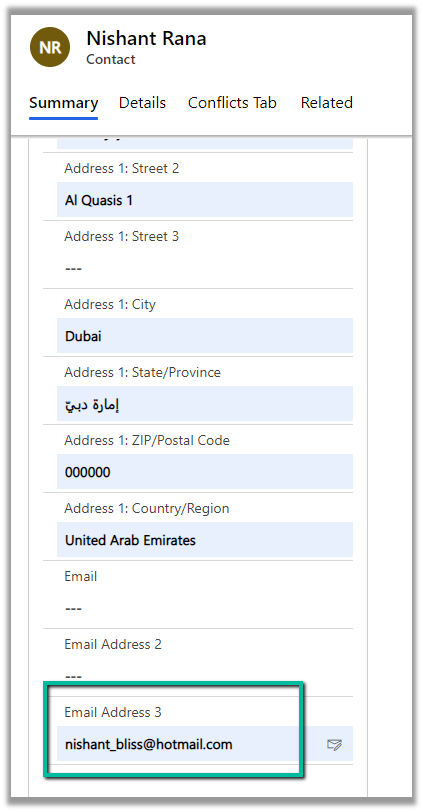
This time our code will run without error, and CRM will pick up the email id specified in the email address 3 field. It will first check for email, then email address 2, and then finally email address 3 field. This happens only in the case of out of the box entity like contact and account.

What if we want to send an email to an email id not specified in the record?

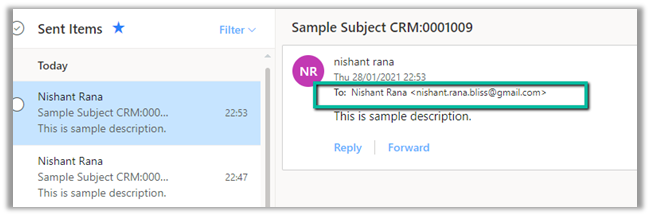
Well in that case AddressUsed attribute of Activity Party can be used as shown below –
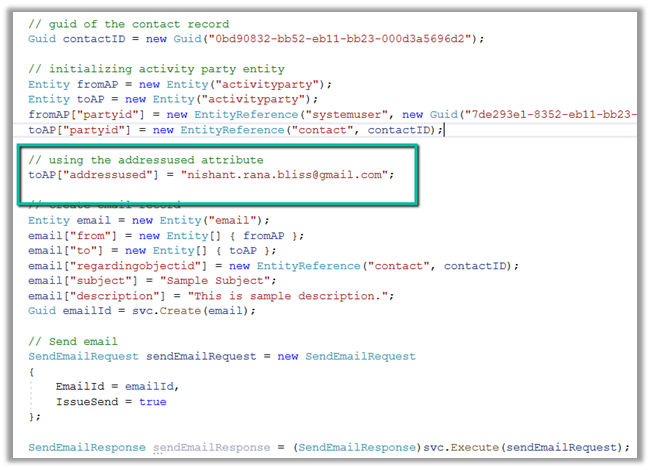
On running the above code, we can see the email specified in the addressused field being used
Understand more about activity party entity

https://docs.microsoft.com/en-us/previous-versions/dynamicscrm-2016/developers-guide/gg309626(v=crm.8)?redirectedfrom=MSDN

The helpful post

http://mostlymscrm.blogspot.com/2012/11/sending-emails-to-specific-address.html

Hope it helps..

string ConnectionString = "AuthType = OAuth; " +
"Username = userid;" +
"Password = pwd; " +
"Url = https://mydev.crm.dynamics.com/;" +
"AppId=51f81489-12ee-4a9e-aaae-a2591f45987d;" +
"RedirectUri=app://58145B91-0C36-4500-8554-080854F2AC97;" +
"LoginPrompt=Auto";

            CrmServiceClient svc = new CrmServiceClient(ConnectionString);

            if (svc.IsReady)
            {
                
                // guid of the contact record 
                Guid contactID = new Guid("0bd90832-bb52-eb11-bb23-000d3a5696d2");

                // initializing activity party entity
                Entity fromAP = new Entity("activityparty");
                Entity toAP = new Entity("activityparty");
                fromAP["partyid"] = new EntityReference("systemuser", new Guid("7de293e1-8352-eb11-bb23-000d3a569919"));
                toAP["partyid"] = new EntityReference("contact", contactID);

                // using the addressused attribute
                toAP["addressused"] = "nishant.rana.bliss@gmail.com";

                // create email record
                Entity email = new Entity("email");
                email["from"] = new Entity[] { fromAP };
                email["to"] = new Entity[] { toAP };
                email["regardingobjectid"] = new EntityReference("contact", contactID);
                email["subject"] = "Sample Subject";
                email["description"] = "This is sample description.";             
                Guid emailId = svc.Create(email);

                // Send email
                SendEmailRequest sendEmailRequest = new SendEmailRequest
                {
                    EmailId = emailId,                   
                    IssueSend = true
                };

                SendEmailResponse sendEmailResponse = (SendEmailResponse)svc.Execute(sendEmailRequest);

            }
Advertisements

How to – Create a custom API of type function in Dynamics 365 / Microsoft Dataverse


Continuing our previous posts,

Create Custom API Message –
https://nishantrana.me/2021/01/13/use-custom-api-to-create-custom-messages-in-dynamics-365/

Allowed Custom Processing Step Type Property –

https://nishantrana.me/2021/01/20/allowed-custom-processing-step-type-allowedcustomprocessingsteptype-property-of-custom-api-in-dynamics-365-microsoft-dataverse/

Here we will create a custom API of type function by setting Is Function property as true.

  • The function requires HTTP GET method.
  • The function must include at least one Custom API Response Property defined.
  • The function cannot use Entity or Entity Collection Request Parameter, i.e. Binding Type can only be Global in case of Function.

Let us define a Custom API Response Property and associate it with the custom function defined.

Here we have defined a custom API response property of type Boolean.

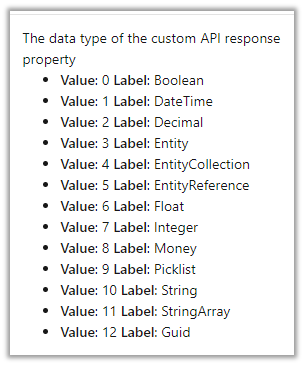
The other data type supported are

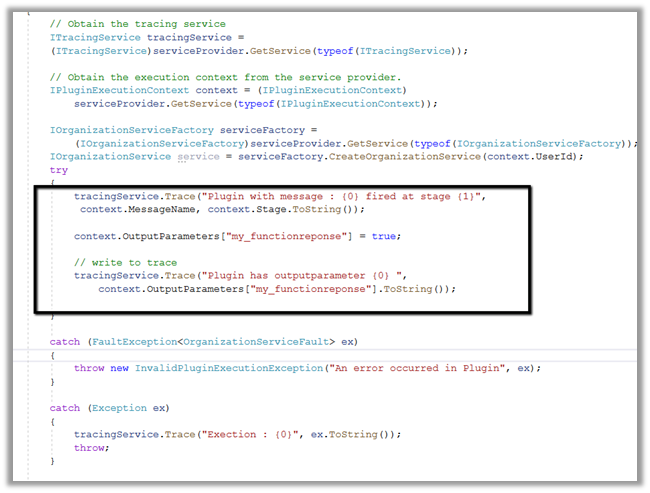
Below is the plug-in that we will associate with the Custom API message, here we are setting the value of the response parameter.

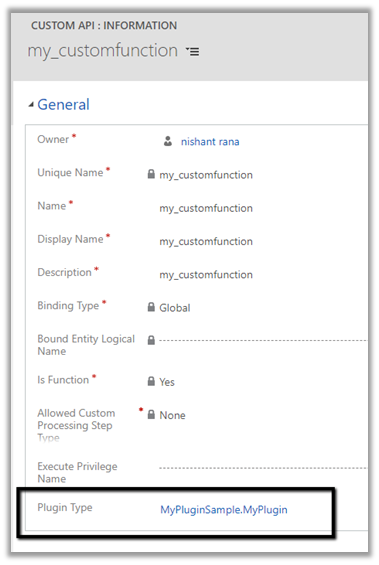
Associated the plugin to the custom API message

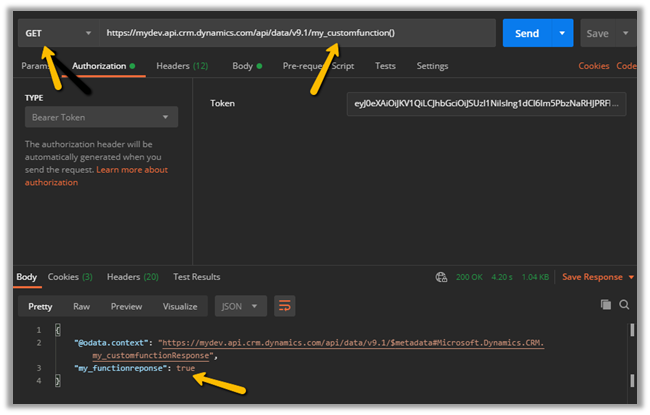
Let us trigger our function using the Postman.

Invoking Custom APIs

https://docs.microsoft.com/en-us/powerapps/developer/data-platform/custom-api#invoking-custom-apis

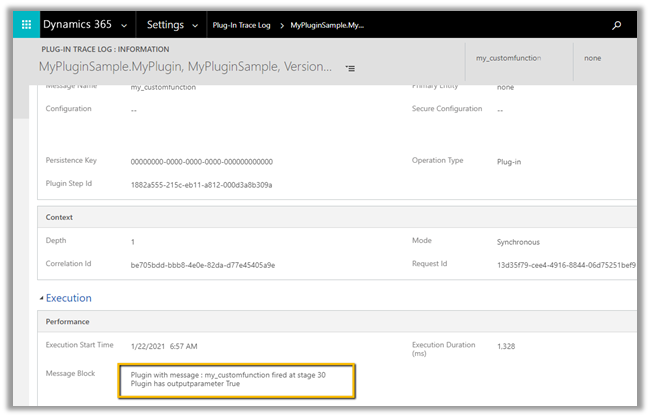
Plugin trace log –

More information on Custom API

Hope it helps..

Advertisements

Export key attribute uniquename for component CustomAPI must start with a valid customization prefix exception while creating Custom Action in Dynamics 365


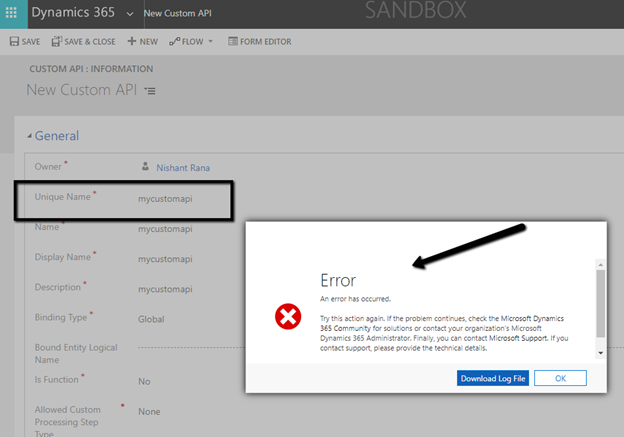
We might get below error while creating a custom action from the maker portal without specifying the prefix.

Unhandled exception:

Exception type: System.ServiceModel.FaultException`1[Microsoft.Xrm.Sdk.OrganizationServiceFault]

Message: Export key attribute uniquename for component CustomAPI must start with a valid customization prefix

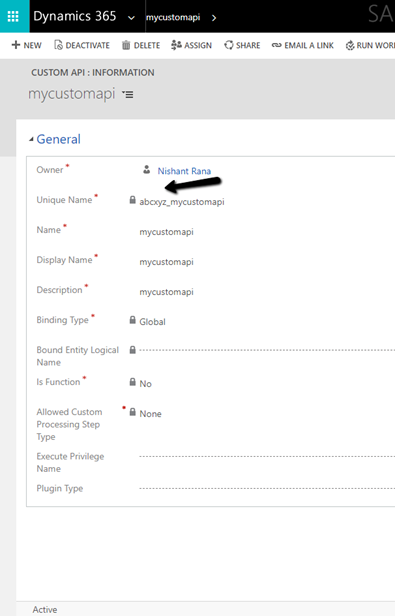
As the message suggests, we need to add prefix to the Unique Name of the custom API.

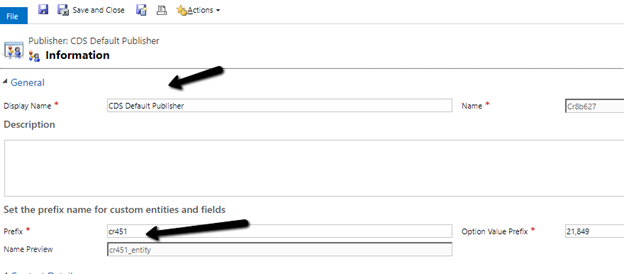
Check the prefix of the solution publisher and specify the same.

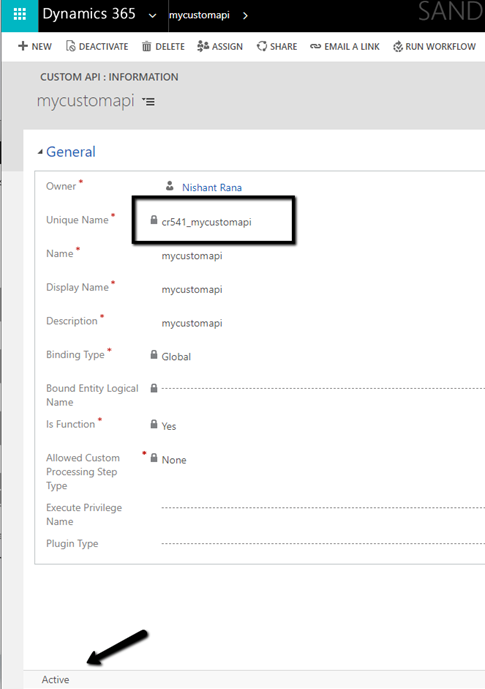
Adding the prefix allows us to save and create the Custom action record.

Microsoft docs suggest that is should match the prefix specified for the solution publisher

but it seems we can specify any prefix there and it allows us to save the record.

More on Custom API –

Create Custom API Message –
https://nishantrana.me/2021/01/13/use-custom-api-to-create-custom-messages-in-dynamics-365/

Execute Privilege Name Property –

https://nishantrana.me/2021/01/14/execute-privilege-name-executeprivilegename-property-of-custom-api-in-dynamics-365-microsoft-dataverse/

Allowed Custom Processing Step Type Property –

https://nishantrana.me/2021/01/20/allowed-custom-processing-step-type-allowedcustomprocessingsteptype-property-of-custom-api-in-dynamics-365-microsoft-dataverse/

Hope it helps..

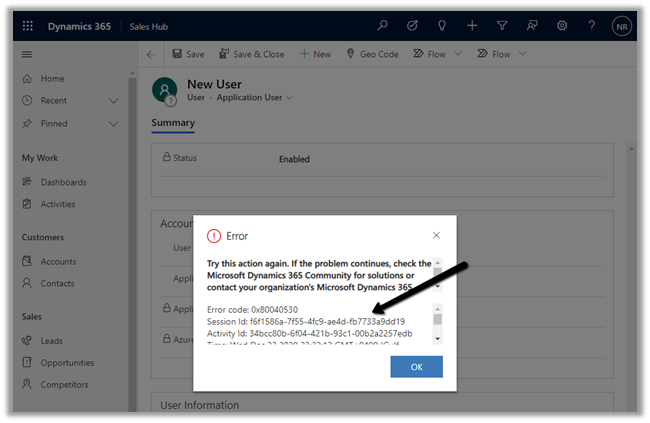
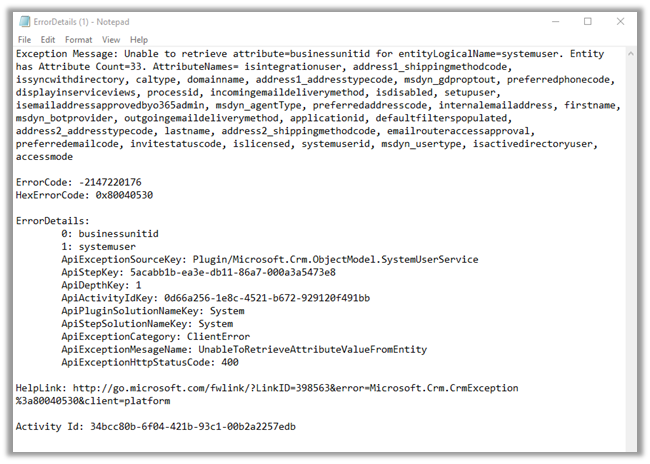
Unable to retrieve attribute=businessunitid for entityLogicalName=systemuser exception while creating Application User in Dynamics 365


Recently while trying to add a new application user we got the below error message

More on Application User –

https://nishantrana.me/2020/12/24/application-user-form-missing-in-dynamics-365/

https://nishantrana.me/2020/12/23/d365-the-user-is-not-a-member-of-the-organization-error-while-connecting-to-ce/

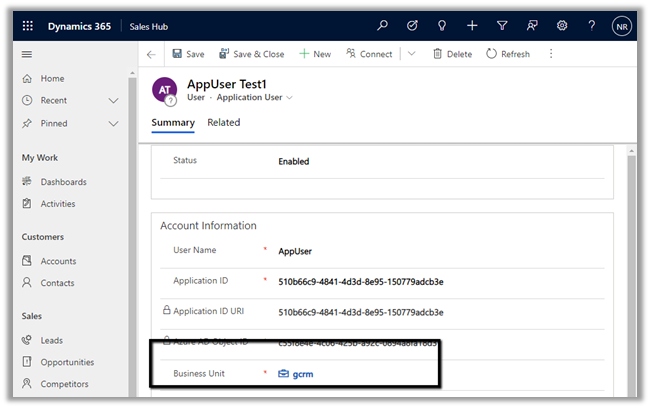
Adding the missing Business Unit field in the form fixed it.

Hope it helps..

How to – Manage Dynamics 365 Web API with Azure API Management


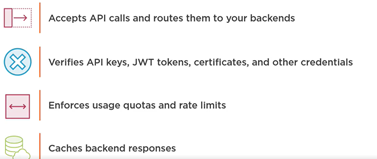
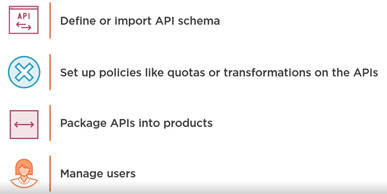
Azure API Management is an Azure service to create consistent API gateways for secure, scalable access for back-end applications and services.

Azure API Management consists of 3 main components

  • API Gateway

  • Azure Portal for administration

  • Developer Portal for API documentation

Each API inside Azure API Management contains a reference to the back-end service that implements the API and its operations.

Let us start by creating the Azure API Management resource –

Login to Azure Portal

https://portal.azure.com/

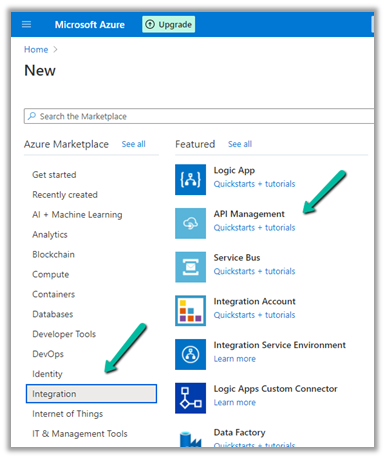
Search for API Management

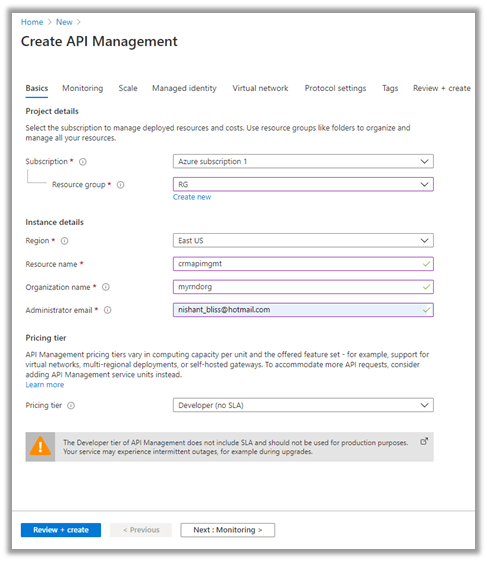
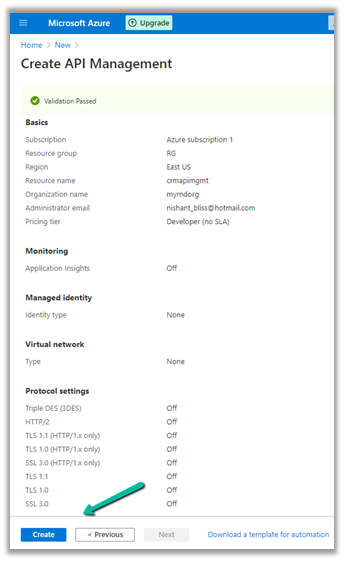
Provide the appropriate details. (Here we have selected the – Developer tier)

After validation is passed, review and click on Create.

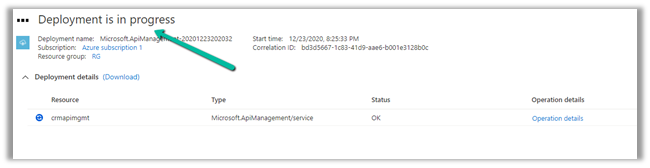
It will take around 30 minutes for the deployment to be finished

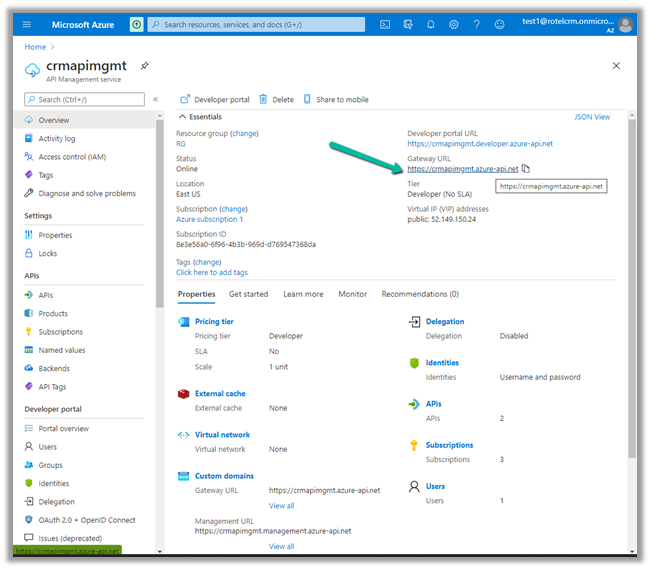
After the deployment is successful, we can navigate to it and can find the Gateway URL and Developer portal URL as shown below.

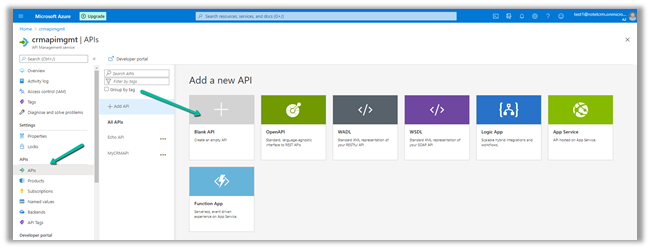
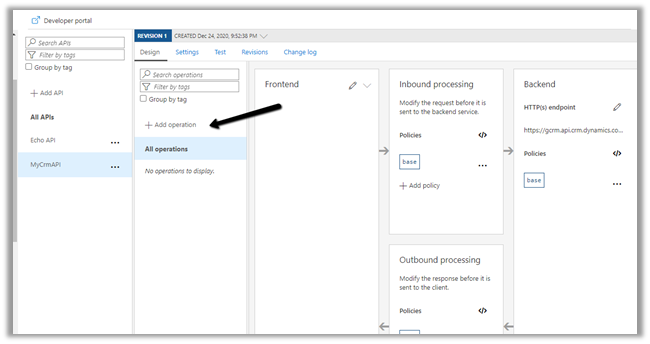
Here we will start with a Blank API.

Specify the display name, name and for Web service URL the URL of Dynamics 365 Web API

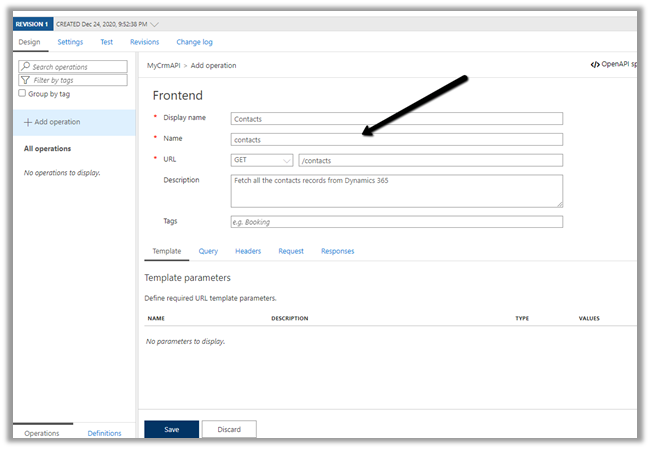
Click on +Add operation to add a new operation to the API.

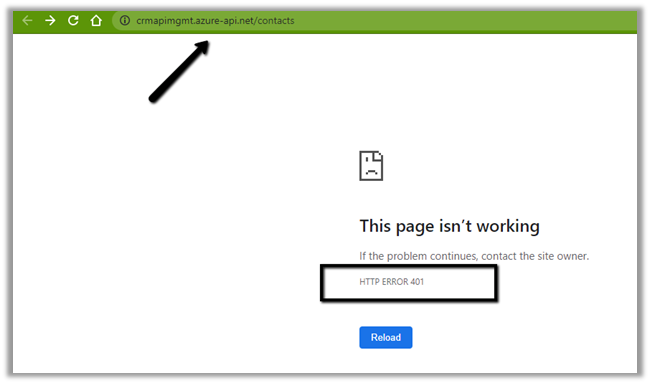
Specify the URL as shown below to fetch all the contacts from Dynamics 365.

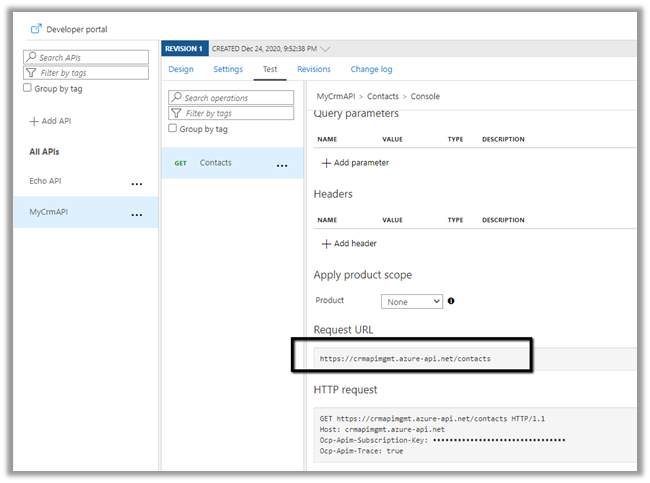
The URL of the operation

Right now we will get the 401 error as expected as we have not passed the token expected by the Web API.
Now for the token part for calling the Dynamics 365 API, register the Application in Azure AD, create a new Application User, and assign appropriate security roles to it.

https://docs.microsoft.com/en-us/powerapps/developer/data-platform/authenticate-oauth#connect-as-an-app

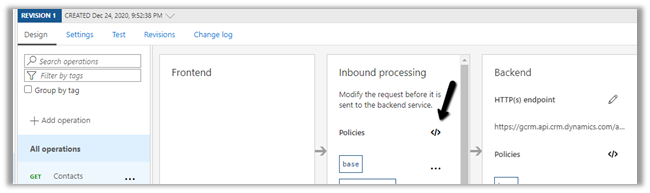
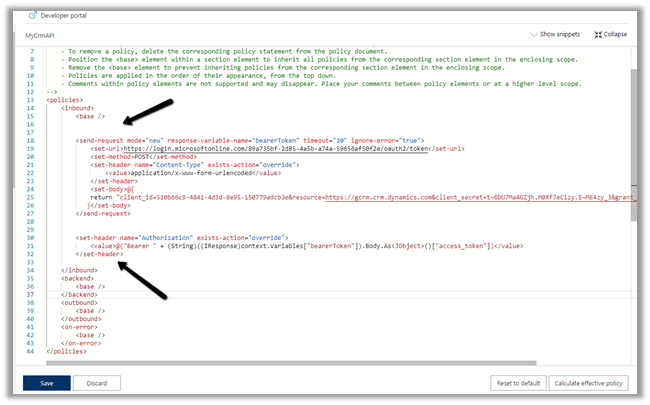
Here we would be defining send-request policy, to generate the Token and pass it in the Authorization header to the Dynamis 365 Web API request.

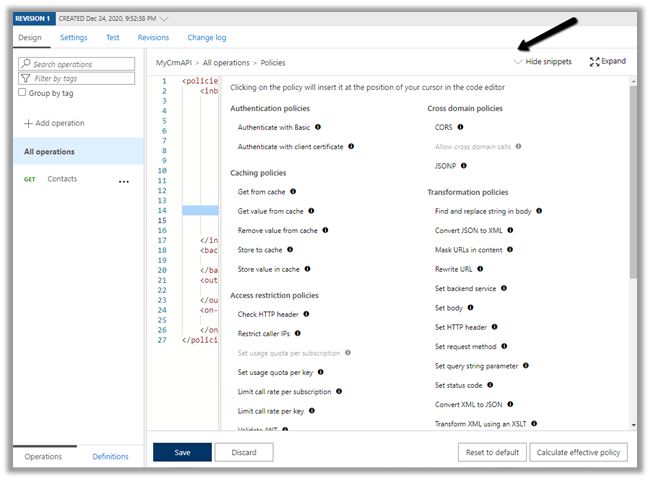
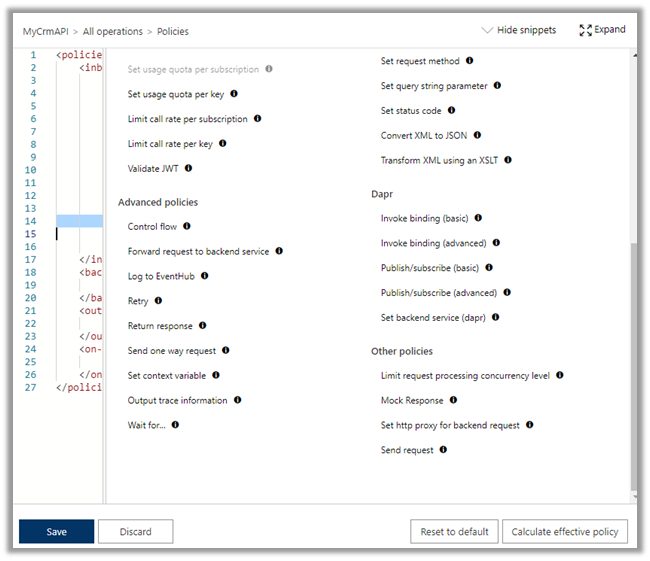
Select the GET operation, navigate to the Design tab and open the policy code editor for inbound processing

Add the send-request and set-header policy to generate and set the bearerToken

Specify the endpoint URL of OAuth token, client id, client secret of the application registered.

"copy code from the end of the post"

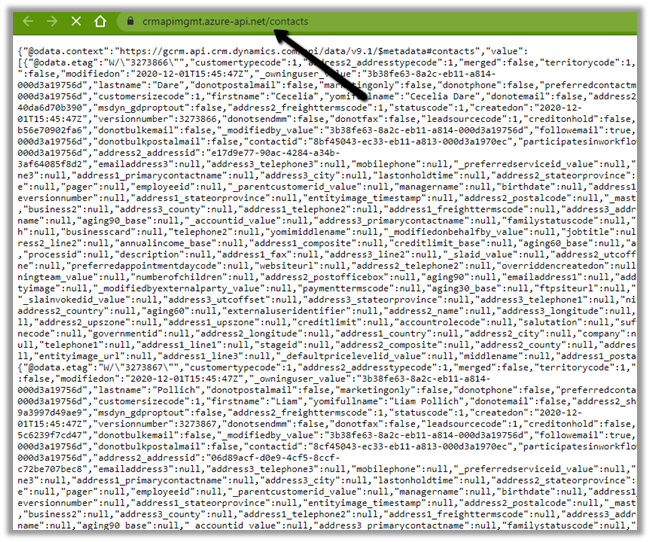
Save the change and let us test the API.

We can see the results as expected.

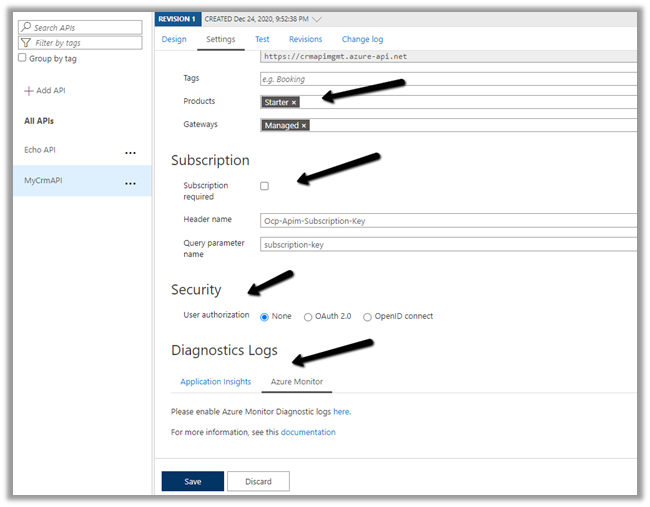
The other things that can be done are to associate the API with Products, specify Subscription, Security, enable Application Insights, Azure Monitor etc.

Specify policies –

https://docs.microsoft.com/en-us/azure/api-management/api-management-policies

References –

https://transform365.blog/2020/03/29/azure-api-management-and-dynamics-365-web-api/

https://app.pluralsight.com/library/courses/microsoft-azure-developer-implement-api-management/table-of-contents

Hope it helps..

<policies>
  <inbound>
    <base />
    <send-request mode="new" response-variable-name="bearerToken" timeout="20" ignore-error="true">
      <set-url>https://login.microsoftonline.com/89a735bf-2d85-4a5b-a74a-59656af50f2e/oauth2/token</set-url>
      <set-method>POST</set-method>
      <set-header name="Content-Type" exists-action="override">
        <value>application/x-www-form-urlencoded</value>
      </set-header>
      <set-body>@{ return "client_id=510b66c9-4841-4d3d-8e95-150779adcb3e&resource=https://gcrm.crm.dynamics.com&client_secret=t~6DU7Ma4GZjh.M0Xf7eCizy.E~ME4zy_3&grant_type=client_credentials"; }</set-body>
    </send-request>
    <set-header name="Authorization" exists-action="override">
      <value>
        @("Bearer " + (String)((IResponse)context.Variables["bearerToken"]).Body.As<JObject>()["access_token"])</value>
    </set-header>
  </inbound>
  <backend>
    <base />
  </backend>
  <outbound>
    <base />
  </outbound>
  <on-error>
    <base />
  </on-error>
</policies>
Advertisements

Execute Privilege Name (ExecutePrivilegeName) property of Custom API in Dynamics 365 / Microsoft Dataverse


In the previous post, we created a simple custom API  https://nishantrana.me/2021/01/13/use-custom-api-to-create-custom-messages-in-dynamics-365/

Let us look at its different properties starting with ExecutePrivilegeName

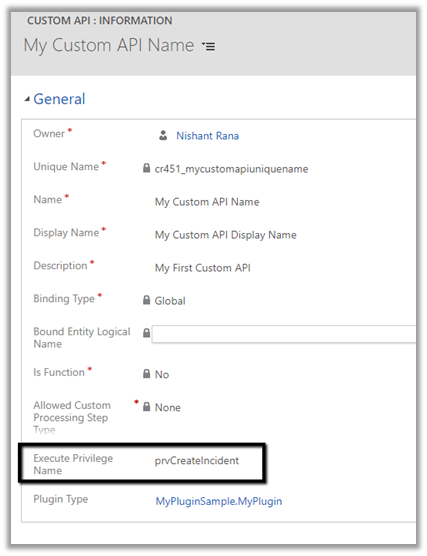
Execute Privilege Name attribute of custom API allows us to specify the name of the privilege that allows execution of the custom API.

Let us update the custom API and specify the privilege name.

For simplification, we have used prvCreateIncident here i.e. Create Case / Incident Privilege.

To get the Privilege name

https://%5Borgname%5D.api.crm.dynamics.com/api/data/v9.1/privileges?$select=name


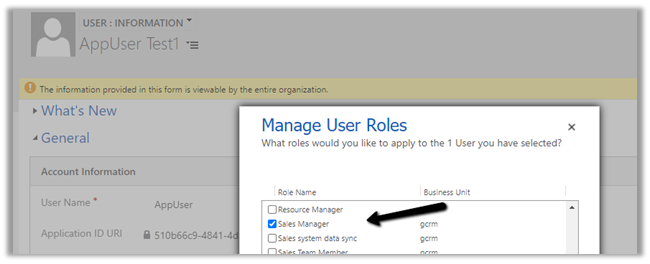
To test, we updated the security of the Application User to Sales Manager role which doesn’t have the create incident privilege.

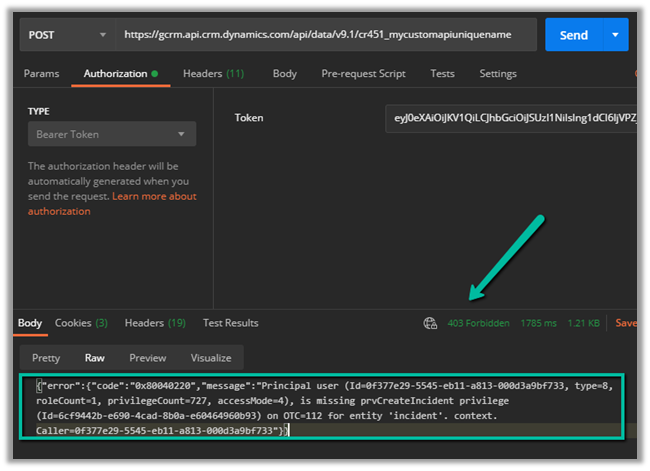
Calling the custom API this time as expected gave us the below error

{“error”:{“code”:”0x80040220″,”message”:”Principal user (Id=0f377e29-5545-eb11-a813-000d3a9bf733, type=8, roleCount=1, privilegeCount=727, accessMode=4), is missing prvCreateIncident privilege (Id=6cf9442b-e690-4cad-8b0a-e60464960b93) on OTC=112 for entity ‘incident’. context.Caller=0f377e29-5545-eb11-a813-000d3a9bf733″}}


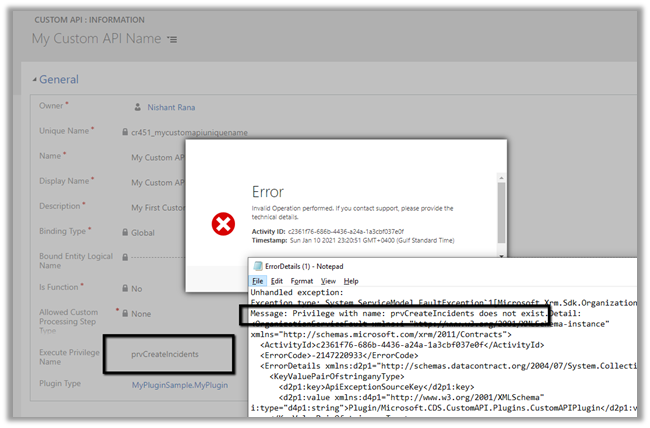
If we specify an incorrect privilege name we would get the below error and will not be able to save the record.


Hope it helps..


Advertisements