Unable to Delete Work Order Due to “The Time To Promised Must Be Later Than The Time From Promised” exception – Dynamics 365 Field Service


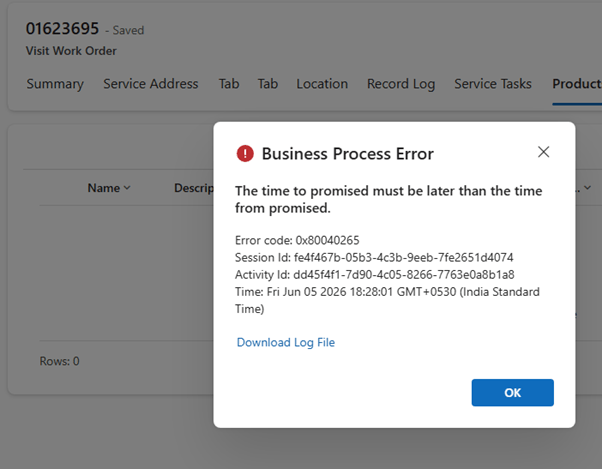
While attempting to delete a historical Dynamics 365 Field Service Work Order, we encountered the following error:

Exception Message: The time to promised must be later than the time from promised.

ErrorCode: -2147220891

HexErrorCode: 0x80040265

Error Details: {“errorCode”:2147746405,”message”:”The time to promised must be later than the time from promised.”,”code”:2147746405,”raw”:”{\”_errorCode\”:2147746405,\”_errorFault\”:{\”_responseXml\”:null,\”_errorCode\”:2147746405,\”_innerFault\”:{\”_responseXml\”:null,\”_errorCode\”:0,\”_innerFault\”:null,\”_callStack\”:null,\”_responseText\”:null,\”_annotations\”:null,\”_hasCustomerInfo\”:false,\”_messages\”:[\”The time to promised must be later than the time from promised.\”]},\”_callStack\”:null,\”_responseText\”:\”{\\\”error\\\”:{\\\”code\\\”:\\\”0x80040265\\\”,\\\”message\\\”:\\\”The time to promised must be later than the time from promised.\\\”,\\\”@Microsoft.PowerApps.CDS.ErrorDetails.ApiExceptionSourceKey\\\”:\\\”Plugin/Microsoft.Dynamics.FieldService.FieldServicePlugin\\\”,\\\”@Microsoft.PowerApps.CDS.ErrorDetails.ApiStepKey\\\”:\\\”919f17c2-2931-4b27-b6b2-daaf91aaaaf8\\\”,\\\”@Microsoft.PowerApps.CDS.ErrorDetails.ApiDepthKey\\\”:\\\”1\\\”,\\\”@Microsoft.PowerApps.CDS.ErrorDetails.ApiActivityIdKey\\\”:\\\”1642f2af-356e-45c3-b971-42b11e9e91d9\\\”,\\\”@Microsoft.PowerApps.CDS.ErrorDetails.ApiPluginSolutionNameKey\\\”:\\\”

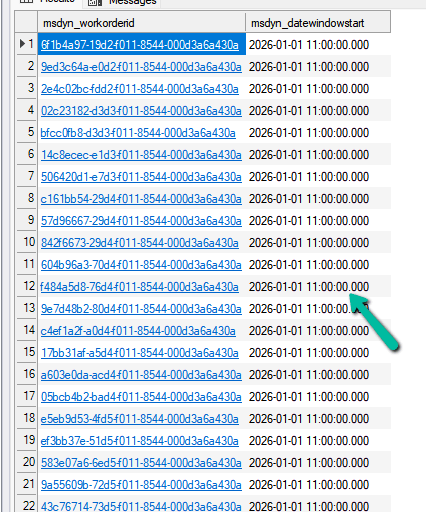
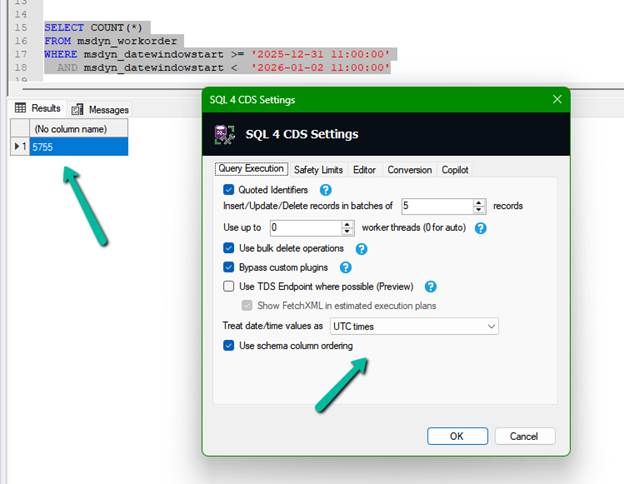
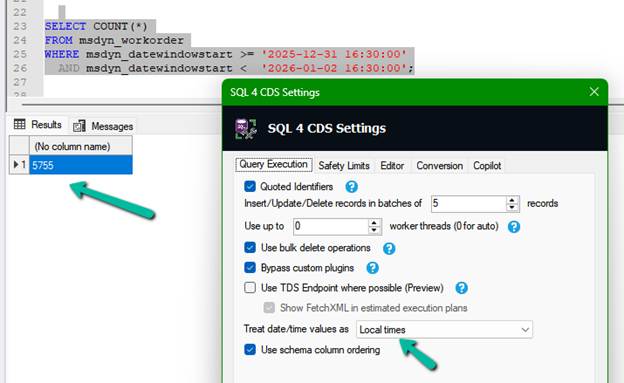
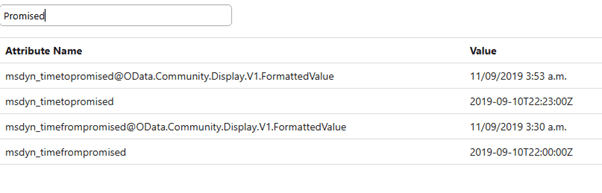
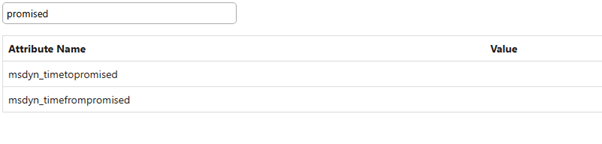
At first, the error suggested that the Work Order contained invalid promise dates. We reviewed the values stored on the record and found that Time To Promised was already later than Time From Promised.

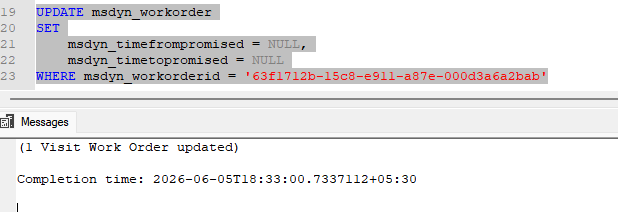
Since the values appeared valid, we attempted to clear both fields using SQL 4 CDS:

The update completed successfully and both fields were set to NULL.

However, deleting the Work Order still resulted in the same error.

Changing the Work Order Status to Cancelled also didn’t help.

After further testing, we changed the Record Status from Active to Inactive. Once the record was inactive, the Work Order could be deleted successfully.

Based on the plugin trace, deleting the Work Order triggered an internal update before the delete operation was executed. It appears that when the Work Order was Active, additional Field Service validations were performed, resulting in the promised date error even after the fields were cleared.

After changing the record to Inactive, the delete operation likely followed a different validation path, allowing the Work Order to be deleted successfully.

Hope it helps..

Advertisements

Testing the New RunJobForSandbox Option in Bulk Delete Jobs (Preview) – Dataverse / Dynamics 365


“Edit – 25 – June – 2026 – This only applies to sandbox environments not production. Can see Microsoft updating the details.

Details

Microsoft recently introduced a preview feature for Dataverse Bulk Delete Jobs that provides additional control over bulk delete processing. One of the new options available when creating a bulk delete job through the API is RunJobForSandbox.

According to the documentation, this option is intended to control sandbox processing during bulk delete operations, which could be particularly useful in environments where delete plugins or custom workflows impact large-scale data cleanup activities.

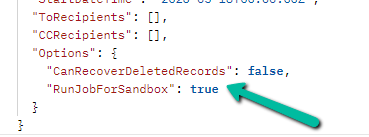
For our testing, we created a Bulk Delete Job using Postman and included the following option in the request payload:

{
  "QuerySet": [
    {
      "EntityName": "contact",
      "Criteria": {
        "FilterOperator": "And",
        "Conditions": [
                   {
            "AttributeName": "createdon",
            "Operator": "OnOrBefore",
            "Values": [
              {
                "Value": "2026-09-07T23:59:59Z",
                "Type": "System.DateTime"
              }              
            ]
          }
        ]
      }
    }
  ],
  "JobName": "Sample Bulk Delete Job with Run Job For Sandbox True",
  "SendEmailNotification": false,
  "RecurrencePattern": "",
  "StartDateTime": "2026-05-18T00:00:00Z",
  "ToRecipients": [],
  "CCRecipients": [],
  "Options": {
    "CanRecoverDeletedRecords": false,
    "RunJobForSandbox": true
  }
}

The complete job targeted Contact records based on their Created On date and was created successfully.

To understand how this option behaves, we registered a simple plugin on the Delete message of the Contact table. The plugin was intentionally designed to throw an InvalidPluginExecutionException whenever a record deletion was attempted.

Our expectation was that enabling RunJobForSandbox would prevent the sandbox plugin from executing during the bulk delete process, allowing the records to be deleted successfully.

However, the results were different from what we anticipated.

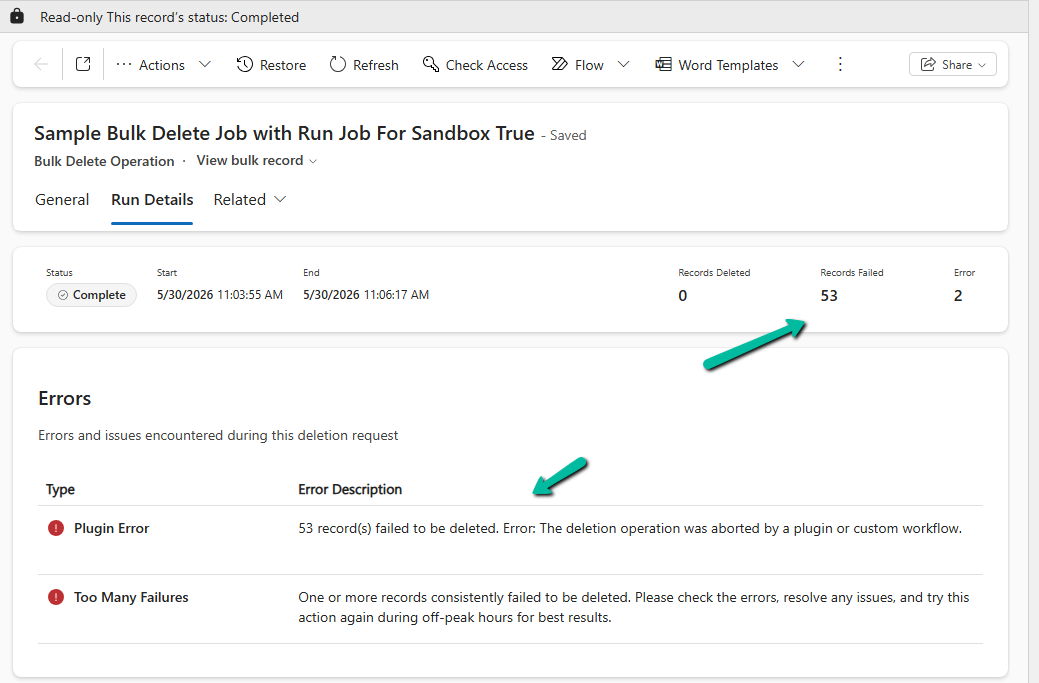
When the bulk delete job was executed, the delete plugin was still triggered. Because the plugin threw an exception, all targeted records failed to delete. The Bulk Delete Job completed with failures and reported errors indicating that the deletion operation had been aborted by a plugin or custom workflow.

Since this capability is currently in Preview, it is possible that the feature is still evolving, has limitations that are not yet documented, or requires additional configuration. To better understand the observed behavior, we have raised a Microsoft Support ticket and are awaiting clarification from the team.

Even though our initial test did not produce the expected result, this is still a very promising feature. Once fully implemented and generally available, the ability to control sandbox processing during bulk delete operations could make large-scale data cleanup significantly easier, especially in environments where plugins and custom workflows frequently interfere with bulk deletion activities.

We’d update this post once we receive additional information from Microsoft regarding the current behavior and intended functionality of RunJobForSandbox.

The feature is documented here:

Control Bulk Delete Processing (Preview)

Hope it helps..

Advertisements

Using RetrieveDependenciesForDeleteRequest to find and delete hidden dependencies (Dataverse/ Dynamics 365)


Please refer to the post below, which provides a clear explanation of how RetrieveDependenciesForDeleteRequest works and how it can be used to identify dependencies.

Troubleshooting Hidden Dependency Errors in Dynamics 365 and Dataverse


Recently, while cleaning up some old customizations in Dynamics 365, we came across an interesting dependency issue that was not immediately obvious from the user interface. What initially looked like a simple Business Process Flow deletion turned into a deeper investigation into how Dataverse manages published dependencies internally.

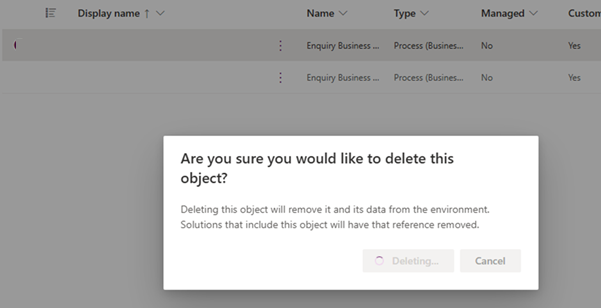
While trying to delete a BPF, Dataverse returned the following error: – Failed to delete (). Object dependencies exist, please review before deleting.

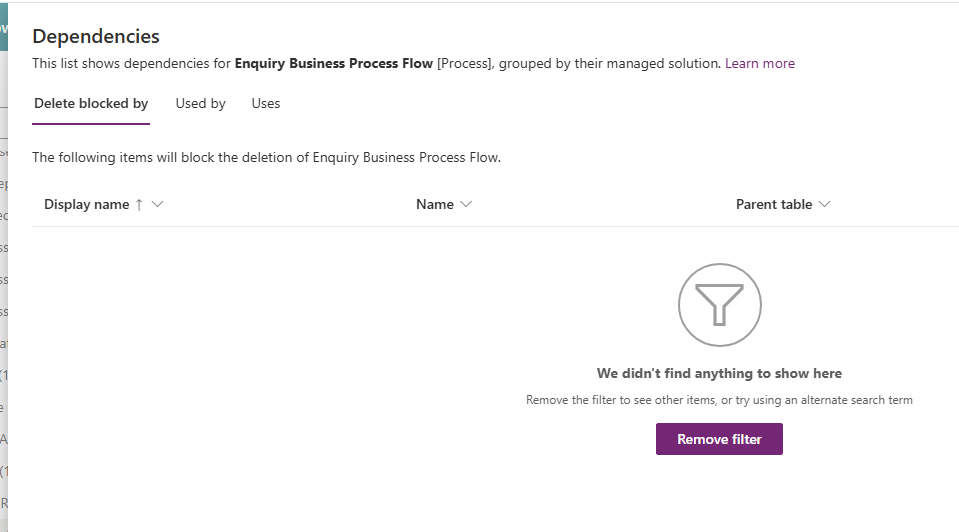
Normally, the first step in this situation is to use the built-in dependency viewer. However, in this case, the dependency screen itself was not particularly helpful. Even though the platform clearly stated that dependencies existed, the dependency dialog was not showing any actual records / components blocking the deletion.

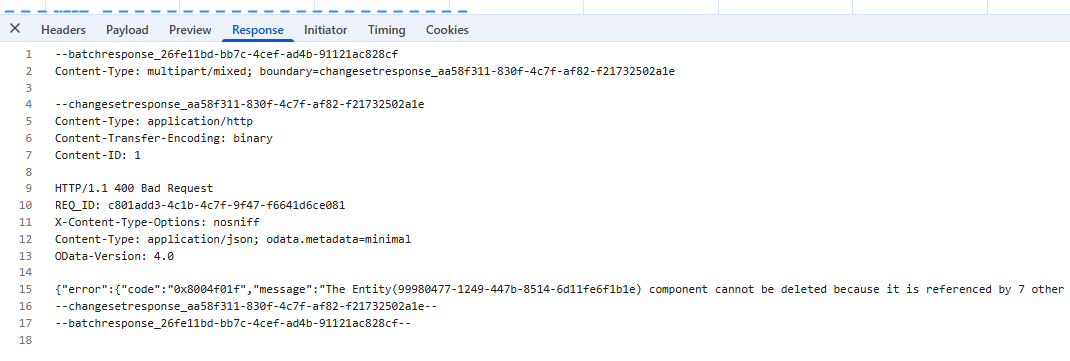
To investigate further, we opened the browser developer tools and inspected the network response generated during the delete operation. The response payload contained much more detail than what was shown in the UI, including the GUID of the component and information indicating that dependencies still existed behind the scenes.

The Entity(99980477-1249-447b-8514-6d11fe6f1b1e) component cannot be deleted because it is referenced by 7 other components.

{“error”:{“code”:”0x8004f01f”,”message”:”The Entity(99980477-1249-447b-8514-6d11fe6f1b1e) component cannot be deleted because it is referenced by 7 other components. For a list of referenced components, use the RetrieveDependenciesForDeleteRequest.”}}

–changesetresponse_aa58f311-830f-4c7f-af82-f21732502a1e–

–batchresponse_26fe11bd-bb7c-4cef-ad4b-91121ac828cf—

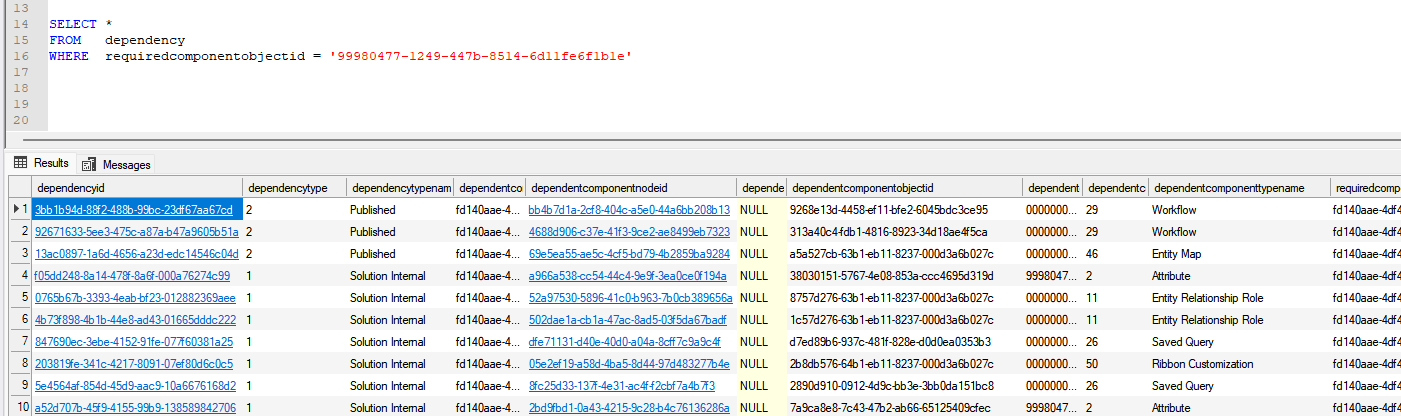
With the component GUID available, we switched to SQL 4 CDS to query the dependency table directly. The following query was used:

SELECT *

FROM dependency

WHERE requiredcomponentobjectid = ‘99980477-1249-447b-8514-6d11fe6f1b1e’

The results immediately started revealing useful information. One of the most important columns in the results was:

dependencytype = 2, dependencytypename = Published

This turned out to be the key detail. A dependency type of Published means the reference is actively present in the environment and is currently preventing deletion of the component.

The dependency records also showed the following values:

dependentcomponenttype = 29, dependentcomponenttypename = Workflow

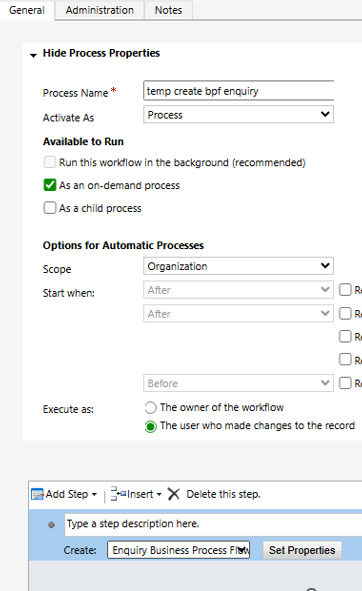
That told us the blocking component was actually a workflow. To identify the workflow names, we queried the workflow table directly using the workflow IDs returned by the dependency query, which took us to the below Workflow. When we opened this workflow, we found that it still contained a step creating or referencing the process we were attempting to remove.

We removed the workflow referencing the process, published the changes, and then retried the deletion. Once the workflow dependency was removed, the process was deleted successfully without any further errors.

This was a useful reminder that the dependency viewer in Dynamics 365 and Dataverse does not always surface every dependency clearly, especially with older workflows and process-related customizations. In these situations, SQL 4 CDS and direct dependency table queries can be extremely valuable for identifying hidden references.

Hope this helps..

Advertisements

Solution Failed to Import – Missing Lookup View Dependency in Dataverse / Dynamics 365


Recently, while trying to import a solution, we got the below dependencies error.

Solution ” Configuration” failed to import: The dependent component SavedQuery (Id=50658a7f-473b-ec11-8c64-000d3a8ead20) does not exist. Failure trying to associate it with SystemForm (Id=a00da85e-5fc4-f011-bbd3-000d3ad2506c) as a dependency. Missing dependency lookup type = PrimaryKeyLookup.

The error indicated that a specific Contact view (ASP C1 Contacts) was missing. When we checked the dependencies, it showed that this view had a dependency on the main form of a custom table.

That form contained multiple Contact lookup fields. However, when we reviewed all the lookup configurations, none of them appeared to reference that particular view. Each lookup had its Default View set to “Contacts Lookup View,” and the “Allow users to change view” option was disabled. Everything looked correct in the UI.

Since the issue wasn’t visible from the form editor, we exported the solution and inspected the solution.xml file. There, we could clearly see the missing dependency details, including the GUID of the problematic view.

Using that view GUID ({50658a7f-473b-ec11-8c64-000d3a8ead20}), we searched inside the customizations.xml file. This revealed that the view was still being referenced by one of the lookup controls (display name “Prospect Resident”), even though the form configuration showed a different default view. Essentially, the form XML still contained an old reference to that view.

To resolve the issue, we removed the lookup from the form and added it again. After re-adding it, we temporarily enabled the “Allow users to change view” option, selected a few views, saved and published the form, and then disabled the option again and published once more. This process refreshed the lookup configuration and removed the hidden dependency.

After that, the solution was imported successfully.

This issue highlights how form XML can retain hidden view references even when the UI configuration appears correct. When facing similar “SavedQuery does not exist” errors, inspecting customizations.xml for the view GUID can help quickly identify the root cause.

Hope it helps..

Advertisements

Using Form fill Assist Toolbar to streamline data entry in Power Apps


We tried the AI Form Filling Assistance feature in model-driven Power Apps and found it very helpful. One part that we liked the most was the toolbar and file (preview). This makes it much easier to fill forms using information from uploaded documents.

To enable this feature, go to:

Environment → Settings → Features → Form fill assist toolbar (AI Form Fill Assistance)

Once enabled, we can simply upload or drag and drop a file — like a PDF, Word document, or image — and the assistant will read the file and suggest values for different form fields.

A screenshot of a computer

AI-generated content may be incorrect.

When we upload / drop a file like a PDF, Word, or image, the assistant reads the file and gives us suggestions to fill the form.

A screenshot of a computer

AI-generated content may be incorrect.

For example, if we upload the following file:

A close-up of a foreign passport

AI-generated content may be incorrect.

We can see that the assistant picks up values like First Name, Last Name, City, and Country, and populates them into our contact record.

Either we can accept all the suggestions using the Accept suggestions button on the tool bar or can select the suggested value for the individual fields by clicking yes next to it.

The assistant works at the tab level. For example, if we switch to the Details tab and upload the same image again, we might see fields like Birthday get populated — depending on what data is available and which fields are present in that tab.

The different file types supported are – .txt, .docx, .csv, .pdf, .png, .jpg, .jpeg, .bmp.

Let us now try uploading the below text file.

A screenshot of a computer

AI-generated content may be incorrect.

We can see it picking the first record and populating the details on the form.

A screenshot of a computer

AI-generated content may be incorrect.

This makes it simple and fast to enter data — especially when we are working with leads, contacts, or records that are usually based on data from documents or scanned forms.

Get more information

Hope it helps..

Advertisements