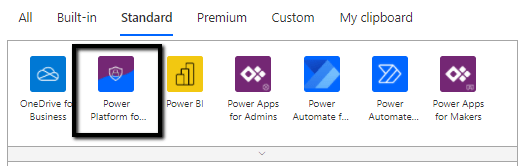
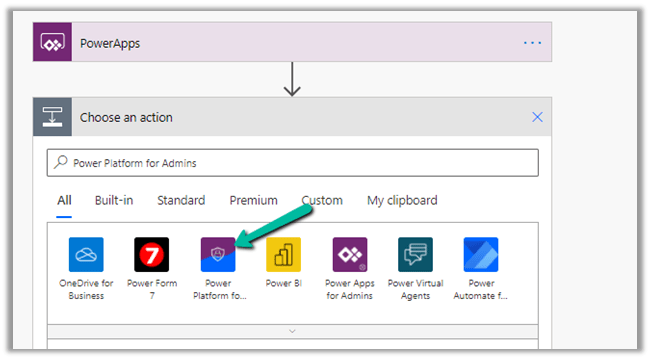
Power Platform for Admins connector (preview) in Power Automate


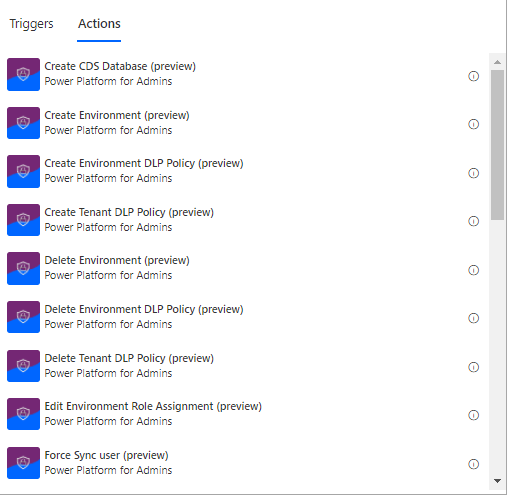
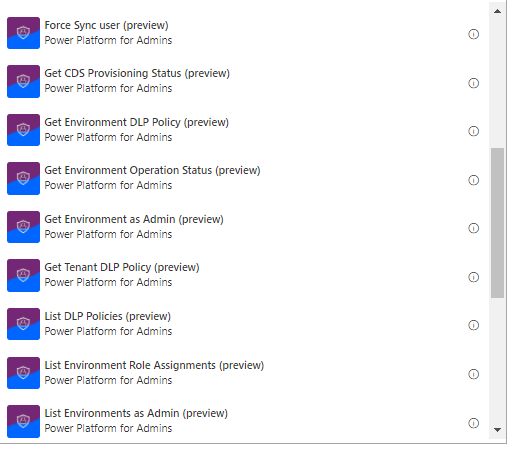
The Power Platform for Admins connector (preview)

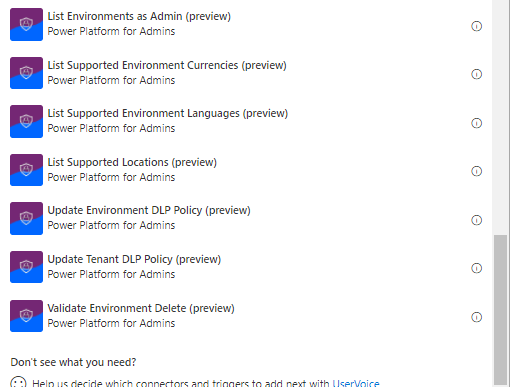
let’s us perform following Actions


The connector allows us to access the Business Applications Platform (BAP) API.

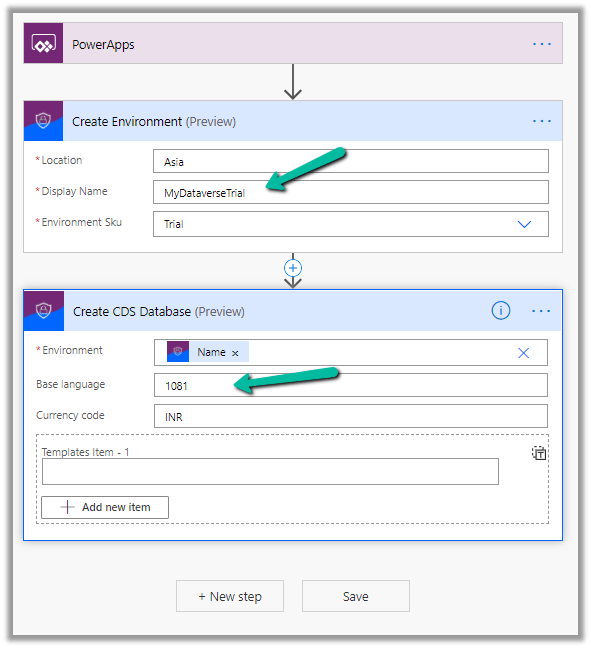
Below is the example of the Create Environment action, followed by Create CDS Database.

Here we are creating a trial environment in Asia region followed by a CDS database in it with base language – Hindi and currency code as INR

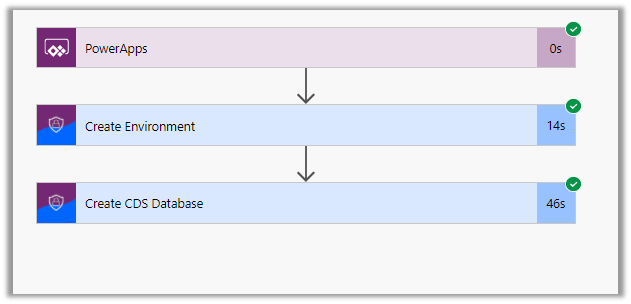
Let us run the flow and see the results

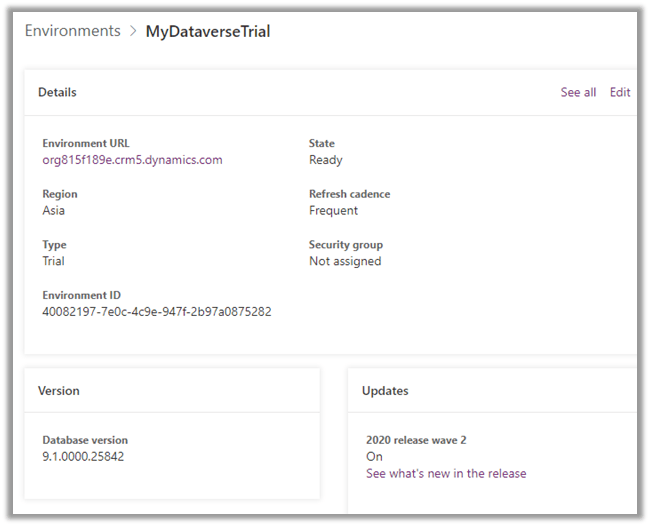
In Power Platform admin center can see the environment created along with the database specified.

All the key URL(s) for Power Platform Admin

Get all the details below –

Power Platform for Admins (Preview)

Power Apps and Power Automate Administration and Governance – Tools and Labs

Hope it helps..

How to – Use CrmServiceClient to execute web request against Web API – Dynamics 365


In the previous post we saw how to use CrmServiceClient to connect to CDS using Authentication Type – OAuth and execute web request using Organization.svc service

https://nishantrana.me/2020/11/09/sample-code-to-connect-to-cds-dynamics-365-ce-using-oauth/

Here we will extend the same example to execute web request using Web API.

  • Create the contact record with first name and last name populated

using Microsoft.Xrm.Tooling.Connector;
using Newtonsoft.Json.Linq;
using System;
using System.Collections.Generic;
using System.Linq;
using System.Net.Http;

namespace SampleConsoleApp
{
class Program
{
static void Main(string[] args)
{
string ConnectionString = "AuthType = OAuth; " +
"Username = [username]@[domain].onmicrosoft.com;" +
"Password = [password]; " +
"Url = https://[orgname].crm.dynamics.com;" +
"AppId=51f81489-12ee-4a9e-aaae-a2591f45987d;" +
"RedirectUri=app://58145B91-0C36-4500-8554-080854F2AC97;" +
"LoginPrompt=Auto";

CrmServiceClient svc = new CrmServiceClient(ConnectionString);

// specify OData Headers
Dictionary<string, List<string>> odataHeaders = new Dictionary<string, List<string>>
{
{ "Accept", new List<string>() { "application/json" } },
{ "OData-MaxVersion", new List<string>() { "4.0" } },
{ "OData-Version", new List<string>() { "4.0" } }
};

if (svc.IsReady)
{
// create a contact record with firstname and lastname populated
dynamic contact = new JObject();
contact.firstname = "Meeska";
contact.lastname = "Mooska";
string jsonContact = Newtonsoft.Json.JsonConvert.SerializeObject(contact);

// create the contact record
// Parameters - HttpMethod, QueryString, Body, Customer Headers, Content Type
HttpResponseMessage httpResponse = svc.ExecuteCrmWebRequest(
HttpMethod.Post,
"contacts",
jsonContact,
odataHeaders,
"application/json");

if (httpResponse.IsSuccessStatusCode)
{
var contactUri = httpResponse.Headers.GetValues("OData-EntityId").FirstOrDefault();
Console.WriteLine("Contact URI: {0}", contactUri);
}
else
{
Console.WriteLine(httpResponse.ReasonPhrase);
}
}
}
}
}

  • Retrieve first name and last name for all the contact

// retrieve first name and last name of all the contact records 
HttpResponseMessage httpResponse = svc.ExecuteCrmWebRequest(
HttpMethod.Get,
"contacts?$select=firstname,lastname",
string.Empty,
odataHeaders,
"application/json");

Refer appropriate connection string as required with CrmServiceClient- 

https://docs.microsoft.com/en-us/powerapps/developer/data-platform/xrm-tooling/use-connection-strings-xrm-tooling-connect#connection-string-examples

Sample Code – Dynamics 365 Web API / Organization Service

Get the details here – ExecuteCrmWebRequest

Hope it helps..

Advertisements

Power Automate vs Azure Logic Apps


Power Automate

Azure Logic Apps

Power Automate is built on top of Azure Logic Apps
It is a SaaS service for workflow automation across several different apps and SaaS services. It is a PaaS service for workflow automation across several different apps, SaaS services, and IaaS services for enterprise integration.
For more of self-service and simple integration scenarios. For complex/advanced integration scenarios
Targeted for Business User, Citizen Developers, Developers, IT Pros. Targeted for Developers and IT Pros.
Brower based designer and mobile app UI only


In-browser as well as Visual Studio
Office 365 Service / License / Subscription Azure Service / License / Subscription
Flow specific Connectors

Power Automate Premium Connectors

Logic App-specific Connectors – SAP, IBM MQ, IoT, Liquid.

Logic Apps Connectors

Power Automate are specific to an environment There is no environment concept, each logic app is an independent entity.
Pay by run Pay by action run and by connector run.
Button flow

Create a button flow

Modern Approvals

https://nishantrana.me/2020/08/31/approvals-power-automate-dynamics-365/

Flow can be extended as Logic Apps

Export flow and deploy to Logic Apps

Power Automate is supposed to be designed and tested in a non-production environment and then promoted to the production environment. The solution makes it possible with connectors requiring reconfiguration. Connection references can be considered here https://flow.microsoft.com/en-us/blog/move-flows-across-environments-without-resetting-connections/
Logic Apps has ALM possibilities.

Automate deployment of Azure Logic Apps

Admin Experience through Power Platform Admin Center. Admin experience through Azure Portal.

Sub grid and form tabs improvements in Power Apps Mobile App


There are couple of improvements in user experience for sub grids and form tab in Power Apps Mobile app.

Check other blog posts on Release 2020 Wave 2

  • Headers are more protruding for sub grid to separate it from rest of the sections of the form.
  • There is also an option (+ New Case – below) to add new record inline for empty sub grids.

  • Commands on sub grid opens as a drawer from the bottom of the screen.

  • Form tabs can be scrolled horizontally and selecting the tab automatically adjusts the header.

Hope it helps..
Error – We don’t support the option ‘HierarchicalNavigation’. Parameter name: HierarchicalNavigation when trying to load table in Power BI Desktop using Azure Data Lake Storage Gen 2 CDM Folder view (beta)


While trying to connect to a table within Azure Data Lake Storage Gen2 through CDS Folder View

we got the below error

Users have reported this issue with the August 2020 Update of Power BI Desktop.

As suggested in the forums, downgrading to June 2020 Update fixed the issue for us.

Check out Export CDS data to Azure Data Lake Storage Gen2

Posts on Azure Data Lake

Hope it helps..

Advertisements

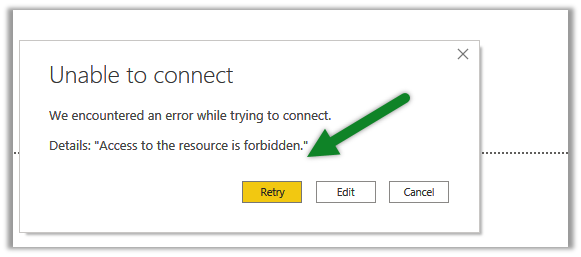
Fixe – Error – Access to the resource is forbidden while trying to connect to Azure Data Lake Storage Gen2 using Power BI Desktop


While trying to connect to Azure Data Lake Storage Gen2 through Power BI Desktop we got the below error

Came as surprise cause the user was had the owner role assigned to the container

It turned out we need to assign the Storage Blob Data Reader role to the user.

After assigning the role we were able to connect successfully.

Posts on Azure Data Lake

Hope it helps..

Advertisements