Solved – System.ArgumentNullException: Value cannot be null.Parameter name: SandboxAppDomainHelper.Execute: The plug-in type could not be found in the plug-in assembly in Dynamics 365


We got the below error while in one of our plugin assemblies. 

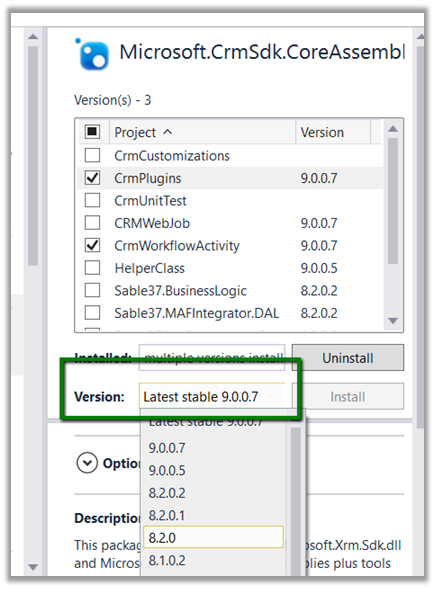
As it turned out we were referencing the latest, version 9 Dynamics 365 assemblies in our plugin project, against our Dynamics 365 Environment which was still in version 8.2.

Adding the appropriate NuGet Package (i.e. 8.2.0.0) fixed the issue for us.

The helpful post

http://blogs.it.ox.ac.uk/benwalker/2017/09/12/system-io-fileloadexception-error-in-plugin-deployed-by-crm-developer-toolkit-to-dynamics-2015/

Hope it helps..

Advertisements

Hide “Sign in with an external account” from Dynamics 365 Portal


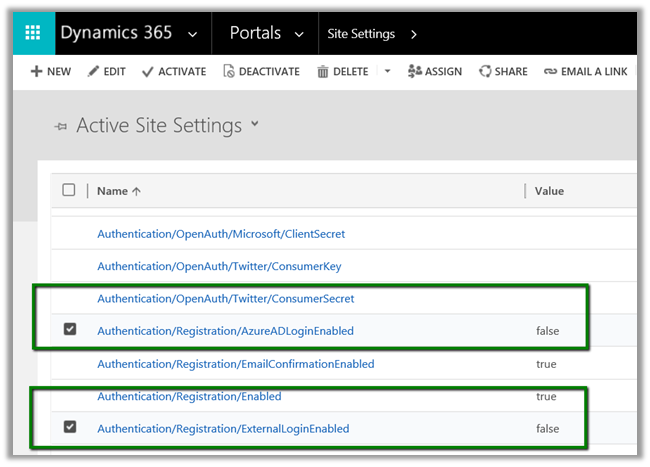
To hide the Sign in with an external account section from the Sign In and Register page of the portal.

Set the following site settings value to false à

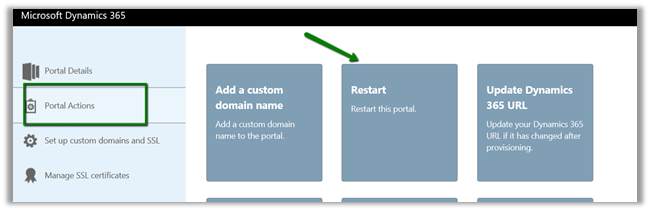
Followed by Restart of the portal.

To add any additional JavaScript or HTML, for e.g. we wanted to disable the Email text box on the Register page,

Go to Portals à Content Snippets and create a new code snippet record

The output:-

code

The helpful post –

http://benitezhere.blogspot.ae/2018/01/hiding-sign-in-with-external-account.html

http://arpitmscrmhunt.blogspot.ae/2017/12/customise-registration-page-in-crm.html

Hope it helps..

Insufficient Security – You do not have the security priviges necessary to perform this task error while using Merge in Dynamics 365


Hi,

Recently one of our users got the below error while trying to merge Lead record.

The user was having the Merge rights. However, the user was missing Share rights on the Lead entity. He already had create, write, delete, append and append to rights.

More details here

https://msdn.microsoft.com/en-us/library/gg334602.aspx?f=255&MSPPError=-2147217396

Giving Share rights fixed the issue.

Hope it helps..

Entities not appearing while creating\ managing the Export Profile in Data Export Service in Dynamics 365


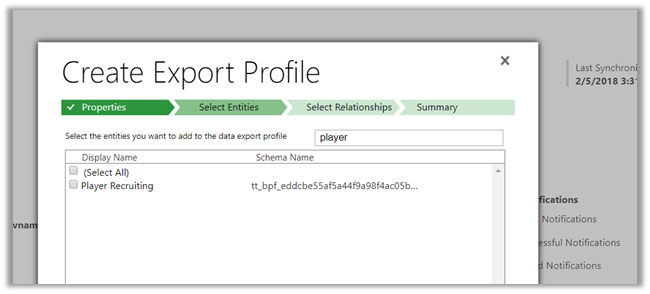
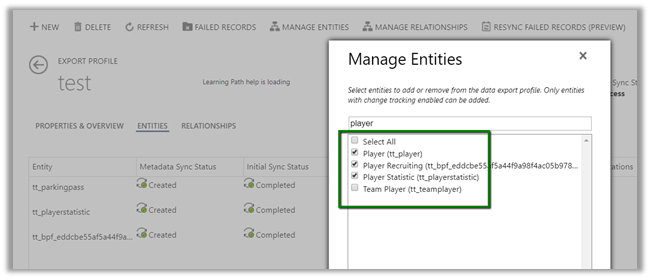
We recently configured the Data Export Service and while creating the export profile, some of the entities were not appearing there.

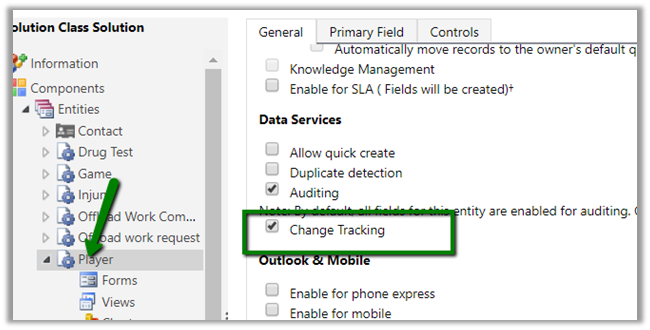
We had the Change Tracking Enabled for them.

This is what it was showing to us.

Trying after few hours we got all our entities there

I think it might be caching or there is some pull mechanism that took time to detect that change at the Data Export Service side. Not sure though.

Please drop your comments if you have also faced this and know the exact reason for that.

Hope it helps.

Metadata contains a reference that cannot be resolved: ‘https://orgname.crm8.dynamics.com/XRMServices/2011/Organization.svc?wsdl&sdkversion=9’ error in Dynamics 365


We would run into this issue while trying to connect to Dynamics 365 Version 9.0 from a client application.

It is because Customer Engagement Platform (version 9.0) only supports TLS 1.2.

More details here

https://blogs.msdn.microsoft.com/crm/2017/09/28/updates-coming-to-dynamics-365-customer-engagement-connection-security/

How we can fix it à

We need to add the following line of code to our existing code


public static OrganizationServiceProxy GetOrganizationServiceProxy()
{
ClientCredentials clientCredentials = new ClientCredentials();

clientCredentials.UserName.UserName = "username";
clientCredentials.UserName.Password = "password";

// Set security protocol to TLS 1.2 for version 9.0 of Customer Engagement Platform
ServicePointManager.SecurityProtocol = SecurityProtocolType.Tls12;

return new OrganizationServiceProxy(new Uri("https://orgname.crm.dynamics.com/XRMServices/2011/Organization.svc"),
null, clientCredentials, null);
}

Helpful post

https://debajmecrm.com/2018/01/08/fixed-error-while-connecting-to-dynamics-365-version-9-0-metadata-contains-a-reference-that-cannot-be-resolved/

https://waelhamze.wordpress.com/2018/01/11/dynamics-365-ce-tls-connectivity-issue-from-net-and-powershell/

http://abhinavranjan.xyz/2017/12/21/issue-authenticating-crm-organization-service-web-app-july-2017-update/

Hope it helps..

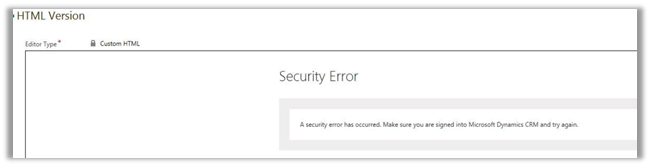
A security error has occurred. Make sure you are signed into Microsoft Dynamics CRM and try again in Click Dimensions.


We had this issue in past when we started getting below error in most of the entities of Click Dimensions.

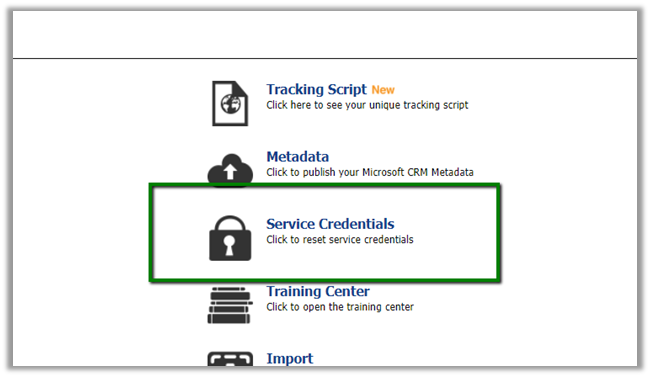
The issue can occur if the password would have expired or changed for the Service Credentials account of Click Dimensions.

Go to Settings à ClickDimensions Settings à Service Credentials.

In our case it wasn’t changed but we were still getting the issue. The only way we were able to fix it was to specify a different account for the Service Credentials.

Hope it helps.