Application User Form missing in Dynamics 365


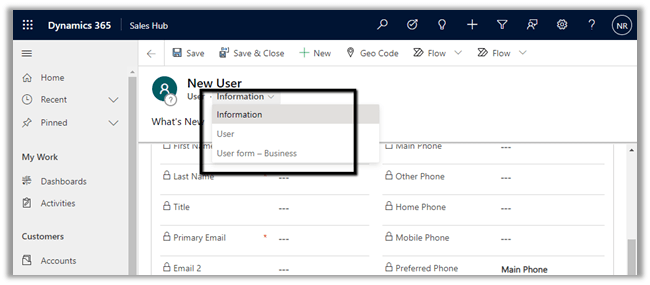
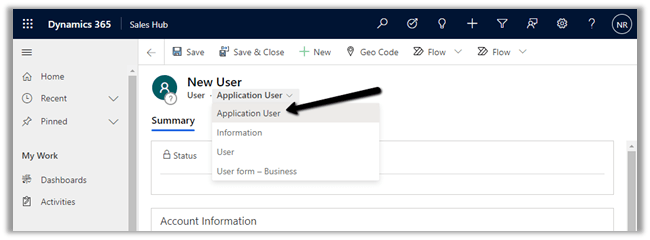
Recently while trying to create a new application user, we could not find the application user form for the system user entity in the web application.

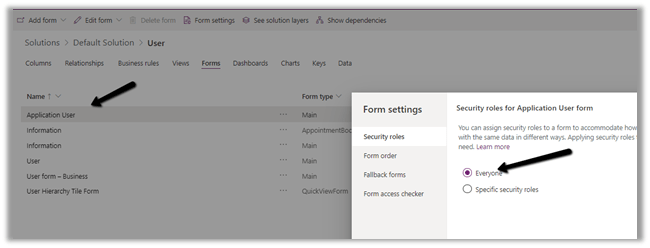
Within the maker portal, we can see the form available and enabled for everyone.

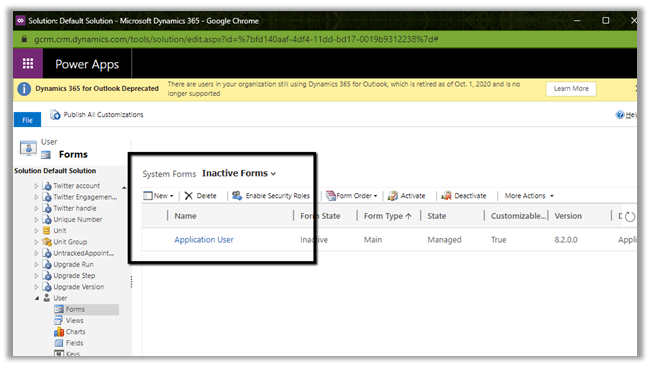
It was inside our classic administration settings; we saw it listed as Inactive Forms

Activating and publishing the solution fixed the issue.

Hope it helps..

Historical Data Migration – Created On and Modified On in Dynamics 365


Very insightful article by Debajit !

Just to summarize –

If we are using SDK method from external application to set values for created on, modified on – we can use overriddencreatedon for created on. Modified on will be ignored.

Setting values in Pre-Create Plugin – values specified for both created on and modified on will be set in the record.

How to – Consume Dynamics 365 Web API using MSAL.NET


Sharing a sample code to consume Dynamics 365 Web API using MSAL.NET

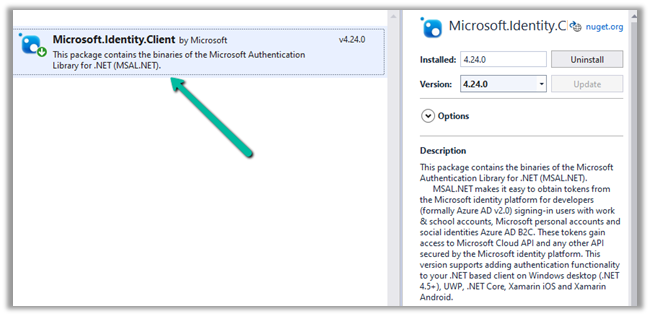
Create a console application and add the following NuGet Package

  • Microsoft.Identity.Client

More on Microsoft identity platform

https://docs.microsoft.com/en-us/azure/active-directory/develop/

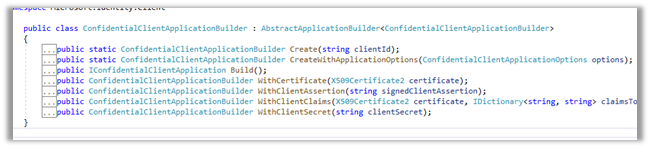
We are using ConfidentialClientApplicationBuilder create method.

https://docs.microsoft.com/en-gb/azure/active-directory/develop/msal-net-initializing-client-applications
The sample code –

using Microsoft.Identity.Client;
using System;
using System.Net.Http;
using System.Net.Http.Headers;
using System.Threading.Tasks;

namespace CrmAppMSAL
{
class Program
{
static async Task Main(string[] args)
{

string clientId = "fc34502a-74db-4977-8c83-***********";
string secret = "5~mByJeQ8dDO2LZP_H_J2**********";
string[] scope = new string[] { "https://orgname.crm15.dynamics.com/.default" };
string webAPI = "https://[org].crm15.dynamics.com//api/data/v9.0/leads";
string authority = "https://login.microsoftonline.com/7bc93881-0733-48ab-baa1-ee3ed7717633";

var clientApp = ConfidentialClientApplicationBuilder.Create(clientId: clientId)
.WithClientSecret(clientSecret: secret)
.WithAuthority(new Uri(authority))
.Build();

try
{
AuthenticationResult authResult = await clientApp.AcquireTokenForClient(scope).ExecuteAsync();

var httpClient = new HttpClient();
httpClient.DefaultRequestHeaders.Add("OData-MaxVersion", "4.0");
httpClient.DefaultRequestHeaders.Add("OData-Version", "4.0");
httpClient.DefaultRequestHeaders.Accept.Add(new MediaTypeWithQualityHeaderValue("application/json"));
httpClient.DefaultRequestHeaders.Authorization = new AuthenticationHeaderValue("Bearer", authResult.AccessToken);

httpClient.BaseAddress = new Uri(webAPI);

var response = httpClient.GetAsync("WhoAmI").Result;

if (response.IsSuccessStatusCode)
{
var userDetails = response.Content.ReadAsStringAsync().Result;
Console.WriteLine(userDetails);
Console.WriteLine(authResult.AccessToken);
Console.WriteLine(authResult.ExpiresOn);
Console.ReadLine();
}

}
catch (Exception ex)
{
string errorMessage = ex.Message;
}
}
}
}

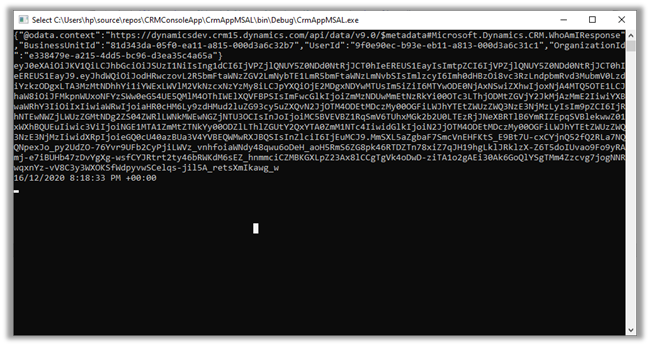
Result –
Reference –

https://medium.com/capgemini-microsoft-team/access-tokens-for-dynamics-365-using-microsoft-authentication-library-2b16c9f794b

Sample Code – Dynamics 365 Web API / Organization Service

Hope it helps..

Advertisements

Fixed – 401 Unauthorized error while calling Dynamics 365 Web API


We were recently getting the below error while trying to call Dynamics 365 Web API through Postman.

“401 Unauthorized”

It turned out that we were using the incorrect Token.

To generate the correct token,

For OAuth 2.0 token endpoint (v1) Version 1

  • We need to specify resource with Dynamics 365 URL.


For OAuth 2.0 token endpoint (v2) Version 2

  • We need to specify scope with
    Dynamics 365 URL followed by .default instead of a resource.

The correct token results in the successful call to the Web API

References –

https://matthijs.hoekstraonline.net/2020/04/27/v1-and-v2-identity-and-access-tokens-with-azure-active-directory/

https://crmchap.co.uk/generating-oauth2-v2-0-endpoint-tokens-for-dynamics-365-the-common-data-service/

Hope it helps..

Advertisements

How to – Check user’s access to a record – upcoming feature in Dynamics 365


Was going through the Model-Driven Apps documentation and found the below article

https://docs.microsoft.com/en-us/powerapps/user/access-checker

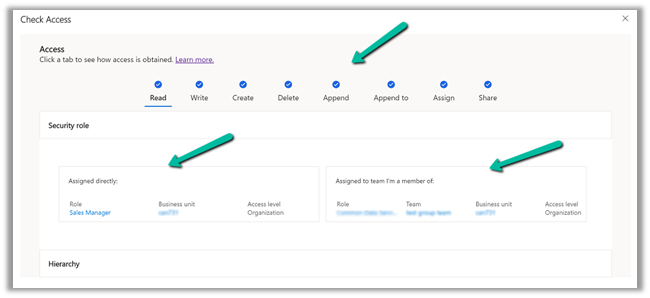
It talks about a Check access button on the command bar of a record which will list down all the rights/access/privileges on that particular record.

And also how the user has got those accesses, through security roles directly assigned or through the team the user belongs.

We can also check the access of the other users as well through user lookup.

More on Access in Dynamics 365

Hope it helps..

Advertisements
Advertisements

5000 records limit of Fetch XML Query – List records action of Common Data Service (current environment) connector in Power Automate


Recently in one of our requirements, while trying to fetch contact records using Fetch XML Query

https://docs.microsoft.com/en-us/connectors/commondataserviceforapps/#list-records

we realized that we can only retrieve / fetch 5000 records.

Enabling pagination will also not help here (the Next link also come as null).

The alternate solution is to convert the Fetch XML query to OData and use the same inside List records action

https://fetchxmlbuilder.com/features/#render-flow

Get more details here

https://evolved365.com/2020/10/06/working-with-large-cds-datasets-in-power-automate-flows-and-logic-apps/

Hope it helps..

Advertisements