
Add the Site to Compatibility View Setting to get the page working properly in IE 11.


Add the Site to Compatibility View Setting to get the page working properly in IE 11.

Let us take a simple example
There is a field say “Test Field” and 2 option set fields.
OptionSet1 è A1, A2, A3, A4
OptionSet2èB1, B2, B3, B4
Now the logic that we have to implement is
Show “Test Field” when
OptionSet1 = A1 and OptionSet2= B1
Or
OptionSet1 = A2 and OptionSet2= B2
Else
Field should be hidden
Logic in JavaScript
If (optionset1 == A1 && optionset2== B1)
Show field “Test Field”
Else if (optionset1 == A2 && optionset2== B2)
Show field “Test Field”
Else
Hide field “Test Field”
Logic in Business Rule
To implement the same in business we need write 6 business rules.
Well the good news is that we now have “Else If” condition in CRM 2015.
https://nishantrana.me/2014/10/04/business-rules-in-crm-2015/

Often we have requirement to read option set Text/Value quickly, I wrote a script to quickly read all option sets on a form
Go to Google chrome console(Press F12 in Chrome), select the option Console as per screen, Note that contentIframe0 is selected :

and run following script on your form :
var attributes = Xrm.Page.data.entity.attributes.get();
var optionSetAttributes = ”;
var optionSetValues = ”;
Xrm.Page.ui.controls.forEach(function (control, index) {
if (control.getControlType() == ‘optionset’) {
optionSetValues = ”;
var controlName = “#” + control.getName() + “_i”;
optionSetValues += control.getName() + ” option set values below: nn”;
$(controlName).find(‘option’).first().nextAll().each
(function () {
optionSetValues += ‘<div>’ + ‘Value: ‘ + $(this).attr(‘value’) + ‘,Title: ‘ + $(this).attr(‘title’) + ‘</div>’;
}
);
}
optionSetAttributes += ‘<div>’ + optionSetValues + ‘</div>’;
});
var htmlString = ‘<div style= “overflow:always”>’ + optionSetAttributes + ‘</div>’;
$(“#processControlCollapsibleArea”).after(htmlString);
var w = window.open(“Surprise”, “#”);
var d = w.document.open();
d.write(htmlString);
d.close();
You will get following…
View original post 13 more words

We were using SharePoint:DateTimeControl
in one of our Application Pages in SharePoint. The control returns current date time for SelectedDate if no date is selected.
To check for this we can use IsDateEmpty property.


Data Types and Function Supported
Creating a Rollup Field
Check how many task activity are open for a particular contact record.
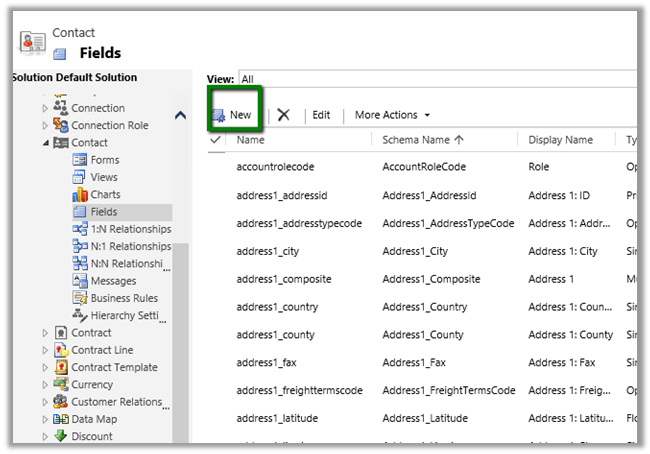
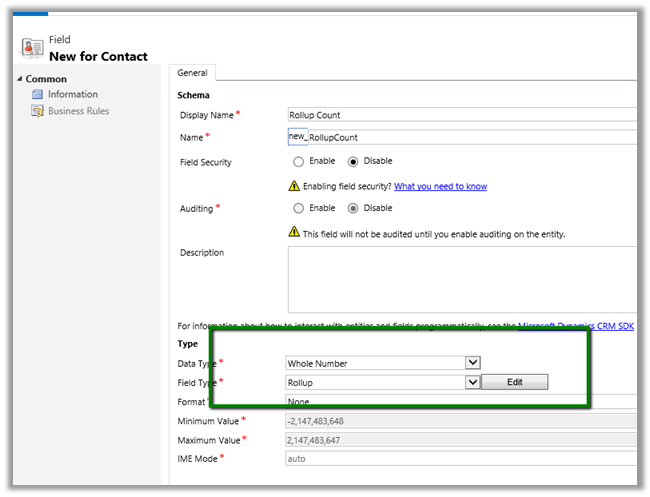
Click on Edit
Select Task as related entity.
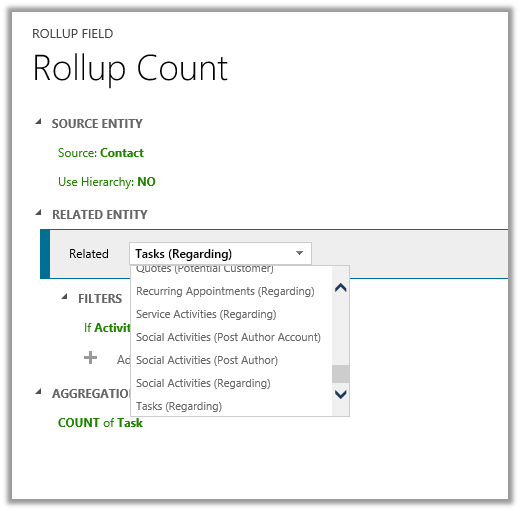
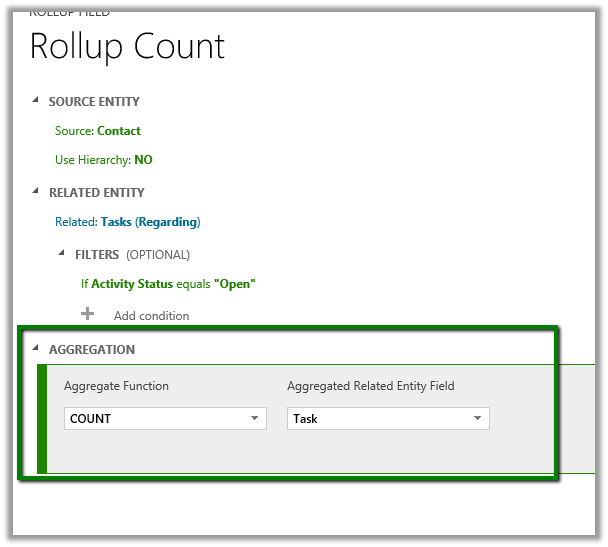
Set Filters to Open Task

Specify Count as Aggregation.
Add the field to Contact form.
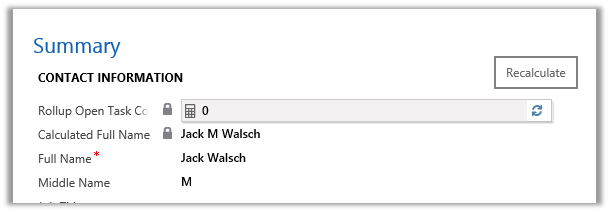
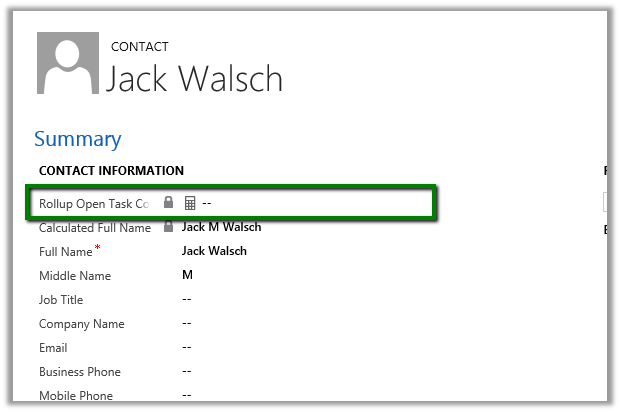 Click on Recalculate will show the count.
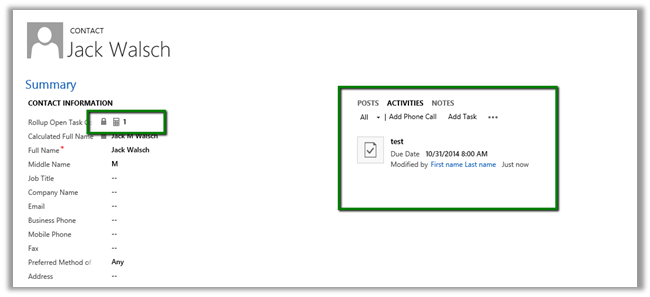
On Adding a Task and recalculating
Two new field State and Last Updated On are also created along with the roll up field. Adding them on form.
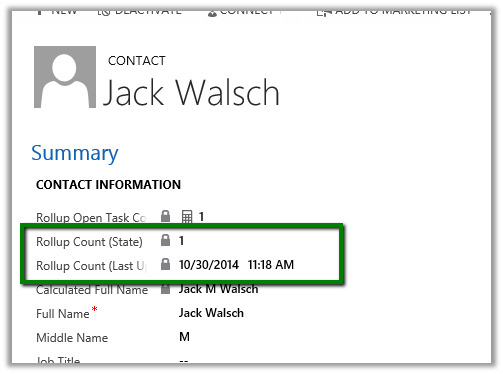
Different State value
| 0 | Not Calculated |
| 1 | Calculated |
| 2 | Overflow Error |
| 3 | Other Error |
| 4 | Retry Limit Exceeded |
| 5 | Hierarchical Recursion Limit Reached |
| 6 | Loop Detected |


