Enhanced email experience for agents in Dynamics 365 Customer Service – 2020 Release Wave 1


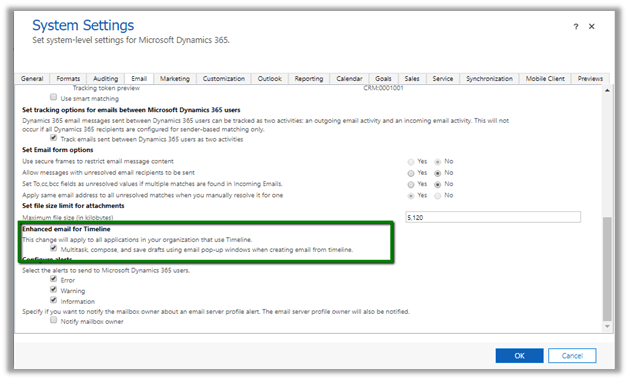
To enable the new email capabilities in Dynamics 365 Customer Service,

Navigate to Settings
àAdministration à System Settings à Email Tab and check the Enhanced email for Timeline option
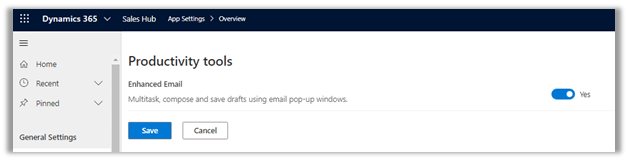
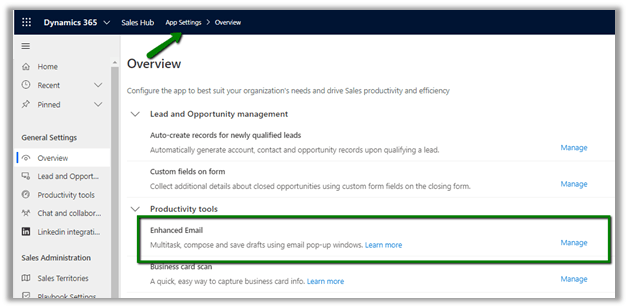
We can also enable it from within the Sales Hub app,

App Settings à Overview
The new features include à

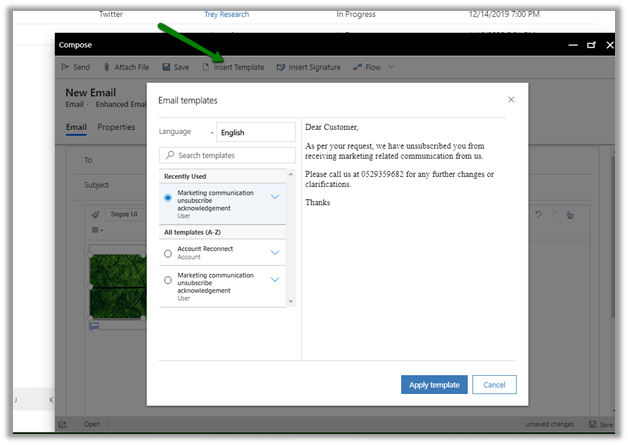
  • Composing Email in a pop-up and non-blocking window within the context of the current record.
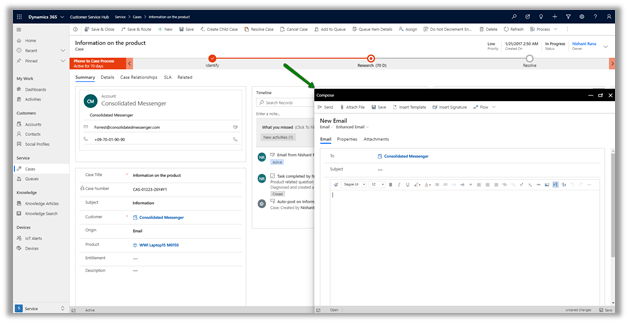
  • Working on multiple active draft email concurrently
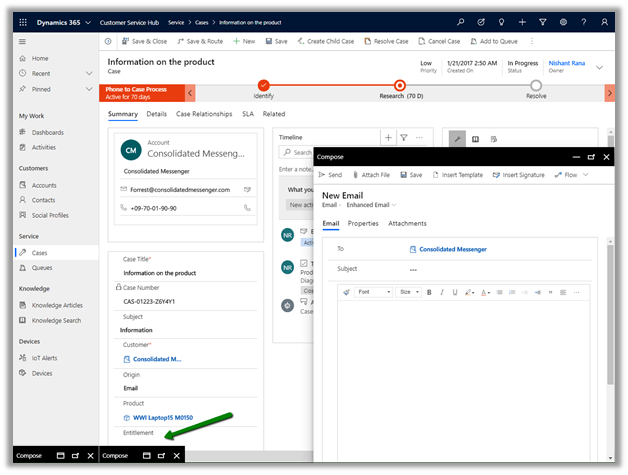
  • Maximum – 3 active email windows are allowed

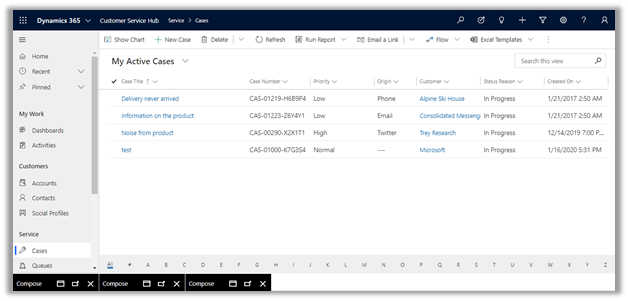
  • Ability to move across different records while still drafting the email.

Here we have navigated to My Active Cases view with the draft email still available in the bottom to work on.
  • Rich edit experience which includes Drag and Drop / Copy and Paste of the images

These features are all geared toward making the agent more productive and efficient.

Check other blog posts on

Release 2020 Wave 1: https://nishantrana.me/2020-release-wave-1/

Release 2019 Wave 2: https://nishantrana.me/2019/12/31/dynamics-365-2019-release-wave-2-blog-posts/

Hope it helps..

Power Apps – Minimum privileges to run app


Rajeev Pentyala's avatarRajeev Pentyala – Technical Blog on Power Platform, Azure and AI

To configure a security role with minimum privileges to run an app, a pre-packaged unmanaged solution is available in Microsoft download center and can be downloaded from here 

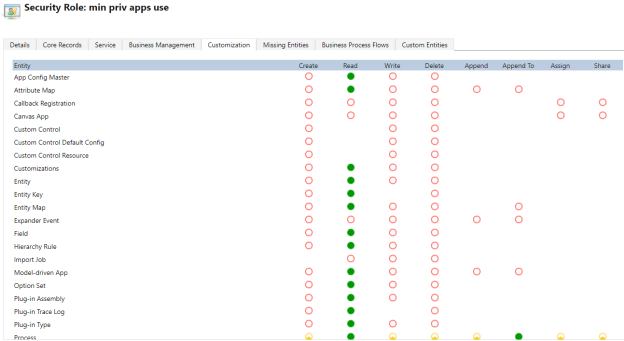
The solution contains a security role by name ‘min prv apps use‘.

MinPrivRole

Use ‘min prv apps use‘ security role as a reference and copy to a new role and configure additional privileges as per your business needs.

🙂

View original post

Customize Case Resolution Dialog Box – 2020 Release Wave 1


With the 2020 release wave 1, we can now customize the case resolution dialog box

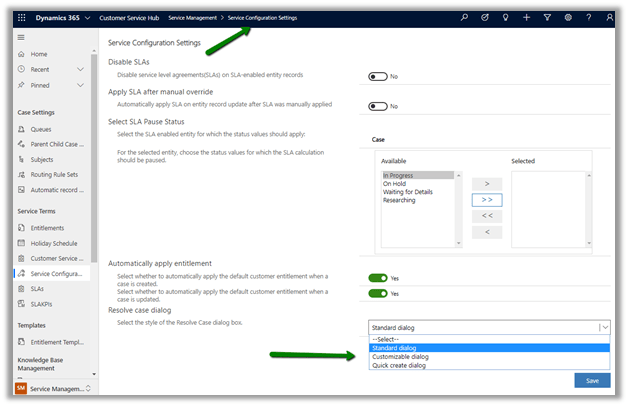
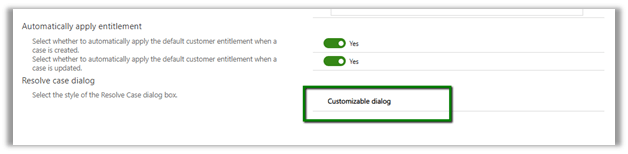
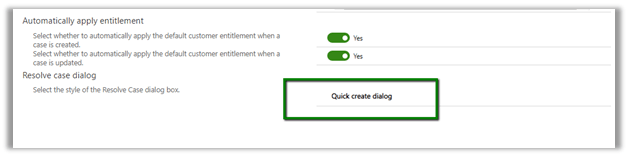
In fact, we can select between the standard dialog, customized dialog box or quick create dialog experience for the users.


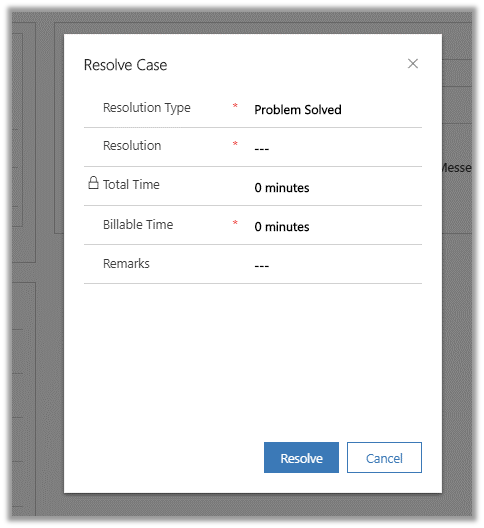
The default out of the box Resolve Case Dialog Box ->


Let us select the style as Customizable Dialog.


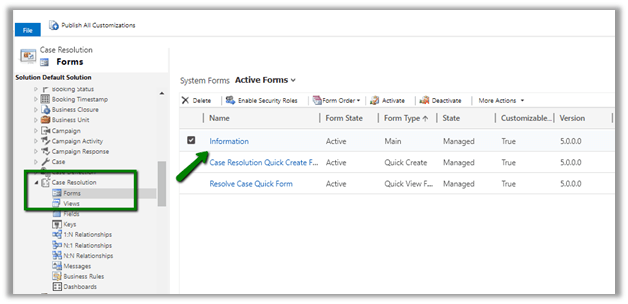
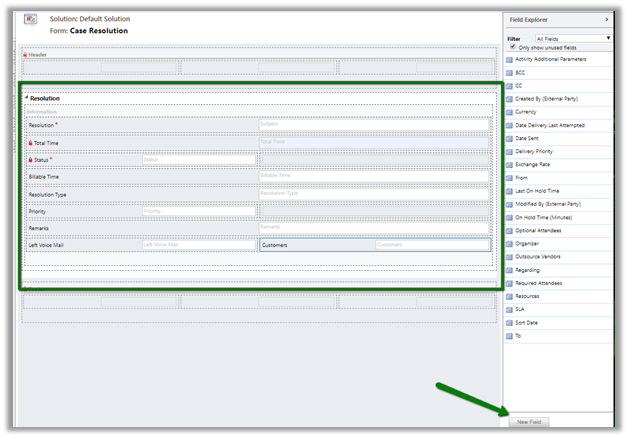
Now to add or remove fields to the dialog box, we need to customize the Main form of Case Resolution entity.


We can change the ordering of the fields, add or remove the existing fields on that entity. (We cannot create and add new fields to the form).


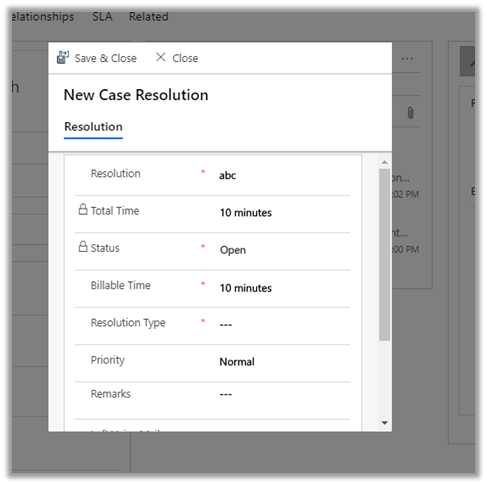
Updated Resolve Case Dialog Box.


Now let us specify Quick Create Dialog as the default style.

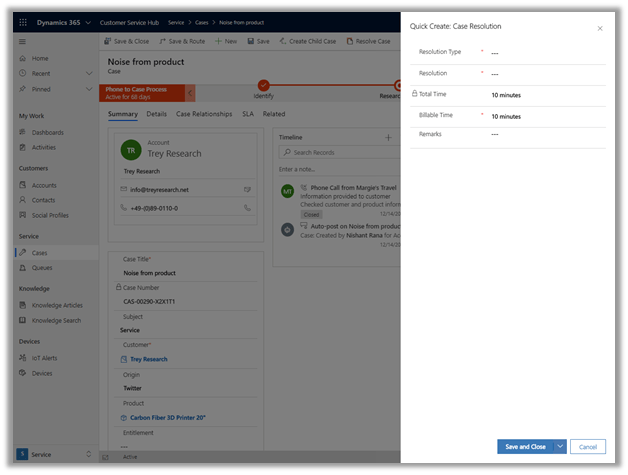
It opens the Quick Create form for us


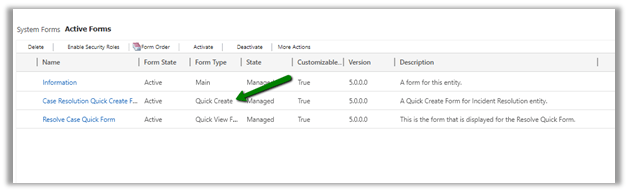
Let us customize the Quick Create form


After saving and publishing the changes


We can see the changes reflected.


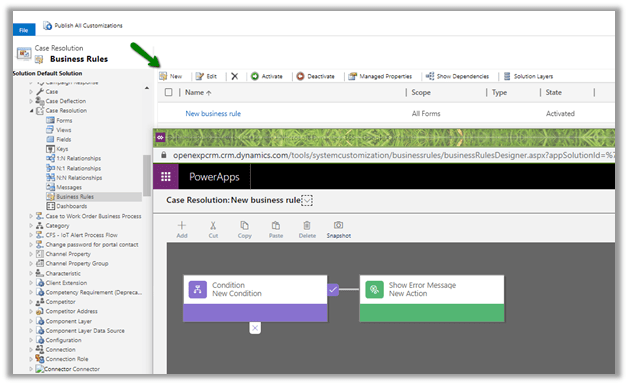
We can also specify business rules now


This allows us to capture additional information which could help us in reporting and analysis, and also it was one of the most requested features in the product for long.

Check other blog posts on

Release 2020 Wave 1: https://nishantrana.me/2020-release-wave-1/

Release 2019 Wave 2: https://nishantrana.me/2019/12/31/dynamics-365-2019-release-wave-2-blog-posts/

Hope it helps..

Enhancements in Knowledge capabilities in Dynamics 365 Customer Service – 2020 Release Wave 1


With 2020 Release Wave 1 we have few enhancements added to the knowledge management aspect.

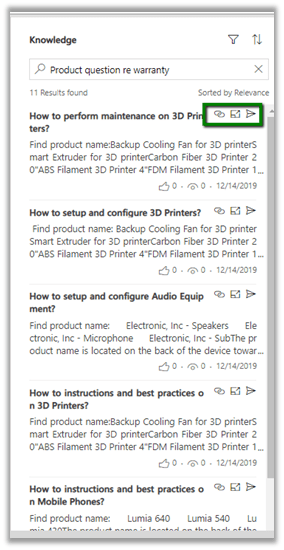
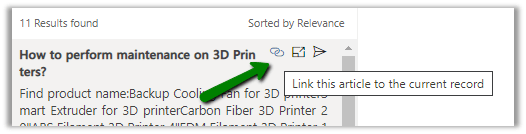
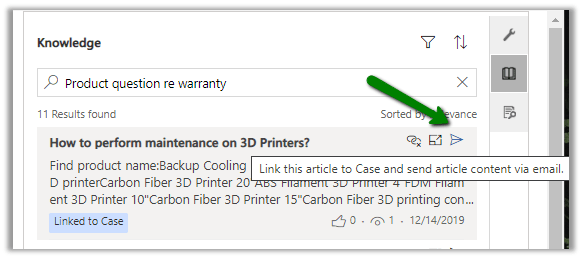
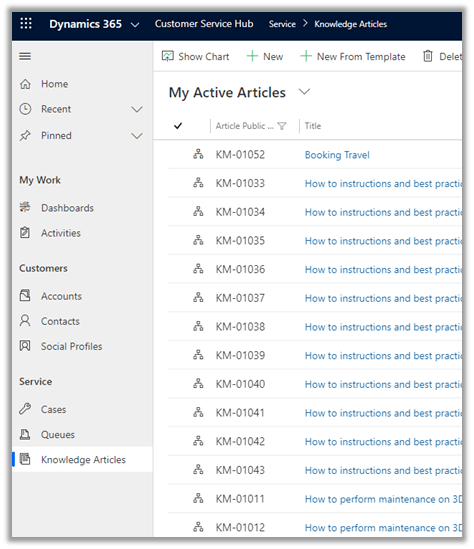
We can see Link, Opening the record in new window, Send Email options being to the title of the results.

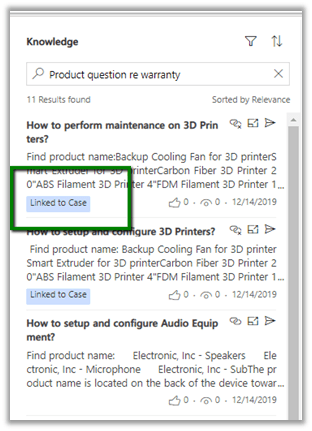
  • Link the article to the record

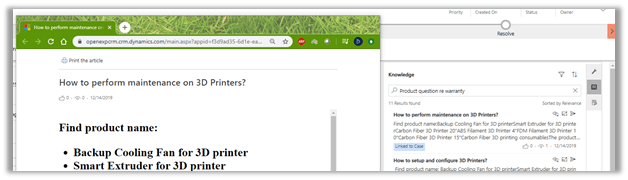
  • Open the article in the new window – This is the new option added.

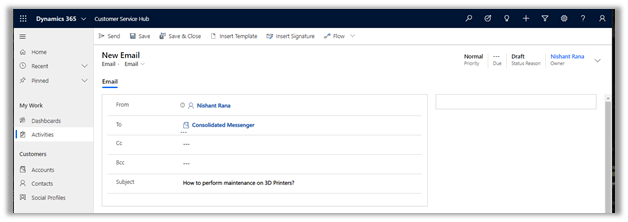
  • Link and send the article via email

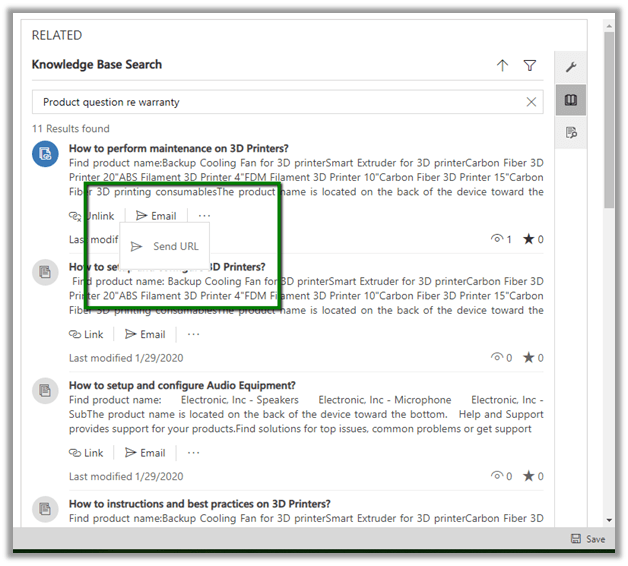
In the previous version, we had Link\Unlink, Email and Send URL option.

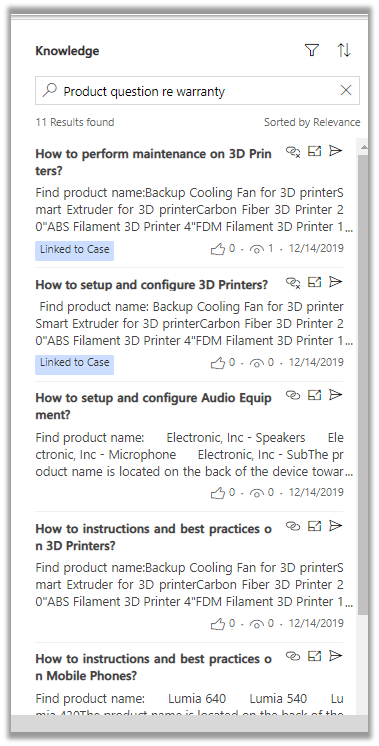
These options have been now moved to the top right along with title which allows for more articles to be visible than the previous version in the results.

  • Knowledge Search can now be performed outside of the context of the case record, for this Knowledge Search option is added to the navigation in the Customer service hub.

In the previous version à

In current 2020 Release wave 1 à

The above enhancements would help in improving the productivity of the users.

Check other blog posts on

Release 2020 Wave 1: https://nishantrana.me/2020-release-wave-1/

Release 2019 Wave 2: https://nishantrana.me/2019/12/31/dynamics-365-2019-release-wave-2-blog-posts/

Hope it helps..
Kanban View for Activities in Dynamics 365 Sales – 2020 Release Wave 1 Plan


Similar to the Opportunity entity, we can add a Kanban view to Activities.

https://nishantrana.me/2020/02/14/kanban-view-for-opportunity-in-dynamics-365-sales-2020-release-wave-1-plan/

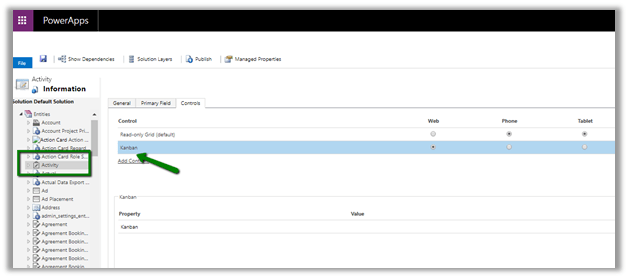
Open the Activity entity for Customization and add the Kanban control and publish the changes.

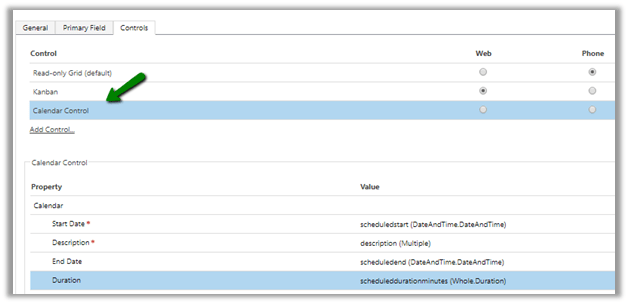
*similar to Kanban, we can configure Calendar control for Activity.

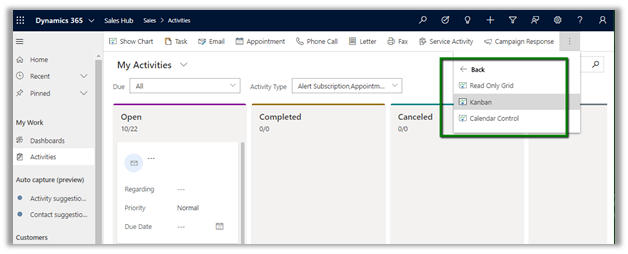
After publishing the changes we will have both Kanban view and Calendar Control view available for use to selectà

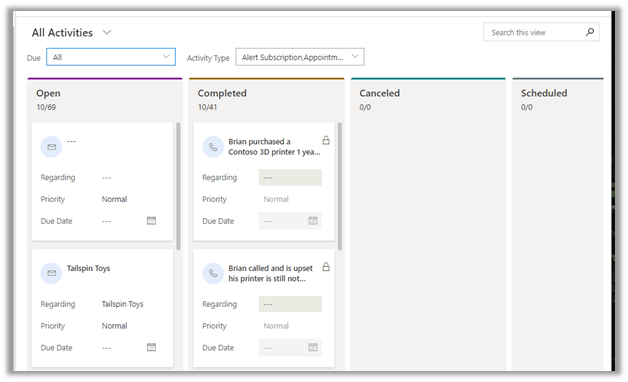
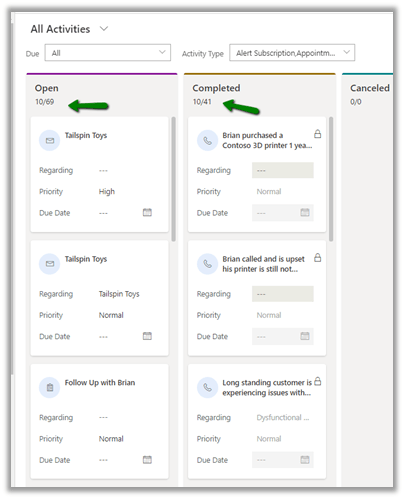
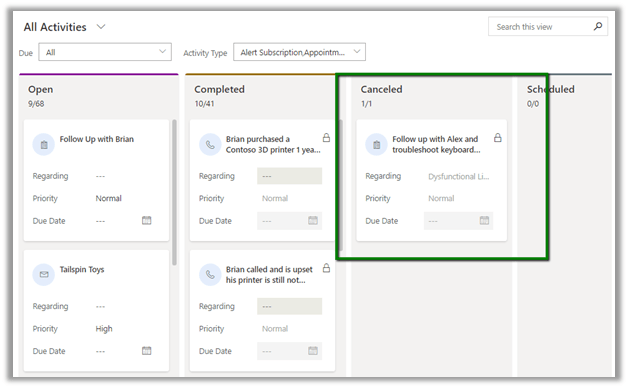
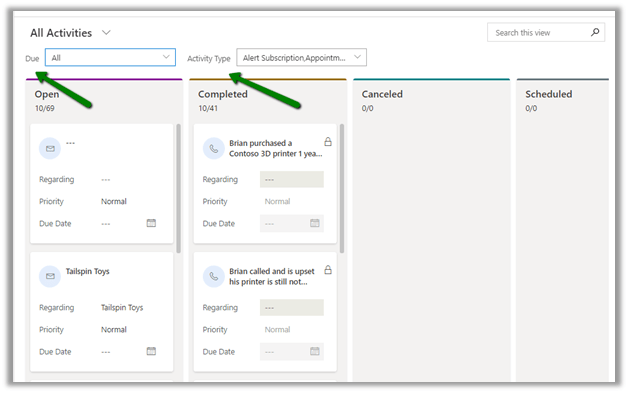
Kanban view shows the activity records based on the different status.

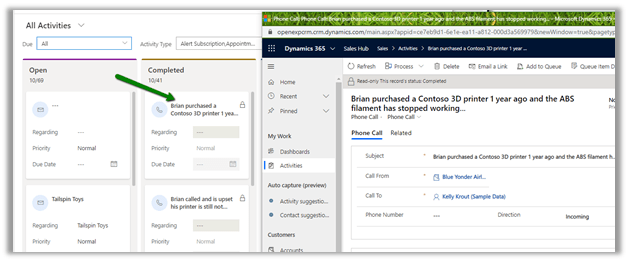
Clicking on Title opens the record in the new window

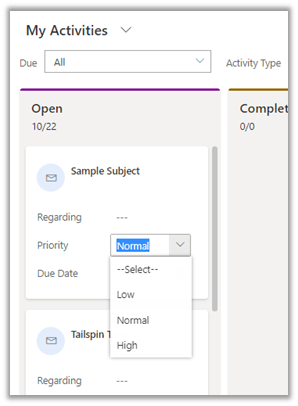
Fields are editable

The view can be filtered based on Due date and Activity Type

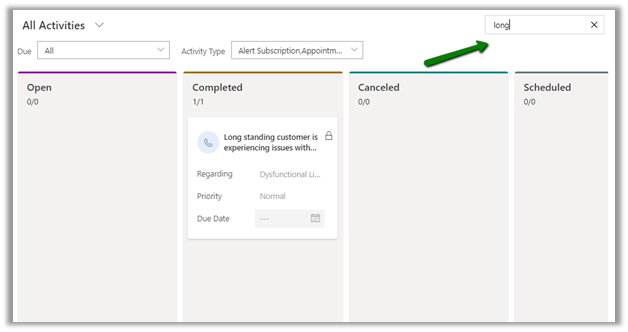
We can use Search to filter the result in view

Each lane shows the total records in that particular lane

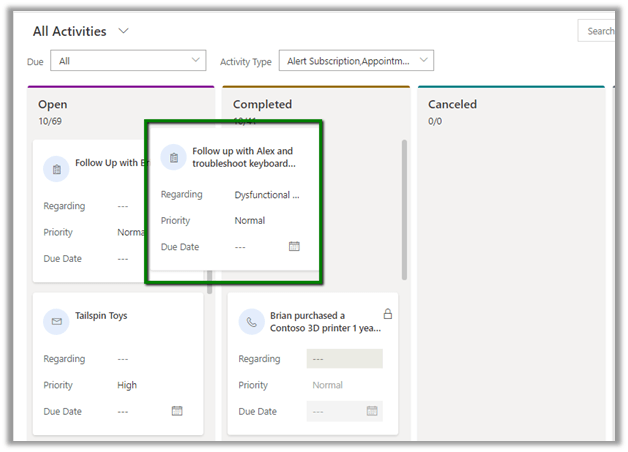
Supports drag and drop

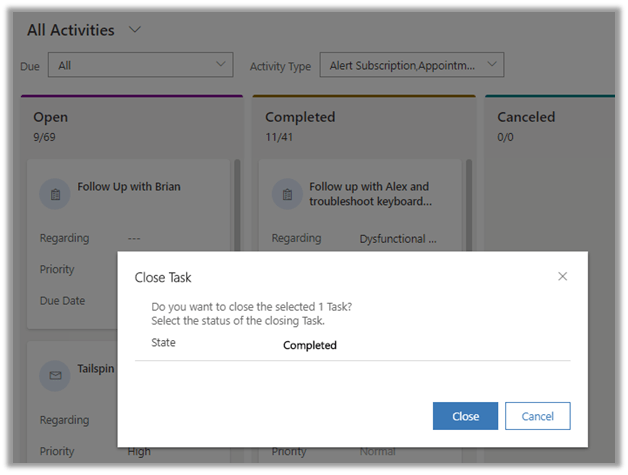
Moving the record to the Completed lane

Opens the Close Task dialog

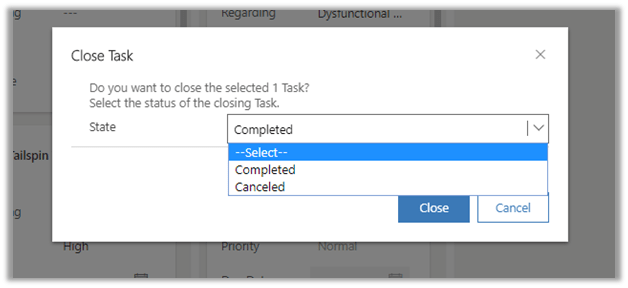
Within the Close Task Dialog box, we have the option to specify Completed or Cancel for the task.

Here we selected Canceled, which moves the record to Canceled lane.

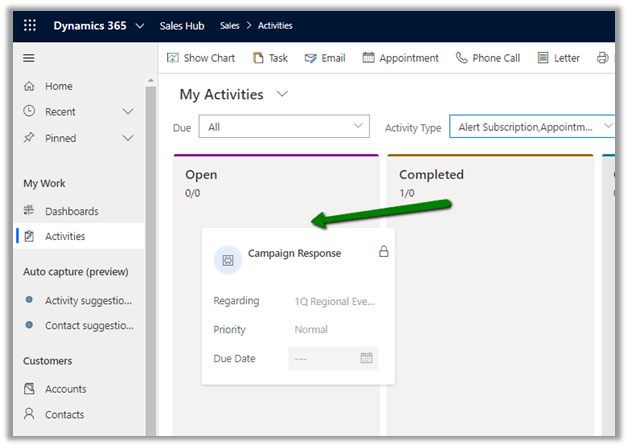
The Closed / Completed activity cannot be dragged to Open lane and reopened for out of the box entities except Campaign Response.

Below we are moving Campaign Response activity record from Completed to Open lane.

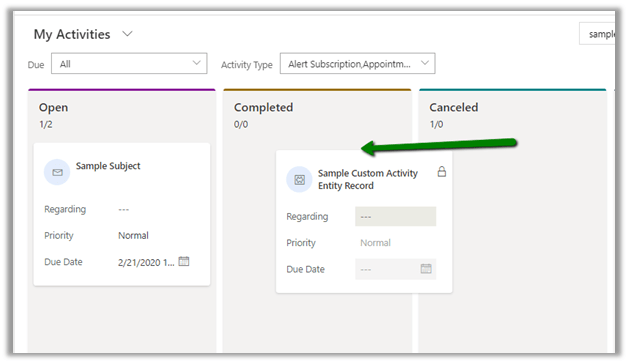
The custom activity can be moved between the lanes without any such restriction. i.e. It can move from Cancelled to Completed or Completed to Cancelled, or From Completed and canceled to Open, etc.

With upcoming releases, we would see the option of adding Kanban view to other entities. (Right now, we can add the Kanban View to other entities but it renders as blank except Activity and Opportunity).

Check other blog posts on

Release 2020 Wave 1:https://nishantrana.me/2020-release-wave-1/

Release 2019 Wave 2: https://nishantrana.me/2019/12/31/dynamics-365-2019-release-wave-2-blog-posts/

Hope it helps..

.NET Core CDS SDK Alpha Availability


Must read

cv's avatarColin Vermander

At long last a version of the CDS SDK is available with .NET Core 3.0 and 3.1 as target frameworks! This release marks a lot of significant change as well with the SDK to align with how CDS and Dynamics are marketed and sold. Gone are the days of XRM and CRM, welcome to the SDK aligning now with Power Platform and CDS.
The Warnings

  • This is an ALPHA release
  • Use at your own risk
  • There is no support
  • Namespace/class names may and will change through releases
  • Only OAuth, Certificate, Client Secret authentication types (for .NET Core)
  • Do not use this in production

The Packages

Microsoft.Powerplatform.Cds.Client
Effectively the Xrm Tooling library but instead of CrmServiceClient it is CdsServiceClient in a new namespace. Removes items that are specific to Dynamics 1st party apps, only contains items for “CDS naked”, i.e. no Dynamics 1st party like lead messages, case messages, etc.

Microsoft.Powerplatform.Cds.Client.Dynamics

View original post 605 more words