Fixed – The plug-in execution failed because no Sandbox Hosts are currently available. Please check that you have a Sandbox server configured and that it is running – Dataverse / Dynamics 365


Recently we were bulk updating our records, which would trigger an asynchronous plugin registered on its update. We were using the wonderful Bulk Data Updater (XrmToolBox) plugin for it. We realized if we are updating too many records at once say e.g. 100 Batch Size (total 5K records to be processed), we are getting below exception.

The plug-in execution failed because no Sandbox Hosts are currently available. Please check that you have a Sandbox server configured and that it is running.System.ServiceModel.FaultException`1[Microsoft.Xrm.Sdk.OrganizationServiceFault]: The plug-in execution failed because no Sandbox Hosts are currently available. Please check that you have a Sandbox server configured and that it is running. Microsoft.Xrm.RemotePlugin.Grpc.ExceptionHandlers.SandboxFabricHostCommunicationException: Error communicating with Sandbox Host

We than updated the Execution settings to process with a Batch Size of 5 with an interval of 60 seconds. This fixed the issue for us.

Also, check –

Hope it helps..

Geofencing unit ‘Mile’ with id: ” cannot be removed – Dynamics 365 Field Service


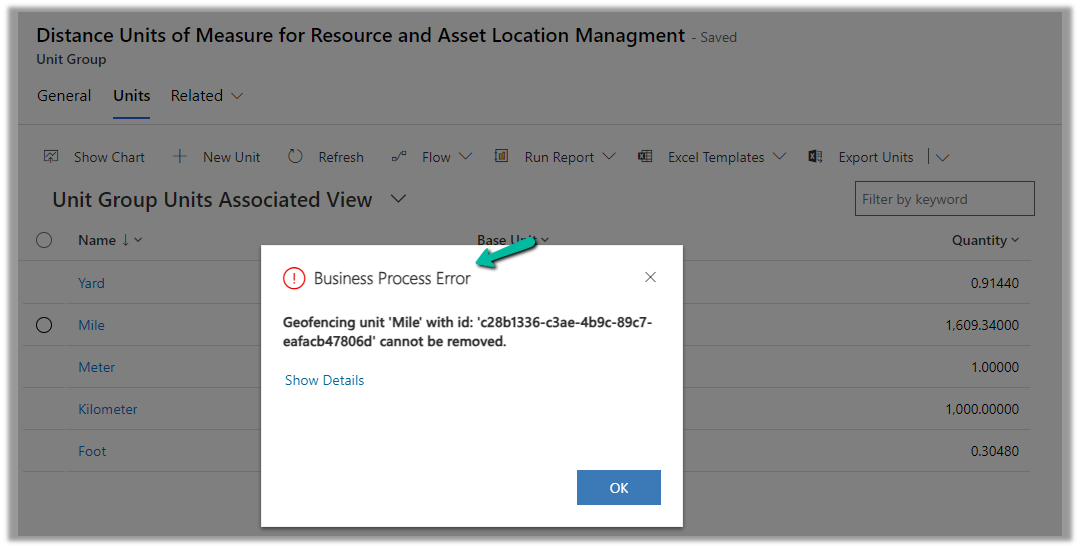
While trying to delete the Unit records related to the “Distance Units of Measure for Resource and Asset Location Management” unit group, we will get the below error

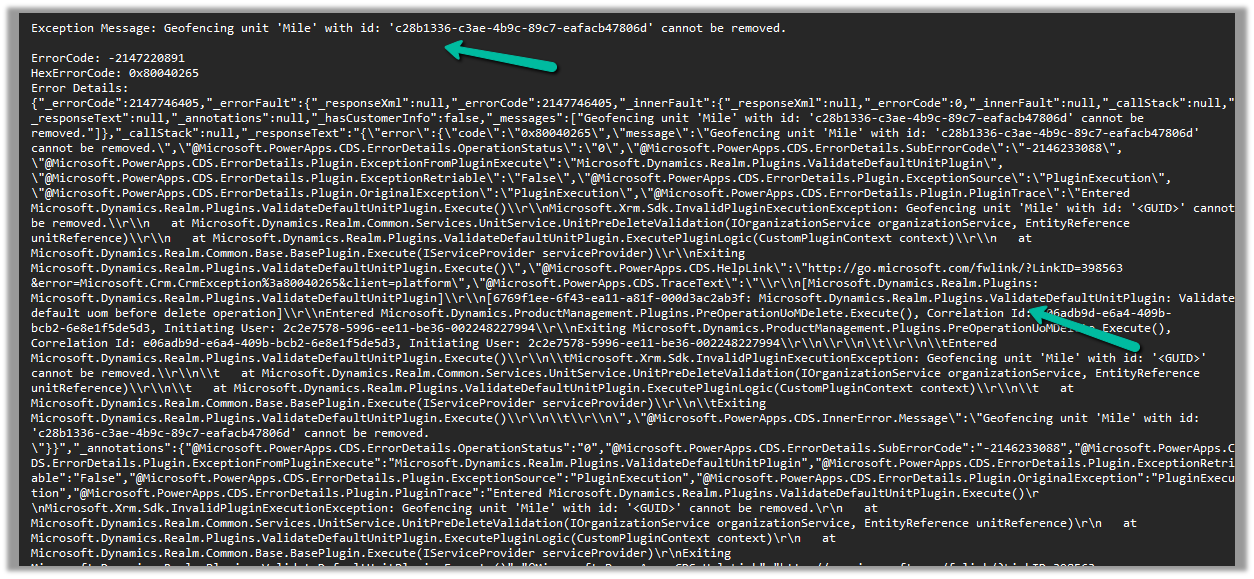
Geofencing unit ‘Mile’ with id: ‘<GUID>’ cannot be removed

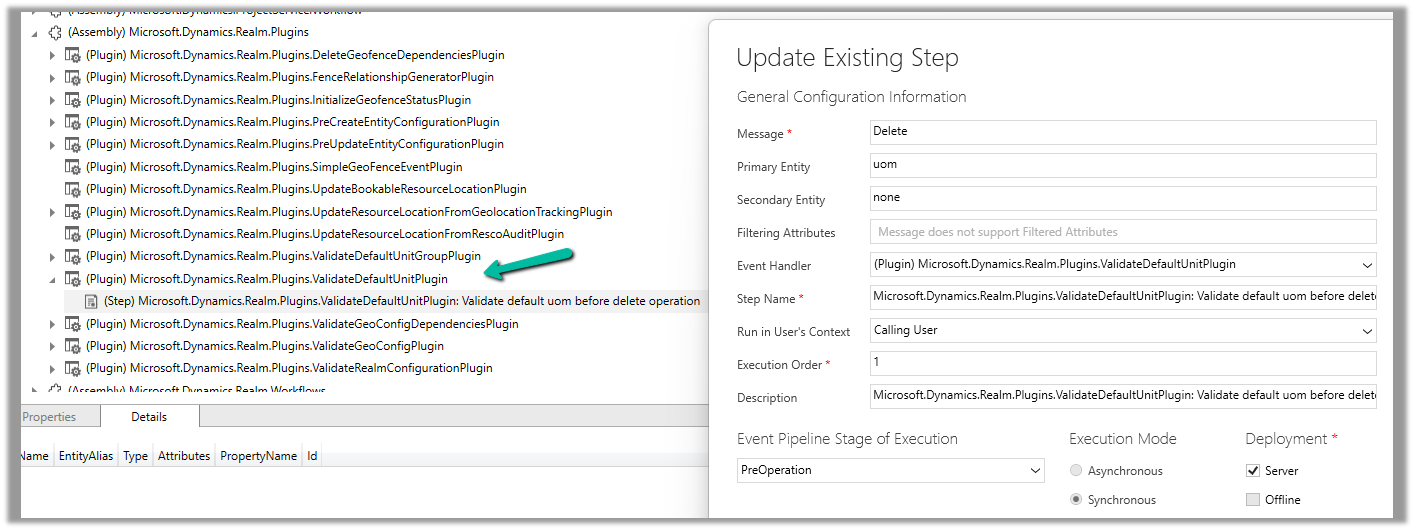
Below is the out of the box plugin that restricts the deletion of the unit

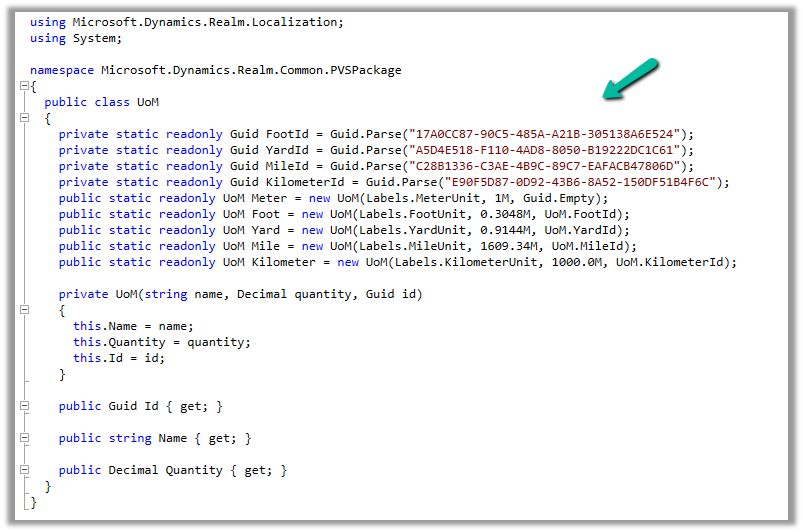
The code for the plugin –

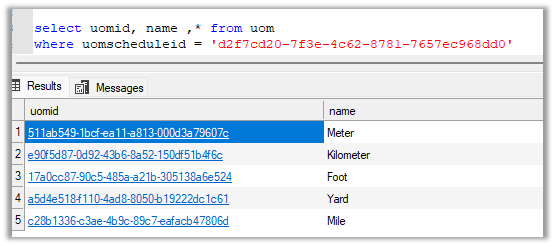
UOM GUIDs –

And the GUIDs within the environment –

To know more about Geofencing.

Hope it helps..

Advertisements

ILMerge / Dependent Assemblies in Plugin – System.IO.FileNotFoundException: Could not load file or assembly ‘System.Memory.Data’ – Dynamics 365 / Dataverse


Recently in one of our Plugins, which was using Azure.Storage.Blobs and Azure.Storage.Common libraries to move attachments from notes to Azure Blob Storage suddenly started throwing the below exception. The Plugin had been working fine and had been deployed long back to the production environment.

System.TypeInitializationException: The type initializer for ‘Azure.Response’ threw an exception. —> System.IO.FileNotFoundException: Could not load file or assembly ‘System.Memory.Data, Version=1.0.2.0, Culture=neutral, PublicKeyToken=cc7b13ffcd2ddd51’ or one of its dependencies. The system cannot find the file specified.

We raised the Microsoft Support for it and were informed that the reason for this was there was a platform update over that particular weekend to stop loading the “System.Memory.Data” assembly on the plugin server. And as we hadn’t included that assembly in our package (ILMerge), we started getting the exception.

Also as per Microsoft Docs


So the quick fix at that time was to include (set Copy Local as True) for that System.Memory.Data along with Azure assemblies.

Also now we can look into using Plugin Package to package the dependent assemblies.

Hope it helps..

Advertisements

The plug-in execution failed because the Sandbox Worker process crashed. This is typically due to an error in the plug-in code – Dataverse / Dynamics 365


Recently we got the below exception for one of our plugins.

Message: The plug-in execution failed because the Sandbox Worker process crashed. This is typically due to an error in the plug-in code. Please refer to this document: https://go.microsoft.com/fwlink/?linkid=2189390
Microsoft.Xrm.RemotePlugin.Grpc.ExceptionHandlers.SandboxFabricWorkerCommunicationException: Error communicating with SandboxFabric Worker —> Grpc.Core.RpcException: Status(StatusCode=”DeadlineExceeded”, Detail=”Deadline Exceeded”

If we refer to Microsoft Documentation below seems to be the cause of the issue in our case.

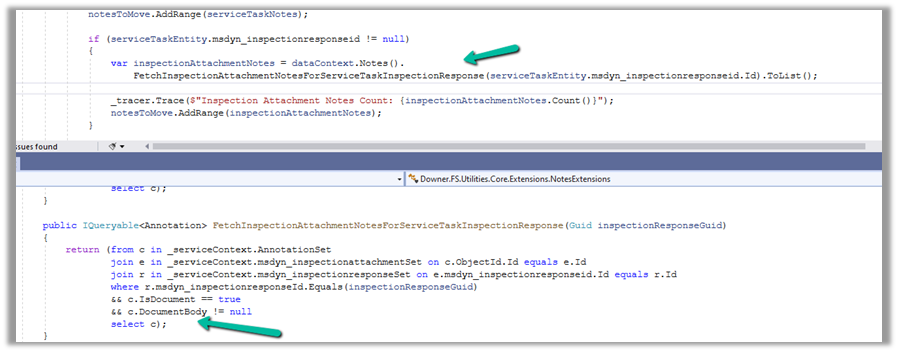
In our scenario, we had a Plugin that was Asynchronous and it was triggered on the Post Update of Work Order Service task. The plugin will fetch all the attachments (to notes associated with inspection attachments > inspection response > work order service task). There were many Service Tasks having more than 20 attachments exceeding 100 mb size total.

We were doing bulk updates which triggered the plugin creating too many requests eventually leading to that error.

Get more details – Error “Sandbox Worker Process Crashed”

Also, check – https://cloudblogs.microsoft.com/dynamics365/it/2017/02/20/microsoft-dynamics-365-online-asynchronous-service-quotas/

Hope it helps..

Advertisements

Fixed – System.InvalidOperationException: Message size exceeded when attempting to send response to sandbox. Message Size 123 Mb. Max Allowed 128974848 Mb (Dataverse / Dynamics 365 )


Recently we got the below exception for one of our plugins
Message: System.InvalidOperationException: Message size exceeded when attempting to send response to sandbox. Message Size 123 Mb. Max Allowed 128974848 Mb.

Below is the code where we were getting the error. We were retrieving the notes records associated with the inspection response/inspection attachments. (Dynamics 365 Field Service)

And if we had a total of all attachments to it more than 100 mb it was failing.

Below is the test Work Order Service Task record for which we were getting the error.

There were a couple of other attachments also to it making a total of more than 100 Mb.

Here to fix the error instead of fetching all the note details at once and then processing the notes attachments, we updated our logic to process the notes attachments one by one.

Hope it helps..

Advertisements

How to – Create an Automated low-code plug-in (Dataverse) (experimental)


In the previous post, where we installed the Dataverse Accelerator app and saw how to write basic low-code Instant Plugins.

Here we’d look at the Automated low-code Plugins.

Select the New Plugin option in the Dataverse Accelerator app to create Automate Plugins.

We get the option to select the table, the event, define the behavior of the plugin using Power FX, specify pre or post-operation, and the solution as shown below.

To keep it simple, we have created a plugin on pre-operation that checks for null, the email address field in the Contact record on Create, and if blank throws an error.

On trying to create a contact record without an email address, we get the exception as specified in the plugin.

That’s all we are done with our plugin.

Now interestingly if we check our solution specified, we will not find our plugin there. We need to add them to the solution manually right now, here we need to look for FxExpression.

Read more about it here – https://debajmecrm.com/how-to-write-plugins-in-dataverse-using-low-code-powerfx-functions/

And all the details here

Hope it helps..

Advertisements