Customize the Real-time Marketing Form form / Form Editor to add field (Dynamics 365 Customer Insights – Journey)


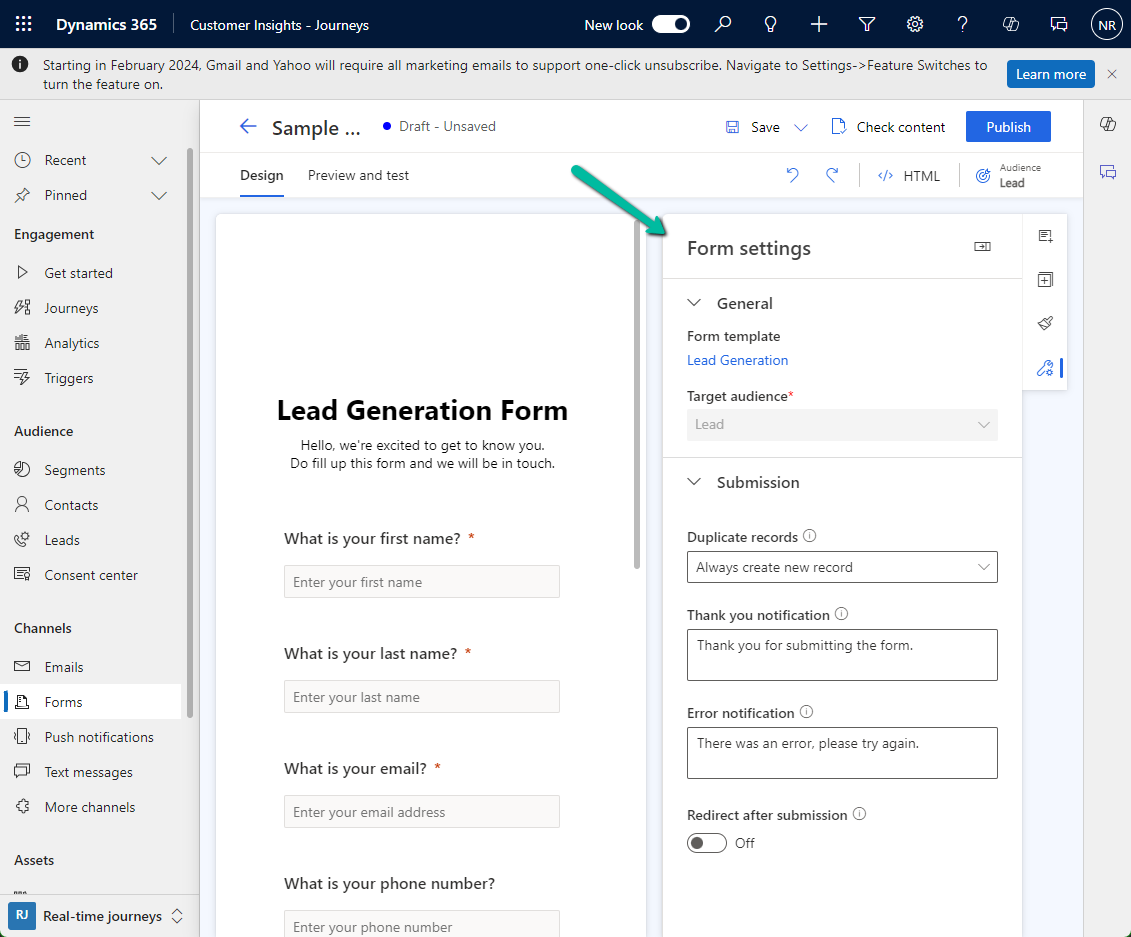
Suppose we want to add the Lead Type (a custom choice field) to the Marketing Form’s form / form settings (RTM).
Open the Form table for customization, here we need to add the field to below 2 forms.
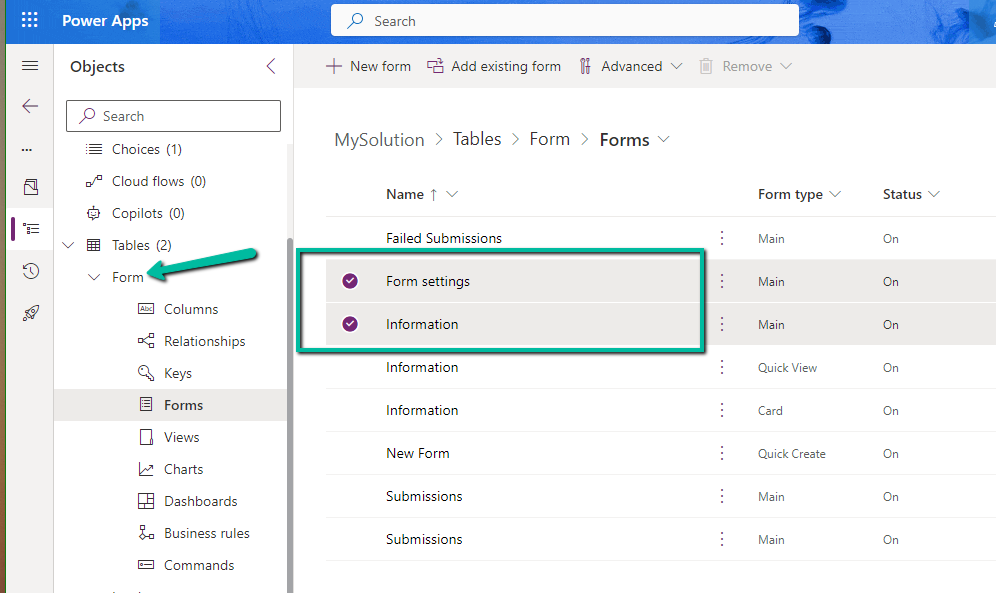
Starting with the Form Settings form, drag the field to the form.
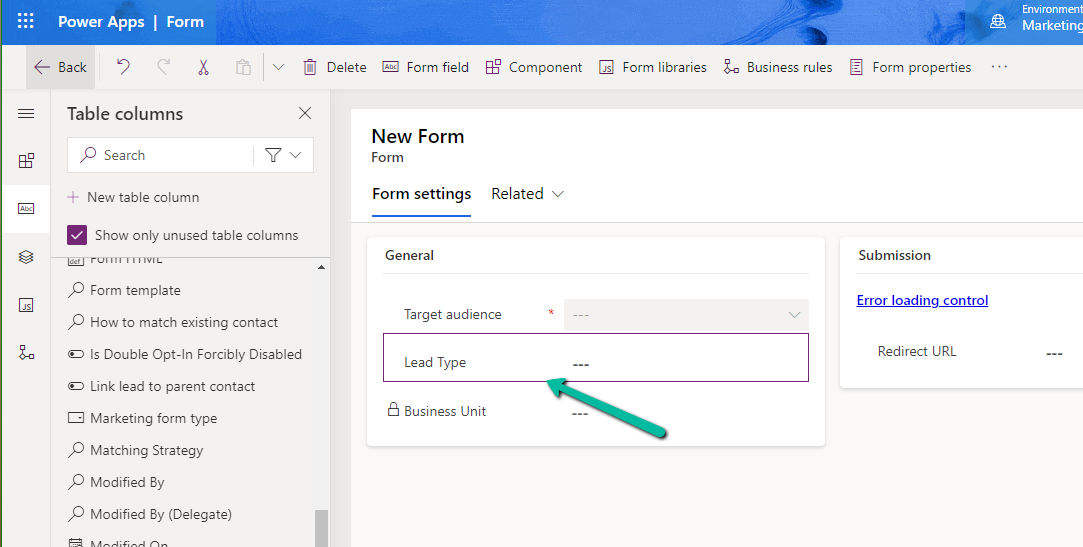
A screenshot of a computer

Description automatically generated

If we check the form now, it will ask us to add it to the main form.

A screenshot of a computer

Description automatically generated

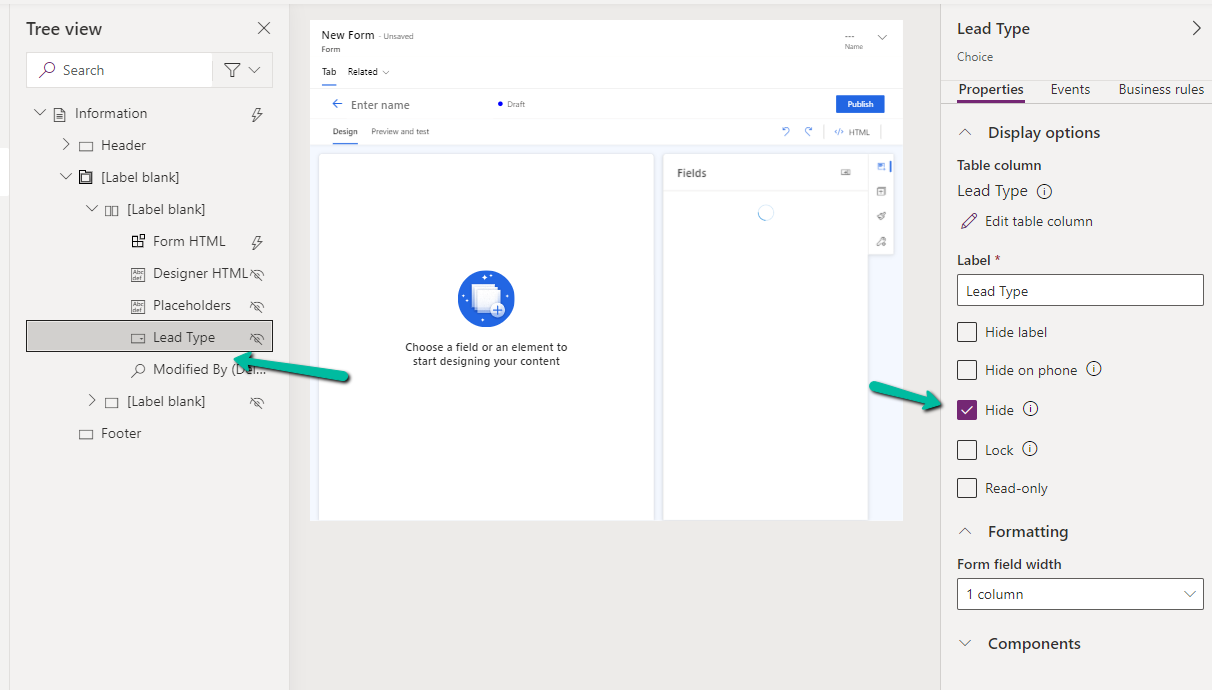
Open the Information (Main) form, double click the field to add it. As the field will not render in the form designer, select the field from the Tree View, and Hide it.
A screenshot of a computer

Description automatically generated

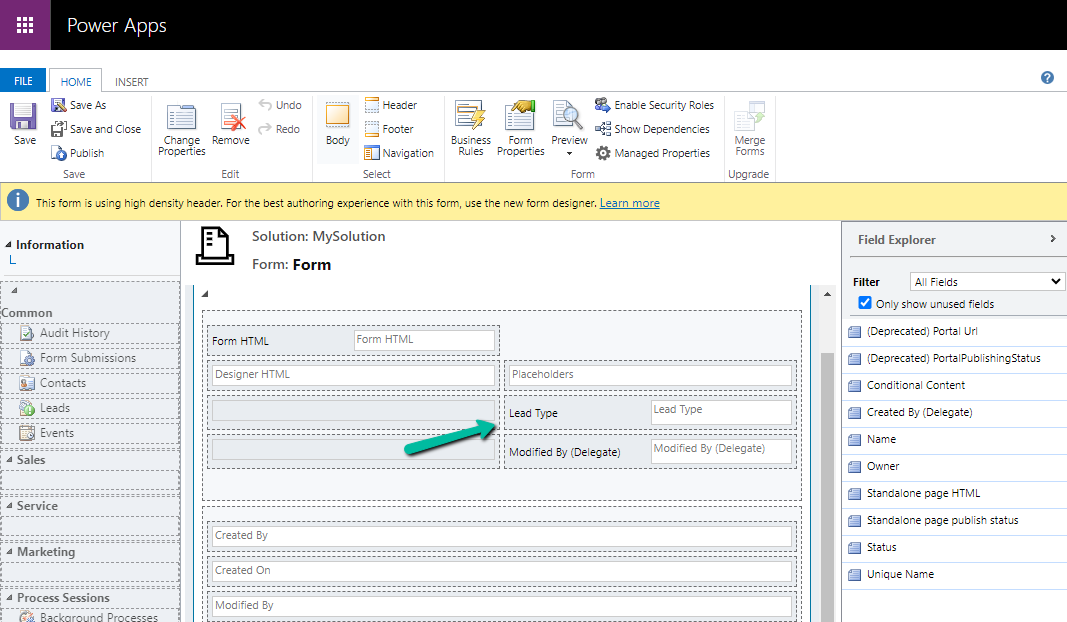
Or we can also open the form in the classic designer, there we will be able to see the field.
A screenshot of a computer

Description automatically generated

On saving and publishing the change, we can see our Lead Type field appearing on the Form Designer.

Please refer for more information –

Customize the form editor

Hope it helps..

Advertisements

Fixed – This assets-oce.mkt.dynamics.com page can’t be found in Dynamics 365 Marketing


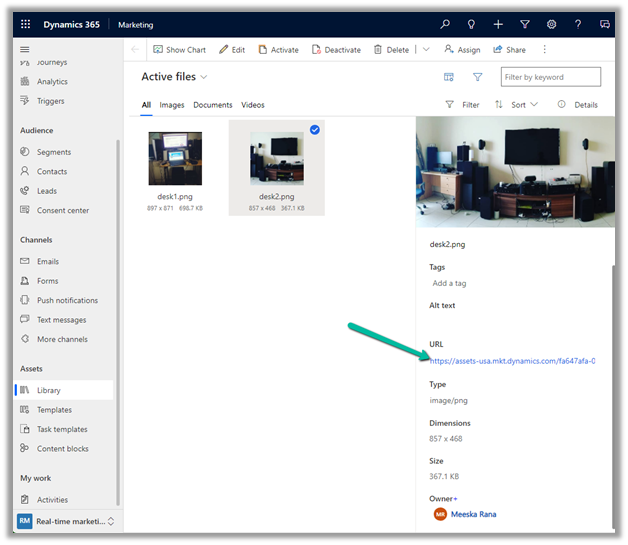
Recently we got the below error while trying to open the files in our Real-time marketing Assets Library.

We raised the Microsoft Support ticket for this and got the issue fixed.

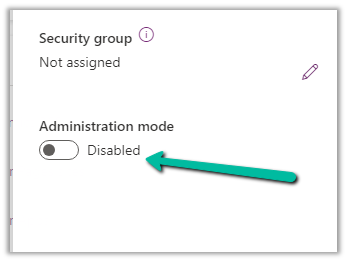
This was because our environment was in Admin mode. (as we were going live so had kept it in admin mode, till we verify it), and there are specific tasks related to processing marketing content, such as resizing image / optimizing image / etc. that requires some Async Service to run in the background which needs the environment to be in the non-admin mode.

Disabling the Admin mode for the environment fixed it.

Hope it helps..

Advertisements
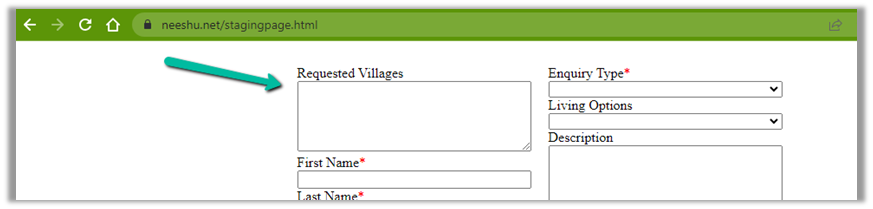
Fixed – We can’t find the form page you’re trying to load – Dynamics 365 Marketing


Recently we saw the below error in one of our marketing forms hosted on the website –

We can’t find the form page you’re trying to load: <div data-editorblocktype=”FormBlock” data-form-block-id=”64d87bc7-279d-ed11-aad1-00224814fd52″></div>. Please check your page setup.


This occurs if the form is not Live.


Making the form “Go live” will fix the issue.


Hope it helps..

Advertisements

Fixed – The domain where this form is embedded might not be enlisted as a domain record for externally hosted forms in Dynamics 365 Marketing


Recently we were getting the below issue for our Marketing Forms hosted on an external website on a particular authenticated domain. The pages were working fine in other authenticated domains.

The domain where this form is embedded might not be enlisted as a domain record for externally hosted forms. Otherwise, a browser extension or plugin may be blocking this form from loading. Review and reload form to continue.”

This particular domain was also shown as authenticated in our Dynamics 365 marketing.

Our website was e.g. https://www.domain.kiwi/ so we had domain.kiwi authenticated in Dynamics 365 Marketing.

Eventually, we had to raise a Microsoft Support Ticket and were instructed to add/ authenticate www.domain.kiwi   (with www.) also, doing so resolved the issue for us.

Also, there seemed like a UI bug in the Marketing which will cut out “www.” automatically when trying to authenticate the domains.

Hope it helps..

Advertisements

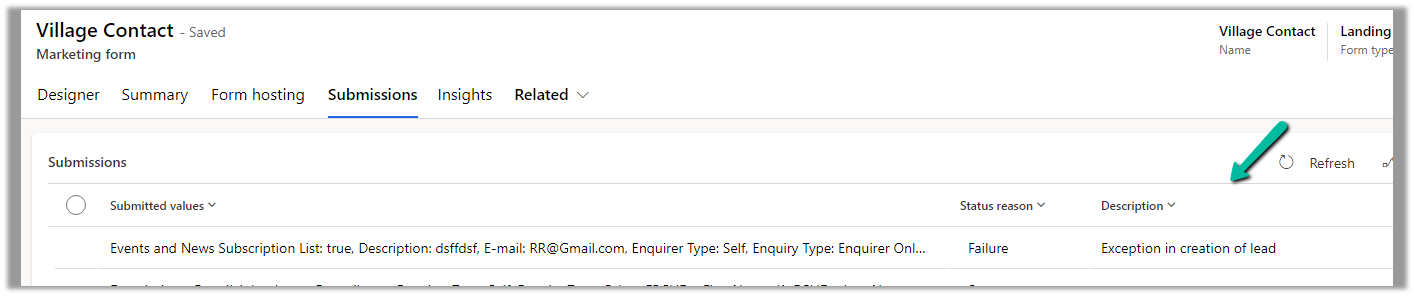
Fix – Exception in creation of lead (Dynamics 365 Marketing)


We were getting this error in the submission of one of our outbound Marketing forms.

Activity id: e1ede147-efb6-457d-bc19-826c6176a2e4, Request id: jH7xRiEzGFTdZQTbE2fkh9_Z_WtjumCqJERuYZbGSL0_0, Exception: Entity ‘Contact’ With Id = 896b960d-c5d7-4c4d-95c7-a9e226afbf8e Does Not Exist

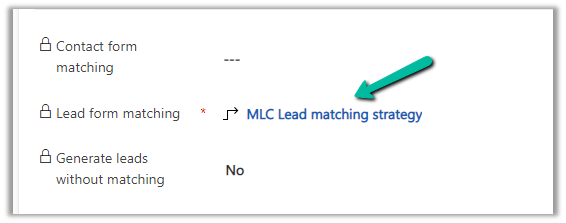
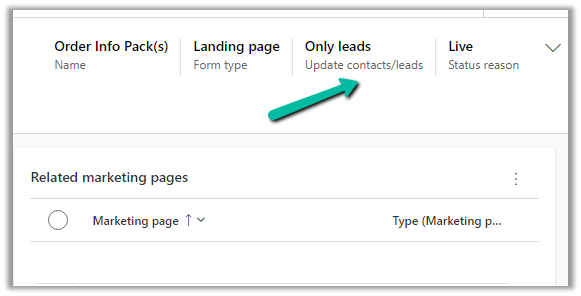
The form had only the Lead form matching defined and Only leads for Update contacts / leads.

So here because of some earlier multiple/different form submissions, a contact got created and stored in the browser’s cookie, which CRM was referring to, and trying to set a Parent Contact for the lead record even though we were having Only leads set for update contact/leads option.

This is the behavior of the product.

https://learn.microsoft.com/en-us/dynamics365/marketing/marketing-forms#createupdate-leads-only

The solution is to delete the cookie or try in incognito or in-private mode or a different browser, and it would work.

This would probably arise because while setting up marketing forms we would do multiple submissions with test data for testing.

Hope it helps..

Advertisements

Fixed – Exception in creation of lead (Dynamics 365 Marketing)


Recently we were getting the below error in one of our marketing forms for form submission record.

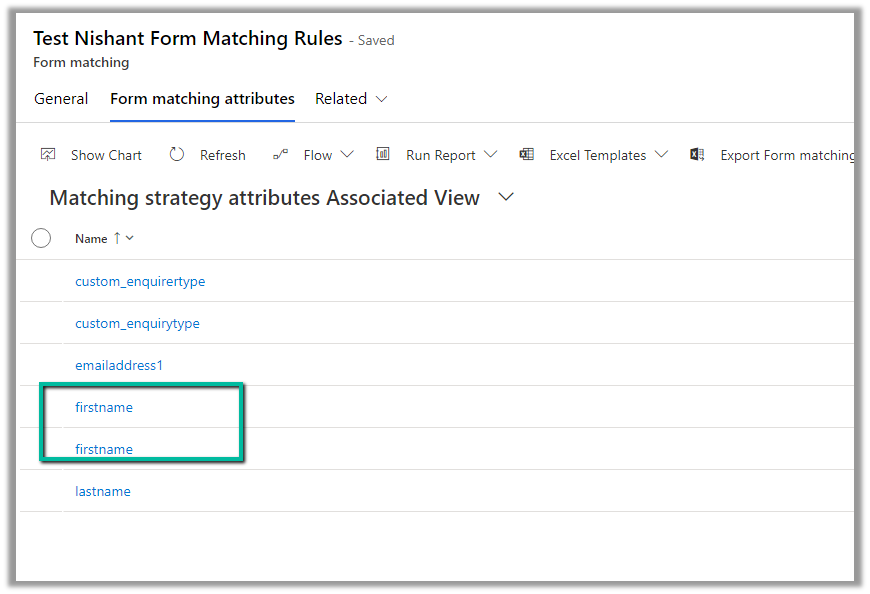
Exception in Creation of lead – Activity id: 40ff82fc-bb10-4d30-8671-12683392ccdf, Request id: AsChkx2zn5IKrjHVC4cTb6j-ZkB23D0PqgCdxwi8kEE_0, Exception: An item with the same key has already been added.

This was because we had mistakenly added first name fields twice as the form-matching attribute in the form-matching rule used for that form.

Deleting that extra field resolved the issue for us.

Hope it helps..

Advertisements