Recently we had to disable plugin steps as part of data migration, below is the sample code we can use, either specify the name of the assembly, plugin, or plugin step as we are using the “begins with” condition or make changes as required.
 class Program
    {
        static void Main(string[] args)
        {

            const string ConnectionString = "AuthType = OAuth; " +
                                            "Username = Nishant.Rana@xyz.com; " +
                                            "Password = testxyz; " +
                                            "Url = https://orgname.crm6.dynamics.com;" +
                                            "AppId=51f81489-12ee-4a9e-aaae-a2591f45987d;" +
                                            "RedirectUri=app://58145B91-0C36-4500-8554-080854F2AC97;" +
                                            "LoginPrompt=Auto";


            CrmServiceClient svc = new CrmServiceClient(ConnectionString);

            if (svc.IsReady)
            {
                try
                {
                    // we can specify step / plugin / assembly name
                    var pluginStepAssemblyName = "MyD365.Plugins.Core.Plugin.AssignOwner";
                    // 0 for active and 1 for inactive
                    var pluginStateCode = 0;

                    var query = new QueryExpression("sdkmessageprocessingstep");
                    query.ColumnSet = new ColumnSet("name", "sdkmessageprocessingstepid");
                    query.Criteria.AddCondition(new ConditionExpression("name", ConditionOperator.BeginsWith, pluginStepAssemblyName));
                    var sdkMsgProcessStepCollection = svc.RetrieveMultiple(query);

                    foreach (var sdkMsgProcessStep in sdkMsgProcessStepCollection.Entities)
                    {
                        var setStateRequest = new SetStateRequest();
                        setStateRequest.EntityMoniker = new EntityReference("sdkmessageprocessingstep", sdkMsgProcessStep.Id);
                        setStateRequest.State = new OptionSetValue(pluginStateCode);
                        setStateRequest.Status = new OptionSetValue(-1);
                        svc.Execute(setStateRequest);
                    }
                }
                catch (Exception ex)
                {
                    Console.WriteLine("Exception Messainge : {0} ", ex.Message);
                }

            }
        }
    }
While trying to import the solution (patch), we were getting the below error.
“Expected non-empty Guid”
There was hardly any detail in the log file also
We tried removing the solution component one by one in our source environment and trying the import again in the target environment.
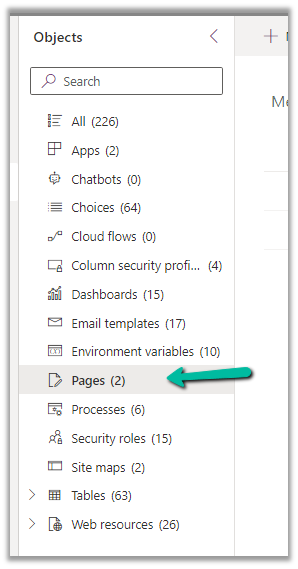
Eventually removing the Pages (custom page) allowed us to import the solution successfully into the target environment.
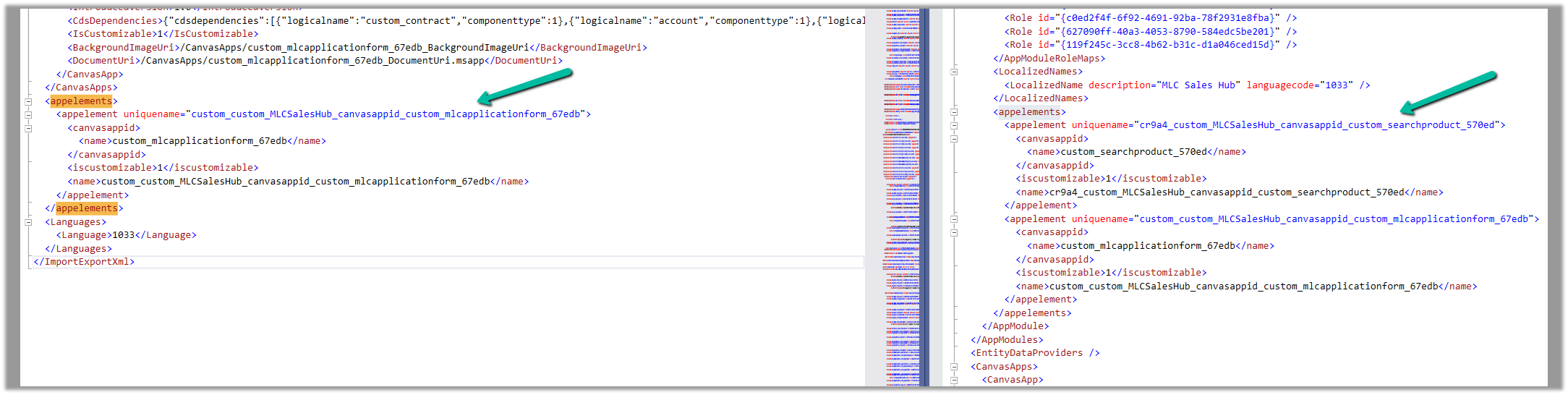
We then compared the customization.xml of the current solution with the backup solution of the Target and see the information missing in the current solution.
Left is – Current solution (giving error) and Right is the backup solution of the target.
Interestingly next time when we extracted the new patch after a couple of days, we could see the tag there and so no issues that time.
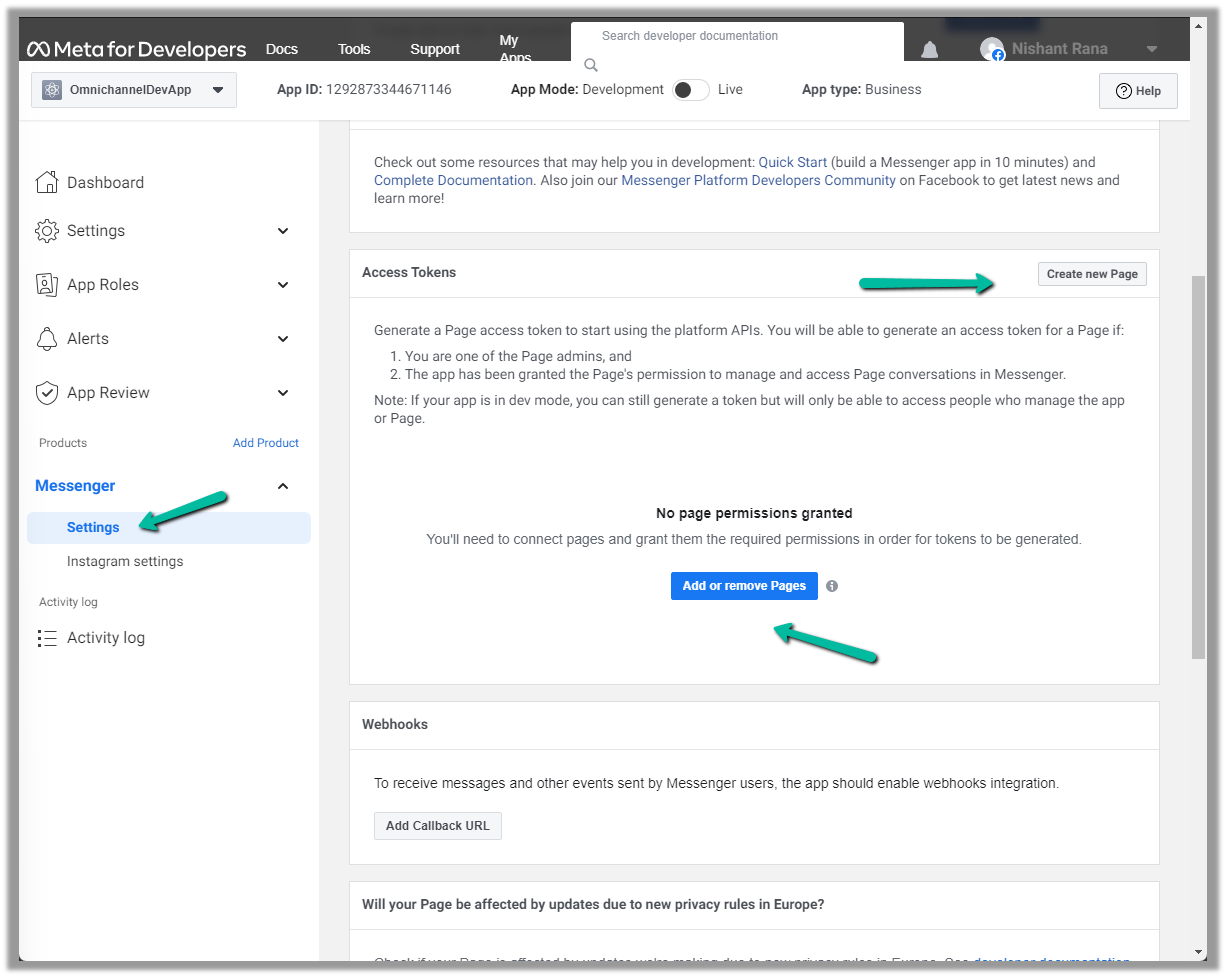
Next either add an existing page or create a new one and then add the newly created page in the Messenger >> Settings
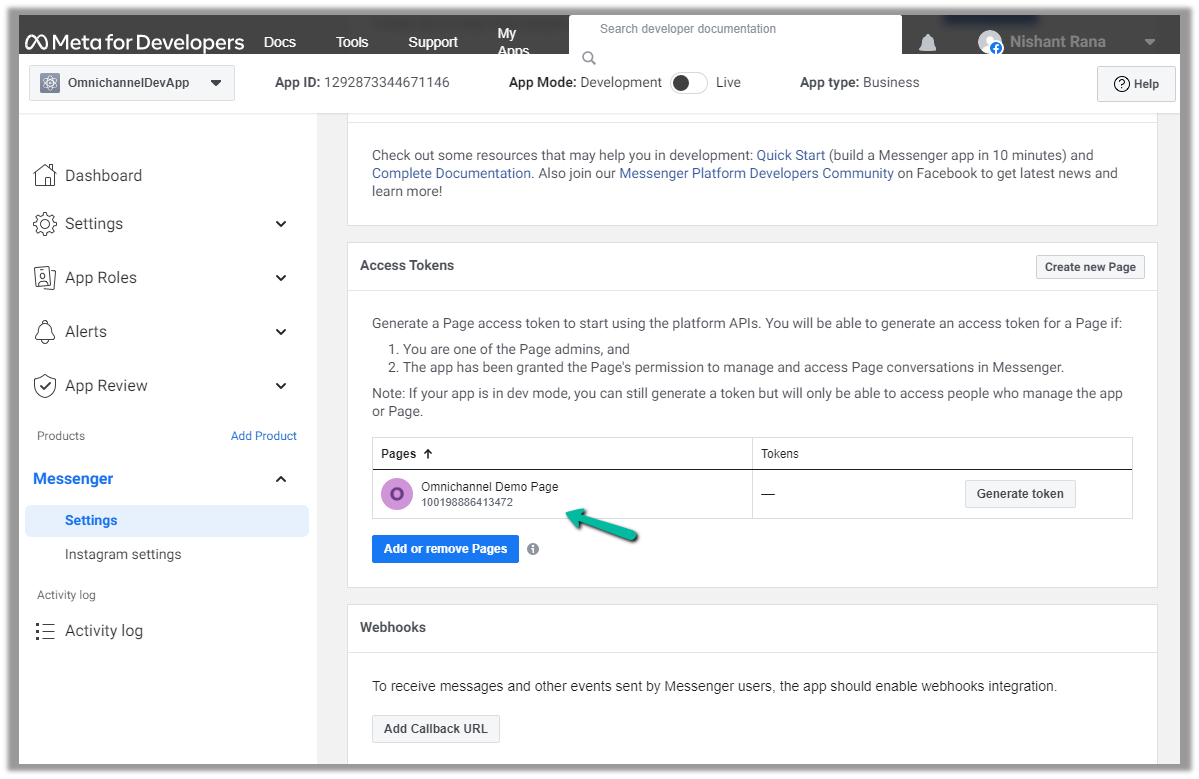
Here we created a new page and have added that page.
We can also Generate token for the page, which we will use while configuring Facebook Channel in Dynamics 365.
Click on Generate token and copy the token. Also, save the Page Id below the name of the page.
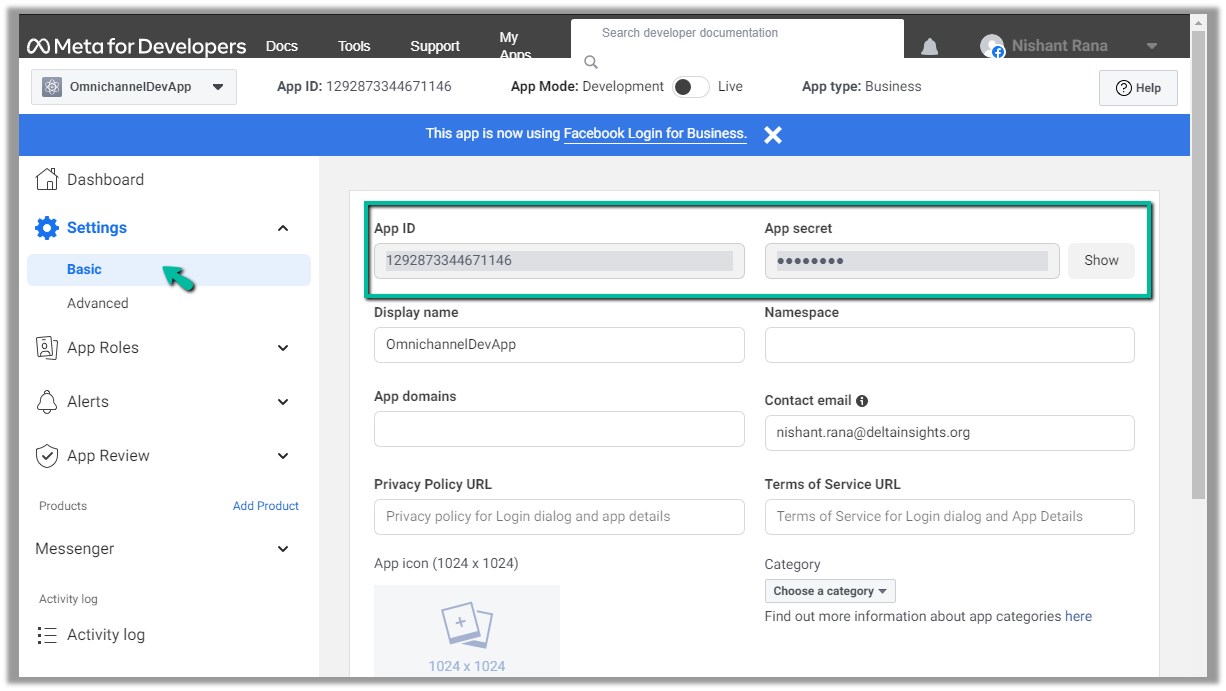
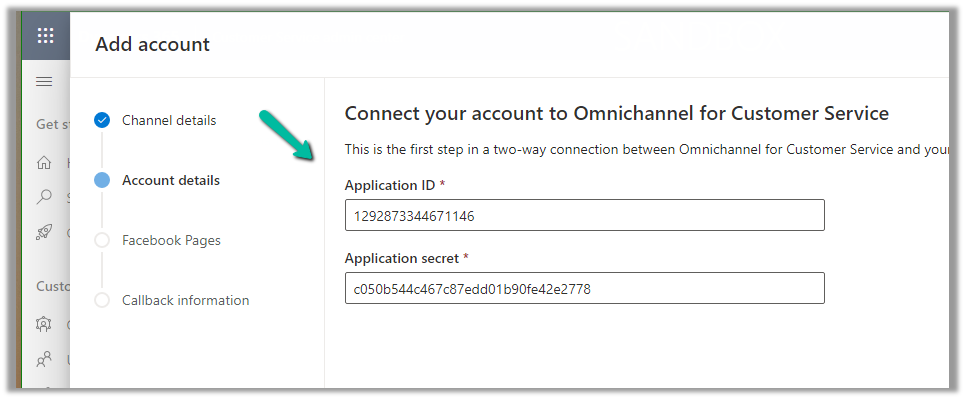
We will also need App ID and App Secret, which we can get from – Settings >> Basic
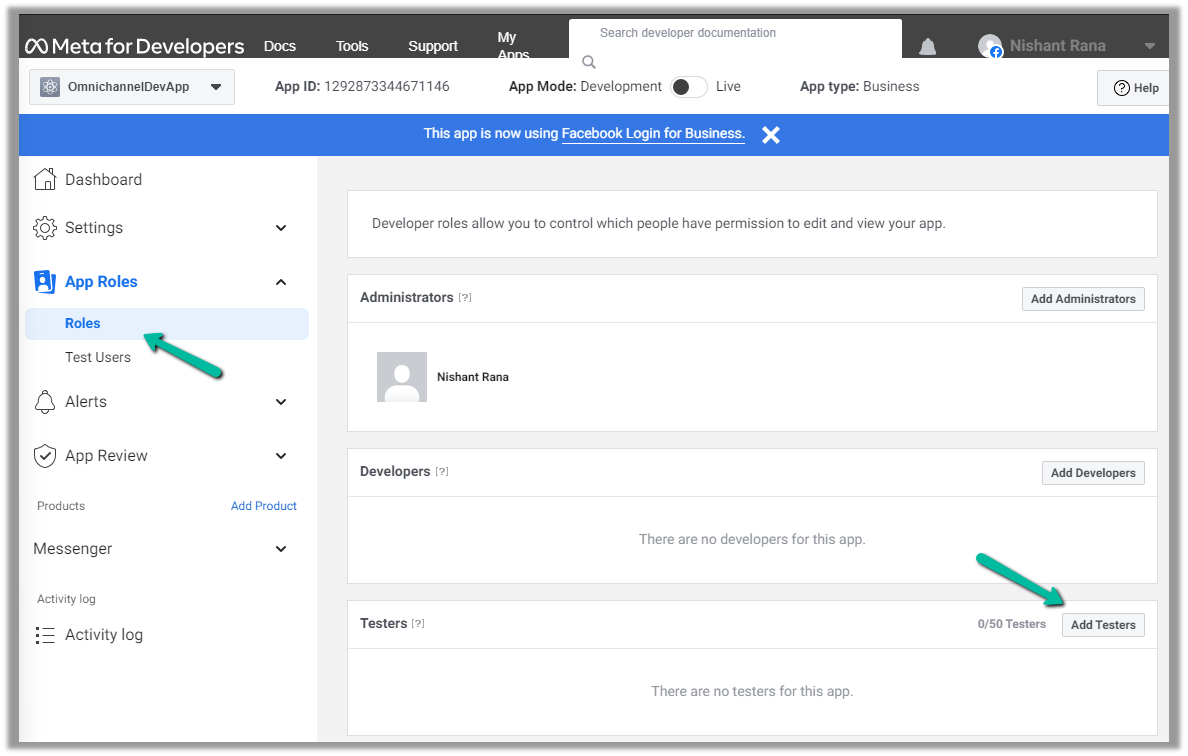
Next, we add a few test accounts to the app for testing/using the app. (we are not making the app publicly available or live, which would require and approval process)
Navigate to App Roles >> Roles >> Testers (Add Testers)
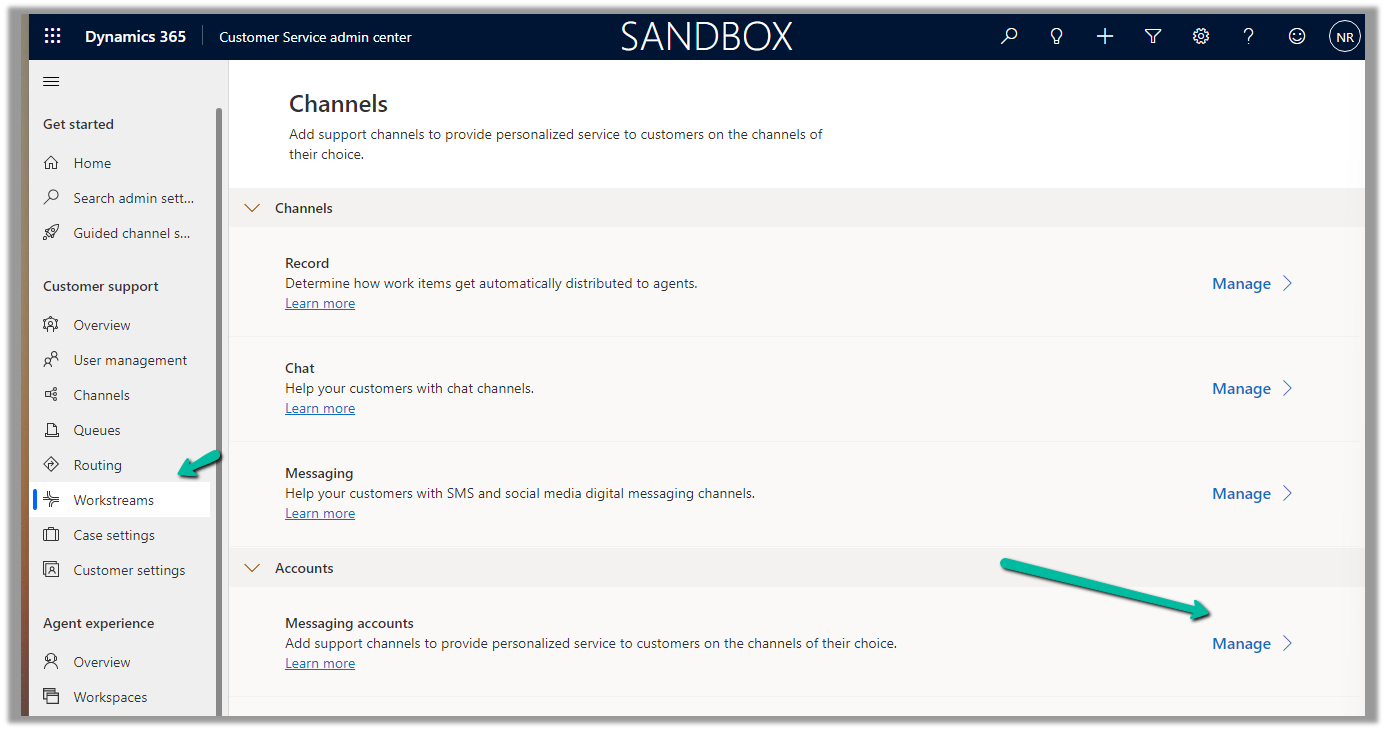
Back in Customer Service Admin Center, navigate to Customer Support >> Channels >> Messaging Accounts (Manage)
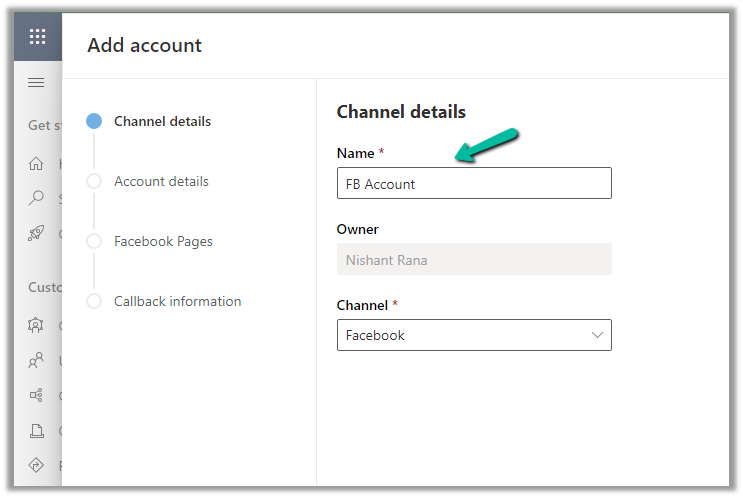
Add a New Account
Click Next and provide the App ID and Application Secret
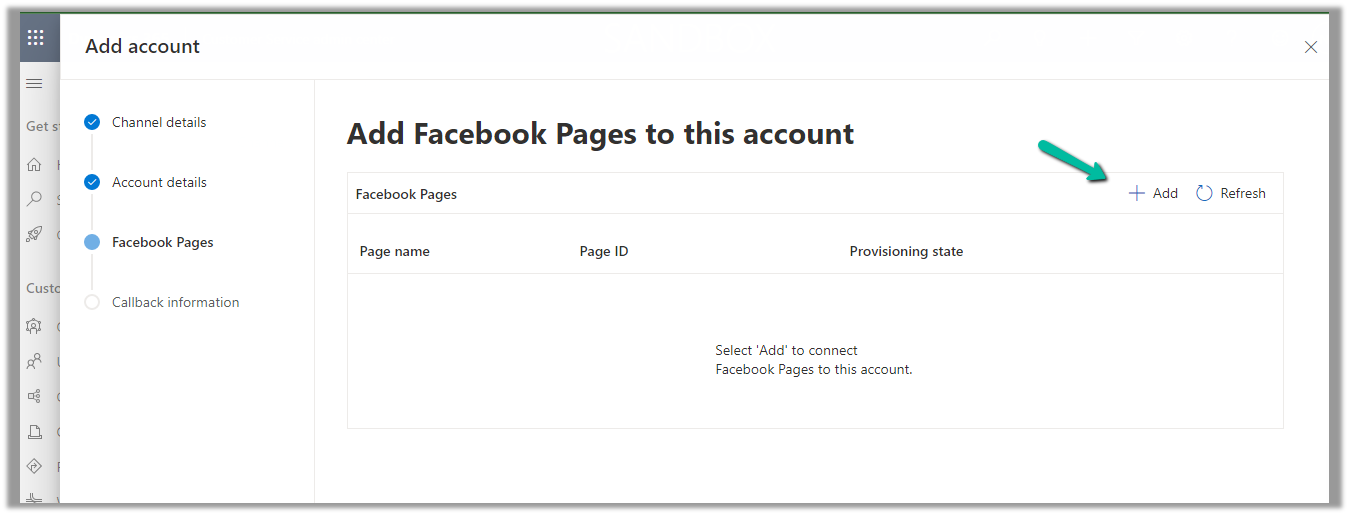
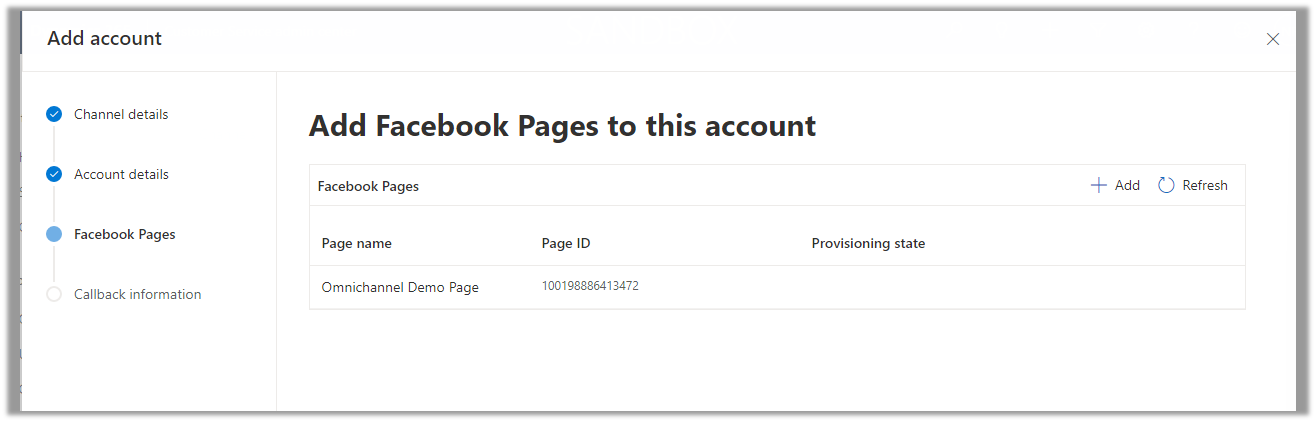
Add Facebook Page to the account
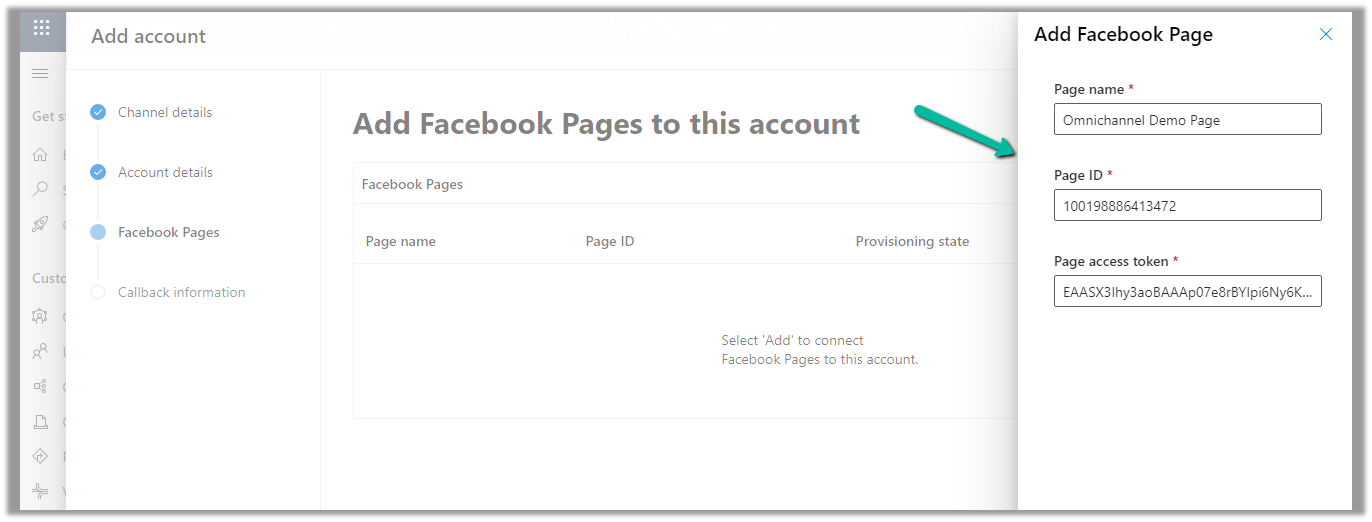
Provide the Page name, Page ID, and the Page access token.
With the page successfully added, click on Next
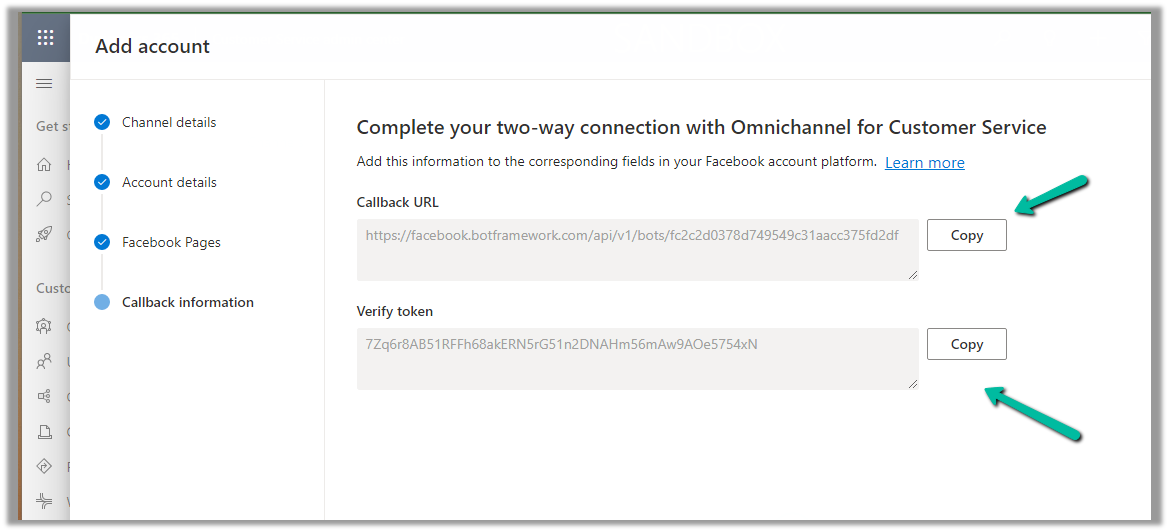
Copy the Callback URL and the Token.
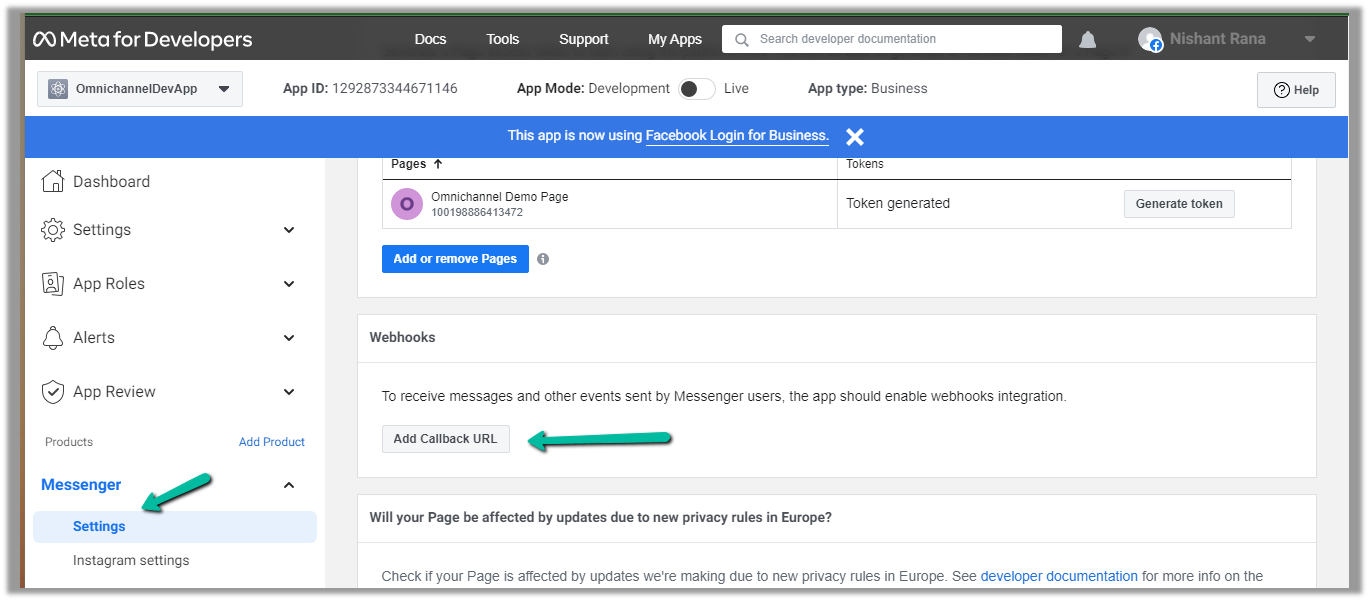
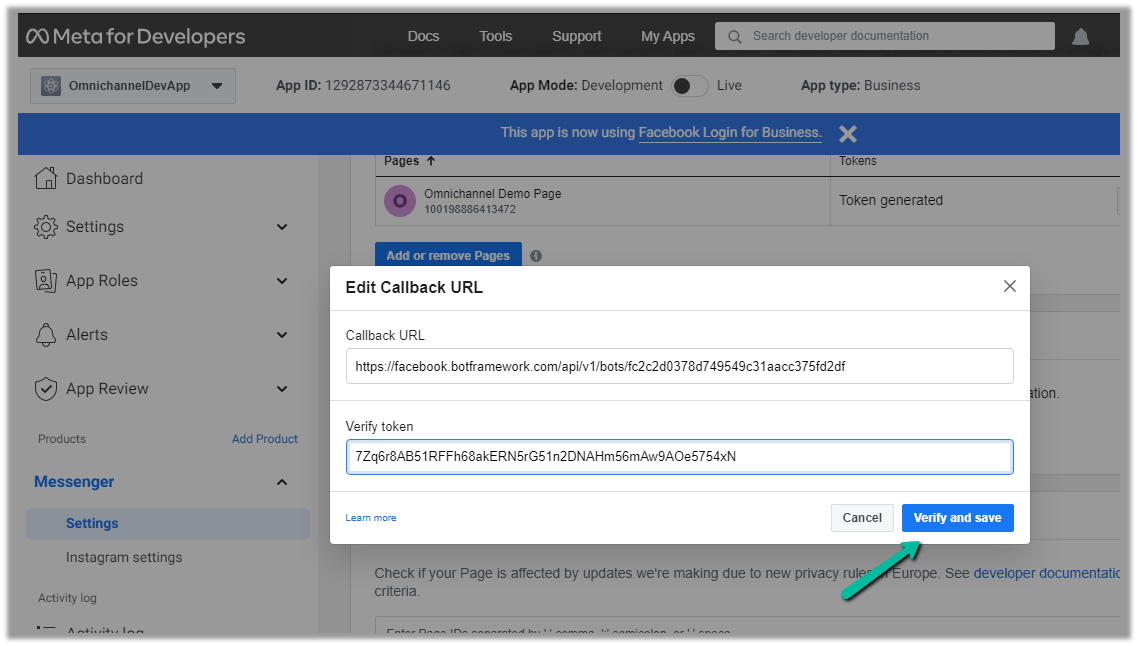
Paste this information in the Messenger product added.
Click on Add Callback URL.
Click on Verify and save
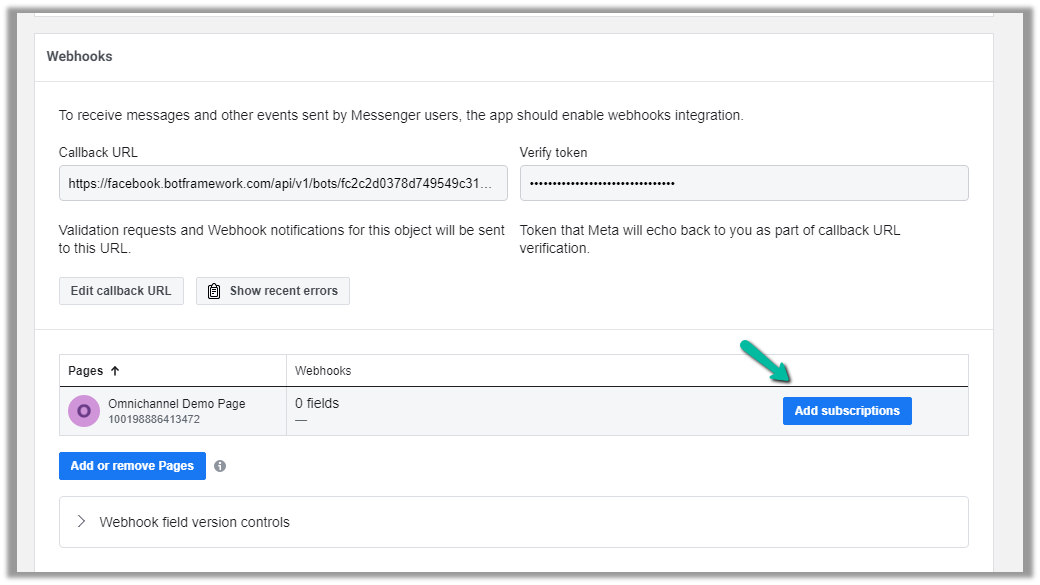
This adds the Webhooks details, click on Add Subscriptions for the Page added.
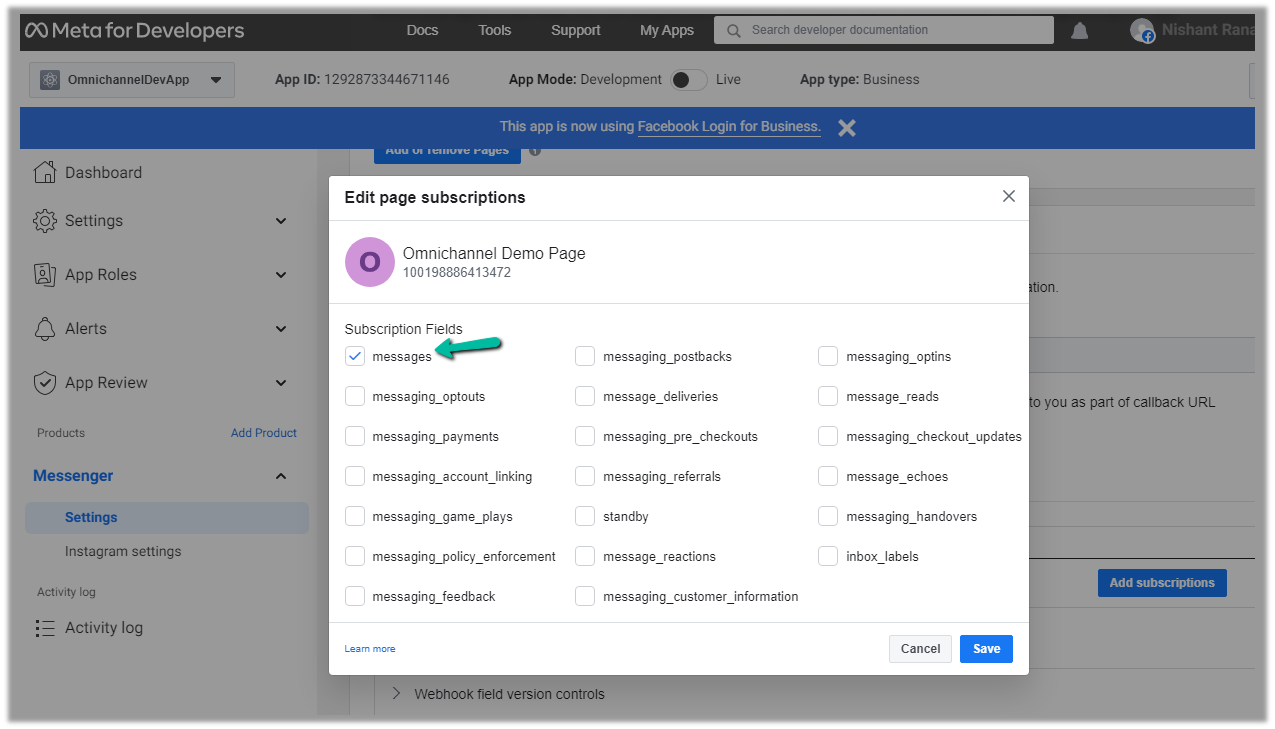
Select messages
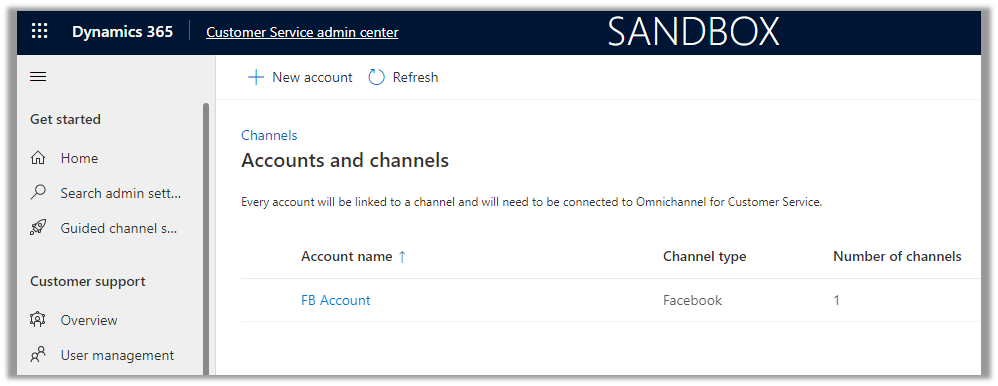
We can see the account added.
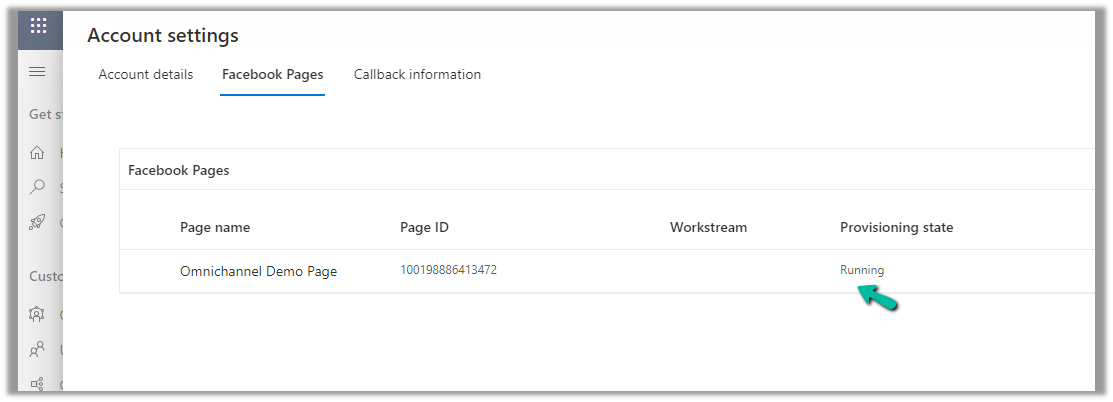
Open the record, and navigate to the Facebook Pages tab, there we can see the Provisioning state as Running.
Next, we will create a Channel for this Facebook Account.
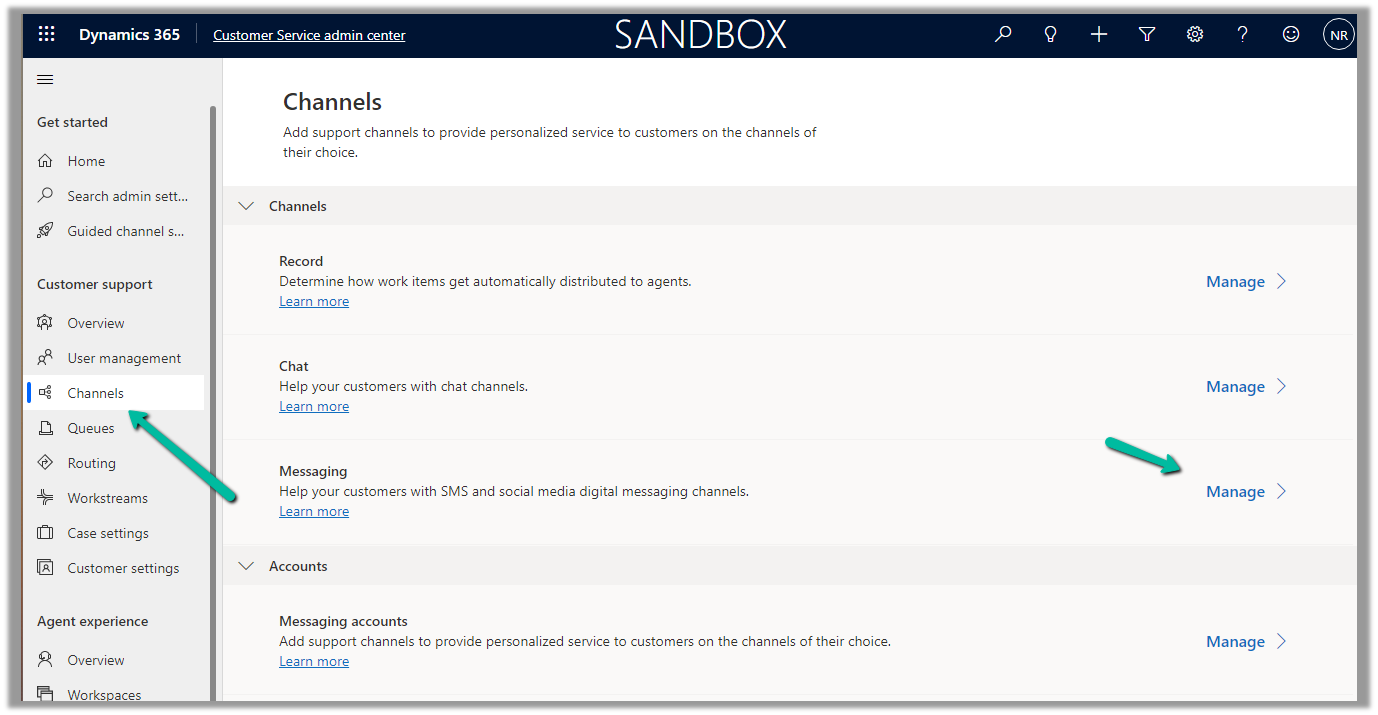
Navigate to Customer Support >> Channels >> Messaging (Manage) >> Add Channel
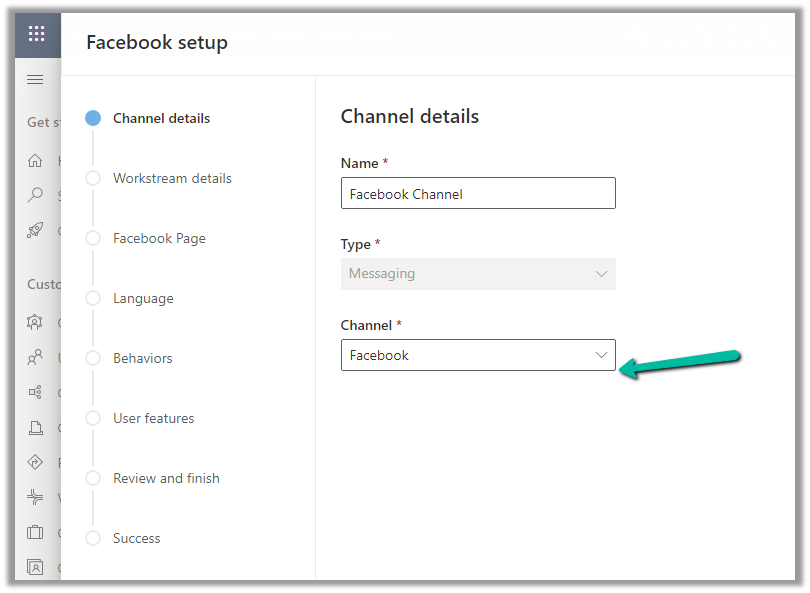
Select Channel as Facebook.
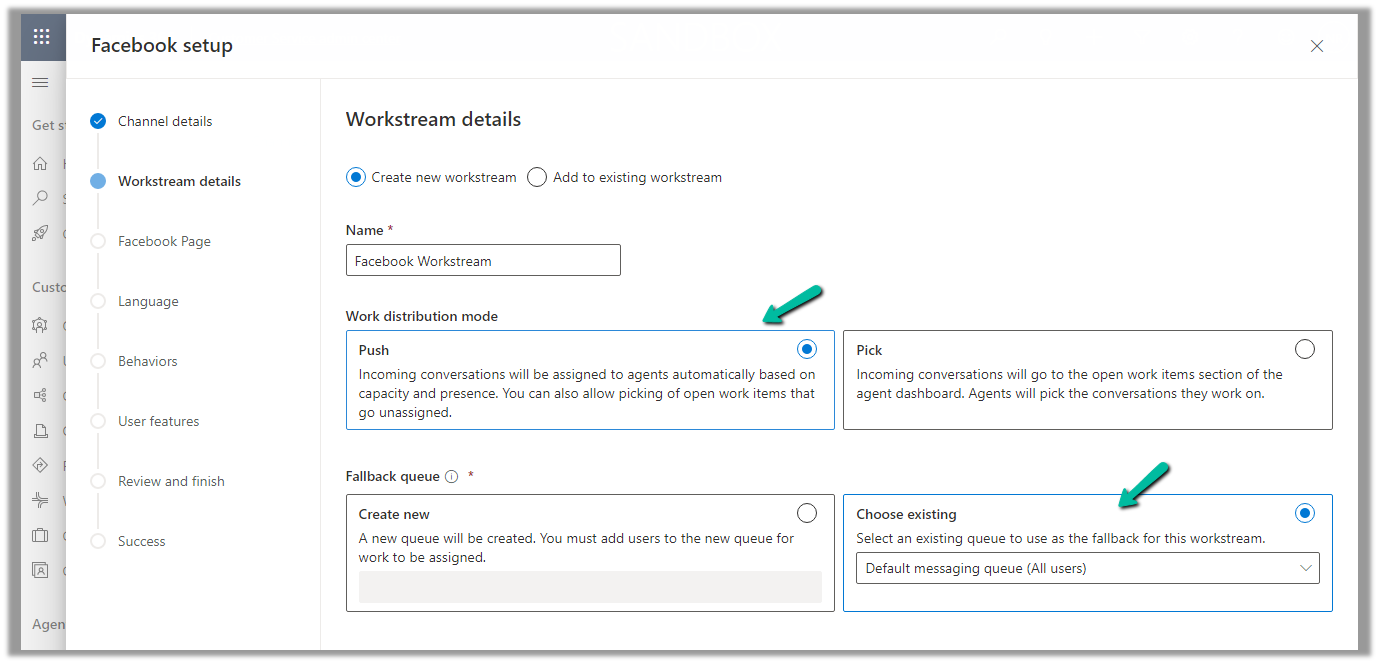
Add an existing workstream or create a new workstream.
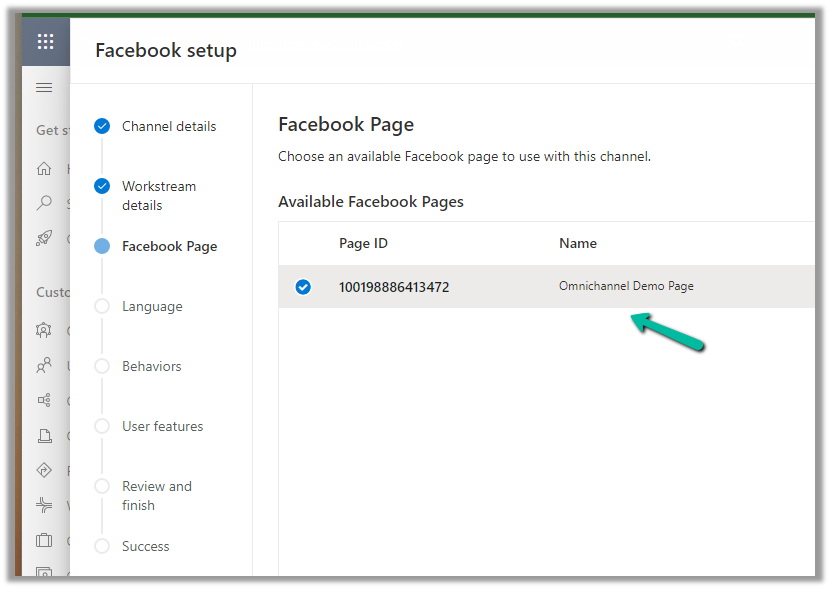
Next, select the Facebook Page configured in the previous steps.
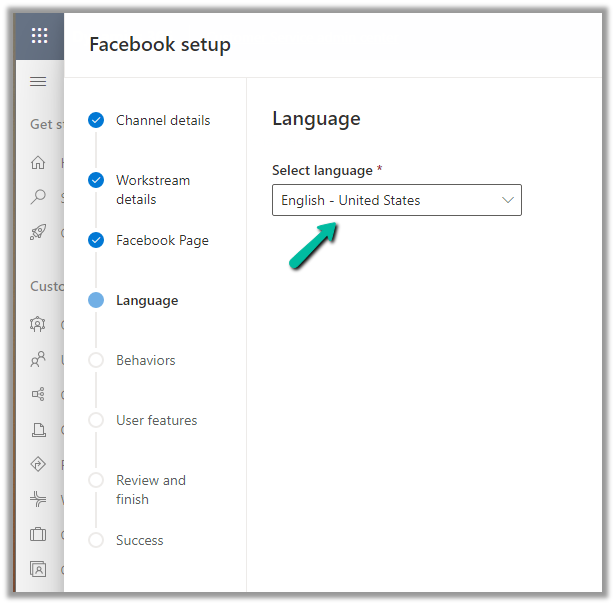
Language as English.
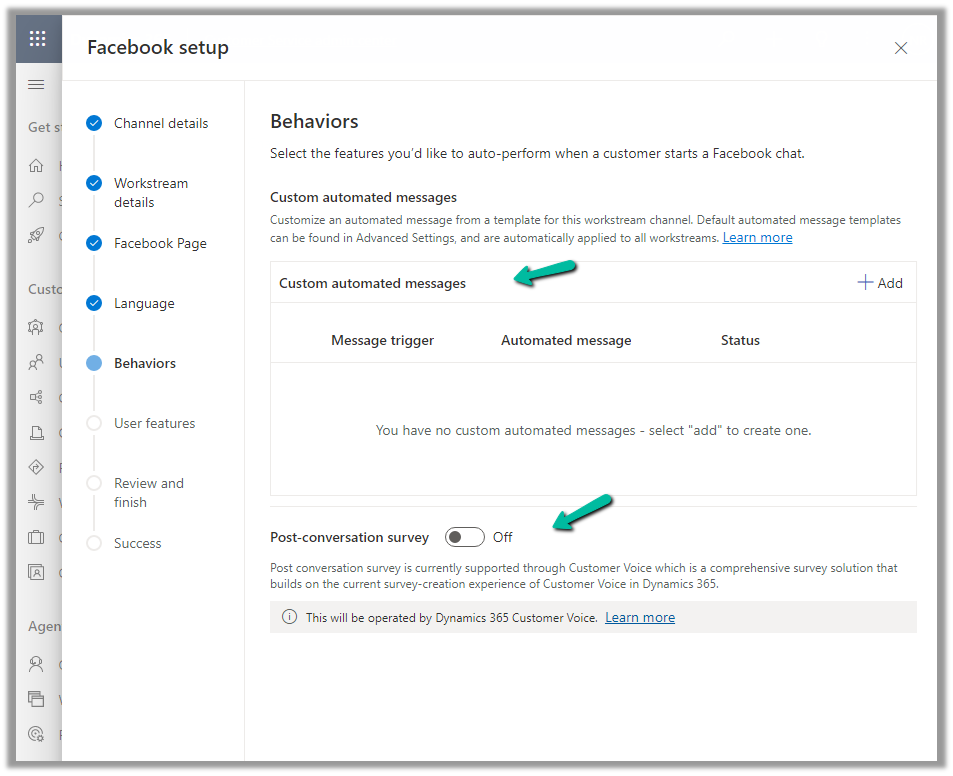
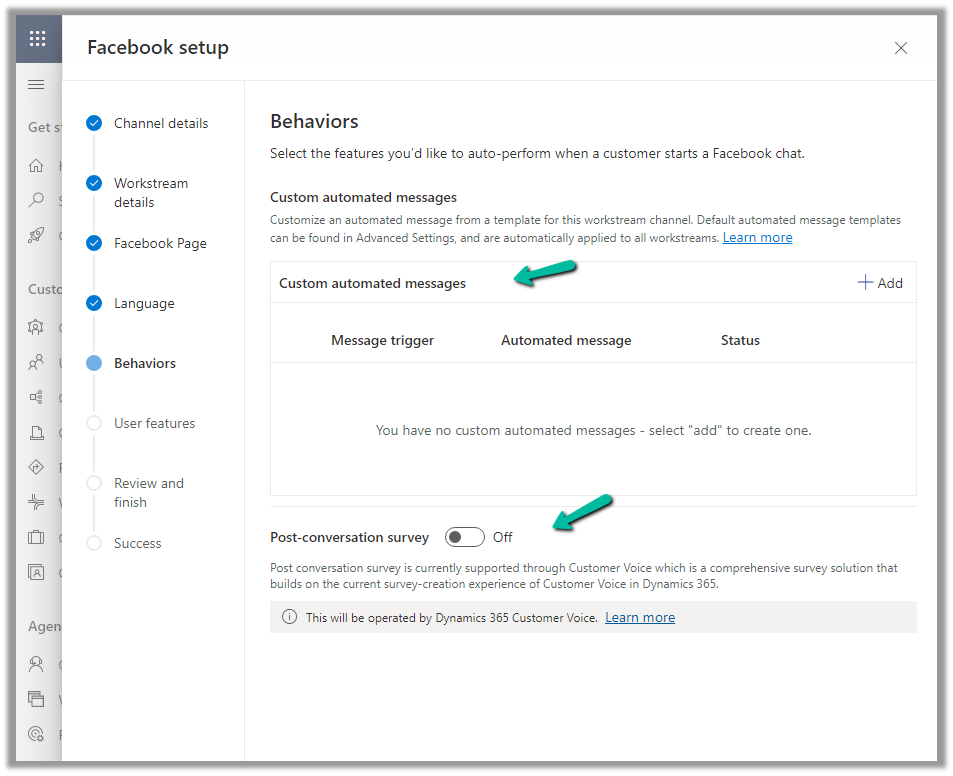
We can specify custom automated messages and Post Conversation survey settings here.
Specify the File attachments setting and message tag.
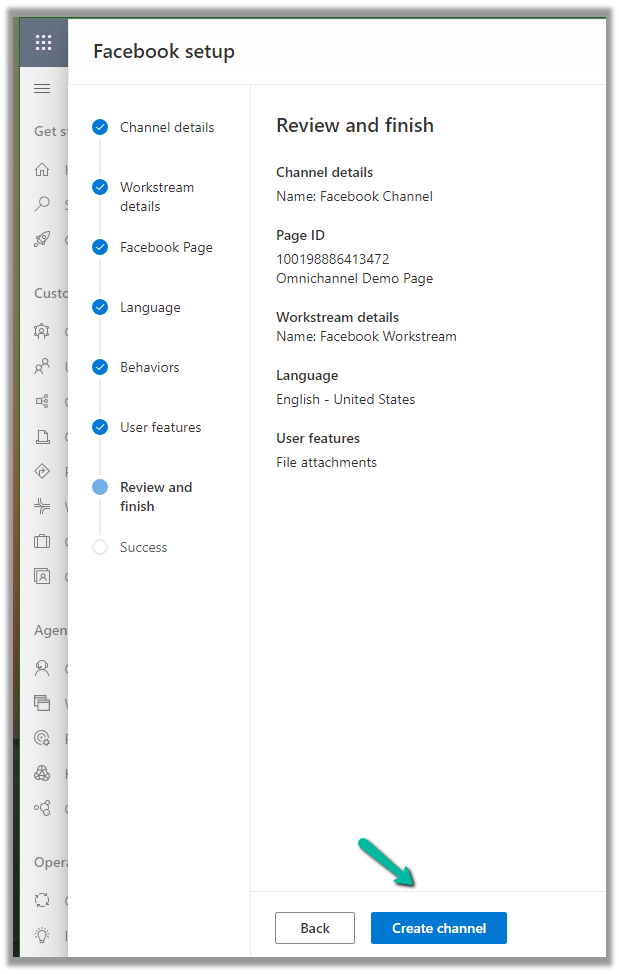
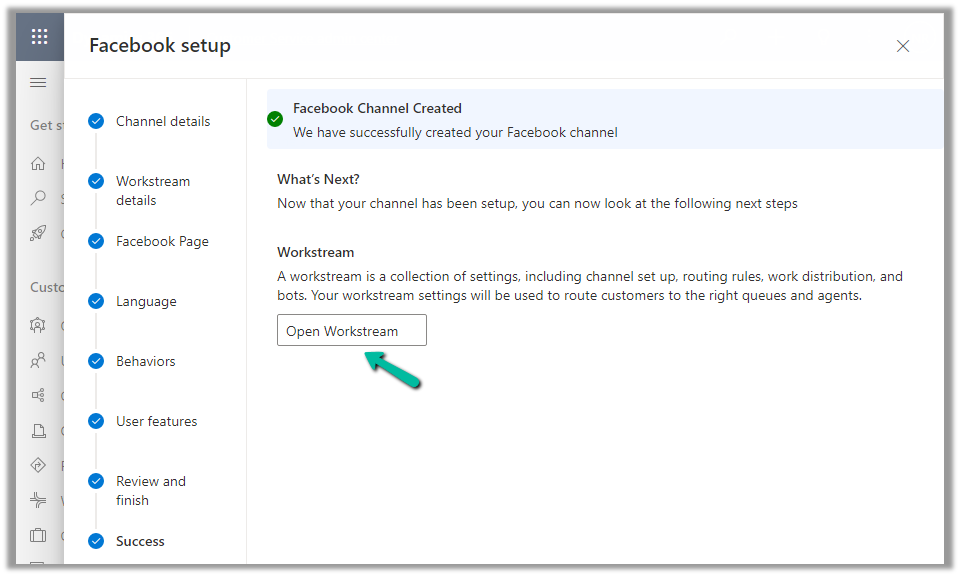
Review and if required edit the details and finally click on Create channel to create the Facebook channel
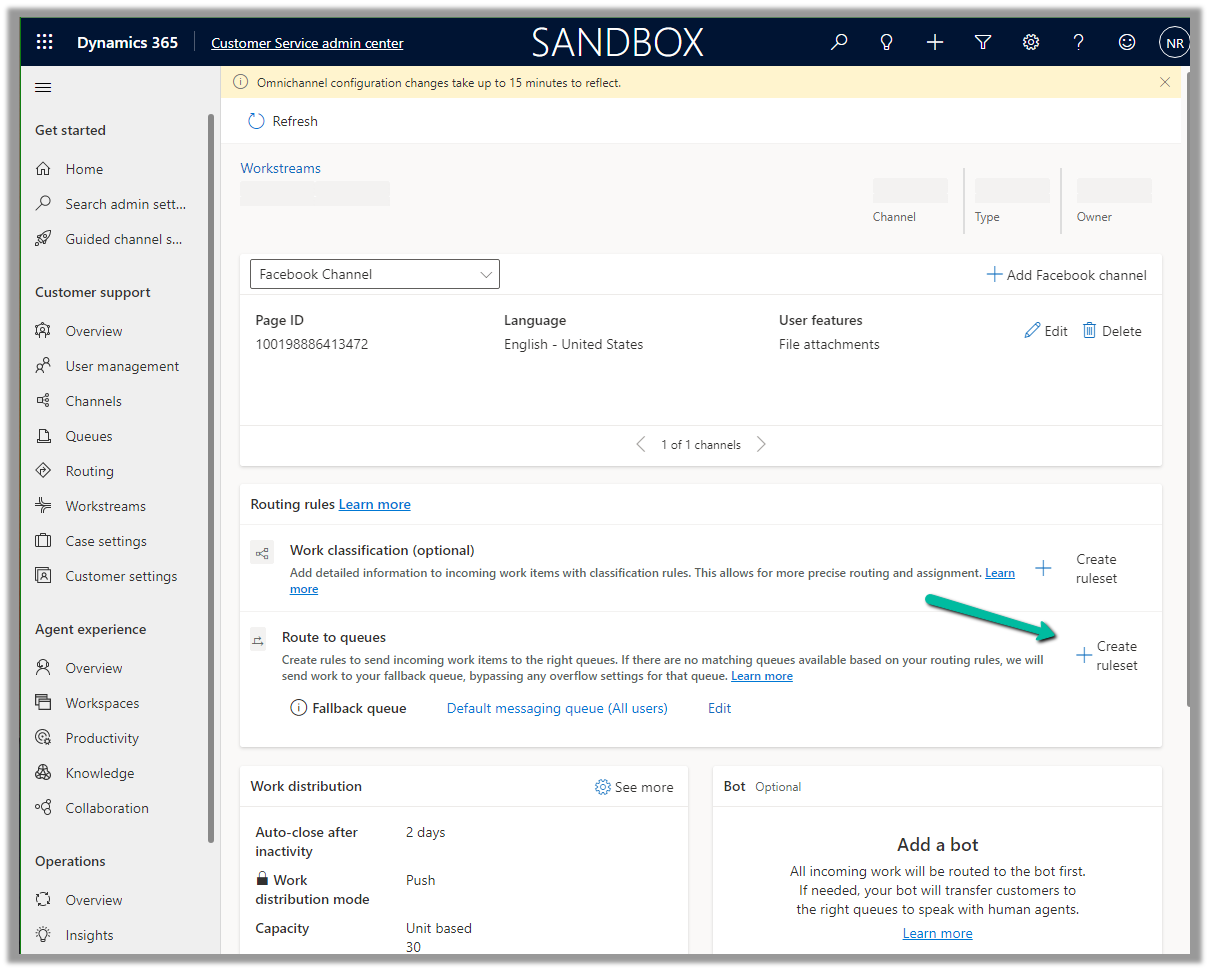
Next open the workstream created, to specify routing rules, work distribution, bot, etc. to route the customers to the queues/agents.
Here we can create a Route to Queue ruleset to route the messages on the Facebook page to a specific Queue.
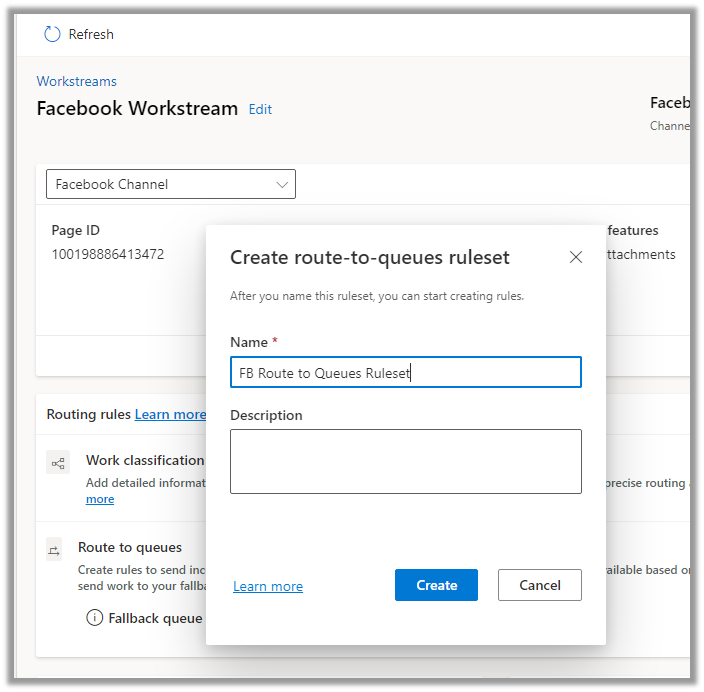
Create the ruleset record.
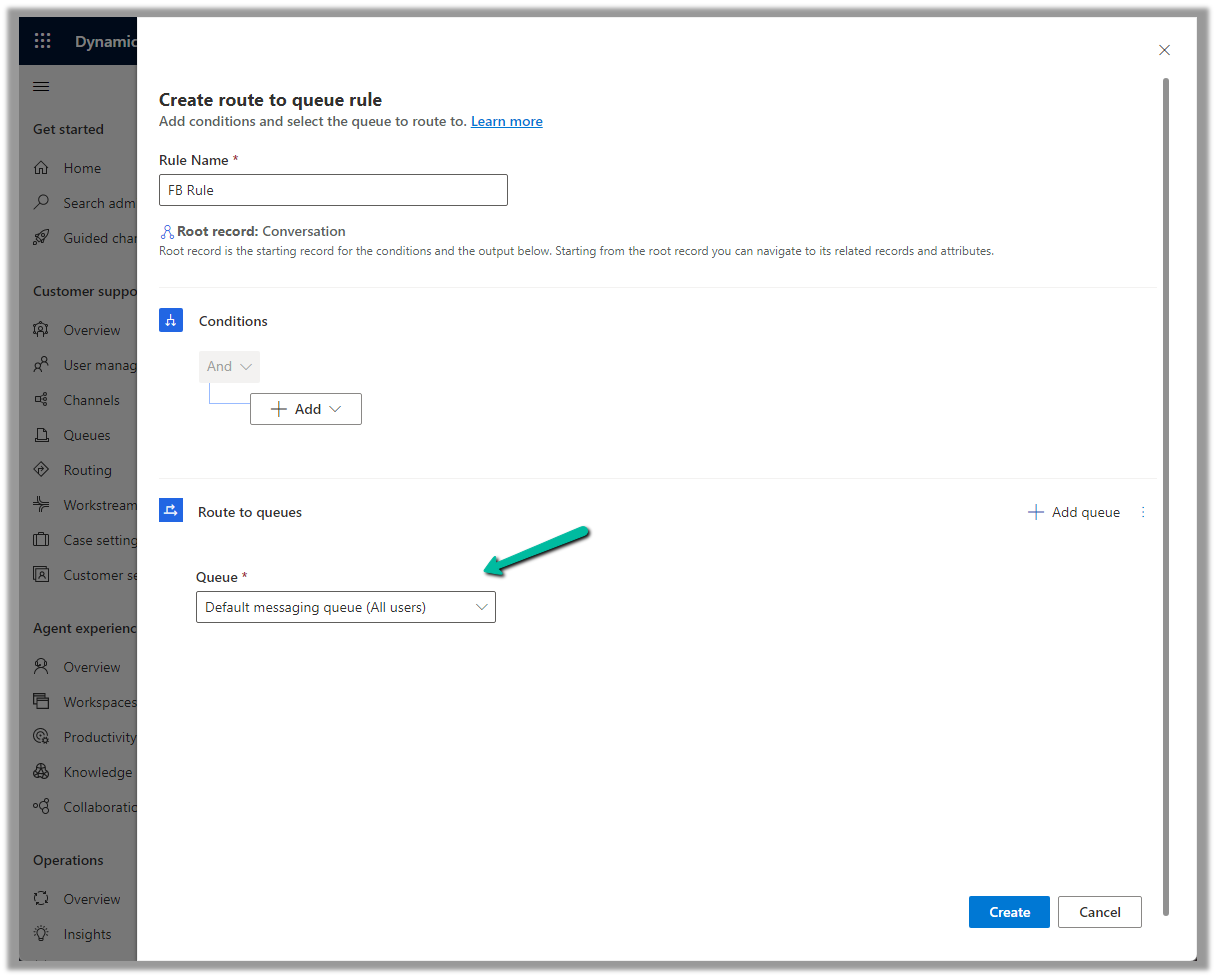
Next, Create a rule. We can define the conditions here (right now we are keeping it blank) and routing to the Default messaging Queue (we can create a specific queue and add only the required users).
Make sure you have added users to the Queue and assigned Omnichannel Agent security roles.
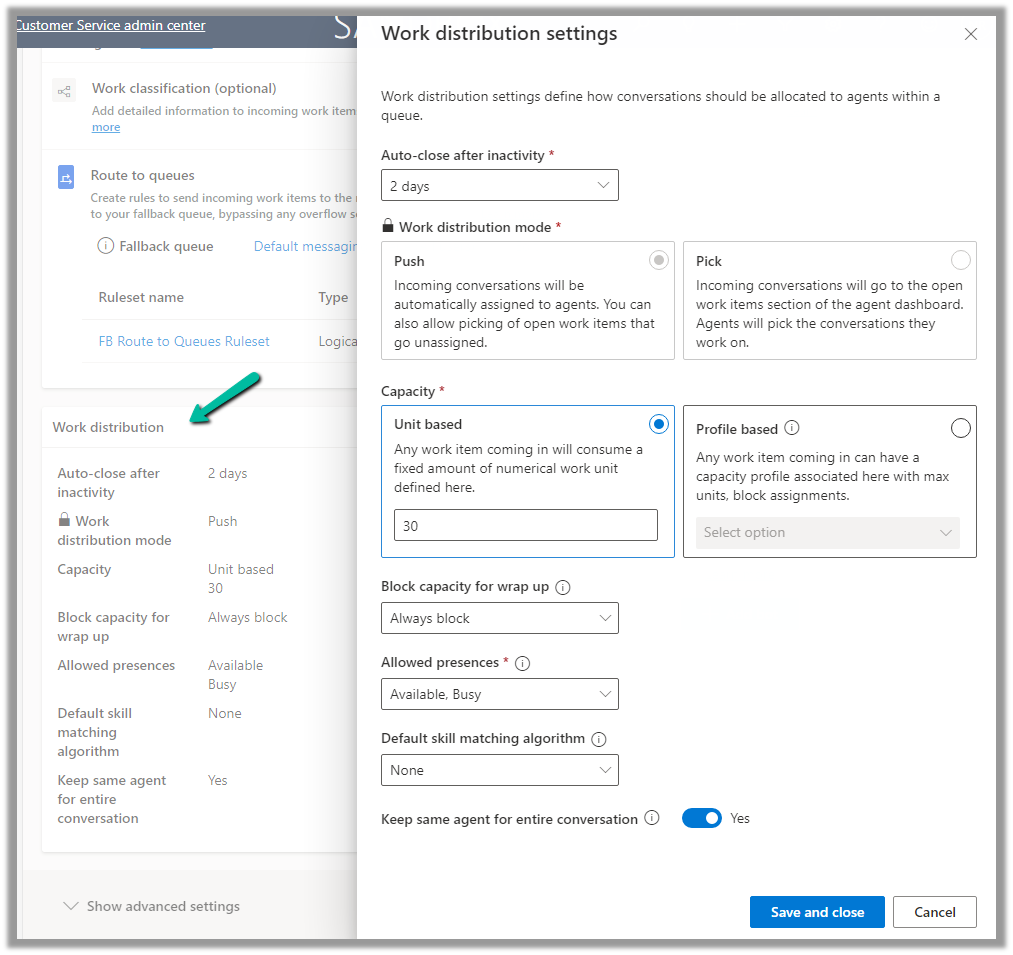
We can update the default Work distribution properties.
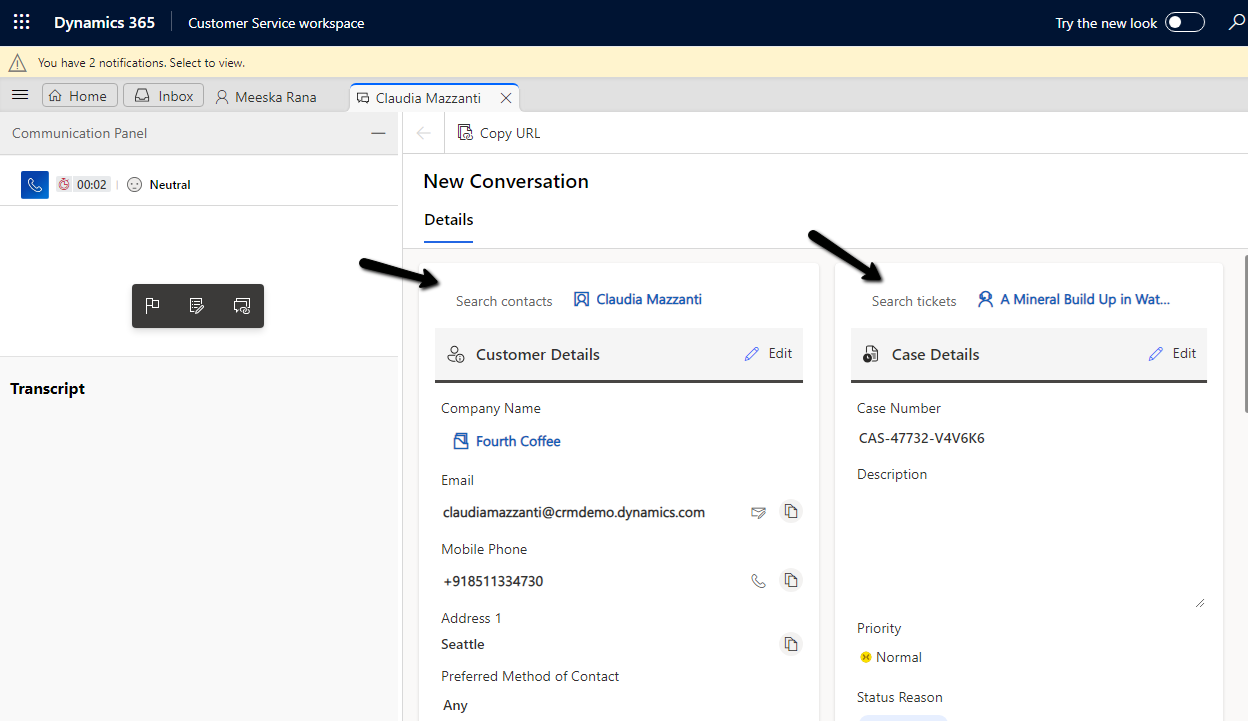
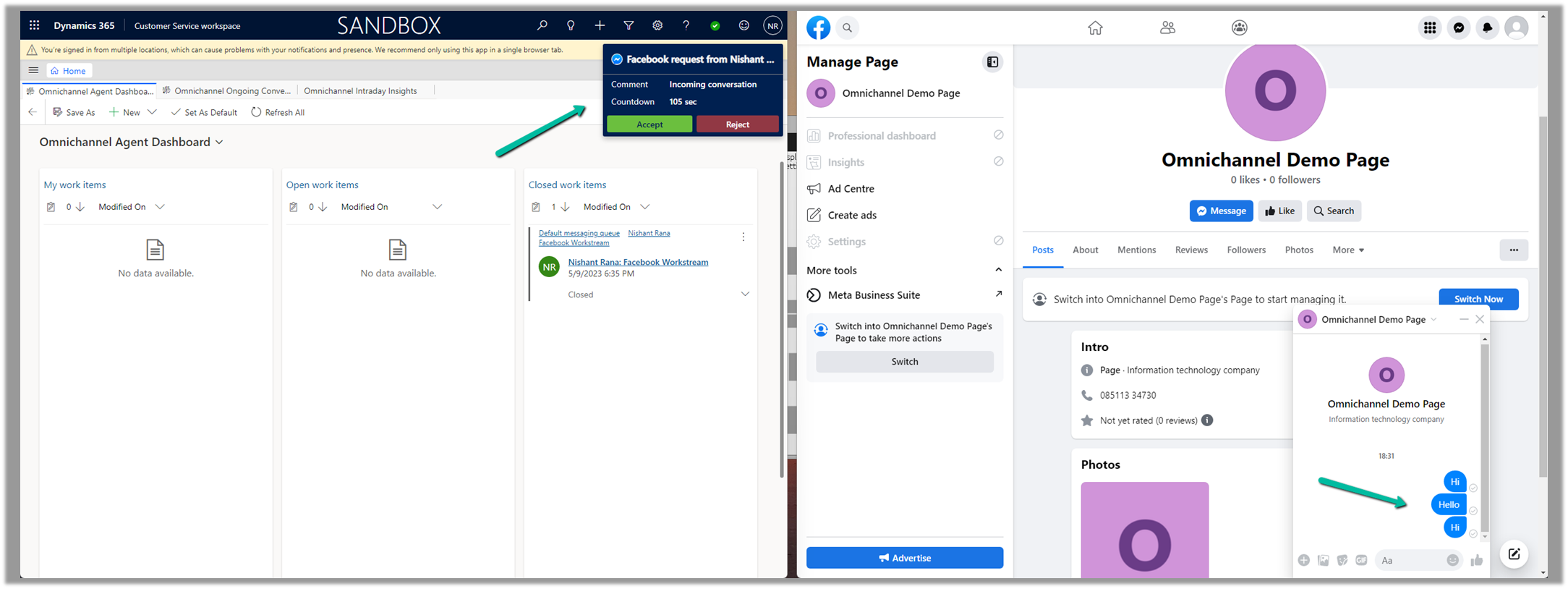
Now sending the message from the Facebook Messenger, will pop up the notification for the agent logged into Customer Service Workspace.
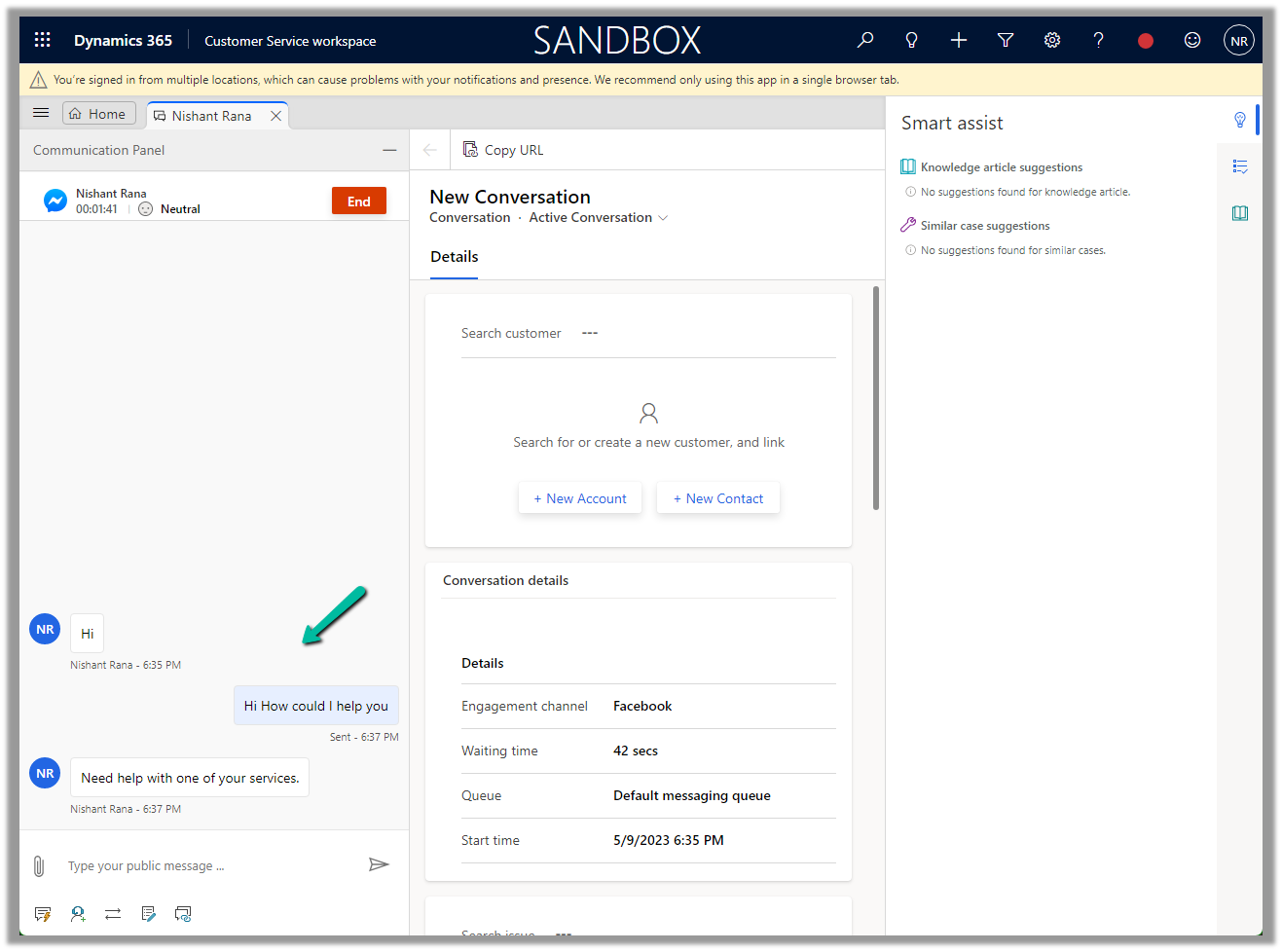
Accept the notification to start the conversation.









 We can also Generate token for the page, which we will use while configuring Facebook Channel in Dynamics 365.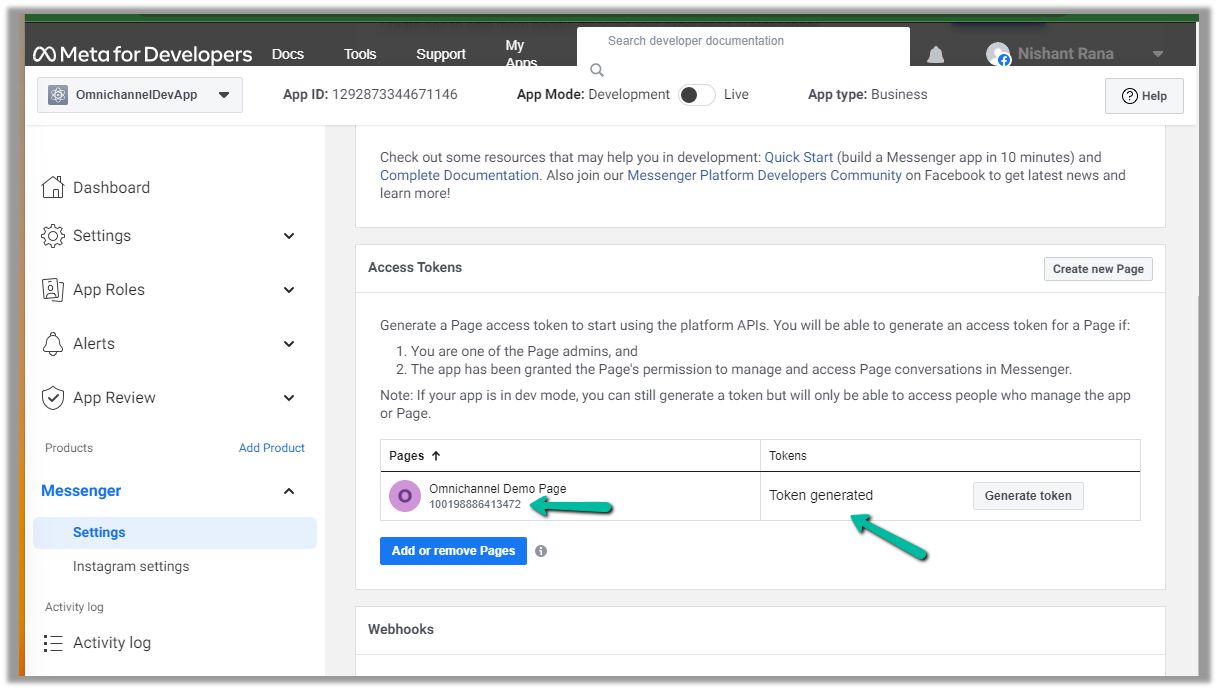




 Nishant Rana's Weblog