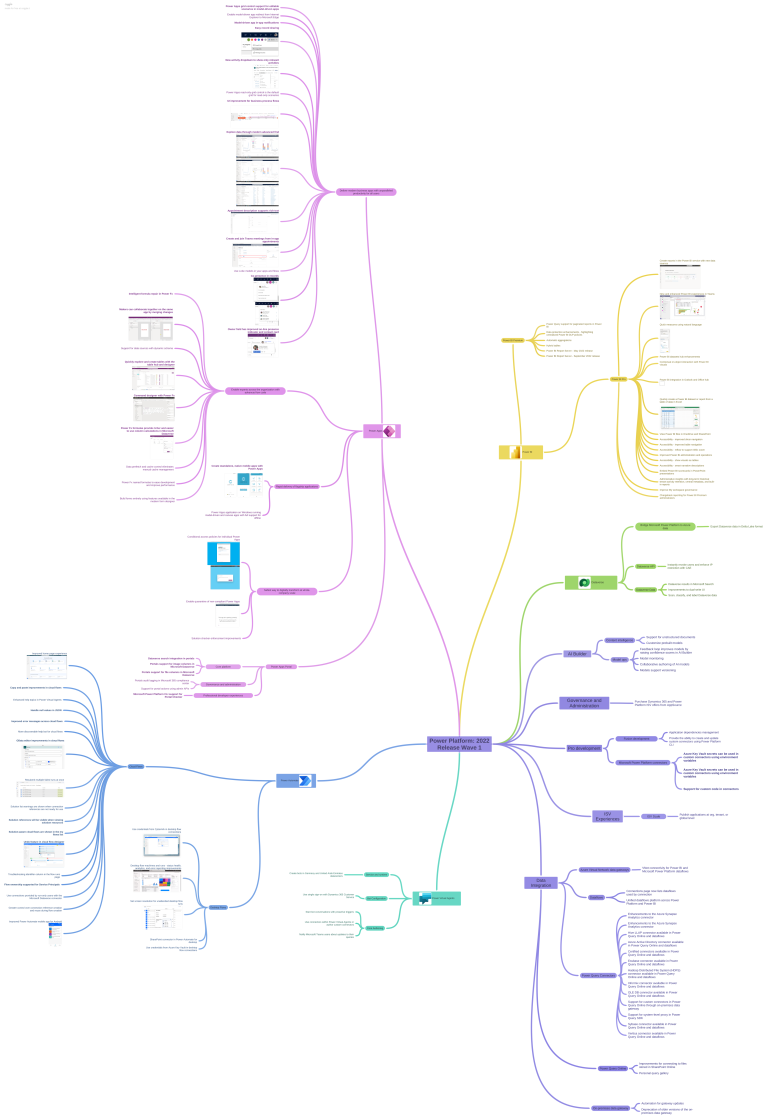
Check out the Mind Map for the 2022 Release Wave 1 Power Platform by Khoa Nguyen
https://dyncrmexp.com/2022/03/05/power-platform-2022-release-wave-1-overview/
Advertisements

Check out the Mind Map for the 2022 Release Wave 1 Power Platform by Khoa Nguyen
https://dyncrmexp.com/2022/03/05/power-platform-2022-release-wave-1-overview/

Recently while trying to provision Unified Routing from Dynamics 365 Customer Service Hub in one of our trial environments (Service Management >> Service Configuration >> Unified Routing – Turn on unified routing.),

even after providing the consent multiple times (by clicking on Provide consent, with Global Admin role)

it kept coming as disabled and kept asking for providing the consent.

Opening in in-private browsing or a different browser didn’t fix it.
Clearing the cache also didn’t help – Empty Cache and Hard Reload
https://nishantrana.me/2018/02/28/empty-or-disable-cache-while-working-with-web-resources-in-dynamics-365-chrome/

The trick that worked here was creating a workstream record
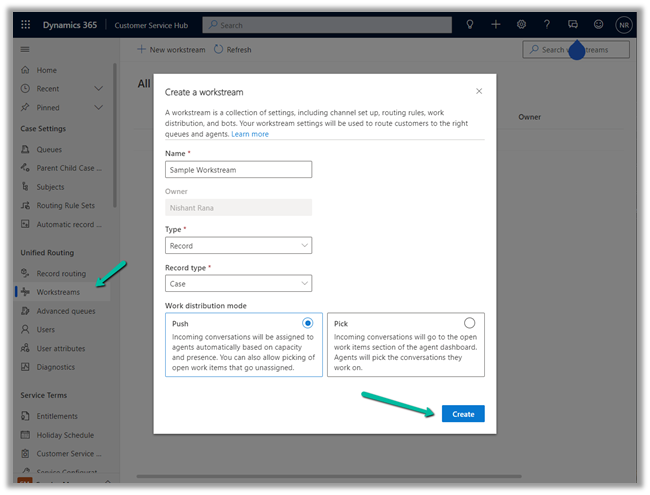
which also triggered the provision of Unified Routing
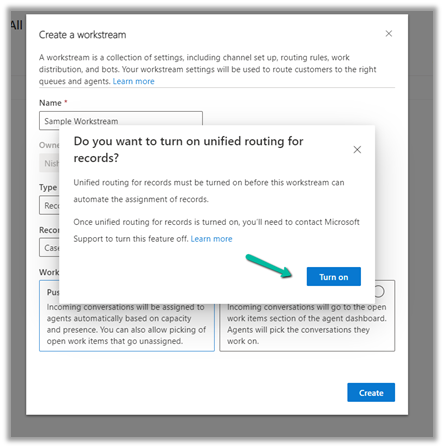
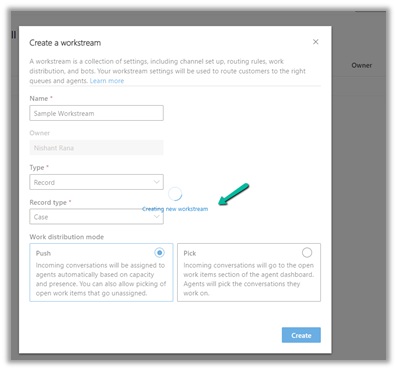
And after our workstream record got created,

we could see the unified routing enabled successfully.
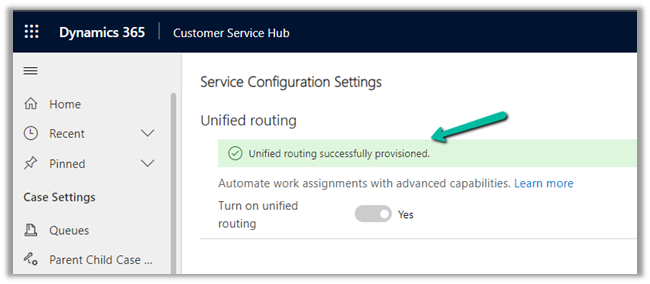
Hope it helps..

In the previous post, we saw how to use Field Level Security and JavaScript to disable field/column in the Editable Grid Control.
We can also use Business Rules to achieve the same.
Here we will be disabling the email field.
Below is our sample business rule to lock the email field.

The result – we have the field locked/disabled in the editable grid control.
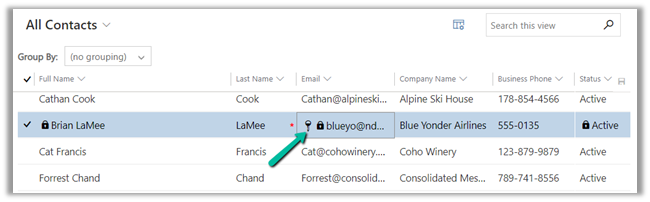
Couple of things we need to take care of
1st the field that we are using in the condition inside business rule, last name in our case, should be there in the view.
And the Scope of the Business Rule should be either – Entity or All Forms.

Also check – https://nishantrana.me/2022/02/15/power-apps-grid-control-in-model-driven-apps-dynamics-365-crm/
Hope it helps..

There is nothing painful when you are coding something which is related to some URL and a one line message appears.
What Now ? select error and hit google !! and juggling between website to understand whats this means.
I found this old text file when I was looking for my college day’s work (I’ll share them in couple of days or week maybe busy playing Injustice 2 😦 you know its hard to keep up with the flash )
It is very important to understand all kind of error and prepare some funny error pages so that user experience will be let say “less bad” 🙂 , Why it matters ?
What you want to see ?
A one liner default error message no one usually understand.
A funny message or a joke which makes you happy.
Well you have your answer already 🙂 so lets get into details.
View original post 2,093 more words

Say for e.g. we have a requirement to make a certain field or column in the Editable Grid as read-only.
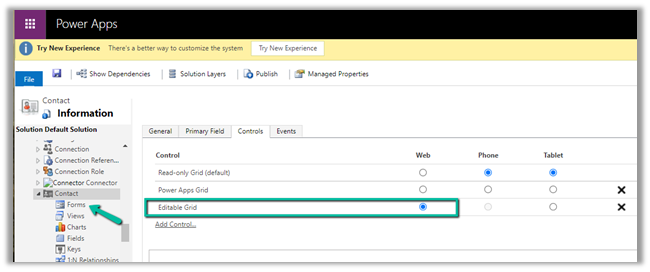
Here we have enabled Editable Grid control for Contact table.
Below are the 2 ways of achieving it –
Here we are taking the email field as an example.
We have enabled Field Security on the Email field.
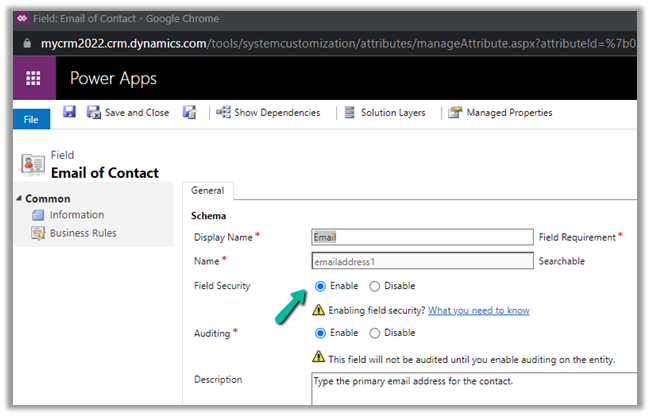
And we have set Allow Read and Allow Create as Yes and Allow Update as No.
And added the appropriate users or teams to which this profile should apply.
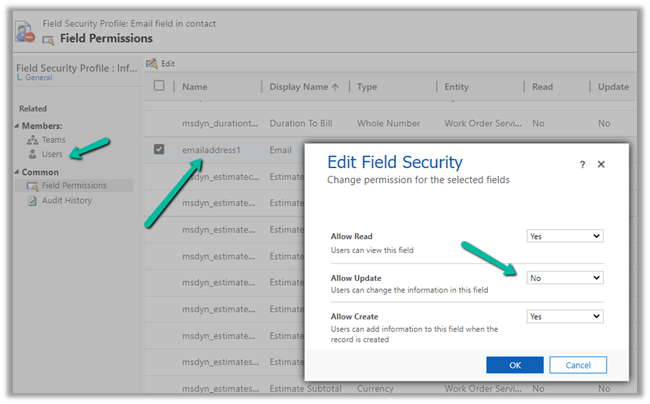
Now when the user tries to make changes in the email field, it comes as locked.

The other fields still come as editable as we have not enabled them for field security.
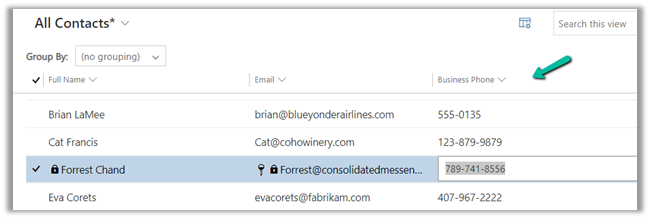

Code –
function onGridRowSelected(context) {
    context
        .getFormContext()
        .getData()
        .getEntity()
        .attributes.forEach(function (attr) {
            if (attr.getName() === "emailaddress1") {
                attr.controls.forEach(function (myField) {
                    myField.setDisabled(true);
                });
            }
        });
}

The result –
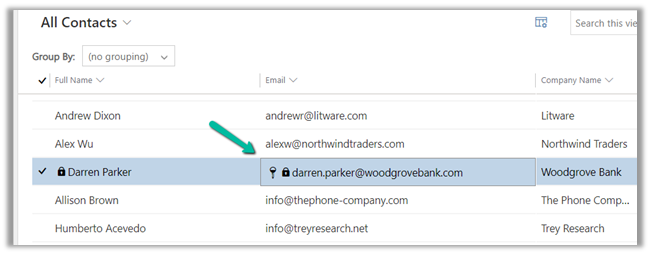
Also check – https://nishantrana.me/2022/02/15/power-apps-grid-control-in-model-driven-apps-dynamics-365-crm/
Hope it helps..

Recently we saw File usage for one of the environments reaching around 68 GB.
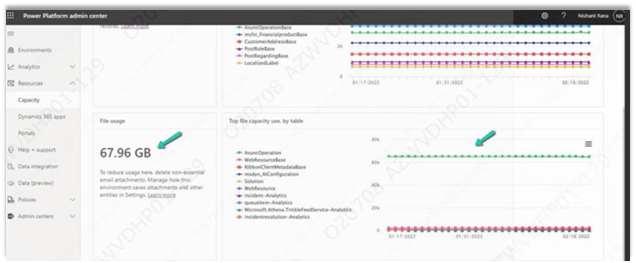
We managed to bring it down to around 10 GB or so by (Microsoft Support quickly helped us by sharing the required details here)
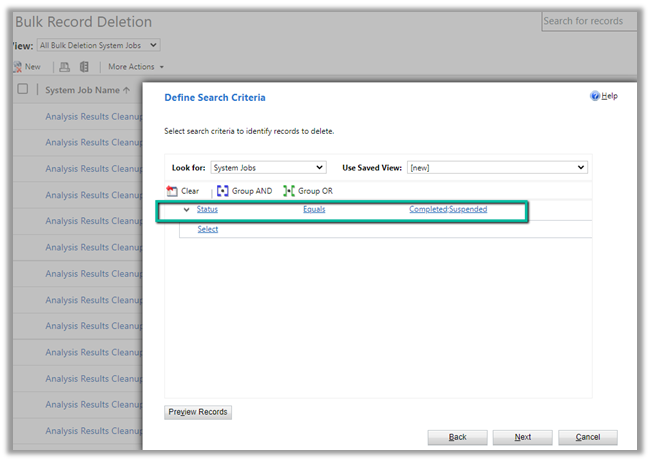
Settings >> Data Management >> Bulk Record Deletion
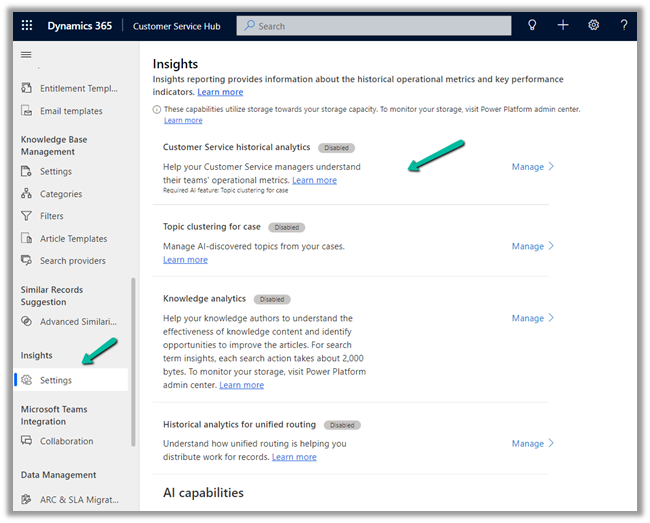
Customer Service Hub >> Service Management >> Insights (Settings)
Nicely explained here –
Also, check
https://docs.microsoft.com/en-us/power-platform/admin/free-storage-space
Hope it helps..






 Nishant Rana's Weblog