Update – 25 June 2018 – Took nearly 20 days to get both the instances up.
Update – 12 June 2018 – Support Engineer has been not been able to resolve either of the support ticket which were raised last Thursday 7th June. One instance is not opening and the other instance is not restored with the backup we had requested. They are unable to find the backup till now.
Recently we tried copying our DEV to one of the TEST instances. The idea was we were upgrading the click dimensions solution in our DEV so we wanted to make sure everything works fine after the upgrade and in case it didn’t we could then again copy it back from the TEST.
We had faced back and restore issues (instance failed) in the past so decided to go the Copy instance way this time.
However, we got the Instance Failed error on the TEST instance to which we were copying DEV to.
Interestingly the Edit, Reset, Delete etc option were still available and we could open the TEST instance (the original, as the copy of DEV had failed) without any issues.

Then we thought of giving a try again and started copy from DEV to TEST again. This time again it failed. And with no option of Edit, Reset, delete etc. and the Instance was also not opening.
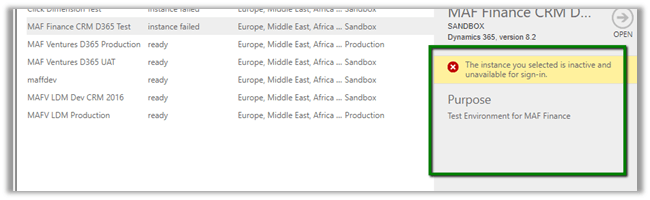
The error à
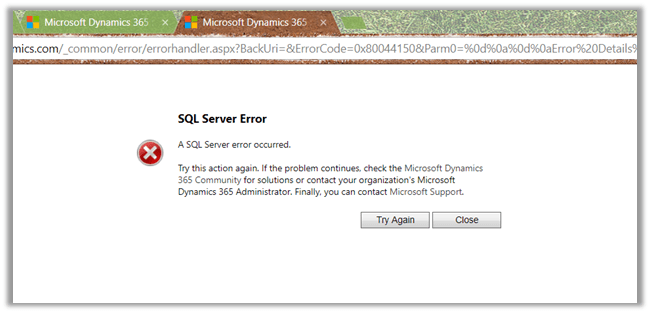

Along with that we also tried Restoring the Backup in one of the other TEST instances, that also expectedly failed.
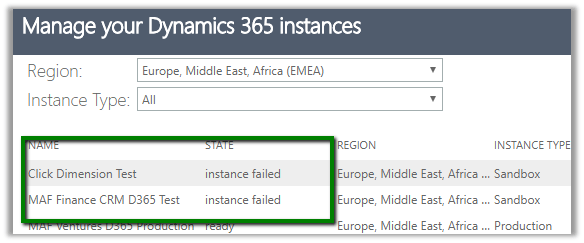
So basically, we ended up with 2 unusable instances.
A few weeks back also we faced the same with our Dev environment and the only way out was to raise the support ticket with Microsoft. That time it took 5 days for DEV to be restored. Imagine the development activity that came to halt.
Last year also we had faced this issue in Production and had to work with the support team for 16 – 20 hours continuously to get it restored.
So, if we have some critical activity planned like Production Deployment and we are counting on Back and Restore or Copy an instance to rescue us in case anything goes wrong after production deployment, we need to plan for this Instance Failure as well while restoring or copying.
Basically, be ready to raise a support ticket with the highest severity to restore things back, which could take hours or in worst case days and do all the production deployment over the weekend or have enough downtime allocated.
Hope it helps..


 Updated July 3rd: Includes newly registered awardees and awardees who changed category. Added overview of Office Servers and Services numbers over last couple of years.










 Nishant Rana's Weblog