Reduce log storage: Delete audit logs – Power Platform Admin Center


Recently we had to copy our production environment to one of our sandbox environments for some analysis and testing.

But before we copied we made sure we deleted the data/attachments/ logs that are not required to save some storage space.

Get more information – https://nishantrana.me/2024/10/15/free-up-storage-space-activitypointerbase-and-workflowlogbase-dataverse-dynamics-365/

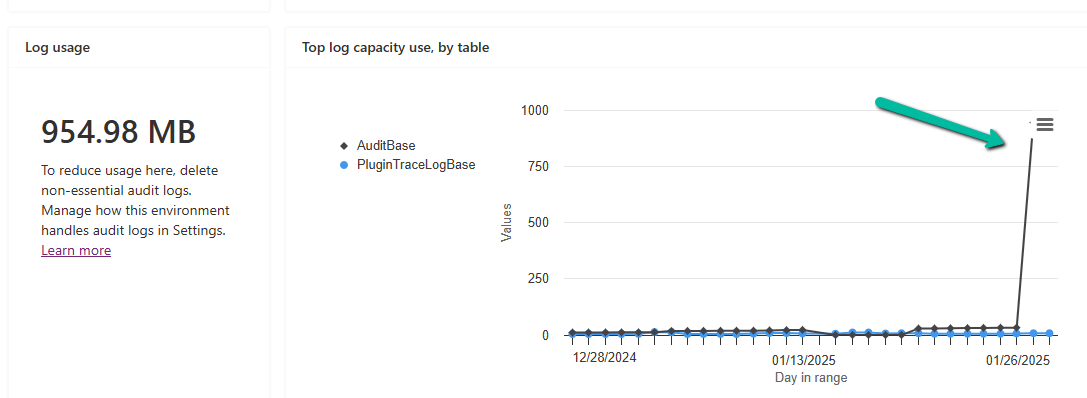
We had around 950 MB of Log data in it.

Below are the steps for deleting the audit logs –

Go to the Power Platform Admin Center, and sign in with the appropriate credentials.

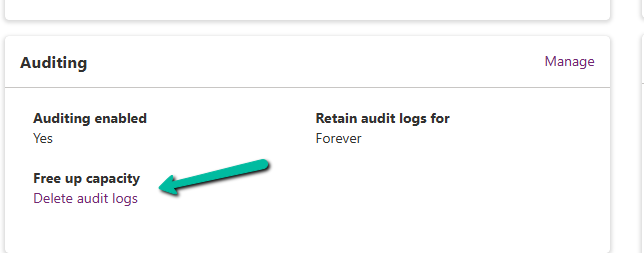
Select the Environment, and select Manage Audit Logs in the Auditing section.
A screenshot of a computer

Description automatically generated

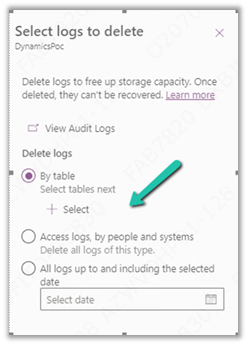
Click on Delete Audit Logs. We will be prompted to filter the logs to delete. Filter options may include:

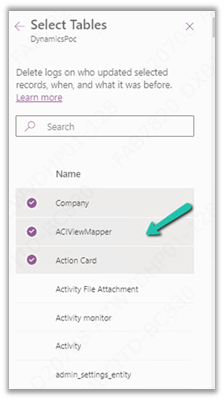
  • By Table (e.g., logs related to a specific table or entity).
  • Delete logs, by people and systems.
  • Time (e.g., logs older than a specific date).
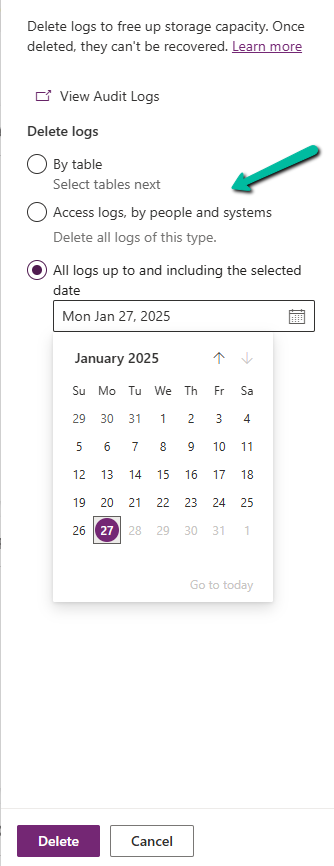
A screenshot of a calendar

Description automatically generated

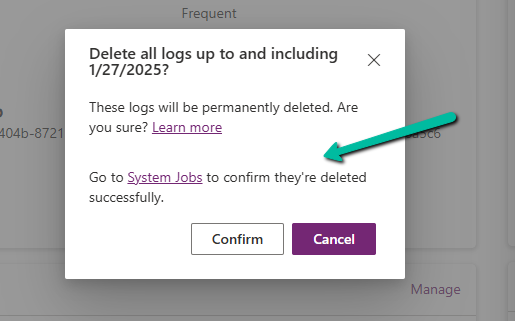
Confirm Deletion.

A screenshot of a computer

Description automatically generated

Review the summary of logs to be deleted. Click Delete to proceed. This action is irreversible.

Once the deletion is complete, the audit logs are permanently removed.

The storage won’t reflect it immediately.

A screen shot of a message

Description automatically generated
A screenshot of a computer

Description automatically generated
A screenshot of a computer

Description automatically generated

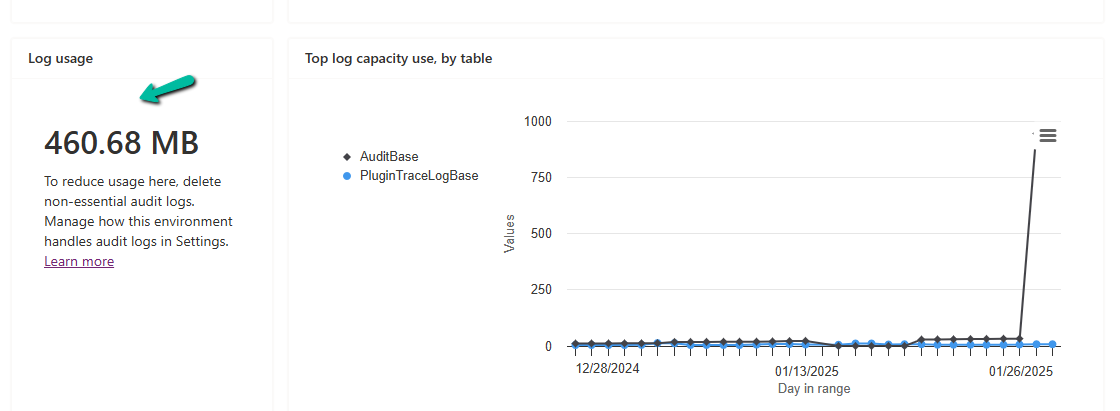
In our case, after 2 hours we could see log usage reduced to 460 MB from 954 MB.
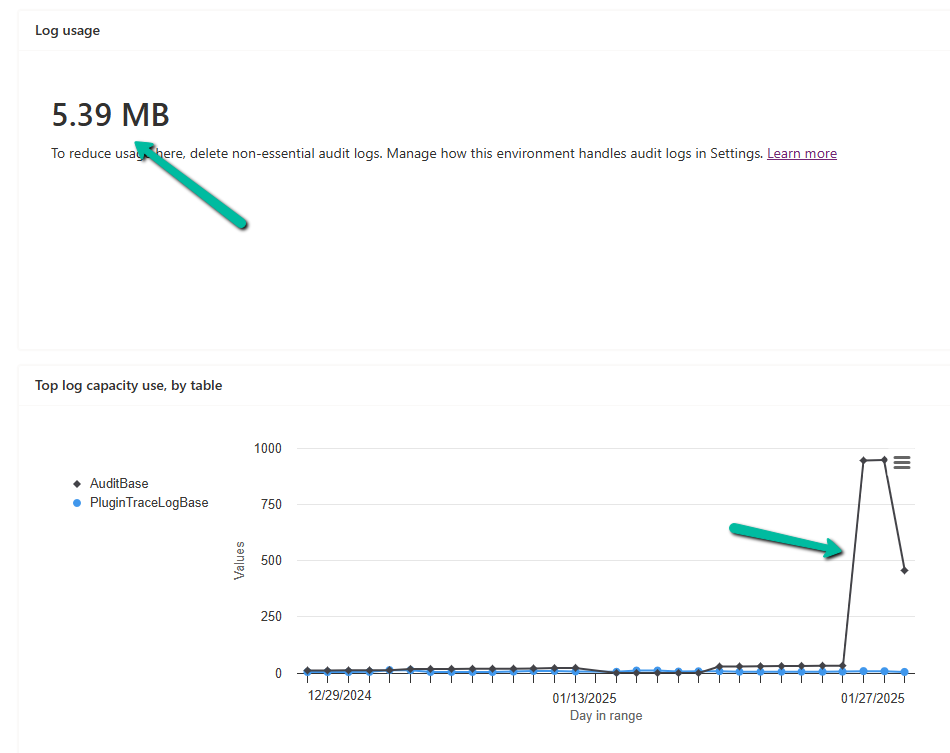
And almost after 24 hours, we could see it reduced to 5 MB.
A screenshot of a computer

Description automatically generated

Get all the details

Hope it helps..
Advertisements

How to – use Associate Entities and Disassociate Entities Event in Audit to check Security Roles changes in Dynamics 365


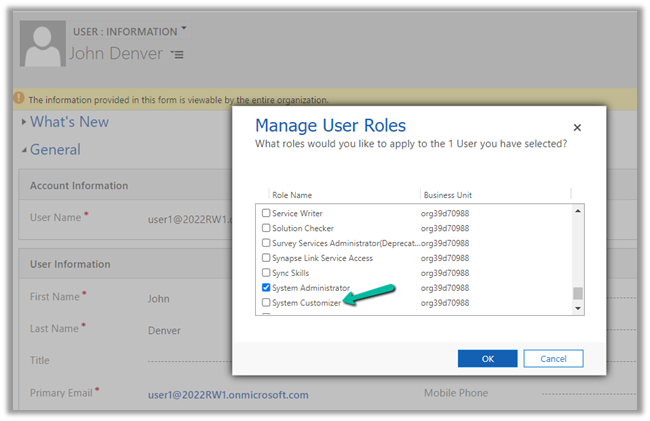
Let us assign the System Customizer role to the user John Denver save it and then remove the same.

Let us check the Audit records generated for it.

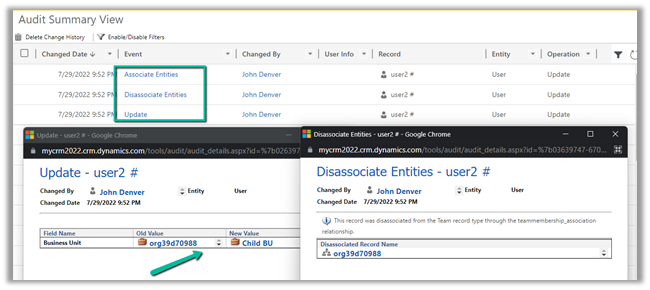
We can see 2 records with event Associate Entities and Disassociate Entities with security role name – System Customizer created in the Audit Summary View as shown below.

Here the entity will be Security Role.

Let us assign 2 more roles to the user.

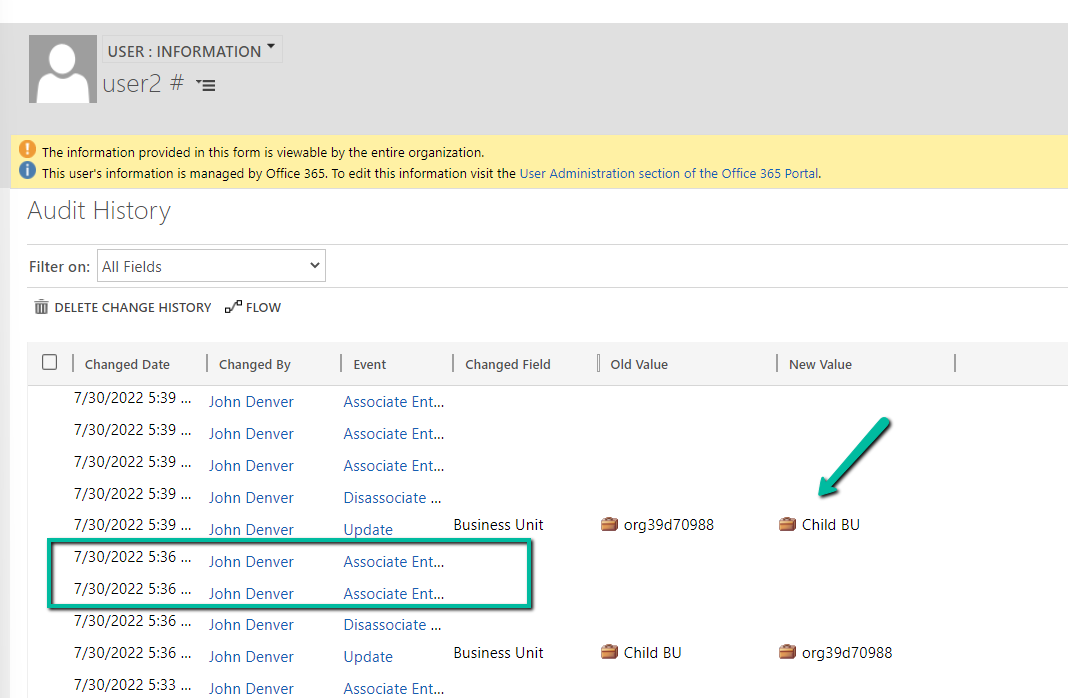
As expected we can see 2 records, with event Associate Entities.

Now let us see what happens when we update the Business Unit of the user. If you remember, assigning a new business unit removes all the existing security roles of the user.

Well this can be controlled now through DoNotRemoveRolesOnChangeBusinessUnit
setting – https://nishantrana.me/2022/01/05/how-to-change-users-business-unit-without-removing-the-security-roles-in-dynamics-365-powerapps-enableownershipacrossbusinessunits-setting/

Here we have changed the business unit of user 2, he had salesperson, system administrator, and system customizer roles assigned.

We can see the business unit change is recorded.

From Audit History of the user record – we can check all the Associate Entities and Disassociate Entities record that will give us the details of the previous Security Roles user was having before the Business Unit change.

sr


Other related Audit articles –

Hope it helps..

Advertisements

How to – Delete Audit data by entity / table, date, user access, and specify retention duration – updates in Dataverse (Dynamics 365 / CRM)


Recently we saw a new update in our sandbox environments with regards to Audits.

Login to Power Platform Admin Center, select an environment.

We can see a new section Auditing added.

Click on Delete logs allows us to –

  • Delete logs by Table

We can select the tables there.

  • Delete only access logs data.
  • Delete logs up to the selected date.

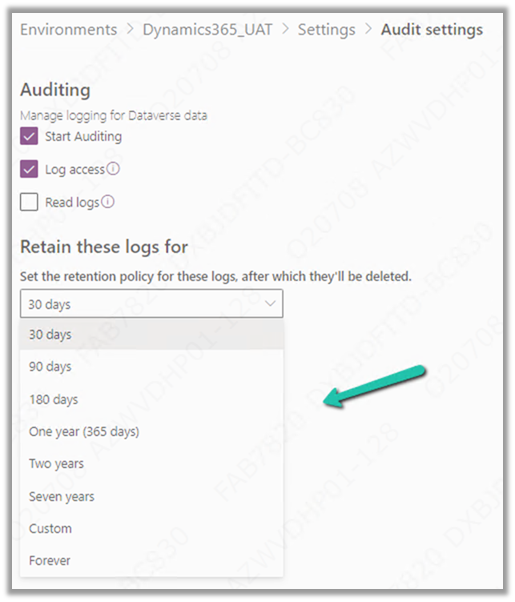
And now we can also manage or specify the retention duration for the audit log.

These are very useful updates to the Audit feature in the platform which more or less have been similar since CRM 3.0 days.

Check other posts on Audit – 

https://nishantrana.me/2021/08/31/audit-entity-table-few-key-points-dynamics-365-power-apps/

https://nishantrana.me/2021/05/17/how-to-export-the-audit-history-values-from-dynamics-365/

https://nishantrana.me/2018/10/08/using-kingswaysofts-cds-crm-source-component-to-get-audit-information-in-dynamics-365-ce-ssis/

How to – Use RetrieveAttributeChangeHistoryRequest to get audit data for an attribute (Dataverse/ Dynamics 365/ CRM) – Nishant Rana’s Weblog

Hope it helps..

Advertisements

How to – Use RetrieveAttributeChangeHistoryRequest to get audit data for an attribute (Dataverse/ Dynamics 365/ CRM)


We can use RetrieveAttributeChangeHistoryRequest to get the change history of a particular field / attribute of a record.

We need to set the Target and the AttributeLogicalName property of the request.

AuditDetails records of the RetrieveAttributeChangeHistoryResponse contains the detail of the audit records.

The Audit History records in CRM- 

AttributeAuditDetail contains the details of the changes made on the field’s value. It contains property like – objectid, userid, operation etc. as well as new value and the old value as shown below.

Sample Code (C#) 

 string ConnectionString = "AuthType = OAuth; " +
                  "AppId=51f81489-12ee-4a9e-aaae-a2591f45987d; " +
                  "Username=User1@xxxx.onmicrosoft.com; " +
                  "Password=*******; " +
                  "RedirectUri=app://58145B91-0C36-4500-8554-080854F2AC97;" +
                  "Url = https://xxx.crm.dynamics.com//;";


            CrmServiceClient svc = new CrmServiceClient(ConnectionString);

            if (svc.IsReady)
            {

                var attributeChangeHistoryReq = new RetrieveAttributeChangeHistoryRequest();

                attributeChangeHistoryReq.Target =
                    new EntityReference("incident", new Guid("0a9f62a8-90df-e311-9565-a45d36fc5fe8"));
                attributeChangeHistoryReq.AttributeLogicalName = "prioritycode";

                var attrChangeResponse = (RetrieveAttributeChangeHistoryResponse)svc.Execute(attributeChangeHistoryReq);
                var auditDetailCollection = attrChangeResponse.AuditDetailCollection;


                foreach (var auditDetails in auditDetailCollection.AuditDetails)
                {
                    // Type =  AttributeAuditDetail, AuditDetail, 
                    var type = auditDetails.GetType();

                    if (type == typeof(AttributeAuditDetail))
                    {
                        var attributeDetail = (AttributeAuditDetail)auditDetails;

                        var userName = attributeDetail.AuditRecord.GetAttributeValue<EntityReference>("userid").Name;
                        var operation = attributeDetail.AuditRecord.FormattedValues["operation"];
                        var action = attributeDetail.AuditRecord.FormattedValues["action"];
                        var createdOn = attributeDetail.AuditRecord.GetAttributeValue<DateTime>("createdon");
                        var newValue = attributeDetail.NewValue.FormattedValues["prioritycode"];
                        var oldValue = attributeDetail.OldValue?.FormattedValues["prioritycode"];

                    }
                }
            }

Check other posts on Audit

Hope it helps..

Advertisements