Setup validation error while creating trial instance of Microsoft Dynamics 365.


At times we have got the below error while setting up trial for Dynamics 365.
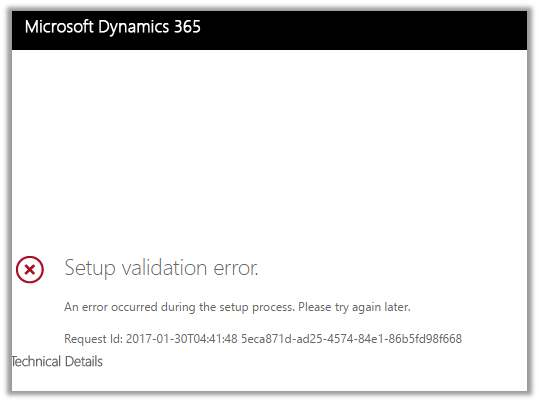
We tried out different options and tried creating few new trial instances but we got the same error in all of them.

Eventually tried it again after 2 hours or so and then the setup was successful, so might be some issue at the platform level.

Others have also faced similar issue before

https://community.dynamics.com/crm/f/117/t/137752

Hope it helps.

Managed solution cannot update reports which are not present in solution package. Report 98b86a45-1dbb-e411-b283-d89d6765a2e4 is not part of current solution.


We got this error while trying to import a managed solution to our TEST. The error was because of one error during import we had removed the parent solution from the solution, but we forgot to remove the child report. So this child report during import was trying to update or lookup for the parent report which caused this error.

Removing the child report from the solution and importing it back fixed the issue for us.

Hope it helps..

Invalid Operation: Trying to update an attribute in Live, which is not allowed while importing solution in Dynamics 365


We got this error recently while trying to import a managed solution. As it turned out the we had few OOB reports in our managed solution that was getting imported to TEST.

Removing those OOB reports from the solution, exporting it and importing it again fixed the issue for us and we were able to import the solution successfully.

Helpful post: http://vjcity.blogspot.in/2016/09/trying-to-update-attribute-in-live.html

Hope it helps..

Few more interesting issues in New Form Rendering in CRM 2016 Update 1


We recently upgraded to CRM 2016 Update 1 and there seems to be noend to the different product issues that we are facing.

The latest ones are missing scroll bar in BPF when a particular stage has large number of fields in it and the other one being “Click to enter” info appearing at wrong place in BPF for fields.

Legacy Form Rendering

The same form in New Form Rendering

Below are the other issues that we have faced in New Form Rendering till now

https://nishantrana.me/2016/12/09/bug-in-new-form-rendering-crm-2016-update-1-add-new-button-not-working-for-opportunity-product-sub-grid-in-opportunity-form/

https://nishantrana.me/2016/11/28/onchange-event-getting-fired-on-setvalue-in-crm-2016-update-1-new-form-rendering/

https://nishantrana.me/2016/11/25/recommended-field-showing-up-as-required-field-issue-in-dynamics-365/

Well it seems like in Dynamics 365 we do not have the issue with scroll bar for new form rendering but the click to enter bug still seems to exist

bug

Hope it helps..

How to – Add hyperlink (and button) in Form Notification in Dynamics 365 (CRM 2016 and earlier)


Recently we were working on a requirement wherein we wanted to add a hyperlink to the Notification that we were showing on the form.

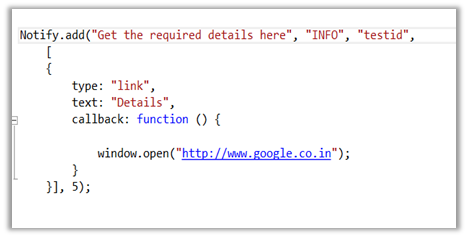
For this we can use the following Jscript library

https://notifyjs.codeplex.com/

The JScript code:

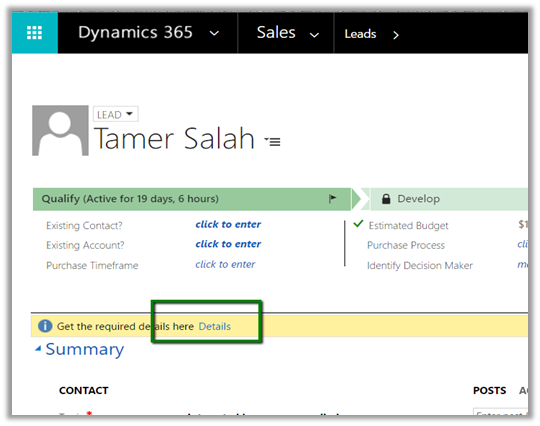
Output:

Clicking on Details opens the page specified in the callback function.

The other option is to show hyperlink within a web resource and putting it inside the form.

https://nishantrana.me/2012/02/09/showing-related-entity-information-in-header-as-hyperlink-crm-2011/

Hope it helps..

Advertisements

Inviting existing Contacts to Portal in Dynamics 365


For inviting existing contact records as user of the portal we can follow the below steps.

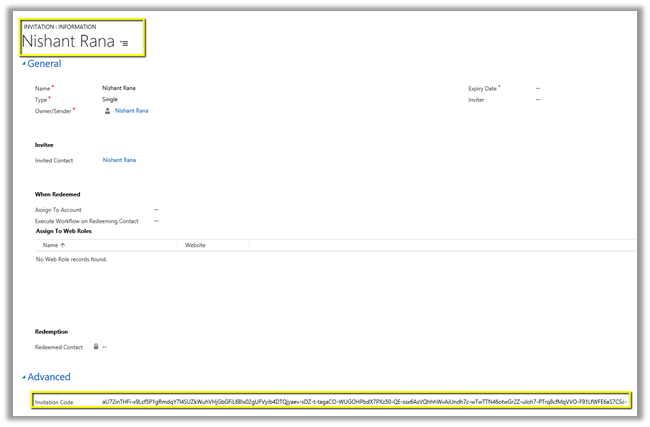
Open an existing contact record and click on Create Invitation button

This creates the invitation record along with the invitation code.

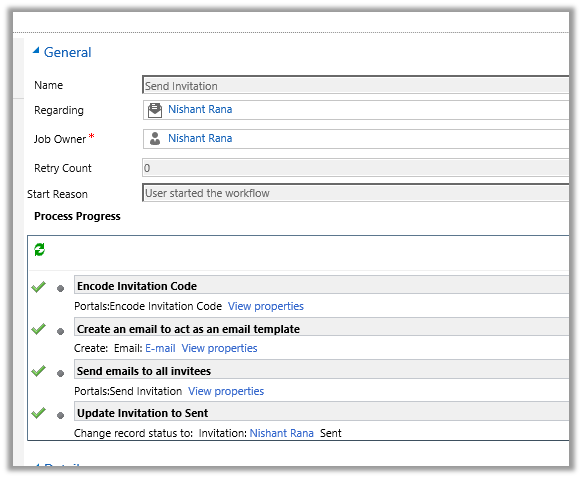
Select and run the Send Invitation workflow.

The steps for the workflow are as below.

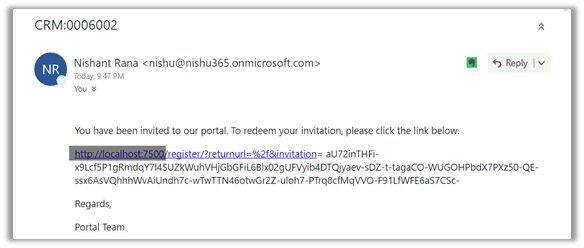
The contact\user receives the link for the confirmation

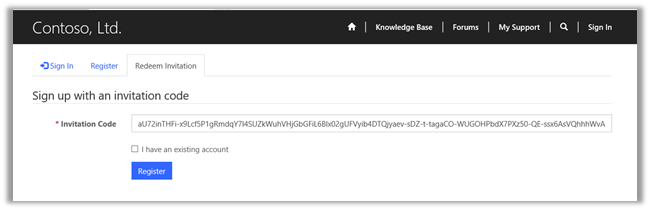
Clicking on the link opens the portal wherein user\contact can redeem the Invitation Code and Register.

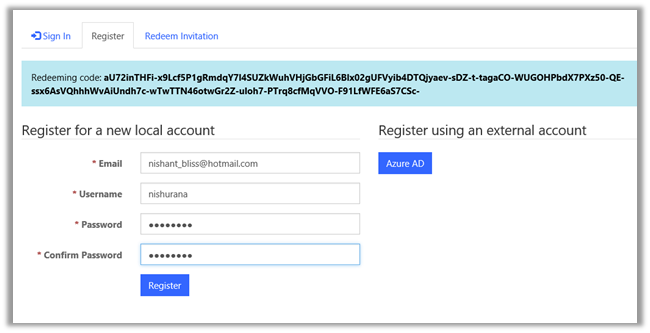
User can set up username and password during registration.

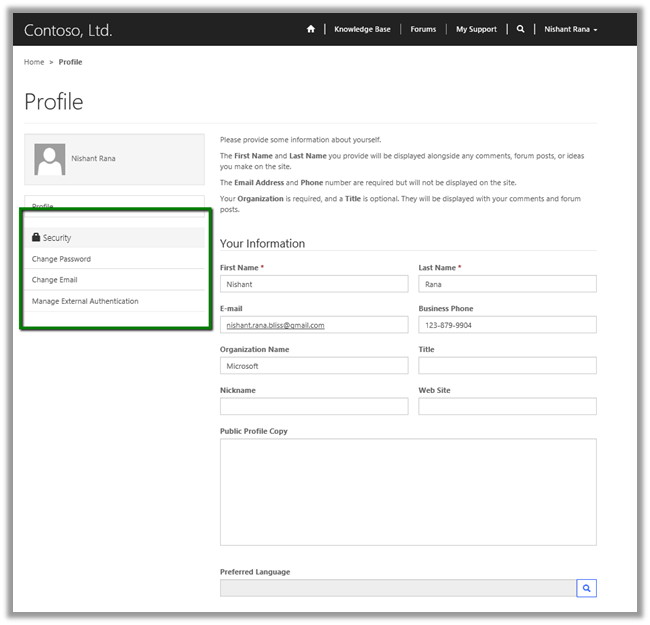
Once registered user can access the portal and update the profile further and can also change the password, email etc.

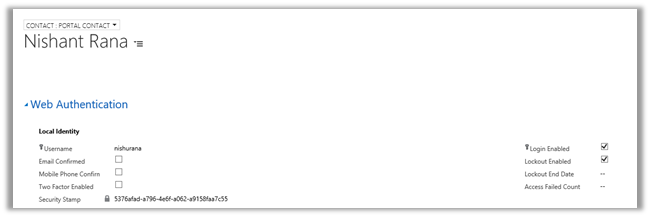
The Contact record in CRM gets updated accordingly.

Hope it helps..