Fixed – The product cannot be added because it is not active while creating Quote Product – Dynamics 365 / Dataverse


We got the below error while trying to create a quote product programmatically.

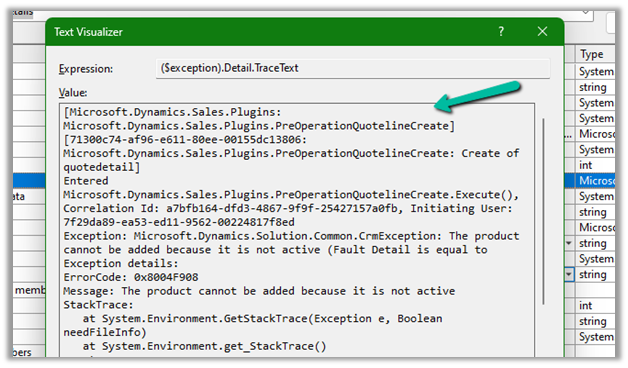
As the error message specifies, this is because we are trying to add/associate a DRAFT product to the Quote Product.

We will get a similar error from the application as well if we try adding a draft product as an existing product to either a quote product or an opportunity product.
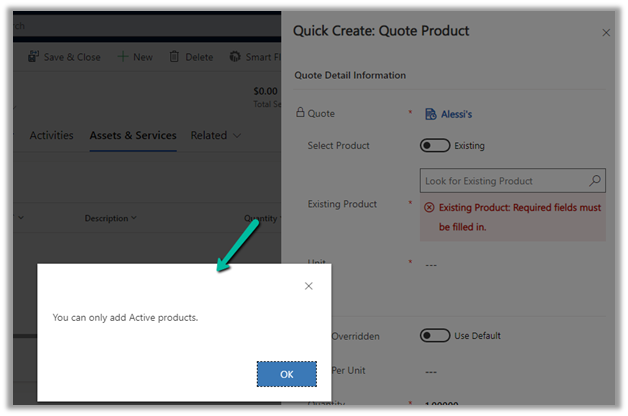
Below is the product in the Draft status.

Publish the product to make it Active.

Hope it helps..


Advertisements

How to – Filter data source to get the active records Dataverse / PowerApps


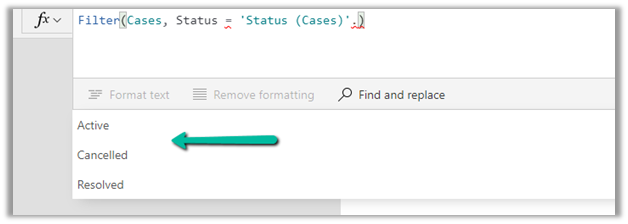
Just sharing the syntax, that we can use to filter the data source based on the status field.

Below is our gallery bound to Cases (Data Source) and showing only the Active cases.

Items

Filter(Cases, Status = ‘Status (Cases)’.Active) 

Filter(Datasource, Status = ‘Status (Datasource)’.[value])

Hope it helps..


Advertisements

Tap into the interaction data generated by Dynamics 365 Marketing


Jesper Osgaard's avatarMicrosoft Lystavlen

One of the many strong points of Dynamics 365 Marketing is the separation of the Dynamics 365 environment and the Marketing services (see “Elements in a Marketing environment“)

This separation has a lot of advantages – including performance. However, the data in the Marketing services aren’t directly accessible to users

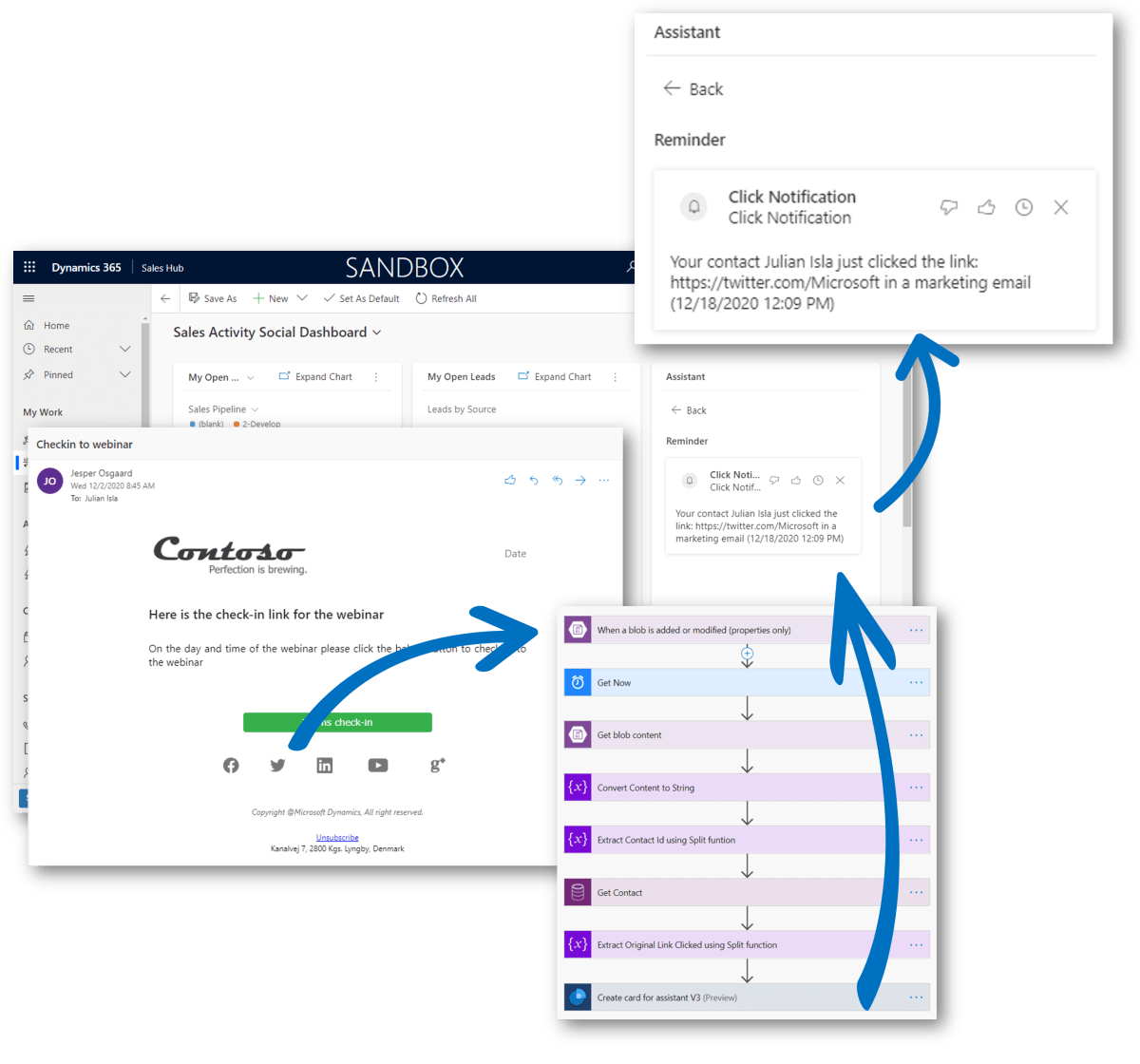
So what if you will want to tap into those interaction data? What if you are looking for a way to fire up an action card (or an email) to sellers if one of the contacts they own does something interesting, e.g. clicks a “learn more” link in a marketing email, or something similar?

Sure you can handle this in a customer journey, but what if you need logic for all emails in all customer journeys? Then you’ll need to tap into the interaction data in the Marketing Service.

Scenario

Julian receives an email via a Customer…

View original post 594 more words

Fixed – sdkmessageprocessingstep With Id = {GUID} Does Not Exist – Plug-in Profiler – Dynamics 365 / Dataverse


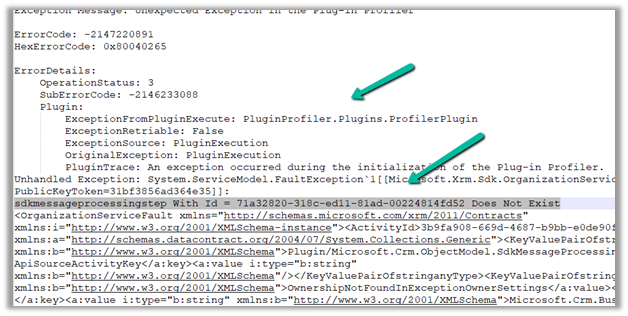
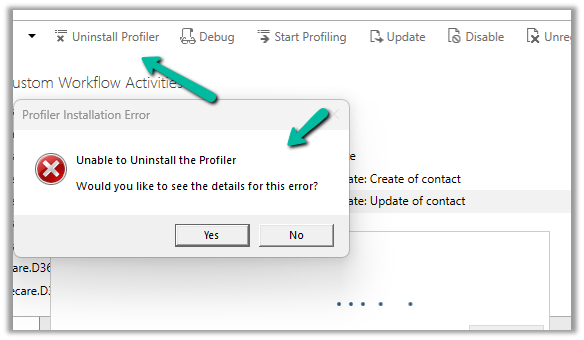
Recently we got the below issue while saving the contact record. It was throwing this for one of our plugin steps registered on the update, for which we had already removed the profiling.

The profiling was already removed from the step.

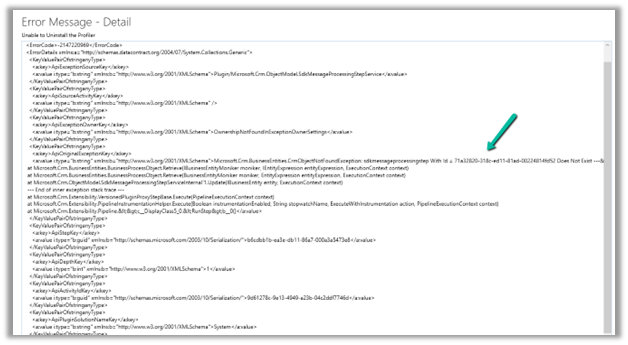
It was the same error while trying to uninstall the profiler.

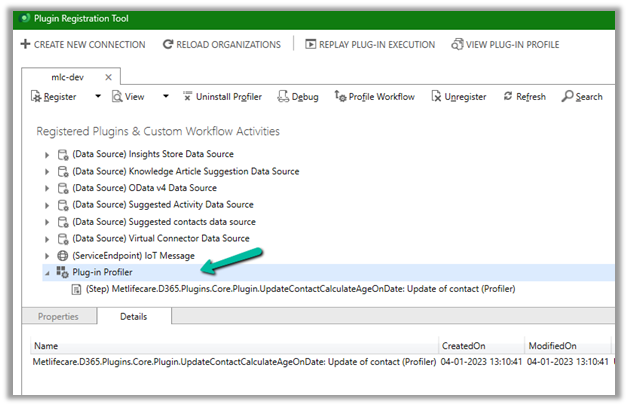
As mentioned in the error message we checked the Plug-in Profiler assembly in the Plugin Registration tool and could find the reference to the step there.

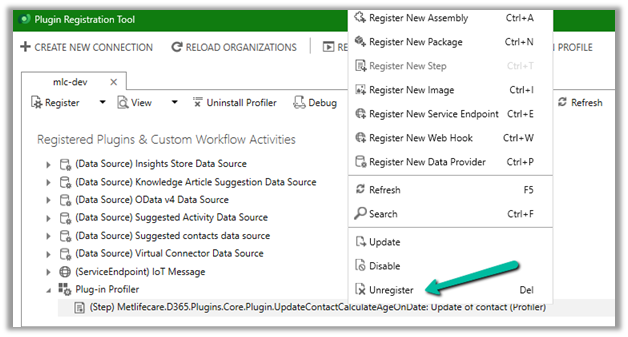
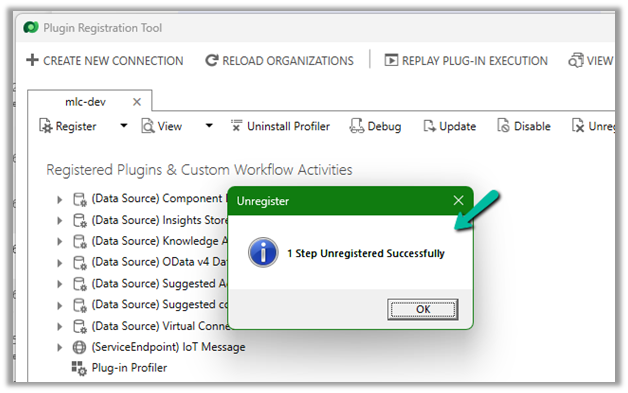
We unregistered the step there

This fixed the issue for us.

Hope it helps..


Advertisements

Sample Code – Capture / Record lead qualification date – Dynamics 365 / Dataverse


Recently we had a requirement to capture the date when a lead is qualified. Here we can create a new date time attribute to capture the lead qualification date and update this field either through workflow, flow, or plugin on lead qualification.

Status Code = 3 (Qualified)

We implemented a plugin on PreOperationUpdate of lead, with filtering attributes as the state code.

Below is the sample code for the plugin  –

 public void Execute(IServiceProvider serviceProvider)
        {
            ITracingService tracingService = (ITracingService)serviceProvider.GetService(typeof(ITracingService));
            IPluginExecutionContext context = (IPluginExecutionContext)serviceProvider.GetService(typeof(IPluginExecutionContext));
         
            try
            {
                tracingService.Trace("start plugin execution: {0}", this.GetType().FullName);
                // plugin is in pre update stage of lead
                if (context.InputParameters.Contains("Target") && context.InputParameters["Target"] is Entity &&
                    context.MessageName.Equals("update", StringComparison.OrdinalIgnoreCase) &&
                   context.Stage == 20)   
                {
                    var leadEntity = (Entity)context.InputParameters["Target"];
                    if(leadEntity.LogicalName == "lead")
                    {
                        if(leadEntity.Attributes.Contains("statuscode") && 
                            ((OptionSetValue)leadEntity.Attributes["statuscode"]).Value == 3
                            )
                        {
                            tracingService.Trace("Lead with Id {0} is getting qualified at {1}", 
                                leadEntity.Id.ToString(), DateTime.UtcNow);
								
							// the custom date time field to capture the qualification date 
                            leadEntity["custom_qualificationdate"] = DateTime.UtcNow;                         
                        }
                    }                 

                }

                tracingService.Trace("end plugin execution: {0}", this.GetType().FullName);
            }
            catch (System.ServiceModel.FaultException<OrganizationServiceFault> ex)
            {
                tracingService.Trace(ex.Detail.Message);
                throw;
            }
            catch (Exception ex)
            {
                tracingService.Trace(ex.ToString());
                throw;
            }
        }

Hope it helps..

Advertisements

Retrieve primary entities along with related entities with one QueryExpression


Retrieve related records for a parent record

It’s possible to get related records of  a relationship when we retrieve a parent record using RelatedEntitiesQuery property in the RetrieveRequest. That means you have to construct the RetrieveRequest not using the Retrieve method from the OrganizationServiceProxy class.

https://dyncrmexp.com/2017/10/24/retrieve-primary-entities-along-with-related-entities-with-one-queryexpression/comment-page-1/

by Khoa Nguyen
Advertisements

Nishant Rana's Weblog

Everything related to Microsoft .NET Technology

Skip to content ↓