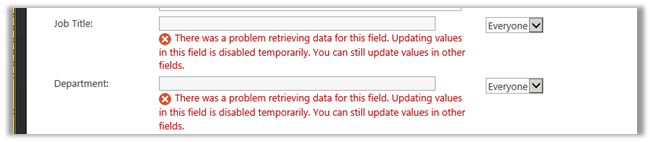
Remove web part that is causing error from a SharePoint page


Hi,

On adding a web part if in a page at times it throws error and we need to access the page and remove that web part.

To do so we need to add the following querystring to the page url

http://localhost/Pages/Home.aspx?contents=1

It will open the page and will present the list of web parts in the page from wherein we can select and delete the web part that was causing the error.

Hope it helps..

Hello World InfoPath Form with Code Behind


Hi,

Had to do some POC around InfoPath form having code behind.

Found this wonderful article

http://johanolivier.blogspot.in/2010/08/infopath-2010-development-part-1-add.html

Bye..

CAML Query Builder for SharePoint 2013


Hi,

Recently had to write CSOM code to fetch value of a particular list item.

The following tool made it really easy to write the CAML Query.

https://spcamlqueryhelper.codeplex.com/

Bye..

2014 in review


The WordPress.com stats helper monkeys prepared a 2014 annual report for this blog.

Here’s an excerpt:

The Louvre Museum has 8.5 million visitors per year. This blog was viewed about 260,000 times in 2014. If it were an exhibit at the Louvre Museum, it would take about 11 days for that many people to see it.

Click here to see the complete report.

Script Search Utility for Dynamics CRM 2011/2013


deepeshsomani2013's avatarMSDYNAMICSBLOG BY DEEPESH

Script Search Utility for Dynamics CRM 2011/2013 addresses some of the following pain points while configuring, documenting and trying to resolve issues related to scripts in Dynamics CRM 2011 and Dynamics CRM 2013. Key features of this application are:

• For documentation purpose, Ability to search script files for specific text in script like unsupported scripts during CRM upgrade
• For documentation purpose, Ability to search scripts for attribute names in CRM scripts.

This tool also lets you copy search result to clipboard.

Download link: Click here

How to use :

Download the doc file, rename it to zip file, extract it and you are done.

For any issues/ bugs, you can connect me directly at –deepeshsomani@hotmail.com

clip_image002

This tool uses the Connection Control for Microsoft Dynamics CRM 2011 which is available at https://connectioncontrol.codeplex.com. I recommend using this tool for anyone who needs to connect to CRM instances be it…

View original post 14 more words

Changing SharePoint DateTimeControl Control DateFormat to DD/MM/YYYY


samimkhan's avatarSamim khan

Recently I faced a problem while using SharePoint DateTimeControl in visual WebPart although the Culture of the site was set to ‘en-gb’ the SharePoint DateTimeControl was still showing the DateTime in the ‘MM/DD/YYYY’ Format. After some googling I found that I shall have to change th LocaleId of the control as well

To change the Date Format of SharePoint DateTimeControl  to ‘DD/MM/YYYY’ add LocaleId=”2057″

e.g.

<SharePoint:DateTimeControl ID=”dtStartDate” CssClassTextBox=”DateControlformfield” runat=”server” DateOnly=”True”         IsRequiredField=”True” LocaleId=”2057″ />

Or to find more LocaleId appropriate to your requirement please see the below link

http://msdn.microsoft.com/en-us/goglobal/bb895996.aspx

View original post

Nishant Rana's Weblog

Everything related to Microsoft .NET Technology

Skip to content ↓