The type or namespace name “ “ does not exist in the namespace “” (are you missing an assembly reference?) Error in Microsoft Fakes Unit Test Project.


Hi,

Was getting the below error while building in the Unit Test Project

The Unit Test project was showing the following assemblies as missing

Tried generating the fakes for them but still the issue didn’t resolve.

Then finally copied the missing assemblies from another development machine to my dev machine’s FakeAssemblies folder.

This fixed the issue.

Hope it helps..


Plugin Step blank\empty in CRM 2013 Plugin Registration Tool.


Hi,

When trying to update one of the plugin step on a plugin, the dialog box was coming up blank.

Tried opening it on the older version of Plugin Registration Tool, it showed up all the details properly

When we changed the value for Run in User’s Context to Calling User from
the impersonation user. We were able to see the details in the new tool as well.

Seems like some weird issue with the new tool.

Hope it helps..


“Profiler AppDomain Unloaded” error while using Plugin Registration Tool for debugging CRM 2013 Online Plugin. (Plugin Profiler)


On clicking Start Execution button in Plugin Registration Tool for profiling I was getting the AppDomain Unloaded error.

On opening up the error detail the message was

“Could not load file or assembly Microsoft.Xrm.Sdk, Version=5.0.0.0″

Updating the Plugin Project to use the Version 6 assembly that was part of the SDK, from which I was using Plugin Registration tool fixed the issue.

To understand more check the below links

https://crmbusiness.wordpress.com/2015/03/24/crm-2015-understanding-the-plugin-profiler-and-puzzling-error/

https://social.microsoft.com/Forums/en-US/9709c5b3-a035-4c1a-bdd3-6d8054db31d0/profiler-plugin-type-does-not-exist-in-assembly-error?forum=crmdevelopment

http://blogs.msdn.com/b/devkeydet/archive/2015/02/17/debug-crm-online-plugins.aspx

Hope it helps..

Fatal error during installation- Microsoft Dynamics CRM Report Authoring Extension Setup.


Hi,

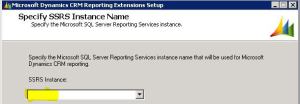
Was getting the below error while trying to install

Microsoft Dynamics CRM 2013 Report Authoring Extension (with SQL Server Data Tools support)

https://www.microsoft.com/en-us/download/details.aspx?id=40343g

The solution was to delete the following registry key

HKLM\SOFTWARE\Microsoft\Windows\CurrentVersion\Installer\UserData\S-1-5-18\Components\0EF1E6B4EFCDA2649B26A424D56DAACD


After deleting the key the installation was successful.


https://support.microsoft.com/en-us/kb/2988630

Hope it helps..

Missing Posts tab in Social Pane in CRM 2013.


Hi,

Recently we added Social Pane to one of our custom entity form in CRM 2013. It was only showing Notes and Activities tab. Posts tab was missing.

To get the Posts tab we need to activate Post for that custom entity, which can be done through Post Configurations page.

However the Post Configuration area was missing in our CRM’s site map navigation.

To add it back, we need to follow the steps mentioned this post

http://www.crmcodex.com/2013/11/mscrm-2013-missing-posts-tab-on-the-new-activity-feeds/

i.e. to add the following SubArea

<SubArea Id=”nav_administration” ResourceId=”Homepage_Administration” DescriptionResourceId=”Administration_SubArea_Description” Icon=”/_imgs/ico_18_administration.gif” Url=”/tools/Admin/admin.aspx” AvailableOffline=”false” />

<SubArea Id=”nav_social” ResourceId=”Social_SubArea_Title” DescriptionResourceId=”Social_SubArea_Description” Icon=”/_imgs/area/16_social.png” Url=”/tools/social/social_area.aspx” AvailableOffline=”false” />

<SubArea Id=”msdyn_postconfig” ResourceId=”Activity_Feed_Configuration” Entity=”msdyn_postconfig” />


Add Email and Post Configuration to SiteMap

https://technet.microsoft.com/en-us/library/dn486920%28v=crm.6%29.aspx

Hope it helps..


Missing Activities tab in Social Pane in CRM 2013


Hi,

Was working on a task wherein we had to add Social Pane to a form of a custom entity. We enabled the Notes for the entity (Activities was already enabled).

However after adding it to the form it was only showing only Notes tab.

The solution we found was to export the entity and change the following value to 1 for the particular form.

Saving and importing back the solution fixed the issue.


The helpful post

https://thecrmgrid.wordpress.com/2013/11/22/social-pane-control-not-working-in-custom-forms/

Hope it helps..

Nishant Rana's Weblog

Everything related to Microsoft .NET Technology

Skip to content ↓