We recently had a requirement to read xml data stored in a particular web resource in plugin.
Sharing the sample code
public static Dictionary<string, string> GetMarketClusterAndMarketSegment(string webresourceName, string buildingTypeValue, IOrganizationService organizationService)
{
Dictionary<string, string> dictionaryMarket = new Dictionary<string, string>();

// tk_et_oppline_marketingfilterpicklists
// create request to retrieve Webresource
ColumnSet cols = new ColumnSet();
cols.AddColumn("content");
QueryByAttribute requestWebResource = new QueryByAttribute
{
EntityName = "webresource",
ColumnSet = cols
};
requestWebResource.Attributes.AddRange("name");
requestWebResource.Values.AddRange(webresourceName);

Entity webResourceEntity = null;
EntityCollection webResourceEntityCollection = organizationService.RetrieveMultiple(requestWebResource);

if (webResourceEntityCollection.Entities.Count > 0)
{
webResourceEntity = webResourceEntityCollection.Entities[0];
byte[] binary = Convert.FromBase64String(webResourceEntity.Attributes["content"].ToString());
string resourceContent = System.Text.Encoding.UTF8.GetString(binary);
string byteOrderMarkUtf8 = Encoding.UTF8.GetString(Encoding.UTF8.GetPreamble());
if (resourceContent.StartsWith(byteOrderMarkUtf8))
{
resourceContent = resourceContent.Remove(0, byteOrderMarkUtf8.Length);
}

XDocument xmlDocument = XDocument.Parse(resourceContent);

var marketSegment = from t in xmlDocument.Descendants("ParentField").ElementAt(1).Descendants("ShowOption")
where t.Attribute("value").Value.Equals(buildingTypeValue)
select new
{
marketSegmentValue = t.Parent.Attribute("value").Value,
marketSegmentLabel = t.Parent.Attribute("label").Value
};

foreach (var v in marketSegment)
{
dictionaryMarket.Add("marketsegment", v.marketSegmentValue);
var marketCluster = from t in xmlDocument.Descendants("ParentField").ElementAt(0).Descendants("ShowOption")
where t.Attribute("value").Value.Equals(v.marketSegmentValue)
select new
{
marketClusterValue = t.Parent.Attribute("value").Value,
marketClusterLabel = t.Parent.Attribute("label").Value
};

foreach (var m in marketCluster)
{
dictionaryMarket.Add("marketcluster", m.marketClusterValue);
}
}
}

return dictionaryMarket;
}
}
Hope it helps..

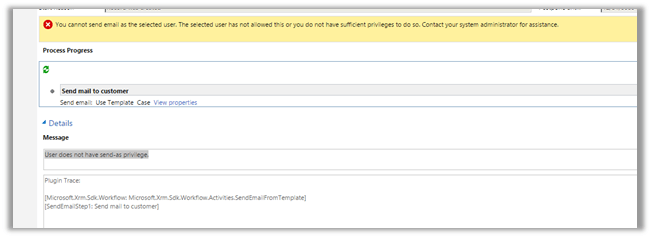 To fix the issue,