Microsoft.IdentityModel.Clients.ActiveDirectory.AdalServiceException: ‘AADSTS65001: The user or administrator has not consented to use the application error in Dynamics 365 CE


Suppose, we have just registered an application in Azure Active Directory and trying to acquire the token and get the below error

Microsoft.IdentityModel.Clients.ActiveDirectory.AdalServiceException: ‘AADSTS65001: The user or administrator has not consented to use the application with ID ‘b2c5028d-57e6-4df7-9940-828e6914948b’ named ‘MyApp’. Send an interactive authorization request for this user and resource.

This is because admin consent is required before the application can be used. This could be granted by global administrator.

One of the ways to do so is through the URL with the specific format as shown below

https://login.microsoftonline.com/[tenantid]/oauth2/authorize?client_id=[appId]&response_type=code&redirect_uri=[redirctURL]&resource=[resourceURL]&prompt=admin_consent


Pasting this URL in the browser will prompt for the credential, login will global administrator and we will be presented with the following consent box

Clicking on Accept will grant the required permission to the application registered.

Hope it helps..

Azure: Execute SSIS Package using Azure Data Factory – Part 2


Ajit Patra's avatarAjit Patra

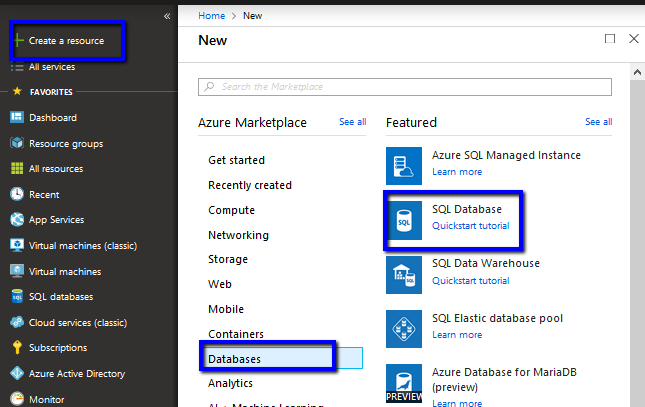
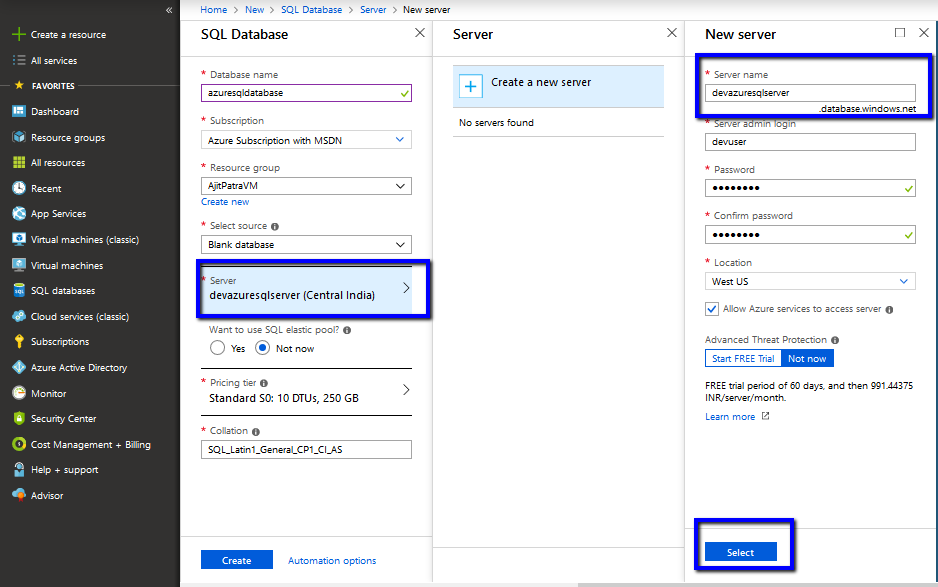
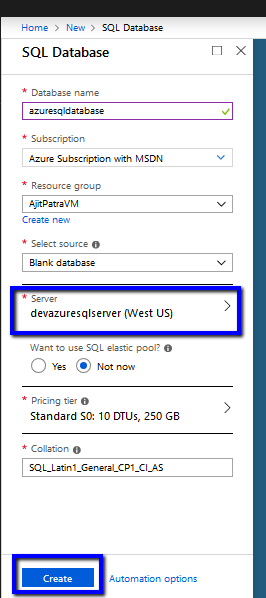
In the previous post, we created the required Azure resources. In the last step of the previous post, we created Azure SSIS IR which is basically responsible for creating SSISDB in the Azure SQL Server where we’ll deploy the SSIS package.

In this demo, we are going to execute a SSIS package which will load the data from source table ([SalesLT].[Customer]) to the destination table([dbo].[Customer]). So, let’s create the Customer table in destination database with the same schema as that of Customer table in source database using the below script.


Once done, let’s create one SSIS package using SSDT which will load the data from [sourcedev].[SalesLT].[Customer] to
[destinationdev].[dbo].[Customer].

After creating the package, let’s deploy the package from SSDT to the SSISDB database using Deployment Wizard. In Solution Explorer,Right Click on the Project and Click Deploy.

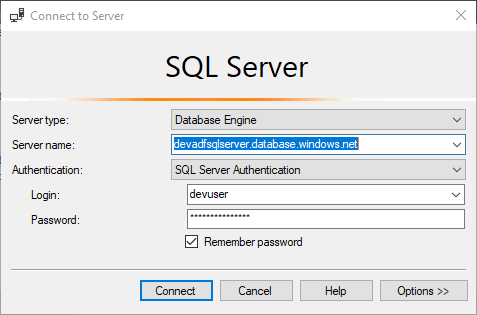
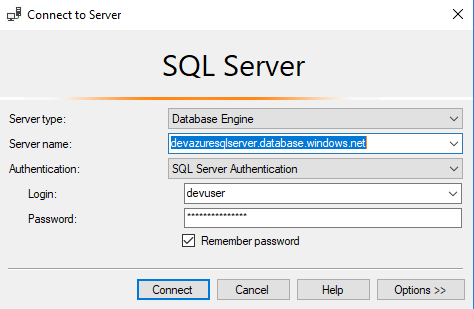
Fill the Azure SQL Server name, credential and click on Connect

View original post 387 more words

Sample code to use RetrievePrincipalAccess Function to get the access rights of the team or user in Dynamics 365 CE


We can use RetrievePrincipalAccess function in Web API to get the access rights of either a user or team on a specific record.

The sample code:


var req = new XMLHttpRequest();

req.open("GET", Xrm.Page.context.getClientUrl() + "/api/data/v9.1/systemusers(D38F5B76-C22E-4256-AF90-CFD14B6589BF)"+
"/Microsoft.Dynamics.CRM.RetrievePrincipalAccess(Target =@Target)?"+ 
"@Target={ 'accountid': '8CB09F67-EB90-E811-A963-000D3AD1CBD6', '@odata.type': 'Microsoft.Dynamics.CRM.account' } ", false);

req.setRequestHeader("OData-MaxVersion", "4.0");
req.setRequestHeader("OData-Version", "4.0");
req.setRequestHeader("Accept", "application/json");
req.setRequestHeader("Content-Type", "application/json; charset=utf-8");
req.onreadystatechange = function () {
if (this.readyState === 4) {
req.onreadystatechange = null;
if (this.status === 200) { 
var results = JSON.parse(this.response);
} else { 
Xrm.Utility.alertDialog(this.statusText);
}
}
};
req.send();

Result:

Hope it helps..

Limitations of Business Rule with Mobile App


Phani Rajasekhar's avatarPhani Rajasekhar

One of our customer reported that couple of Business Rules are not working in Mobile app which are working perfectly in Web application. Spent so much time to understand the problem with Mobile app and finally figured out that one tab on the contact form is not loaded in mobile app because of maximum 5 tabs allowed limitations. Some fields that we are referring in the  business rules are part of this missing tab. So, business rule trying to lock (unlock, mandatory, setvalue etc.,) the field which is not loaded on the form and failing. Finally we decided to create a new form by considering the limitations with mobile app and the business rules that we implemented.

Below are the limitations of Forms in mobile app

  • You shouldn’t have more than 75 fields on the Form
  • You shouldn’t have more than 5 tabs on the Form
  • You shouldn’t have more…

View original post 46 more words

Fixed – The following job steps cannot be reached with the current job step flow logic in SSIS


Recently while scheduling our SSIS Packages in SQL Server Agent Jobs we got the below error

WARNING: The following job steps cannot be reached with the current job step flow logic:

[1] Fashion Spend package

We just need to make sure that we have set correct package in the Start Step properties in Job Properties Dialog Box

To: –

Hope it helps..

Advertisements

HideCustomAction and Display \ Enable rule in Dynamics 365


Imagine a scenario where we have both the disable rule and HideCustomAction implemented for a ribbon button. Let us see with an example what will happen in this scenario.

First, let us implement the display rule to hide the Delete button from Contact form when it is in a disabled state.

For active record à

We can see the delete button in the command bar.

For disabled record à The delete button is not visible.

Now let us hide the button using HideCustomAction

Interestingly the Delete button is not available in case of the active contact record this time.

The reason for this is because the HideCustomAction button removes the specified node from the ribbon so that it is not rendered instead of hiding it. Therefore any other enable or display rules are not applied to that button.

https://docs.microsoft.com/en-us/dynamics365/customer-engagement/developer/customize-dev/define-custom-actions-modify-ribbon#hide-custom-actions

Hope it helps..

Nishant Rana's Weblog

Everything related to Microsoft .NET Technology

Skip to content ↓