Terminate and Cancel Flow Run in Power Automate


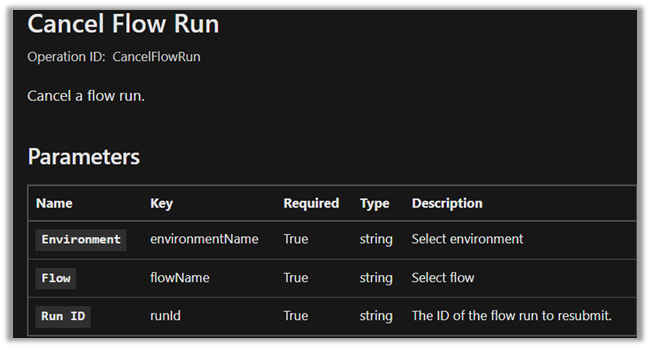
Cancel Flow Run action which is part of the Power Automate Management connection be used to cancel a running flow along with Terminate.
Cancel Flow Run

We can specify the below expressions for its parameters as below.

Environment 

workflow().tags.environmentName

Flow 

workflow().name

Run ID 

workflow().run.name

The Cancel Flow Run can be used inside Do Until and Apply To Each control, unlike the Terminate.

If we try using Terminate inside Do Until we will get a similar error message as below.

Request to XRM API failed with error: ‘Message: Flow client error returned with status code “BadRequest” and details “{“error”:{“code”:”InvalidOpenApiFlow”,”message”:”Flow save failed with code ‘InvalidWorkflowRunAction’ and message ‘The workflow run action ‘Terminate’ has type ‘Terminate’ that is not allwed to be nested under an action of type ‘until’.’.”}}”. Code: 0x80060467 InnerError: ‘.

If we have implemented the Try, Catch and Finally block (scope), the Catch and Finally steps will be skipped as shown, on canceling the flow.

Interestingly the steps next to Cancel Flow Run still run.

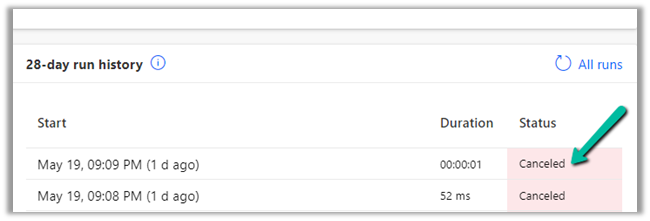
The status will show up as canceled for the flow in the flow history.
Now let us see what happens in the case of Terminate action.

In the case of setting the Terminate Status as Failed – we see the next step skipped along with Catch and Finally.


Let us see in the case of Status = Cancelled
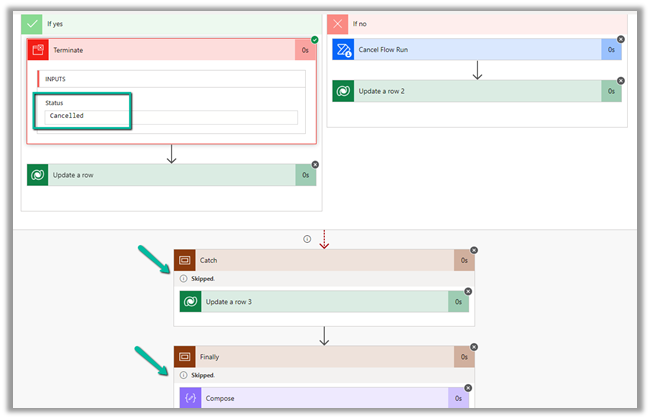
The status will be Canceled.

In the case of Status = Succeeded,
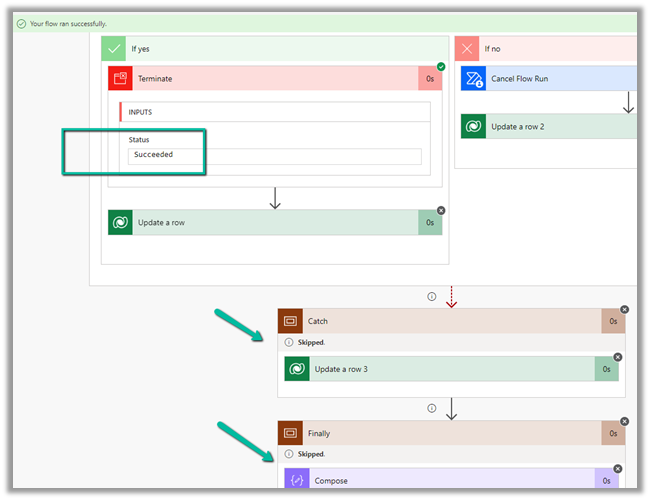
Here the status will be Succeeded.

Do check –

https://sharepains.com/2018/09/11/microsoft-flow-never-terminate-your-flows-unless-you-like-failure/

Hope it helps..

Advertisements

Fixed – Azure Synapse Link for Dataverse not starting


Recently while trying to configure “Azure Synapse Link for
Dataverse” for one of our environments, we faced an issue, where it got stuck as shown below.

Also, there were no files/folders created inside the Storage Account.

Posts on Azure Data Lake

The accounts were properly setup – https://docs.microsoft.com/en-us/power-apps/maker/data-platform/azure-synapse-link-synapse#prerequisites

Here we had only selected contact table for sync initially, and it had around 2.5 million records.

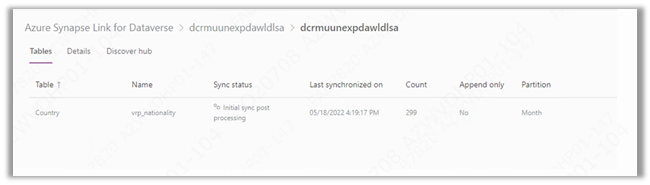
To fix this, we unlinked (using Unlink Option) and created the link again and this time we selected a table having very few record for e.g. country table as shown below.

This time the sync started immediately.

Than through Manage tables option, we added our contact table also, and it also started syncing properly as shown below-

Hope it helps..

Advertisements

Filter rows and Trigger Conditions in Power Automate


Filter rows and Trigger Conditions can be used to specify the condition on which the trigger should fire. This makes sure that we do not exceed flow execution limits.

Power Automate Licensing – Power Platform Requests

Power Automate Limits and Configuration

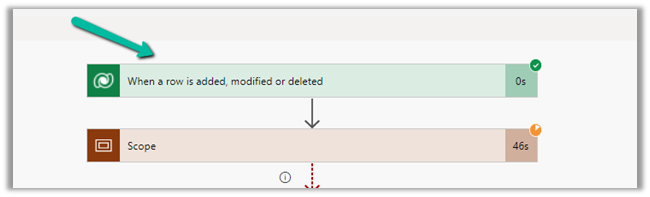
In the case of our Dataverse trigger “When a row is added, modified or deleted” we can make use of either Filter rows or Trigger Conditions, as we have both options available.

We’d be using Trigger Conditions for those triggers where we do not have additional property to specify the filter condition.

E.g. we want the flow to run only on a specific file in a library or based on the extension of the file as nicely explained here

https://tomriha.com/trigger-power-automate-flow-only-on-specific-file-in-a-library/

https://www.enjoysharepoint.com/trigger-conditions-in-power-automate/

Now out of curiosity, we tried specifying both Filter rows and Trigger conditions to see how it behaves.

Here for the same trigger we have specified Filter Rows as below

address1_city eq ‘Ahmedabad’

And Trigger Conditions as below

@equals(triggerOutputs()?[‘body/companyname’], ‘MS’)

During our test, we observed that the trigger is firing only when both the conditions or expressions, specified in Filter Rows as well as Trigger Conditions are true.

So basically it will only fire for those rows or records having Company as MS and City equal to Ahmedabad.

It will not fire if either of Filter Rows or Trigger Conditions expression evaluate to be false.

Hope it helps..

Advertisements

Fixed – Unable to process template language expressions for trigger. In the template language function ‘convertToUtc’, the value provided for the time zone id ‘Gulf Standard Time’ was not valid while using Delay Until property– Power Automate


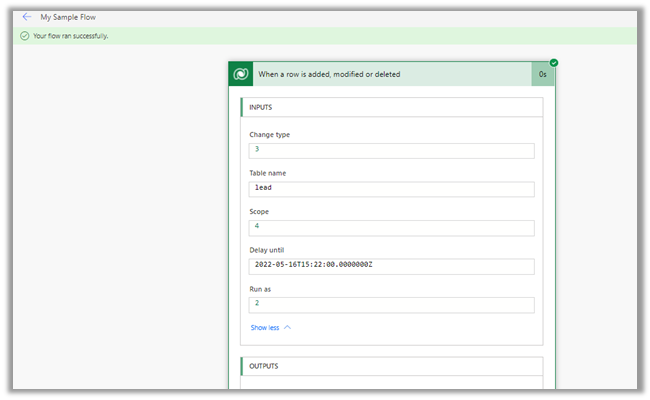
Recently while using Delay until property of the trigger, in one of the flows, we got the below error

“Unable to process template language expressions for trigger ‘When_a_row_is_added,_modified_or_deleted’ at line ‘1’ and column ‘16344’: ‘In the template language function ‘convertToUtc’, the value provided for the time zone id ‘Gulf Standard Time’ was not valid. ‘.”

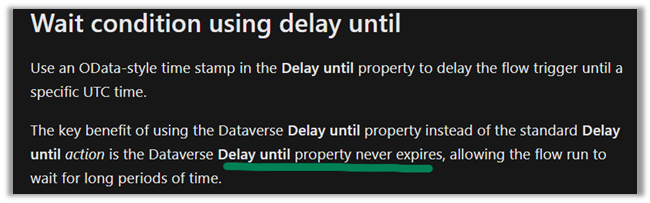
Usage of Delay until is nicely explained here by Debajit –

https://debajmecrm.com/how-to-delay-a-power-automate-flow-execution-till-a-specified-date-and-time/

https://debajmecrm.com/replicate-dynamics-365-workflow-timeout-wait-condition-in-microsoft-flows/


Delay until = convertToUtc(‘2022-05-16T17:22:00′,’Gulf Standard Time’)

It turns out that Gulf Standard Time is not a valid time zone id.

Changing it to Arabian Standard Time resolved the issue for us.

i.e.

convertToUtc(‘2022-05-16T19:22:00′,’Arabian Standard Time’)


Also check – https://nishantrana.me/2022/01/19/how-to-use-do-until-and-delay-in-power-automate/

Hope it helps..

Advertisements

Fixed – Authorization failed. The client with object id does not have authorization to perform action ‘Microsoft.Authorization/roleAssignments/write’ over scope ‘/subcriptions’ while configuring Azure Synapse Link for Dataverse


Recently while configuring Azure Synapse Link for Dataverse, for exporting data to Azure Data Lake we got the below error –

{“code”:”AuthorizationFailed”,”message”:”The client ‘abc’ with object id ‘d56d5fbb-0d46-4814-afaa-e429e5f252c8’ does not have authorization to perform action ‘Microsoft.Authorization/roleAssignments/write’ over scope ‘/subscriptions/30ed4d5c-4377-4df1-a341-8f801a7943ad/resourceGroups/RG/providers/Microsoft.Storage/storageAccounts/saazuredatalakecrm/providers/Microsoft.Authorization/roleAssignments/2eb81813-3b38-4b2e-bc14-f649263b5fcf’ or the scope is invalid. If access was recently granted, please refresh your credentials.”}


As well as the below error –


As the error suggests the error was because the user account used was not having the appropriate role(s) assigned.

The user needs to have the Owner as well as Blob Storage Data Contributor role on the Azure Data Lake Storage Gen2 account.

Also check –

https://nishantrana.me/2020/09/07/error-access-to-the-resource-is-forbidden-while-trying-to-connect-to-azure-data-lake-storage-gen2-using-power-bi-desktop/

https://nishantrana.me/2021/06/24/fixed-authorizationfailed-the-client-with-object-id-does-not-have-authorization-to-perform-action-microsoft-authorization-roleassignments-write-over-scope-storageaccou/

https://docs.microsoft.com/en-us/power-apps/maker/data-platform/azure-synapse-link-synapse#prerequisites

Hope it helps..
Advertisements

Autonumber field values in case of exception in Dynamics 365 / CRM


Recently in one of our projects, where we were using the auto number attribute (with sequential numbers), we realized that it gets incremented even in case of an exception thrown during Pre Stage of the Plugin Execution. We were assuming the number gets incremented only after the record gets created i.e. on post-stage.

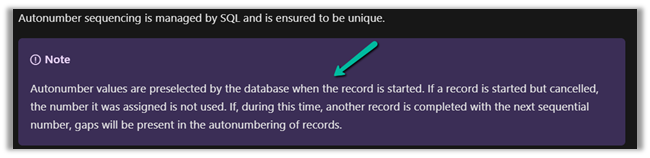
But as the documentation mentions, the number gets pre-selected as soon as the record is started.

https://docs.microsoft.com/en-us/power-apps/maker/data-platform/autonumber-fields

Let us see it in action also –

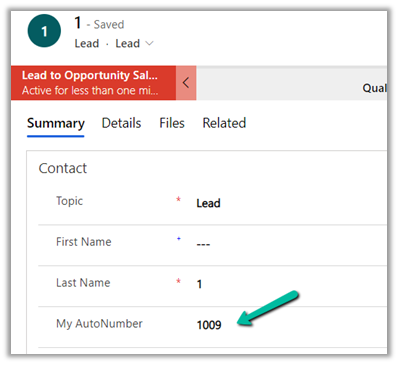
Here we have the lead record created with My Autonumber as the auto number column with seed as 1000

The auto number field has a value of 1009 currently.

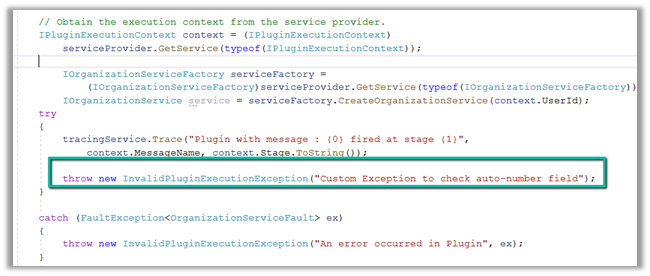
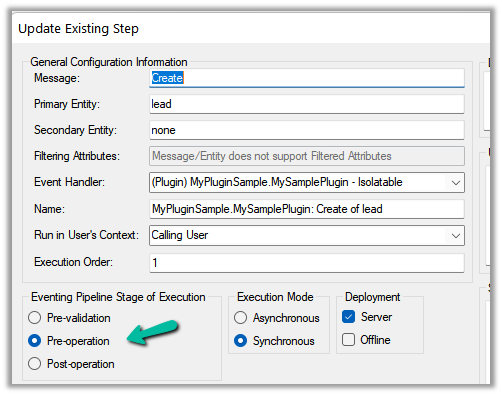
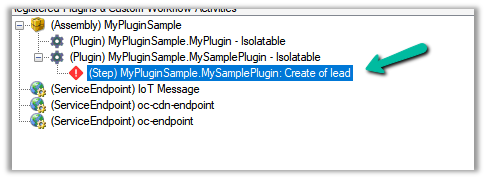
Now let us register a plugin on the Pre-Create stage that throws the exception.

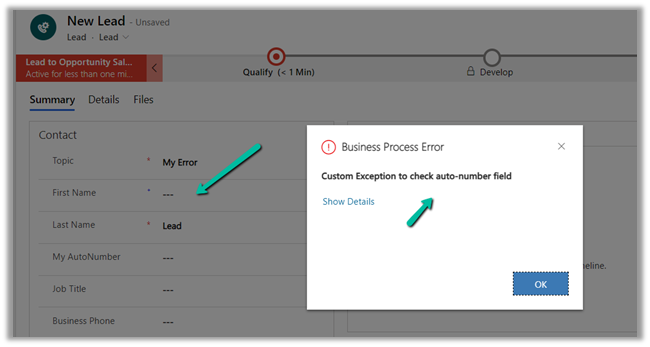
Let us try creating a new lead record, which as expected will throw the exception.

Let us try saving the record 3 times more, triggering the record creation as well as the plugin along with the exception.

Now let us disable the plugin step and save/create the record.

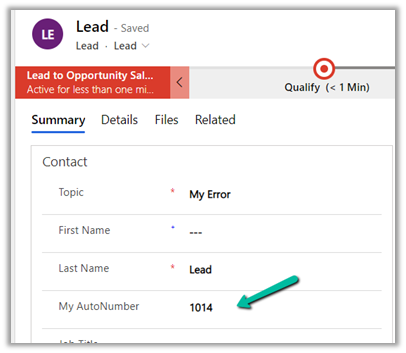
As expected the record gets created, and the auto number field has a value of 1014.

The same behavior was observed in case of Pre-Validation stage.

Hope it helps..
 

Advertisements