Sample code to call Action using Web API in CRM


Just sharing a sample code to call an Action through Web API.

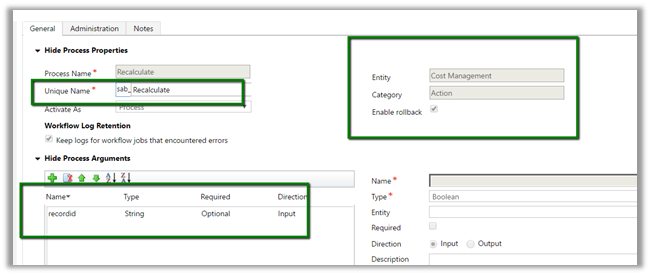
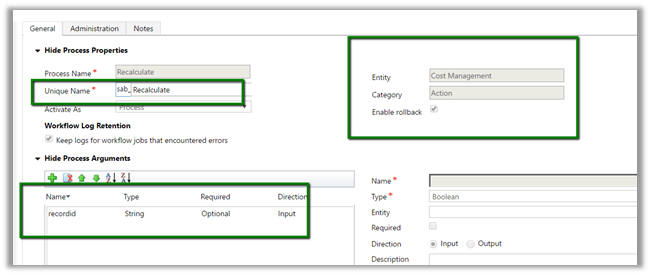
Suppose below is our Action with one input parameter.
JavaScript code :-


function CallAction() {

// get the id of the record and remove the curly bracket part
// id will be used in Web API url
var Id = Xrm.Page.data.entity.getId().replace('{', '').replace('}', '');

var serverURL = Xrm.Page.context.getClientUrl();

// pass the id as inpurt parameter
var data = {

"recordid": Id
};

var req = new XMLHttpRequest();

// specify name of the entity, record id and name of the action in the Wen API Url
req.open("POST", serverURL + "/api/data/v8.2/sab_costmanagements(" + Id + ")/Microsoft.Dynamics.CRM.sab_Recalculate", true);

req.setRequestHeader("Accept", "application/json");
req.setRequestHeader("Content-Type", "application/json; charset=utf-8");
req.setRequestHeader("OData-MaxVersion", "4.0");
req.setRequestHeader("OData-Version", "4.0");
req.onreadystatechange = function () {
if (this.readyState == 4 /* complete */) {
req.onreadystatechange = null;
if (this.status == 200) {
var data = JSON.parse(this.response);
alert(data);
} else {
var error = JSON.parse(this.response).error;
alert(error.message);
}
}
};

// send the request with the data for the input parameter
req.send(window.JSON.stringify(data));
}

Basically we need to pass name of the Entity Set with id of the record followed by name of the action appended with Microsoft.Dynamics.CRM.

In case of global action, we just need the Microsoft.Dynamics.CRM.<<ActionName>>.

More details here

https://www.inogic.com/blog/2016/10/execute-the-global-action-using-web-api-in-dynamics-crm/

Hope it helps..

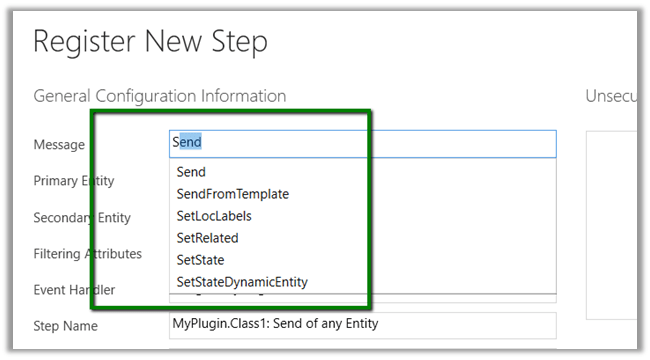
Missing Action (message) in Plugin Registration Tool


Recently we created a new created Action and it twas not showing up in Plugin Registration Tool.

Closing and restarting the Plugin Registration tool fixed it.

Hope it helps..
How to – Filter SubGrid in Dynamics 365 (with New Form Rendering or Turbo Form)


Recently we had a requirement wherein we wanted to see all the child records of a record in a SubGrid .

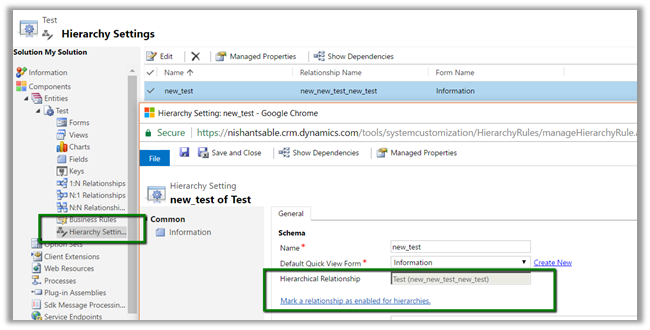
We had self-referential (hierarchical relationship) enabled for that entity.

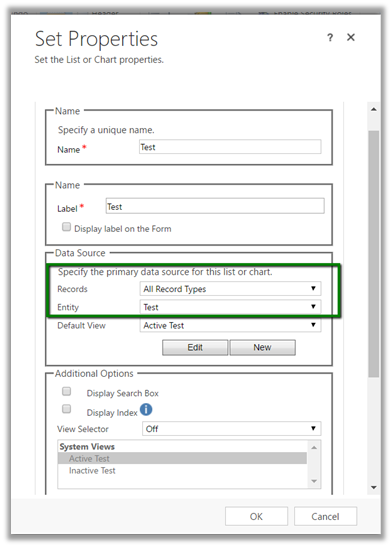
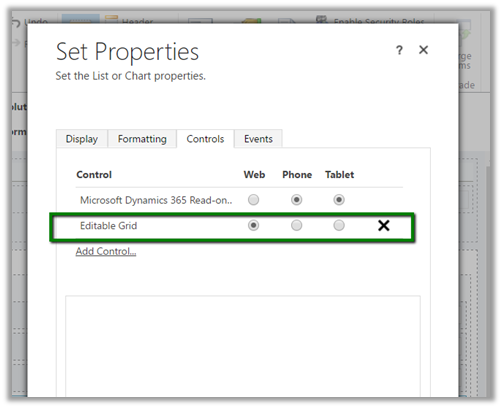
Configuring the Sub Grid on the form.

We have also enabled the Editable grid for the Sub Grid.

The JavaScript code

</p>
<p>function filterSubGrid()<br />
{<br />
// get the current record's guid<br />
var entityId = Xrm.Page.data.entity.getId();</p>
<p>// refer the subgrid<br />
var testGrid = window.parent.document.getElementById("Test");</p>
<p>if (testGrid == null)<br />
{<br />
setTimeout(function () {filterSubGrid(); }, 2000);<br />
return;<br />
}</p>
<p>// fetch xml code using User operator<br />
var fetchXml = "&lt;fetch distinct='false' no-lock='false' mapping='logical'&gt;" +<br />
"&lt;entity name='new_test' &gt;" +<br />
"&lt;attribute name='new_name' /&gt;" +<br />
" &lt;attribute name='new_testname' /&gt;" +<br />
"&lt;order attribute='new_name' descending='true' /&gt;" +<br />
"&lt;filter type='and'&gt;" +<br />
"&lt;condition attribute='new_testid' operator='under' value='"+entityId+"'"+"/&gt;" +<br />
"&lt;/filter&gt;" +<br />
"&lt;/entity&gt;" +<br />
"&lt;/fetch&gt;";</p>
<p>if (testGrid.control != null)<br />
{<br />
testGrid.control.SetParameter("fetchXml", fetchXml);<br />
testGrid.control.refresh();<br />
}<br />
else<br />
{<br />
setTimeout(filterSubGrid, 500);<br />
}<br />
}</p>
<p>

The filtered Sub Grid (editable)

Note :- The JavaScript code is unsupported as we are making use of getElementById instead of Xrm library to access subgrid.

Hope it helps..
Advertisements

How to – Use ILMerge for Plugin in CRM


If we make use of external assembly in our Plugin (sandboxed) we will get the exception of FileNotFound.

So here we can make use of ILMerge which basically merges the assembly referenced and the plugin into a single assembly.

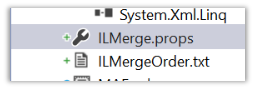
Install the following NuGet Package.

This adds the following files in our Plugin project.

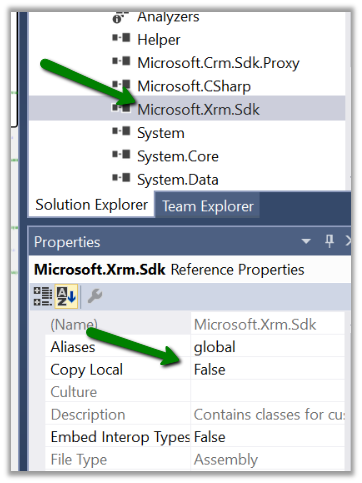
We need to set Copy Local as true for all our referenced assembly that we want to merge with our plugin.

We need to set Copy Local as false for all other assemblies that we do not want to be merged with plugin.

Just build the project and we are done.

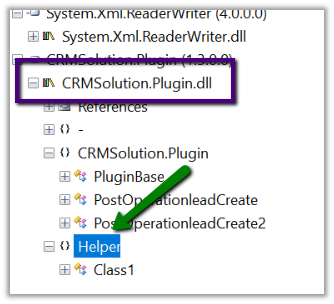
The assembly inside Reflector: –

Hope it helps.

Advertisements

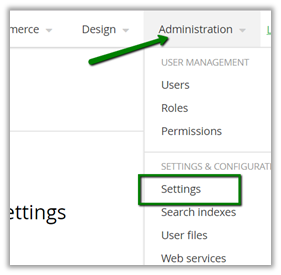
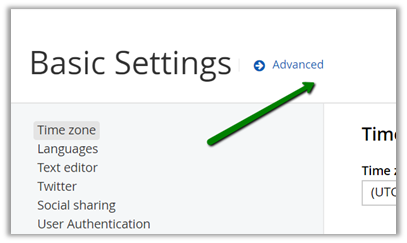
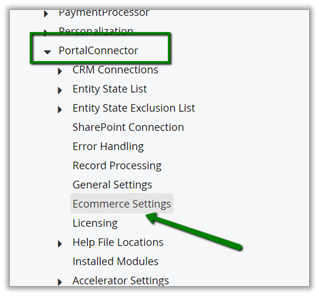
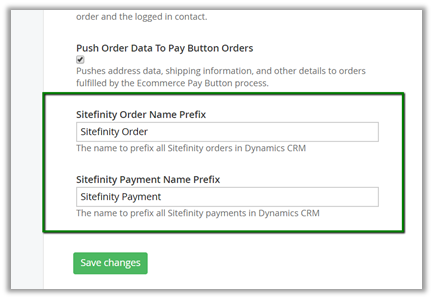
Change Order Name and Payment Name Prefix in The Portal Connector (TPC)


To update the prefix, go to Administration – Settings

Then to Advanced

Then to Ecommerce settings

Scroll down to the bottom

Hope it helps..
Query CRM from The Portal Connector (TPC) through Saved Queries


Within The Portal Connector we can make use of Saved Queries to define Fetch XML Query.

Once defined we get a REST based URL which can be used from our client side script.

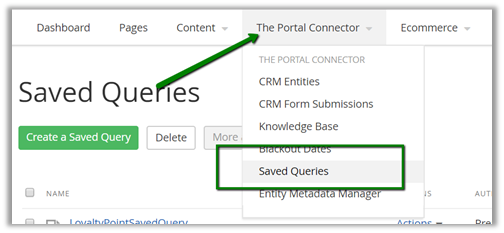
Login to the Portal and go to Saved Queries

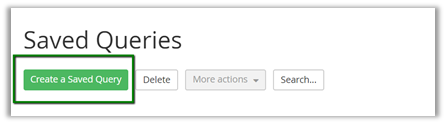
Click on Create a Saved Query

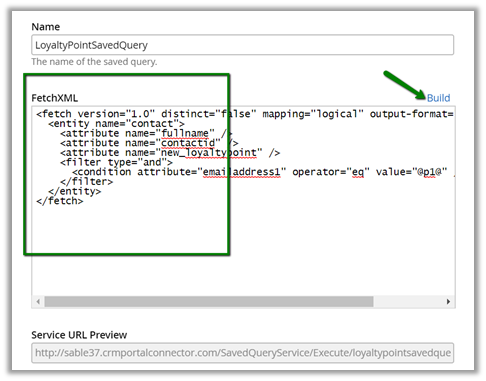
Click on Build and create a Fetch XML Query

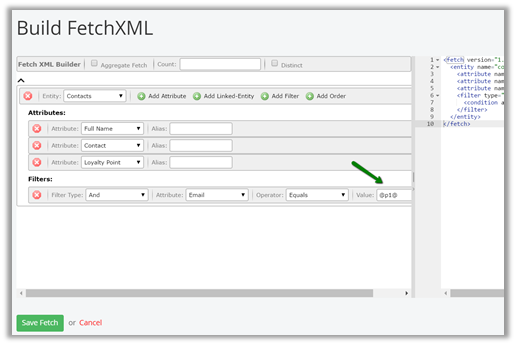
The fetch xml builder

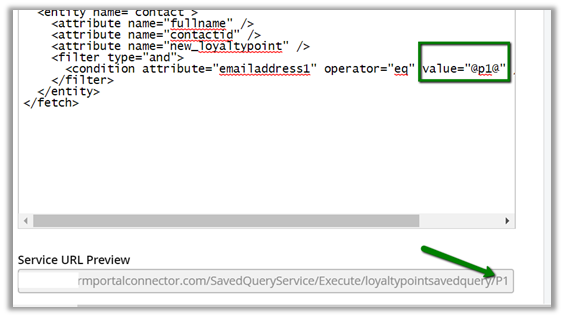
We can see the parameter added to the query string.

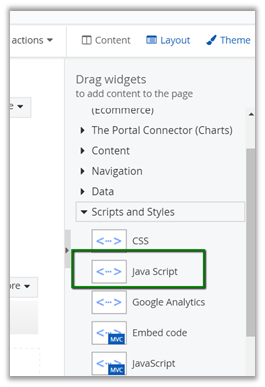
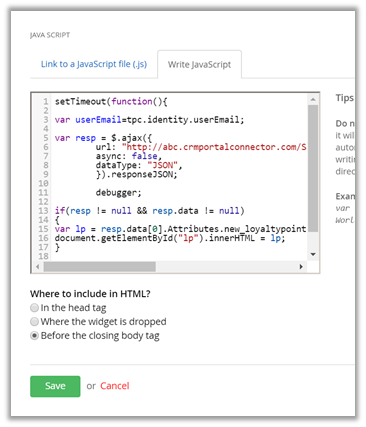
To consume it we can make use of JavaScript widget

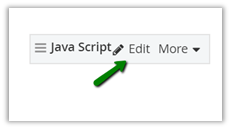
Click on Edit and define the JavaScript inside it to call the function

The JavaScript code.


setTimeout(function(){

// get the logged in user's email i.e. contact in CRM

var userEmail=tpc.identity.userEmail;

var resp = $.ajax({
url: "http://abc.crmportalconnector.com/SavedQueryService/Execute/loyaltypointsavedquery/" + userEmail,
async: false,
dataType: "JSON",
}).responseJSON;
if(resp != null && resp.data != null)
{
var lp = resp.data[0].Attributes.new_loyaltypoint;
document.getElementById("lp").innerHTML = lp;
}
}, 1500);

Hope it helps..