Resources in Use -300 Custom Entities Limit in Dynamics 365 (online)


Hi,

Till CRM 2015 update 1, we had upper limit of 200 Workflows, 300 Dialogues and 300 Custom Entities. From CRM 2015 Update 1 onwards, the limit of workfows, dialogues and custom entities have been removed.

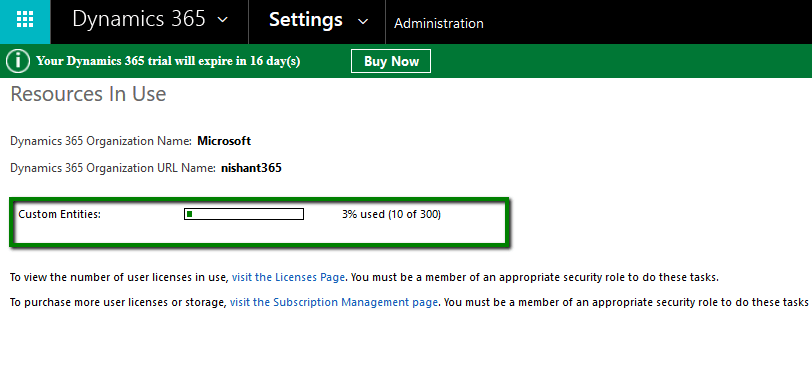
In Dynamics 365 Online we can still see information related to custom entities which shows upper limit as 300. However this is more of indicative and there is no upper limit now. Please refer the below link for more details

https://technet.microsoft.com/en-us/library/88b18946-474c-4c94-8e4c-27532f930757?f=255&mspperror=-2147217396#Anchor_4

Go to Settings –> Administration –> Resources in Use

riu

Hope it helps..

Register a Dynamics 365 app with Azure Active Directory


  • Sign in to Microsoft Azure Management Portal or Sign up for a free trial. The account should be in the same Office 365 tenant where we would like to register the app. (or link existing Azure Subscription not in same tenant as CRM)

https://manage.windowsazure.com/

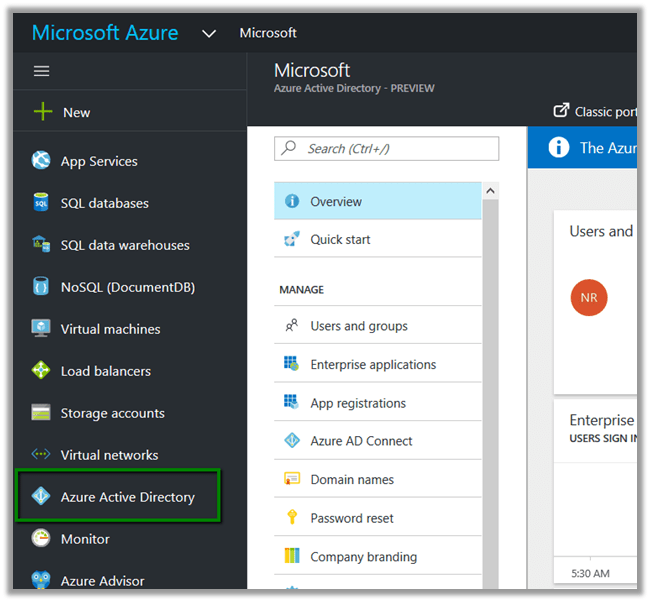
  • Inside Azure Management Portal select Azure Active Directory

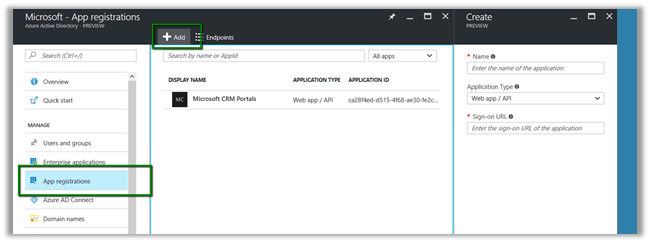
  • Select App registrations and click Add

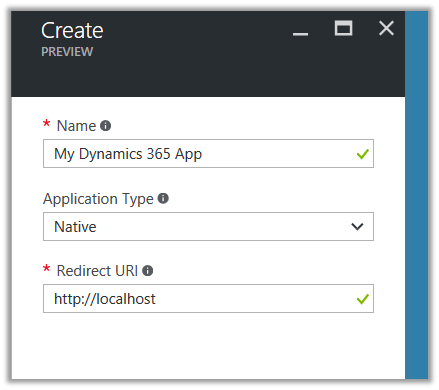
  • Provide required details for the App and click Create

  • Select the App created to get the required details

  • To give permission to App to access Dynamics CRM, click on Required Permissions in API Access section

  • Click on Add

  • Select Dynamics CRM Online

We’d get the notifications.

  • Along with Client id we would also need Authorization Endpoint, when we develop App.

Hope it helps..

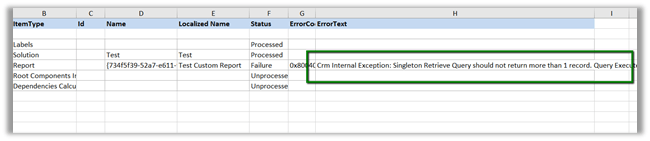
Crm Internal Exception: Singleton Retrieve Query should not return more than 1 record. Query: System.Data.SqlClient.SqlCommand while Importing Solution in Dynamics 365 \CRM 2016 or earlier.


Hi,

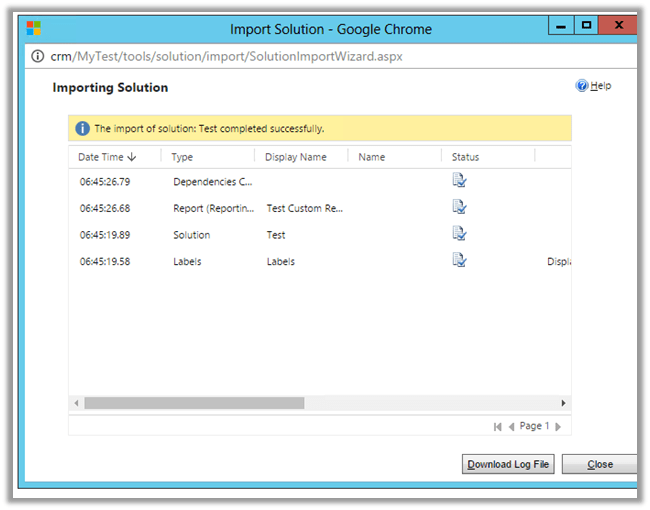
While using “Apply Solution Upgrade” or Import in our Test Instance having managed solution, we got the below error.

The Managed solution had the report set as Viewable By = Organization (we cannot have Individual report in Solution) when it was deployed first. And later the user had set the report to be as Individual manually.

Changing the report back to Organization in TEST and importing the solution again fixed the issue.

Hope it helps..

How to – Use Update to change the status and update owner (instead of SetState and Assign Request) in CRM 2015/2016


Prior to CRM 2015 Update 1, if we had to change the owner or set the state of the record we had to use Assign and SetState Request.

Now we can use our Update request for the same.

For e.g. we have below Active record owned by user named Nishant Rana.

Using below Update Request we can change the owner as well as set the record as inactive in a single request.

</p>
<p>Entity demoEntity = new Entity("new_demoentity");</p>
<p>// here we are using alternate key to update the record instead of Guid<br />
demoEntity.KeyAttributes.Add("new_alternatekeyfield", "My Alternate Key 2");</p>
<p>demoEntity.Attributes["new_name"] = "Updated record at " + DateTime.Now.ToShortTimeString();</p>
<p>// update owner id<br />
demoEntity.Attributes["ownerid"] = new EntityReference("systemuser", new Guid("16406B31-5E97-E611-80E3-FC15B42877A8"));</p>
<p>// set record as inactive<br />
demoEntity.Attributes["statecode"] = new OptionSetValue(1);</p>
<p>organizationProxy.Update(demoEntity);</p>
<p>


Point to remember is that if we have plugin registered either PRE or POST on Update and Assign both will be triggered.

Hope it helps..

Advertisements

Sample Code to use UpsertRequest in CRM 2015\2016


UpsertRequest was a new request introduced in CRM 2015 Online Update 1.

The request based on the alternate key specified, looks for the record, if the record is existing it updates it else it creates a new record.

https://nishantrana.wordpress.com/2016/10/25/alternate-keys-in-crm-2015crm-2016/

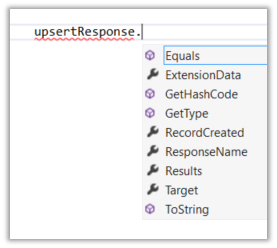
UpsertResponse has a property named RecordCreated which is false if the record is found and updated else it is true if record is created. The Target property holds the reference of the record created or updated.

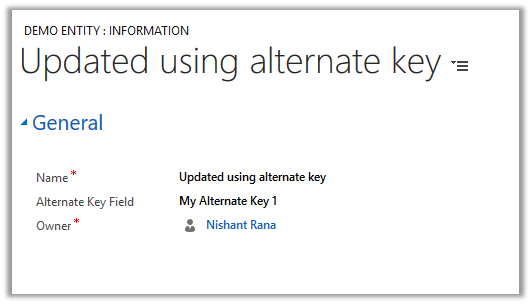
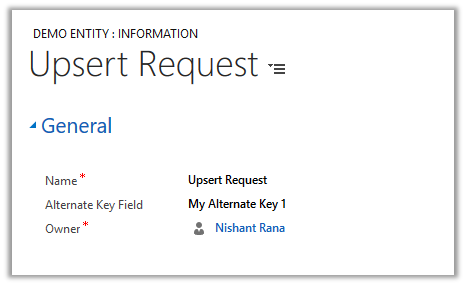
Suppose we have following record created. It has Alternate key defined on “Alternate Key Field”

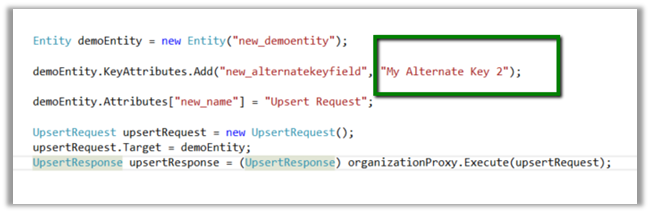
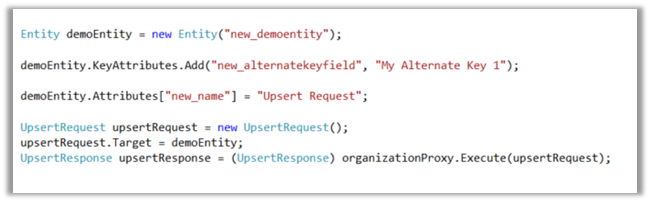
Sample Code

As we have demo entity record with alternate key field having value as “My Alternate Key 1” it will update the record.

Running it again this time changing the value for the alternate key field.

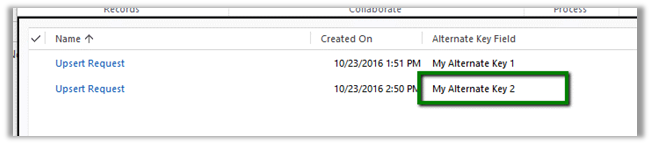
It creates a new record.

Hope it helps..
Using PluginTypeStatistic records to monitor plugins \ custom workflow activities hosted in sandbox in CRM 2016 (and earlier)


CRM collects runtime information about the plugins and custom workflow activities executing in sandbox mode in PluginTypeStatistic records every hour or so.

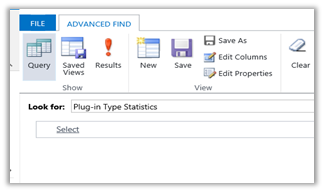
Go to Advanced Find View and select – Plug-in Type Statistics

It gives us details regarding “The average execution time”, “Execution Count”, “Failure Count” etc. for each of the plugins and custom workflow activities.

Hope it helps.