
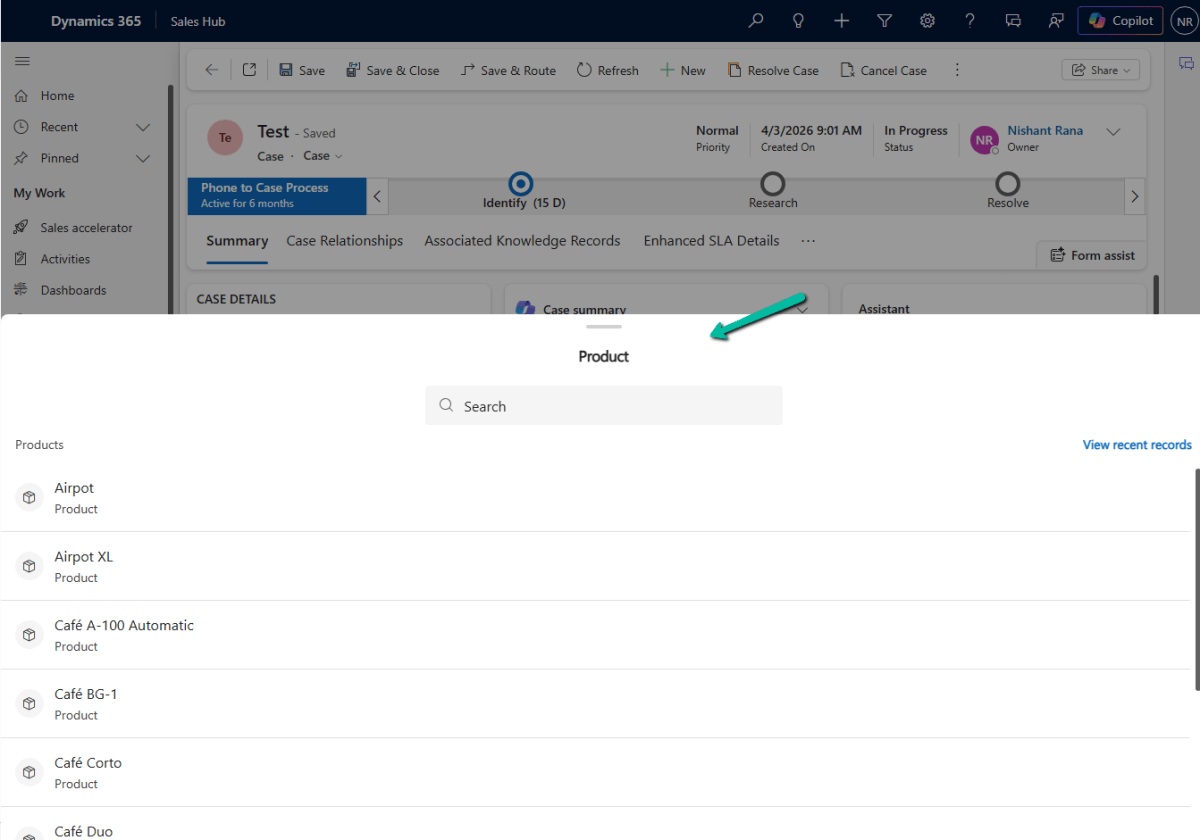
I recently came across a small but useful addition to the Dynamics 365 / Power Apps lookup experience: the Drawer Lookup Control.
With the standard lookup, selecting a value typically opens the familiar lookup experience.
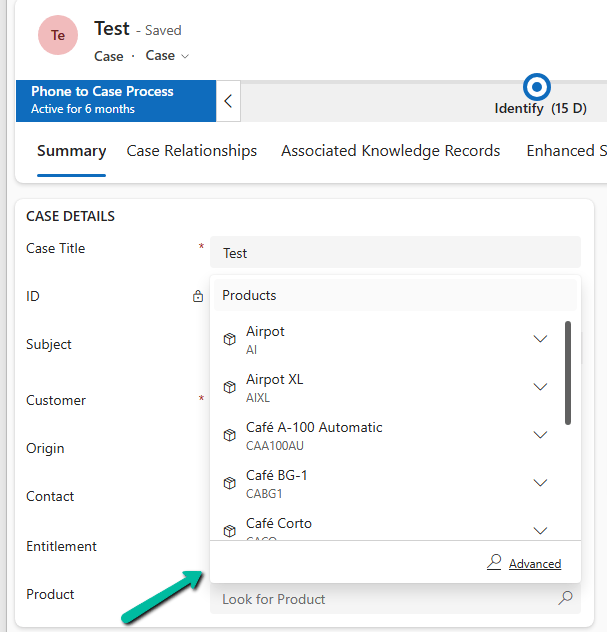
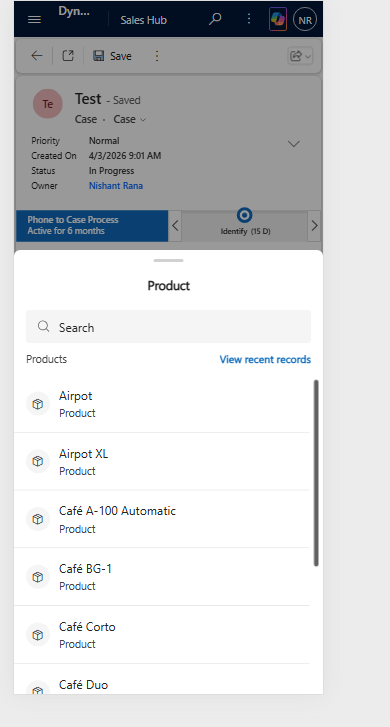
With Drawer Lookup, the records are displayed in a bottom-sheet style drawer, making it easier to search and select a record on a phone or tablet.
This is how it would look on Web –
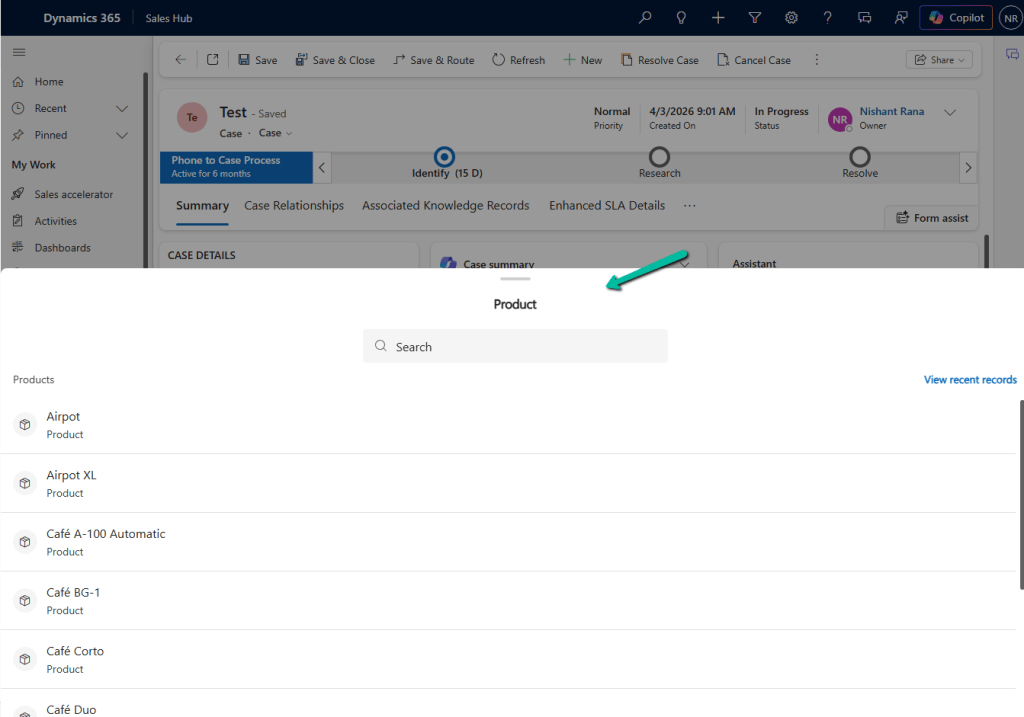
How to Configure It
The configuration is quite simple. Open the form in Power Apps, select the lookup field, and go to Components.
Select:
- + Component → Drawer Lookup Control
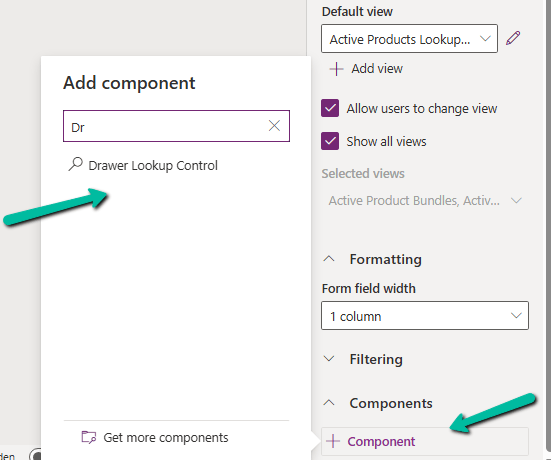
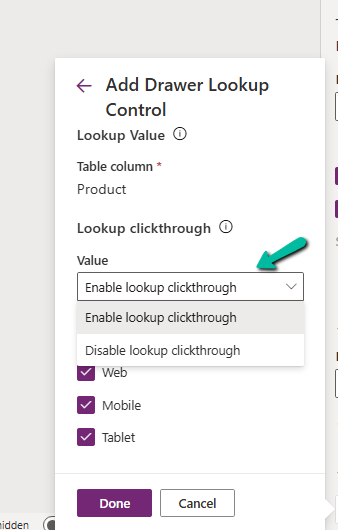
We can then configure the lookup click-through behavior:
- Enable lookup clickthrough
- Disable lookup clickthrough
The control can also be enabled for the Web, Mobile, and Tablet experiences.
This is especially useful when we have forms that are frequently used from mobile devices, and users need to select records from lookup lists like leads, contacts, accounts, work orders etc.
The Disable lookup clickthrough option can also help prevent users from accidentally navigating away from the current form when interacting with a lookup value.
It is a relatively small UI enhancement, but for mobile-heavy Dynamics 365 implementations, these small improvements can make the experience noticeably cleaner. If we have forms that are heavily used on phones or tablets, Drawer Lookup Control is definitely worth trying.
References
- Microsoft Learn – Add simplified lookup control
- Microsoft Learn – Add a mobile lookup control to the Field Service mobile app
Hope it helps..
Discover more from Nishant Rana's Weblog
Subscribe to get the latest posts sent to your email.
Share It -


