ILMerge / Dependent Assemblies in Plugin – System.IO.FileNotFoundException: Could not load file or assembly ‘System.Memory.Data’ – Dynamics 365 / Dataverse


Recently in one of our Plugins, which was using Azure.Storage.Blobs and Azure.Storage.Common libraries to move attachments from notes to Azure Blob Storage suddenly started throwing the below exception. The Plugin had been working fine and had been deployed long back to the production environment.

System.TypeInitializationException: The type initializer for ‘Azure.Response’ threw an exception. —> System.IO.FileNotFoundException: Could not load file or assembly ‘System.Memory.Data, Version=1.0.2.0, Culture=neutral, PublicKeyToken=cc7b13ffcd2ddd51’ or one of its dependencies. The system cannot find the file specified.

We raised the Microsoft Support for it and were informed that the reason for this was there was a platform update over that particular weekend to stop loading the “System.Memory.Data” assembly on the plugin server. And as we hadn’t included that assembly in our package (ILMerge), we started getting the exception.

Also as per Microsoft Docs


So the quick fix at that time was to include (set Copy Local as True) for that System.Memory.Data along with Azure assemblies.

Also now we can look into using Plugin Package to package the dependent assemblies.

Hope it helps..

Advertisements

The plug-in execution failed because the Sandbox Worker process crashed. This is typically due to an error in the plug-in code – Dataverse / Dynamics 365


Recently we got the below exception for one of our plugins.

Message: The plug-in execution failed because the Sandbox Worker process crashed. This is typically due to an error in the plug-in code. Please refer to this document: https://go.microsoft.com/fwlink/?linkid=2189390
Microsoft.Xrm.RemotePlugin.Grpc.ExceptionHandlers.SandboxFabricWorkerCommunicationException: Error communicating with SandboxFabric Worker —> Grpc.Core.RpcException: Status(StatusCode=”DeadlineExceeded”, Detail=”Deadline Exceeded”

If we refer to Microsoft Documentation below seems to be the cause of the issue in our case.

In our scenario, we had a Plugin that was Asynchronous and it was triggered on the Post Update of Work Order Service task. The plugin will fetch all the attachments (to notes associated with inspection attachments > inspection response > work order service task). There were many Service Tasks having more than 20 attachments exceeding 100 mb size total.

We were doing bulk updates which triggered the plugin creating too many requests eventually leading to that error.

Get more details – Error “Sandbox Worker Process Crashed”

Also, check – https://cloudblogs.microsoft.com/dynamics365/it/2017/02/20/microsoft-dynamics-365-online-asynchronous-service-quotas/

Hope it helps..

Advertisements

Block unmanaged customizations (preview) – Dataverse / Dynamics 365


We were recently trying out the new block unmanaged customizations feature introduced.

Now with more and more adoption of Managed Solutions, having this feature could help the administrators to manage and control the environment.

It is still in preview, with its sets of known limitations.

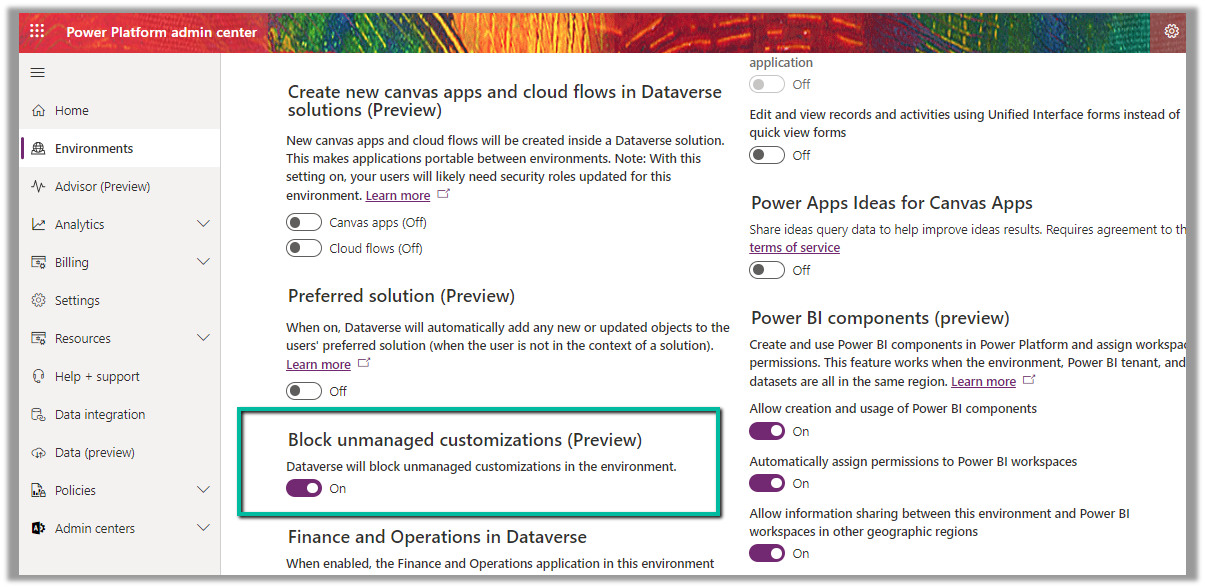
To see it in action, enable it from Environment >> [Environment] >> Settings >> Features

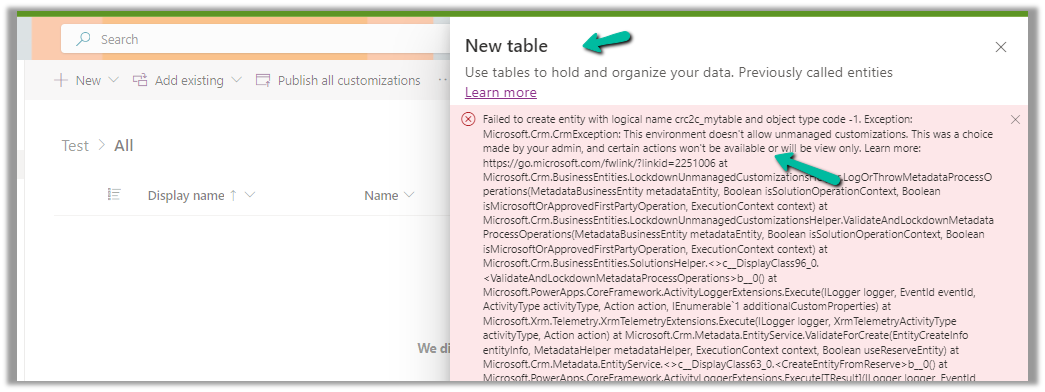
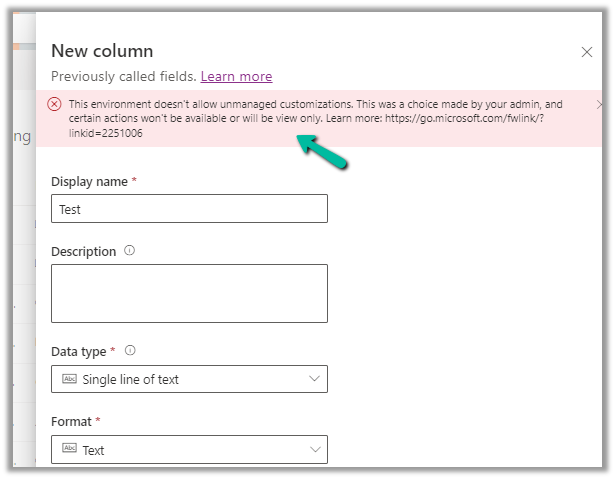
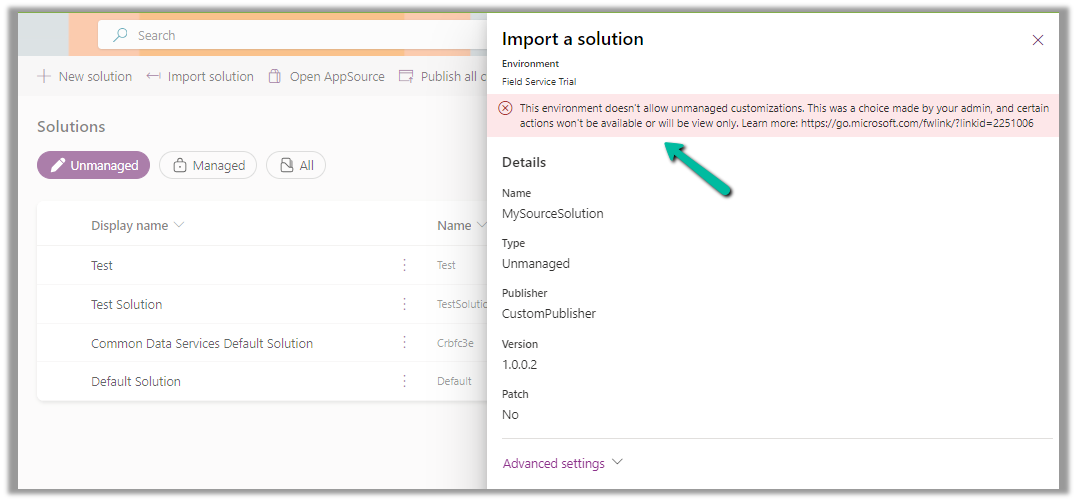
With this feature enabled, although we can create and export unmanaged solutions in the environment, we cannot

create a new table

Or create a new column or any other unmanaged solution component

Import an unmanaged solution –

Update a form (i.e. adding unmanaged changes to existing managed components)

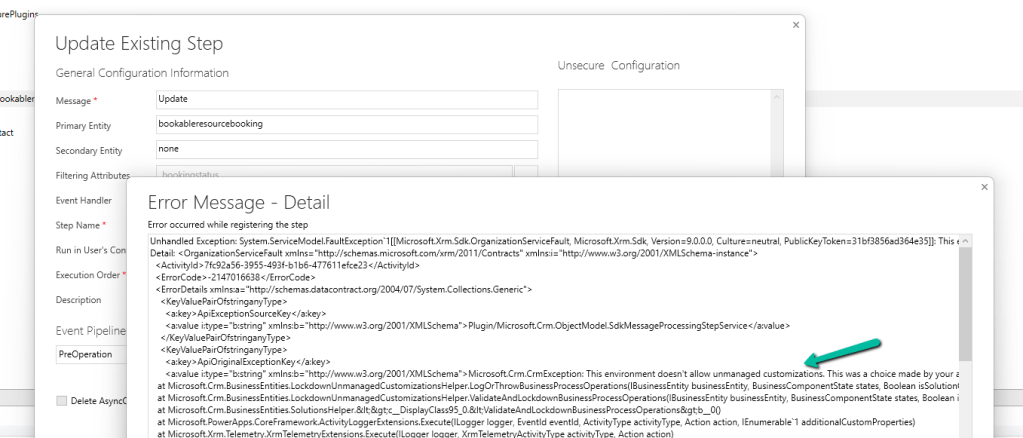
On trying to update a Plugin Step –

Get full details here

Hope it helps..

Advertisements

Fixed – Invalid type. Expected Integer but got Number (Power Automate)


In one of our Cloud Flows, for Parse JSON action, we got the below error –

ValidationFailed. The schema validation Failed.

“Invalid type. Expected Integer but got Number”

The generated schema had data type defined as integer instead of number type for certain properties, and the response was having decimal value to it.

So replacing the “integer” with “number” in the Schema of Parse JSON action fixed the issue.

Hope it helps..
Advertisements

Analyzing PowerApps Canvas and Model-Driven Apps Performance


Analyzing PowerApps Canvas and Model-Driven Apps Performance

Deploy Web Resources and Plugin directly from Visual Studio using Kupp Code Analytics


In the previous posts, we covered the Overview and Key Features of Kupp Code Analytics, the installation and setup process of the extension, its Intellisense capabilities, and the analytics capabilities.

In this blog post, we will cover deploying Web Resources and Plugin directly from Visual Studio using the Kupp Code Analytics extension, which makes the process more efficient and less error-prone compared to doing it manually.

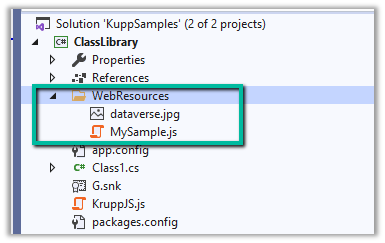
Suppose we have the following JavaScript and Image file that we want to deploy to our Dataverse / Dynamics 365.

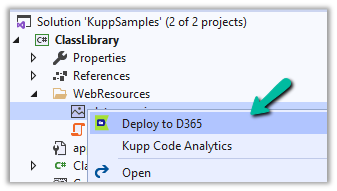
We can right-click the file and select the option “Deploy to D365

In the Output window, we can see both the Web Resources created.

Now let us make changes to our JavaScript file – MySample.cs and click on Deploy to D365.

This time in the output window we can see the file getting updated instead of getting created.

We can see the Web Resources files created and updated for the connected environment inside the Maker Portal.

Similarly, we can deploy or update our Plugins from within Visual Studio. Here we need to make sure our Plugin Assembly is already registered.

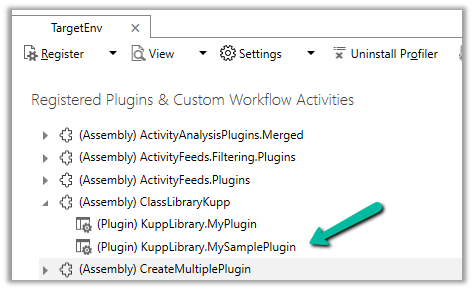
Below we have the following assembly already registered.

Let us update our Plugin Class and select the “Deploy to D365” option for the plugin project. We have added a new plugin class called MySamplePlugin.

As expected we can see our plugin updated from the Output window.

From Plugin Registration Tool we can see our plugin assembly updated.

Hope it helps..

Advertisements