Not able to register Image for Plugin in Microsoft Dynamics 365 Developer Toolkit (Public Beta 1)


Hi,

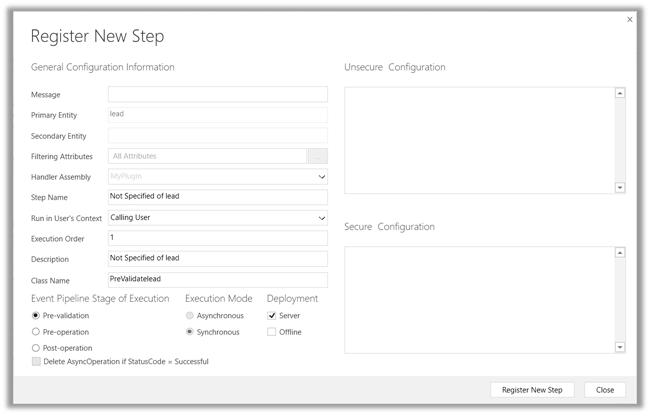
While using Developer Toolkit for Dynamics 365 we got strange issue today, the Images were not getting registered for Plugins.

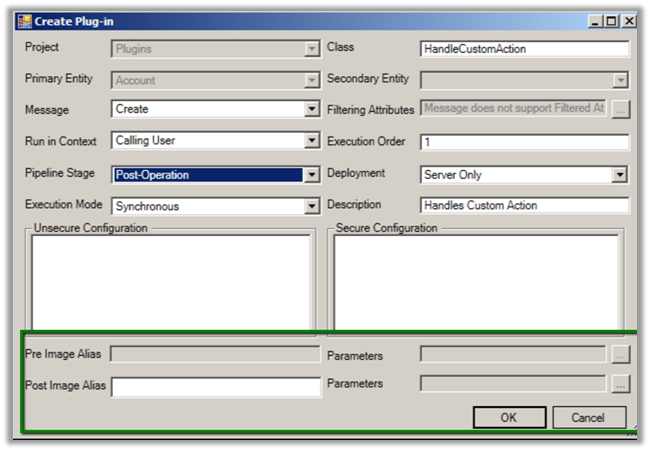
In fact, in the Create New Plugin dialog box we couldn’t see the option of adding images like previous version.

Previous version –

To get more details on the new toolkit refer the below article

http://butenko.pro/2016/11/developer-toolkit-dynamics-365-public-beta-1-whats-new/

Hope it helps..

Using World Map \ Bing Map in SSRS Report in Dynamics 365 (and earlier)


Hi,

Recently I was working on a SSRS Report that will show the countries in the world map (Country was a custom entity in our CRM)

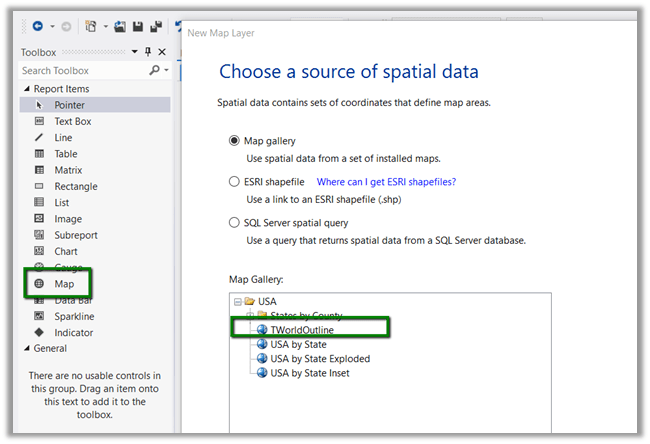
To create such a report, drag the Map report item to the report designer.

OOB we do not have world map in the Map Gallery.

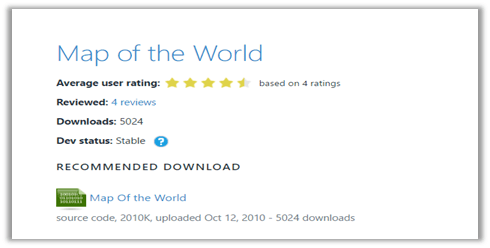
Download it from the following location

https://mapgallery.codeplex.com/releases
Copy the download RDL to the following location (in my case – SQL Server Data Tools for VS 2012)
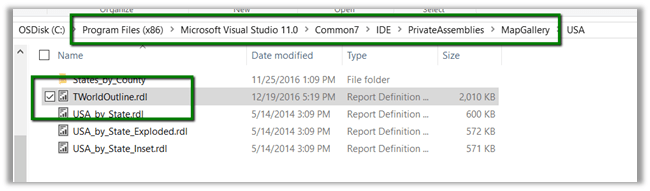
Select the world map
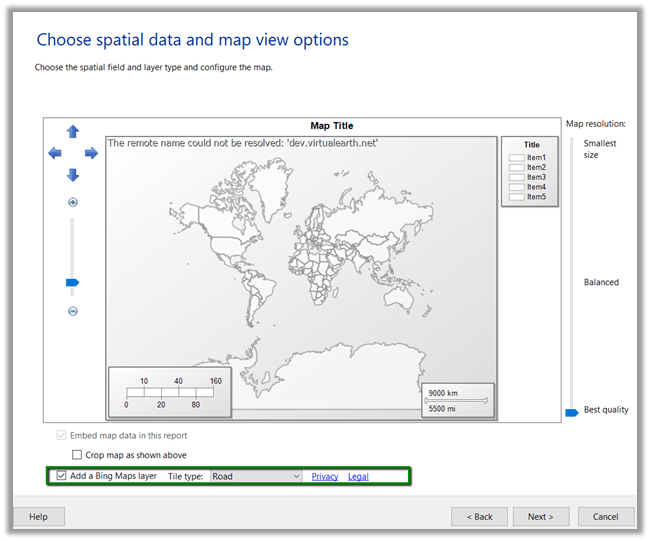
Add a Bing Map layer
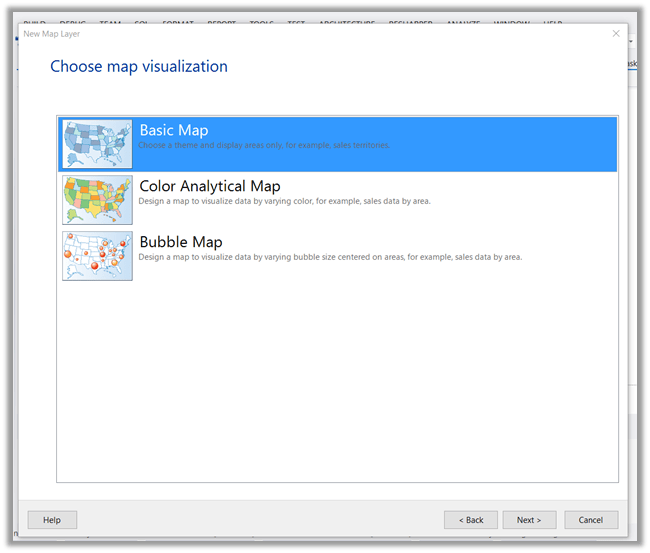
Select Basic map
Click Next and select appropriate value
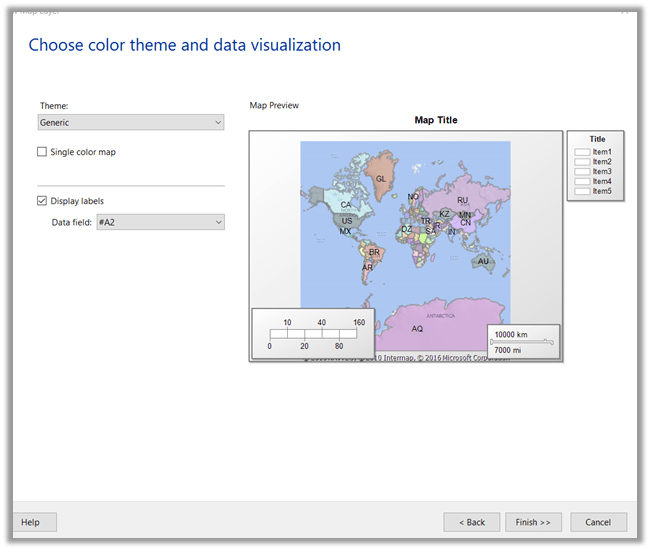
Click on Finish.

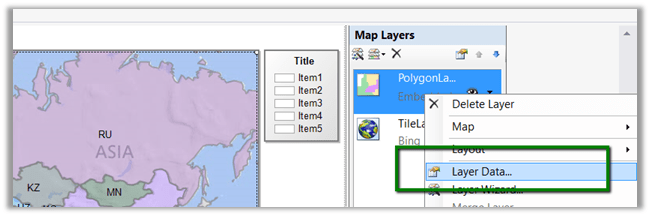
Next inside report designer, right click Layer Data
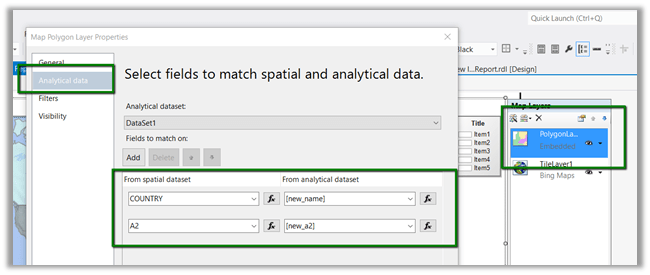
And specify mapping between the spatial and analytical dataset (our custom dataset here which has 2 column in it, name of the country and A2.
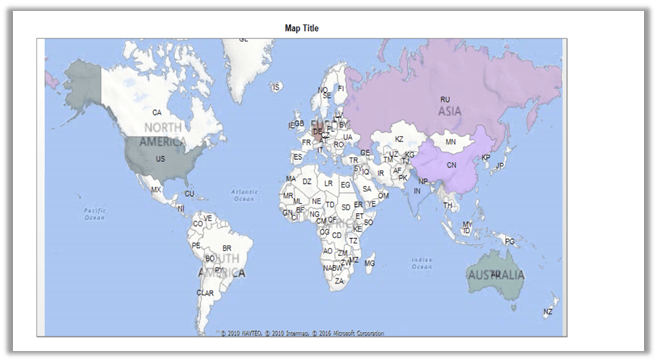
Suppose we have following countries in our CRM

The final report with countries highlighted in colors.
Hope it helps..

Cannot update a report from a template if the report was not created from a template error while trying to import solution in Dynamics 365


While trying to import a managed solution to our test environment we got the below error

“Cannot update a report from a template if the report was not created from a template”. We got this error on one specific report.

Removing that particular report from the solution and trying the import again fixed the issue for us.

https://community.dynamics.com/crm/f/117/t/150777

Hope it helps..

SQL Timeout Issue while trying to Apply Solution Upgrade in Dynamics 365


Recently in our project we tried implementing solution upgrade to delete some of the components from the existing managed solution.

https://nishantrana.wordpress.com/2016/10/16/how-to-delete-components-from-managed-solution-in-dynamics-crm-2016-without-using-holding-solution/

However, we kept running into SQL time out issue and it didn’t work for us. Finally we raised product support ticket for it and eventually the product support team increased the SQLCommandTimeout to 5 minutes, which helped us to fix the issue.

Legacy Form Rendering vs New Form Rendering (Turbo Forms) in Dynamics 365


Hi,

Recently we were analyzing performance improvement we’d gain while moving our solution from legacy form rendering to new form rendering.

For this we picked up the opportunity entity, which had good enough customizations (field, tab, sub grid, JavaScript etc.) in it.

Below is result we got using CRM Performance Center

http://blog.cobalt.net/blog/understanding-the-microsoft-dynamics-crm-performance-center

Hope it helps..

OnChange event getting fired on SetValue in CRM 2016 Update 1 New Form Rendering


Today while doing the analysis of existing system in New Form Rendering, we realized that the SetValue function used on onChange of an attribute was in turn triggering the onChange event for that field.

We basically had an option set field whose value we were setting based on certain condition on onChange event of the same field. This was working fine in Legacy Form Rendering and also in vanilla instance of Dynamics 365.

Only in new form rendering we were getting this issue of infinite loop.

I see the similar issue discussed in the forum

https://community.dynamics.com/crm/f/117/t/165954

We are planning to raise a product support ticket for the same. Let us see what solution the product team will come up with.

Hope it helps..