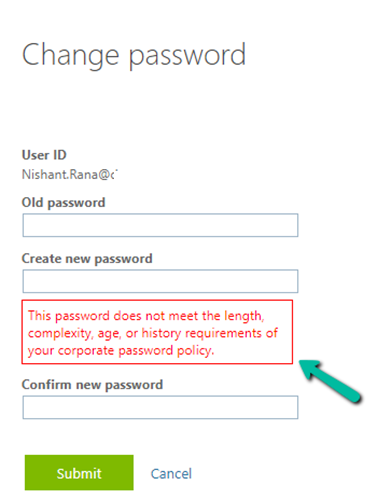
We might get the below error even after specifying a new password having the appropriate length, complexity, age, etc.
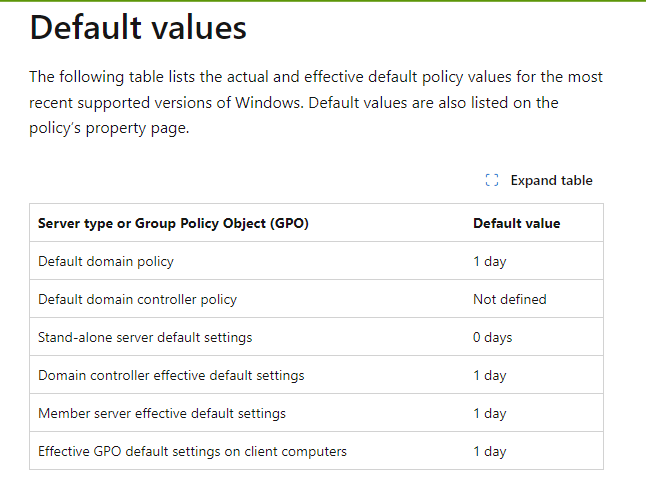
If you are also facing the same, it could be because of the Minimum password age policy setting. It specifies the duration for which the password must be used before it can be changed. It could be a value between 1 and 998 days, also it can be set as 0, which means the password cannot be changed again immediately.
In our case also, we had changed the password and within a few minutes we again wanted to change it for some testing, that is where we got that issue. Finally, after 24 hours, we were able to do so.
The below article explains in detail about different Password Requirements and how they apply in the case of Azure AD.
While trying to enable Admin Mode for one of our Dataverse Environments,
we got the below error
“This operation cannot be performed because there is an active lifecycle operation on the environment”
This was because we had a copy operation going in the background, we were copying that particular environment to another environment.
After the copy operation was completed (around 1 hour, for the environment DB Usage – 45 GB, File Usage – 118 GB, and Log Usage – 21.63 GB), we were able to switch on the Admin mode.
Recently in one of our environments, we were getting the below error on trying to create/update a contact or account record.
Exception Message: The user with SystemUserId=xxx-8c8f-ee11-be36-0022489338d1 in OrganizationContext=xxx-8c8d-ee11-8174-0022489425ce is disabled. Disabled users cannot access the system. Consider enabling this user for the action to succeed.. User IsDisabled=True, IsLicensed=True.
As the error message specifies, the system user record SystemUserId=xxxx-8c8f-ee11-be36-0022489338d1 was inactive/disabled.
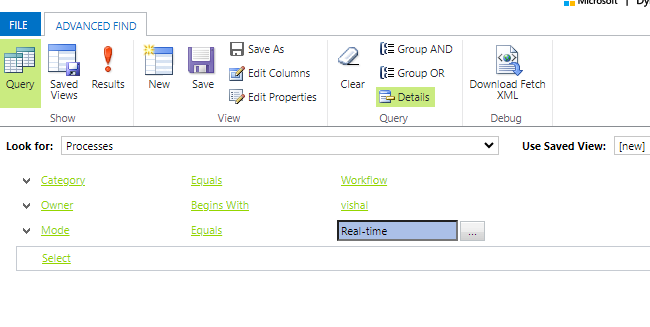
So we can run the below query to check all the real-time workflows owned by that user
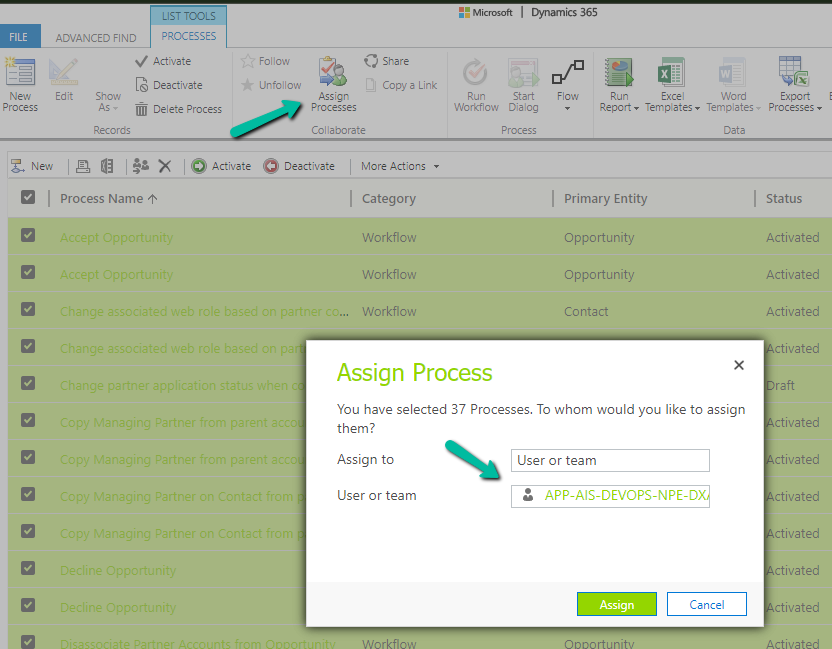
Next, we updated the Owner for all these workflows from Advanced Find.
This then allowed us to save the record.
Next we updated the owner of the remaining processes owned by the disabled user. We can also check and update the remaining components like plugin steps / cloud flows etc.
select workflowid, name, primaryentityname, categoryname, modenameg, owneridname, * from workflow
where
category  = 0
and ownerid = 'abc-8c8f-ee11-be36-0022489338d1'
and mode = 1

Select * from sdkmessageprocessingstep
where impersonatinguserid = 'abc-8c8f-ee11-be36-0022489338d1'
We might get the below message/notification on opening the Project form –
Dates and values are displayed in your time zone. Because the project could take place in a different time zone, the project schedule may appear incorrect.
This message will appear if the Project’s timezone differs from the logged-in user’s timezone.
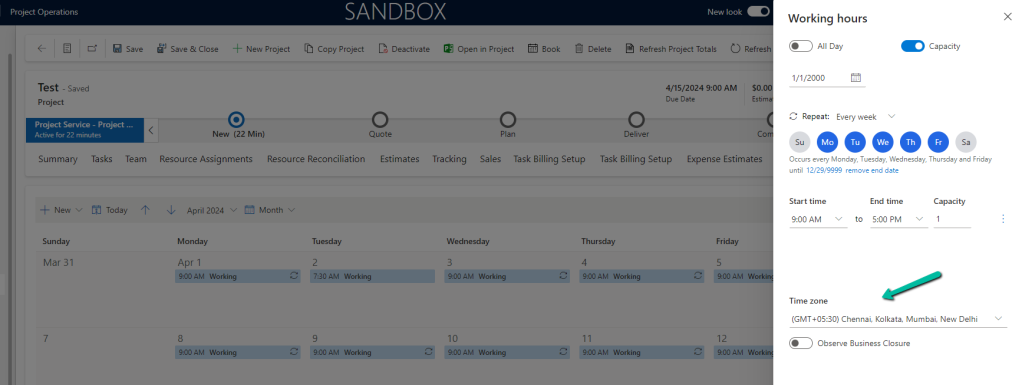
The project’s timezone is defined in the Calendar
For the user, it is defined in the user settings – Personalization Settings
Let us set it to be the same time zone as the project.
We will not get the notification now for that specific project.
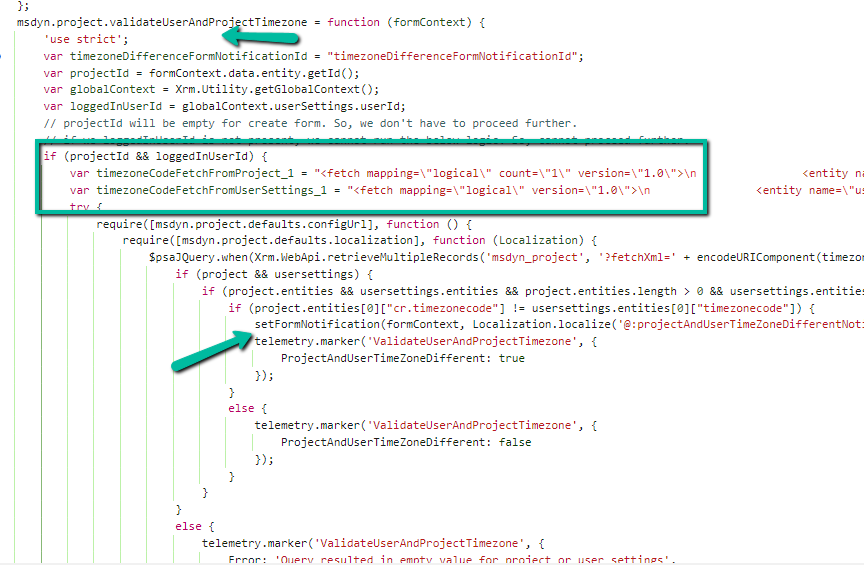
If we check in detail, we can see below out-of-the-box method validateUserAndProjectTimezone getting fired on the onLoad of Project form, which fetches and compares the Timezone associated with the Project and Logged In User and shows the notification.
The BypassBusinessLogicExecutionStepIds optional parameter or request header value allows us to bypass a specific plugin step by passing its GUID, irrespective of whether it is synchronous or asynchronous, unlike the other optional parameters – BypassCustomPluginExecution and BypassBusinessLogicExecution that will bypass all the custom synchronous and/ or asynchronous logic (plugins and workflows).
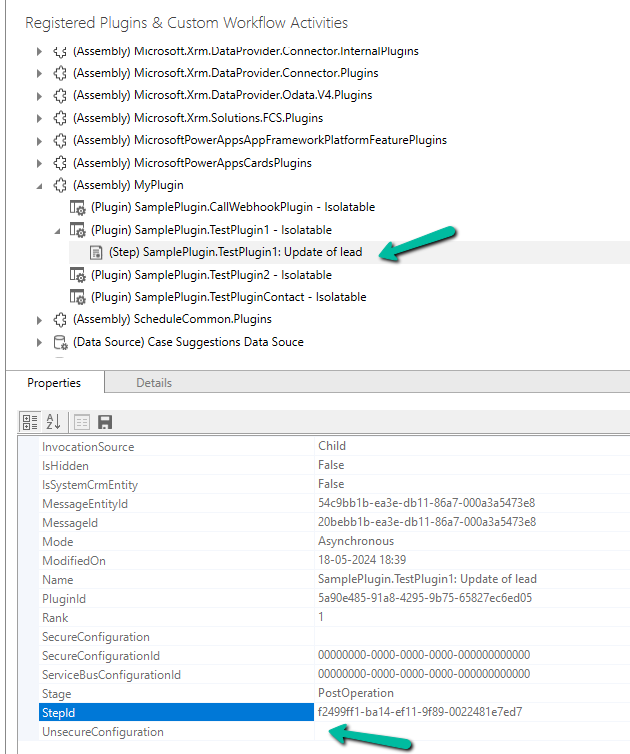
Below we have our plugin registered, that writes to the Plugin Trace log.
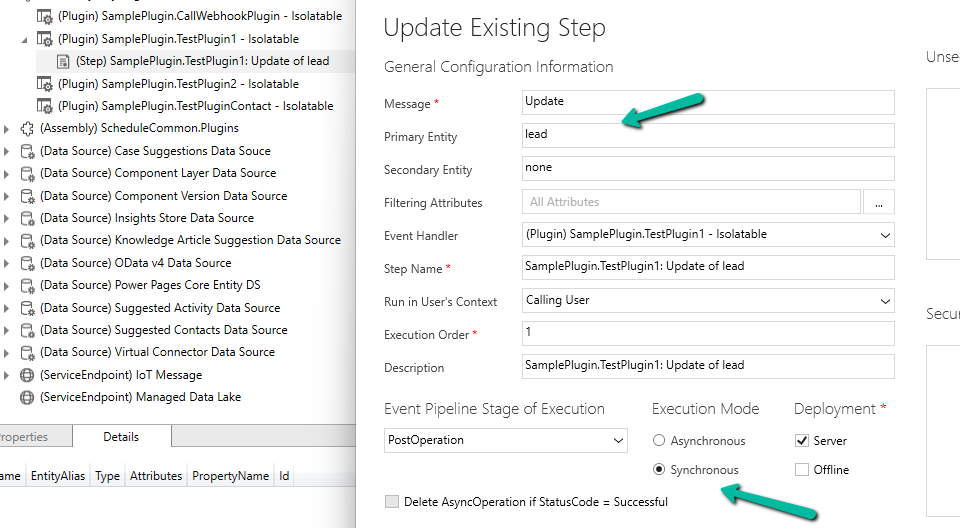
The plugin step is registered on the update of the lead record. We have got the StepId of the plugin step from the Properties window.
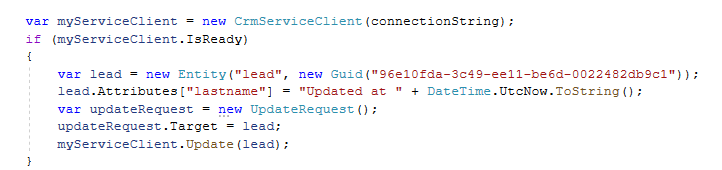
Below is our console app, which updates the lead, triggering the plugin. On running it without the BypassBusinessLogicExecutionStepIds, we can see the trace log parameter record created.
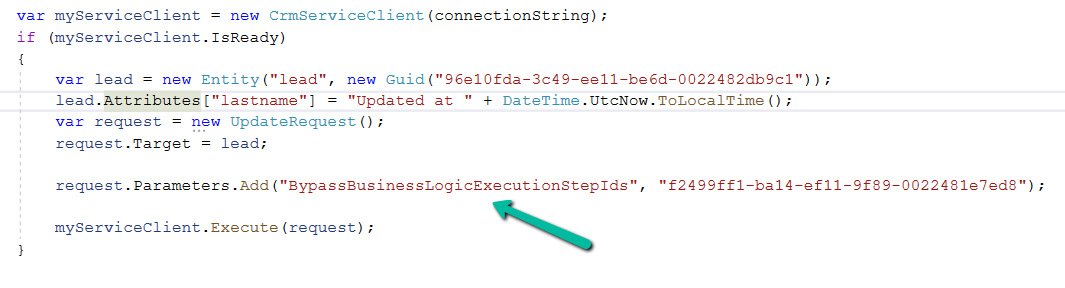
Upon adding the BypassBusinessLogicExecutionStepIds parameter in UpdateRequest, as shown below, the plugin is not triggered and no trace log is created.
Also, we can pass multiple Step’s GUID to it
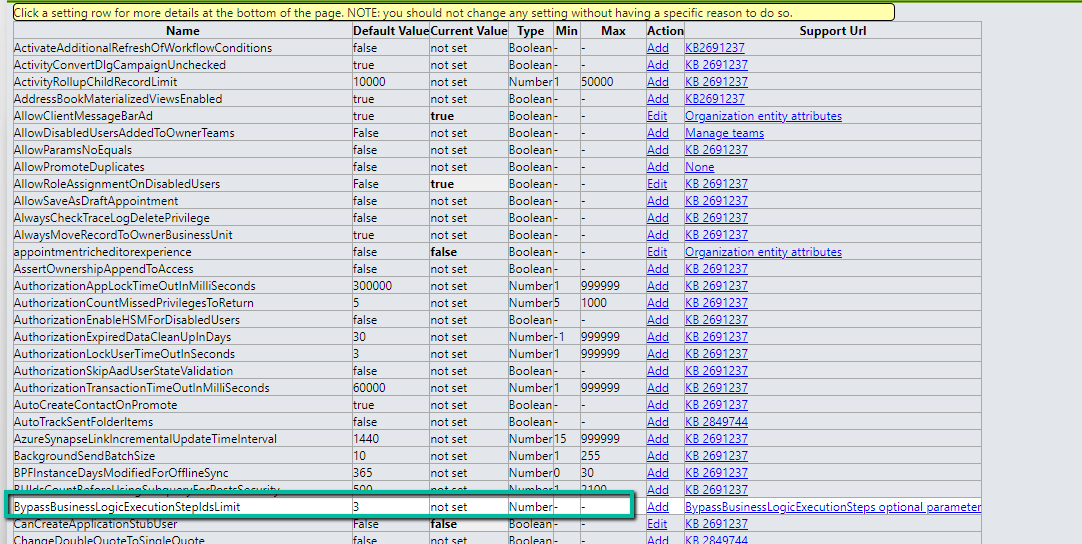
By default, we can maximum of 3 steps to it, which can be defined through BypassBusinessLogicExecutionStepIdsLimit Organization Settings value.
Using the new BypassBusinessLogicExecution parameter we can bypass both sync as well as asynchronous custom logic (i.e. sync / async custom plugin and custom workflow registered), unlike the BypassCustomPluginExecution parameter which applied to only the synchronous custom logic.
Let us see it in action with a simple example.
We have the following Plugin registered against the lead table that writes to the Plugin Trace Log.
We have the Update step (synchronous) registered for the plugin.
Below is our console app that updates one of the lead records triggering the plugin.
On running it we can see our plugin step triggered and a trace log created.
Now let us use the BypassCustomPluginExecution parameter of Update Request or BypassPluginExecution property of CrmServiceClient.
This time as expected the plugin is not triggered, so no plugin trace log record was created.
However, if our plugin step is registered in Asynchronous mode, we will have our plugin triggered, even if we are using the BypassCustomPluginExection parameter.
For bypassing the Asynchronous plugin only, or Sync Plugin, or both Async or Sync plugin, we can use the new optional parameter BypassBusinessLogicExecution passing the following values to it
CustomSync – to bypass synchronous logic.
CustomAsync – to bypass asynchronous logic.
CustomSync, CustomAsync – to bypass both Sync and Async logic.
On running the below code, our Plugin Step registered Asynchronously earlier is not triggered, in fact, any Synchronous step also, as we have specified both the CustomSync and CustomAsync.
“Also, any Workflow (Asynchronous or Real-time) registered will not trigger.“
In short,
BypassBusinessLogicExecution + CustomAsync parameter = Asynchronous workflow/plugin will be bypassed. We will have our Sync Plugin and Real-time workflow getting triggered.
BypassBusinessLogicExecution + CustomSync parameter or BypassCustomPluginExecution or BypassPluginExecution = Synchronous workflow/plugin will be bypassed. We will have our Asynchronous Plugin and Real-time workflow getting triggered
BypassBusinessLogicExecution + CustomSync + CustomAsync = Both Async / Sync Plugin and Workflow will be bypassed.
A few key points –
The user making the request needs to have the prvBypassCustomPlugins privilege.
These parameters will not apply to Core Plugin and Workflow included in a solution where Microsoft is the publisher.
Power Automate flows are not bypassed using these optional parameters.























 Nishant Rana's Weblog