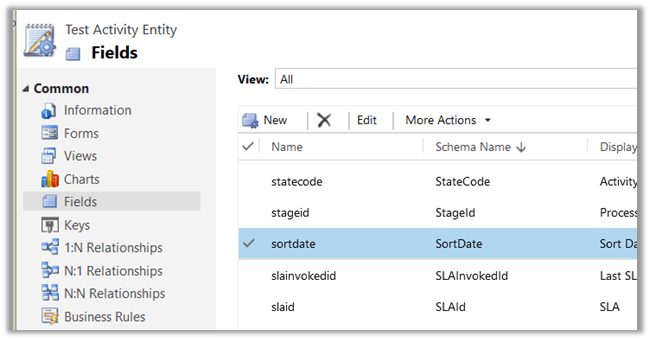
New Sort Date DateTime attribute added in Activity Entity in Dynamics 365.


A new SortDate attribute of type DateTime is added for Activity Entity (so basically to all child Task, Phone Call, Email activity etc.)

The value is null for it for the existing records and for the new record as well until we populate it through Business Rule, Plugin or any other method. The basic use could be to use it for sorting apart from OOB Modified on and Created on in View, Report, Chart as well as in Social Pane.
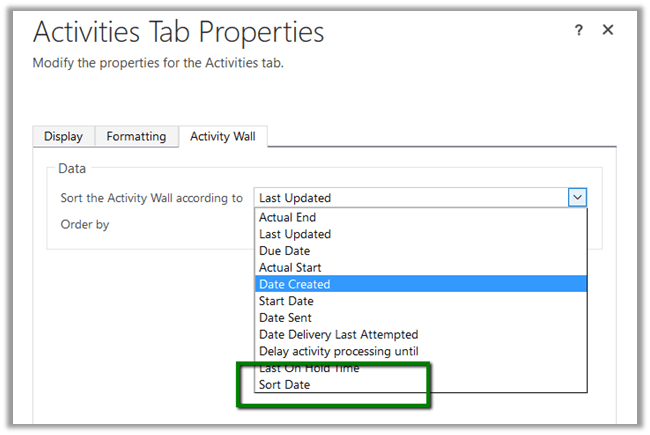
Check this awesome tip

http://crmtipoftheday.com/2016/11/15/change-the-default-order-of-activities-on-the-social-pane/

I remember while working in Oracle CRM On Demand project, where in we can add fields to the base Activity Entity and it would be available in all the child Activity entities. However, in Dynamics CRM the Activity Entity has always been locked i.e. we can’t add new fields in it.

Now what if we create a new custom activity entity?

Yes the field will be available in new custom activity entity as it would derive from the baes Activity Entity to which this new field has been added.
Hope it helps..

Integrating Dynamics NAV 2016 with CRM Online


Integrating Dynamics CRM and Dynamics Nav

Suvidha Shashikumar's avatarCode. Prompt. Automate. — The Age of AI Agents

Hi, In this post I would like to explain the initial setup required and steps for integrating Dynamics NAV 2016 and CRM Online. This enables you to integrate and synchronize data in Microsoft Dynamics CRM entities such as accounts, contacts, and products, with equivalent record types in Microsoft Dynamics NAV such as customers, contacts, and items, respectively.

NAV 2016 and CRM integration

Dynamics NAV 2016 has a default integration setup which can be used to enable this integration. NAV 2016 includes new objects to support this integration.

View original post 849 more words

Resources in Use -300 Custom Entities Limit in Dynamics 365 (online)


Hi,

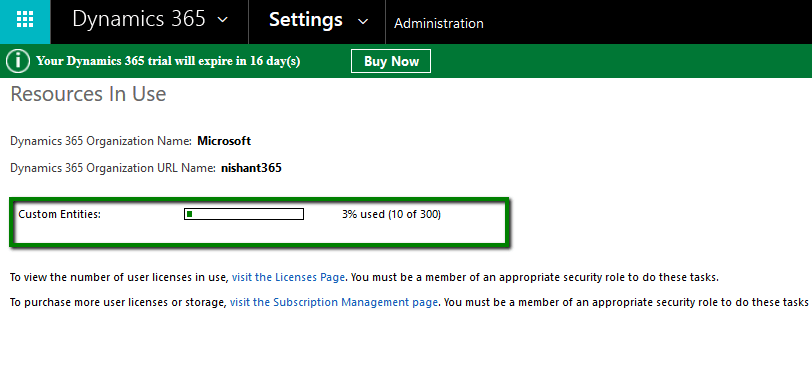
Till CRM 2015 update 1, we had upper limit of 200 Workflows, 300 Dialogues and 300 Custom Entities. From CRM 2015 Update 1 onwards, the limit of workfows, dialogues and custom entities have been removed.

In Dynamics 365 Online we can still see information related to custom entities which shows upper limit as 300. However this is more of indicative and there is no upper limit now. Please refer the below link for more details

https://technet.microsoft.com/en-us/library/88b18946-474c-4c94-8e4c-27532f930757?f=255&mspperror=-2147217396#Anchor_4

Go to Settings –> Administration –> Resources in Use

riu

Hope it helps..

Cleared MB2-712 Microsoft Dynamics CRM 2016 Customization and Configuration


Hi,

Today i cleared MB2-712 certification exam. It had 48 Questions in it with passing score 0f 700.

I referred to the following guide for my preparation by CRM MVP Neil Parkhurskt

https://neilparkhurst.com/2016/07/14/mb2-712-certification-microsoft-dynamics-crm-2016-customization-and-configuration-revision-guide/

Hope it helps..

Level Up: A Chrome extension for CRM Power Users


Awesome chrome extension

Natraj Yegnaraman's avatarDreaming in CRM & Power Platform

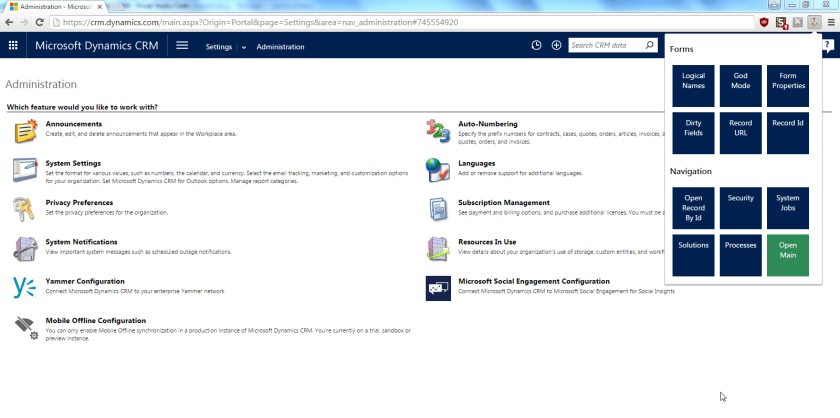
Today, I released a new Chrome extension that assists CRM power users. In this initial release there are 12 quick functionalities:

Form helpers

  1. Display Logical names for controls (Original script by Chris Groh http://us.hitachi-solutions.com/blog/2014/10/27/showing-entity-logical-names-on-form/)
  2. God Mode (based on http://www.magnetismsolutions.com/blog/paulnieuwelaar/2014/07/29/activate-god-mode-in-crm-2013—don-t-let-your-users-see-this)
  3. Form properties (Original script by Jared Johnson http://www.magnetismsolutions.com/blog/jaredjohnson/2014/08/03/dynamics-crm-2013-resurrecting-the-form-properties-window-with-bookmarklet)
  4. Dirty fields i.e. fields that have been modified
  5. Display record URL
  6. Display record Id

Navigation helpers

  1. Open record by Id
  2. Open security area
  3. Open System Jobs
  4. Open Solutions
  5. Open Process Definitions
  6. Open main

How do you install it

Download the extension from Chrome store -> Level up for Dynamics CRM

How does it look

Once you install this extension you will see a new rocket icon in the toolbar. If you click the icon, you will get a popup menu.

Screenshot MainHow to use it

You can have a look at this animation below to get an idea about the functionalities.

View original post 97 more words

Sample code to connect to Dynamics 365 Online through Console App (C#)


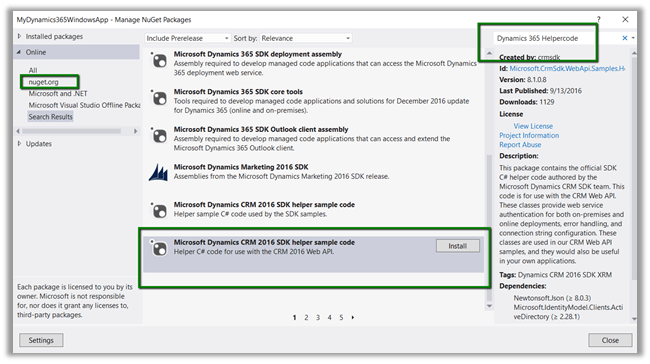
  • Create a console application add Newtonsoft and Active Directory Authentication Library. Or we can add the below Helper Sample Code package which will add the above libraries.

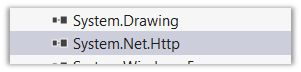
  • Add reference to System.Net.Http

  • Register the app

https://nishantrana.wordpress.com/2016/11/13/register-a-dynamics-365-app-with-azure-active-directory/

  • Sample Code

using System;
using System.Net.Http;
using System.Net.Http.Headers;
using System.Threading.Tasks;
using Microsoft.IdentityModel.Clients.ActiveDirectory;
using Newtonsoft.Json;
using Newtonsoft.Json.Linq;

namespace Dynamics365ConsoleApp
{
internal class Program
{
// username and password
private const string UserName = "sapnarana@nishant365.onmicrosoft.com";
private const string Password = "mypassword";
// Crm Url
private const string Resource = "https://nishant365.crm8.dynamics.com";
// Application's Client Id
private const string ClientId = "d08b641c-2dc8-4f33-8a57-b1573da88a22";
// Redirct Uri specified during registration of application
private const string RedirectUri = "http://localhost";
// Authroiztion Endpoint
private const string Authority = "https://login.windows.net/nishant365.onmicrosoft.com";

private static AuthenticationResult _authResult;

private static void Main(string[] args)
{
// without prompt
var authContext = new AuthenticationContext(Authority, false);
var credentials = new UserCredential(UserName, Password);
_authResult = authContext.AcquireToken(Resource, ClientId, credentials);

// with prompt
AuthenticationContext authContext = new AuthenticationContext(authority);
authResult = authContext.AcquireToken(resource, clientId, new Uri(redirectUri));

Task.WaitAll(Task.Run(async () => await GetFullNameSystemUsers()));
}

private static async Task GetFullNameSystemUsers()
{
var httpClient = new HttpClient
{
BaseAddress = new Uri(Resource),
Timeout = new TimeSpan(0, 2, 0)
};
httpClient.DefaultRequestHeaders.Add("OData-MaxVersion", "4.0");
httpClient.DefaultRequestHeaders.Add("OData-Version", "4.0");
httpClient.DefaultRequestHeaders.Accept.Add(new MediaTypeWithQualityHeaderValue("application/json"));
httpClient.DefaultRequestHeaders.Authorization = new AuthenticationHeaderValue("Bearer",
_authResult.AccessToken);

var retrieveResponse =
await httpClient.GetAsync("api/data/v8.1/systemusers?$select=fullname");
if (retrieveResponse.IsSuccessStatusCode)
{
var jRetrieveResponse =
JObject.Parse(retrieveResponse.Content.ReadAsStringAsync().Result);

dynamic systemUserObject = JsonConvert.DeserializeObject(jRetrieveResponse.ToString());

foreach (var data in systemUserObject.value)
Console.Write(data.fullname.Value);
}
}
}
}

For in depth understanding please refer the following post

https://debajmecrm.com/2016/02/23/understanding-in-depth-cross-origin-resource-sharing-cors-in-dynamics-crm-2016/

Hope it helps..

Nishant Rana's Weblog

Everything related to Microsoft .NET Technology

Skip to content ↓